Posts in news

Apple, Google, Amazon, and the Zigbee Alliance Announce Project Connected Home Over IP

In a press release today, Apple announced that it is part of a new working group with Google, Amazon, and the Zigbee Alliance called Project Connected Home over IP. According to Apple’s press release:

The goal of the Connected Home over IP project is to simplify development for manufacturers and increase compatibility for consumers. The project is built around a shared belief that smart home devices should be secure, reliable, and seamless to use. By building upon Internet Protocol (IP), the project aims to enable communication across smart home devices, mobile apps, and cloud services and to define a specific set of IP-based networking technologies for device certification.

Apple says smart home device makers IKEA, Legrand, NXP Semiconductors, Resideo, Samsung SmartThings, Schneider Electric, Signify (formerly Philips Lighting), Silicon Labs, Somfy, and Wulian will also contribute to the project. The group wants to make it easier for manufacturers of smart home devices to integrate with Amazon’s Alexa, Apple’s Siri, and Google’s Assistant and will take an open source approach to the development of the joint protocol.

This is fantastic news. To date, many smart home devices have adopted support for some, but not all, smart assistants. It has also become all too common for companies to announce support for certain assistants was coming to their products only to delay or abandon it altogether. With a unified approach across the three major companies with smart assistants, support will hopefully be more consistent in the future.


Apple Podcasts Now Available on Amazon Alexa Devices

Amazon today has announced a new partnership with Apple that brings the full Apple Podcasts catalog to all Alexa-enabled devices in the U.S.:

Beginning today, Alexa customers in the U.S. will be able to listen to more than 800,000 podcasts available through Apple Podcasts on their Alexa-enabled device.

Whether you’re listening at home or on the go, you don’t need to worry about losing your spot. Link your account in the Alexa app using your Apple ID, and you can seamlessly pick up where you left off listening on the Apple Podcasts App or your Alexa device. Pause the subscribed episode you’re listening to in the Apple Podcasts app on your commute, and continue listening with your Alexa device at home by asking Alexa to resume the podcast.

When you first start using Apple Podcasts on an Alexa device, you’ll need to specify “on Apple Podcasts” in your command; for example, “Alexa, play The Daily from yesterday on Apple Podcasts.” However, you can remove that requirement by setting Apple as your default podcast provider.

If you’d like to make Apple Podcasts your preferred podcast provider with Alexa, you can set Apple Podcasts as your default podcast provider in the Alexa app. To do so, open the Alexa app, go to Settings, select Music & Podcasts, and link/manage new services. Then, each time you request a podcast, we’ll prioritize playing it from Apple Podcasts if it’s available.

This announcement marks a major expansion of Apple Podcasts and the latest evidence of Apple’s multi-platform services strategy. Just last year, Apple Music arrived on Alexa devices, and earlier this fall the Apple TV app debuted on Amazon Fire TV. Those two moves were in some ways less surprising than this one though, since they both involved granting access to Apple’s paid services, Music and TV+. Apple Podcasts, on the other hand, is entirely free, at least at the moment. Rumors have indicated Apple may be funding some exclusive new podcast content, but it’s unknown whether that will be part of a forthcoming paid subscription service, or simply an added perk of using Apple Podcasts.

Spotify this past year has made significant moves in the podcasting space, and it’s likely that their efforts, which have developed real momentum in the market, are propelling Apple to invest more heavily in its own podcast ecosystem – great news for users.


Twitter Adds Support for iOS Live Photos by Making Them GIFs

Twitter today announced long-overdue support for iOS Live Photos. Rolling out now on all compatible platforms, whenever you add a Live Photo to a tweet you’re composing, you’ll see a new GIF button in the corner of the image. By default the button is crossed out, indicating the Live Photo will be shared as a still image. However, with a single tap you can choose to share your Live Photo as a GIF instead.

https://twitter.com/twitter/status/1204827212731625473

Live Photos first debuted in 2015 alongside the iPhone 6s and 6s Plus, but there were plenty of questions at the time about whether the feature would be adopted by social media services or not. For Twitter we now know that the answer was yes, eventually.

I think turning Live Photos into GIFs is a great idea, especially since Twitter auto-plays GIFs by default as you scroll your timeline. Not every Live Photo deserves to be converted to a GIF, which is why I’m glad the feature isn’t on by default, but being able to change that with a single tap is a nice option to have.


Mac Pro and Pro Display XDR Unboxings and Impressions

Earlier today, Apple began accepting orders for the all-new Mac Pro, which will start shipping to customers in 1-2 weeks. Reminiscent of what Apple did when it released the iMac Pro, the new Mac Pro was provided to a very limited set of reviewers with video production experience in advance of pre-orders.

Marques Brownlee shares his impressions after using the Mac Pro and two Pro Display XDRs to edit all of his YouTube videos for the past two weeks. His main takeaways? “One, it’s really quiet, Two, it’s really fast.” So fast, in fact, that he was able to render 8K video more quickly than the time it would take to watch.

For two unboxings and a look at the setup process, be sure to watch these videos by Justine Ezarik and Jonathan Morrison.

To learn more about what it’s like to edit video on using Final Cut Pro X, a new Mac Pro, and Pro Display XDR, don’t miss Episode 514 of Mac Power Users on Relay FM, on which David Sparks and Stephen Hackett interview Thomas Grove Carter.

Finally, director and photographer Vincent Laforet shares his impressions of Apple’s newest hardware on his blog along with the first project he created with it.

More than anything else, the thing that struck me about each of the impressions shared by this small group is their sense of wonder and amazement at the speed and power of the new Mac Pro. This isn’t a computer for most people, but if you need it, the Mac Pro clearly opens up new possibilities.


Apple Releases iOS and iPadOS 13.3 with Communication Limits, Removable Memoji Stickers, and tvOS 13.3 with Alternate Top Shelf for TV

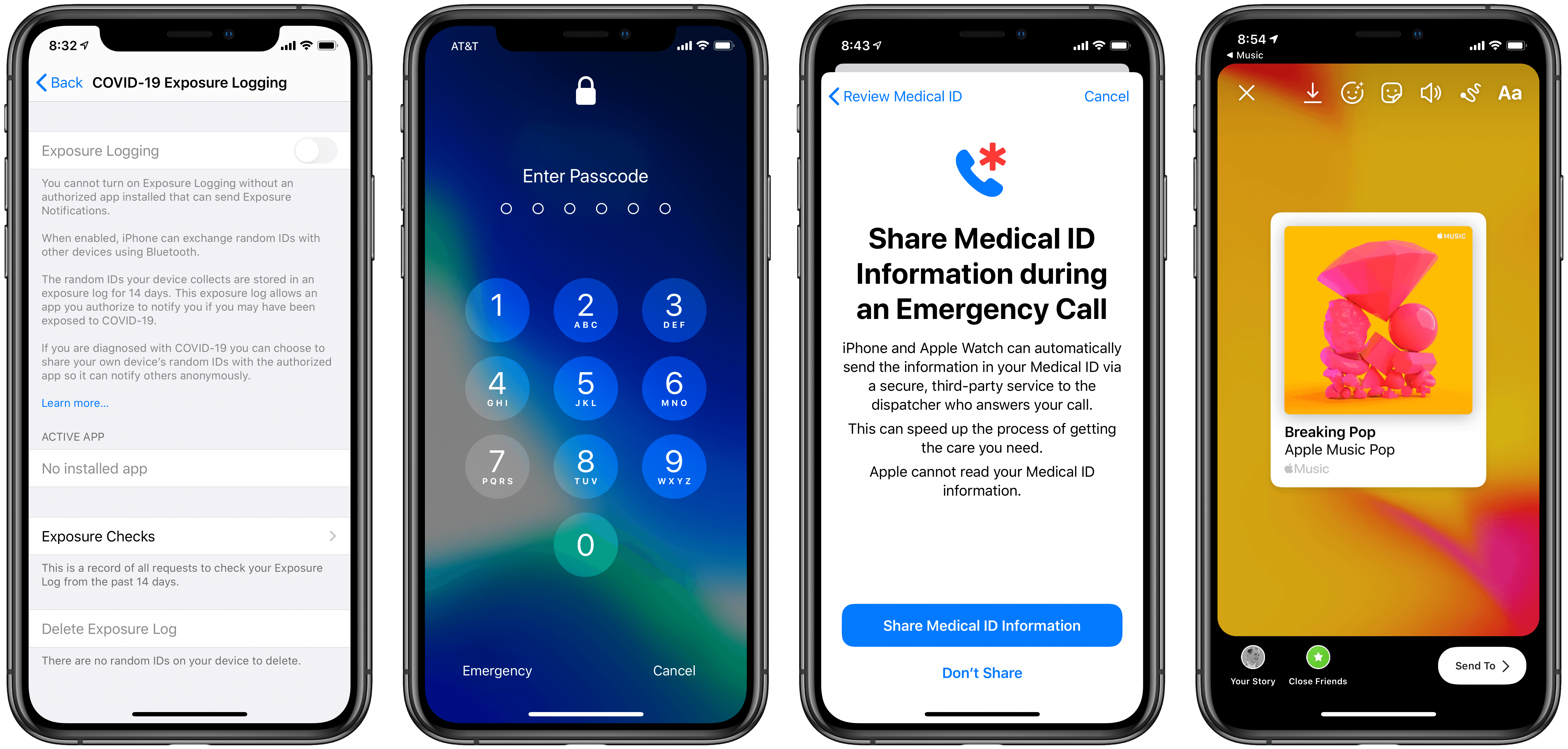
Apple today released what are surely its last major point releases of software for the year, iOS, iPadOS, and tvOS 13.3, alongside minor updates for the company’s other platforms. In fitting the trend of an out-of-the-ordinary software release cycle, which was largely caused by a particularly buggy iOS 13.0 release, today’s releases don’t contain the number of features we’ve grown to expect from a point update. iOS and iPadOS 13.3 include only a couple noteworthy improvements: Communication Limits have been added to Screen Time, and Memoji stickers can be removed from the emoji keyboard. On the tvOS side, 13.3 re-introduces the option for the TV app to display your Up Next queue as its Top Shelf behavior rather than auto-playing video instead.

Read more


Apple Begins Accepting Pre-Orders for the New Mac Pro and Pro Display XDR with Shipping Beginning in 1-2 Weeks

First revealed at WWDC this past June, Apple has begun taking pre-orders for its next-generation Mac Pro and 32-inch Pro Display XDR with in-store availability and shipping beginning in 1-2 weeks.

The new Mac Pro’s specs are a huge step up from the previous cylindrical model. As we reported from WWDC in June:

The system’s processor is an Intel Xeon W available in 8, 12, 16, 24, and 28-core configurations powered by a 1.4 kilowatt power supply. The processors also feature large L2 and shared L3 caches and 64 PCI Express lanes. The 8, 12, and 16-core models support 32, 48, 96, 192, 384, and 758GB memory configurations, with the 24 and 28-core models also supporting 1.5TB of memory using a six-channel architecture and 12 easily accessible DIMM slots. There are also a total of eight PCI expansion slots, four of which are double-wide, three of which are single-wide, and one of which is a half-wide slot preconfigured with Apple’s I/O card. The Mac Pro also supports up to 4TB of SSD storage and features Apple’s T2 chip.

Mac Pro

Mac Pro

The graphics options are similarly impressive:

The system supports two MPX Modules with a total of up to 4 GPUs. Configurations include a single AMD Radeon Pro 580X, single AMD Radeon Pro Vega II, or AMD Radeon Pro Vega II Duo, which features two GPUs. Two MPX Modules with AMD Radeon Pro Vega II Duos provide 56 teraflops of compute power and 128GB of high-bandwidth memory, for handling the most demanding video compositing and 3D rendering tasks, for example. The new Mac Pro also introduces Apple Afterburner, a hardware accelerator card that can process up to 6.3 billion pixels per second, which allows up to 3 streams of 8K ProRes RAW, 12 streams of 4K ProRes RAW, or 16 streams of 4K ProRes 422 video all at 30 frames per second.

A look inside the new Mac Pro.

A look inside the new Mac Pro.

The new Mac Pro, which starts at $5,999 and can be configured well into five figures, is available for immediate pre-order on apple.com with in-store availability and shipping beginning in 1.2 weeks. In total, there are two base configurations – tower and rack mounted versions – each of which can be further customized on Apple’s website. Apple’s website also revealed that the optional Mac Pro wheels will cost $400.

As you would expect from a pro-level desktop Mac, there are numerous options for processors, system memory, storage, graphics, and more. Equipped with the most expensive of every hardware option, you can spend over $50,000 on a Mac Pro, which is a very large sum, but one that professionals in industries like film and music will likely be willing to pay to eliminate bottlenecks in their production workflows.


The Pro Display XDR.

The Pro Display XDR.

Apple has also announced availability of the Pro Display XDR, which was shown off alongside the Mac Pro at WWDC.

The new display is 32 inches diagonally with over 20 million pixels, P3 wide color gamut, and 10-bit color, which Apple says results in over 1 billion colors. The display can sustain 1,000 nits of brightness with 1,600 nit peaks and features a 1 million to 1 contrast ratio. The company also offers an optional matte finish that etches the screen’s glass at a nanometer scale, which adds $1,000 to the price.

The Pro Display XDR is available for pre-order now starting at $4,999. A model with a nano-etched anti-glare finish model begins at $5,999. The display’s stand is sold separately for $999, as is the VESA adaptor, which is is $199.


The MacStories Selects Awards Are Just Around the Corner

Last year, we introduced readers to the MacStories Selects Awards, which honored our favorite apps of 2018 in various categories. The MacStories Selects Awards will be back again this year with awards in the following eight categories:

  • App of the Year
  • Best New App
  • Best App Update
  • Best New Feature
  • Best Watch App
  • Best Mac App
  • Best Game
  • Readers’ Choice Award

The response to last year’s awards from readers and developers was fantastic, so this year we’ve decided to expand the MacStories Selects with a few new categories and some surprises that we aren’t ready to reveal just yet.

Club MacStories members can find the link to vote for the Readers' Choice Award in Issue 203 of MacStories Weekly.

Club MacStories members can find the link to vote for the Readers’ Choice Award in Issue 203 of MacStories Weekly.

One of the new categories that deserves a special mention, though, is the Readers’ Choice Award, which will be awarded to an app chosen by Club MacStories members. If you’re a Club member, please take the time to use the link in Issue 203 of MacStories Weekly that was sent to members last Friday, December 6th to vote for your favorite iOS or iPadOS app from a third-party developer. You can find Issue 203 in the MacStories Weekly Archives. We’ve had a tremendous response so far, but would love to have an even broader group of members participate.

Every year, we look at hundreds of terrific apps on all of Apple’s platforms, and MacStories Selects is our way to call out a handful of our absolute favorites. It’s the perfect way to cap off the year as the new one approaches. We look forward to sharing our selections and our Club members’ pick very soon.


Hands-On with Clips 2.1: Memoji and Animoji Support, Plus New Sticker Face Tracking and More

Apple has released the first big update in over a year for its Clips video creation tool. Following the trend begun in iOS 12, which added Animoji support to FaceTime, now all Animoji and Memoji characters can also be used inside Clips. Though I would have expected such an update a year ago, it’s nevertheless good to see. Besides Animoji and Memoji, Clips 2.1 only adds a couple other small new features, like a fresh batch of Mickey and Minnie stickers, a ‘Let It Snow’ winter poster, and support for right-to-left languages. After spending some time with the update, there are a couple nice implementation details related to Animoji that deserve highlighting.

Read more


Club MacStories Makes a Terrific Holiday Gift 

As you shop for holiday gifts for friends and family, we wanted to remind everyone that Club MacStories memberships can be given as gifts year-round. The Club extends what we publish at MacStories, which makes it the perfect gift for someone who wants more of the kind of app, automation, and other coverage you find on the site.

Club MacStories offers exclusive content every week including:

  • MacStories Weekly, a newsletter that is sent on Fridays and packed full of our favorite apps, themed collections, tips, Shortcuts automations, answers to reader questions, featured Home screens, interviews, and much more.
  • The MacStories Unplugged podcast, a monthly show featuring a discussion of what’s going on behind the scenes at MacStories, articles we’re working on, the gear we’ve been testing, and more.
  • The Monthly Log, a monthly newsletter that includes long-form and behind-the-scenes stories.
  • Access to giveaways, discounts, and other treats like eBook versions of Federico’s annual iOS review and other long-form stories.
  • The full archive of over 250 issues of MacStories Weekly and the Monthly Log.

All told, that’s around 60 newsletters and lots of other perks over the course of a year.

Now is also a great time to join the Club because we have a lot planned for 2020, including a special issue coming in January that will be packed with goodies for members.

So, if you have a MacStories reader on your holiday shopping list this season, consider a Club MacStories membership that they can enjoy all year long. Monthly ($5/month) and annual ($50/year) memberships can be given using the following links:

Also, thanks to all our loyal Club members who have joined since the Club’s debut in 2015. You’re an essential part of what we do here at MacStories, and we hope you’ve enjoyed the Club as much as we enjoy creating its special content for you every week.

Happy Holidays!

- The MacStories Team