

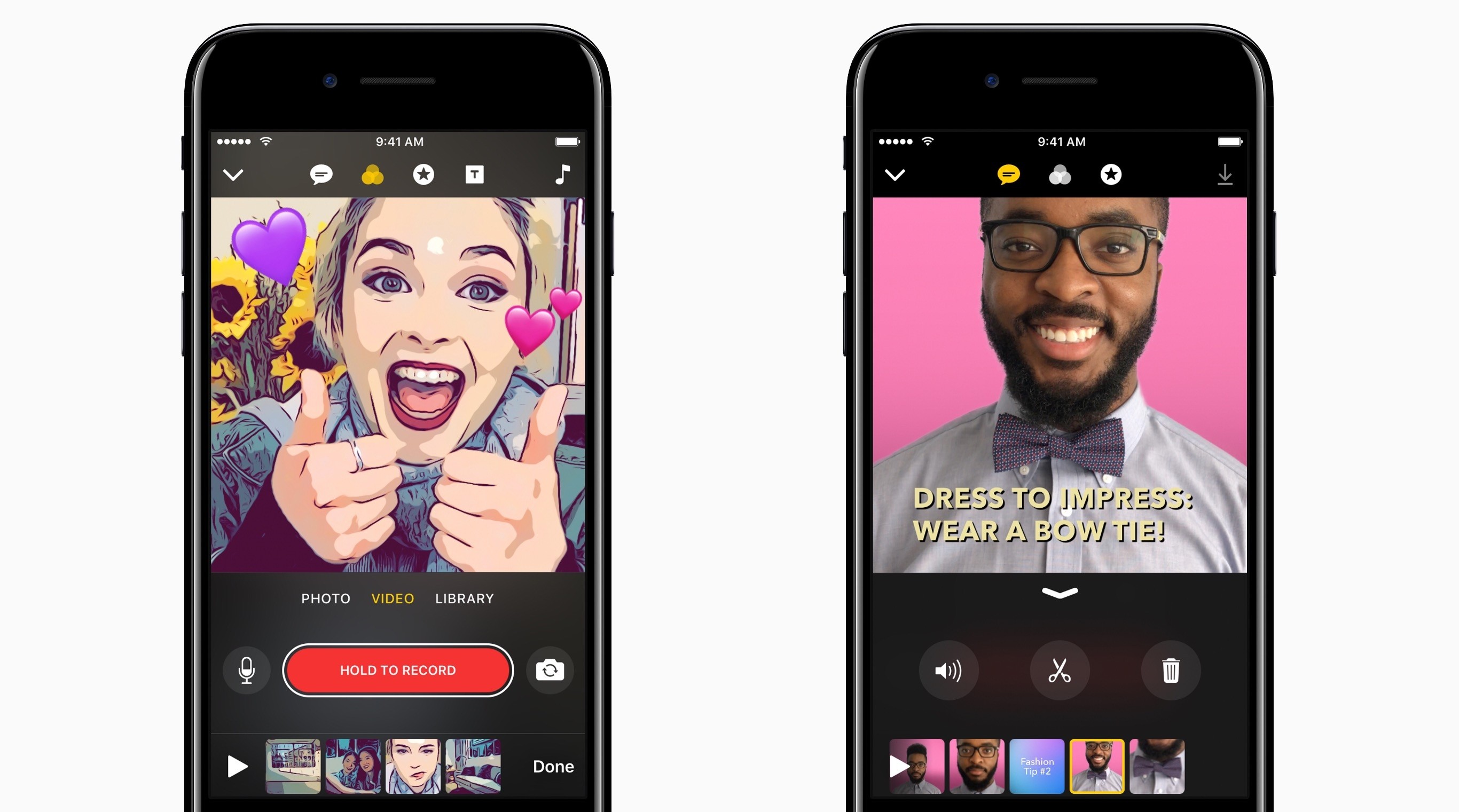
Apple announced today that it is launching a new video app called Clips in April. The app lets users combine video, photos, music, and more and then share their creations with Messages, Instagram, Facebook, and other social networks.
Posts in news
Apple Announces Clips, an iOS Video App Coming in April
Apple Introduces New ‘iPad’ Model with 9.7” Display and A9 Chip Starting at $329
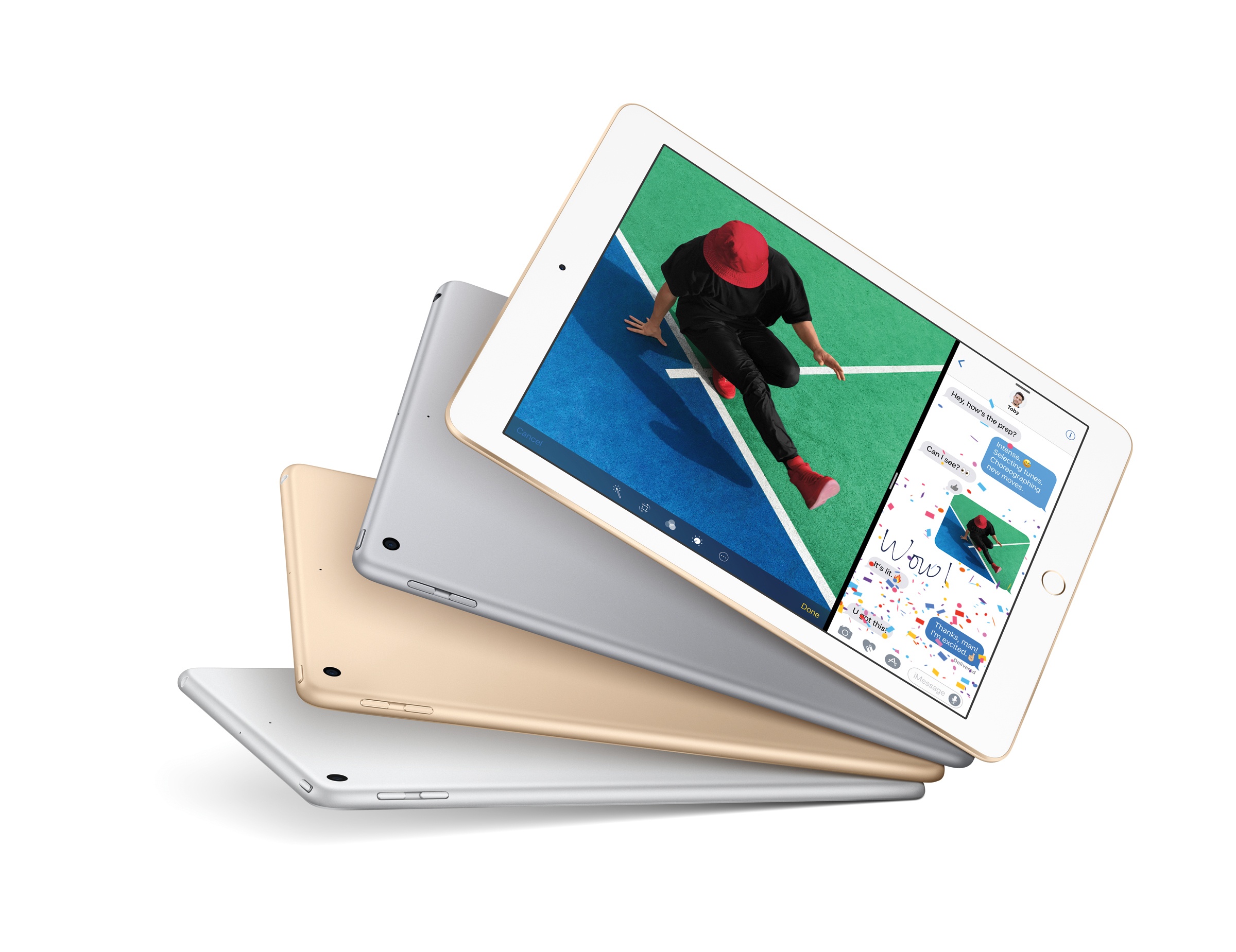
Following a 5-hour downtime of its online store this morning, Apple announced a new base model of the 9.7” iPad.
Starting at $329 for the 32 GB Wi-Fi version and simply called ‘iPad’, the new device appears to be a lower-cost replacement for the iPad Air line as the company’s iPad lineup now includes iPad mini 4, the new ‘iPad’, and the iPad Pro in existing 9.7” and 12.9” configurations. Neither iPad Pro model received any update this morning. The iPad mini 4, on the other hand, now offers more capacity for the same price: the 128 GB Wi-Fi model is now priced at $399, while the 128 GB Wi-Fi + Cellular is available at $529.
Starting a Website With Setapp [Sponsor]
This week, MacStories is sponsored by MacPaw, makers of Setapp.
Setapp is a subscription service for Mac apps that is a great place to start if you’re launching a blog. There’s more to starting a website than having a good text editor, though Setapp has one of the very best of those in Ulysses. Tools to organize your thoughts, focus your efforts, publish your articles, and manage your business are just as critical. Setapp has some of the very best apps in each category for just $9.99 per month.
Writers will appreciate the inclusion of iThoughtsX in Setapp for developing story ideas. When it’s time to start writing, utilities like HazeOver, which obscures windows other than the one in which you are working, and Be Focused, for Pomodoro-style timed writing sprints, are great options to keep you focused. When you’re finished writing, Markdown users will appreciate having Marked to preview how posts will look before they are published.
Setapp also includes apps to help you create and maintain your site, like Rapid Weaver for site design and Blogo for publishing your posts. To keep your business and productivity on track, Setapp offers Taskpaper, a plain-text task manager that packs lots of power under the hood and Timing to automatically track your work.
Finding the tools that fit with your work style is time consuming and expensive. Setapp reduces the friction with a highly-curated library of excellent apps at an affordable monthly price.
Our thanks to MacPaw and Setapp for sponsoring MacStories this week.
Apple Highlights Indie Games in New Permanent Storefront
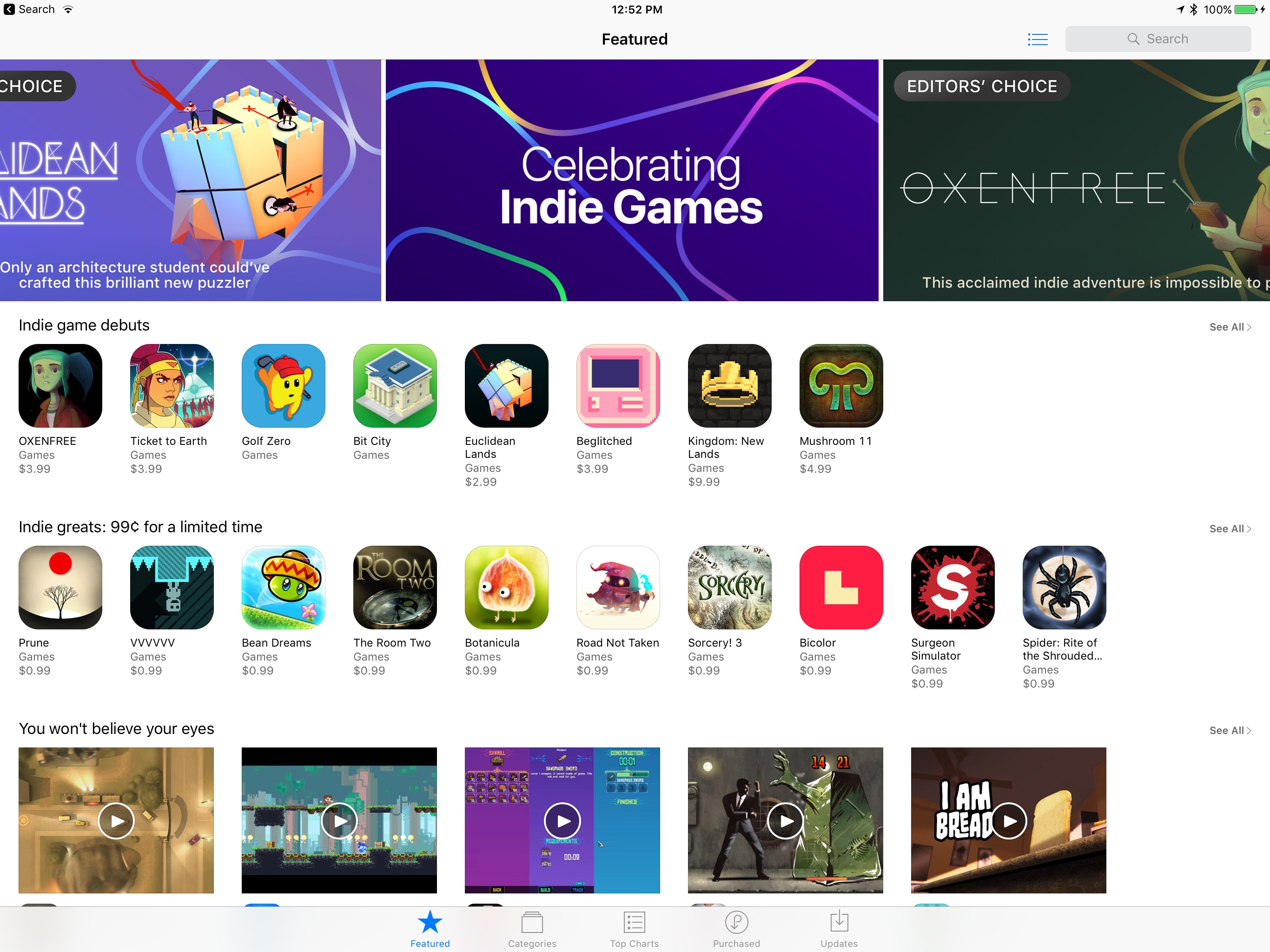
In a continuation of its current promotion of indie games, the App Store has now added a new section dedicated to featuring indie titles.
Chelsea Stark of Polygon adds:
The section kicked off today and will run indefinitely, according to Apple, featuring new games daily, along with highlighting older titles. The games are a mix of free-to-play and paid titles, all selected by the same editorial team that has been highlighting games through the App Store’s history.
The indie games section can be accessed by tapping the ‘Celebrating Indie Games’ banner at the top of the App Store. Currently it includes featured columns like:
- Our 25 favorite indie games
- Indie game debuts
- Newly discovered indies
- Indie greats: 99¢ for a limited time
- Indie games celebrate innovation…
This new dedicated hub for indie games is available on the tvOS App Store as well, highlighting the kind of quality games that are available not only on Apple’s mobile devices, but also its television platform.
Though Apple has stated that the indie games section will be a permanent fixture, it’s unclear at this point in what location it will live on. After the current indie promotion ends, will it remain as the top featured banner a while? Or in another featured banner further down on the App Store page? We’ll have to wait and see. In any case though, in an App Store that’s often dominated by big players, it’s exciting to see extra attention pointed toward indies.
Alexa Comes to the Amazon iOS App
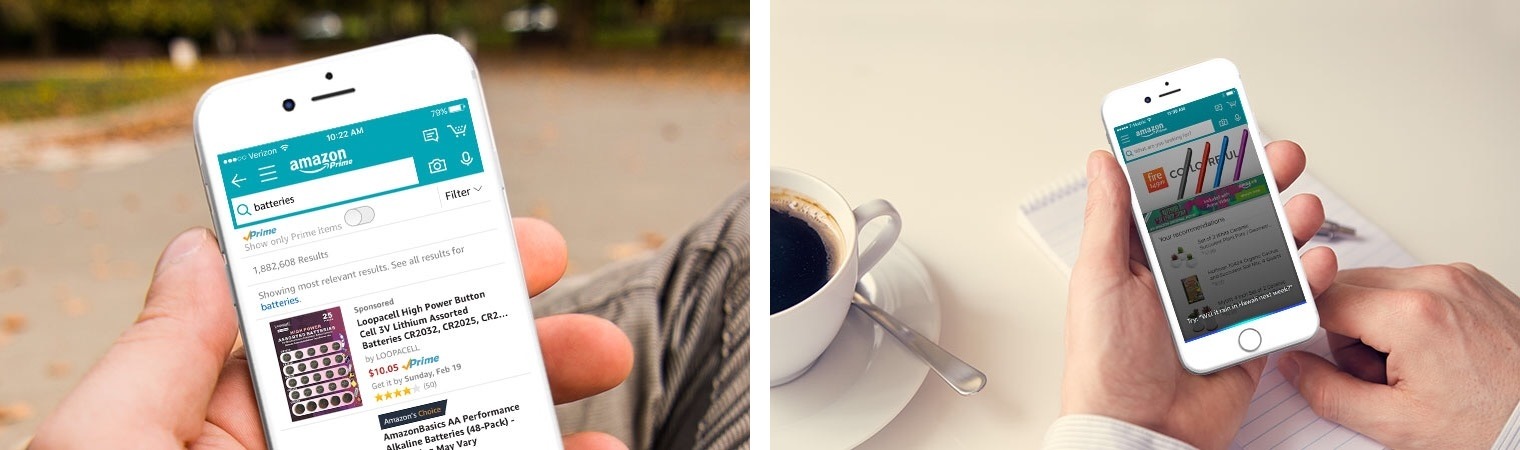
Today Amazon announced that its digital assistant, Alexa, is being integrated with its iOS shopping app.
Using the app’s current microphone button, which is available to the right of the search bar, users can make nearly any type of Alexa request. This request can consist of things you might ask of an Amazon Echo, such as playing music, turning on smart lights, checking the weather, and so on.
Both first-party and third-party skills will work from within the Amazon app. The one limitation so far, noted by Khari Johnson of VentureBeat, is that the Door Lock API is not currently available, so smart locks can’t be controlled through the app. Johnson also shares that while Alexa will be available to some users in the Amazon app today, it will be rolling out to all users over the next week.
Today’s announcement hopefully means that existing Amazon Echo users will have a solid first-party experience on iOS, something that surprisingly has not been provided by the company’s current Amazon Alexa app. It also opens up Alexa to any Amazon customer who doesn’t currently own an Echo.
Google Chrome for iOS Adds Read Later Feature
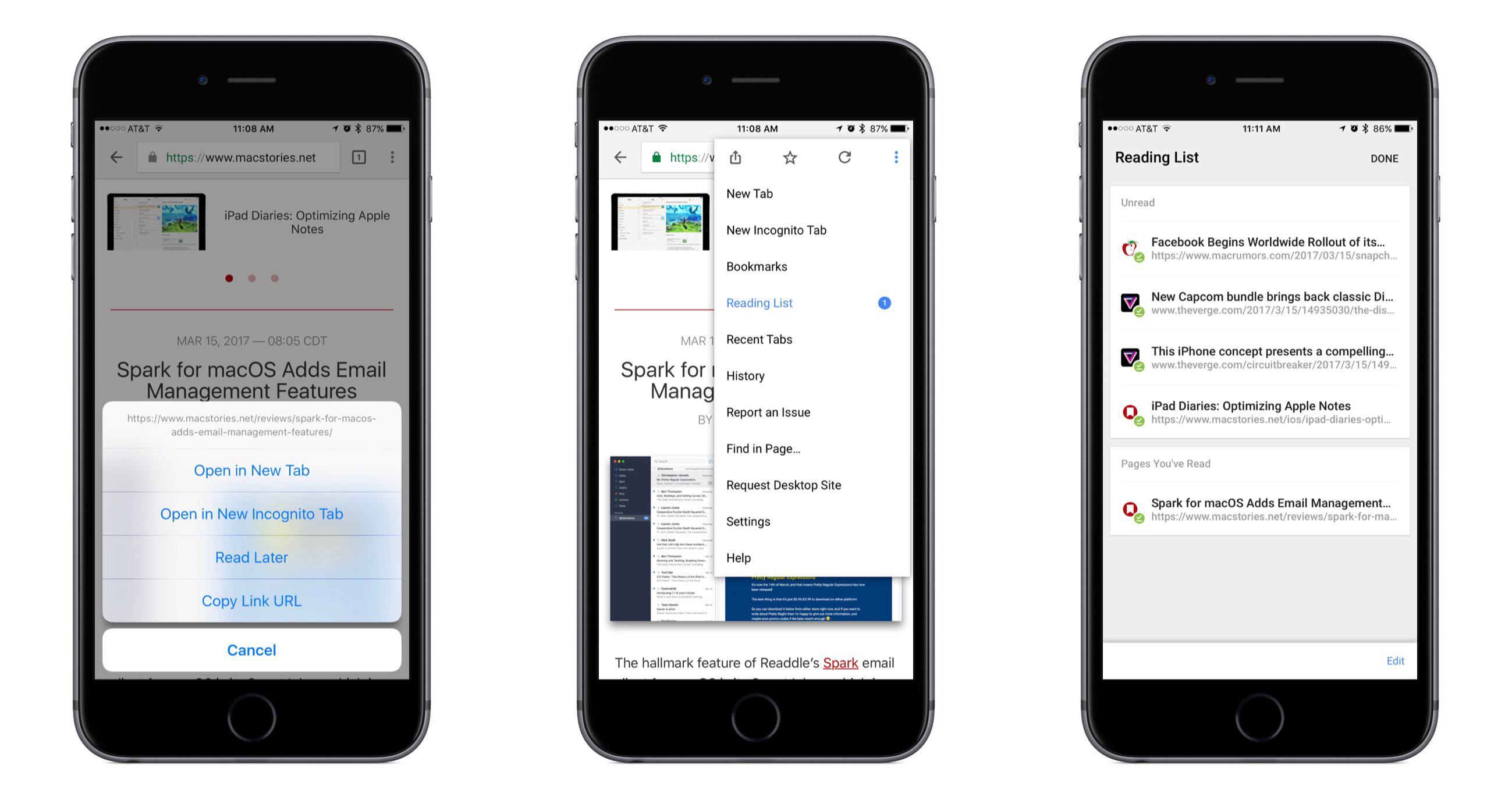
In its latest update, Google Chrome for iOS has added a native Read Later feature to quickly save articles for later consumption. From the app’s release notes:
If you find an interesting article that you want to read later, tap the Share icon and then Read Later to add the page to your Reading List. Articles on your Reading List are saved on your device so you can read them wherever you are, even when you aren’t connected to the web.
Although the release notes mention tapping the Share icon to save articles, I’ve found the quicker way to be long-pressing a link, which presents a menu that contains the ‘Read Later’ option.
In testing the offline functionality, I discovered that Chrome will not save a webpage’s full formatting for offline viewing; instead, it stores a stripped down version of the page. All of the necessary content, including images, is still preserved, but the viewing experience is not as pleasant as that of other read-later services.
Overall, although there’s nothing particularly interesting or innovative about the way Read Later works, it’s still a nice feature addition for Chrome users.

Pandora Announces On-Demand Streaming Service
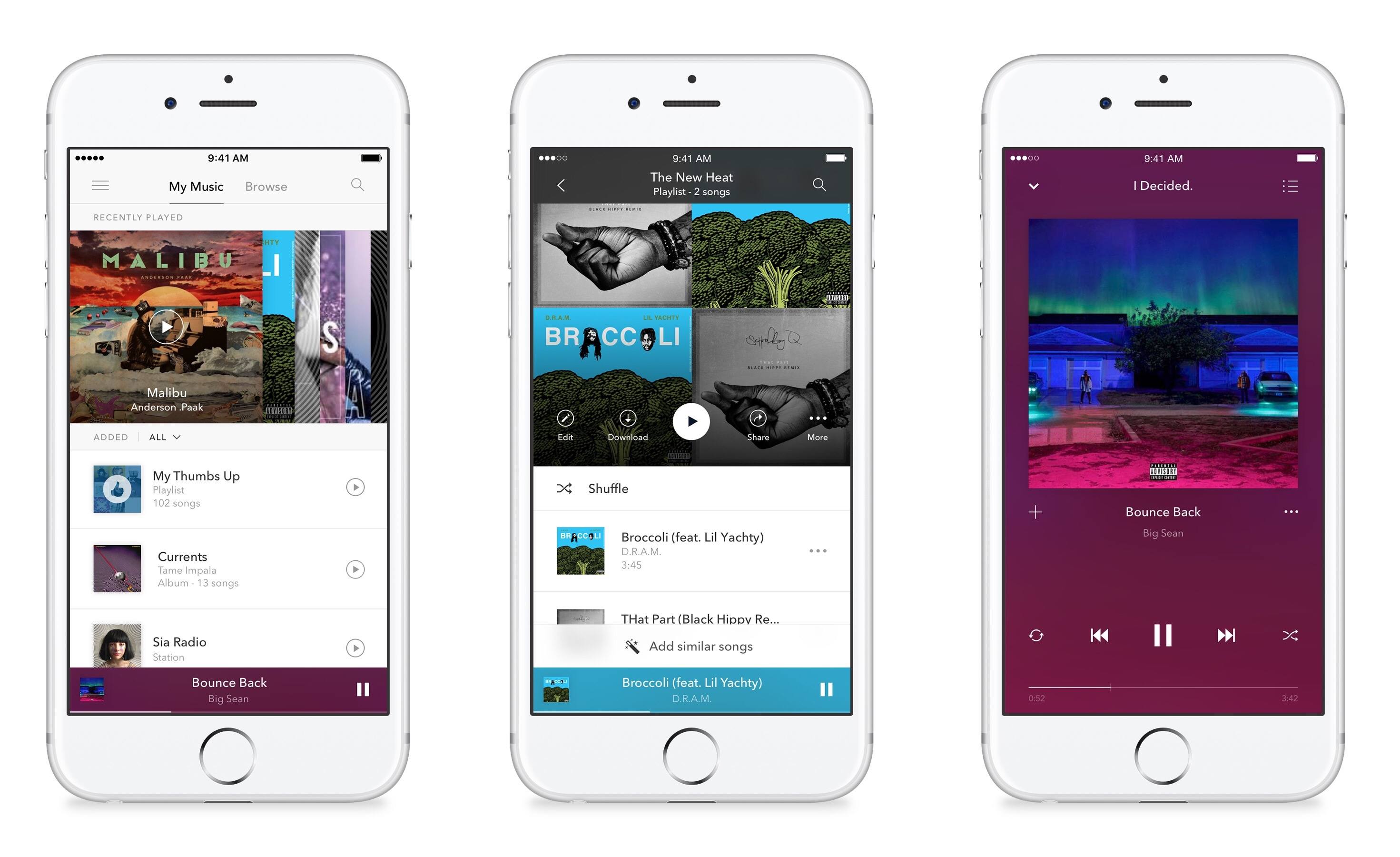
Pandora has a competitor to Apple Music and Spotify on the way called Pandora Premium. The company announced today that its $9.99/month streaming plan will be launching soon, and it’s now taking signups for the first invitations to the service.
Though Pandora Premium enters the on-demand streaming market somewhat late in the game, Pandora seems to have worked hard to create a solid experience that’s not just a knock-off of its competitors. Besides many of the basic features you would expect, there are several highlights that seem noteworthy.
Quick playlist creation seems to have been simplified:
In Pandora Premium, start a playlist with one or two songs of your choice, tap “Add Similar Songs” and put the power of our Music Genome Project to work to quickly and effortlessly create the perfect playlist for any activity, mood or party.
In addition,
Thumb up a handful of songs on your favorite radio station and Pandora Premium will automatically create a playlist of these songs. Thumb more songs and we’ll add those to the playlist too.
Pandora Premium also claims to have more robust search than other services:
In Pandora Premium, we’ve done the hard work of separating the killer from the filler for you. We’ve filtered out karaoke tracks, knock-off covers and pet sounds (but not Pet Sounds) that slow down other services. You get fast, accurate search results that get even smarter over time.
Based on the screenshots, Pandora seems to have done a great job not only thinking through the features of the app, but also creating a visually appealing, simple app to navigate. Though I’m a mostly-content Apple Music user, I look forward to giving Pandora Premium a try.
YouTube Launches ‘Uptime’ App for Social Video Watching
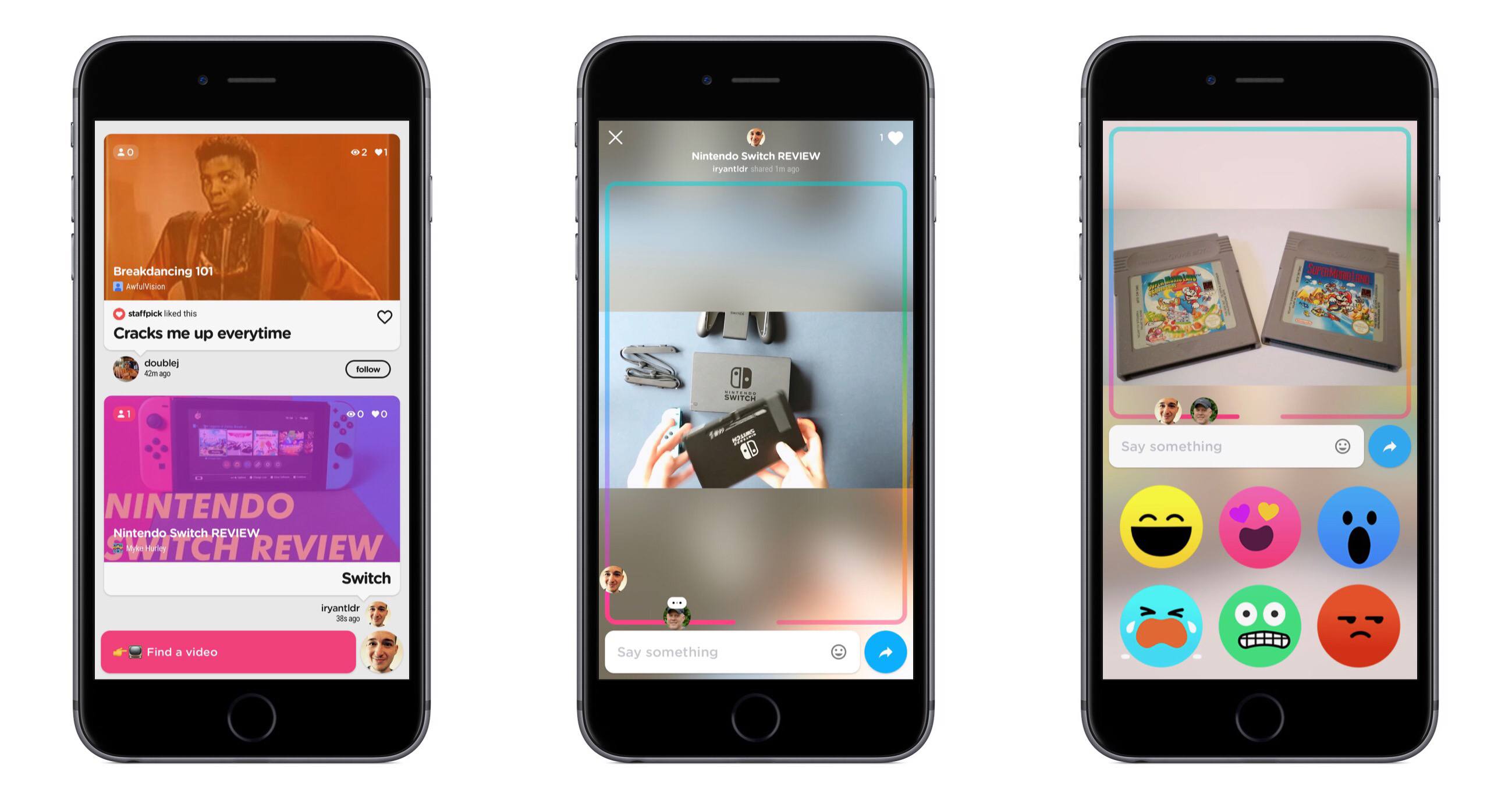
Today YouTube launched a new iPhone-only app called Uptime. Uptime adopts many of the social features commonly found in social video streaming apps like Periscope – live comments, reactions, etc. – and applies them to YouTube videos.
Inside the app, you browse videos in a feed consisting of content shared by people you follow in Uptime. You can also tap the search box at the bottom to search for videos or pick from a list of videos based on your YouTube subscriptions and viewing history.
When viewing a video in Uptime, what you’re watching will be publicly available to your followers in their Uptime feed, so they can join in and watch alongside you. You also have the option to directly share a video with others, whether by sending them a link using the iOS share sheet or by inviting them inside the app.
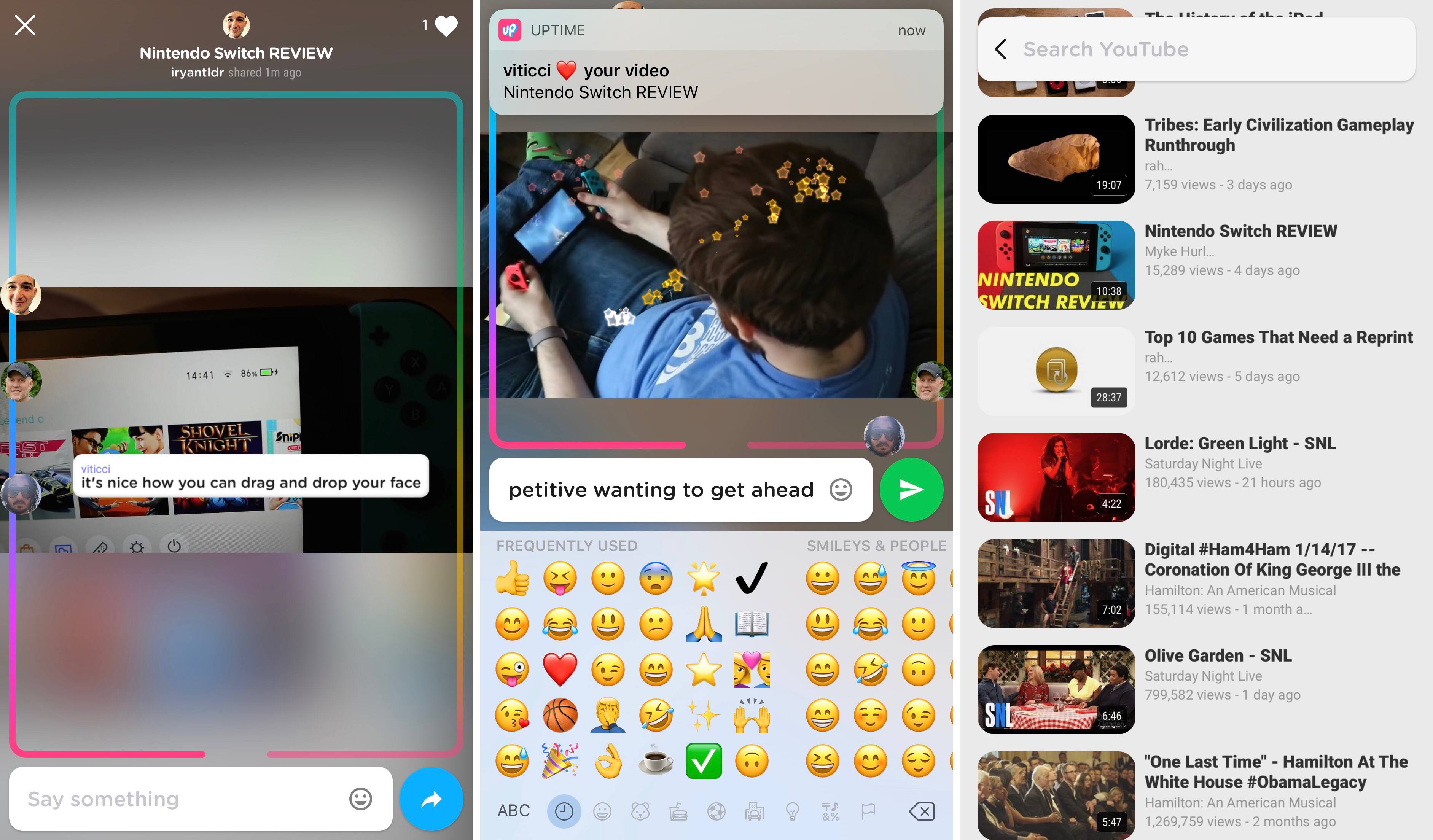
As a video is being watched, all current viewers are represented by their profile pictures on a track that covers the borders of the screen. As the video moves closer to its end, you’ll be further along the track, and you can manually drag and drop your avatar to navigate through the video. During playback, you can type comments, use one of six built-in reaction emoji, or move your finger around the screen to create a sparkle effect. Videos can be viewed in both portrait and landscape, but currently there is no way to type comments while in landscape.
Uptime is available in the App Store, but it requires an invitation code to setup your account. The code PIZZA is currently working.