Posts in news

Clean Up Your Inbox Today (and Keep It That Way Forever) with SaneBox [Sponsor]

What if you had someone who would sort through your email and find only the important messages? That is exactly what SaneBox does. After you set it up, SaneBox leaves your important messages in your inbox and moves the rest to a SaneLater folder for reviewing later. That initial inbox purge is powerful because it reduces your inbox to a manageable number of messages. With additional training to tell SaneBox what’s important to you, it only gets better at dealing with the daily deluge of messages.

There’s much more to SaneBox than shuffling unimportant messages into a designated folder, though. If there’s something you never want to see ever again, send it to the SaneBlackHole, which is much easier than unsubscribing to unwanted messages.

You can also set up SaneReminders by sending messages to an address that sends a reminder to you at a later date if the recipient of your message hasn’t responded after a certain amount of time. Or forward messages to SaneReminders to have it pop back into your inbox at a later date when you are ready to deal with it.

SaneBox works on top of your existing email setup. There’s no app to download or new email account to set up. It all works server-side so you can use any email client you want.

Sign up today for a free 14-day SaneBox trial to take back control of your email. MacStories readers can receive a special $25 credit automatically by using this link to sign up.

Our thanks to SaneBox for sponsoring MacStories this week.


Apple Previews Emoji Coming to iOS 11, macOS High Sierra, and watchOS

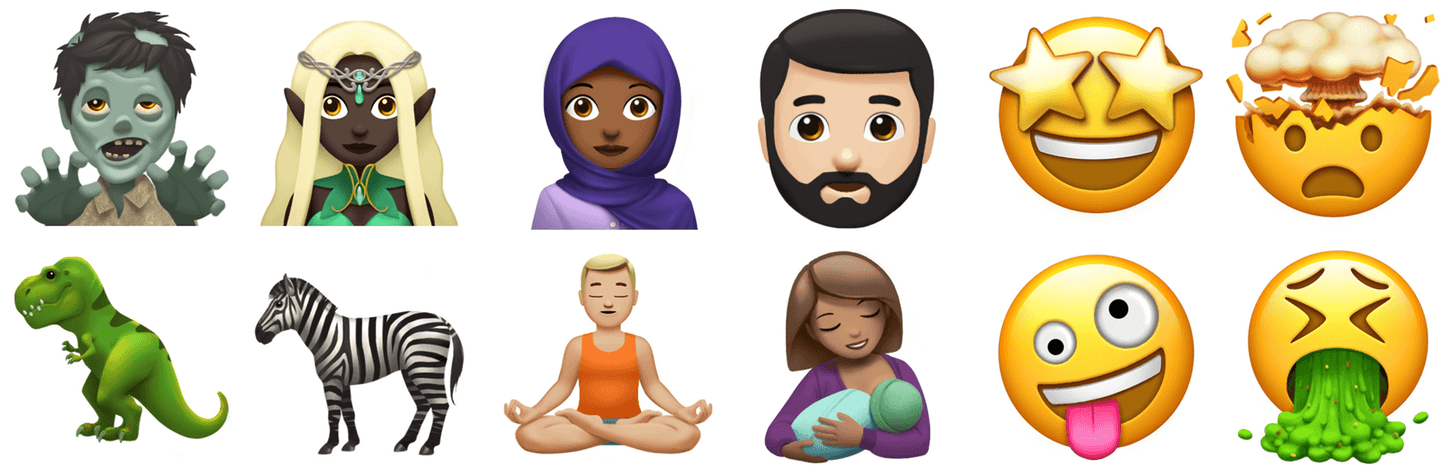
Today marks the 4th annual World Emoji Day, which was started by Emojipedia to celebrate emoji. To mark the occasion, Apple has previewed its designs of the emoji approved as part of the Unicode 10 Standard that will be added to iOS, macOS, and watchOS later this year.

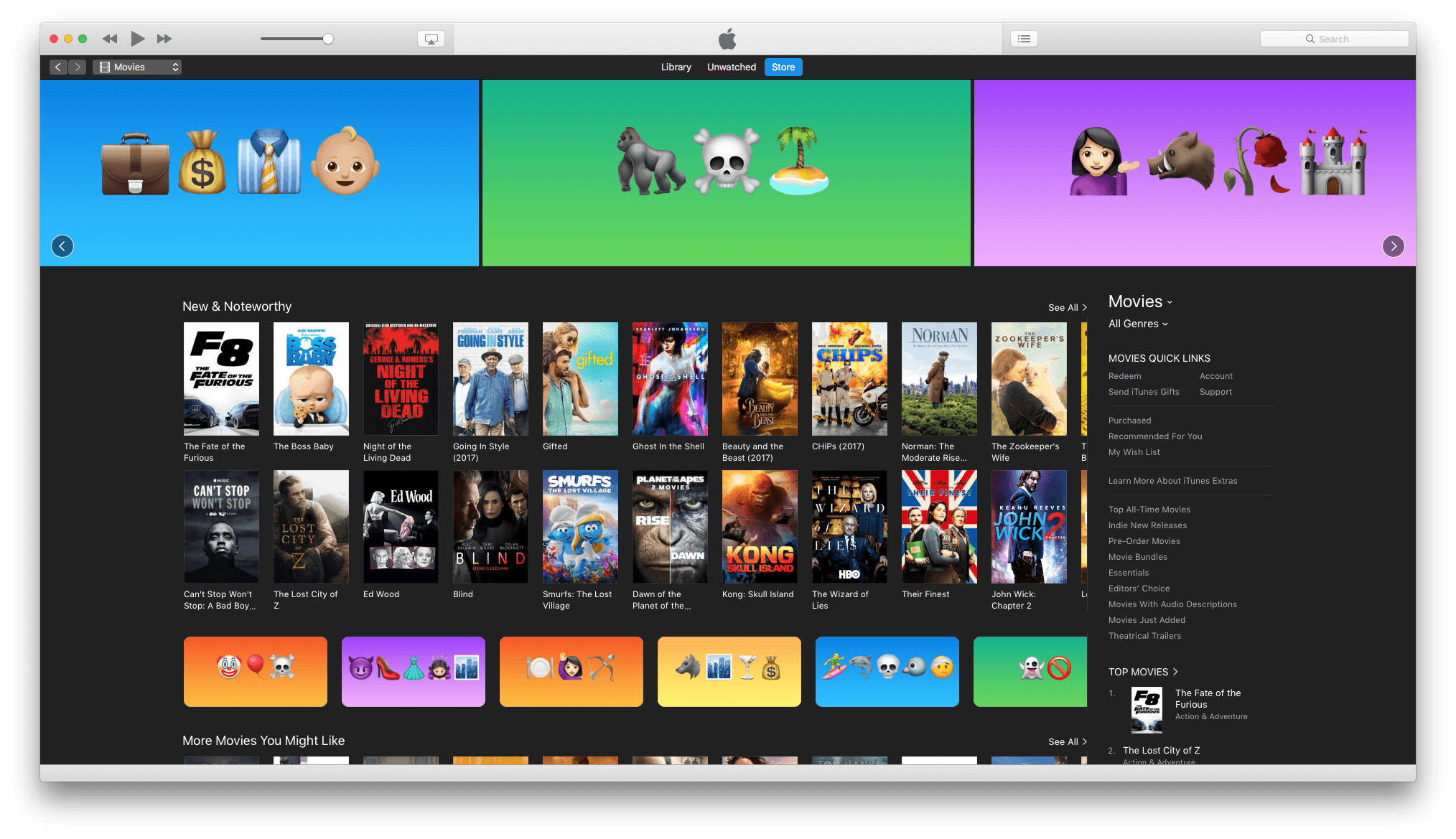
In addition, the Apple Podcasts Twitter account is tweeting emojified versions of the names of popular podcasts and iTunes Movies is featuring emojified movie titles.

For more on World Emoji Day and how it’s being celebrated, check out its official website.


Outlook for iOS Gains Quick Replies, New Conversation View, and More

Microsoft Outlook for iOS was updated today with several new features, and Microsoft announced that another significant update would be coming soon.

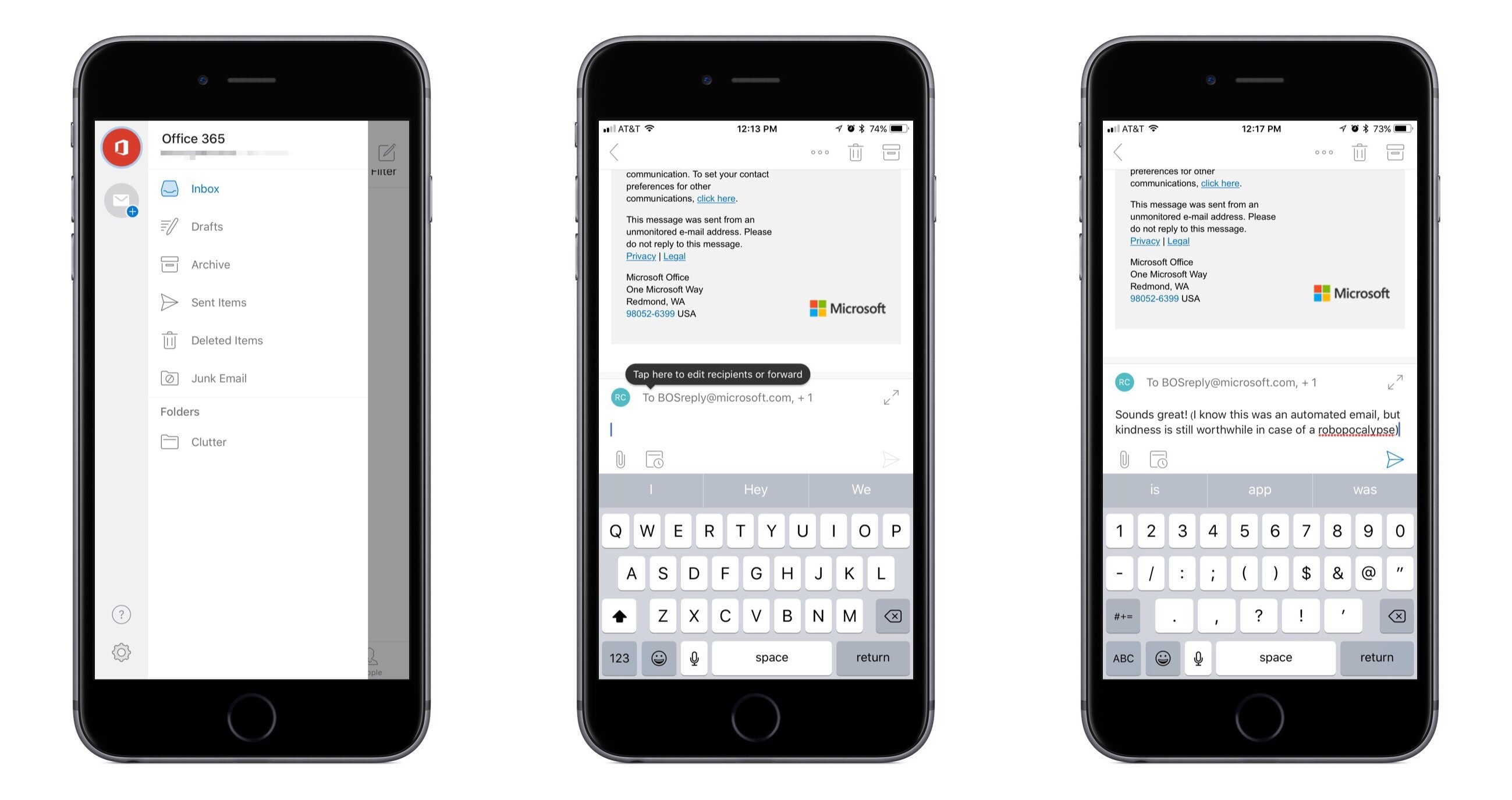
The new feature that appeals to me most is quick reply, which makes the act of replying to an email resemble that of replying to a message in services like Slack or iMessage. At the bottom of each email there’s now a quick reply box you can tap in to begin crafting your response. No need for a separate compose window to appear, taking you out of the conversation; the full conversation is still in view, and you can scroll through it as you wish. I believe compose windows are largely unnecessary friction points that contribute to email’s poor reputation, so while a quick reply box may seem like a small change, for me at least it helps make email easier to deal with. One additional nicety included in the new reply interface is the ability to @mention to call out specific recipients.

Threaded messages in Outlook are now all uncollapsed by default, saving the extra taps previously needed to expand collapsed messages. Now when you open a threaded email you’ll be automatically navigated to the most recent message, so there’s no more need to scroll the full thread before finding what you’re looking for.

Outlook’s sidebar menu now includes a persistent column listing all of your different accounts, making it easier than ever to switch between different accounts. The updated menu also brings more convenient access to folders than was previously available.

These changes are rolling out progressively to all users, so you may not see them immediately.

One other upcoming change Microsoft announced today is that search will soon receive a major upgrade. Outlook’s main navigation tabs will be updated to include only Mail, Search, and Calendar; search’s more prominent placement in the app will be justified due to it including more than just email results – you’ll also find results for people, files, and intelligent information about things like upcoming flights or package deliveries. An exact release date for the new search features wasn’t announced, but Microsoft says it is coming soon.


Microsoft Launches iPhone App for Low Vision Community: Seeing AI

Today Microsoft introduced a new app exclusively for iPhone, Seeing AI. This app is designed as a tool for the low vision community; using the iPhone’s camera and its AI smarts, Seeing AI converts the visual experience of the world into an audible one. As you point the camera at things in the world around you, the app will describe that world in a quick, informative manner.

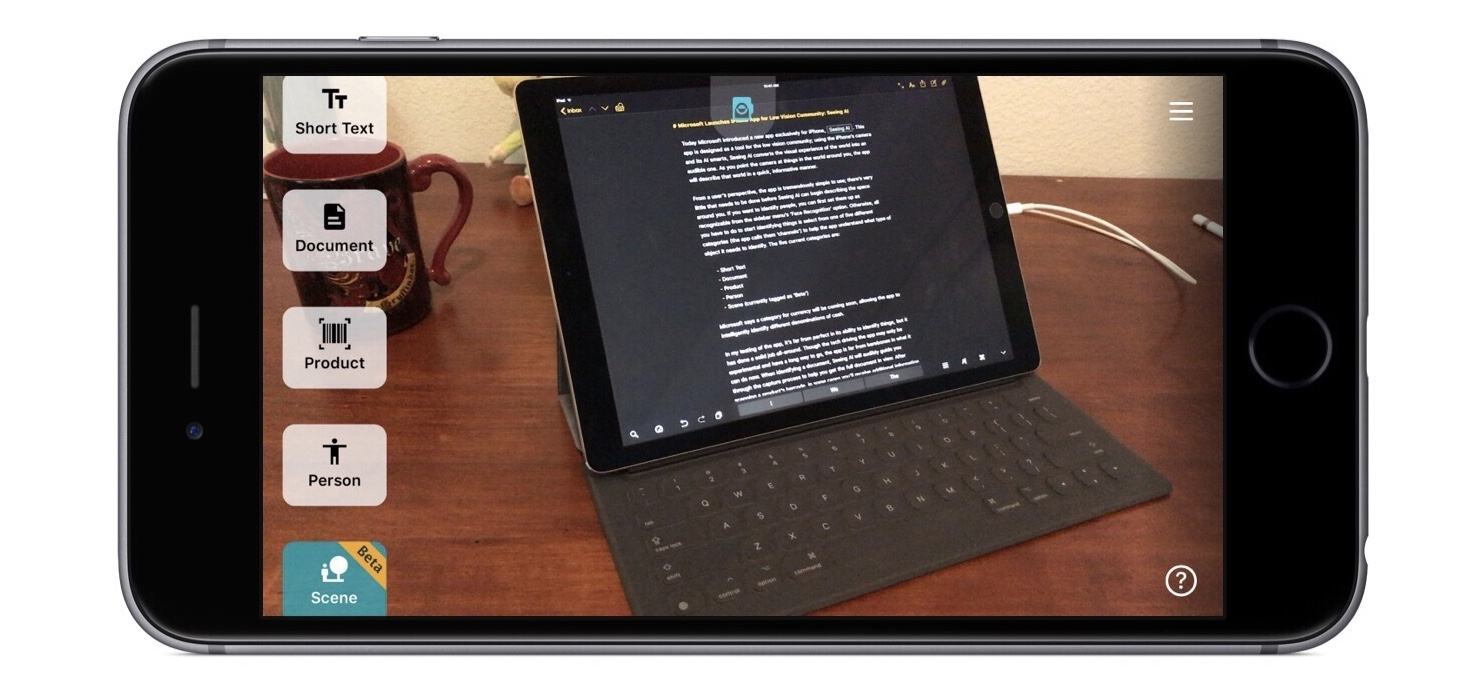
From a user’s perspective, the app is tremendously simple to use; there’s very little that needs to be done before Seeing AI can begin describing the space around you. If you want to identify people, you can first set them up as recognizable from the sidebar menu’s ‘Face Recognition’ option. Otherwise, all you have to do to start identifying things is select from one of five different categories (the app calls them ‘channels’) to help the app understand what type of object it needs to identify. The five current categories are:

  • Short Text
  • Document
  • Product
  • Person
  • Scene (currently tagged as ‘Beta’)

Microsoft says a category for currency will be coming soon, allowing the app to intelligently identify different denominations of cash.

In my testing of the app, it’s far from perfect in its ability to identify things, but it has done a solid job all-around. Though the tech driving the app may only be experimental and have a long way to go, the app is far from barebones in what it can do now. When identifying a document, Seeing AI will audibly guide you through the capture process to help you get the full document in view. After scanning a product’s barcode, in some cases you’ll receive additional information about the product beyond just its name. And if the app is scanning a person, it can even describe a best guess at their visible emotional state. It’s an impressive, deep experience that nevertheless remains dead simple to operate.

Even if you aren’t in the market for Seeing AI yourself, it’s a fascinating product worth checking out, and it’s entirely free. You can download it on the App Store.

Microsoft has a short introductory video that gives a great taste of all that the app can do, embedded below.


Fantastical 2.4 for Mac Brings Travel Time, Attachment Support, and More

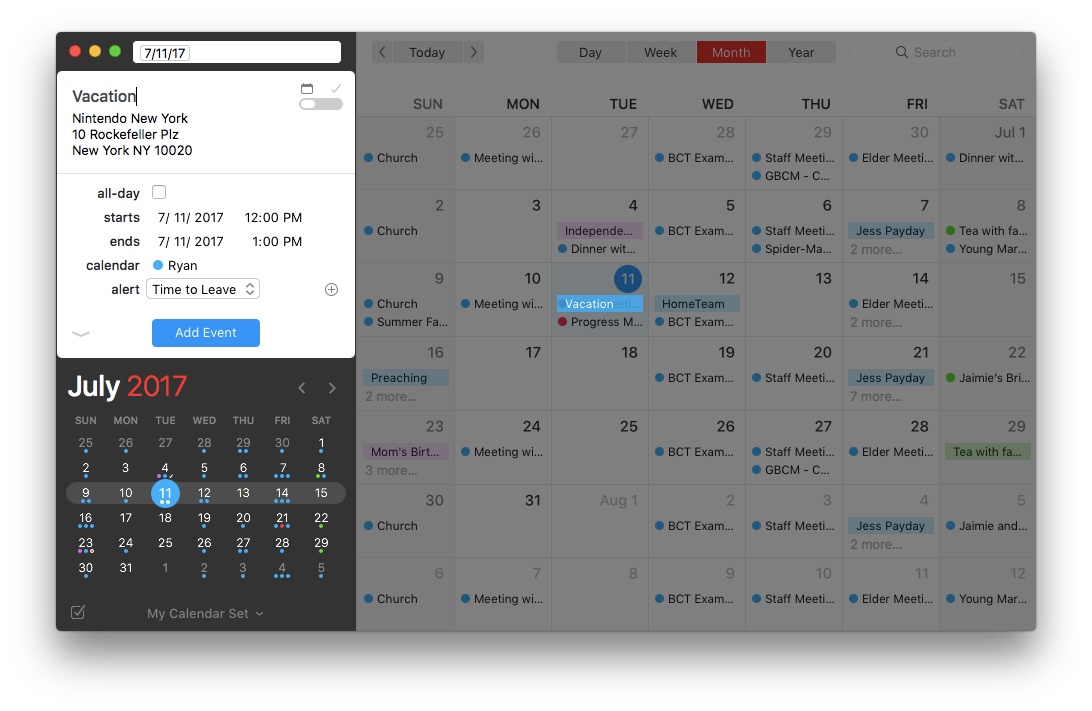
Today the team at Flexibits launched Fantastical 2.4 for Mac, and it is a release packed full of improvements. There’s nothing revolutionary here, but the changes make an already excellent calendar app even better.

Travel Time

A long-requested feature, Fantastical now includes travel time as an option when setting event alerts. No longer do you need to provide a fixed alert time for each event – though that option still remains – because the travel time option will select an alert time that’s tailored to each event and the distance you’ll have to travel to get there, plus a few minutes of cushion.

Attachments

File attachments are now supported for events in Fantastical, with some stipulations. If you have an iCloud, Exchange, or other supported CalDAV-powered calendar, the full range of attachment powers will be at your disposal. With events on those types of calendars you can add, remove, and view attachments. If your calendar is Google-based, you still won’t be able to add or remove attachments directly from Fantastical, but you can view any attachments already present.

Month View

The popular month view in Fantastical has received two significant improvements. One is that if a day contains so many events that they won’t all fit, you can now click the ‘more’ button at the bottom of that day and the hidden events will pop out. When they pop out, they temporarily cover a portion of the day underneath so you can view all the day’s events in the same view. The second improvement is that you can now customize the number of weeks that are displayed at once, ranging from two on the low end to eight on the high end. This is a much-appreciated feature for tailoring the calendar to your personal needs – if you like plenty of breathing room for your events, you can display a smaller number of weeks, whereas if you want to pack a ton of information onscreen, now you can do that too.

Miscellany

Combined Duplicate Events: When you manage a variety of different calendars, including some that may be shared with family members or coworkers, your calendar app can quickly get clogged up with duplicate listings for the same event across those shared calendars. For example, if my wife and I are attending a wedding, which of us puts that on our calendar? Probably both of us, because we’ll both be attending. But Fantastical now condenses those duplicate events so they’re displayed as a single event only, reducing the visual clutter of your calendar while ensuring everyone keeps events on their own calendars as needed. For those who may not like this approach to duplicate events, you can turn it off in the app’s preferences.

Invitation Improvements: Google calendars have received three improvements in the area of invitations. Now you can add a customized message with your invitation response, and you can also view other people’s messages by hovering over their names on the invitation. Lastly, if an invitee is bringing guests with them, you can now see that information as a +1 to their response (or whatever the correct number is). With Exchange calendars there are two small updates to invitations: you can now forward invitations to other Exchange users, and you can respond to invitations without notifying the sender.

Undo and Redo: If you add, remove, or edit an event or reminder and wish to take that action back, now you can thanks to built-in support for undo and redo.

Push Updates for Facebook Events: Whenever a Facebook event has its information updated, or you first confirm that you’ll be attending a Facebook event, those changes are now pushed immediately to Fantastical.


Fantastical was already one of the most powerful, customizable calendar apps on the market, but the improvements in today’s update offer even more in the areas of power and flexibility.

Fantastical 2.4 is available on the Mac App Store and a trial version is available directly from Flexibits.



One Year of Pokémon GO

One year ago Pokémon GO launched and quickly became a phenomenon. In celebration of that anniversary, the game’s makers at Niantic announced that starting today a special Pikachu wearing Ash’s hat will begin appearing across the world for catching. It will disappear after July 24, so trainers will need to act quickly if they don’t want to miss out.

Also marking the first year of Pokémon GO’s life, The Verge’s Andrew Webster interviewed Niantic CEO John Hanke. One of the more interesting points from the interview centers on how the overwhelming success of the game early on altered the team’s plans for growing and expanding the user experience through new features. Hanke says:

We lost probably six months on our schedule because of the success of the game. Really all the way through November and December, from launch onward we were rebuilding and rewiring infrastructure just to keep the game running at the scale that we were running at. We were fortunate to have a massive launch, a massive success, and many, many more users than we had planned for. But we had to redirect a substantial portion of the engineering team to [work on] infrastructure versus new features. That switched off things like extending gyms, it pushed out things we still want to have, like player-versus-player and trading.

Hanke reiterates that both trading and player-versus-player battles are still in the works, but he gave no timetable for their release.

Despite Pokémon GO having nowhere near the number of users it once did, Niantic has still had its hands full this summer. They launched a significant update to the game just last month, introducing Raid Battles and new Gym features. And there are several major public events in the works, including one in Chicago on July 22 and others in parts of Europe and Japan.


AppStories, Episode 12 – The State of Non-Native Apps

On this week’s episode of AppStories, we look at the state of non-native apps, the trade-offs inherent to them, and discuss examples of non-native apps we like and a few we don’t.

Sponsored by:

  • FlightLogger – Elegantly-designed, real-time flight tracking for worry-free travels.
  • Deliveries – Simple package tracking that syncs everywhere.
    • Sign up here by Thursday, July 6, 2017 at 9 pm New York time for a chance to win one of 10 free copies of Deliveries for iOS.
Permalink

Airmail: An Elegant, Customizable Email Client for Mac and iOS [Sponsor]

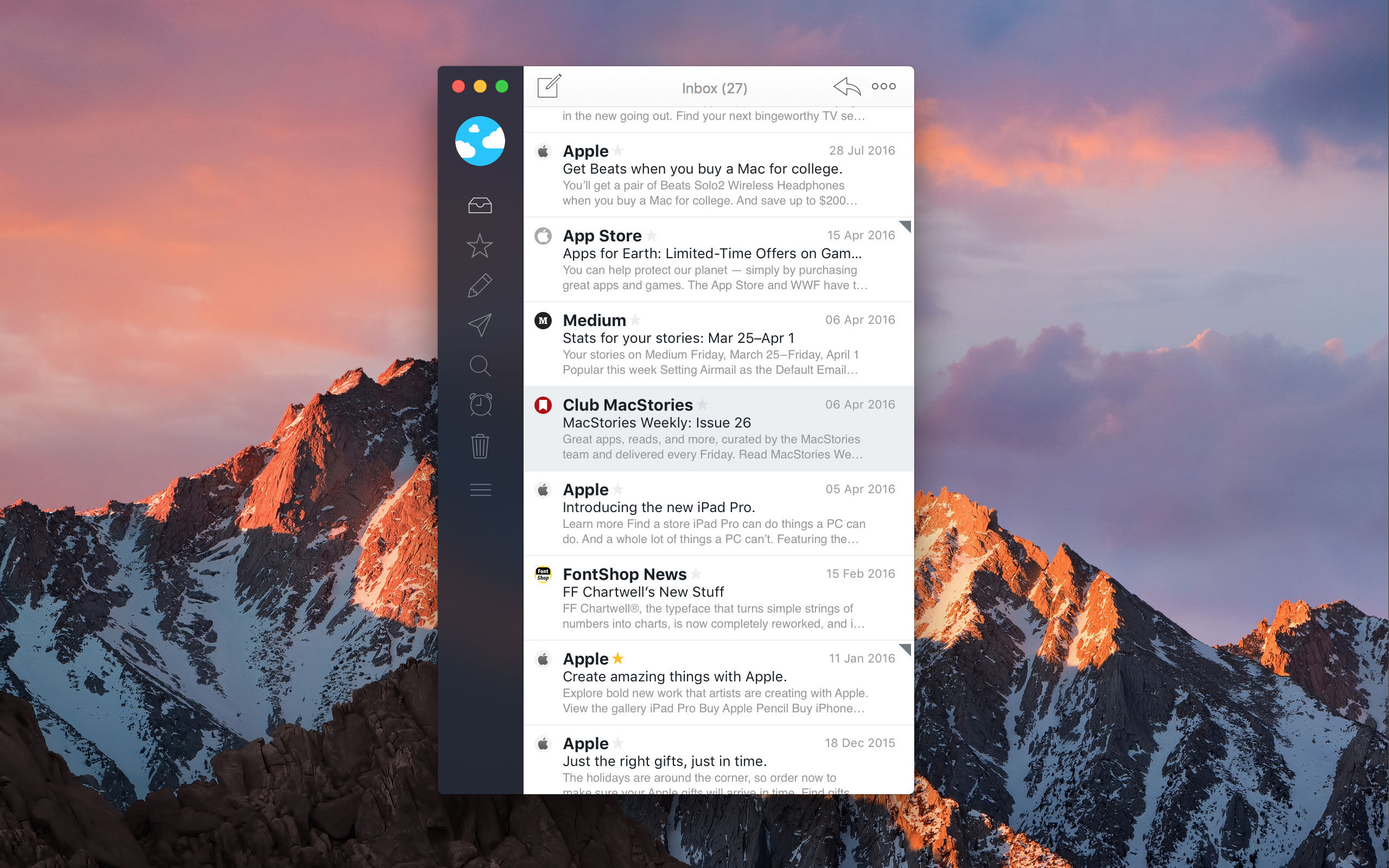
Airmail is the 2017 Apple Design Award-winning email client from Bloop that marries elegant design with rich, customizable features that tame your inbox.

Everyone approaches email a little differently. For some people, their inbox is a sort of task manager. For others, keeping their inbox empty and messages neatly organized into folders is paramount. No matter how you manage your email accounts, Airmail from Bloop has you covered.

Airmail is highly customizable while maintaining a clean, intuitive interface that makes it a pleasure to use. The app supports all major email technologies, including Gmail, iCloud, Exchange, IMAP, and POP3. On macOS, Airmail also incorporates the latest operating system features like the Touch Bar.

With Airmail, you can manage one or several email accounts. With multiple accounts, it’s just as easy to review messages from every account in a unified inbox as it is to dive into just one account. Airmail also features rich customization like the ability to send messages later, snooze messages, and create smart folders and rules. Actions let you send messages to other apps you use like task managers and your calendar or create a PDF from a message. Best of all, you only need to set up Airmail once because your settings sync via iCloud to all your Macs and iOS devices.

Airmail is available on macOS from the Mac App Store and on the iPhone, iPad, and Apple Watch from the App Store.

Our thanks to Airmail for sponsoring MacStories this week.


Apple to Recognize National Parks with Donations, Activity Badge

Paying homage to United States national parks, Apple announced today that it will introduce opportunities for customers to donate to the National Park Foundation and earn a new Activity badge and iMessage stickers.

For two weeks beginning July 1, Apple will donate $1 for every Apple Store purchase made with Apple Pay, whether made in-store or online, to the National Park Foundation.

In a press release, Apple explained that: “Proceeds will support the National Park Foundation’s mission to help protect and preserve national parks through conservation projects and other initiatives, as well as inspire the next generation of park enthusiasts with enriching youth programming.”

In addition, Apple will award an Activity badge for Apple Watch and a set of iMessage stickers when users complete a 3.5 mile or more workout on July 15. The distance, Apple says, is roughly the same as the trek from Old Faithful to Mallard Lake – but luckily, you don’t have to go to Yellowstone to get the badge.

For more information on how Apple is working to celebrate national parks, you can find their press release here.