Posts in news

1Blocker: Make Safari Browsing Fast, Safe, and Productive [Sponsor]

Advertising and trackers have gotten out of hand on many sites. Pages load slowly wasting your time, draining your battery, and using up your mobile data. Even worse, ads sometimes serve up malware to unsuspecting users. To take back control, you need 1Blocker.

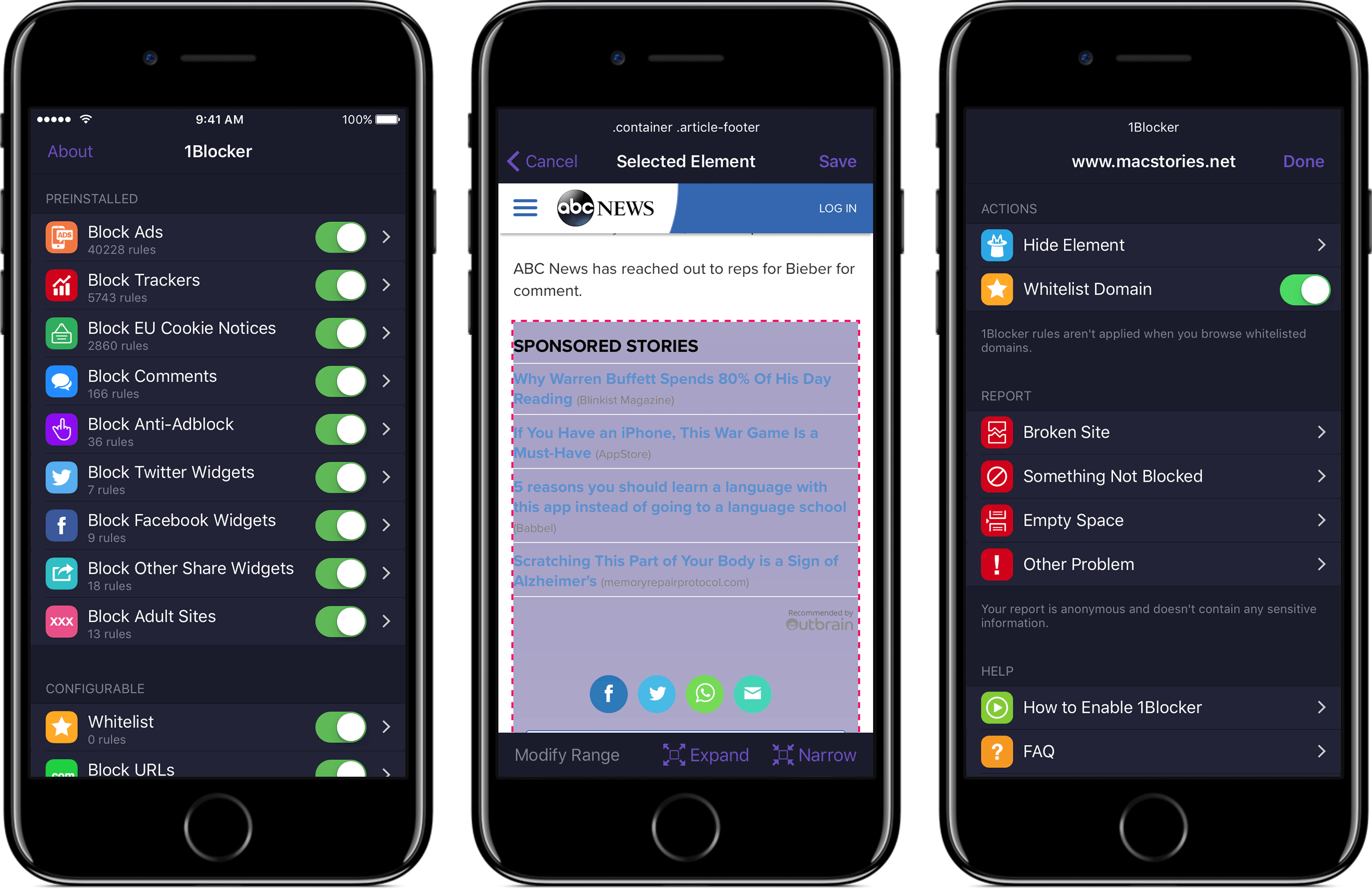
1Blocker fights back by putting fine-grained controls in the hands of its users. The app has rules that block tens of thousands of common ads, trackers, social buttons, and other junk. The ad blocking category alone includes over 40,000 rules. On top of that, there are eight other categories with thousands of additional rules that will make you more productive online by reducing distractions. In the unlikely event that 1Blocker doesn’t have a rule you need, you can add your own too.

You can even hide individual elements on a webpage with 1Blocker’s powerful action extension on iOS. All you have to do is invoke the extension, tap what you want to hide, and then save. It’s incredibly simple and effective for page elements that aren’t already blocked by 1Blocker’s extensive built-in rules.

1Blocker is available on macOS too and syncs with the iOS version via iCloud to keep your blocking rules up-to-date across both platforms. Head on over to 1Blocker’s website for more information about how it can make your browsing better.

Our thanks to 1Blocker for sponsoring MacStories this week.

Mailbutler - To Increase Your Email Productivity [Sponsor]

No one has ever said ‘I want to spend more time on my email.’ Staying on top of important messages is critical, but managing your inbox can quickly become an unproductive time sink. Mailbutler is a productivity tool that supercharges your email client so you can get through your email messages quickly and efficiently.

Just because you are catching up on email messages at 1:00 AM doesn’t mean you want your message to hit someone’s inbox at that hour. With Mailbutler, you can schedule your emails to be sent during normal working hours and then track whether the recipient opened your message. Mailbutler also helps you put your best foot forward with beautifully-designed, professional message templates and signature management.

Mailbutler is just as effective at managing messages you receive. When you need to focus on your work, you can pause your inbox until you are ready to deal with it. Mailbutler also makes unsubscribing from unwanted email much faster than hunting for that tiny ‘unsubscribe’ link buried at the bottom of a message. As you process messages, Mailbutler can even turn them into tasks or Evernote or OneNote notes, which is a more effective way to handle actionable and reference items than letting them sit in your inbox.

Everyone could use help with email. Mailbutler has already conquered Apple Mail and is working on even more tools to help you tame your inbox. Try Mailbutler for free today.

Our thanks to Mailbutler for sponsoring MacStories this week.


Siri Featured in Apple Ad Starring The Rock

Apple released an advertisement showcasing Siri starring former pro-wrestler turned film star, Dwayne (‘The Rock’) Johnson. Teased yesterday by Johnson on Twitter and Facebook, the video, posted to Apple’s YouTube channel, features Johnson accomplishing a long list of life goals with the help of Siri during a single day. The tongue-in-cheek spot highlights several Siri features such as:

  • reading Johnson’s schedule;
  • creating a reminder;
  • scheduling a Lyft ride;
  • getting the weather forecast;
  • reading email;
  • displaying photos;
  • texting someone;
  • converting measurements;
  • playing a playlist;
  • starting a FaceTime call; and
  • taking a selfie.

The Siri ad is a clever and entertaining way of explaining the breadth of tasks that can be accomplished with Siri, from the basics like weather forecasts to less well-known features like taking a selfie.


Apple Names Deirdre O’Brien Vice President of People

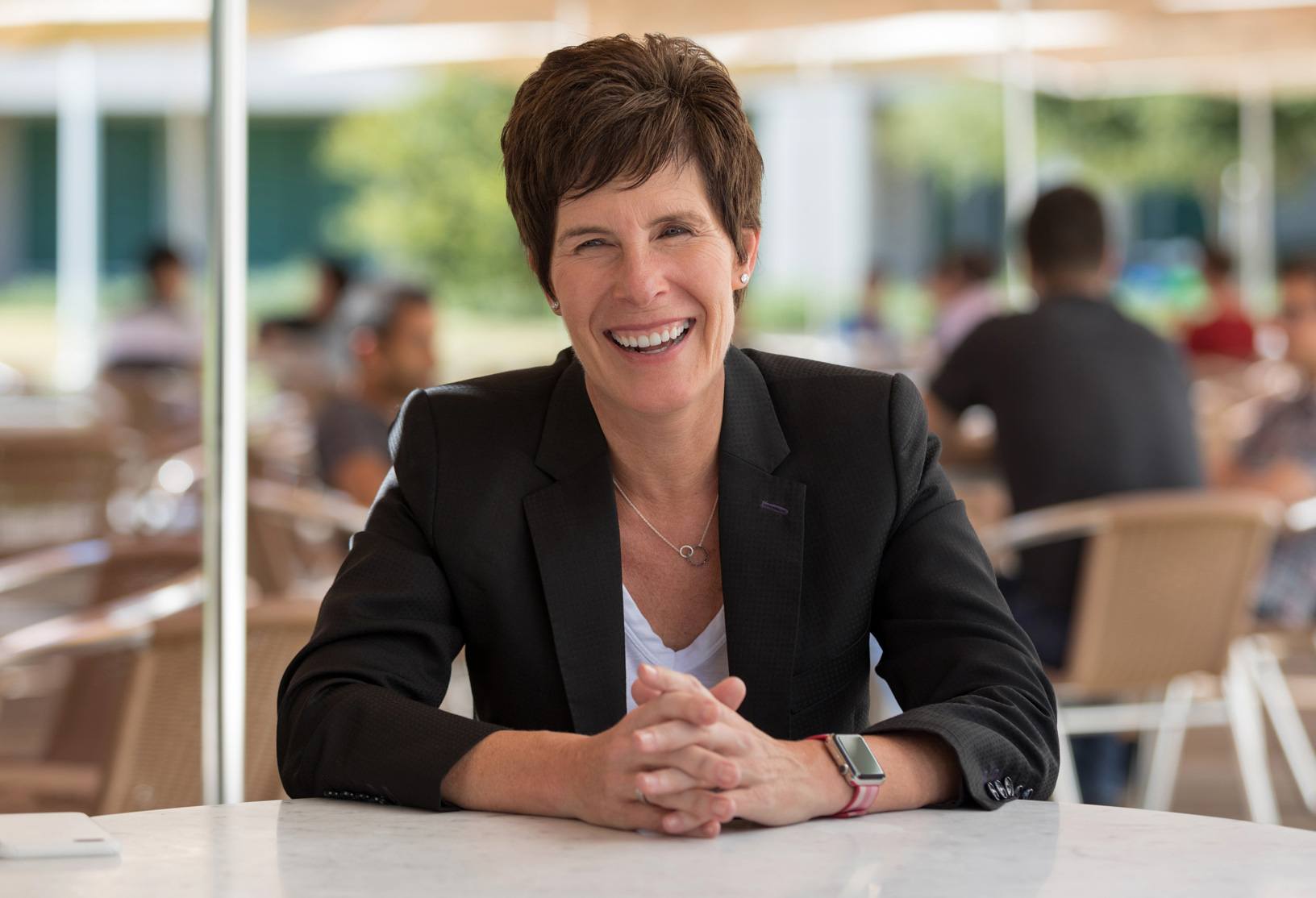
Long-time Apple executive Deirdre O’Brien was named Apple’s Vice President of People today. O’Brien, who has worked at Apple for 30 years, most recently as its Vice President of Worldwide Sales and Operations, will report directly to CEO Tim Cook. As Vice President of People, O’Brien will take on HR functions including talent development, recruiting, benefits, compensation, business support, and Apple University.

Tim Cook had this to say:

“As long as I’ve been at Apple, Deirdre has been the glue that bonds our operations, sales, marketing and finance teams to deliver products to our customers,” said Tim Cook, Apple’s CEO. “Deirdre deeply understands Apple’s unique culture and that people join Apple to do the best work of their lives. She is a superb leader and I’m thrilled she will be bringing her experience and talent to this critical role.”

O’Brien added:

“I love Apple and, like so many of my colleagues, I’m honored to have made it my life’s work,” said Deirdre. “I’m excited to begin this new chapter, supporting 120,000 incredibly talented people around the world who are motivated to do amazing things every day. It is a privilege to work among such a diverse and talented team, and to help them thrive here at Apple.”

O’Brien is scheduled to assume her new role in the fall.


Apple’s Clips App Receives Update Adding Disney/Pixar Content and More

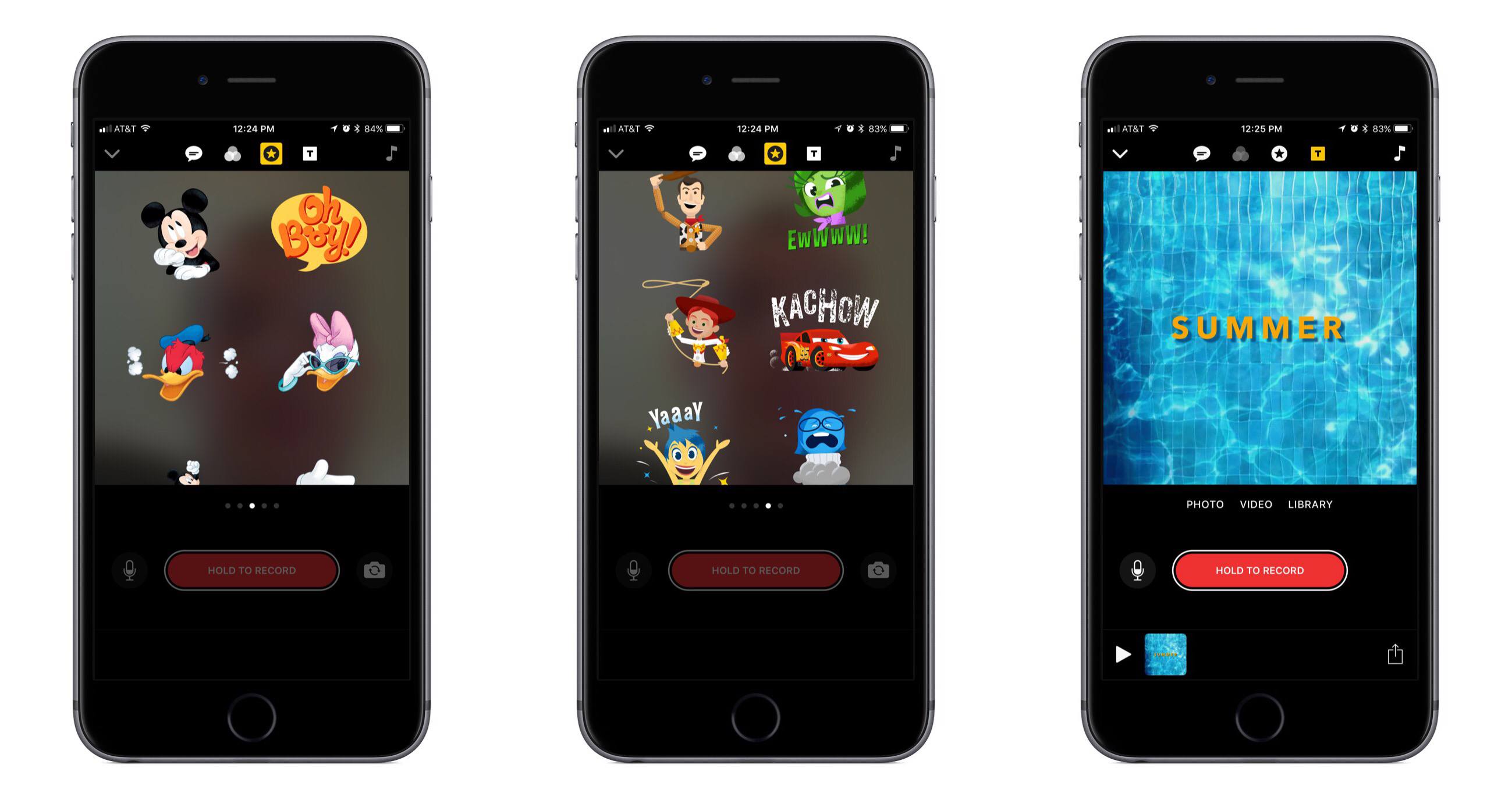
Today Apple released the first major update for its short form video creation app, Clips. Version 1.1 includes, most notably, a variety of animated graphics featuring beloved characters from Disney and Pixar films.

In the Disney department you can add Mickey, Minnie, Donald, and Daisy to your videos, each with their own unique animations. And from Pixar, characters originating in Toy Story, Inside Out, and Cars are available. There are also a variety of new posters available to be used as title cards, some of which were designed by Disney and others by Apple. A selection of the new posters feature vibrant animations when you use them, such as water rippling in a pool.

In addition to the new content available for creating videos, Apple has also refined some design aspects in the app to make it easier to use. For example, Live Titles could always be edited by tapping on the text, but that wasn’t a very discoverable interface. Now there’s a new button to accomplish the task.

Apple’s press release announcing the update mentions that Clips “is included on all new iOS devices,” which should help bolster adoption of the app. That press release also features a video seemingly created in Clips that’s worth checking out.


Google iOS App Adds Personalized Feed with News, Interests, and More

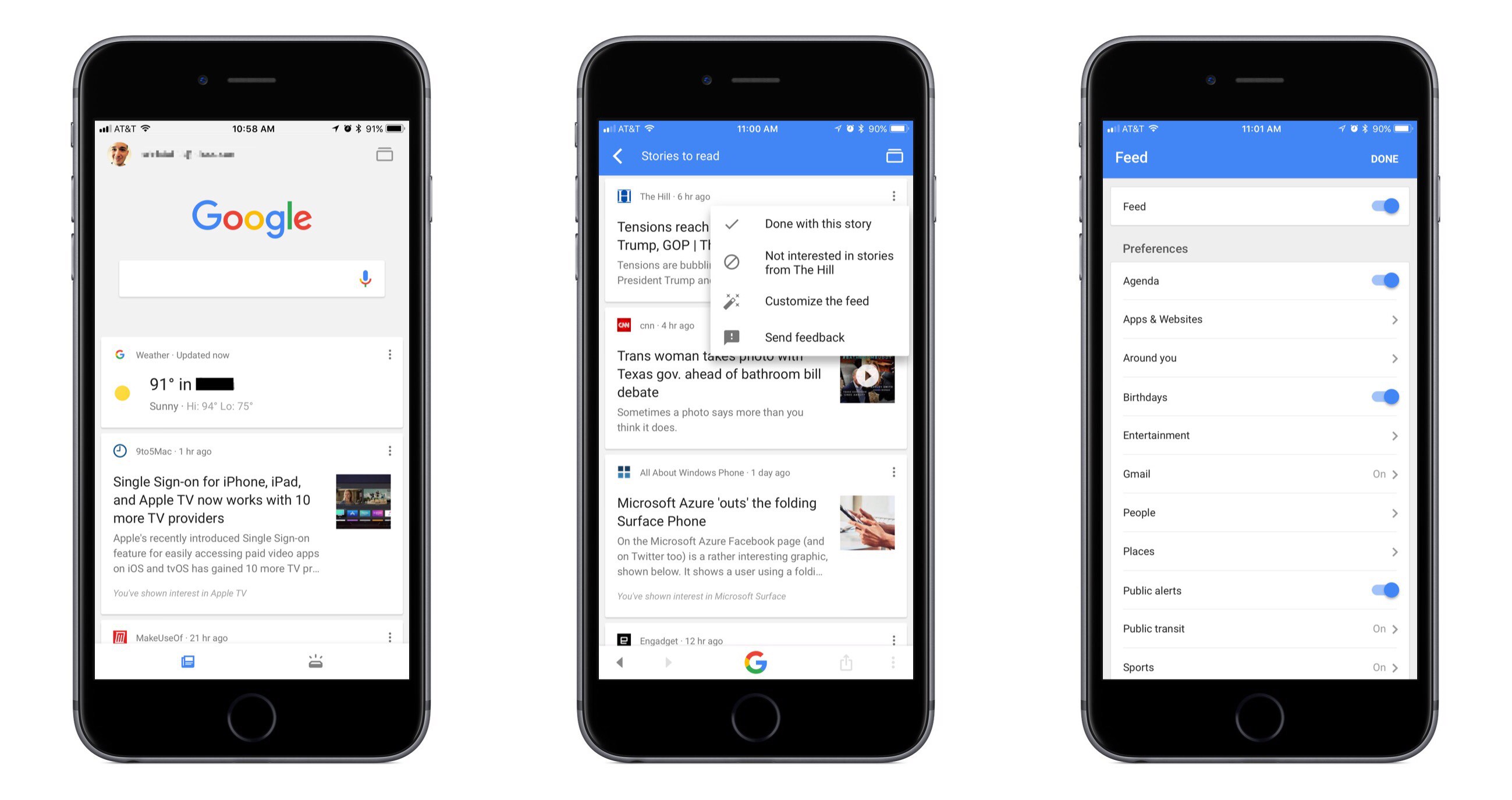
Google has long been the first place most of us go when searching for something specific, and now it wants to be our primary destination for personalized, proactive content as well. Launching today in the US, and internationally in the coming weeks, the Google app for iOS now includes a personalized feed filled with things like news stories, live sports highlights, and suggested videos, all of which are merged in the feed with other data we’ve come to expect from the Google app such as local weather, relevant travel info, and more.

While Google’s iOS app formerly served as a place to mainly perform searches and see a bit of personalized data, today’s update transforms the app experience entirely. The search option is still at the top of the screen, and that data you’re used to seeing is still around, but the additions included here change the app’s primary purpose. It becomes a place to go not only when you need to find something, but also just when you have a little time to kill and want to catch up on what’s going on in the outside world. If the feed becomes good enough at knowing what’s important to me, I can see myself regularly checking and scrolling through it the way I do with social apps like Twitter or Facebook.

Google promises that the feed will get better over time as its machine learning algorithms gain a more accurate understanding of a user’s interests. One way that users can help that process is through using the new ‘Follow’ button that will soon begin appearing next to Google search results. This button will allow you to selectively follow certain movies or TV shows, sports teams, musical artists, celebrities, and more. Another layer of customization is found in the ‘Customize the Feed’ menu accessible by tapping the three dots in the upper right corner of any content card. Here you can turn the feed off entirely if you’d like, but you can also customize exactly which categories of content will populate your feed.

If you’d like more in-depth information about today’s update, Google has a blog post walking through the changes.


Apple Launches Public Machine Learning Journal

Today Apple introduced a new section on its website dedicated to highlighting its work in the area of machine learning. This new Machine Learning Journal bears the form of a blog, with the following stated aim:

Here, you can read posts written by Apple engineers about their work using machine learning technologies to help build innovative products for millions of people around the world.

The first and only post currently available in the journal is titled “Improving the Realism of Synthetic Images” and is categorized ‘Vol. 1, Issue 1.’ It details how Apple’s photo recognition technology has been trained using synthetic images rather than real ones due to the massive extra cost and workload required to obtain and accurately label real images. The example given in the post centers around the human eye, walking step by step through Apple’s method for increasing the realism of synthetic depictions of a human eye to make them effective alternatives to real images.

Apple has historically been secretive when it comes to its machine learning research, a stance which many speculated had put the company at a disadvantage in the area of recruiting talent. It’s understandably hard to build a noteworthy reputation as a machine learning researcher if you’re unable to talk about any of your work. But near the end of last year Apple’s director of AI research, Russ Salakhutdinov, signaled that change would be coming to the company’s policies surrounding secrecy. The launch of a public journal featured on Apple’s website is very clear evidence of that change arriving.


Nintendo Switch Online App Released Ahead of Splatoon 2

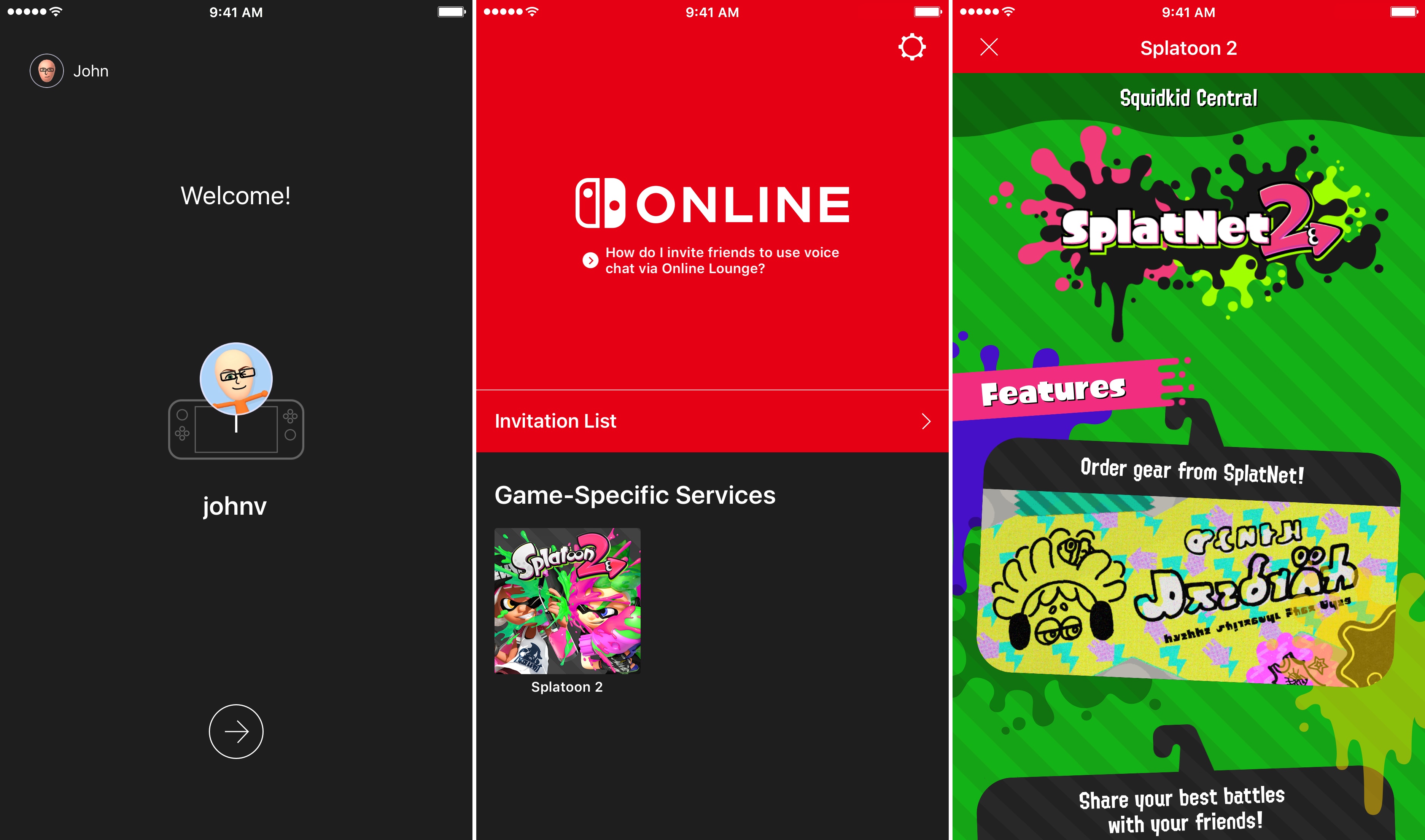
On Friday, July 21st, Nintendo will release Splatoon 2, one of its marquee titles for the Switch console, which will be the first game to take advantage of the Nintendo Switch Online app for iOS. The app is available to download now, but won’t be of much use until Splatoon 2 is released Friday. In the meantime, you can download the app, sign into your Nintendo account, and review instructions on how to invite friends to play. Invitations can be sent over social media like Facebook, WhatsApp, Twitter, and Line. The app will also allow players to chat with friends using a headset connected to their iOS device.

Nintendo Switch Online is a free download on the App Store. Nintendo’s online service is free while it is in beta, but will cost $19.99 per year or $3.99 per month when it launches in 2018.


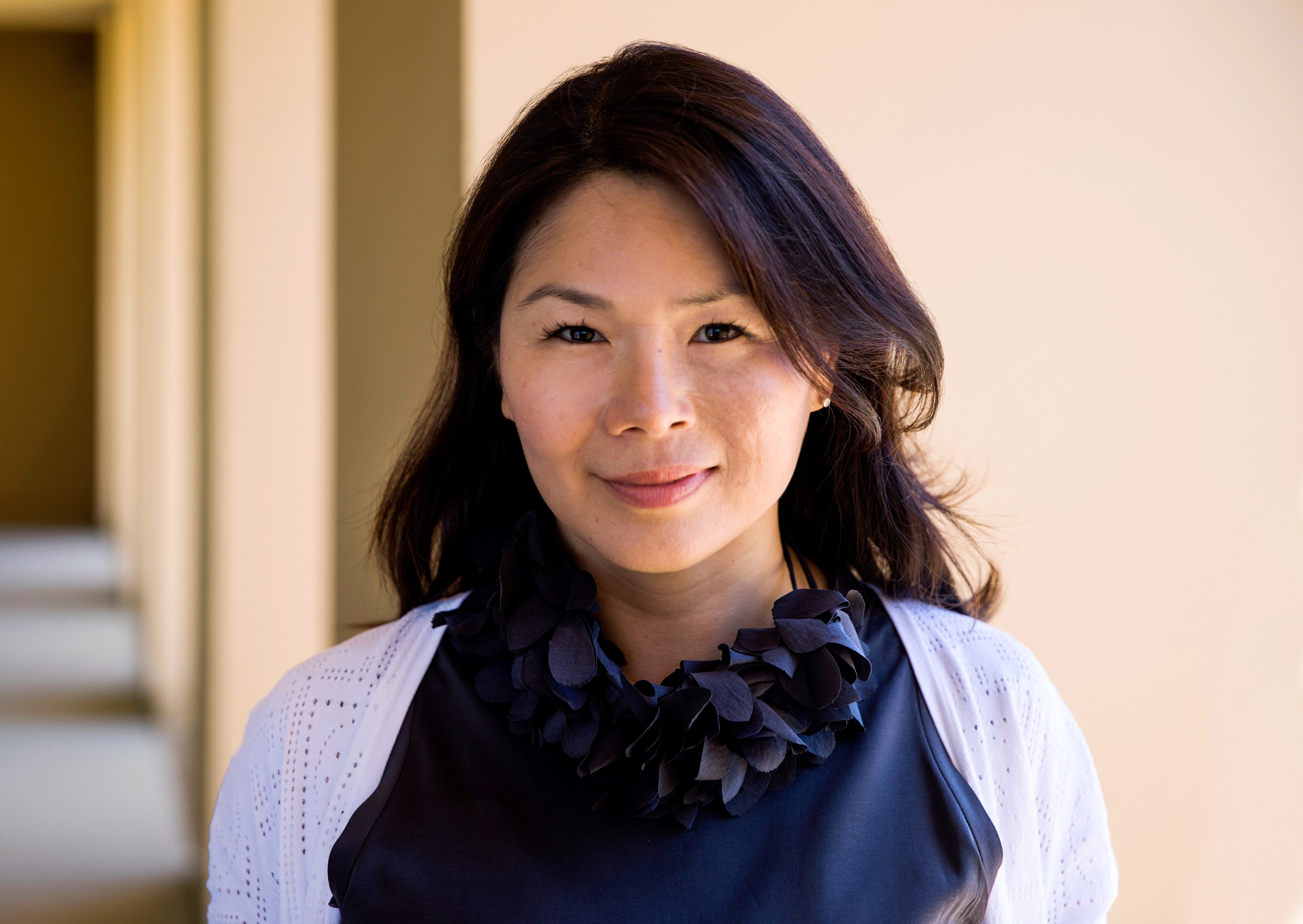
Isabel Ge Mahe is Apple’s New Managing Director of Greater China

Apple has announced that it has named Isabel Ge Mahe Managing Director of Greater China, a newly-created position within the company. Ge Mahe most recently led Apple’s wireless technology engineering teams working on cellular, WiFi, Bluetooth, NFC, location, and motion technologies. She has also overseen the engineering teams developing Apple Pay, HomeKit, and CarPlay.

Apple CEO, Tim Cook, had this to say about the appointment:

“Apple is strongly committed to invest and grow in China, and we are thrilled that Isabel will be bringing her experience and leadership to our China team,” said Tim Cook, Apple’s CEO. “She has dedicated a great deal of her time in recent years to delivering innovation for the benefit of Apple customers in China, and we look forward to making even greater contributions under her leadership.”

Ge Mahe, who will start in her new position later this summer in Shanghai, added:

“I’m honored to have this opportunity to represent Apple in China and work more closely with our incredibly talented team,” said Isabel Ge Mahe. “Everyone at Apple is proud of the contributions we make to the communities where we do business, and I am looking forward to deepening our team’s connections with customers, government and businesses in China to advance innovation and sustainability.”

As Ge Mahe’s appointment underscores, China is an important market for Apple. The country accounted for 29% of Apple’s revenue in the March 2015 quarter according to Recode. Since then, however, revenues generated in China have slipped as the iPhone has lost market share to other mobile phone manufacturers.