Posts in news

Google Photos Launches Advanced Sharing Features

First announced last month at Google I/O, Google Photos for iOS has now been updated to include several new sharing features, including suggested sharing and shared libraries.

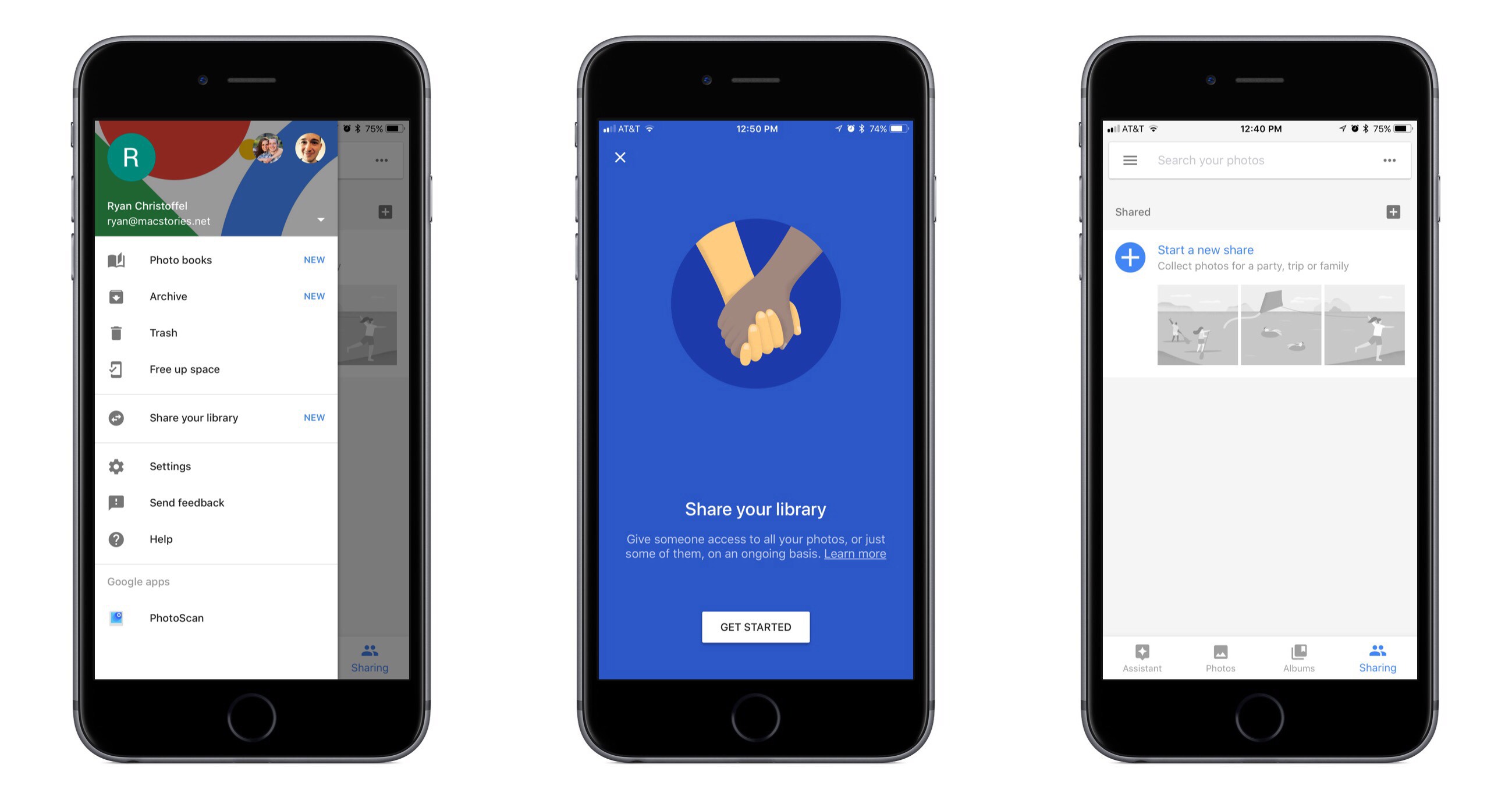
The suggested sharing feature brings with it a new dedicated navigation tab labeled ‘Sharing.’ Here you’ll find a listing of all prior sharing activity, as well as suggestions of photos you haven’t shared yet but may want to. These suggestions are made for one of two reasons: either the photos in question appear similar to images you’ve shared in the past with certain people, so Google thinks you may want to share them, or the photos contain people that Google knows are in your contacts, and thus you may want to share them.

If a Google Photos user shares images with another Google Photos user, and the sharing recipient appears to have photos from the same time and place, Google will suggest adding those images to the shared album. This can be used most effectively when sharing photos around a certain event, like a wedding or vacation. One person may initiate the sharing, but Google Photos makes it easy for the other people who attended the event to improve the shared album by seamlessly adding their own captured memories to it.

The new library sharing features are accessed from the sidebar menu’s ‘Share your library’ option, not the ‘Sharing’ tab. After you’ve selected one or more people to share with, there are a couple settings you can adjust. You can choose to share your entire library, or only photos of specific people. You can also set a time period from which the library sharing should begin – for example, you can set sharing to only happen with all photos from this day on, or from six months ago on, etc.

Google Photos was already an excellent service, but today’s updates make it even better. The automatic library sharing in particular has been on my wish list for Apple Photos for a long time. At the time these features were announced, details about iOS 11 were still unknown, but now that the WWDC unveiling has come and gone without any announced improvements to sharing in Apple Photos, Google Photos is more tempting than ever.




Apple Music’s New ‘My Chill Mix’

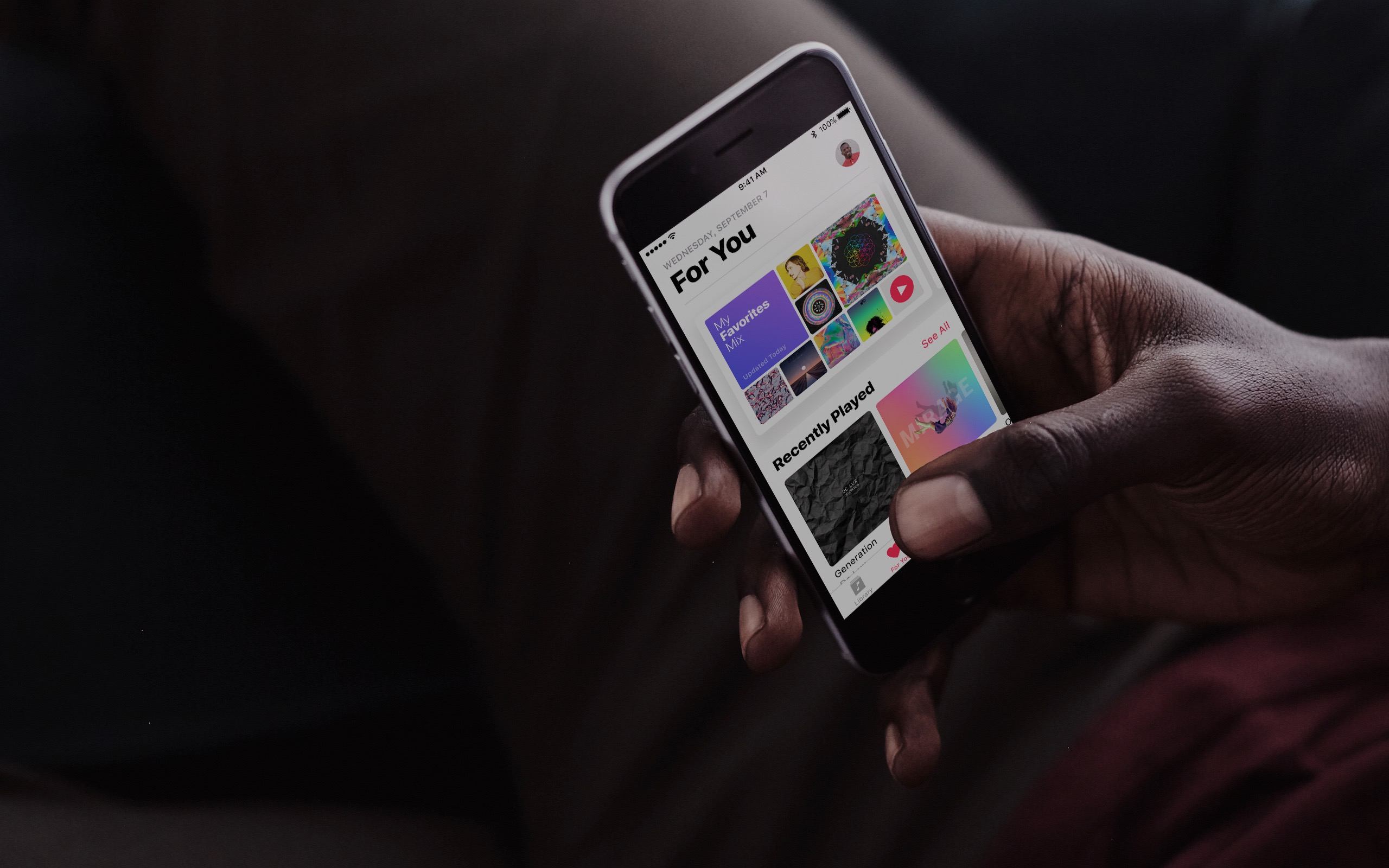
Apple Music is rolling out a new automatically-generated playlist called ‘My Chill Mix’ to subscribers. The music streaming service already includes a ‘My Favorites Mix’ and a ‘My New Music Mix,’ which show up every Wednesday and Friday respectively.

‘My Chill Mix,’ which will be added to subscribers’ ‘For You’ tab and updated every Sunday, features slower tempo music based on your Apple Music listening habits. According to Matthew Panzarino at TechCrunch, ‘a small number of test users got the new playlist yesterday evening.’ Other Apple Music subscribers will have to wait a little while longer. Apple told Jim Dalrymple of The Loop that:

…the new mix will not be available to everyone immediately, but it will show up over time.

It’s good to see that Apple is continuing to experiment with computer-generated playlists, one of the strongest selling points of Spotify, which includes an excellent Discovery Mix and a Daily Mix that debuted last fall. In addition to adding playlists like an up-tempo workouts mix and genre-specific mixes, I would like Apple Music to allow me to tweak its algorithm’s variables to create playlists myself, dialing in the exact balance of genres and favorites versus new music that I want to hear at any particular time.


Clean Up Your Inbox Today (and Keep It That Way Forever) with SaneBox [Sponsor]

What if you had someone who would sort through your email and find only the important messages? That is exactly what SaneBox does. After you set it up, SaneBox leaves your important messages in your inbox and moves the rest to a SaneLater folder for reviewing later. That initial inbox purge is powerful because it reduces your inbox to a manageable number of messages. With additional training to tell SaneBox what’s important to you, it only gets better at dealing with the daily deluge of messages.

There’s much more to SaneBox than shuffling unimportant messages into a designated folder, though. If there’s something you never want to see ever again, send it to the SaneBlackHole, which is much easier than unsubscribing to unwanted messages.

You can also set up SaneReminders by sending messages to an address that sends a reminder to you at a later date if the recipient of your message hasn’t responded after a certain amount of time. Or forward messages to SaneReminders to have it pop back into your inbox at a later date when you are ready to deal with it.

SaneBox works on top of your existing email setup. There’s no app to download or new email account to set up. It all works server-side so you can use any email client you want.

Sign up today for a free 14-day SaneBox trial to take back control of your email. MacStories readers can receive a special $25 credit automatically by using this link to sign up.

Our thanks to SaneBox for sponsoring MacStories this week.


Sega Forever Brings Sonic and Other Classics to iOS

Sega has been out of the hardware business for a long time, but still, has some of the most beloved video game franchises around. Today, Sega began releasing classic Sega games under the banner Sega Forever.

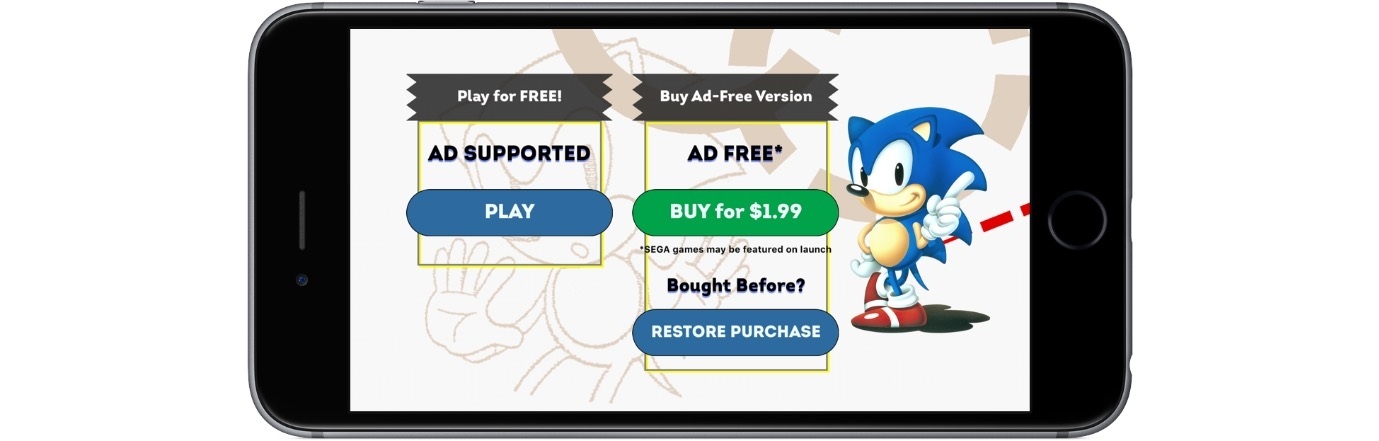
The first titles released are Sonic the Hedgehog, which was already available on iOS, Comix Zone, Altered Beast, Kid Chameleon, and Phantasy Star II. The games, which are standalone downloads, are free and include ads that can be removed with a $1.99 In-App Purchase. The Sega Forever website indicates that the next title in line for release is Virtua Tennis Challenge, which is currently $4.99 on the App Store and hasn’t been updated since 2013. For iMessage sticker fans, each game also includes a handful of animated stickers of game art.

Read more


Snap Map Brings Location Sharing and Global Discovery to Snapchat

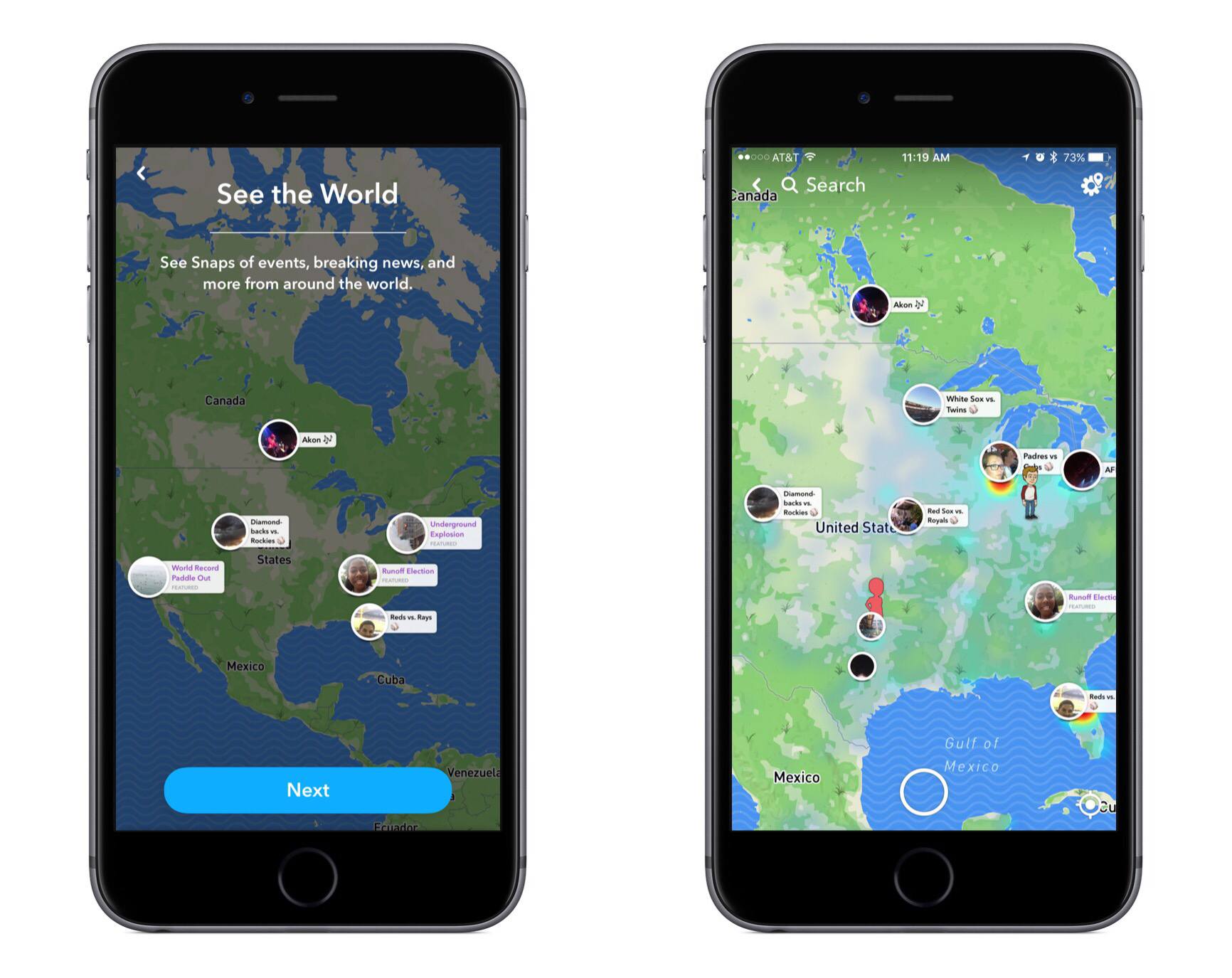
A new feature is rolling out to all Snapchat users today called Snap Map. From the camera screen inside Snapchat, pinching two fingers together will bring Snap Map into view. The map consists of two main pieces: it shows you friends’ locations (if they have location sharing activated) and it serves as a place to discover Stories from people all around the world.

The location sharing piece includes some very simple controls. You can choose to not share your location at all, which is called ‘Ghost Mode,’ or you can either share it with all your friends or a selected assortment of them. The app makes it easy to share your location only when you want to – in the upper right corner of the screen, there’s a settings menu that includes a toggle to activate or deactivate Ghost Mode. While your friends are sharing their location, their Bitmoji will appear on the map and you can tap them to zoom in on their location and access a convenient chat box.

The Story discovery aspect of Snap Map appeals more to me personally, as it makes viewing other Stories from significant places or events fun and easy. Discovery appears to revolve around the collaborative Stories feature introduced just last month, with shared Stories that center on an event rather than a particular person. Scanning the map, you’ll find Stories for things like baseball games, concerts, visits to national parks, and even significant news like natural disasters. It works well both as a way to see what events your friends may be attending, and as a way to explore different activities from all around the world.


John Markoff Interviews Original iPhone Engineering Team Members and Scott Forstall

Last night, the Computer History Museum in Mountain View, California hosted a two-two hour interview program. The event was split into two parts. The first half is an interview moderated by John Markoff who spoke with former iPhone team members Hugo Fiennes, Nitin Ganatra, and Scott Herz about the development of the original iPhone. The three engineers recount what it was like to be recruited to the secret project and detail the team’s efforts to bring the phone to market.

The second half of the program, which begins at about 1:07:00 in the video below, is a one-on-one interview by Markoff of Scott Forstall who led software development for the iPhone. The interview with Scott Forstall is his first public comment about the iPhone and Apple since he left the company in 2012 and covers a broad range of topics from early iPhone prototypes to demonstrating the iPhone to Cingular, the first carrier to offer the phone.

Both interview segments are full of entertaining anecdotes about the iPhone’s development and well worth watching by anyone interested in what it took to create the iPhone. Forstall is particularly engaging as a storyteller displaying the same enthusiasm and excitement that he used to show onstage at Apple keynotes.


Apple Posts Two Videos Highlighting Photos Memories

Apple posted two videos highlighting the Memories feature of its iOS Photos app. One, called ‘The Archives,’ is part of Apple’s ‘practically magic’ series of videos and features an elderly man creating a film called ‘Together.’ When the man pulls a photograph out of a cabinet with dozens of drawers, it comes alive with a short snippet of video like a Live Photo.

After gathering a cart-load of photos and film, the man begins the laborious process of splicing them together into a film. The heartwarming spot captures the time, care, and attention needed to painstakingly create a movie from analog photos and videos, making the unstated point of how easy it is to do the same thing in Photos.

The second spot is in stark contrast to the first. It demonstrates the three steps to using Photos’ Memories feature:

  1. Open the Photos app
  2. Go to the Memories Tab
  3. Choose a Memory

The two spots, which both feature Memories called ‘Together,’ are a clever one-two punch intended to convey how simple Photos has made it to create photo and video montages that once would have taken hours of work.