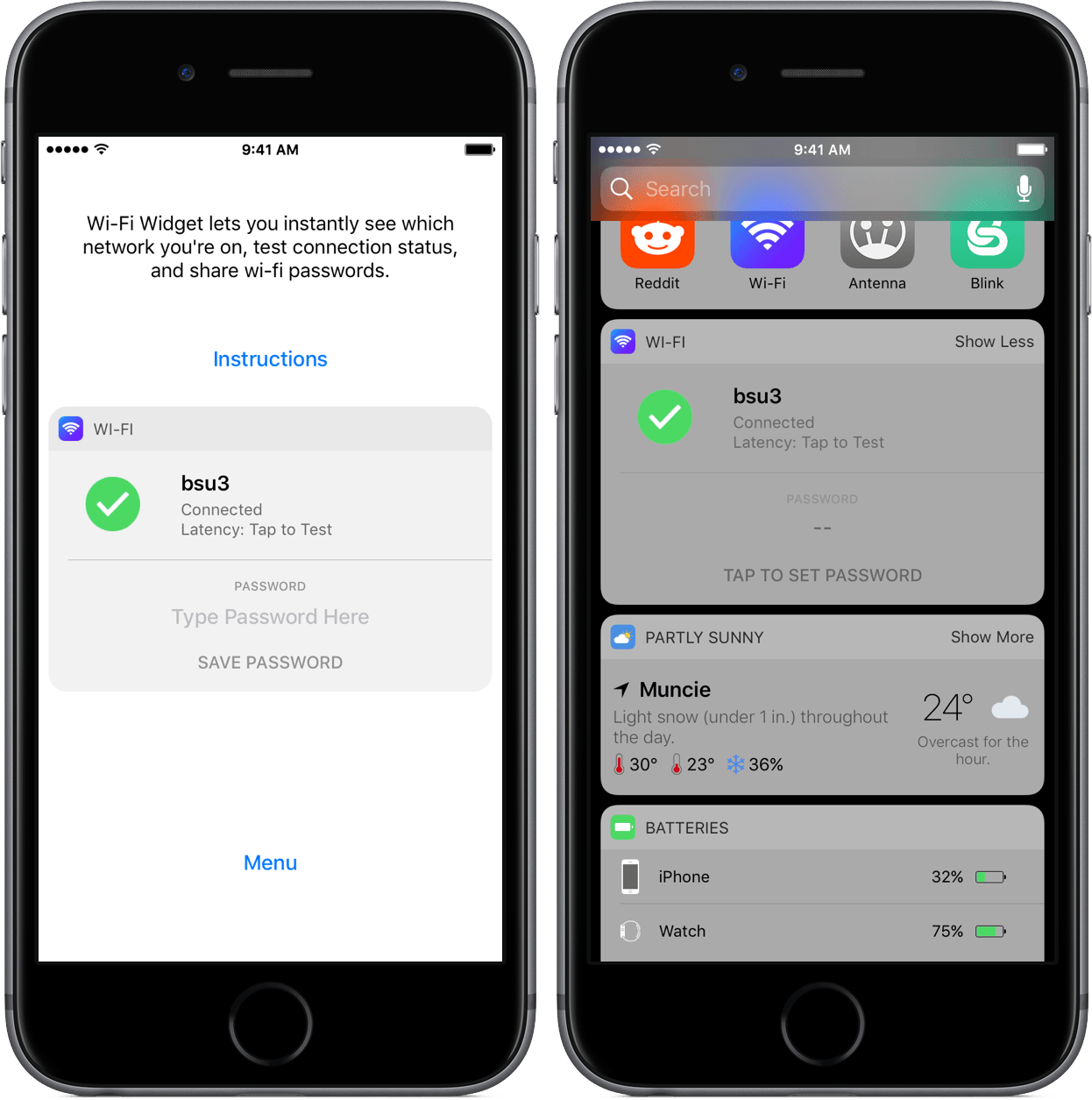
Wi-Fi Widget is a once-in-a-while iOS app that feels Mac-esque – it’s a utility that is practically sans-interface, yet adds something minute enough to the system to invoke a “Why hasn’t this been done before?” response.
Posts in iOS
Wi-Fi Widget: A Welcome Wi-Fi Shortcut
Editorial Updated with 12.9-inch iPad Pro Support, Split View Multitasking
Ole Zorn’s Editorial was the text editor that completely reimagined how I could work from iOS. While I have since moved to Ulysses as my primary text editor, I still use Editorial almost daily for its unique Markdown automation. Editorial’s combination of Python scripting and visual workflows for plain text editing is unparalleled and there’s nothing else like it on the App Store.
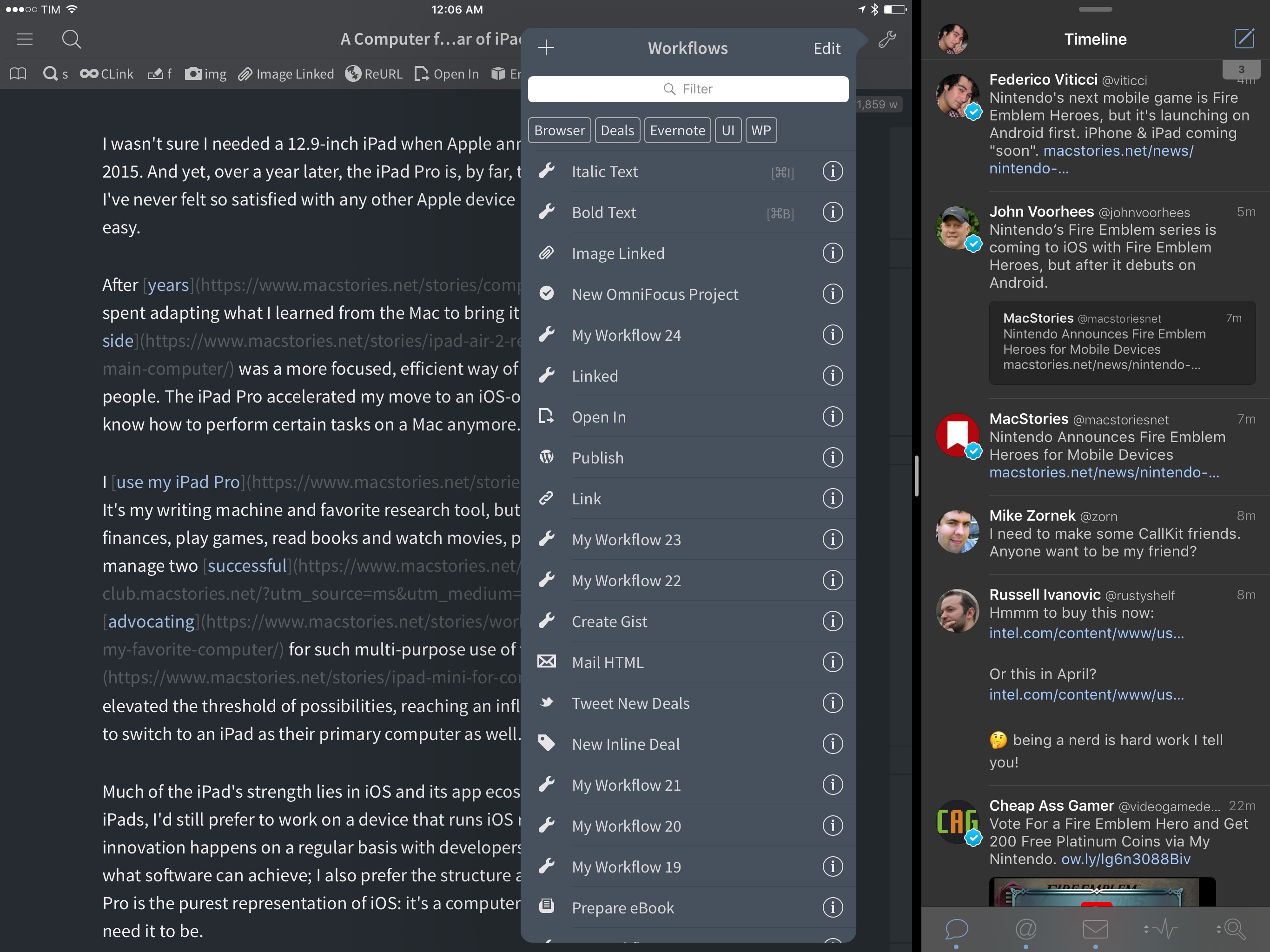
After a couple of years without updates and a long TestFlight beta period, Editorial has been updated for iOS Split View and the 12.9-inch iPad Pro. There are other changes (the workflow editor has been moved to the accessory panel and the Python editor now opens in a separate tab), but, overall, it’s still the same Editorial you know and love, updated for the latest iOS devices. I’ve been using the beta version of Editorial 1.3 for several months now – being able to keep Editorial next to another app is great for editing and research, and moving back and forth between a document and a workflow is easier.
As for everything else, my coverage of Editorial 1.0, 1.1, and 1.2 still stands; Editorial is the text editor for iOS power users thanks to its excellent automation features, advanced Markdown editing, and TaskPaper integration. As I wrote in November, I still edit all my longform stories in Editorial. Despite the paucity of updates, I love the app as it’s a shining example of pro software for iOS.
If you haven’t played with Editorial in a while, now’s a good time to check it out again (the app is also available at a discounted price of $4.99).
Airmail 1.5 Brings Custom Actions, Workflow Integration
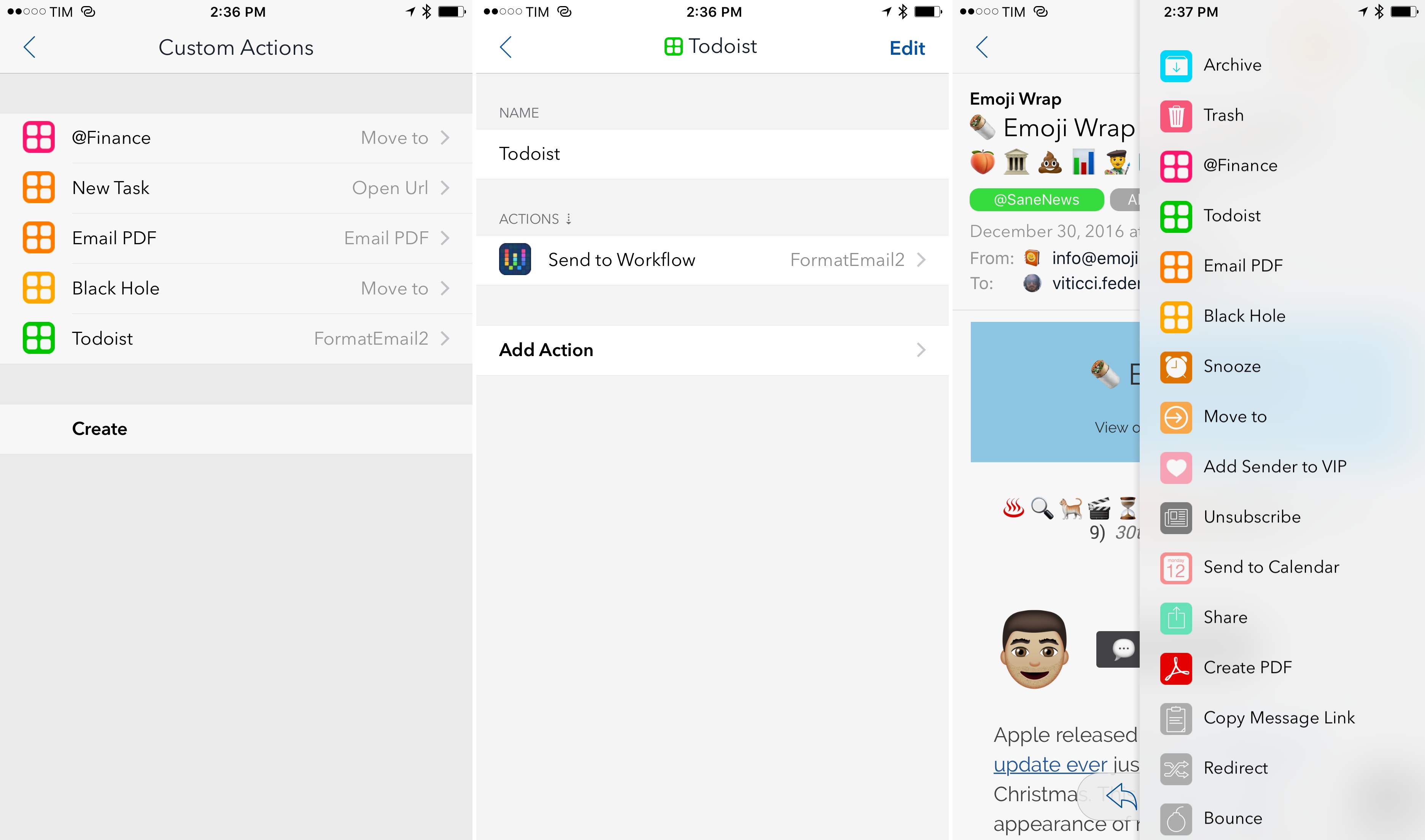
Airmail, the most powerful email client for iOS and my 2016 App of the Year, has made integrations with third-party apps and services the central element of its experience, allowing users to deeply fine-tune their email workflows. With version 1.5, launching today on the App Store, the developers at Bloop are further expanding Airmail’s integration roster with the ability to create custom actions as well as Workflow support to craft automations tailored for messages shared from Airmail.
Timepage for iPhone Adds Better Syncing, New Theme Colors, More in Version 2.0
Continuing their blistering pace of development, the team at Bonobo Labs have updated their award-winning app, Moleskine Timepage, to version 2.0.
The update features a slew of performance updates, which the developers attribute to a “whole new code foundation that makes it faster to use and optimizes how your calendars are synced.” Also aiding in the fluidity are new animations throughout the app.
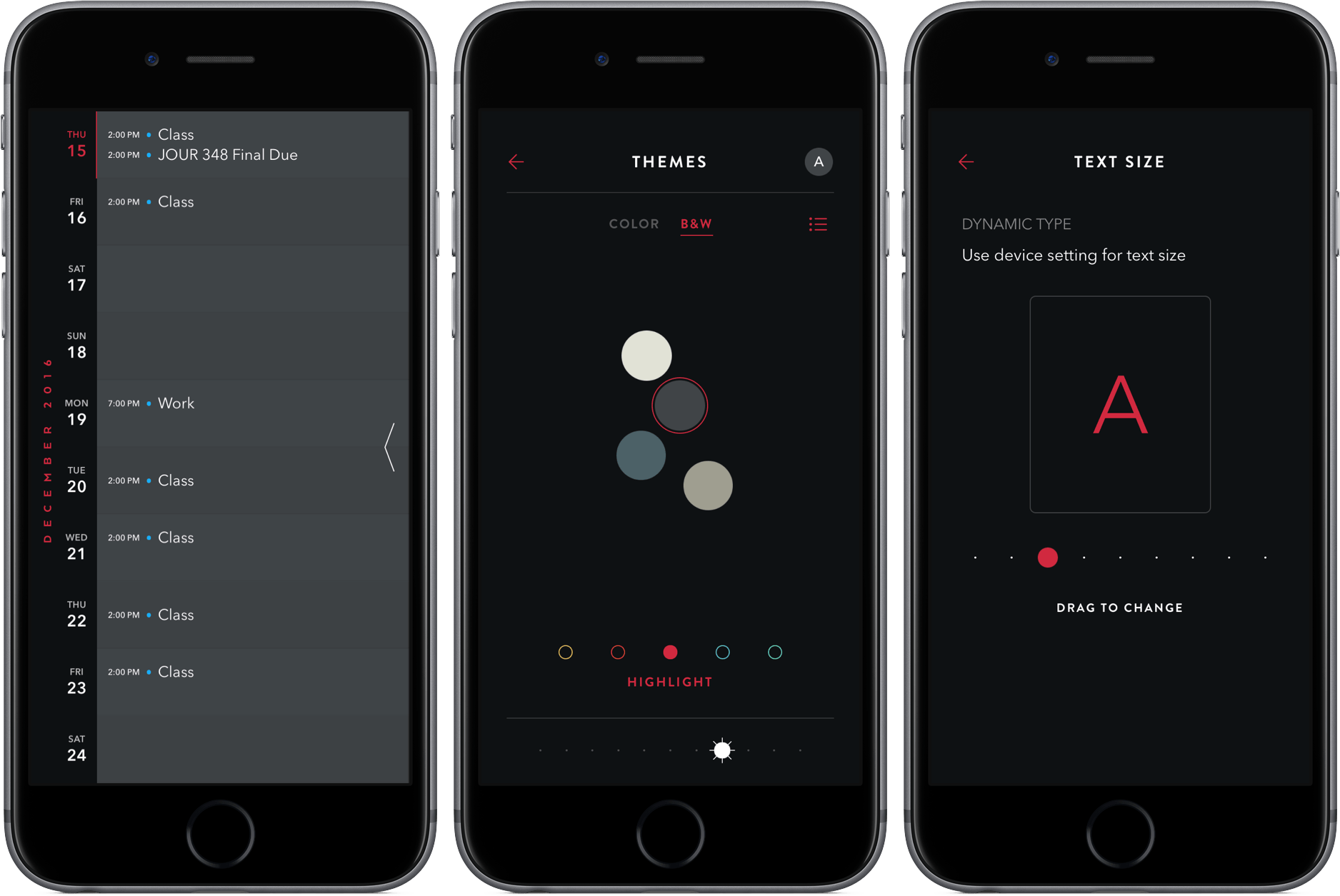
With 2.0, Timepage is now much more customizable, allowing you to change the text size, theme colors, and calendar colors. For example, tapping into “Themes” let you choose from a wide range of colors, alter the intensity of it, and then add a highlight color. Additionally, you can pinch on the timeline to adjust how many days are displayed at once, from three up to ten. The result of these options is a more personal Timepage, one with dozens of variations of the same great design.
Adding and editing events is also much improved thanks to additions like a “+” button to add events (for those who didn’t like the swipe gesture) and phone number, URL, flight number, and email address support in the note section. Editing dates is now much easier, too – just tap the date after going in to edit.
Finally, the update rounds out with improvements to repeating events and preference syncing between devices.
Instead of going for a full-on redesign, I’m happy to see that Timepage has made its 2.0 update a combination of tweaked aesthetics and speed improvements. Timepage has undoubtedly been my app of the year, and this update marks a solid end to a remarkable year of development from the Bonobo Labs team.
To see the full release notes or to buy Timepage for iPhone ($4.99), check it out in the App Store here. The iPad version, which received many of the customization features in version 1.1.0, can be found here ($6.99).
Apple Improves Support Experience with New App
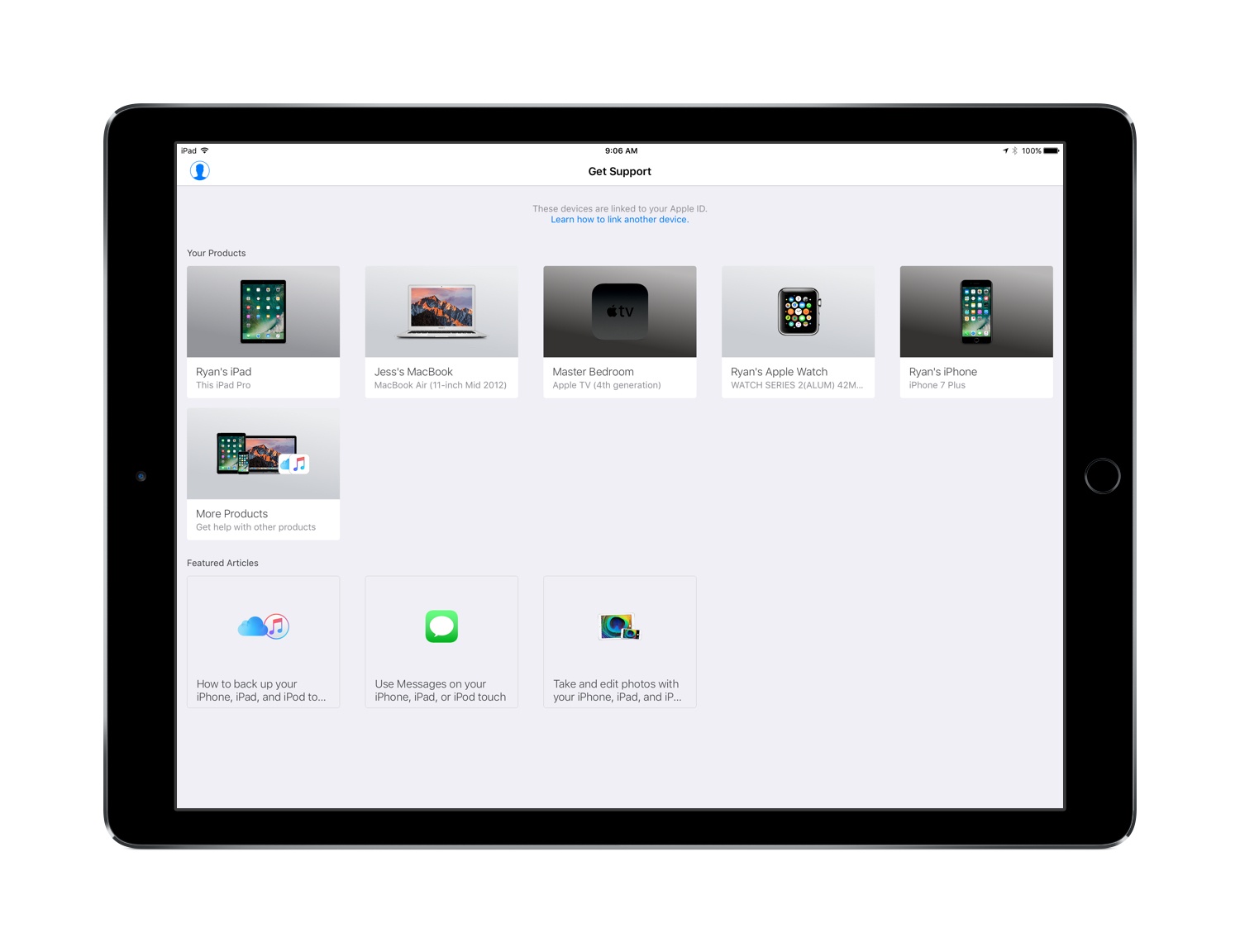
Following a soft rollout last month in the Netherlands, Apple has now launched a new Support app in the U.S. App Store for both iPhone and iPad.
This new app is the latest sign of Apple’s efforts to provide easy and convenient ways for its users to get the help they need with support issues. It follows an expanded presence on Twitter in the last year, where the company started with an Apple Music Help account , then later replaced it with a more wide-reaching Apple Support account .
Support serves many of the same functions as Apple’s Support website , but within the simple interface of an app.
Television Time Review: A Modern Guide to TV
Many years ago, weekends at my grandparents’ went like this: flip on the TV, peruse through all the channels hoping to find something I like, and eventually hand over the remote to my grandfather, when he would then search the paper TV guide for that night’s programming.
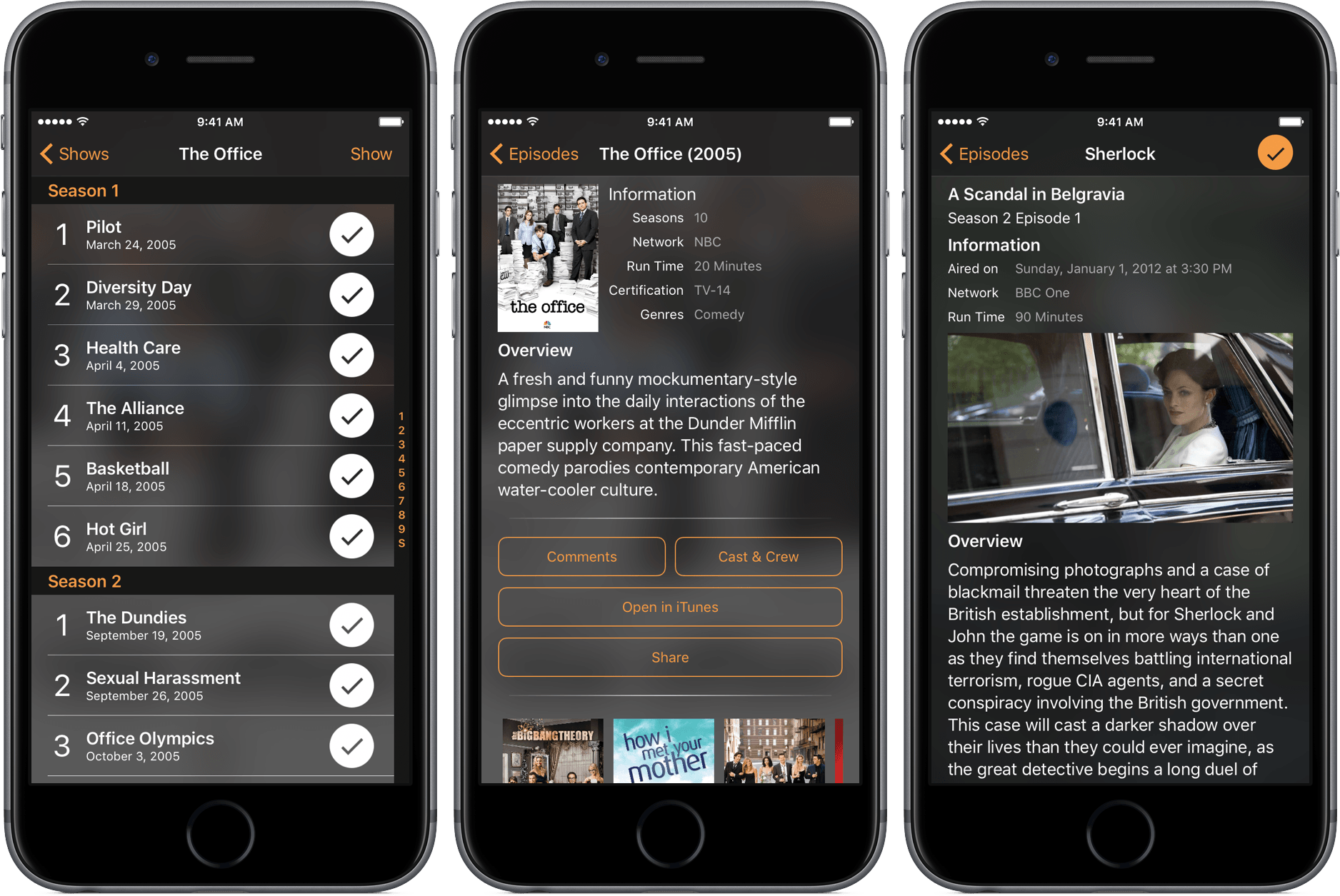
The days of using those guides are long gone, but the need to see what shows are coming up is still relevant. For that, I’ve been using Television Time, a beautiful TV guide for iPhone, iPad, and Apple Watch.
Box Debuts a Revamped App for iPhone and iPad
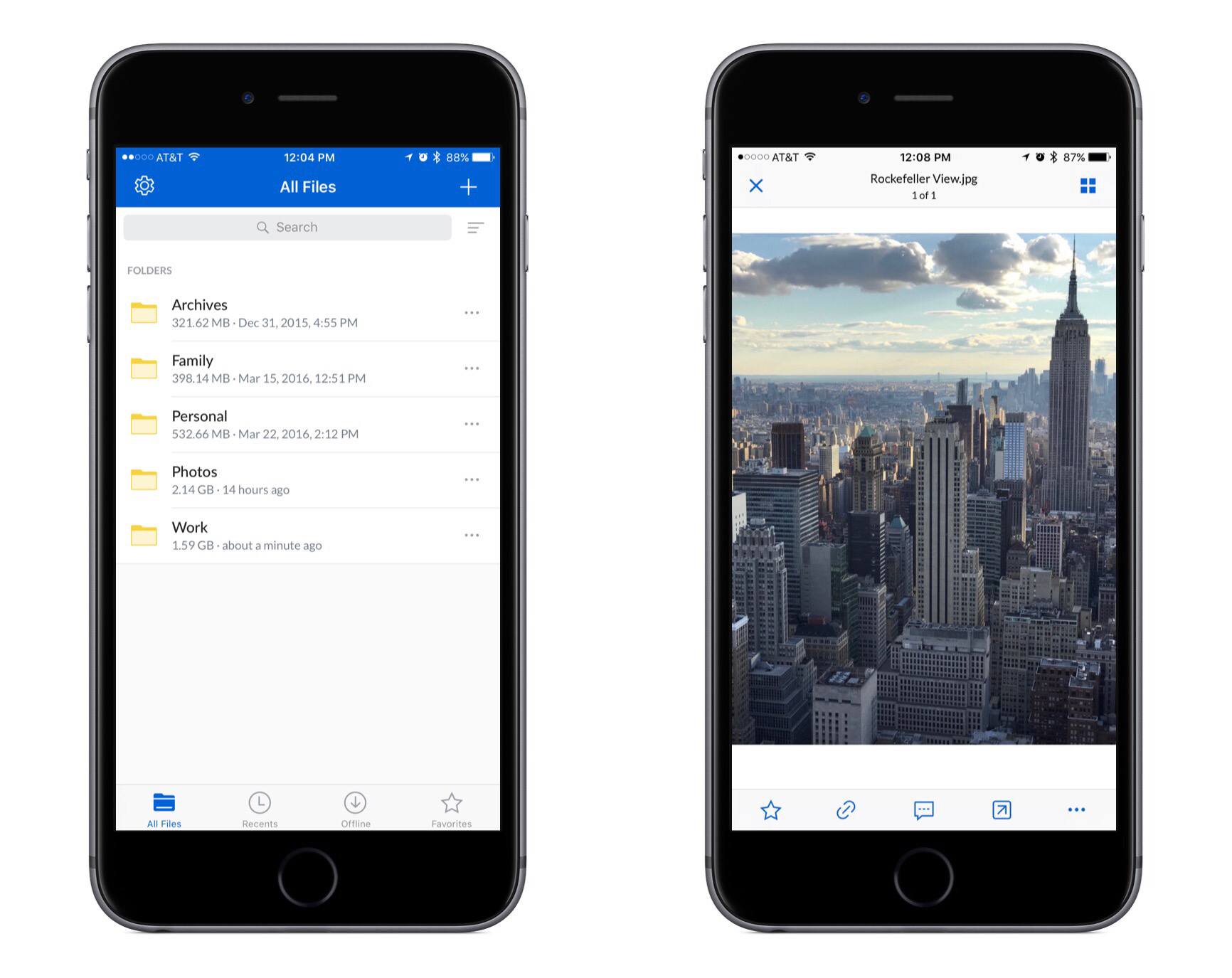
Yesterday Box launched version 4.0 of its iPhone and iPad app. The update includes a full visual refresh featuring brighter colors and a design that seems to blend better with iOS as a whole.
Hardbound Expands into Daily News with The Nightcap
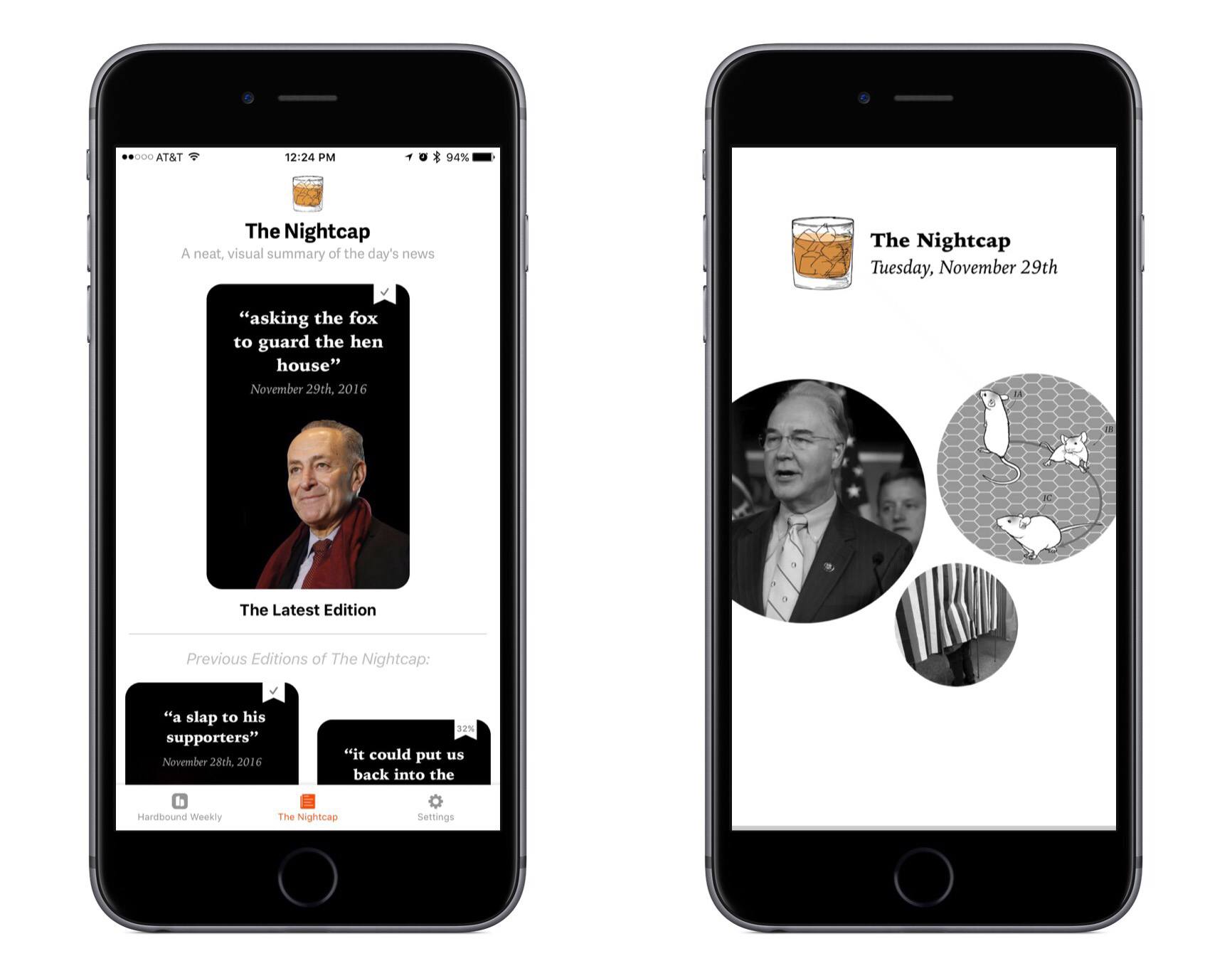
Earlier this week the team behind Hardbound, a visual storytelling app, launched version 2.0 on the iPhone with a major new feature called The Nightcap.
Infuse 5
I watch a lot of TV shows and YouTube videos on my iPad Pro. Thanks to the 12.9-inch iPad’s large screen and four-speaker system, watching directly on the device is a pleasure (I tend to prop up the iPad with the Razer keyboard I reviewed here) but I’ve also been streaming to Google Chromecast and Apple TV depending on what I want to watch (Chromecast is great for YouTube).
Every time I want to watch something, I use Infuse. I’ve been an Infuse Pro customer for years now and I like the app because it can stream videos from my Synology NAS and it can play anything I throw at it without issues. Yesterday, Infuse graduated to version 5, which is a separate app with a new subscription model at $6.99/year. I don’t mind paying $0.58/month for an app I use several times each day, and the new version brings some welcome additions that will save me a lot of time going forward.
Infuse 5 supports Split View and Picture-in-Picture, two features that were strangely missing since the launch of iOS 9. Infuse also uses iCloud now to keep shares, favorites, metadata, and other settings in sync between devices; I don’t use Infuse on my iPhone, but it’s good to know I won’t have to set it up from scratch. In terms of other native iOS features Infuse 5 supports, there is integration with the document picker to download files from external apps and optimizations for video playback on iOS 10.
More importantly for me, Infuse 5 can automatically download subtitles from Open Subtitles and stream videos from a connected Dropbox, Google Drive, or OneDrive account. The first option is welcome for those times when I have some friends over who want to watch a movie in English audio and subtitles, which I usually keep disabled. Now I don’t have to go looking around the web for the right version of subtitles as Infuse seems to be doing a decent job at picking up the correct .srt file from the popular subtitle service. Cloud streaming means I have an easy way to beam work-related videos from my Dropbox to my Apple TV or Chromecast while retaining the benefits of Infuse’s UI.
Infuse is the only video app I keep on my iPad Pro. Unlike other video apps, Infuse combines an elegant interface and intuitive controls with powerful functionalities and integrations, which is what I need when I’m done working and want to relax at the end of a long day. Infuse 5 is available on the App Store; a paid upfront Pro version is also available at $12.99 if you don’t want to subscribe annually.