Posts in Featured

Mountain Lion is Coming Next Month: Here’s What We Know

While Apple’s Mountain Lion has been coolly waiting for its chance to pounce on Apple’s website, Craig Federighi announced at WWDC 2012’s opening Keynote that the next big cat will be available next month (no specific date given) for only $19.99 from the Mac App Store.

“With iCloud built right in and the new Notification Center, Messages, Dictation, Facebook integration and more, this is the best OS X yet.”

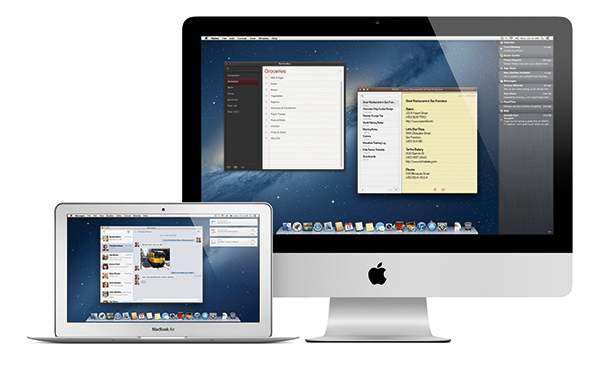
Mountain Lion brings OS X closer to iCloud thanks to a community of integrated apps and services that allow for seamless syncing of Mail, Notes, Reminders, Calendar events, Contacts, and Messages. In addition to these iCloud enabled apps and services (which we’ve long been familiar with), Apple is introducing Documents in the Cloud.

Documents in the Cloud is a new feature that integrates with Apple’s iWork suite and enabled third party apps to bring you documents that are stored in iCloud. In his demo, Federighi opened Pages which brought an iCloud-based document library. In Mountain Lion, Documents in the Cloud is enabled for Pages, Numbers, Keynote, Preview and TextEdit. The new document library browser provides a simple way to access recent documents no matter which device you access them from. Apple will be making available an SDK so developers can use this feature for their own apps.

Game Center, a brand new Safari with a unified search field, and AirPlay mirroring, and greater accessibility for China were also shown off. AirPlay mirroring lets you send up to a 1080p quality secure video stream or an audio stream to an AirPlay receiver as iOS devices can.

While we’re talking about applications, I should take the opportunity to say that Gatekeeper on the Mac is completely user controlled. Outed as a feature that protects you from bad guys (my words), users can decide whether or not to trust 3rd party applications from outside the Mac App Store. Gatekeeper itself will check for security updates in the background, and it provides kernel ASLR for protection against buffer overflow attacks. Overall, it’s a solid security update.

Mountain Lion itself has something aesthetic changes — a brand new glass dock is seated at the bottom of the display, and the Notification Center icon has changed from its preliminary circle to an icon representing a list of items in the menubar.

Notification Center received plenty of airtime, with service integration being demonstrated on stage. Notification Center is reminiscent of Growl, with banners sliding down from the upper right corner. Alerts stay on screen until you dismiss them, and additionally there’s an on / off switch for showing notifications. Notification Center is smart too — when connected to a project, the Notification Center will automatically shut off.

Given that you could dictate in iOS 5, it’s only right that the feature makes its way onto the Mac. Dictation really needs no explanation: “Anywhere you can type, you can now talk.”

Sharing in Mountain Lion is prevalent, with Twitter being used as the first example. Just like in iOS, a cute tweet sheet pops up that lets you quickly jot down your thoughts and send it off to share with your followers. Additionally, Facebook integration in OS X brings your friends and contacts closer than ever. Integrated in Mountain Lion just like with iOS 6, a single sign-in gives you access to share across a bevy of services including Twitter, Facebook, Flickr, and Vimeo. Facebook sharing lets you post to your wall, reply to a comment from an update displayed through the Notification Center, and directly update your Contacts with your friend’s information. To expound upon Notification Center, it displays updates from Twitter as well (for example, when someone mentions you in a tweet).

Power Nap is a feature we haven’t heard of before, letting your MacBook Pro with Retina Display or 2nd Gen (and above) MacBook Air receive data while it sleeps. All of the information you care about will be updated even before you open the lid — contacts, calendar events, emails, and other iCloud enabled services such as Find my Mac will work without user intervention. Even more amazing, your MacBook will be able to back up to Time Machine while in its Power Nap state. Supposedly, expected battery life should be maintained even when your MacBook is sipping power and downloading data while it’s asleep.
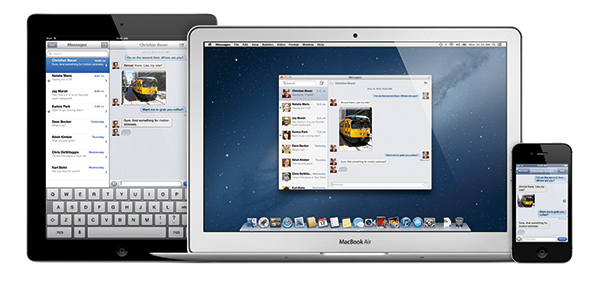
Customers who purchase one of Apple’s new MacBook Airs or MacBook Pros after June 11th will get a free update to Mountain Lion when it ships. Existing customers will be able to download it next month from the MAS. Today’s demo expounded what we already know, showcasing the rigidity of iCloud and new concepts that extends the Mac as an always active, lifestyle device. Mountain Lion’s integration with iCloud runs deep, and with over 1700 APIs available for developers, it’s a great release for developers and consumers alike.

Read more

Access Extra Content and Perks

Founded in 2015, Club MacStories has delivered exclusive content every week for nearly a decade.

What started with weekly and monthly email newsletters has blossomed into a family of memberships designed for every MacStories fan.

Learn more here and from our Club FAQs.

Club MacStories: Weekly and monthly newsletters via email and the web that are brimming with apps, tips, automation workflows, longform writing, early access to the MacStories Unwind podcast, periodic giveaways, and more;

Club MacStories+: Everything that Club MacStories offers, plus an active Discord community, advanced search and custom RSS features for exploring the Club’s entire back catalog, bonus columns, and dozens of app discounts;

Club Premier: All of the above and AppStories+, an extended version of our flagship podcast that’s delivered early, ad-free, and in high-bitrate audio.

Learn more here and from our Club FAQs.


The Next Generation MacBook Pro: Retina Display, Thinner Design, And More

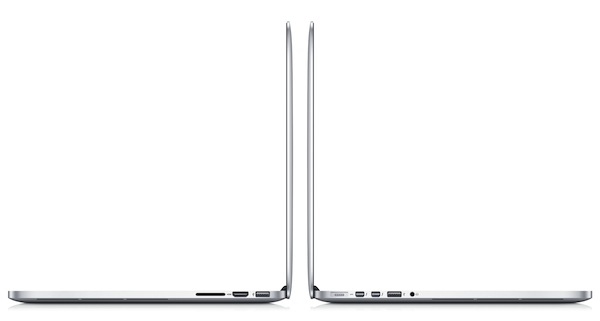
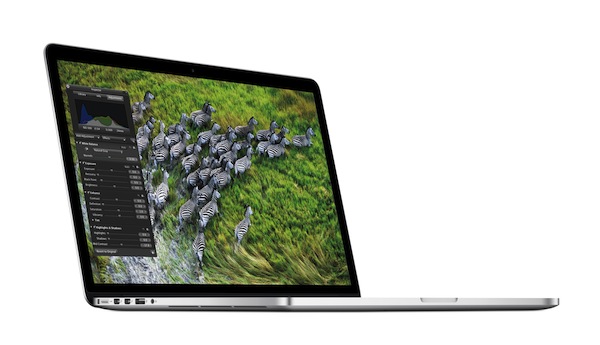
Following updates to the MacBook Air and old MacBook Pro line, Apple’s Phil Schiller formally took the wraps off the “next generation MacBook Pro” at WWDC today. Featuring an “architecture for the future”, the all new MacBook Pro comes with a new thin and light design that is inspired by the MacBook Air, and carries over the tradition of powerful specs of the Pro family.

To “be bold and embrace new technologies”, the new MacBook Pro is a true breakthrough in engineering: it’s 0.71 inches thin, and weighs only 4.46 pounds. It’s the lightest Pro notebook Apple ever made, and it carries a 15.4-inch, 2880x1800 “Retina” display for high resolution. at 220 pixels per inch, the new MacBook Pro has 5,184,000 pixels and it’s the highest resolution notebook in the world. According to Schiller, the quality of the display is “the best Apple has ever made”. Glare and reflection have been reduced by 75%, and the display features deeper blacks, higher contrast ratios, and higher view angles. Shipping with Lion, all Apple apps have been updated to take advantage of the Retina display: Mail, Safari, iPhoto have received updates; Aperture and Final Cut are receiving major updates as well. Final Cut, for instance, can show 9 simultaneous streams of pro-res video or 4 uncompressed streams.

Third-party apps will have to be updated for the Retina display on the new MacBook Pro. Apple says it is working with key developers, including Adobe, to have Retina-ready versions of popular apps soon.

The MacBook Pro with Retina display pushes the limits of performance and portability like no other notebook,” said Tim Cook, Apple’s CEO. “With a gorgeous Retina display, all flash architecture and a radically thin and light design, the new MacBook Pro is the most advanced Mac we have ever built.

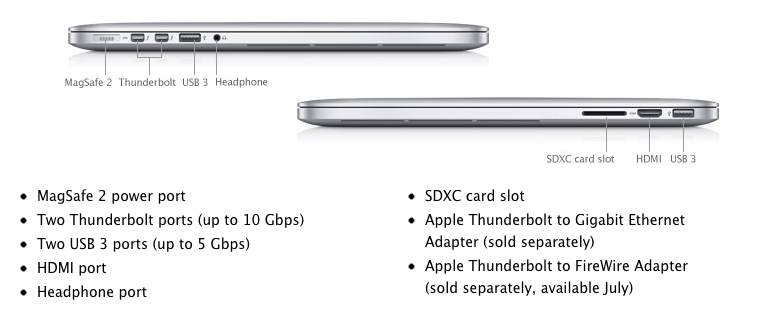
The new MacBook Pro features a 2.7Ghz quad-core i7 CPU, with turbo boost up to 3.7 GHz; up to 16 GB 1600 MHz RAM; GeForce GT 650M Kepler graphics; flash storage up to 768 GB. With battery life up to 7 hours and 30 days of standby, the new MBP also comes with SD card slot, HDMI, USB2/3, MagSafe 2, two Thunderbolt ports, another USB2/3 port, and the standard headphone jack.

The MagSafe had to be made thinner to fit into this new design; the machine also comes with a completely new stereo system, FaceTime HD camera, and dual microphones.

The new MacBook Pro Retina display is the world’s highest resolution notebook display with over 5 million pixels, 3 million more than an HD television. At 220 pixels-per-inch, the Retina display’s pixel density is so high the human eye cannot distinguish individual pixels from a normal viewing distance, so text and graphics look incredibly sharp. The Retina display uses IPS technology for a 178-degree wide viewing angle, and has 75 percent less reflection and 29 percent higher contrast than the previous generation.

In a video shown on stage, Apple’s head of design Jony Ive suggested the new MacBook Pro may seem like a contradiction. Built for performance but extremely portable, the new MBP features typography sharper than a printed page, and insanely fast performances thanks to solid state storage. One of the most important challenges Apple engineers had to face was designing the new display, which is built into the unibody construction and assembled through state of the art automated robots.

The new 15.4” Retina-ready, 2.3 GHz quad-core i7, 8 GB RAM, 256 GB flash next generation MacBook Pro ships today at $2199. The higher-end version with 2.6 GHz quad-core Intel Core i7 processor, Turbo Boost speeds up to 3.6 GHz, 8GB of memory and 512GB of flash storage starts at $2799. Configure-to-order options include faster quad-core processors up to 2.7 GHz, up to 16GB of memory and flash storage up to 768GB.

Starting today, customers who purchase a Mac will also get a free copy of Mountain Lion when it ships later this summer.

Moscone West Photos

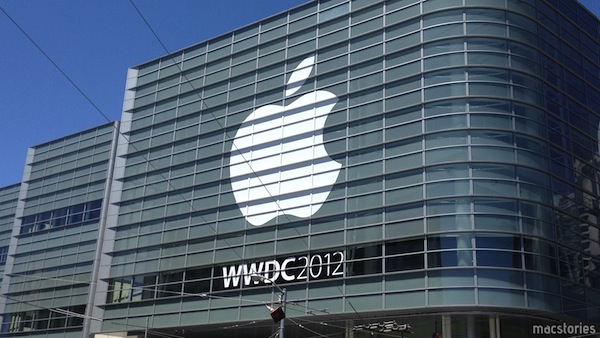
Apple is showcasing the new MacBook Pro with Retina display to WWDC attendees.

Access Extra Content and Perks

Founded in 2015, Club MacStories has delivered exclusive content every week for nearly a decade.

What started with weekly and monthly email newsletters has blossomed into a family of memberships designed for every MacStories fan.

Learn more here and from our Club FAQs.

Club MacStories: Weekly and monthly newsletters via email and the web that are brimming with apps, tips, automation workflows, longform writing, early access to the MacStories Unwind podcast, periodic giveaways, and more;

Club MacStories+: Everything that Club MacStories offers, plus an active Discord community, advanced search and custom RSS features for exploring the Club’s entire back catalog, bonus columns, and dozens of app discounts;

Club Premier: All of the above and AppStories+, an extended version of our flagship podcast that’s delivered early, ad-free, and in high-bitrate audio.

Learn more here and from our Club FAQs.


#MacStoriesDeals - WWDC Monday

Today is the WWDC keynote, expect a lot of ‘can’t miss’ deals this week! We’ll keep updating this post throughout the day. Here are today’s @MacStoriesDeals on hardware, iOS, and Mac apps that are on sale for a limited time, so get them before they end!
Read more

Access Extra Content and Perks

Founded in 2015, Club MacStories has delivered exclusive content every week for nearly a decade.

What started with weekly and monthly email newsletters has blossomed into a family of memberships designed for every MacStories fan.

Learn more here and from our Club FAQs.

Club MacStories: Weekly and monthly newsletters via email and the web that are brimming with apps, tips, automation workflows, longform writing, early access to the MacStories Unwind podcast, periodic giveaways, and more;

Club MacStories+: Everything that Club MacStories offers, plus an active Discord community, advanced search and custom RSS features for exploring the Club’s entire back catalog, bonus columns, and dozens of app discounts;

Club Premier: All of the above and AppStories+, an extended version of our flagship podcast that’s delivered early, ad-free, and in high-bitrate audio.

Learn more here and from our Club FAQs.


Liveblog: WWDC 2012 Edition

It wouldn’t be right if we didn’t write WWDC as dubbya-dubbya-DC at least once this year, so we’re going to get that out of the way before we’re slapped in the face with a case of the Mondays. Although, Monday doesn’t have to be all that bad — this year we’re going to try to deliver the goods live from 4th and Howard streets as we hold @SteveStreza hostage to do the dirty work of live blogging and taking pictures while we sleep in late, hang out in our PJs, and drink fancy coffee. Only once the pot is empty and our live blogger escapes our clutches will we finally sit down to bring you all day coverage of Apple’s latest product announcements. You dig?

Cool, because we’re going to be right here Monday morning as WWDC 2012 kicks off with this year’s Keynote. See you tomorrow!

Apple WWDC 2012 Keynote Time Zones:

13:00 — New York, New York
10:00 — San Francisco, California
07:00 — Honolulu, Hawaii
03:00 — Sydney, Australia
02:00 — Tokyo, Japan
01:00 — Shanghai, China
22:30 — New Delhi, India
21:00 — Moscow, Russia
19:00 — Rome, Italy
18:00 — London, England

Note: We’ll provide all day coverage of WWDC announcements on MacStories’ homepage and through our WWDC 2012 hub. We’ll have a liveblog in this post 30 minutes before the keynote kicks off, tweet text updates as @MacStoriesLive, and announce new articles and updates as @MacStoriesNet.

Liveblog and updates (in reverse chronological order) after the break.
Read more

Access Extra Content and Perks

Founded in 2015, Club MacStories has delivered exclusive content every week for nearly a decade.

What started with weekly and monthly email newsletters has blossomed into a family of memberships designed for every MacStories fan.

Learn more here and from our Club FAQs.

Club MacStories: Weekly and monthly newsletters via email and the web that are brimming with apps, tips, automation workflows, longform writing, early access to the MacStories Unwind podcast, periodic giveaways, and more;

Club MacStories+: Everything that Club MacStories offers, plus an active Discord community, advanced search and custom RSS features for exploring the Club’s entire back catalog, bonus columns, and dozens of app discounts;

Club Premier: All of the above and AppStories+, an extended version of our flagship podcast that’s delivered early, ad-free, and in high-bitrate audio.

Learn more here and from our Club FAQs.


iOS 6 Confirmed: New Banners Up at Moscone West

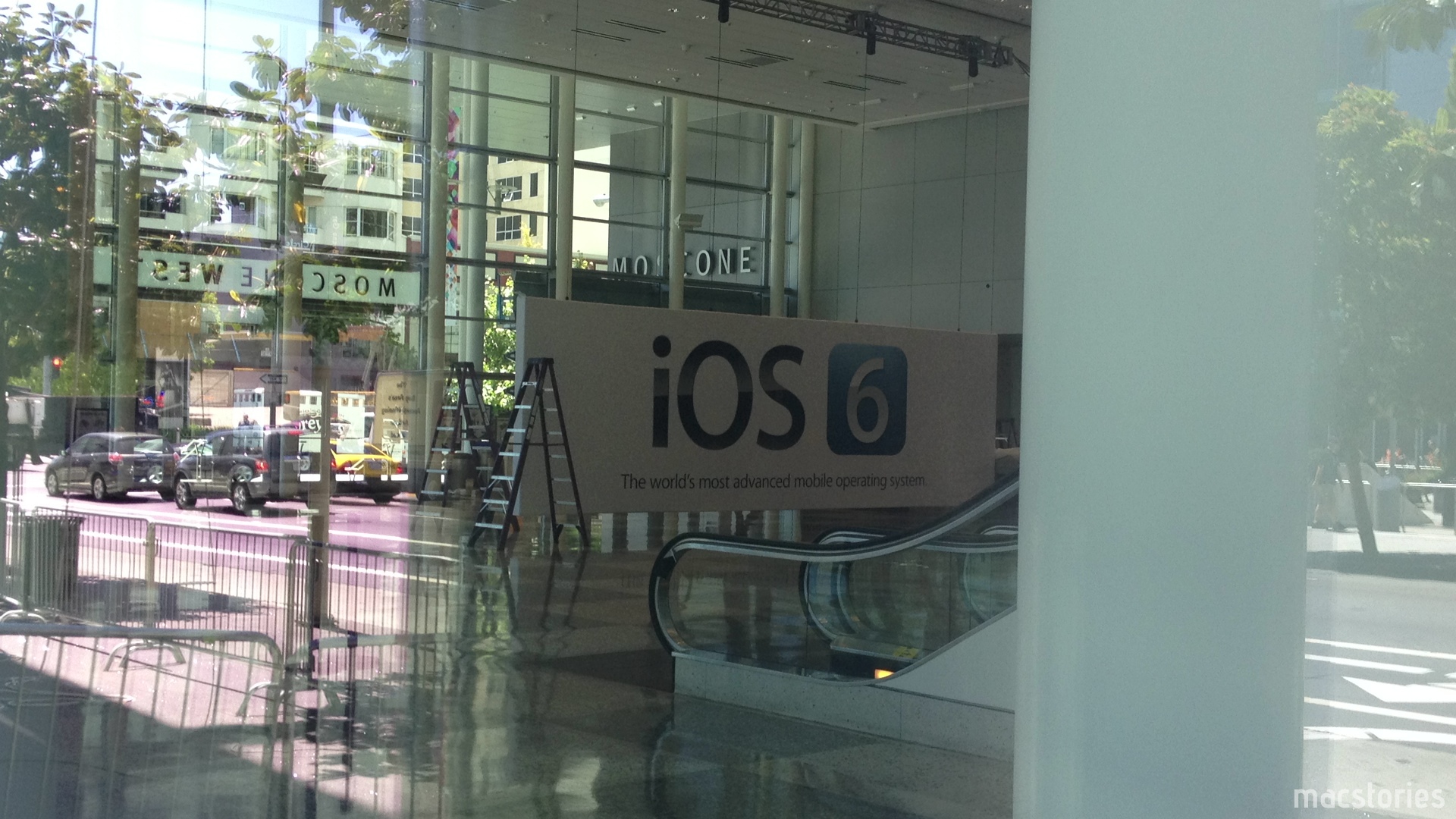
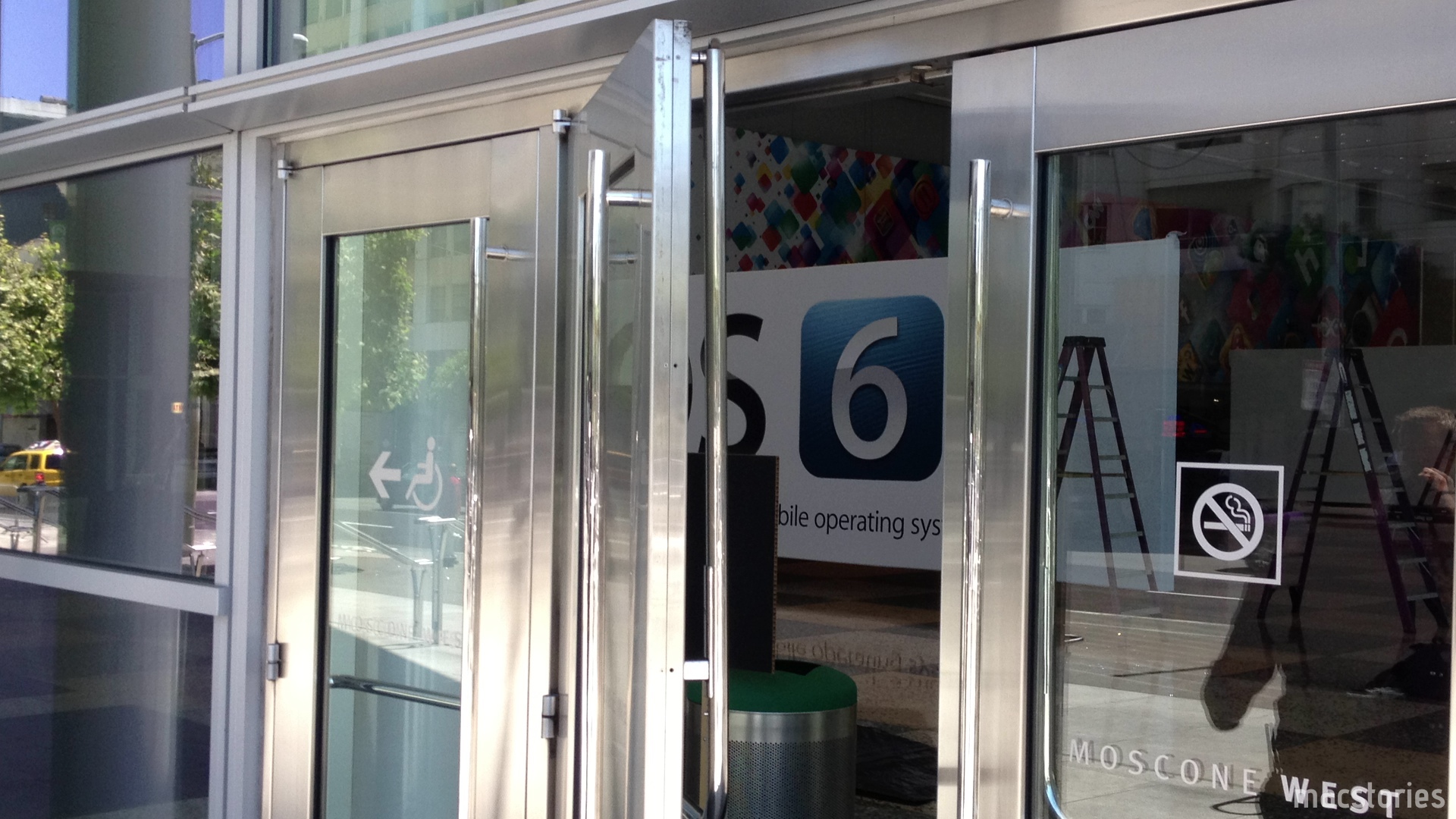
It’s been a couple days since we last checked in on the progress at Moscone West, and today it appears that new banners at WWDC are confirming expected discussion around iOS 6, Apple’s next iteration of their mobile OS. Banners in the halls of Moscone West are showing off a slick blue logo with a silver 6 inside, perhaps signifying that fresh coat of paint Rene Ritchie discussed as a possibility on iMore. We’re looking forward to Monday’s Keynote, and in the meantime we’ll continue updating our Moscone West 2012 post with great photographs as they come in.

The first floor layout of Moscone West is different from last year — in the photo above you can see the iOS 6 signage in comparison to last year’s open floor with rope lines. Banners have been hung on the 2nd floor of Moscone West, and there’s different banners for Mac Messages, Mac Notification Center, and for a Mac Game Center. WWDC 2012 is already shaping up to be a big event, and we’ll have more photos soon.

Past the break, we have a couple more photos for your viewing pleasure. Thanks again to @SteveStreza for the amazing pictures!

Read more

Access Extra Content and Perks

Founded in 2015, Club MacStories has delivered exclusive content every week for nearly a decade.

What started with weekly and monthly email newsletters has blossomed into a family of memberships designed for every MacStories fan.

Learn more here and from our Club FAQs.

Club MacStories: Weekly and monthly newsletters via email and the web that are brimming with apps, tips, automation workflows, longform writing, early access to the MacStories Unwind podcast, periodic giveaways, and more;

Club MacStories+: Everything that Club MacStories offers, plus an active Discord community, advanced search and custom RSS features for exploring the Club’s entire back catalog, bonus columns, and dozens of app discounts;

Club Premier: All of the above and AppStories+, an extended version of our flagship podcast that’s delivered early, ad-free, and in high-bitrate audio.

Learn more here and from our Club FAQs.


New iPhone UI Concept Shows Mission Control, Dynamic Notification Badges, And More

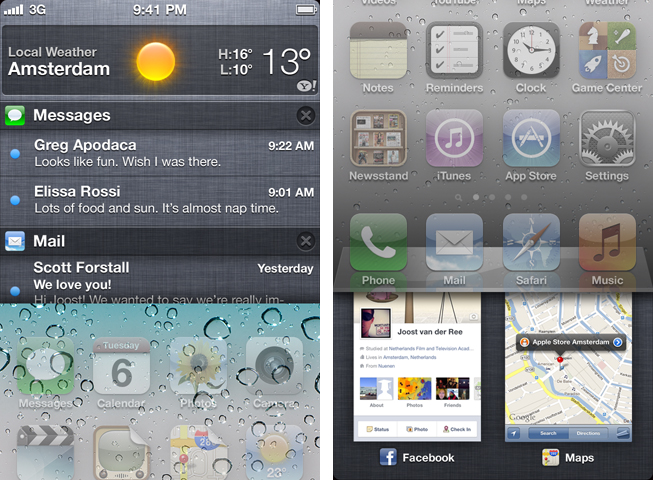
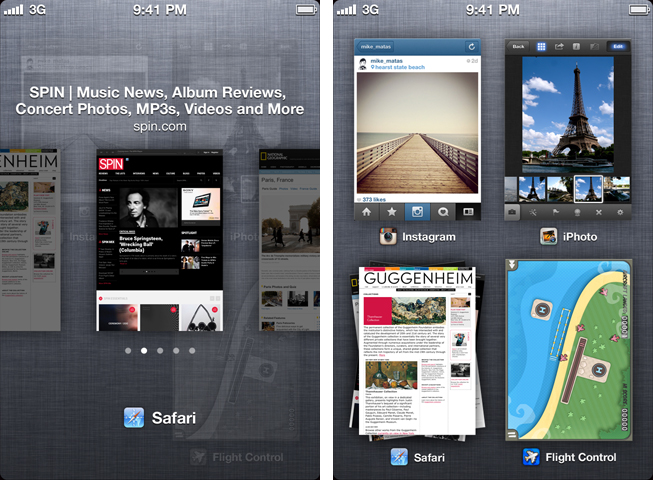
It’s pre-WWDC speculation time. This year, like most, many people think about what new features and capabilities the next version of iOS could include. After watching some concept videos (including one by Jan Micheal Cart) and reading some iOS 6 wish lists, designer Joost van der Ree also decided to present some of his ideas on how Apple could improve the usability of iOS in a short YouTube video.

Read more

Access Extra Content and Perks

Founded in 2015, Club MacStories has delivered exclusive content every week for nearly a decade.

What started with weekly and monthly email newsletters has blossomed into a family of memberships designed for every MacStories fan.

Learn more here and from our Club FAQs.

Club MacStories: Weekly and monthly newsletters via email and the web that are brimming with apps, tips, automation workflows, longform writing, early access to the MacStories Unwind podcast, periodic giveaways, and more;

Club MacStories+: Everything that Club MacStories offers, plus an active Discord community, advanced search and custom RSS features for exploring the Club’s entire back catalog, bonus columns, and dozens of app discounts;

Club Premier: All of the above and AppStories+, an extended version of our flagship podcast that’s delivered early, ad-free, and in high-bitrate audio.

Learn more here and from our Club FAQs.


Hands On: OmniPlan for iPad


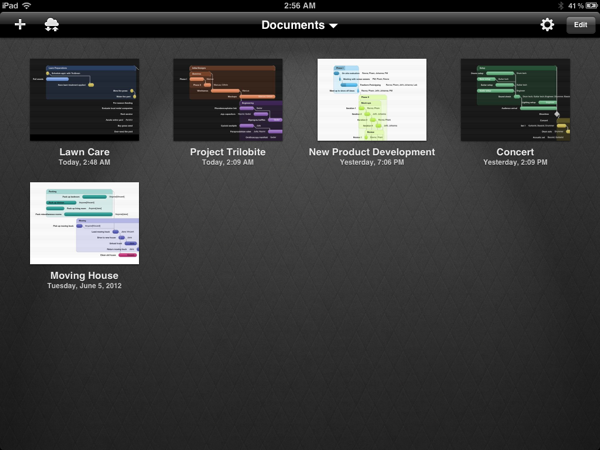
Back in February, I had the opportunity to talk with The Omni Group’s CEO Ken Case about their next iPad venture, OmniPlan. OmniPlan is a well known and powerful project management software that includes features like Gantt charts, smart scheduling, change tracking, team collaboration, and so much more. Today The Omni Group is releasing a full featured version of OmniPlan specifically designed and optimized for the iPad.

I remember asking Ken if the iPad version of OmniPlan was intended to be used in addition to the Mac version for complete project management; however, he was adamant that the iPad app would be “as complete as possible”. From the screenshots he provided at that time, it definitely seemed as if all the features that serious project managers would need were already finding their way in to the app. Three and half months later, the app is complete and it truly came together beautifully. Read more

Access Extra Content and Perks

Founded in 2015, Club MacStories has delivered exclusive content every week for nearly a decade.

What started with weekly and monthly email newsletters has blossomed into a family of memberships designed for every MacStories fan.

Learn more here and from our Club FAQs.

Club MacStories: Weekly and monthly newsletters via email and the web that are brimming with apps, tips, automation workflows, longform writing, early access to the MacStories Unwind podcast, periodic giveaways, and more;

Club MacStories+: Everything that Club MacStories offers, plus an active Discord community, advanced search and custom RSS features for exploring the Club’s entire back catalog, bonus columns, and dozens of app discounts;

Club Premier: All of the above and AppStories+, an extended version of our flagship podcast that’s delivered early, ad-free, and in high-bitrate audio.

Learn more here and from our Club FAQs.


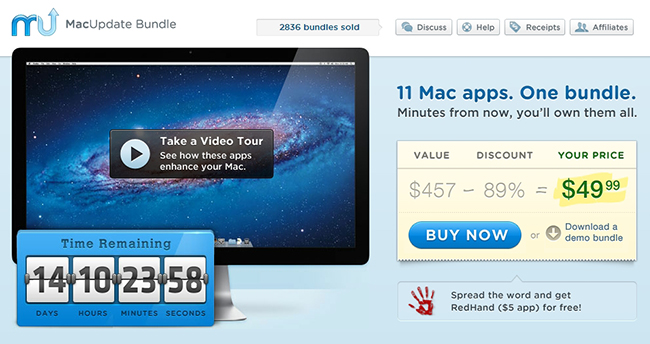
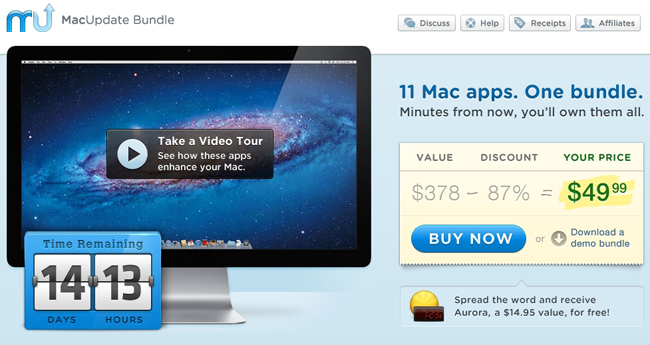
MacUpdate June 2012 Bundle: 11 Mac Apps for $49.99

Today, there is a new MacUpdate Bundle that comes with a selection of top-notch Mac productivity apps, utilities, and games for just $49.99. The MacUpdate June 2012 bundle includes some of MacStories’ favorite Mac apps including the excellent Espionage (our review) and the ultimate calendar and to-do list manager for your Mac in BusyCal. If you tried purchasing the included apps individually you’d be paying nearly $450, so if you’re looking to beef up your collection of Mac apps this is a terrific deal at just $49.99.

The MacUpdate June 2012 Bundle includes:

  • Parallels Desktop 7 - The most trusted solution for running Windows applications on your Mac, as well as other operating systems.
  • BusyCal - The ultimate calendar and to-do list manager for your Mac.
  • ScreenFlow - A powerful, easy-to-use screencasting software for your Mac.
  • Civilization V - the latest installment of the legendary turn-based strategy game.
  • Jaksta - Capture audio and video from the Web with unprecedented ease.
  • Espionage - A data security solution that protects your files and folders in a unique and convenient way.
  • Speed Download - A lightning-fast download manager that ensures your Internet connection is utilized to its full extent.
  • Attachment Tamer - Gives you complete control over your Apple Mail attachments.
  • KeyCue - A handy utility for learning and memorizing keyboard shortcuts.
  • A Better Finder Rename - The most complete renaming solution available on the market today.
  • My Living Desktop - Transform your desktop into a moving, living environment.
  • If you help spread the word about this bundle, MacUpdate will give you a copy of RedHand, a $5 value, for free.

Disclaimer: For every bundle purchased through MacStories, we receive a small kickback. If you’re interested in the bundle and supporting the MacStories crew, please use the link here or any of the affiliate links above.

Access Extra Content and Perks

Founded in 2015, Club MacStories has delivered exclusive content every week for nearly a decade.

What started with weekly and monthly email newsletters has blossomed into a family of memberships designed for every MacStories fan.

Learn more here and from our Club FAQs.

Club MacStories: Weekly and monthly newsletters via email and the web that are brimming with apps, tips, automation workflows, longform writing, early access to the MacStories Unwind podcast, periodic giveaways, and more;

Club MacStories+: Everything that Club MacStories offers, plus an active Discord community, advanced search and custom RSS features for exploring the Club’s entire back catalog, bonus columns, and dozens of app discounts;

Club Premier: All of the above and AppStories+, an extended version of our flagship podcast that’s delivered early, ad-free, and in high-bitrate audio.

Learn more here and from our Club FAQs.


Agenda 3.0: Fast Event Creation, Custom Repeats and More

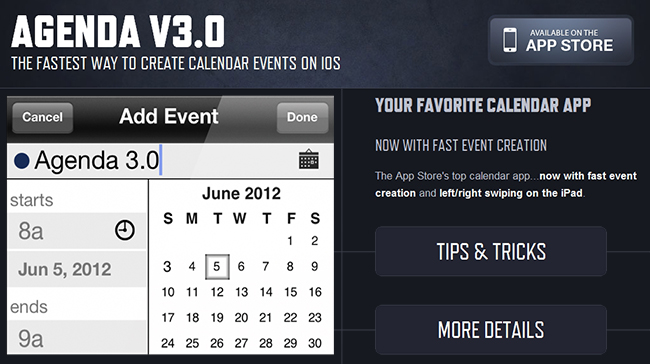
Agenda, by Savvy Apps, is a fantastic and minimal calendar replacement for iOS (universal) with many built-in options. We’ve covered Agenda a few times already but the new 3.0 update adds some excellent new features and updates.

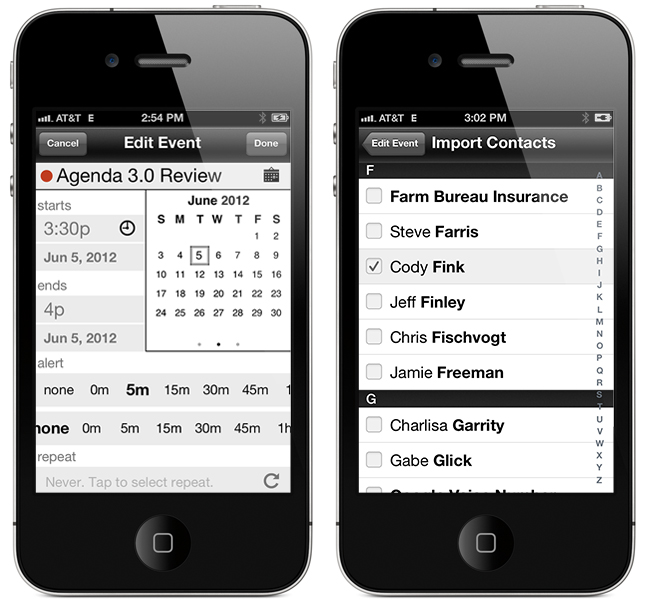
The first, and most important update is a custom event creation screen that’s much faster than the default iOS one. It has a simplified layout that lets you access event elements without going into second and third screens. This means you only need to tap once to access the event title, start & end time, alerts, location, and notes. You can swipe between calendar months and the animation is very slick!  The dots beneath the calendar identify what month you are in - past, present or future. Agenda now imports your contacts from iOS so once an event is created, you can attach them by tapping the calendar icon and choosing what contacts you want to add to your event for things such as text, email, calls, or status taps.

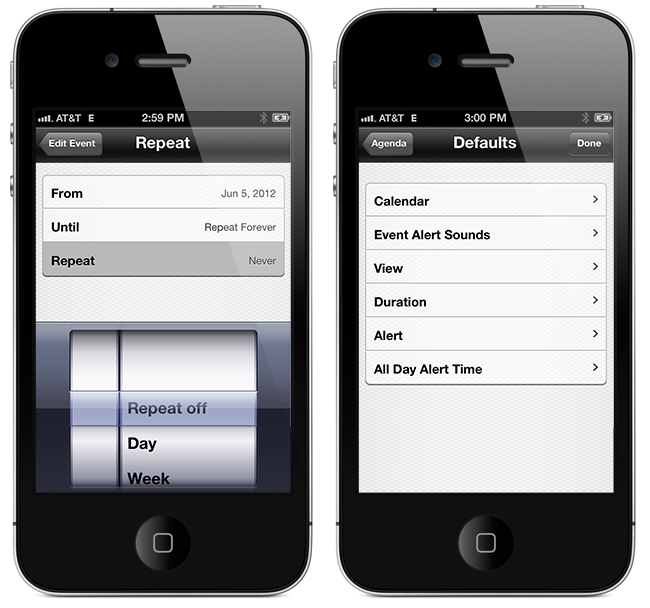
Another great feature that Agenda now has is a set of customizable repeat options. While on the event creation screen, tap the icon next to the repeat section to choose dates for ending repeating events, create repeating events for specific days or dates of the month, and much more.

Defaults, defaults, defaults! I wish more apps had a larger set of defaults — it makes data entry much easier if there is a predefined set of options. You can now pick defaults for calendar, event alert sounds, view, duration, alert, and all day alert time via Agenda’s built-in Settings > Defaults menu.

iPad users also get a few new options: swiping right or left will now change views, year and week view now move up or down instead of right or left and you can now change settings to a smaller modal view.

To read the complete release notes for Agenda 3.0, Savvy Apps has a listing for your viewing pleasure. They also have a great little Tips & Tricks section on the Agenda page to help you enter events even faster. If you don’t like the new “Fast Event Creation” screen you can always toggle back to the native iOS event creation from Agenda’s settings, but the new way is so much easier and more fun!

Agenda 3.0 is a great upgrade to a great product — anytime you can streamline manual data entry into one screen gets a big thumbs up from me. The Tips & Tricks are worth 2 minutes of your time to read so that you can fully understand the new “Fast Event Creation” screen. Agenda is a universal app and available in the App Store for 99¢, while existing users get the 3.0 update for free.

Access Extra Content and Perks

Founded in 2015, Club MacStories has delivered exclusive content every week for nearly a decade.

What started with weekly and monthly email newsletters has blossomed into a family of memberships designed for every MacStories fan.

Learn more here and from our Club FAQs.

Club MacStories: Weekly and monthly newsletters via email and the web that are brimming with apps, tips, automation workflows, longform writing, early access to the MacStories Unwind podcast, periodic giveaways, and more;

Club MacStories+: Everything that Club MacStories offers, plus an active Discord community, advanced search and custom RSS features for exploring the Club’s entire back catalog, bonus columns, and dozens of app discounts;

Club Premier: All of the above and AppStories+, an extended version of our flagship podcast that’s delivered early, ad-free, and in high-bitrate audio.

Learn more here and from our Club FAQs.