
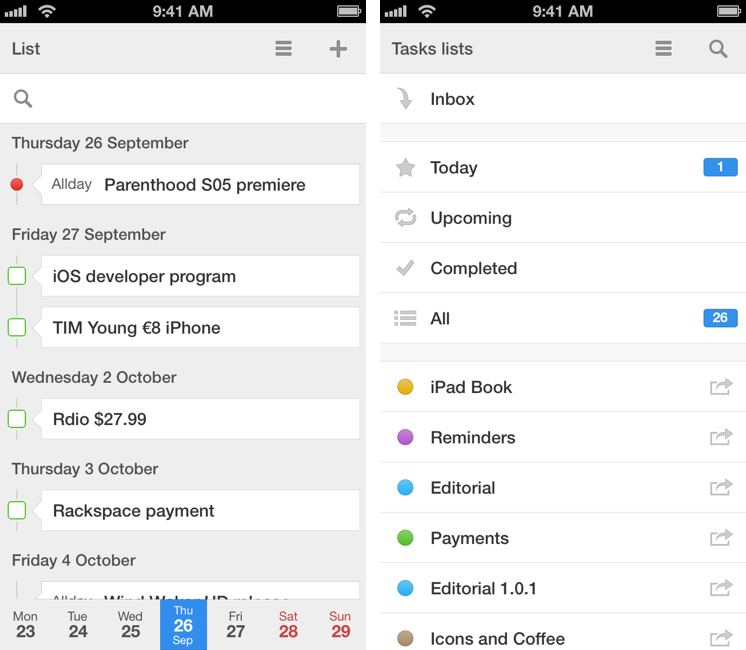
Of all the apps that I try and evaluate every week, there is one category that I can’t stop testing: calendar and reminder clients. I’m always looking for the perfect blend of events and todos in a logical presentation that makes sense for how I organize my day, with support for features like natural language input and custom repeats as well as more advanced functionalities such as URL schemes and app integrations. For this reason, I couldn’t say no to Readdle when they asked me to test Calendars 5, their new Universal app available today on the App Store. Calendars 5 is the successor to Readdle’s popular Calendars+, and it’s sold as a new app at $4.99. Read more
Posts in Featured
Calendars 5 Review

Access Extra Content and Perks
Founded in 2015, Club MacStories has delivered exclusive content every week for nearly a decade.
What started with weekly and monthly email newsletters has blossomed into a family of memberships designed for every MacStories fan.
Club MacStories: Weekly and monthly newsletters via email and the web that are brimming with apps, tips, automation workflows, longform writing, early access to the MacStories Unwind podcast, periodic giveaways, and more;
Club MacStories+: Everything that Club MacStories offers, plus an active Discord community, advanced search and custom RSS features for exploring the Club’s entire back catalog, bonus columns, and dozens of app discounts;
Club Premier: All of the above and AppStories+, an extended version of our flagship podcast that’s delivered early, ad-free, and in high-bitrate audio.
Reeder 2 Review
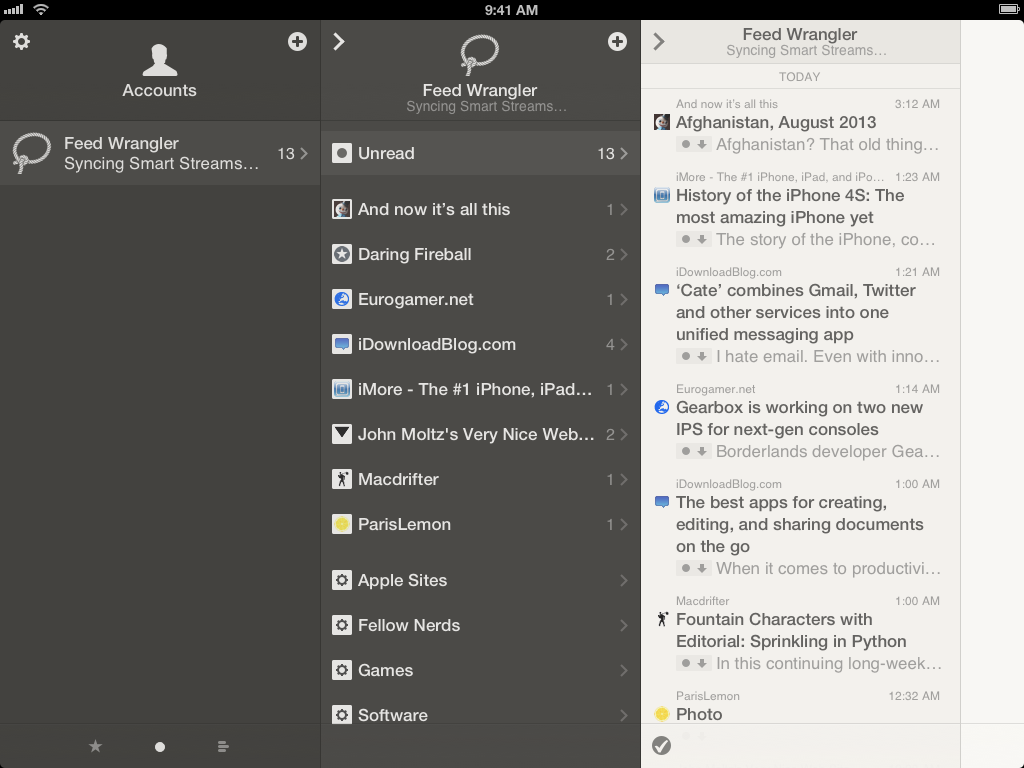
Reeder had a rough transition to the post-Google Reader world. Following the shutdown of Google’s RSS reading service on July 1 (something that Google had announced in March), Reeder – one of the most popular, if not the most popular Google Reader client for iOS – received an update to add support for Feedly and Feed Wrangler on July 2, but developer Silvio Rizzi couldn’t ship updates to the iPad and Mac counterparts in time. For this reason, after making Reeder for iPad and Mac free downloads, Rizzi was forced to remove them from the App Store, promising that they would come back, eventually, with support for new RSS reading services.
A household name of the iOS third-party scene, I first reviewed Reeder 1.0 back in 2009 and followed the app’s evolution as Rizzi found himself developing a client used by hundreds of thousands of Google Reader users. Rizzi, an indepedent developer from Chur, Switzerland, has always maintained a fairly slow pace of updates and releases, taking his time to bring Reeder to the iPad (the app wasn’t ready on April 3, 2010) and to the Mac. After a lack of updates that endured seven months, Reeder for iPhone made a comeback last year with Reeder 3.0, which started moving away from Google Reader – possibly prescient of disruptive changes coming to the service – with support for Shaun Inman’s Fever. And yet, after version 3.0 hit the App Store, Reeder went silent again, leaving many wondering as to whether it would ever see substantial updates again.
Reeder 2, released today at $4.99 on the App Store, is a new app that aims at making Reeder ready for the new era of RSS readers but that, at the same time, keeps one foot in the past with familiar interface choices and functionalities. Read more
Access Extra Content and Perks
Founded in 2015, Club MacStories has delivered exclusive content every week for nearly a decade.
What started with weekly and monthly email newsletters has blossomed into a family of memberships designed for every MacStories fan.
Club MacStories: Weekly and monthly newsletters via email and the web that are brimming with apps, tips, automation workflows, longform writing, early access to the MacStories Unwind podcast, periodic giveaways, and more;
Club MacStories+: Everything that Club MacStories offers, plus an active Discord community, advanced search and custom RSS features for exploring the Club’s entire back catalog, bonus columns, and dozens of app discounts;
Club Premier: All of the above and AppStories+, an extended version of our flagship podcast that’s delivered early, ad-free, and in high-bitrate audio.
The Invisible Interplay
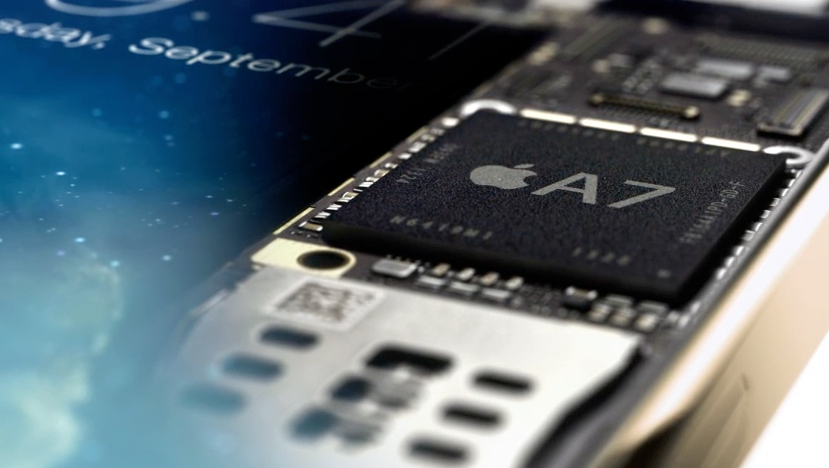
Traditionally, Apple likes to pride itself upon the tight integration of hardware and software they achieve in their products. As a company that builds devices and creates the software that runs on them, Apple can control fundamental aspects of the user experience such as Siri being based on a dedicated noise-reduction technology and iOS not recognizing accidental touches on the iPad mini’s smaller bezels, as well as subtle details such as OS X stopping a Mac’s fans when Dictation is active or quickly muting an iPad’s volume if you hold the volume button down for a few seconds.
The “interplay” of Apple’s hardware and software is nothing new, but I believe it was more apparent than ever today with the iPhone 5s, iOS 7, the A7 and M7 chips, and Touch ID. Read more
Access Extra Content and Perks
Founded in 2015, Club MacStories has delivered exclusive content every week for nearly a decade.
What started with weekly and monthly email newsletters has blossomed into a family of memberships designed for every MacStories fan.
Club MacStories: Weekly and monthly newsletters via email and the web that are brimming with apps, tips, automation workflows, longform writing, early access to the MacStories Unwind podcast, periodic giveaways, and more;
Club MacStories+: Everything that Club MacStories offers, plus an active Discord community, advanced search and custom RSS features for exploring the Club’s entire back catalog, bonus columns, and dozens of app discounts;
Club Premier: All of the above and AppStories+, an extended version of our flagship podcast that’s delivered early, ad-free, and in high-bitrate audio.
iPhone 5s: Our Complete Overview
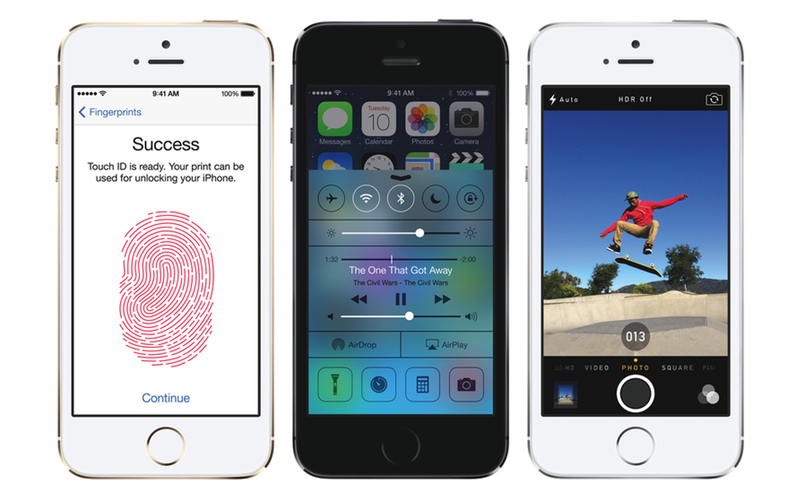
At a keynote held today in Cupertino, Apple’s Senior Vice President of Worldwide Marketing Phil Schiller officially introduced the iPhone 5s, the successor to last year’s iPhone 5 and the major new entry in the iPhone line-up. Schiller referred to it as the “most forward-thinking phone anyone has ever made”.
As widely expected, the iPhone 5s has the same industrial design of the iPhone 5, with an anodized aluminum back and diamond cut chamfered edges and glass inlays, 4-inch Retina display, and Lightning connector. However, the iPhone 5s comes with a visible change in the Home button: through a brand new system called Touch ID, a sensor available under the Home button will allow iOS to recognize a user’s fingerprint for authorization and security purposes. Read more
Access Extra Content and Perks
Founded in 2015, Club MacStories has delivered exclusive content every week for nearly a decade.
What started with weekly and monthly email newsletters has blossomed into a family of memberships designed for every MacStories fan.
Club MacStories: Weekly and monthly newsletters via email and the web that are brimming with apps, tips, automation workflows, longform writing, early access to the MacStories Unwind podcast, periodic giveaways, and more;
Club MacStories+: Everything that Club MacStories offers, plus an active Discord community, advanced search and custom RSS features for exploring the Club’s entire back catalog, bonus columns, and dozens of app discounts;
Club Premier: All of the above and AppStories+, an extended version of our flagship podcast that’s delivered early, ad-free, and in high-bitrate audio.
iPhone 5c: Everything You Need to Know
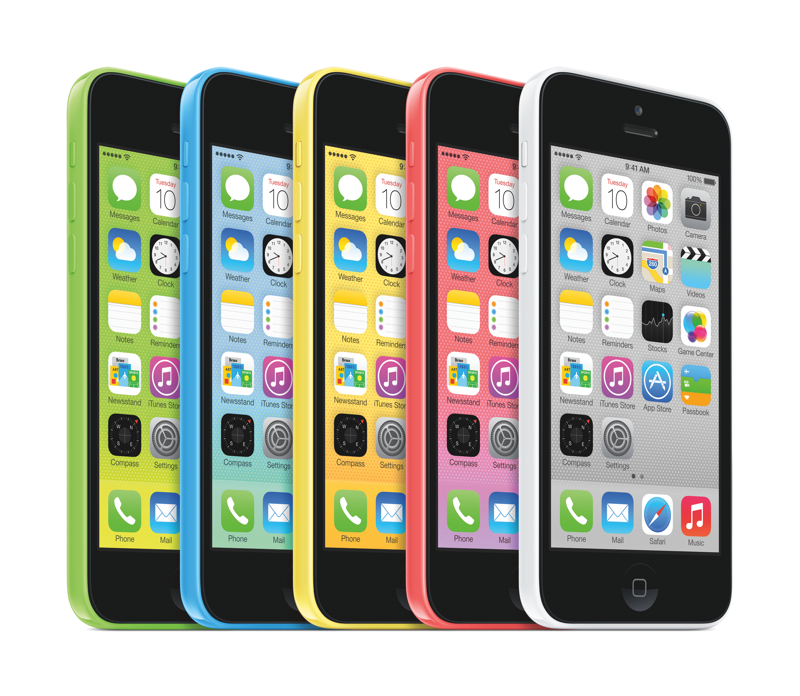
During today’s media event at the Apple Campus in Cupertino, California, Apple’s senior vice president of Worldwide Marketing, Phil Schiller, took the stage to announce the iPhone 5c. The iPhone 5c is Apple’s first plastic-bodied phone with a 4-inch screen, is shaped like the iPod touch, and is also Apple’s first iPhone that’s available in an array of bright colors. The 16 GB iPhone 5c starts at $99 on contract.
Access Extra Content and Perks
Founded in 2015, Club MacStories has delivered exclusive content every week for nearly a decade.
What started with weekly and monthly email newsletters has blossomed into a family of memberships designed for every MacStories fan.
Club MacStories: Weekly and monthly newsletters via email and the web that are brimming with apps, tips, automation workflows, longform writing, early access to the MacStories Unwind podcast, periodic giveaways, and more;
Club MacStories+: Everything that Club MacStories offers, plus an active Discord community, advanced search and custom RSS features for exploring the Club’s entire back catalog, bonus columns, and dozens of app discounts;
Club Premier: All of the above and AppStories+, an extended version of our flagship podcast that’s delivered early, ad-free, and in high-bitrate audio.
Apple Announces iOS 7 Coming On September 18
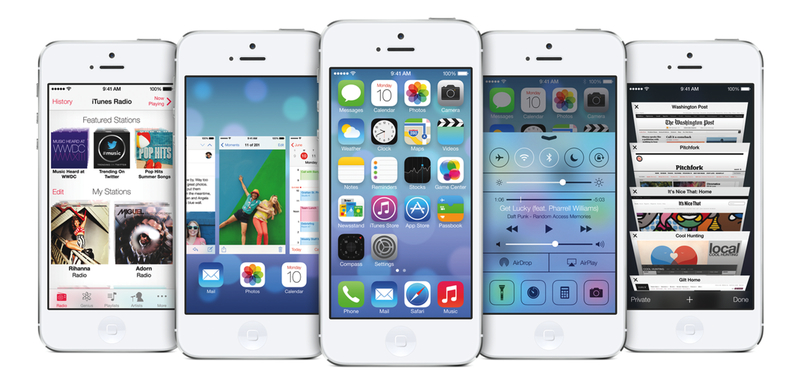
As widely expected, Apple has today confirmed the official release date of iOS 7 at a media event held on the company’s campus in Cupertino. iOS 7 will be released on Wednesday, September 18th, for the iPhone, iPad, and iPod touch.
iOS 7 is a major rethinking of Apple’s mobile operating system that sports a redesigned user interface with a focus on clarity and deference, and new features such as Control Center, new Multitasking, improved Notification Center and Siri, iTunes Radio, AirDrop, and more. iOS 7 was first announced at Apple’s WWDC earlier this year, where Apple also confirmed that the update would include over 1500 new APIs for developers to create apps with.
Apple hasn’t announced a Golden Master seed of iOS 7 yet, but it will presumably be released to developers today. Typically the last developer release before a public launch, the GM seed will allow developers to make final preparations to their iOS 7-ready apps and submit them to the App Store.
For more coverage, check out our September 10 news hub and follow @macstoriesnet on Twitter.
Access Extra Content and Perks
Founded in 2015, Club MacStories has delivered exclusive content every week for nearly a decade.
What started with weekly and monthly email newsletters has blossomed into a family of memberships designed for every MacStories fan.
Club MacStories: Weekly and monthly newsletters via email and the web that are brimming with apps, tips, automation workflows, longform writing, early access to the MacStories Unwind podcast, periodic giveaways, and more;
Club MacStories+: Everything that Club MacStories offers, plus an active Discord community, advanced search and custom RSS features for exploring the Club’s entire back catalog, bonus columns, and dozens of app discounts;
Club Premier: All of the above and AppStories+, an extended version of our flagship podcast that’s delivered early, ad-free, and in high-bitrate audio.
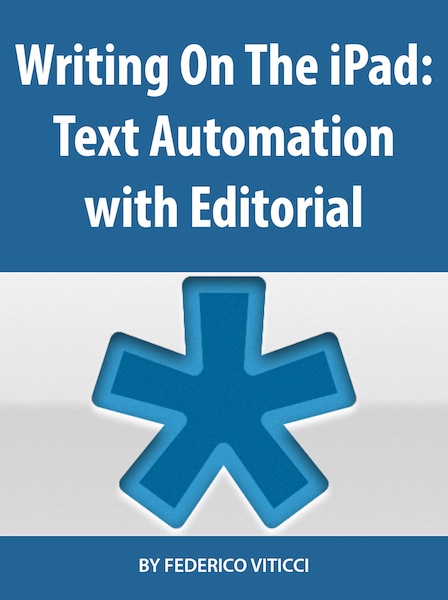
Introducing “Writing On The iPad: Text Automation with Editorial”
Short version
My first book is now available on the iBookstore. It’s an extended edition of my Editorial review that comes with:
- Completely reformatted layout and design with Retina screenshots, annotated videos, interactive graphics, and more
- 20 exclusive new workflows
- 5 new videos
- 10,000 additional words
- A photo of yours truly in the Introduction
You can read the book on your iPad, and it’s $2.99 for a limited time.
Get it here.
Longer version (based on the book’s Preface)
Editorial is a text editor for the iPad that supports Markdown, syncs documents with Dropbox, comes with a snippet system to speed up typing, and – a feature that truly makes it stand out from similar apps – is powered by workflows and scripts to automate writing, editing, and publishing. Editorial is developed by Ole Zorn, an independent software developer based in Germany. Editorial was released on August 15th, 2013; prior to the public release, I had been testing the app since late November 2012.
“Writing On The iPad: Text Automation with Editorial” contains my review of Editorial with an in-depth explanation and critique of the app’s numerous features and workflow tools. My goal with this book is to provide a convenient, portable resource to learn more about Editorial, how the app changed the way I work on iOS, and how, through Editorial’s automation, scripts, and workflows, it’s possible to turn an iPad into a powerful tool for writers.
Originally, my Editorial review was here published at MacStories.net on August 15th, 2013, when Editorial for iPad was released on the App Store. However, following many readers’ suggestions due to the length and scope of the review, I decided to offer an iBooks version of it. “Writing On The iPad: Text Automation with Editorial” contains the original review reformatted for iBooks, plus 20 extra workflows and 5 additional videos. You can consider it a “Director’s Cut” edition of my Editorial review, now available in a multi-touch interactive book made exclusively for the iPad and iBooks.
The exclusive workflows included in the Extras chapter are:
- Show Word Definition
- Sort Lines Alphabetically
- Convert Selection To HTML
- Markdown Link from Clipboard
- Markdown Image From Clipboard URL
- Reference Link from Clipboard
- Count Occurrences of Word
- Count Links and Footnotes
- Fill Login
- Get RSS Feeds
- URL Sharing Tools
- Get Pinboard Bookmarks
- Feed Wrangler
- “Mark As…” On Feed Wrangler
- Clean and Flip
- Rich Text To Evernote
- Save Tab
- Reopen Tab
- Manage Tabs
- Clip Webpage
Alongside converting the review to the iBooks format and including new content, I also updated screenshots for Retina displays, created galleries to group multiple screenshots together, and annotated some screenshots to better describe the user interface of Editorial. The videos have been enhanced with textual overlays for comments, and I’ve created a glossary for common terms used throughout the book.
I consider this the best version of my Editorial review. Thanks to iBooks’ interactivity, clean layout, and embedded rich content, I hope that you will enjoy a pleasant and convenient reading experience that should help you in getting started with Editorial and understanding the capabilities of advanced workflows and iOS automation – an area that is often underestimated, but quickly growing among the iOS power user community.
I hope that you’ll like what I’ve done. This is a new experience for me, and I would love to receive your feedback either via email or Twitter.
Once again: my new book is available here, and it’s $2.99 for a limited time.
Access Extra Content and Perks
Founded in 2015, Club MacStories has delivered exclusive content every week for nearly a decade.
What started with weekly and monthly email newsletters has blossomed into a family of memberships designed for every MacStories fan.
Club MacStories: Weekly and monthly newsletters via email and the web that are brimming with apps, tips, automation workflows, longform writing, early access to the MacStories Unwind podcast, periodic giveaways, and more;
Club MacStories+: Everything that Club MacStories offers, plus an active Discord community, advanced search and custom RSS features for exploring the Club’s entire back catalog, bonus columns, and dozens of app discounts;
Club Premier: All of the above and AppStories+, an extended version of our flagship podcast that’s delivered early, ad-free, and in high-bitrate audio.
Apple Confirms: Media Event On September 10
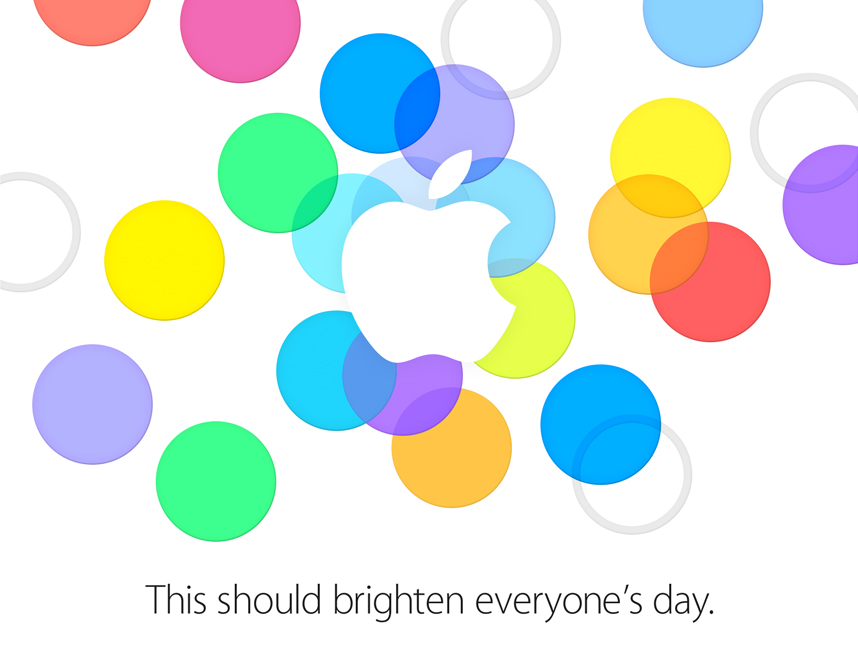
As first reported by The Loop’s Jim Dalrymple, Apple has today sent invitations to selected members of the press for a September 10th media event on Apple’s campus in Cupertino. The date of the event was also reported by AllThingsD’s Ina Fried last month.
According to speculation from the past few months, Apple’s event will focus on the introduction of new iPhone models, namely the successor to the iPhone 5 (so far unofficially called the “iPhone 5S”) and a possible new lower-price entry in the iPhone line – the “iPhone 5C”. Our Cody Fink shared his thoughts on the possibility of an entry-level iPhone back in July; as for the iPhone 5S, recent rumors have suggested that the device may include a fingerprint sensor, improved camera, and a golden color option.
Apple’s new major iOS update, iOS 7, is also expected to make its formal debut at the media event. Originally announced at Apple’s developer conference in June, iOS 7 has seen six beta releases for registered developers throughout the summer with changes and improvements to the redesign and new features that Apple unveiled in June. Typically, Apple releases “golden master” builds of iOS updates at its September media event, so an iOS 7 GM is to be expected on September 10, with Apple asking developers to start submitting iOS 7 apps to the App Store shortly after. Other software releases that may make an appearance on September 10 include OS X Mavericks, a new version of iTunes with iTunes Radio support, redesigned Apple apps (such as iWork) for iOS 7, and a new version of iCloud.com with an iOS 7-matching redesign.
As shared by Tim Bradshaw, the event’s invitation reads “This should brighten everyone’s day”, possibly hinting at the new iOS 7 and (rumored) iPhone 5C colors.
We’ll be covering Apple’s September 10 announcements with a dedicated hub on MacStories. You can subscribe to this tag page via RSS to receive every update for Apple’s September 10 media event.
Access Extra Content and Perks
Founded in 2015, Club MacStories has delivered exclusive content every week for nearly a decade.
What started with weekly and monthly email newsletters has blossomed into a family of memberships designed for every MacStories fan.
Club MacStories: Weekly and monthly newsletters via email and the web that are brimming with apps, tips, automation workflows, longform writing, early access to the MacStories Unwind podcast, periodic giveaways, and more;
Club MacStories+: Everything that Club MacStories offers, plus an active Discord community, advanced search and custom RSS features for exploring the Club’s entire back catalog, bonus columns, and dozens of app discounts;
Club Premier: All of the above and AppStories+, an extended version of our flagship podcast that’s delivered early, ad-free, and in high-bitrate audio.
YouTube 2.0 For iOS Released With Picture-in-Picture, Updated Design
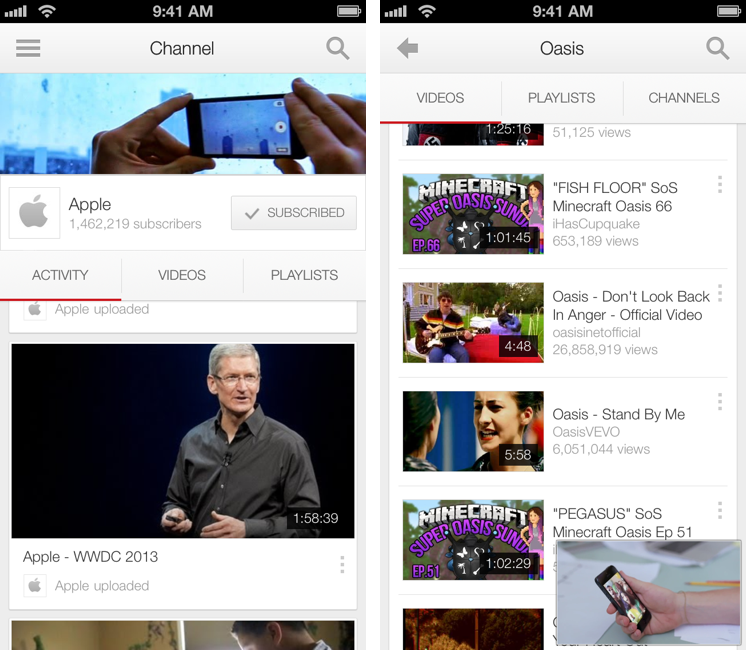
Today, Google has officially launched version 2.0 of its YouTube app on the App Store, bringing a tweaked user interface, new icon, and picture-in-picture to the mobile client.
The big new feature of this version is picture-in-picture for videos, which allows you to keep watching a video while browsing or searching. This has been a popular option of third-party clients such as FoxTube for quite a while, and, in Google’s implementation, the player can be dismissed with a tap on an arrow button or a swipe down directly on the video player. Both on the iPhone and iPad, dismissing the player reveals a delightful animation and transition that quickly sends the video down to the bottom of the screen, where you can tap again to enlarge it, or swipe it away to close it.
Overall, the improved animations of the app are much snappier and responsive than version 1.4, and there are dozens of new transitions, translucency effects, and subtle interface hints that contribute to making navigation faster and fluid.
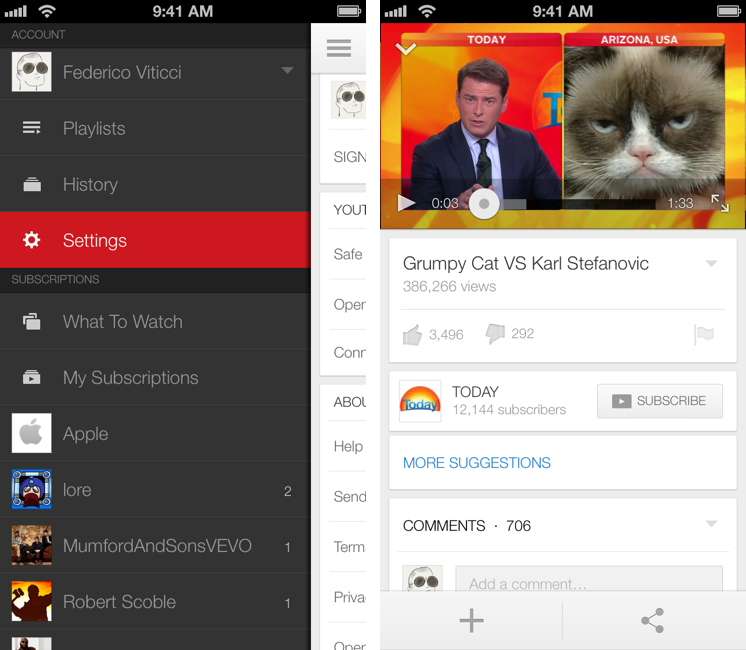
More importantly, YouTube 2.0 packs a tweaked design – starting from the icon – that suggests Google has been getting its iOS apps ready for the major 7.0 update coming to iOS this Fall. The app gets rid of several textures and graphical elements for a more subdued design with a focus on colors (red for selections, gray for the sidebar, whitespace for navigation and search results), transparency, gestures, and animations. It wouldn’t be hard to imagine Google going one step further with this new design and enhancing with iOS 7-only APIs such as blurs and physics effects once iOS 7 is available. The new app doesn’t mimic the look of Apple’s iOS 7 apps, but it does look like Google’s way of easing users into iOS 7’s (fast-approaching) future.
Based on my initial tests, YouTube 2.0 seems to be a powerful and welcome improvement over the old version. The picture-in-picture player is a great addition, and the app has a cleaner, more responsive interface.
YouTube 2.0 is available on the App Store.
Access Extra Content and Perks
Founded in 2015, Club MacStories has delivered exclusive content every week for nearly a decade.
What started with weekly and monthly email newsletters has blossomed into a family of memberships designed for every MacStories fan.
Club MacStories: Weekly and monthly newsletters via email and the web that are brimming with apps, tips, automation workflows, longform writing, early access to the MacStories Unwind podcast, periodic giveaways, and more;
Club MacStories+: Everything that Club MacStories offers, plus an active Discord community, advanced search and custom RSS features for exploring the Club’s entire back catalog, bonus columns, and dozens of app discounts;
Club Premier: All of the above and AppStories+, an extended version of our flagship podcast that’s delivered early, ad-free, and in high-bitrate audio.