Posts in reviews

Monument Valley Review

Monument Valley

Monument Valley

Monument Valley is a game about paths that don’t exist – unless you want to see them. In its beautiful intricacy of platforms and perspectives that defy the laws of physics, geometry, and gravity, Monument Valley, developed by London-based studio ustwo, impresses visually and technically thanks to a fantastic combination of gorgeous artwork, intuitive controls, and just the right amount of puzzle-solving that works perfectly for an iPhone or iPad.

In Monument Valley, you control Ida, a silent princess that has embarked on a quest for forgiveness that will require her to find exits in monuments once built by men but now inhabited by crow people, totems, and other strange entities. “Tap the path to move Ida”, Monument Valley begins, and, sure enough, tapping on the screen advances the character on a linear path, accompanied by a sound effect. The first stage of Monument Valley is immediately perplexing: while Ida can walk a few steps, the aforementioned path isn’t connected to anything. Hold and rotate a wheel next to the path, however, and a pillar changes its orientation, creating an optical illusion that allows Ida to walk over the path and reach the exit of the stage. Monument Valley perpetuates a lie – that perspective can be used to alter physics – for the sake of gameplay, and, ultimately, that’s fun and intriguing.

Read more


Fantastical for iPad Review

Ever since Apple introduced Reminders in 2011, I’ve been looking for a truly great app capable of combining my todos and calendar events in a single, coherent interface. Fantastical for iPad, released today by Flexibits, is that app.

Based on the solid foundation of Fantastical 2 for iPhone, Fantastical for iPad expands the app’s functionality to take advantage of the larger screen while retaining intuitive features and powerful advanced options. I put Fantastical in my dock when I received the first beta in November, and I wouldn’t be able to go back to using Apple’s Calendar and Reminders apps on my iPad.

Read more


Multiple Attachments Lets You Attach Multiple Files To Email Messages On iOS

One of iOS’ biggest shortcomings is the inability to attach multiple files to an email message. Caused by Apple’s resistance to bringing a visible filesystem to iOS or building inter-app communication features to access files outside of an app’s own sandbox, the problem is epitomized by antiquated limitations such as the Open In menu and the aforementioned lack of multiple attachments in Mail. Interestingly, these two limitations are exactly what Multiple Attachments, developed by Jan Mazurczak, uses to send email messages containing attachments that aren’t just photos or videos.

Read more


PhotosPro Displays Photos with Metadata, Date Filters, Photo Stream Support

Apple’s iOS apps often serve as a foundation of ideas and technologies that third-party developers can build upon to create new and more advanced functionalities – this has been the case for years with email clients, todo apps, and, more recently, Camera Roll alternatives. With iOS 7, Apple revamped its Photos app to integrate the Camera Roll with Photo Stream and organize photos in Collections and Moments, but the effort lacked proper tools to view metadata for individual photos or all photos on a single map view. Since last year, a number of apps aimed at offering different features than Apple’s Photos app have come out on the App Store, and I was impressed with Justin Williams’ idea of presenting photos as large thumbnails with metadata visualization for locations and timestamps.

I downloaded PhotosPro when it was on sale earlier this month on the App Store, and find the app, available on both the iPhone and iPad, to have the kind of browsing and viewing options I’d like to see in Apple’s Photos in the future.

Read more


Verbs 3.0 is Updated for iOS 7, Integrates with Dropbox

Previous owners of Verbs, an instant messaging app for iOS, will find a free update on the App Store that readies the app for iOS 7, while introducing a slew of new notification options, support for Jabber, and integration with Dropbox for sharing files and photos in chat. Verbs has also added a couple of read later options for sending links to Pocket and Safari’s Reading List.

As conversations take place outside of the conversation view, the status bar will flicker when new texts appear, much like status updates in Tweetbot or Mailbox. Inside the conversation view, Verbs has added some small contextual changes to message bubbles, changing their color when they’re delivered, and adding the option to use shapes to indicate your buddy’s availability status.

Dropbox integration with the app works out of the gate without a lot of setup. If you have Dropbox installed on your iOS device and are already logged in, you can pick a file and share the link with a friend. If you setup your Dropbox account, you can add files as well.

While I still don’t like how you switch between conversations views throw a Safari-like carousel, the remainder of Verbs feels fresh, and the app has always maintained a decided simplicity for simply sending and receiving messages from common services. If you don’t have Verbs yet, you can give it a try for $2.99 from the App Store.


Tuner for iPhone Turns YouTube Into A Music Player

Tuner

Tuner

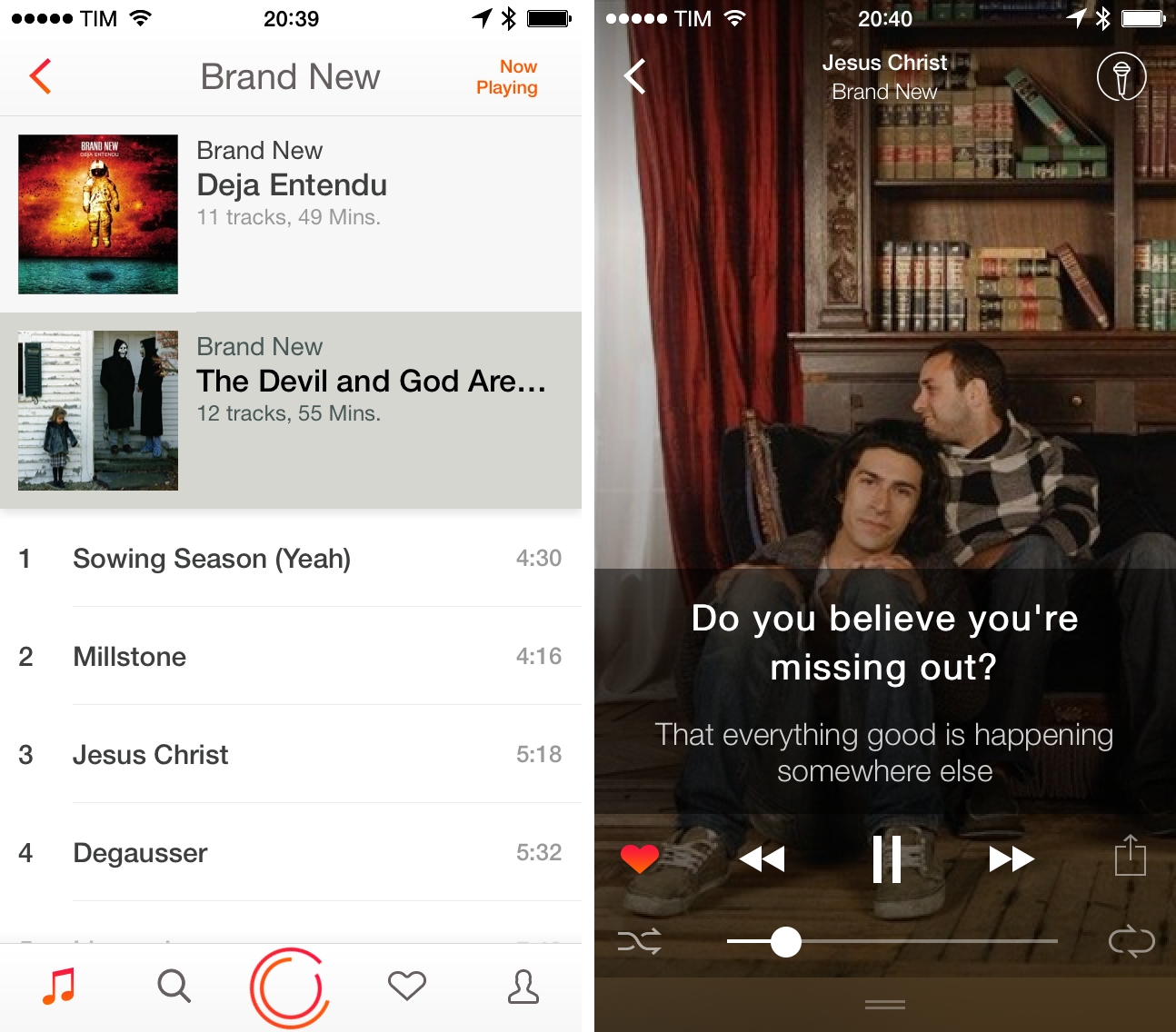
Every time I go out with friends and we start talking about music, there’s always that one guy who wants to play a song and he does so…using YouTube. In spite of the relatively low barrier to entry for services like Spotify and Rdio (both available in Italy with free plans), the convenience of using YouTube as an audio source is indisputable (on top of that, add the fact that most people have a high tolerance for YouTube ads – or ads in general). Personally, I prefer a dedicated music streaming service or my iTunes Match library, but I do rely on YouTube for the occasional live performance or unreleased demo tape that I can’t obtain legally anywhere else.

Tuner is a music player for YouTube videos: with a simple search feature, it uses YouTube as an audio source, turning videos into songs you can listen to on your iPhone.

Read more


Cathode Brings the Vintage Terminal to iOS

Your favorite customizable terminal app for the Mac is now available for iPhones and iPads, letting you wirelessly connect to any computer offering SSH access. The app gives you lots of control over its vintage look and feel, letting you change color, lighting, “shape,” and your choice of retro bitmap fonts. For iPad owners, the app supports Bluetooth keyboards, and works in both portrait and landscape orientation. Cathode supports multiple sessions and can automatically connect to nearby computers using Bonjour. For the geeks out there, Cathode costs a cool $5.99 from the App Store.