Federico Viticci

10668 posts on MacStories since April 2009

Federico is the founder and Editor-in-Chief of MacStories, where he writes about Apple with a focus on apps, developers, iPad, and iOS productivity. He founded MacStories in April 2009 and has been writing about Apple since. Federico is also the co-host of AppStories, a weekly podcast exploring the world of apps, Unwind, a fun exploration of media and more, and NPC: Next Portable Console, a show about portable gaming and the handheld revolution.

Introducing MacStories Perspective Icons: 20,000 Custom Perspective Icons for OmniFocus Pro

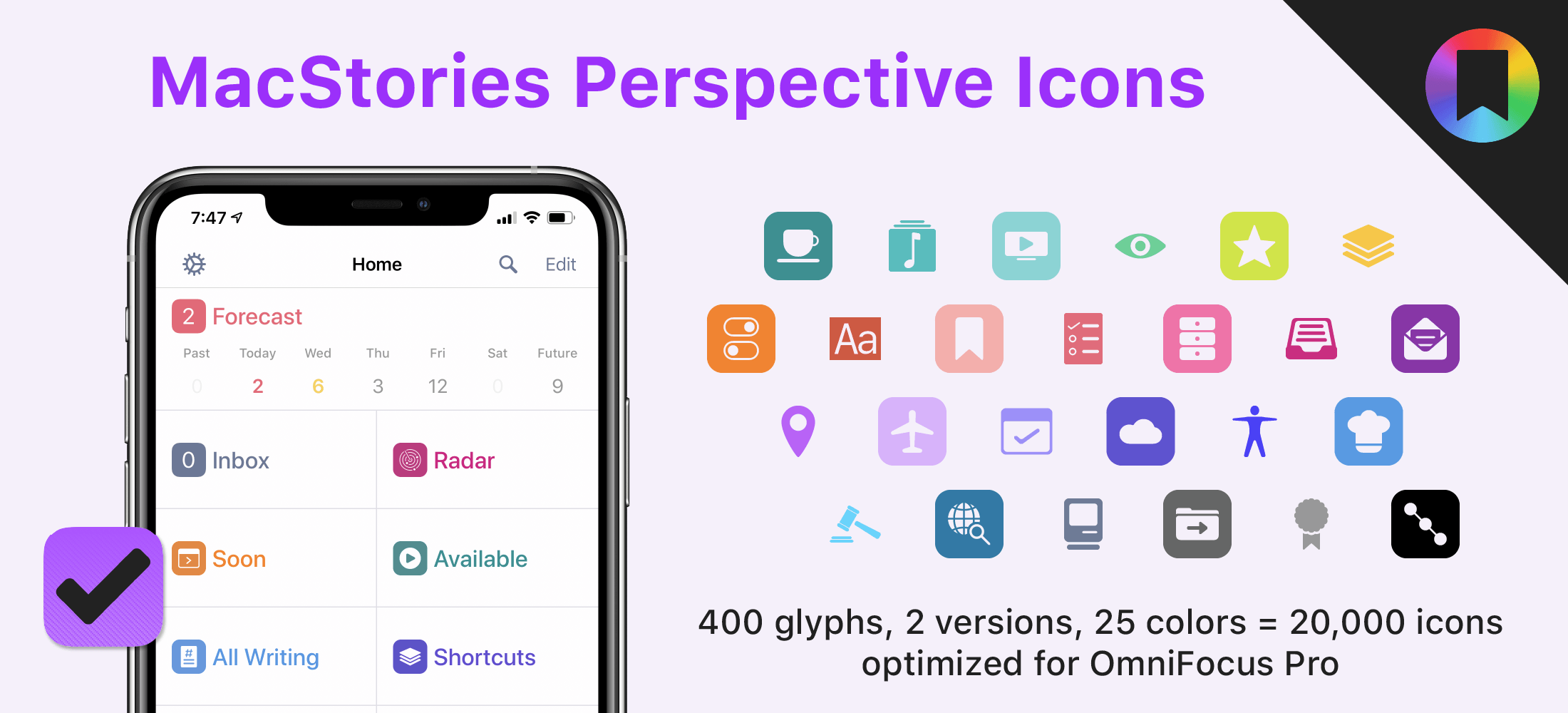
Today, I’m thrilled to announce MacStories Perspective Icons, a set of 20,000 icons for custom perspectives in OmniFocus Pro.

Here’s the short version of this story: our brand new Perspective Icons offer 400 unique glyphs with two distinct icon shapes available in 25 different colors, for a total of 20,000 icons included in the set. Yes, you read that number right. The icons can be easily installed in OmniFocus Pro for Mac, iPad, and iPhone using Finder or the Files app; all the icons and colors have been optimized for OmniFocus and designed to look like native additions to the app.

For a limited time, you can get the set at $17.99, down from the regular price of $24.99.


All sales are final. Read our terms of use here.

Read more


Imagining the Perfect Research App

AppStories+ Deeper into the world of apps

AppStories Episode 165 - Imagining the Perfect Research App

0:00
48:44

AppStories+ Deeper into the world of apps

This week, Federico and John, who have been spending too many of their waking hours investigating research apps on iPadOS and the Mac, discuss the features and approaches they’d like to see in an ideal research app or suite of apps.

Read more


Member Requests

Question: Is there a shortcut that will open your current webpage or URL (from a non-private Safari tab) in a new private window? (Erick, @Smoothmotif)

There are no Shortcuts actions to open URLs in private tabs in Safari. However, I’ve been using this new utility called Incognito over the past few weeks to open...


Creating File Launchers with GizmoPack

Back in November, I shared a shortcut on MacStories called FS Bookmarks that made it possible to retrieve filesystem paths for files and folders in the Files app via Scriptable. By using a combination of JavaScript and Apple’s file bookmarks technology, the shortcut relied on Scriptable to retrieve file paths, which could be combined...


MacStories Shortcuts Icons Receives Second Free Update with 50 New Glyphs, Reaching 400

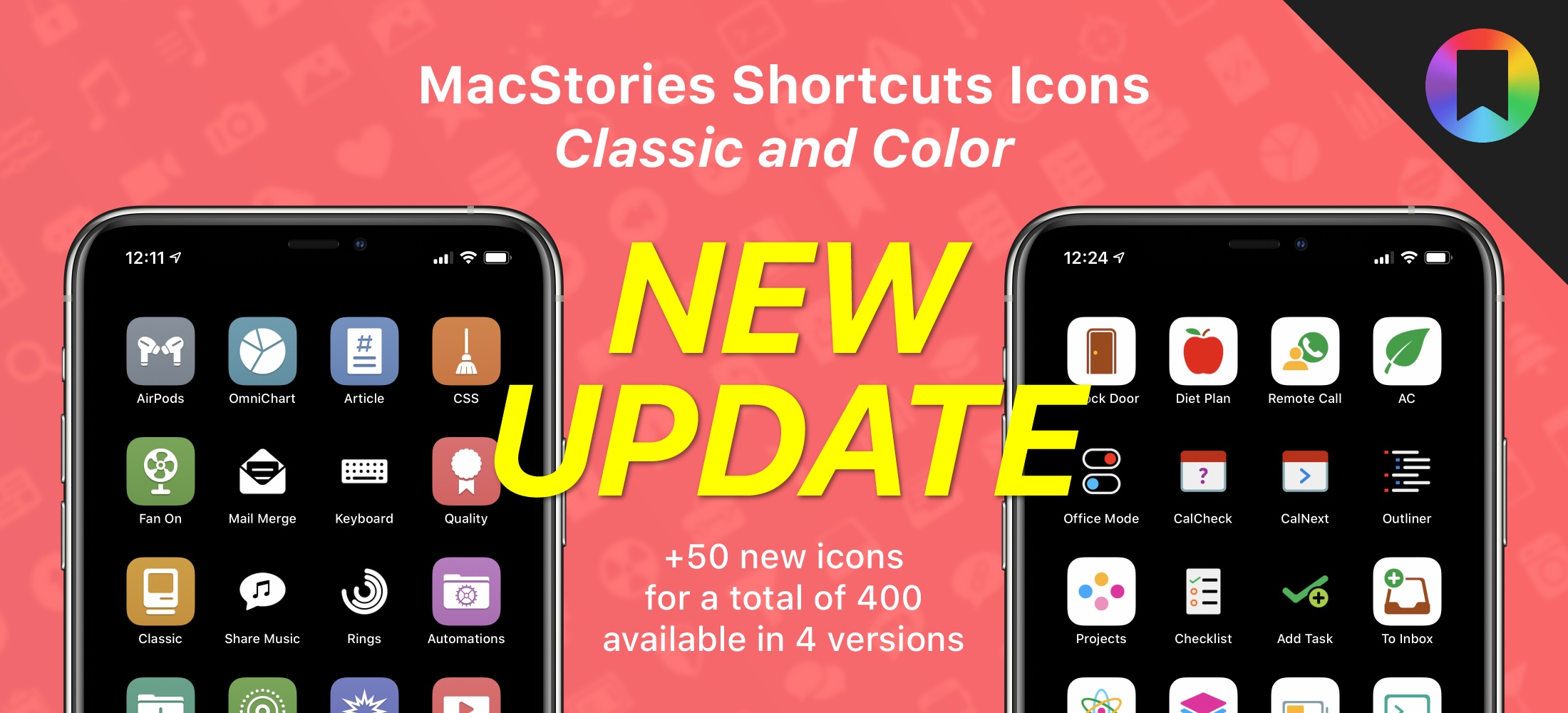
Some of the new icons included in the latest MacStories Shortcuts Icons update.

Some of the new icons included in the latest MacStories Shortcuts Icons update.

I’m happy to announce that MacStories Shortcuts Icons, our custom icon set for adding shortcuts to the Home screen, has received a free update today that adds 50 new glyphs. With this second free update, the set has reached 400 unique glyphs available in four versions for a total of 1,600 icons included in the complete Bundle edition.

The update is now available, free for existing customers (just download the file again); for new customers, the update is part of the standard purchase for all editions of MacStories Shortcuts Icons: Bundle, Color, and Classic.


All sales are final. Read our terms of use here.

For those who may have missed it last year: MacStories Shortcuts Icons lets you customize the look of your shortcuts added to the Home screen by choosing from hundreds of glyphs designed specifically with Shortcuts users in mind, going beyond what’s provided by Apple in the Shortcuts app. The icons are available in two versions – Classic and Color – and a Bundle edition containing both (and discounted by 40% right now) is available as well.

Read more


MusicSmart Puts the Spotlight on Music Credits

MusicSmart's extension inside Apple Music.

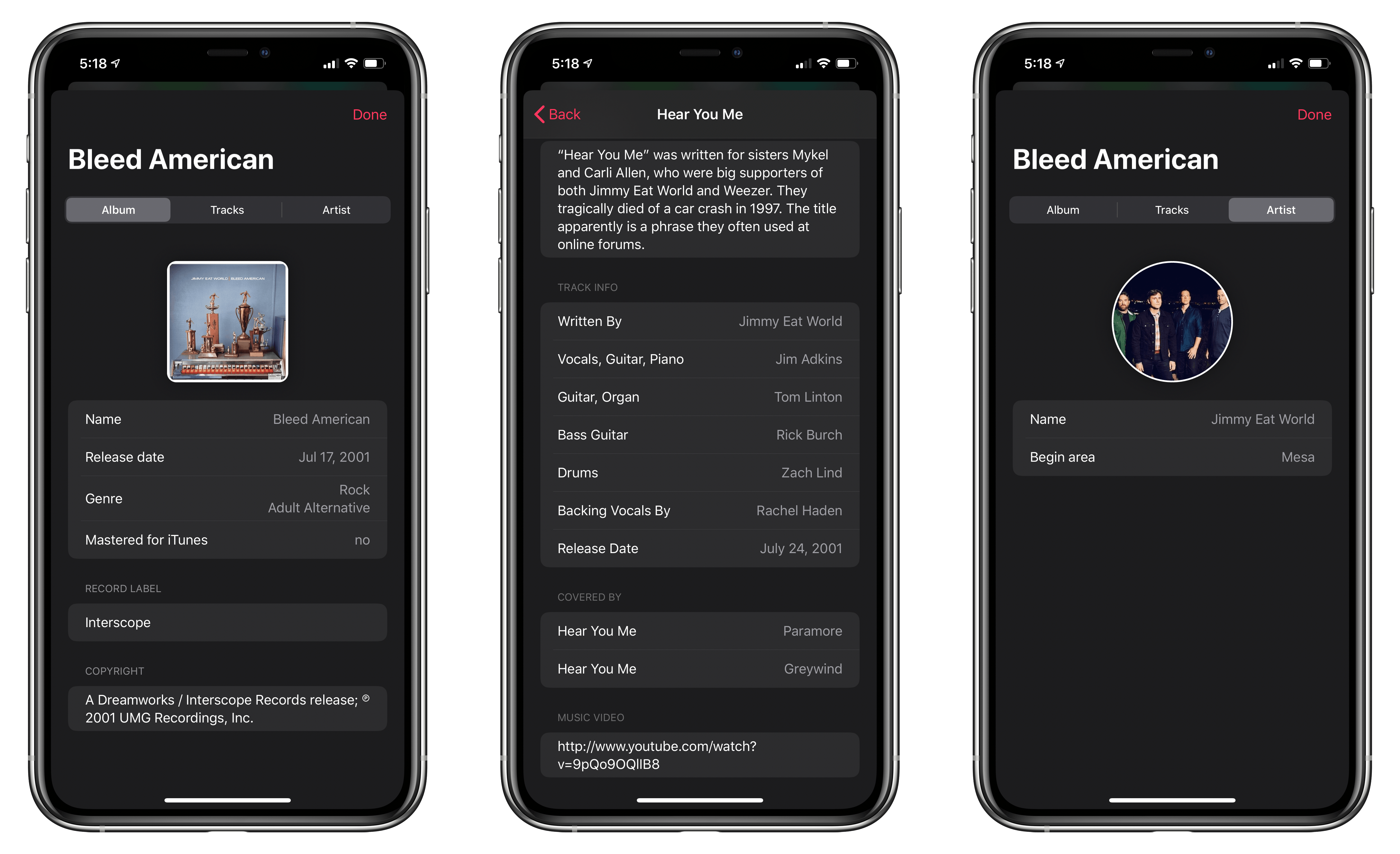
MusicSmart’s extension inside Apple Music.

For as long as I can remember being interested in music as more than a mere source of background audio, but as an art form, I’ve been interested in the people who make music – the artists and their craft. Back when I used to buy CDs at my favorite record store in Viterbo, my hometown, I would peruse each album’s liner notes to not only read official lyrics and check out the artwork and/or exclusive photographs contained inside the booklet, but also to read the credits so I could know more about who arranged or mixed a particular track. Beyond the feeling of owning a tangible piece of music, there was something about reading through an album’s credits that served as a simple, yet effective reminder: that people – engineers, instrumentalists, vocalists, producers – created the art I enjoyed.

In today’s world of endless, a la carte streaming catalogs, we’ve reduced all of this to a cold technological term: metadata. Our music listening behaviors have shifted and evolved with time; when we browse Apple Music or Spotify, we’re inclined to simply search for a song or an album and hit play before we return to another app or game on our phones. A streaming service isn’t necessarily a place where we want to spend time learning more about music: it’s just a convenient, neatly designed delivery mechanism. The intentionality of sitting down to enjoy an artist’s creation has been lost to the allure of content and effortless consumption. Don’t get me wrong: I love the comfort of music streaming services, and I’m a happy Apple Music subscriber; but this is also why, for well over a year now, I’ve been rebuilding a personal music collection I can enjoy with a completely offline high-res music player.

Whether by design or as a byproduct of our new habits, metadata and credits don’t play a big role in modern music streaming services. We’re frustrated when a service gets the title of a song wrong or reports the incorrect track sequence in an album, but we don’t consider the fact that there’s a world of context and additional information hidden behind the songs and albums we listen to every day. That context is entirely invisible to us because it’s not mass-market enough for a music streaming service. There have been small updates on this front lately1, but by and large, credits and additional track information are still very much ignored by the streaming industry. And if you ask me, that’s a shame.

This is why I instantly fell in love with MusicSmart, the latest utility by Marcos Antonio Tanaka, developer of MusicHarbor (another favorite music app of mine). MusicSmart, which is a $1.99 paid upfront utility, revolves around a single feature: showing you credits and additional details for albums and songs available in your local music library or Apple Music’s online catalog.

Read more


Our iPadOS WWDC Wishes

AppStories+ Deeper into the world of apps

AppStories Episode 164 - Our iPadOS WWDC Wishes

0:00
50:05

AppStories+ Deeper into the world of apps

This week, Federico and John share their wishes for iPadOS including audio source control, multitasking, external display support, Search, keyboard and trackpad support, and more.

Read more


iA Writer 5.5

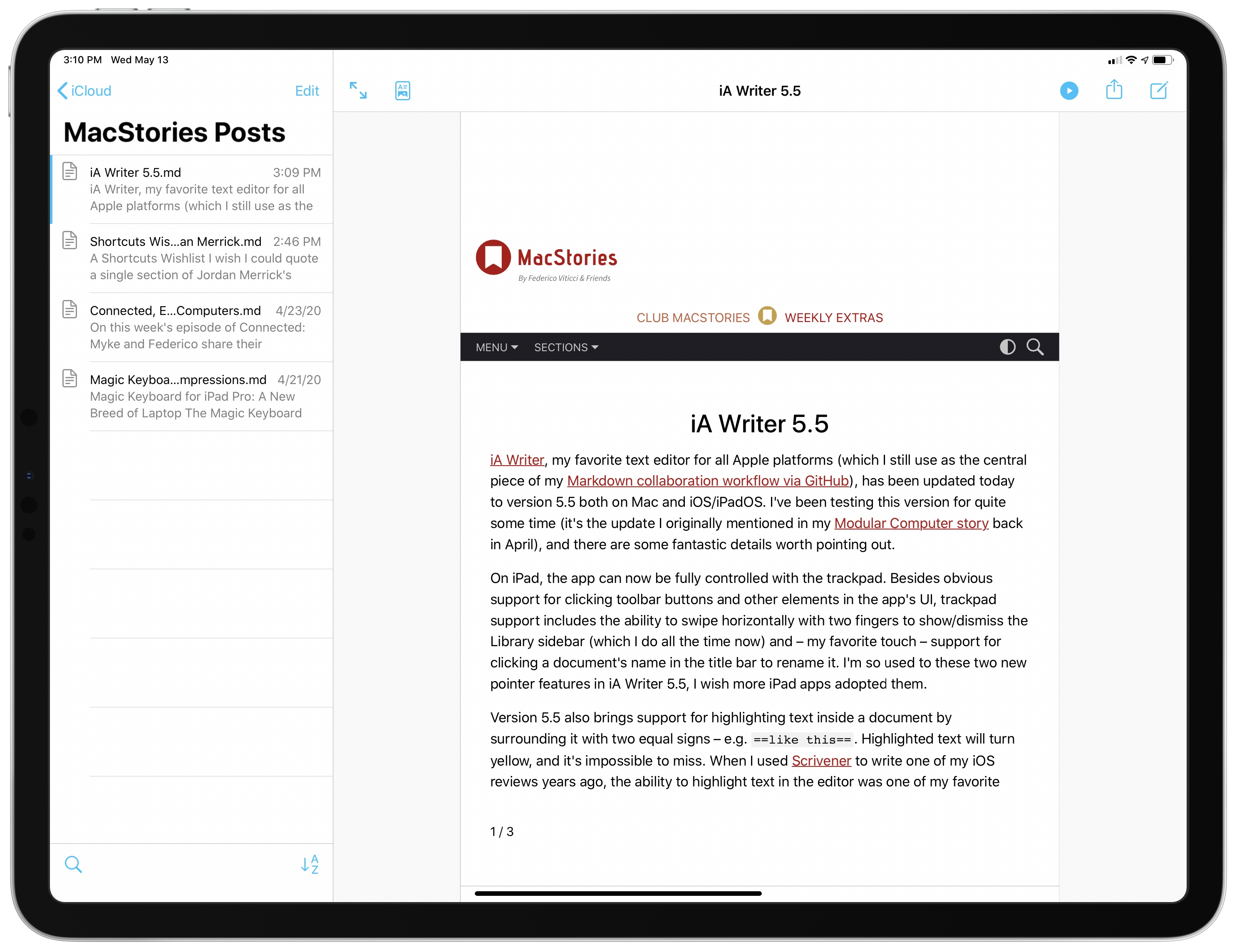
iA Writer, my favorite text editor for all Apple platforms (which I still use as the central piece of my Markdown collaboration workflow via GitHub), has been updated today to version 5.5 both on Mac and iOS/iPadOS. I’ve been testing this version for quite some time (it’s the update I originally mentioned in my Modular Computer story back in April), and there are some fantastic details worth pointing out.

On iPad, the app can now be fully controlled with the trackpad. Besides obvious support for clicking toolbar buttons and other elements in the app’s UI, trackpad support includes the ability to swipe horizontally with two fingers to show/dismiss the Library sidebar (which I do all the time now) and – my favorite touch – support for clicking a document’s name in the title bar to rename it. I’m so used to these two new pointer features in iA Writer 5.5, I wish more iPad apps adopted them.

Version 5.5 also brings support for highlighting text inside a document by surrounding it with two equal signs – e.g. ==like this==. Highlighted text will turn yellow, and it’s impossible to miss. When I used Scrivener to write one of my iOS reviews years ago, the ability to highlight text in the editor was one of my favorite options to mark specific passages for review; with iA Writer 5.5, I can now highlight text and have a clear visual indication without giving up on the Markdown syntax. Even better: there’s a new ⌘⌥= keyboard shortcut to toggle highlighted text.

Among a variety of other updates (you can read more about them on the developers’ blog), iA Writer 5.5 also comes with a powerful PDF preview (which supports custom templates, so I can export my drafts as PDFs that look like the MacStories website) and the ability to show multiple stats in the editor at once. Thanks to the latter option, I can now see my word and open task count at once while I’m editing a story.

I’ve been using iA Writer as my only text editor for two years now, and I’m continuously impressed by the thoughtfulness and attention to modern iOS/iPadOS technologies that goes into the app. You can get iA Writer 5.5 on the App Store and read more about my writing setup based on iA Writer, Markdown, and file bookmarks here.

Permalink

The Next Generation of Apps

AppStories+ Deeper into the world of apps

AppStories Episode 163 - The Next Generation of Apps

0:00
28:45

AppStories+ Deeper into the world of apps

This week, Federico and John discuss the evolution of Apple’s platforms and the new generation apps that are emerging across every platform from the Apple Watch to the Mac and embracing those new technologies and business models.

Read more