Federico Viticci

10775 posts on MacStories since April 2009

Federico is the founder and Editor-in-Chief of MacStories, where he writes about Apple with a focus on apps, developers, iPad, and iOS productivity. He founded MacStories in April 2009 and has been writing about Apple since. Federico is also the co-host of AppStories, a weekly podcast exploring the world of apps, Unwind, a fun exploration of media and more, and NPC: Next Portable Console, a show about portable gaming and the handheld revolution.

Apple Releases iMac Hard Drive Firmware Update

A few minutes ago Apple released a firmware update for the Mid-2010 21.5-inch and 27-inch iMacs. The update – a 767 KB download – aims at fixing hard drive issues that prevented some systems from booting properly. My iMac surely had this problem – especially after installing Lion on a second partition, I noticed several booting issues that this update will (hopefully) fix.

Go download the iMac Hard Drive Firmware Update 1.0 here.


Cloud2go Is The First CloudApp iPhone Client With Streaming API [Giveaway]

If you use CloudApp as much as I do, you know that being able to upload files or links from an iPhone adds a whole new layer of sharing possibilities to an amazing service that was born with the Mac in mind, but it’s rapidly extending to other platforms and services with support for Windows machines, and direct integration into apps like Tweetbot. CloudApp makes sharing files (like screenshots, text documents, PSDs, and even audio files) and shortening links a real pleasure: not only the app is well integrated into the Mac’s ecosystem with great keyboard shortcuts and “raindrops” plugins, the developers also built a full-featured web application that allows you to set up your own custom domain, delete files, or check on stats.

How about the iPhone? Over the past year or so, I’ve been using Cloud2go by Matthias Plappert to quickly upload files from my iPhone and share them thanks to the app’s custom URL recognition. The fact that Cloud2go also packs full access to your CloudApp account and is neatly organized in sections based on your file types helped along the way as well. But the latest update to Cloud2go, released a few minutes ago in the App Store, makes things so much better: the new version introduces a Twitter-like swipe bar to delete / rename / make private / share files and links, as well as the possibility to watch files and stats update in real-time through CloudApp’s streaming API. This means that if you’re uploading a file from your Mac and you watch Cloud2go on your iPhone, you’ll see the file automatically pop up in the list as soon as the desktop upload is finished. Same applies to view counts: as people click on your links, you’ll see the counter go up in real time.

Cloud2go 1.1 also brings improved error handling, a faster sync algorithm and better navigation between uploaded items. Go download the app here, as it’s the best CloudApp client you can have on your iPhone right now. Read more


Rubbernet Monitors Your Mac Apps’ Network Usage

If monitoring bandwidth and network usage on a Mac is your thing, Conceited Software’s latest app might just be what you need. Rubbernet is a €30 tool that can be installed on a local machine and networked Macs (unfortunately, there doesn’t seem to be support for Hamachi computers just yet) and provides an easier solution to more complex applications like Little Snitch, which besides network monitoring also offers firewall functionalities and lots of settings to play with on an app-by-app basis. Rubbernet, powered by a nice interface design and a daemon that runs in the background all the time on your Mac, allows you to see what apps are consuming bandwidth on your computers, and what kind of connections to remote servers are being established.

The app supports multiple accounts (as you can see in the screenshot above), but I haven’t been able to test it with another Mac on my local network. The Summary app gives you a glimpse of all the active apps that are connected to the Internet, including upload and download rates. The Connections and Activity tabs, on the other hand, will show you all the single IP addresses your Mac is connecting to including, in the case of single applications under Activity, a breakdown of all remote hosts, open ports, and a graphical visualization of downloads and uploads over time. These graphs update in real-time, with a minimal footprint on your Mac’s memory.

You can download Rubbernet here. A free trial is available, so you should check it out and see whether the app can recognize your networked Macs and improve the way you keep network usage under control. No one wants to let Dropbox eat all the bandwidth during an Apple event.

[Disclaimer: Conceited Software’s Rubbernet is a MacStories advertiser. This is not a sponsored review, as it’s entirely based on my personal experience with the app.] Read more


Fast Switching Between Multiple iTunes Accounts

Fast Switching Between Multiple iTunes Accounts

Redditor TinyLebowski shares an AppleScript that, once configured and run, will allow you to switch to another iTunes account in 2 seconds, without typing anything. This is particularly useful for people like me who own several iTunes accounts (especially for App Store and iTunes movie releases) and think iTunes should have an option to “fast switch” between accounts – even on different international Stores. This AppleScript works as advertised and, if you are switching to an international store, you’ll just have to hit the Ok button. If the Store is the same, you won’t have to hit anything and the login process will be automatic.

Beware, though: your Apple ID and password are stored in plain text inside the script. Of course this is meant to be saved on your local machine, assuming only you have access to that. However, saving the script as an “application” bundle might provide an additional security measure (that is, someone will have to “show package contents” and navigate through folders to see the main script).

I love it. Check out the full AppleScript here.

Permalink


Apple Testing iPhone On T-Mobile USA With A5 Processor?

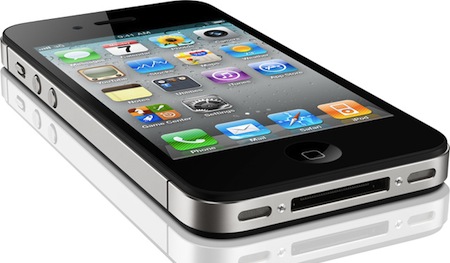
A series of photos posted earlier today by Boy Genius Report show an unreleased white iPhone 4 unit running on T-Mobile USA network. The device looks like an iPhone 4, although, as BGR notes, the proximity sensor looks different than the one shown in the (allegedly) final white iPhone 4 that’s been already sold in the UK. BGR claims the device, just like the Vietnamese videos from last week, is running an old and internal test version of iOS 4, confirmed by the several Apple internal and field-testing applications like Radar and Apple Connect or the preference panels to measure the performances of the device.

That’s right, you’re looking at photos of an iPhone prototype with T-Mobile USA 3G bands. The actual internal model is N94, and if you remember, the Verizon model is N92 while the standard GSM variant is N90. We have verified that the phone itself is running a test version of Apple’s iOS, much like the one we saw in those videos from Vietnam, and it includes internal Apple test apps like Radar and Apple’s employee directory app. Additionally, the front of the white iPhone pictured looks a little different from the photos of the retail white iPhone 4 that surfaced recently — specifically, the proximity sensor has changed on the retail version.

The model number of this white iPhone 4 is N94, the same one that months ago was mentioned in some iOS 4.3 code strings related to the A5 chip – also implemented on the iPad 2. Whilst rumors point to the white iPhone 4 finally being released on April 27th, the N94 model number and A5 processor indicate this might be an updated version of the iPhone 4 coming out later this year – perhaps the “iPhone 4S” select game developers are already testing ahead of the WWDC and the iOS 5 announcement. It’s also worth remembering that AT&T has filed documents in the US to acquire T-Mobile – if the two networks merge, the iPhone will eventually work on the old T-Mobile network (which currently has different radios and frequencies than AT&T). However, the acquisition is rumored to take several months before completion, and Apple could release an iPhone 5 / iPhone 4S this Fall that also runs on the existing T-Mobile network.

Check out the full gallery of leaked shots here.


The Problems with a Retina Display on the Mac

The Problems with a Retina Display on the Mac

If Apple were to do something like the above, the biggest question I would have is whether or not they’d put something into place for users who genuinely do want much smaller UI elements and much more screen real estate. That is, if Apple were to double their UI, and then use the 2×1080p resolution for the 27-inch iMac, there’s a sense in which current 27-inch iMac users would feel like they were actually losing screen real estate from their current 2560 × 1440 displays. But that’s why Apple’s Apple and I’m a guy writing about them: if and when Retina Displays do come to the Mac, they will have thought that issue through and either solved it, or decided that the set of users who would be upset by it isn’t a large enough group to hold other users back.

Tim Ricchuiti at The Elaborated makes a great case for the issues Apple would have to overcome in implementing higher resolution displays (let’s just call them Retina Displays for the sake of the argument) on Macs: at 3200 x 2000 pixels (that’s the resolution of the default wallpaper image found in the Lion betas, and no Mac or Apple-branded screen currently ships with such pixel density), UI elements on a MacBook Pro 15” would look small, unless Apple comes out with a solution to offer same-size graphics, on a higher-res screen. On the iPhone 4, for example, they allowed developers to create “2x” graphics that, with double the pixels on the iPhone 4, look the same size of iPhone 3GS graphics. But how would you do that on a Mac, where users can decide to install apps both from the web and the Mac App Store, thus preventing Apple from enforcing a 2x standard? Plus, how could Apple offer a way to switch between bigger and smaller UI elements? A desktop ecosystem like OS X with computers featuring much bigger displays than iOS devices raises more questions over the implementation and usage of Retina Display.

Make sure to check out Tim’s full article here. Whilst “HiDPI display modes” were previously rumored to be finding their way to new Mac screens relatively soon, we think Apple will have to find a solution to the problems with a Retina Display on the iPad first. [via Daring Fireball]

Permalink

iPhone 5 To Feature 3.7-inch Screen, Larger Home Button, Thinner Design?

A new report posted by Joshua Topolsky at This Is My Next seems to contradict the rumors we’ve been hearing in the past weeks in describing the next-generation iPhone – so far dubbed iPhone 5 – as a complete redesign of the existing iPhone 4 hardware. The report comes with a mockup based on sketches and descriptions the website received by multiple sources over the past weeks, and shows a dramatically thinner device with a “thick to thin” design from top to bottom similar to MacBook Air’s main body, and a larger multitouch display set at approximately 3.7 inches. The change in size would allow Apple to keep the existing Retina Display branding with a drop to 312ppi (iPhone 4 features 326ppi, and Apple claims a “Retina Display” can be called so starting at 300ppi on an iPhone), and it’s something that’s been rumored before and even spotted in allegedly leaked Apple design documents.

Our sources say the new model (or at least one of the new designs in testing) looks “more like the iPod touch than the iPhone 4.” The phone will be thinner than the iPhone 4, and may have a “teardrop” shape which goes from thick to thin (something along the lines of the MacBook Air profile).

This Is My Next also claims the Home button will become larger, doubling as a “gesture area” for a series of multitouch commands likely inspired by the ones introduced in the iOS 4.3 developer betas. Apple was rumored to be considering an early departure for the Home button, but the website claims the company has been playing around with various prototypes and design iterations, and one of them indeed sports a larger, redesigned version of the Home button. With a larger, almost edge-to-edge screen, Apple is apparently also experimenting with the idea of earpieces and sensors hidden directly behind the display’s glass:

Furthermore, we’re hearing that the screen on the device will occupy the entire (or near to it) front of the phone, meaning almost no bezel. Our source says the company is doing very “interesting things” with bonded glass technology, and has been exploring designs where the earpiece and sensors are somehow behind the screen itself, making for a device where the display is actually edge-to-edge.

Other details reported by This Is My Next include a “swipe area” for NFC capabilities, inductive charging and world-phone functionality with a global CDMA-GSM chipset. Again, these features have been in the rumor mill before, but This Is My Next’s report is mostly interesting because of the design speculation included in the article that contradicts several rumors we’ve recently heard. And even if the design may never make it to the final version of the iPhone 5, TIMN says it’s being tested by Apple:

The versions of devices our sources are seeing could be design prototypes and not production-ready phones. Still, there are strong indications that Apple will surprise a public that’s expecting a bump more along the lines of the 3G to 3GS — and this is some insight into where those designs might be headed.


iTunes In The Cloud: Apple Signs Deal with Warner Music

Following last night’s report on Apple readying the launch of the rumored cloud-based music service based on iTunes after having recently “completed work” on it, Cnet weighs in today claiming the company has signed a deal with Warner Music to offer streaming of the labels’ artist catalogue and songs on the new iTunes cloud service. Cnet notes how Warner Music is only one of the four big players in the music industry, with EMI, Sony and Universal still out of the picture:

Apple has an agreement with Warner Music Group to offer the record label’s tracks on iTunes’ upcoming cloud-music service, music industry sources said. It is unclear whether Warner was one of those two that had previously licensed Apple or whether the label inked a new agreement on Friday.

Indeed, Peter Kafka at MediaMemo posted a follow-up to Reuters’ original report on the finalized cloud service yesterday, claiming that Apple had actually already signed deals with two of the major music labels, and Apple’s Eddy Cue was set to fly to New York City today to arrange the remaining deals. It’s not clear now whether Warner Music was part of the rumored labels that had signed in the past months, or one of the two that needed to be convinced today. Cnet’s report doesn’t provide additional details on the deal.

Speculation surrounding this new cloud-based service from Apple indicates the company has both considered an option to let users back up an existing music collection to the cloud and stream it anywhere, as well as a second iTunes Store-like functionality offering the possibility to stream songs you don’t own through a monthly or annual subscription.