Federico Viticci

10766 posts on MacStories since April 2009

Federico is the founder and Editor-in-Chief of MacStories, where he writes about Apple with a focus on apps, developers, iPad, and iOS productivity. He founded MacStories in April 2009 and has been writing about Apple since. Federico is also the co-host of AppStories, a weekly podcast exploring the world of apps, Unwind, a fun exploration of media and more, and NPC: Next Portable Console, a show about portable gaming and the handheld revolution.

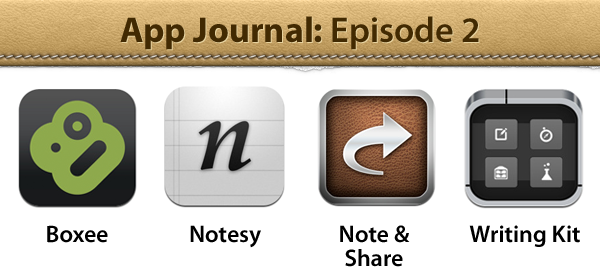
App Journal, Episode 2: Boxee for iPad, Notesy, Note & Share, Writing Kit

App Journal is a weekly series aimed at showcasing apps we have enjoyed using on our iPhones, iPads, and Macs, but decided not to feature in a standalone, lengthy review here on MacStories. App Journal is a mix of classic reviews, weekly app recommendations, and a diary of our experiences with apps that still deserve a proper mention.

For this week’s App Journal episode, I’m taking a look at four iOS apps: Boxee for iPad, Writing Kit, Notesy and Note & Share. You may notice three of them are note-taking apps – in fact, I’ve been playing with several apps of this kind recently, and have yet to decide which one suits better my writing workflow when it comes to quick notes for, say, Dropbox, or longer pieces written in Markdown.

Stay tuned for more App Journal episodes in the next weeks. Read more


Apple Working on Logic Pro X Major Release?

According to a new report by Japanese website Macotakara, Apple may be working on a new version of its Logic Studio suite, called Logic Pro X. The report doesn’t delve in the details and it says the source comes from a “customer interview” with the Logic Team. Apple’s last major Logic release dates back to mid-2009, when Logic 9 was released. Since then, Apple brought 64-bit support to the software, and pushed minor updates for Logic Pro and Logic Express.

The release of a “Logic Pro X” application would certainly make sense considering Apple’s recent rewrite of Final Cut Studio as a single app known as Final Cut Pro X, sold on the Mac App Store alongside other components like Motion and Compressor. Macotakara claims that Soundtrack Pro’s development has “finished” and that it’s unclear whether there will be a replacement in the new Logic Pro X; the site adds, however, that the WaveBurner component will be integrated, whilst MainStage will be sold separately, presumably just like Motion 5 and Compressor on the Mac App Store as Final Cut Pro X companions. Last, the report notes there will be no “confusion” because Logic Pro and plugins have already been developed as 64-bit applications – thus suggesting Logic Pro X will be fully 64-bit compatible like Final Cut Pro X.

Macotakara has a mixed track record when it comes to Apple rumors (the site correctly predicted the iPad 2’s bigger speaker design, media event and launch, as well as Final Cut Pro X introduction; they incorrectly reported Apple would adopt a new type of NAND Flash memory in the 2011 MacBook Air), although this rumor seems to fall in line with Apple’s rebranding and rewrite of Final Cut Studio and Express as Final Cut Pro X, available exclusively on the Mac App Store. As a side note, Apple recently made the old Final Cut Studio available for sale again, in what has been described as an effort to ease the transition process to FCP X following a criticized launch. [Macotakara via MacRumors]


Saks 5th Ave. Storefront Features 64 iPads

Saks 5th Ave. Storefront Features 64 iPads

Jim Dalrymple at The Loop:

To celebrate Fashion’s Night Out, Saks and Stylelist.com have partnered to create an interactive storefront at Saks’ flagship 5th Avenue store.

Designed, developed and built by Gin Lane Media the three-window display features 64 iPad 2s in the center window and nine 27-inch Cinema Displays in each of the two side windows.

Looking at the photos, it’s another reminder of what’s possible to achieve with the right combination of apps and hardware. Back in April, we saw how 40 iPads could be connected on a network to form a single, giant whiteboard for collaborative efforts. Saks’ display will be used for Stylelist images, videos, and tweet aggregation through a specific hashtag. An iPad app was built specifically for this occasion, allowing for nice and smooth animations as well as simple setup and control on the network.

Perhaps not one of the iPad uses Apple imagined, but still an example of the versatility of the device, which “disappears” in the storefront once content – its glass screen – is the focus.

Permalink

WebMarker Brings Tweet Marker Support To Google Chrome

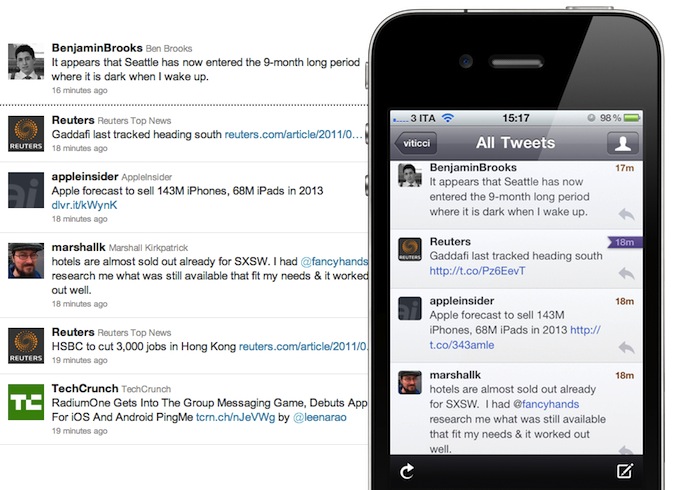
While many are still wishfully hoping Twitter will update its official Mac and iOS client with support for Manton Reece’s excellent Tweet Marker service, the reality is third-party developers are once again leapfrogging Twitter in terms of innovation, experimentation, and willingness to improve existing solutions with new techniques and add-ons. Such is Tweet Marker, a web service for syncing timelines across Twitter clients. By implementing the service’s free API, clients like Twitterrific and Tweetbot have gained the capability of syncing the “last read” tweet in user timelines and mentions, with lists and direct messages soon to be supported as well. You can read more about how Tweet Marker actually works in our previous Twitterrific 4.3 and Tweetbot 1.6 coverage.

WebMarker is a new Chrome extension that brings Tweet Marker integration on Twitter.com. Whereas many may quickly dismiss this extension because “really, no one uses Twitter’s website anymore these days”, I believe that’s not the case. Twitter.com still provides a great alternative to desktop clients in some specific scenarios – MacStories’ favorite deals hunter Chris, for instance, is forced to use a Windows PC at work, and he prefers to use Twitter.com rather than a third-party Windows client. Wouldn’t it be great if all office workers could sync their Twitter status while at work, and come back home to find their Tweetbots and Twitterrifics ready to pick up where they left off?

Being a Chrome extension, WebMarker works on any platform Google’s browser is available on. Once installed, the app will redirect you to Twitter.com for OAuth access (good choice), then it’ll sit in Chrome’s Omnibar, waiting for you to visit Twitter.com. Here’s how it works:

When you open Twitter or refresh your open page you should see the app icon right in the Omnibar. If it’s colored, a click will scroll you down to the last marked tweet. If it’s gray it scrolls to bottom to let Twitter load more tweets until the marked tweet is found (for a maximum of 3 trys).

Current tweet reading position will be set if page is in idle, or tab is inactive, for at least 10 seconds.

I tested WebMarker on Google Chrome Canary for the Mac, and it worked as expected. I was able to sync my “last read tweet” back to Twitterrific and Tweetbot once Chrome’s tab became idle, and the extension’s icon in the Omnibar allowed me to quickly jump back to Tweet Marker’s synced status with ease.

WebMarker is a nice addition to Tweet Marker’s growing ecosystem, and a useful way to keep your timelines in sync if you happen to use Twitter.com in your daily workflow. Download it here.


Facebook for iPhone 3.5 Released With New Sharing Options, Wall Design

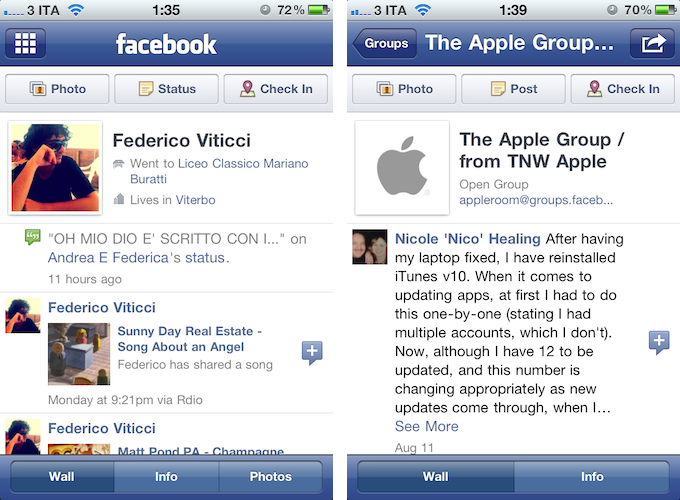
A major update to the official Facebook app for iPhone was released earlier today, adding new sharing options from the compose screen and privacy controls that match the options set on Facebook’s website. First off, Facebook 3.5 brings a new design for Profile and Group walls; the app appears to be more streamlined and in line with Facebook’s recent changes to its web UI.

Perhaps more importantly, Facebook for iPhone now lets you tag friends and places in posts, and share links from a web view opened through Facebook. The updated compose screen has got buttons to add friends from a list (and even search), tag a place, or add a new photo or video. As for sharing links, Facebook now lets you open a webpage in-app, and instantly reshare it (with an optional comment) with your friends. When sharing a webpage from a web view, tapping on its link in the compose screen will enable you to remove the link entirely, or just its thumbnail.

Facebook 3.5 also comes with bug fixes, as mentioned in the changelog:

  • Improved Notifications speed
  • Fixed a number of Chat bugs
  • Made it easier to select filters in News Feed
  • Fixed a bug with the Notifications bar disappearing
  • Fixed a number of Photos bugs
  • Improved performance and stability overall

An official iPad app from Facebook is expected to be officially unveiled soon, likely at the upcoming f8 conference on September 22. The iPad client was discovered inside the iPhone application back in July, although it appears the latest version removes iPad elements, thus making it impossible for Cydia tweaks like FaceForward to force-enable the yet unofficial iPad app.

Facebook for iPhone is a free download on the App Store.


Screentaker Helps You Take Beautiful iOS Screenshots

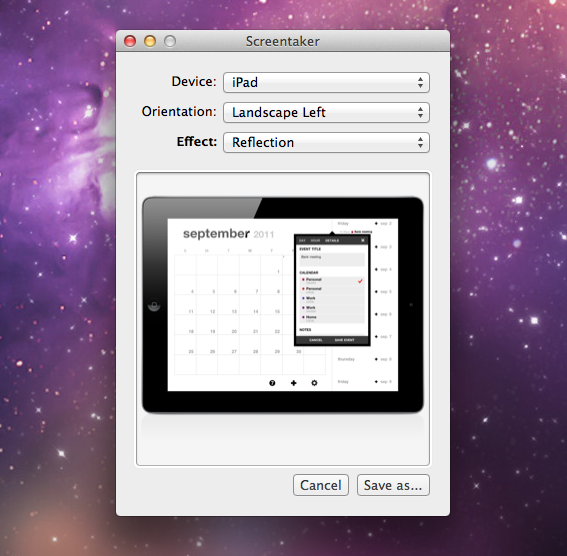
I first mentioned iPhone Screentaker from developer Fabian Kreiser in a post from January 2010, in which I collected some of the tools we used at MacStories to produce beautiful high-quality screenshots of iPhone apps for our articles. We were big fans of Fabian’s side projects, and although he updated the app on his website with support for the original iPad, he never included an iPhone 4 template we could use for our iPhone screenshots. But fortunately for us, and any designer/developer who wants to create better iOS screenshots than a device’s original output, 13 months after the release of the iPhone 4 a completely revamped version of iPhone Screentaker is out, and available on the Mac App Store under a new name.

Screentaker for iOS Apps is available at $4.99, and it’s a very niche app. In fact, my guess is that Kreiser created it to scratch his own itch for better screenshots to present on websites and blog post – Screentaker is an app that might appeal to people like me, who take screenshots of iOS apps every day, or website designers that don’t want to create their own iPhone, iPod touch and iPad templates. Read more


Sprint Hints at iPhone In Lawsuit Against AT&T / T-Mobile

Earlier today, U.S. carrier Sprint filed a lawsuit again the AT&T / T-Mobile merger, citing “competitive advantages” and an entrenched duopoly that would make it difficult for Sprint to compete against giants such as Verizon and AT&T. In the document filing – which claims the acquisition would violate Section 7 of the Clayton Antitrust Act – This is my next has dug out an interesting tidbit in which Sprint seems to be hinting at Apple’s iPhone.

According to Sprint, “Apple gave Verizon a time-to-market advantage for the iPhone” in early 2011, whereas “Sprint has had to compete without access to the iPhone for nearly five years” (emphasis added). The curious wording is no confirmation of Sprint getting the iPhone after it first launched in 2007, although from a speculative standpoint it might suggest the company will soon be able to get access to the iPhone after nearly five years. Verizon actually got the iPhone four years after AT&T (the original exclusive partner in the United States), and as Nilay Patel notes, a time-to-market advantage “would only be an actual advantage if other carriers like Sprint and T-Mobile were set to get the device later on”.

Obviously, this piece of information is only worth reporting as a follow-up to The Wall Street Journal’s recent report of Verizon, AT&T, and Sprint getting the next-generation iPhone in mid-October. For a timeline of iPhone 5 news and speculation, check out our rumor roundup and retrospective.


Google+ iOS App Adds “Reshare” Option and Fixes

Ever since the official Google+ app for iPhone came out in July, we’ve followed the development as Google’s new social experiment added more features, and seemingly dropped in traffic as the novelty effect wore off for many. I was pretty satisfied with the 1.0 release, albeit the custom UI and lack of functionalities turned an highly anticipated launch into a discussion as to whether Google should be focusing on making its iOS apps more native to iOS and less Android-ish. An update in August brought support for iPod touch and iPad in compatibility mode – two options that were mysteriously absent in the first release.

A new version of Google+, as noted by The Next Web, was pushed to the App Store a few minutes ago, adding support for “reshares”, as well as bug fixes and performances improvements. From my first tests, I’m happy to see the app doesn’t crash on iOS 5 beta 7 and everything seems to be quite snappy and responsive while navigating between sections, the stream, and comments. As for resharing others’ posts, it works just like on the Google+ website – once you’ve selected a post, you can hit the “arrow button” at the bottom to bring up a menu to reshare, mute, or report a post. Reshare will open a new window populated with the original post and author, and a text field to add your own thoughts, set location and circles. Reshared posts will be nicely formatted both for the web and iOS app.

From the release notes:

  • Reshare support
  • Set your profile photo
  • Improved autocomplete in Huddle
  • Properly refresh notifications when returning to the app
  • Create new circle from Circles destination
  • Fixed 2-step verification issues

You can download Google+ for iOS for free on the App Store.


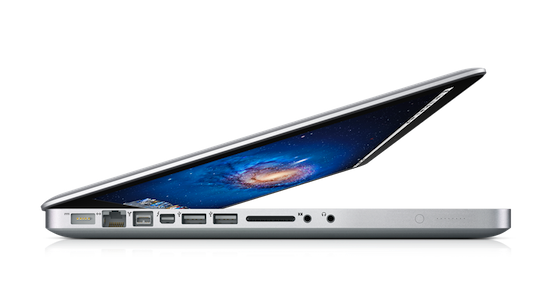
Shake-To-Undo On A MacBook Pro

Shake-To-Undo On A MacBook Pro

Paul Horowitz at OS X Daily writes:

The tiny app works by activating Command+Z when movement is detected by the SMS.

If you’re concerned about accidental undos from moving your Mac laptop around, you can prevent this by enabling the ‘Confirmation Overlay’ from Shake To Undo.app’s menubar.

This is basically useless unless you’re really into shaking your MacBook while writing, but the technology behind it is what intrigues me. I first learned about Sudden Motion Sensors (SMS) last year, when I opened my MacBook Pro to install a brand new SSD, and had done a bit of research online before replacing my hard drive. It turns out, this sensor was first implemented by Apple in a refreshed PowerBook line in 2005, and later in the July 2005 iBook. Since then, every portable Mac came with a Sudden Motion Sensor, albeit with differences between G4 laptops and Intel MacBooks.

The SMS acts as a security measure for the spinning hard drive. By calculating sudden acceleration in real time through an accelerometer, the SMS can “predict” when a computer is about to drop off a surface or your lap, and thus tells the hard drive to disengage the drive’s heads from the platters. In theory, this should prevent data loss or at least make for less damages to the drive.

As you can imagine, a number of hacks have arisen around SMS – tilt-based games and utilities like Shake To Undo. If you want to try it out for yourself, you can download the app over at GitHub. I don’t recommend it (it’s bad for your hard drive), but it sounds so ridiculous it might just be fun to test for an afternoon.

Permalink