

Earlier this week on MacStories, I published my story on why and how I’ve been using the MacBook Pro with M1 Max as my primary computer for the past six months. I don’t want to rehash the story here, but for those who missed it, it’s an exploration from the perspective of a longtime iPad...
Read moreRediscovering the Mac: An iPad User’s Journey into macOS with the M1 Max MacBook Pro
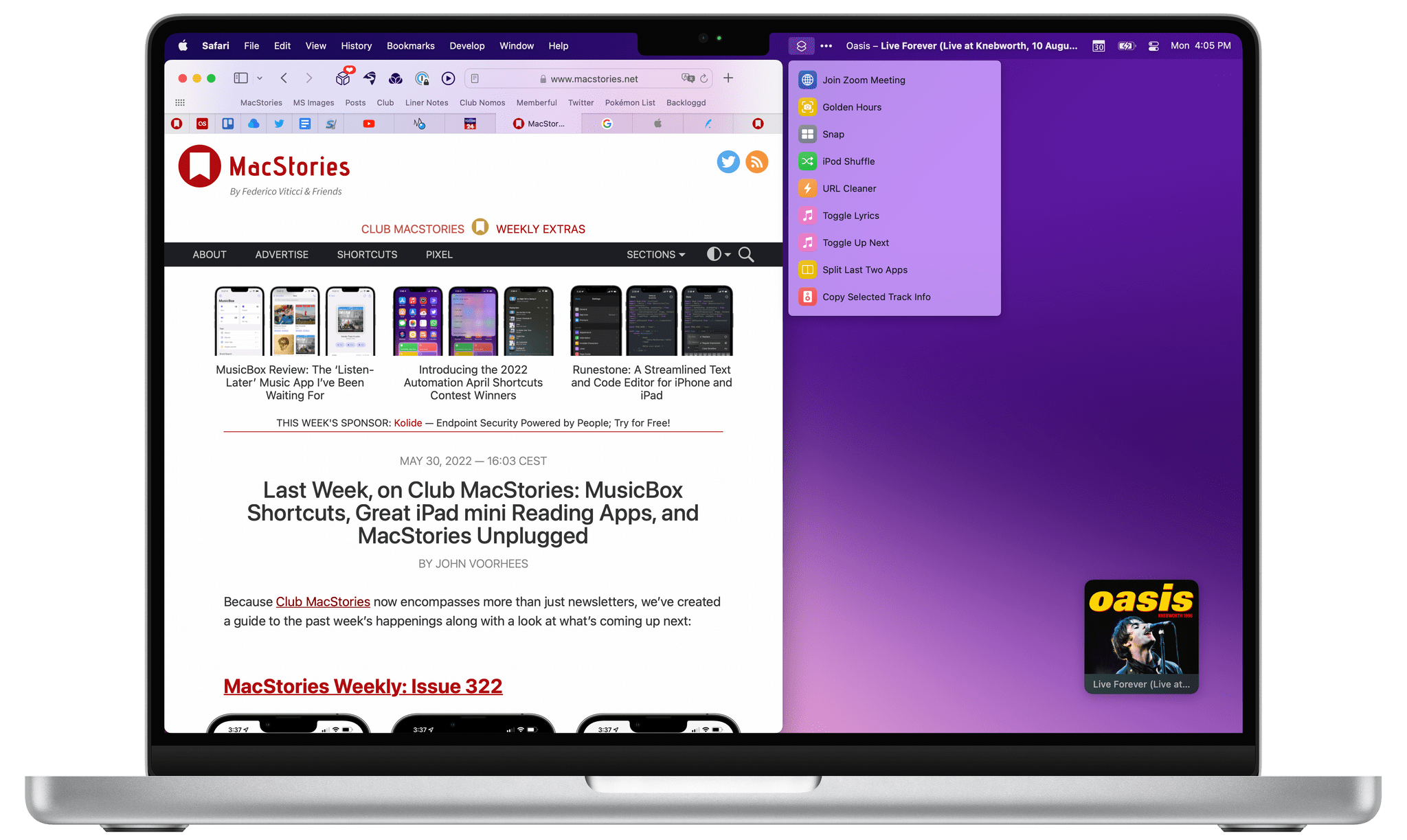
For the past few months, I’ve been living a double life.
Most of you probably know me as “the iPad guy”. And rightfully so: the iPad – more specifically, the iPad Pro – is my favorite computer Apple’s ever made; my coverage of iPad, iPad apps, and, later, iPadOS has far exceeded everything else on MacStories for the last 10 years. I’ve long considered myself primarily an iPad user and someone who strongly believes in the platform because there’s nothing else like it. I don’t think I need to tell that story again.
For these reasons, as you can imagine, when Apple got in touch with me last November asking if I wanted to try out one of the new MacBook Pros with the M1 Max chip, I welcomed their suggestion with a mix of surprise, trepidation, and, frankly, genuine curiosity. What could I, a longtime iPad user, even contribute to the discourse surrounding the comeback of the Mac lineup, the performance of Apple silicon, and the reality of modern Mac apps?
But I was intrigued by the proposal regardless, and I said yes. I was very skeptical of this experiment – and I told Apple as much – but there were a few factors that influenced my decision.
First and foremost, as many of you have probably noticed, I’ve grown increasingly concerned with the lack of pro software (both apps and OS features) in the iPad Pro lineup. As I wrote in my review last year, iPadOS 15 was, by and large, a quality-of-life update that made iPadOS more approchable without breaking any new ground for existing pro users of the platform. As much as I love the iPad, at some point I have to face its current reality: if Apple thinks iPadOS isn’t a good fit for the kind of functionalities people like me need, that’s fine, but perhaps it’s time to try something else. If my requirements are no longer aligned with Apple’s priorities for iPadOS, I can switch to a different computer. That’s why I believe 2022 – and the upcoming WWDC – will be a make-or-break year for iPad software. And I don’t think I’m the only iPad user who has felt this way.
Second, the arrival of Shortcuts on macOS Monterey gave me an opportunity to expand and rethink another major area of coverage for MacStories, which is automation. Along with iPad and iOS, I consider Shortcuts the third “pillar” of what I do at MacStories: with the Shortcuts Archive, Shortcuts Corner and Automation Academy on Club MacStories, and Automation April, I’m invested in the Shortcuts ecosystem and I know that our readers depend on us to push the boundaries of what’s possible with it. With Shortcuts on macOS, I felt a responsibility to start optimizing my shortcuts for Mac users. That meant learning the details of the Shortcuts app for Mac and, as a result, use macOS more. From that perspective, Apple’s review unit couldn’t have come at a better time.
Third, and perhaps most important to me and least helpful for you all, is one of my greatest fears: becoming irrelevant in what I do. As a writer, I guess I shouldn’t say this; I should say that I write for me, and that I would write regardless, even if nobody read my stuff. But as a business owner and someone who’s gotten used to having a medium-sized audience, that would be a lie. I love the fact that I can write for my readers and get feedback in return. I love that I can write something that is wrong and be corrected by someone. I don’t want to lose that. Do you know what’s a really easy way to make it happen? Grow into someone who’s stuck in their ways, only writes about a certain topic, and doesn’t think anything else is worth trying or even remotely considering. In my case, I don’t want to look back at MacStories in 10 years and regret I didn’t at least try macOS again because I was “the iPad guy” and I was “supposed to” only write about a specific topic. I make the rules. And the rule is that curiosity is my fuel and I was curious to use macOS again.
So that’s my context. For the past six months, I’ve been using my MacBook Pro instead of the iPad Pro to get my work done on a daily basis. I’ve kept using the iPad Pro to test my shortcuts, read articles, and write in places where I didn’t have enough room for a MacBook, but, by and large, I’ve lived the macOS lifestyle for half a year by now.
As we head into WWDC, here’s my story on how this experiment went.
 Our macOS 13 Wishes
 John
John
 Opening Random Albums and Reading Editorial Content with MusicBox
Earlier this week on MacStories, I reviewed MusicBox, Marcos Tanaka’s fantastic new app to save music for later. As I explained in the story, I’ve looked for a utility specifically optimized for Apple Music to save singles and albums for later for a long time, and MusicBox does exactly that. If you missed it, go...
A DAC Review, a Marvis Tip, and Display Preferences Keyboard Shortcuts for Mac
Here are the highlights from the Club MacStories Discord this week: Nicolas posted a review of the Khadas Tea, a portable DAC for iPhone that attaches via MagSafe and lets you use wired headphones with iOS. I’ve been testing mine a lot this week and I agree with everything Nicolas wrote. Member OneMorningStar shared a...
MusicBox Review: The ‘Listen-Later’ Music App I’ve Been Waiting For
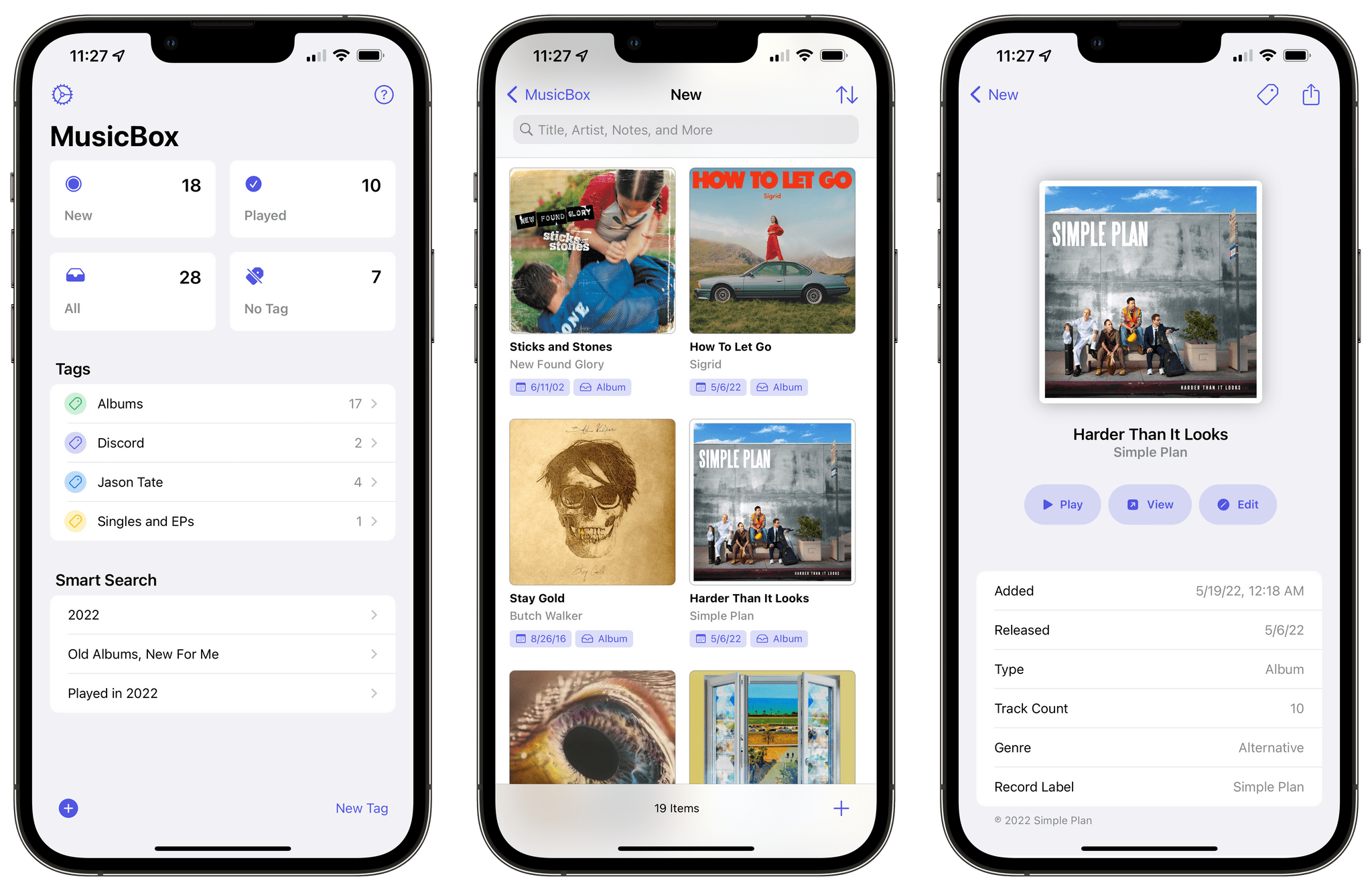
Longtime MacStories readers know how much music is important to me. I Made You a Mixtape, which I published six years ago, continues to be one of my favorite, most intimate things I’ve ever published for a simple reason: it tells the story of the importance music had in my life when I was growing up, the connections it helped me make, and the lifelong memories it created. I am not exaggerating when I say that I feel weird inside if I don’t listen to music every day. My love for music – all kinds of music – is also why I spent the past few years rebuilding a personal, offline music library and creating a setup that lets me enjoy music without distractions.
Now, I’ve covered plenty of music apps over the years on MacStories, starting from desktop utilities for music controls to Apple Music clients based on Apple’s official API, music widgets, and even Last.fm scrobblers. But there’s been one particular type of music app, which I’ve always wanted someone to build, that has eluded my coverage of apps on MacStories in over 13 years of reviews: a read-later utility, but for music you want you want to save and listen to later.
That is, until today. MusicBox, the latest app by indie developer Marcos Tanaka, is the “listen-later” music app of my dreams, the one I’ve wanted to use for years and that someone finally made as a Universal app for iPhone, iPad, and Mac. It’s rare for me these days to find new apps that elicit this kind of enthusiasm, but when I do, I know I’ve stumbled upon something special. MusicBox is one of those apps.
This review is going to be pretty straightforward. If you’re a music lover and use either Apple Music or Spotify, and if you feel like you discover more interesting music than you can possibly consume in a day, MusicBox is for you. Open the App Store, spend $2.99 (there are no subscriptions or In-App Purchases in the app), and you’ll get what is likely going to be one of your favorite apps of 2022. Then, if you want to learn more about what the app does, how it integrates with Apple Music, and how you can set it up on your device, come back to this story and let’s dive in.
Our iPadOS 16 Wishes
Three System Features That Should Become Standalone Apps in iOS 16
WWDC is three weeks away, which means soon enough we’ll see what Apple has been working on for iOS and iPadOS 16. Following last year’s quality-of-life updates, I expect Apple to build upon the foundation they laid two years ago with widgets on the Home Screen in iOS 14, making those widgets more interactive and...
A Special Shortcut Icon, Bike Meets Obsidian, Drafts’ URL Scheme and Dictation, and a Drafts/Todoist Action Group
Here are the highlights from the Club MacStories Discord this week: Nate, the winner of the Best Media Shortcut category for Automation April, shared a MacStories-themed red icon for iPod Shuffle, their winning shortcut. John shared an interesting idea on how to combine Obsidian and Bike, which he reviewed earlier this week. Member Marc looked...