Federico Viticci

10759 posts on MacStories since April 2009

Federico is the founder and Editor-in-Chief of MacStories, where he writes about Apple with a focus on apps, developers, iPad, and iOS productivity. He founded MacStories in April 2009 and has been writing about Apple since. Federico is also the co-host of AppStories, a weekly podcast exploring the world of apps, Unwind, a fun exploration of media and more, and NPC: Next Portable Console, a show about portable gaming and the handheld revolution.

Checkmark 1.1

Checkmark 1.1

Checkmark is the finest app to create location or time-based reminders on the iPhone. From my review:

Checkmark is smarter than Apple’s Reminders: when you add a new location, you can use your current location, add an address manually from the integrated map view, and only as a last option you can import a location from your contacts. In the map, you can drag and drop the pin to adjust the position, and choose a location radius to tweak the behavior of the geofence — should the app remind you when you’re 30 meters from home, or 250? These are functionalities that Apple’s software is still suspiciously lacking, even in the upcoming Mountain Lion (except for manual addresses, which Apple seems to have implemented in 10.8).

The 1.1 update was released last week, and I decided to test it in real-life today that I’m in Rome. I drove from Viterbo all the way here, and I set up Checkmark to remind me to call a friend when I was 100 meters away from my desired location. Among the new features, in fact, there’s iPhone 5 support with improved radius control on location reminders. The app now sports a nice slider to easily adjust the radius of your destination and control when a notification will fire off. It worked as advertised when I entered the 100-meter range.

Alongside map improvements (the app uses the native MapKit of iOS 6, and you can now drop pins wherever you want), you can also snooze reminders and create recurring ones in version 1.1. For everything else, it’s the same Checkmark I’ve been using since 1.0, only with more (clever) options.

Checkmark is only $1.99 on the App Store.

Permalink

Hazel Screencast

Hazel Screencast

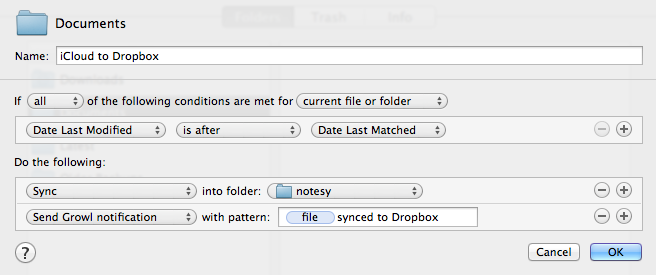
I’m a big fan of Hazel. We’ve covered the app extensively here at MacStories, and I rely on it for some of my geekiest workflows that involve scripting and automation. We had a thorough review of the major 3.0 update that came out earlier this year. If I had to name the 10 Mac apps I couldn’t live without, Hazel would be one of them.

Andreas Zeitler of Mac OS X Screencasts has put together a 1-hour video showing what Hazel is really capable of. In his description of the screencast:

The tutorial includes three chapters: basics, intermediate level, and advanced level. Chapter markers allow direct access to each of them. The video includes many useful illustrations to visualize complicated information. Additionally an ebook is included with many links and recommended readings. Presenting the information this way means that everyone can improve at Hazel at their own pace.

I have watched the entire video, and, indeed, I think it’s one of the best resources you can buy to get started with Hazel and understand all of the its potential. Screencast quality is good, with on-screen guides and labels, zoomed views on specific sections and menus, and clean transitions. The voiceover is concise and to-the-point. The video lasts an hour, but it passes quickly thanks to the provided examples and explanations – it’s definitely not boring, as most video tutorials can be nowadays.

Should you get it? Yes. If you’re new to Hazel, this will get you up to speed very quickly. And, even as a long-time Hazel user, the screencast refreshed my memory on several aspects of Noodlesoft’s app such as:

  • The “Current Time” condition to execute actions at a specific time (think cron for Hazel);
  • Actions and rules are always run top to bottom;

  • Use a blank field for “Date Last Opened” to match files that haven’t been opened yet;

  • Custom text token names;

  • You can specify subfolder depth in your rules;

  • You can easily convert MultiMarkdown with Hazel by running a shell script.

The screencast is available at €10 ($13). I highly recommend it.

Permalink

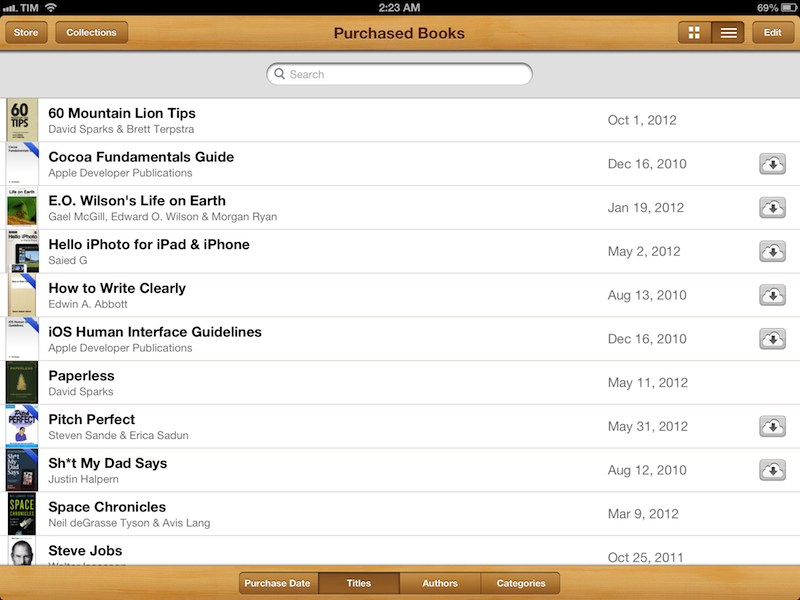
Apple Releases iBooks 3.0

Officially announced at Apple’s media event earlier today, iBooks 3.0 has now been released on the App Store. The new version is available here.

The new iBooks comes with a “continuous scrolling” option that, similarly to Marco Arment’s Instapaper, allows you to keep scrolling when reading a book by simply swiping a single finger vertically on screen. As many noted today, this new feature will be particularly appreciated with the likely one-handed use of the iPad mini when reading, as the lighter device makes it easy to read a book with one hand and scroll easily. Read more


October 23: Recommended Reads & Links

It’s been quite a day for Apple aficionados. Between brand-new iMacs, a new entry in the Retina Mac family, new Mac minis, and some new iPads, there’s a lot of information to go through in a single day. Here’s a recap of our October 23 coverage in reverse chronological order (older posts at the bottom):

You can catch up with our coverage in our October 23 news hub. Below, we’ve collected some interesting links to great articles that have been published in the past few hours. Make sure to click on the source links to check out the articles in their entirety.

Ars Technica speculates on Fusion Drive, a marquee feature of the new iMac that should allow OS X to see an SSD/hard drive combination as a single drive. Furthermore, it will enable the system to intelligently move resources to the (faster) SSD automatically.

Based on Schiller’s explanation, Fusion Drive sounds similar. In a caching solution, like Intel’s, files live on the hard disk drive and are temporarily mirrored to the SSD cache as needed. In an enterprise auto-tiering situation, and with Fusion Drive, the data is actually moved from one tier to another, rather than only being temporarily cached there.

Marco Arment (creator of Instapaper and The Magazine) has his own take on today’s announcements. In particular, he has a simple but effective explanation of today’s “iPad 4” upgrade:

The new A6X CPU is promising, though: it’s presumably based on the same (awesome and cooler-running) “Swift” CPUs in the A6, with more memory bandwidth and GPU power to drive the larger screen. Going from the iPad 2 to 3, Apple kept CPU power the same and increased GPU power, but only to drive the larger screen, so it was mostly a wash. From the iPad 3 to 4, we’re finally likely to see a welcome and necessary improvement in both CPU and GPU performance.

Shawn Blanc notes how the evolution of Apple’s iMac “has evolved in pairs”.

AllThingsD has a nice photo gallery of today’s media event in San Jose.

Kyle Baxter on why, for him, today’s Apple is the best Apple. He dedicates the last part of his piece to some thoughts about the iPad and its position in the market:

What it indicates, too, is that Apple thinks the iPad is a very different kind of device than the cheap Android tablets or the Kindle Fire. Those other devices are literally larger phones, with software that is not very different. Those devices are, at best, for browsing the web, playing games and maybe reading books, but they don’t do any of those things particularly well, in Apple’s eyes. Schiller’s talk about how much better equivalent applications are on the iPad versus the Nexus 7 made that argument. Instead, in Apple’s view, the iPad is today’s PC.

Todd Olson has a clear and concise explanation of the new features in iBooks Author 2.0, announced and released today. Namely, iBooks Author 2.0 comes with proper portrait support with new templates, LaTeX and MathML support for mathematical expressions, embedded custom fonts, and more. I’m intrigued by the new popovers in images:

A new “pop-over” widget has been added to allow users to tap places on an image to get a pop-up window with more information. Pop-overs may include text and graphics.

Serenity Caldwell also elaborates on portrait orientations at Macworld:

New in iBooks Author are new templates and portrait-only iBooks. Unfortunately, portrait-only doesn’t mean iPod touch- or iPhone-friendly—iBooks Author books are still restricted to the iPad and iPad mini. The company does seem to have expanded its template offerings beyond textbooks, however: There are now options for photo books, craft books, cookbooks, and biographies.

Apple has posted some first support documents for the new iBooks Author:

Shawn Blanc, again, this time with his thoughts on today’s event.

It was fun to watch Tim and Phil tag team the event, and I thought Phil Schiller’s time on stage was one of his best. These aren’t just media press events, it’s like a global show and tell. Apple is bringing something they’ve been meticulously building in secret and showing it to the world. They’re not just selling the products, they’re inviting the media into their “living room” per se.

The guys at Macminicolo take a look at today’s Mac mini refresh and highlight some interesting points. Two in particular stuck out to me:

In marketing the Mac mini server, Apple writes “And you get amazing hardware and software, with support for iOS devices like iPad and iPhone, right out of the box.” People understimate this selling point. I’ve confirmed over and over that Mac minis are a big selling point for bringing a small business or school to iPads and iPhones. It’s the perfect iOS management server, and that’s important for SMB and education.

As I look at all the options on the machines, one things sticks out. They’ve decreased the number of components to build the minis. For instance, all machines come with 4GB now, so Apple no longer has to stock 1GB modules and 2GB modules. The middle and upper tier minis both have the same 5400RPM 1TB drives. Standardizing supply decreases inventory and decreases component pricing.

Last, Ars Technica also speculates on the nature of the A6X processor, which powers the fourth-generation iPad. It turns out, Apple may have two A6 ARM cores at 1.5GHz with four PowerVR SGX543 cores running at 500MHz.

Given the significant boosts in clock frequency—150 percent for the CPU cores, and 200 percent for the GPU cores—you may be wondering how Apple can still promise a 10-hour battery life. After all, the iPad still has the exact same 42.5Whr battery, but the processor is twice as powerful. The power savings come from the same place as we saw in the iPhone—Apple moved from a 45nm process to a more power-efficient 32nm process. Instead of keeping performance the same and decreasing the iPad’s thickness and weight, Apple instead chose to double its performance without sacrificing all-day battery life.


Apple Posts October 23 Keynote Video

Apple Posts October 23 Keynote Video

For those who didn’t catch the live stream on Apple’s website, Apple just posted a video of this morning’s keynote in its entirety. The video can be streamed here, and a higher quality version should be made available in a few hours through iTunes. To avoid streaming errors, Safari is recommended for the best viewing experience.

Update 5:30 PM ET: The event video is now available for download in the HD Apple Keynotes podcasts. Direct links below.

Apple Keynotes

Apple Keynotes HD

Apple Keynotes 1080p

We will post additional news on the site’s homepage, or tweet as @MacStoriesNet throughout the day. Check out our October 23 news hub for complete coverage of today’s announcements.

Permalink

iPad mini: Our Complete Overview

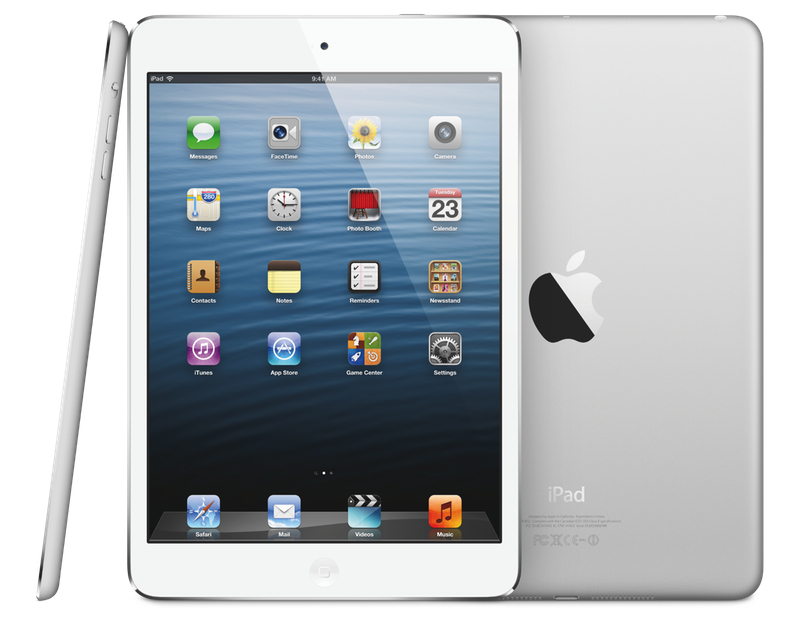
Phil Schiller took the stage today at Apple’s media event in San Jose to officially unveil the iPad mini, Apple’s latest entry in the iPad line-up.

As widely rumored, the iPad mini features the same 4:3 aspect ratio of the iPad with a smaller, 7.9” display carrying the same resolution of the original iPad and iPad 2 – 1024x768. The smaller display has allowed Apple to cut down the overall size of the device, which also features a lighter form factor and thinner design, as well as narrower borders. The iPad mini is, from a design standpoint, reminiscent of the iPad 2 and third-generation iPad, with a flat aluminum back, albeit with more rounded edges.

iPad mini is every inch an iPad. With its gorgeous 7.9-inch display, iPad mini features the same number of pixels as the original iPad and iPad 2, so you can run more than 275,000 apps designed specifically for iPad,” said Philip Schiller, Apple’s senior vice president of Worldwide Marketing.

Hardware

The iPad mini comes in two colors: white & silver and black & slate. The biggest feature, however, is its design, which is only 7.2mm thin and 53% lighter than the third generation iPad. Schiller compared the thinness of the iPad mini to a pencil. The iPad mini weighs 0.68lbs, making it as “light as a pad of paper”. Read more


The Numbers From Apple’s October 23 Event

As usual with every Apple product announcement, keynotes start with “state of the business” introduction that, through various numbers and facts, reveals how the company is doing in several areas such as retail, the App Store, and hardware sales. At today’s media event in San Jose, Apple CEO Tim Cook shared some interesting details on a variety of subjects.

  • iPhone 5 is off to a “tremendous start”. It’s been the fastest-selling opening weekend in the history of mobile phones.
  • Apple has already sold 3 million units of the new iPods (combined with the rest of the line-up).
  • 200 million devices have been updated to iOS 6.
  • 125 million documents have been stored in iCloud.
  • 300 billion iMessages have been sent to date.
  • 28,000 iMessages are sent every second.
  • 160 million Game Center accounts have been created.
  • 70 million photos have been shared with Photo Stream.
  • 700,000 iOS apps are available, 275,000 iPad apps.
  • Customers have now downloaded 35 billion apps from the App Store.
  • $6.5 billion have been paid to developers.
  • 1.5 million books are available on iTunes.
  • 400 million books have been downloaded since the launch of the Store.

For more coverage, check out our October 23 news hub and follow @macstoriesnet on Twitter.


Apple To Live Stream Today’s Media Event

Apple To Live Stream Today’s Media Event

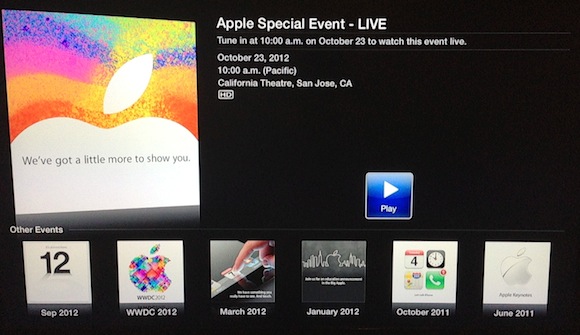
As reported by MacRumors, Apple has added an “Apple Events” application to the Apple TV software, confirming that it will offer a live stream of today’s media event starting at 10 AM PT. Among other additions to the software, the Apple Events app is noteworthy as it marks a return for Apple to offering live streams for its media events. It’s not clear yet whether Apple will also provide a live video feed for other devices or browsers.

In the past, Apple experimented with live video streams through Safari on Apple.com. Notably, Apple’s last video stream took place in 2010 for the Back to the Mac event, when the company unveiled OS X Lion and the new MacBook Airs.

Today’s event, rumored to be focused on the debut of a smaller iPad, will begin at 10 AM in San Jose, California. Check your time zone below, and stay tuned for our coverage through @MacStoriesNet and our October 23 hub.

Time Zones:

13:00 — New York, New York
10:00 — San Francisco, California
04:00 — Sydney, Australia
02:00 — Tokyo, Japan
01:00 — Shanghai, China
10:30 — New Delhi, India
21:00 — Moscow, Russia
19:00 — Rome, Italy
18:00 — London, England

Update: Beau Giles has posted two direct links for the live stream and XML file of the event. The links were found in the Apple TV software passed through a proxy. They’re likely to change later today, and we’ll keep you posted on solutions to stream the video elsewhere, if possible.

Update #2: Apple just confirmed they will also stream the event through Apple.com. This is the direct link for the browser-based live stream. As for the requirements:

Live streaming video requires Safari 4 or later on Mac OS X v10.6 or later; Safari on iOS 4.2 or later. Streaming via Apple TV requires second- or third-generation Apple TV with software 5.0.2 or later.

Permalink

Automatically Save An OmniFocus Project As iThoughts Mind Map

Automatically Save An OmniFocus Project As iThoughts Mind Map

After I posted about my OmniFocus > iThoughts mind-mapping workflow, several readers asked whether it’d be possible to only convert a specific section of OmniFocus to iThoughts format (as well as plain text and OPML). As Robin Trew, creator of the script, explains in the Help section:

Specify a sub-tree by the OmniFocus id of its root node. Defaults to None.

You can, in fact, slightly modify the script  by adding an -a switch and the ID of a particular project to restrict the query to that project and its subtree. This will work if you only want to export a specific Project to mind-map; Contexts have a different subtree structure in OmniFocus’ database.

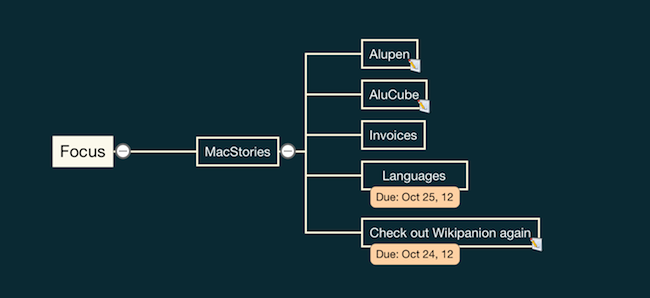
For instance, I only wanted to create a mind map for my MacStories project. To do so, I control-clicked on the project in the app’s sidebar, and selected “Copy As Link”; this will give you an OmniFocus URL like omnifocus:///task/oREye1BBxdg. The ID is the alphanumeric string after /task/.

Follow my tutorial, and add the -a switch as an additional filter:

python $HOME/ofoc_to_mindmap_018.py --output=$HOME/Dropbox/Maps/MacStories -m map.itm -c '0' --format=itmz -a oREye1BBxdg

Make sure to check out Robin’s script, as it’s much improved since the original release. You can also visit Robin’s website (and follow him on Twitter) for several AppleScript-related custom scripts and resources.

Permalink