Federico Viticci

10929 posts on MacStories since April 2009

Federico is the founder and Editor-in-Chief of MacStories, where he writes about Apple with a focus on apps, developers, iPad, and iOS productivity. He founded MacStories in April 2009 and has been writing about Apple since. Federico is also the co-host of AppStories, a weekly podcast exploring the world of apps, Unwind, a fun exploration of media and more, and NPC: Next Portable Console, a show about portable gaming and the handheld revolution.

This Week's Sponsor:

Crickets

The first alarm app for families.


“Normal People” And The iPad As A Second-Class Citizen→

Smart take by Diego Petrucci:

The misconception is that because most people don’t actually understand PCs/Macs, they do not have serious needs. That is wrong. People don’t do serious stuff on their PCs because PCs are incomprehensible to them. They just don’t work as they would expect. So they end up giving up and stop trying.

With iPads, though, they «get» computing. They notice that they can do stuff that was almost impossible (by their own standards) to do with PCs. They can make music (even if it’s just for fun), they can share boring blurred photos with their family members, they can look for skin problems with apps that recognize rushes and stuff like that. With time, their needs evolve. Doctors do doctory stuff with apps that understand patterns when dealing with uncommon diseases, housewives cross-check discounts on multiple apps and use notifications to be alerted when deals start, and so on. And yes, this is not my imagination, I’ve actually seen people do this stuff and these are real-world examples.

We (myself included) often refer to “normal” people, but we rarely reflect on just how empowering iOS devices have been for everyone. Diego makes some good points.

As I discussed on The Prompt, I also believe that, eventually, any iPad user – no matter the label you want to give them – will stumble across evident limitations of iOS. This is normal because iOS is still relatively young (especially after the iOS 7 reboot), but it’d be wrong not to bring attention to those issues.
Permalink


Pages, Going The Distance With Word→

Michael D. Shear compares Apple’s Pages to Microsoft Word at The New York Times. Before you begin yawning and close the tab, let me say that I liked the angle Shear used – instead of pointing out the advanced features that Apple removed (what I have also done), he considers Pages for normal people who don’t care about AppleScript and are typically fine with the basic formatting tools.

This bit about iCloud struck me as relevant:

The new version of Pages introduces an all-new sharing option, powered by the company’s iCloud service, that works remarkably well. Type in a person’s email address, click send, and that person receives a link to your document. When the link is clicked, the document opens in a web browser that looks like a fully functioning Pages application. (My mom didn’t even notice the difference.) The recipient doesn’t have to have Pages installed or have an iCloud account. It even makes Mac-PC sharing easy. The new version runs just fine in Internet Explorer, Firefox, Chrome or Safari on a Windows PC.

This is a solid point (emphasis mine). People like Shear’s mom and my folks don’t know the differences between “native” and “web” apps. Pages is Pages. Will they notice it’s Pages in the browser with a URL? Probably, but I guess a good percentage of people will just call it “Pages” or “the shared Pages”.

Here’s to hoping Apple will iterate on the web product quickly – the ease of sharing a document is indisputable, but it needs to be reliable and better integrated with every version of “Pages”.

Permalink

Reeder 2.1 Released with Themes, Reading List Support, Fixes

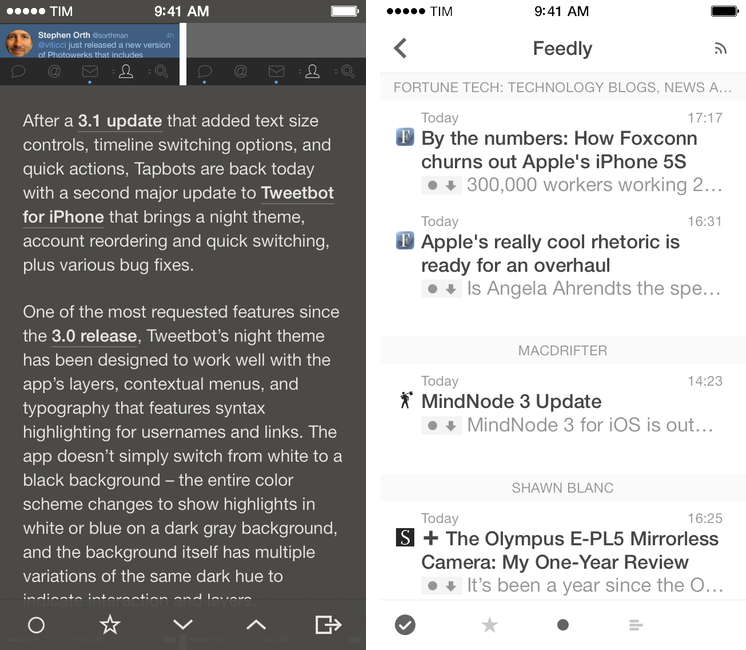
On the same day that Tapbots launched Tweetbot 3.2 with a dark theme, developer Silvio Rizzi released Reeder 2.1, which brings several fixes and changes to the app introduced in September, plus themes – including two dark ones.

The new theme switcher in Reeder 2.1, located in the style menu of the article viewer, allows you to switch between four themes: White, Light (the original one), Dark, and Gray. Choosing a theme is a manual operation, and the dark ones should help users who have been asking for a background easier on the eye while reading at night. I’m especially a fan of the Dark theme, as it’s not completely black – it’s a darker version of the original Reeder sepia hue. Read more


MindNode 3

MindNode 3

MindNode 3

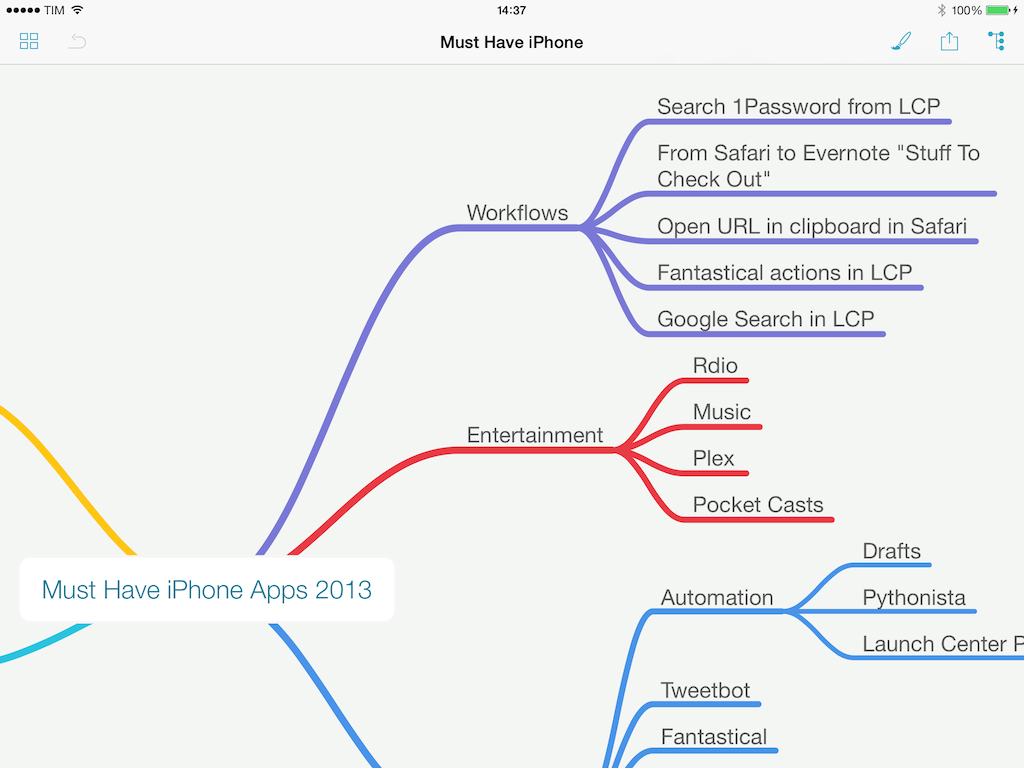
When I’m writing for MacStories, I tend to prepare articles as outlines in Evernote, where I’ll also throw in some images and hyperlinks. For pieces that are focused on a single subject (like an app review, a tutorial, or an opinion piece), the simple outline system works well because Evernote can keep everything in one place and show inline previews.

For longer articles that require deeper research and span a variety of topics, however, I like mind maps. Since I was in middle school and especially in high school, I got used to remember topics by creating mind maps (“concept maps”, as our teachers called them) with pen and paper for classes like History, Ancient Greek, English Literature, or Philosophy. Back then I had no iPhone or iPad and the school’s computers were some cheap Pentium 4s that the school administration couldn’t upgrade due to lack of regional funds, so I spent hours drawing little boxes and coloring them with highlighters. I made hundreds of them over the years.

When my brain has to jump from point to point several times and a text outline isn’t enough, I like the visual approach of mind maps. And in the modern age, unless I need specific advanced features of iThoughts, I usually open MindNode – IdeasOnCanvas’ app for the iPhone, iPad, and Mac. MindNode for iOS gets the 3.0 treatment today with a major update that redesigns the app, makes it iOS 7-only, adds new features, and cleans up some old ones while staying free for existing customers. Read more


Unbound: A Photo Viewer for Dropbox

Unbound

Unbound

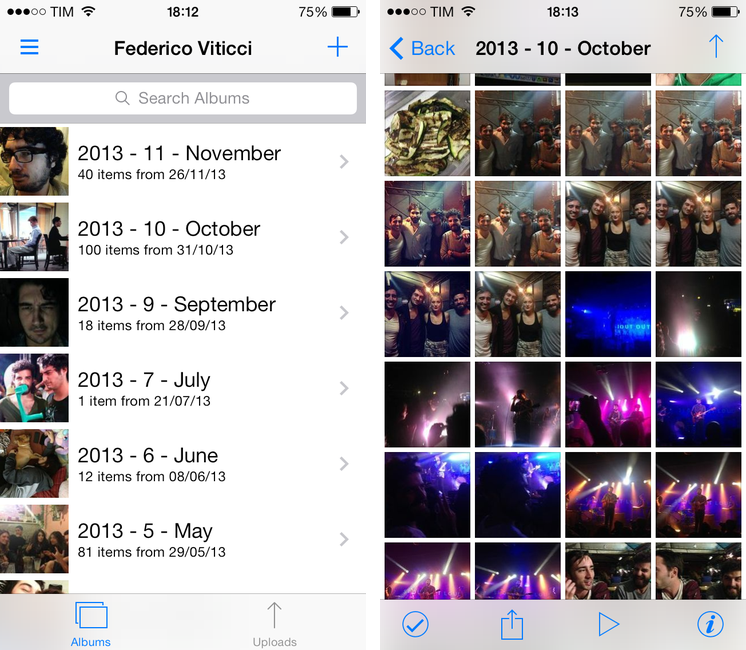
I’ve been keeping my photos in Dropbox for over a year now. I’ve remained loyal to a folder structure that organizes photos in years and months (Bradley would be proud of me) and I still use Hazel and CameraSync to upload my photos. While I’ve been happy with the uploading/organizing process of this photo backup workflow, the experience of browsing photos was never great. And I’d rather not talk about my brief, emotionally intense, and ultimately sad affair with Everpix.

Unbound by Pixite is a photo viewer for people who keep their photos in Dropbox. Unlike recent App Store trends, it comes as separate purchases for the iPhone and iPad priced at $2.99. The app is built for iOS 7, and it comes with viewing and sharing features that, right now, make it my best option to browse photos I’m storing on Dropbox. Read more


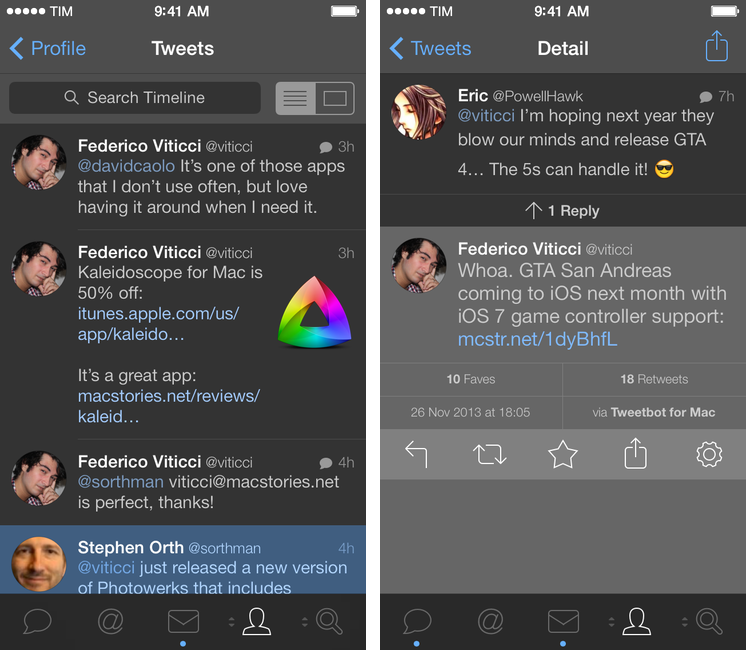
GTA: San Andreas Coming To iOS with Game Controller Support→

Today, Rockstar Games announced that GTA: San Andreas, first released for PlayStation 2 in 2004, will be released for mobile devices next month. The mobile version will include iOS and Android platforms, and, on iOS, the game will include support for iOS 7 game controllers – which have just started to become available.

From Rockstar’s PR:

Grand Theft Auto: San Andreas also features brand new touch controls including contextual control options to display buttons only when you need them and three different control schemes for driving and maneuvering, as well as a reworked checkpoint system for easier progression. Grand Theft Auto: San Andreas for mobile also comes equipped with full controller support, including Made for iOS controller capability on iOS7. It will be available for select iOS, Android, Amazon Kindle and Windows Mobile devices. Stay tuned for more details in the weeks ahead.

In the mobile version, graphics will also be remastered and upgraded to include higher detail for characters, models, color palettes, and draw distance. The game comes a year after Rockstar launched an iOS remake of Vice City, also first released on PlayStation 2.

San Andreas was the biggest GTA game of the PS2 era, and Rockstar recently used the same setting for GTA V, released for PlayStation 3 and Xbox 360. Last year’s iOS release of Vice City was praised for the improvements that went into the conversion but criticized for touch controls, and it’ll be interesting to see how Rockstar will tweak San Andreas for new touch controls and game controllers.

Permalink