Federico Viticci

10759 posts on MacStories since April 2009

Federico is the founder and Editor-in-Chief of MacStories, where he writes about Apple with a focus on apps, developers, iPad, and iOS productivity. He founded MacStories in April 2009 and has been writing about Apple since. Federico is also the co-host of AppStories, a weekly podcast exploring the world of apps, Unwind, a fun exploration of media and more, and NPC: Next Portable Console, a show about portable gaming and the handheld revolution.

The Prompt: Radioactive Chocolate Cake

This week, Jason Snell puts on his best Italian accent and joins Stephen and Myke to talk about online collaboration, keyboards and the third rail of 5by5 podcasting — comic books.

Bad news: as you may know by now, I couldn’t record on Wednesday due to issues with my ISP.

Good news: Myke and Stephen had a great discussion with Jason about iPads, comics, and more. And: my Internet should be back next week. Get the episode here.

Permalink

Life on iPad

Last night, Apple published a new mini-site called “Life on iPad” that, alongside a video that was first shown at the iPad event on October 22, includes profiles of people whose personal lives and businesses have been transformed and enriched by the iPad.

While I agree with Fraser Speirs’ comment, I think that this bit from Palmaz Vineyards’ profile sums it up well:

iPad brings us the perfect balance of function and creativity. And I don’t think it’s a coincidence that the one device we all love at home is the same device we want to use at work. Nothing else comes close.

The examples that Apple is showcasing are obviously specific (wind service technicians; Broadway dancers; a surgeon) because they need to tell a captivating story (“Frank, average iPad user from Dallas” doesn’t exactly make for an enticing profile), but the underlying theme is clear. The iPad is what you make of it.

Permalink

Dropbox 3.0 Released with iOS 7 Redesign

Dropbox

Dropbox

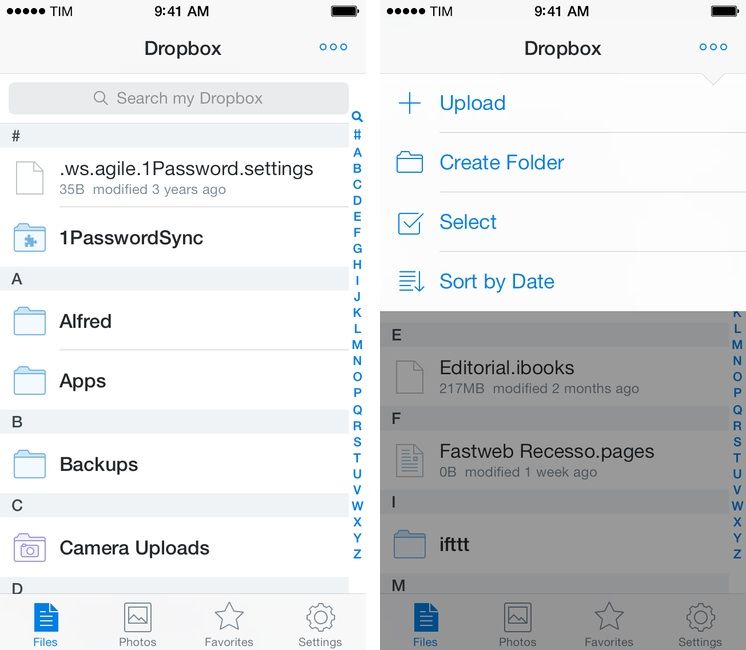
Released today on the App Store, Dropbox 3.0 is a complete redesign that gets the app ready for iOS 7.

Two months after the release of iOS 7, the new Dropbox shows the work of designer Tim Van Damme, who left Instagram to join the Dropbox design team earlier this year. “Dropbox 3.0 is all about your content. We stripped out as much branding as we could, just so you can focus on what’s important”, Van Damme told me. Noting how several functionalities and interactions have been simplified in this update, he mentioned how, for instance, documents and photos are easier to enjoy in full-screen: “On your iPad, it used to take two taps to see a photo full-screen. Now, a single tap will let you enjoy your photo full-screen, and this also works for most other file-types”, Van Damme added. Read more


TextExpander touch To Be Revised Significantly Following Apple Rejection

Smile just sent out a press email confirming what they shared in a Google group earlier today: following a rejection by Apple’s review team, TextExpander touch is going to be revised significantly to stay on the App Store.

Yesterday, after a period of engagement with the App Review Team from Apple, they informed us that TextExpander’s use of Reminders for shared snippet data storage is not an intended use of Reminders and will no longer be accepted. TextExpander touch will not clear review until this is resolved. Apps which implement the current TextExpander touch SDK may not clear review until their TextExpander touch SDK is updated.

To expand snippets in iOS apps that integrate with the TextExpander touch SDK, Smile relies, essentially, on a hack that lets them store snippet data in the Reminders database (it used to be a persistent pasteboard before iOS 7). Smile is bending the rules to make TextExpander touch work seamlessly within apps, but it’s still sad to hear that they’re facing technical issues because TextExpander touch is a great app that, to my knowledge, never caused problems due to its workarounds.

Smile is looking for an alternative solution and they want to publish an updated SDK by Monday. They are considering x-callback-url, which would make apps store TextExpander data in their own database but lose the possibility of syncing snippet changes with the main TextExpander touch app. It’s not good news, and I hope that Smile can figure out a solution soon.

Permalink

Video Trailers Debut On The App Store With ‘Clumsy Ninja’

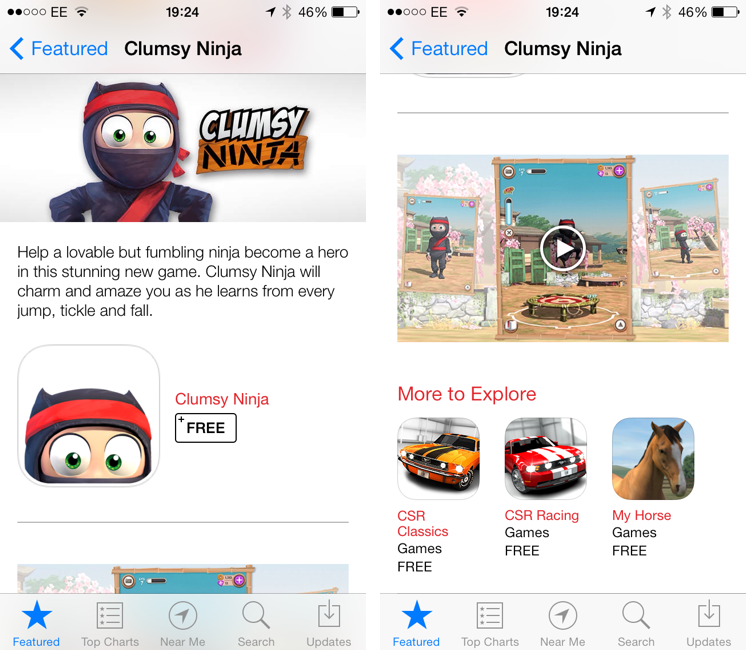
Apple is featuring Clumsy Ninja, an iOS game that was first announced at the iPhone 5 keynote in 2012, with a custom page on the App Store that, alongside a description, features a 1-minute trailer for the game. The custom “Featured” page is live on the UK App Store at the moment and it features Clumsy Ninja as Editor’s Choice for the week; it’s likely that the game will also be featured on the US App Store and other international stores later today.

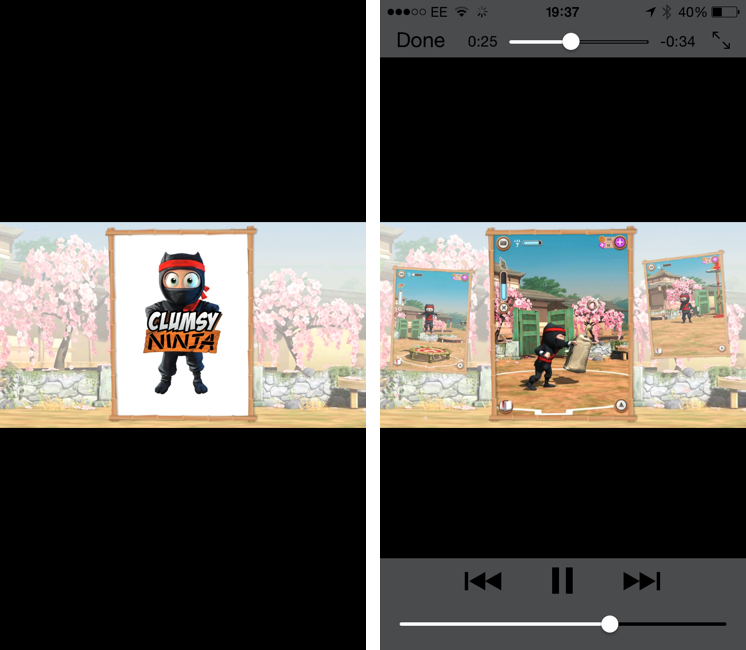
The big news is, of course, the fact that Apple is embedding a video in the App Store, which has historically only allowed developers to include up to five static screenshots for their apps. Clumsy Ninja’s video opens the built-in iOS media player in portrait mode, and it features music playing in the background with no voiceover or custom App Store branding. It is, effectively, a game trailer on the App Store; right now, it’s only available in the special Featured page for the app, as the app’s regular App Store page doesn’t show the trailer.

The possibility of including videos alongside screenshots on the App Store has long been one of the most requested features by third-party developers who, over the years, have struggled to explain App Store customers the purpose of their app or game with just text and images. With iOS 7’s focus on motion and animations, the lack of videos on the App Store was particularly surprising, and it led many to wonder as to whether Apple would soon add support for videos besides screenshots. When iOS 7 was first announced in June, even Apple produced a series of short videos for the OS’ official website, where they showcased the new features and design through animations and quick demonstrations of Messages and other apps.

It’s unclear at this point if Clumsy Ninja will remain an isolated case or become the norm for the App Store going forward. It’s also not clear whether any developer will be able to add a video for their app on the App Store, or if trailers will be limited to Editor’s Choice and managed by Apple’s curation team on a weekly basis. Developers have traditionally resorted to creating videos and screencasts of their apps for their websites or YouTube channels, and an integrated solution available in the App Store alongside screenshots, description, and buy buttons would be a fantastic addition to better illustrate an app’s feature set, flow, and user experience.


TextTool: Text Manipulation On iOS

TextTool

TextTool

It used to be that, to do nerd stuff, you had to get a Mac or PC. As iOS progressed over the years, however, developers saw that users were spending a lot of time trying to do work on their iPhones and iPads, and started building utilities that packed powerful functionalities in what looked like “just an app”. We got Drafts and Launch Center Pro, calendar apps and password managers just as powerful as their desktop counterparts, and, of course, apps to script iOS and a text editor with its own workflow system. To sum up: iOS is still maturing, but there’s no shortage of nerdy apps and utilities at this point.

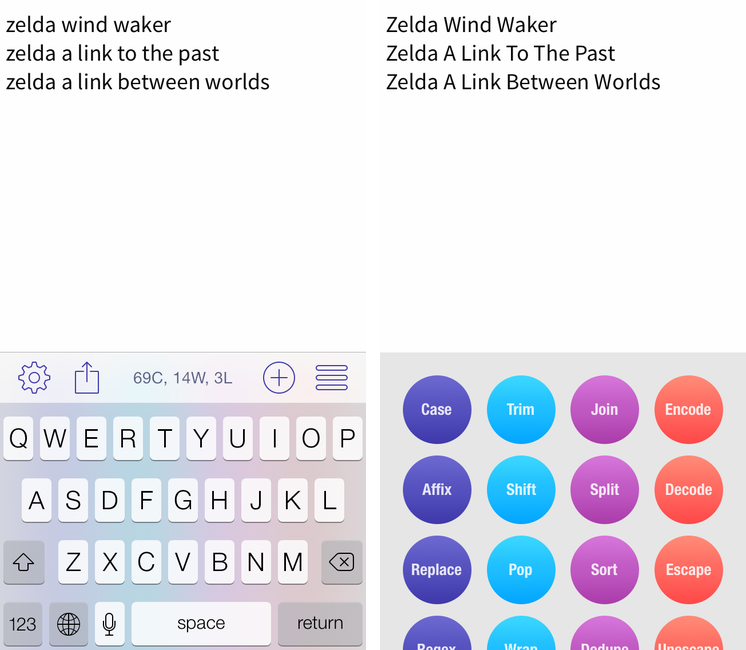
iOS is great for quick text entry thanks to the portability of an iPhone or iPad mini, but doing advanced text manipulation is a bit tricky unless you want to get dirty with Editorial and Python scripts. On the Mac, it’s easy to fire up Automator and create a workflow that takes a line of text and turns it Into Title Case or UPPERCASE; even going the extra mile and building services to take selected text and indent it or swap spaces with tabs takes a few minutes, but it’s doable with a basic knowledge of built-in OS X tools. On iOS? There’s no Automator (yet?), so, until today, if you wanted to do automated text transformations you’d have to get Editorial and Pythonista or use some of Launch Center Pro’s (limited) text filters.

Craig Pearlman noticed this problem and built TextTool, a $4.99 Universal app that comes with 28 built-in text transformations that you can use inside the app’s text editor or chain to other iOS apps with URL schemes and workflows.

Read more


Leaving Google Chrome: Why I’ve Returned To Safari

Safari

Safari

I guess you could say that I was quite the fan of Google Chrome.

Before switching to Chrome last year, I didn’t have a “favorite” browser or “browser of choice”: I just kept jumping between Safari, Chrome, and Firefox, trying out all the features that the three major players had to offer on OS X. I’m pretty sure that, at one point, I even tried to go a full week with using Opera. My browser requirements have always been fairly standard (several open tabs; a lot of reading; sync with mobile devices), so I could afford to change browsers without having to worry about setting up a complex environment from scratch.[1]

As I started using my iPad as my primary computer last year, I was growing increasingly annoyed with the state of iCloud sync in Safari and lack of major overhaul to a design that originally shipped with iPhone OS 1. I don’t frequently abandon systems that work for me due to stagnation, but iOS 6’s Safari exhibited a certain staleness on top of issues with bookmark and tab sync that, for me, were becoming an annoying problem. I liked Safari’s speed and native integrations with iOS, but it was prone to errors and boring.

On the other hand, Google Chrome for iOS was promising, familiar, and power user-friendly. I fell in love with Google’s support for x-callback-url, which I integrated in several workflows of mine as it allowed me to save time when switching between apps on my iPad; sync was nearly perfect; I praised Google’s superior implementation of voice dictation and feedback, although I noted how their Voice Search couldn’t exactly compete with Siri. Google kept pushing updates to Chrome for iOS, making it a capable browser for average and power users alike.

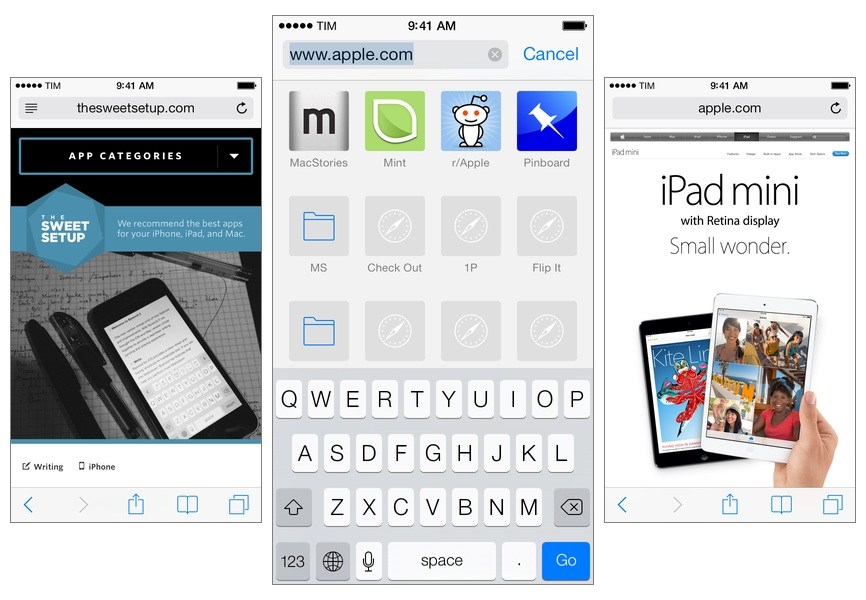
A few weeks after publishing my review of iOS 7, I decided to uninstall Chrome from all my devices and move back to Safari as my main and only browser on my iPhone, iPad, and two Macs.

I’m not looking back. I’m happy with the new Safari – so much, in fact, that I’m even considering Reading List as my “read later” service going forward.

Read more


First iOS 7 Game Controllers Now Available

As reported by The Verge, the first third-party iOS 7 game controllers are going on sale this week, although with mixed reviews by the press. Namely, PowerA has released the MOGA Ace Power ($100) and Logitech announced the PowerShell (Controller + Battery, shipping in December in the United States, priced at $99).

Both controllers take advantage of Apple’s new game controller API that was added in iOS 7, which allows hardware makers to create physical controllers that follow a specification provided by Apple, and that lets game developers easily add support for the controller framework once and expect their games to work with controllers by any company. However, Apple decided to make controllers optional in iOS 7 games (multi-touch is still required as primary input) and they didn’t launch or highlight a specific section of controller-ready games in the App Store, which led me to wonder about the potential of game controllers in the future.

Polygon’s Russ Frushtick tried the MOGA Ace Power, and he was not impressed:

It has a cheap, plastic feel and a rattle that makes it seem like the controller could shake apart at any moment. There’s also no wireless support, which means that you can only use devices that fit inside the controller’s expanding design (basically just newer iPod Touch and iPhones that support Apple’s lightning connector will work). There is a battery pack in the controller, so you can use it to charge your phone in a pinch, but it’s far from ideal for anything beyond that.

The MOGA Ace Power uses the “extended” controller option of Apple’s framework, which has support for dual analog sticks and shoulder buttons + triggers. Apparently, Apple asked PowerA to make sure iPhones and iPod touches could sit in the middle of the controller.

In his hands-on post, TouchArcade’s Eli Hodapp noted the potential of the MOGA Ace Power, its poor build quality, but also described the experience of playing first-person shooters on iOS:

Additionally, I’ve found myself actually enjoying playing first person shooters on my iPhone for the first time I can ever remember. All the frustration of having your thumbs all over the screen desperately trying to look and move while avoiding and/or hitting a plethora of virtual buttons just totally fades away. If you’re a huge fan of iOS first person shooters, consider one of these controllers an absolute must-have accessory.

Alas, it sounds like most game developers haven’t tested their games with the first iOS 7 controllers, resulting in interfaces that don’t disappear when a controller is connected (virtual buttons and sticks) or control schemes that don’t use all the provided buttons.

The Logitech PowerShell, on the other hand, uses the simple, SNES-like controller configuration with no dual analog sticks. SlashGear’s Chris Davies tried the PowerShell, although I’m not sure this justifies its premium price tag:

As you might hope for a hundred-dollar controller, the keys are sturdy and firm, with just the right sort of response under your fingertip. If you’ve tried a recent Logitech pad for PC, they’ll be very familiar.

On the official website, Logitech has posted a list of games that are compatible with the PowerShell (and presumably any other controller as well) and a product page with additional information and photos.

Based on initial reviews, it sounds like it’s too early to invest in an iOS 7 game controller: as expected, the first controllers work but they’re not great, and, more importantly, you won’t find many games with proper support for game controllers today. iOS 7 game controllers keep having enormous potential to enhance gaming on iOS; at the same time, though, we’ll have to wait and see if physical controllers are what iOS really needed to go beyond freemium games, ports, spin-offs, and the occasional gem.

Permalink