Andrew Cunningham, writing for Ars Technica:
I’ve been testing iOS on old devices for six years, and I’ve never seen a release that has actually improved performance on old devices. At best, updates like iOS 6, iOS 9, and iOS 10 didn’t make things much worse; at worst, updates like iOS 7 and iOS 8 made old devices feel like old devices. Anyone using an older device can safely upgrade to iOS 12 without worrying about speed, and that’s a big deal. You’ll notice an improvement most of the time, even on newer devices (my iPad Air 2, which had started to feel its age running iOS 11, feels great with iOS 12).
As I noted in my review, I was hoping someone would run actual measurements for different system features on older devices running multiple versions of iOS. Cunningham did exactly that, going all the way back to iOS 10 on the iPhone 5S.
Federico has published his iOS 12 review, and the boys get nerdy talking about Siri Shortcuts and some updated apps before Stephen talks about macOS Mojave’s launch.
On last week’s episode of Connected, we covered some behind-the-scenes aspects of my iOS 12 review and the upcoming release of macOS Mojave. You can listen here.
Sponsored by:
- Away: Travel smarter with the suitcase that charges your phone. Get $20 off with the code ‘connected’.
- Pingdom: Start monitoring your websites and servers today. Use offer code CONNECTED to get 30% off.
- Molekule: The only air purifier that actually destroys pollutants. Use connected for $75 off.
In an episode of AppStories Unplugged released to Club MacStories members earlier this week (it can be downloaded here), I explained in broad strokes what my process for putting together my annual iOS review was like this year. Now, I’d like to get a little more specific by sharing additional details and screenshots about...
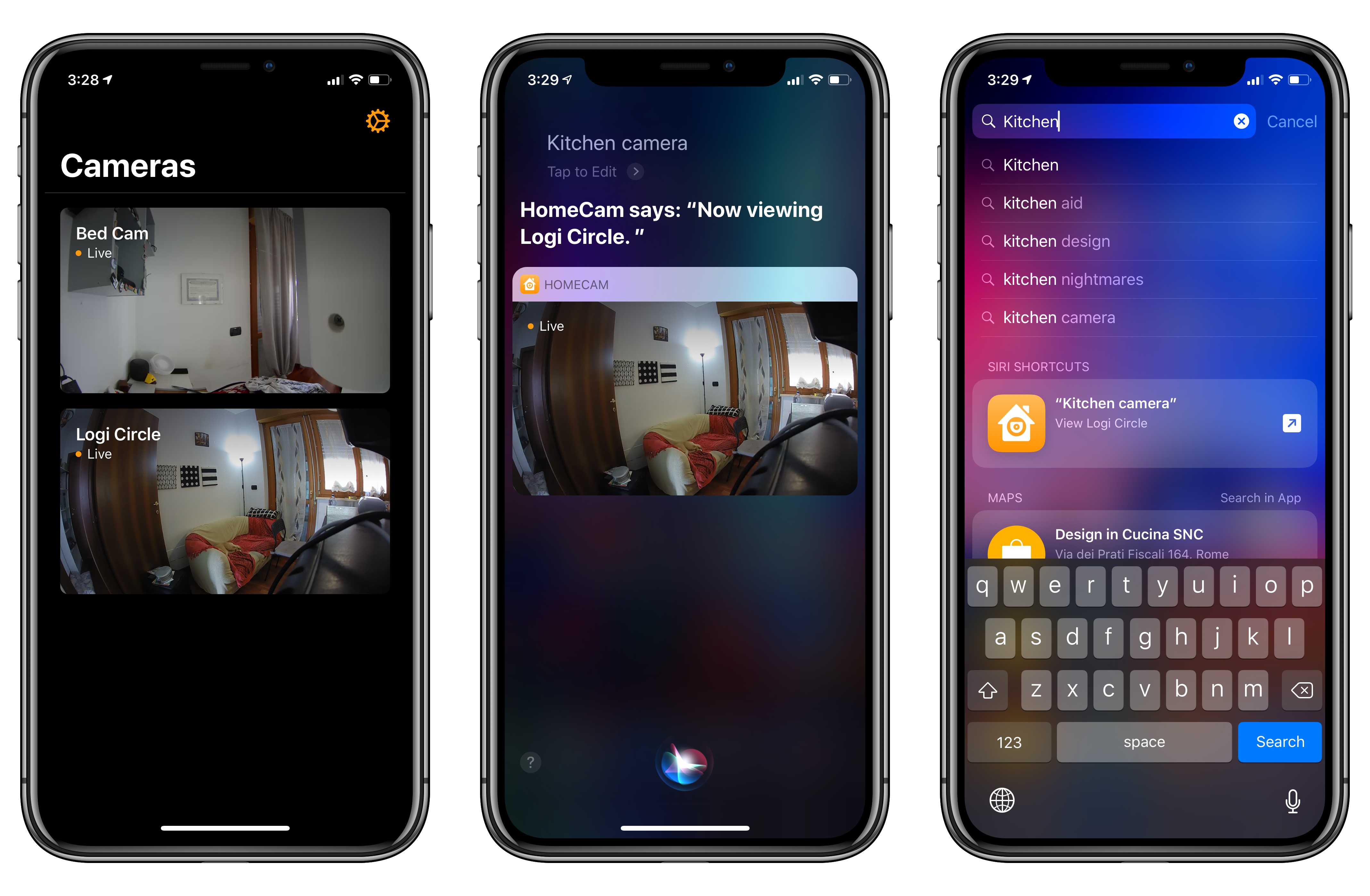
I previously covered HomeCam, a HomeKit utility by indie developer Aaron Pearce, as a superior way to watch live video streams from multiple HomeKit cameras. In addition to a clean design and straightforward approach (your cameras are displayed in a grid), what set HomeCam apart was the ability to view information from other HomeKit accessories located in the same room of a camera and control nearby lights without leaving the camera UI. Compared to Apple’s approach to opening cameras in the clunky Home app, HomeCam is a nimble, must-have utility for anyone who owns multiple HomeKit cameras and wants to tune into their video feeds quickly. With the release of iOS 12, HomeCam is gaining one of the most impressive and useful implementations of Siri shortcuts I’ve seen on the platform yet.
Read more
Apple describes the XS as sporting “dual 12MP wide-angle and telephoto cameras”. This will be obvious to most of you, but in case it’s not, they’re not just dual rear-facing lenses, they’re dual rear-facing cameras. The wide-angle and telephoto lenses each have their own sensors. As a user you don’t have to know this, and should never notice it. The iPhone XS telephoto camera is the same as in the iPhone X — same lens, same sensor.
But the iPhone XS wide-angle camera has a new lens, which I believe to be superior to last year’s, and an amazing new sensor which is remarkably better than last year’s. And last year’s was very good.
Anytime an iPhone review gets too technical about camera details and photography lexicon, I tend to gloss over it and move on. I’m not a camera expert and I usually don’t care about the nitty-gritty. But John Gruber’s analysis of the iPhone XS’ camera stack, A12 SoC, and seemingly unadvertised improved sensor is one of the most interesting camera-focused iPhone reviews I’ve read in years. I don’t want to spoil it – move past the photos at the beginning and keep reading.
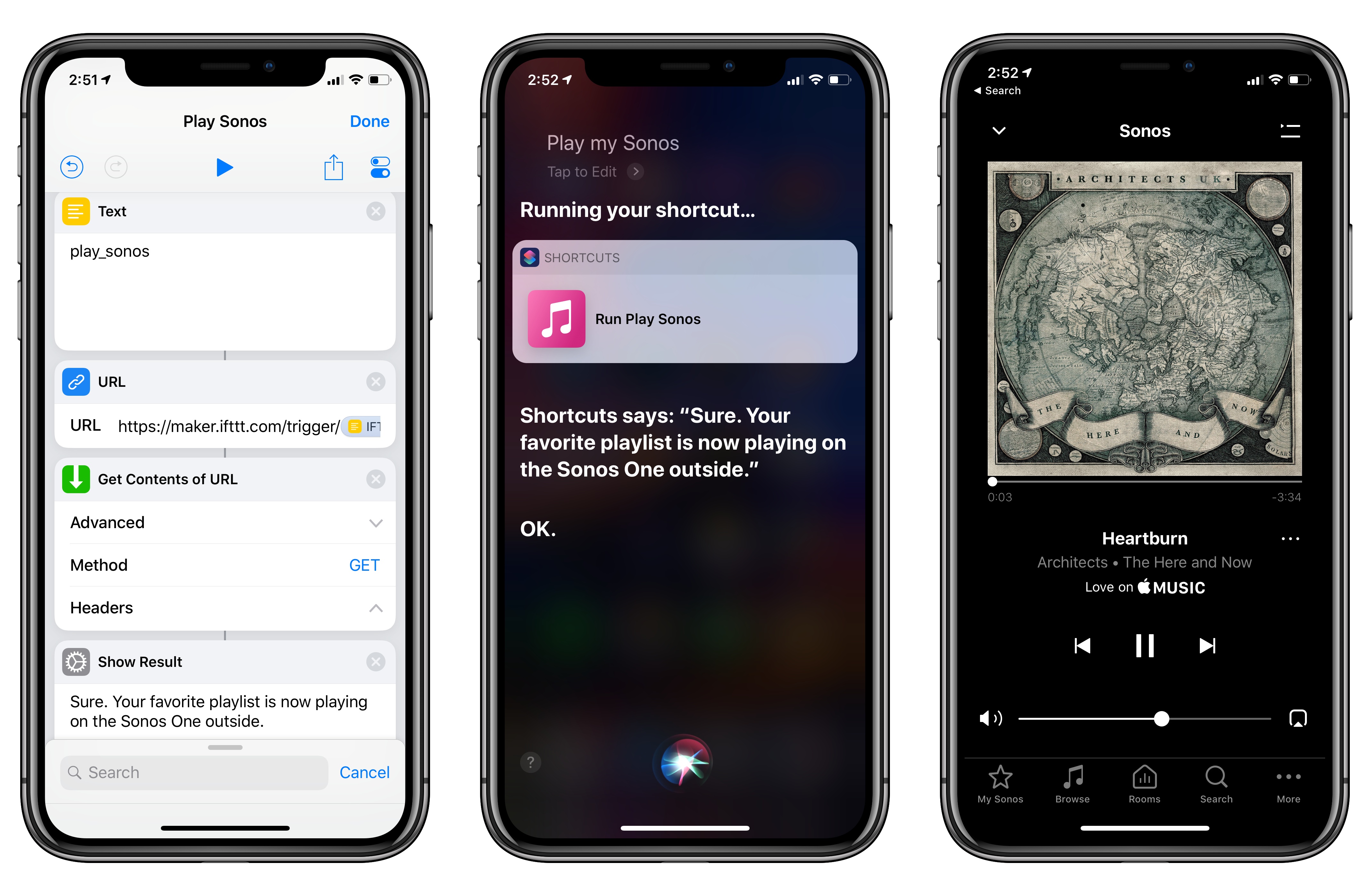
Among the actions that didn’t make the transition from Workflow to the new Shortcuts app for iOS 12, built-in support for triggering IFTTT applets (formerly known as “recipes”) is perhaps the most annoying one. With just a few taps, Workflow’s old ‘Trigger IFTTT Applet’ action allowed you to assemble workflows that combined the power of iOS integrations with IFTTT’s hundreds of supported services. The IFTTT action acted as a bridge between Workflow and services that didn’t offer native support for the app, such as Google Sheets, Spotify, and several smart home devices.
Fortunately, there’s still a way to integrate the just-released Shortcuts app with IFTTT. The method I’m going to describe below involves a bit more manual setup because it’s not as nicely integrated with Shortcuts as the old action might have been. In return however, you’ll unlock the ability to enable IFTTT triggers using Siri on your iOS devices, Apple Watch, and HomePod – something that was never possible with Workflow’s original IFTTT support. Let’s take a look.
Read more
Extensive, nicely formatted guide for the new Shortcuts app, published directly by Apple today.
If you’re absolutely new to the Shortcuts app and never played with Workflow before, this is where I’d start. The guide goes into great detail about what shortcuts are, how you can organize them, and what types of input are supported in Shortcuts. There’s also an Advanced section where – and I never thought I’d see this – Apple explains x-callback-url and web APIs. Some of these sections have been adapted from the old Workflow documentation, but it’s a fantastic resource regardless. And once you’re done reading through Apple’s materials, I’ll be waiting here.
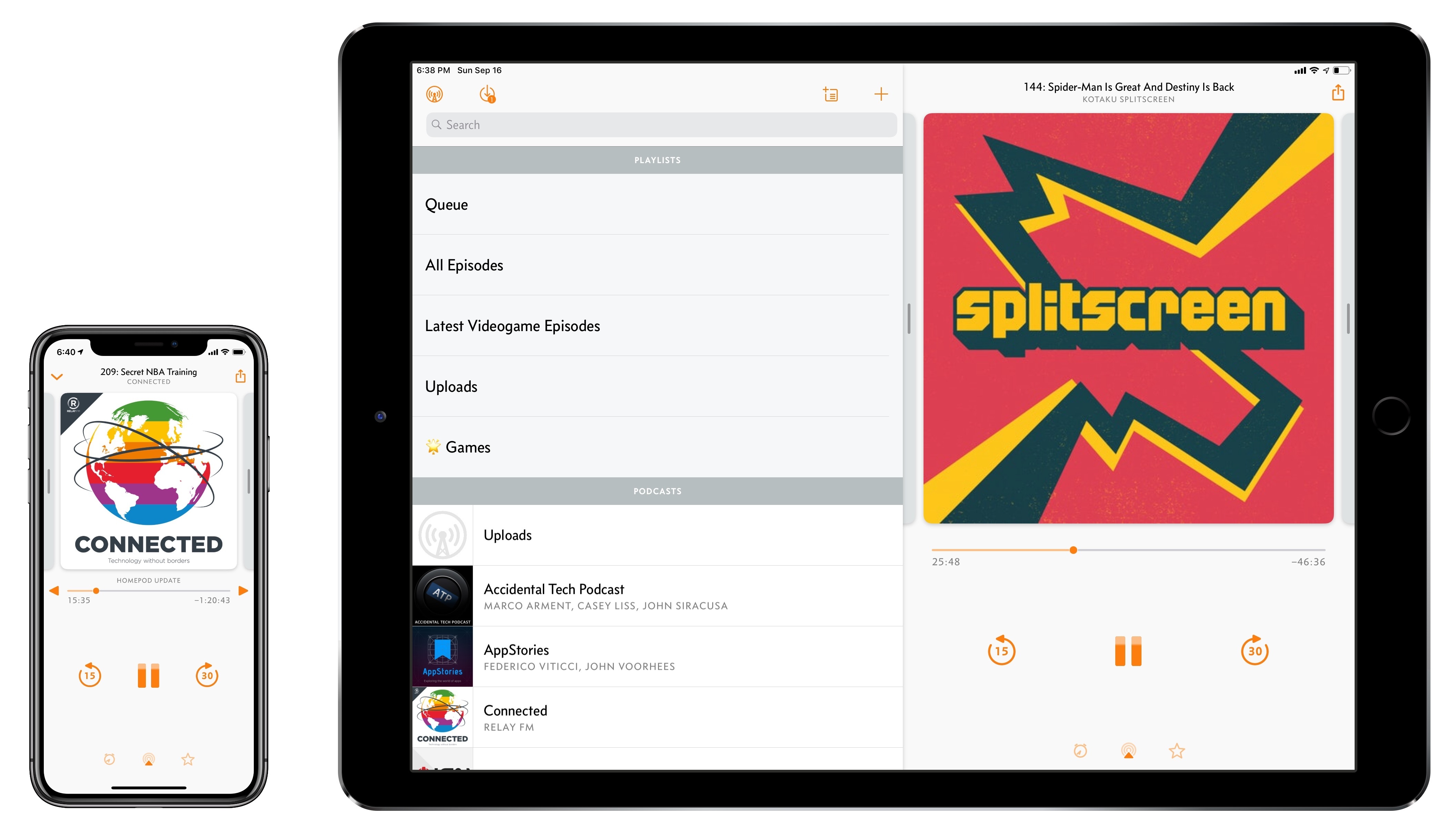
Overcast, Marco Arment’s popular podcast client for iPhone and iPad, received a major update today to version 5. While I’ve long praised Apple’s work on their built-in Podcasts app for iOS – particularly since getting three HomePods and leveraging Podcasts’ support for AirPlay 2 – I also recognize the appeal of Overcast’s advanced features and powerful audio effects. Sprinkled throughout Overcast’s release history are design details and enhancements big and small that make it a sophisticated, versatile client for podcast aficionados who don’t want to settle for a stock app. From this standpoint, despite welcome improvements to Podcasts in iOS 12, changes in Overcast 5 make it an even more attractive option that has caused me second-guess my decision to embrace Apple’s native app.
Read more
This week, Federico and John dig into some of their favorite iOS app debuts and updates highlighting iOS 12 features.
Read more



 John
John