Federico Viticci

10637 posts on MacStories since April 2009

Federico is the founder and Editor-in-Chief of MacStories, where he writes about Apple with a focus on apps, developers, iPad, and iOS productivity. He founded MacStories in April 2009 and has been writing about Apple since. Federico is also the co-host of AppStories, a weekly podcast exploring the world of apps, Unwind, a fun exploration of media and more, and NPC: Next Portable Console, a show about portable gaming and the handheld revolution.

My Must-Have Apps, 2019 Edition

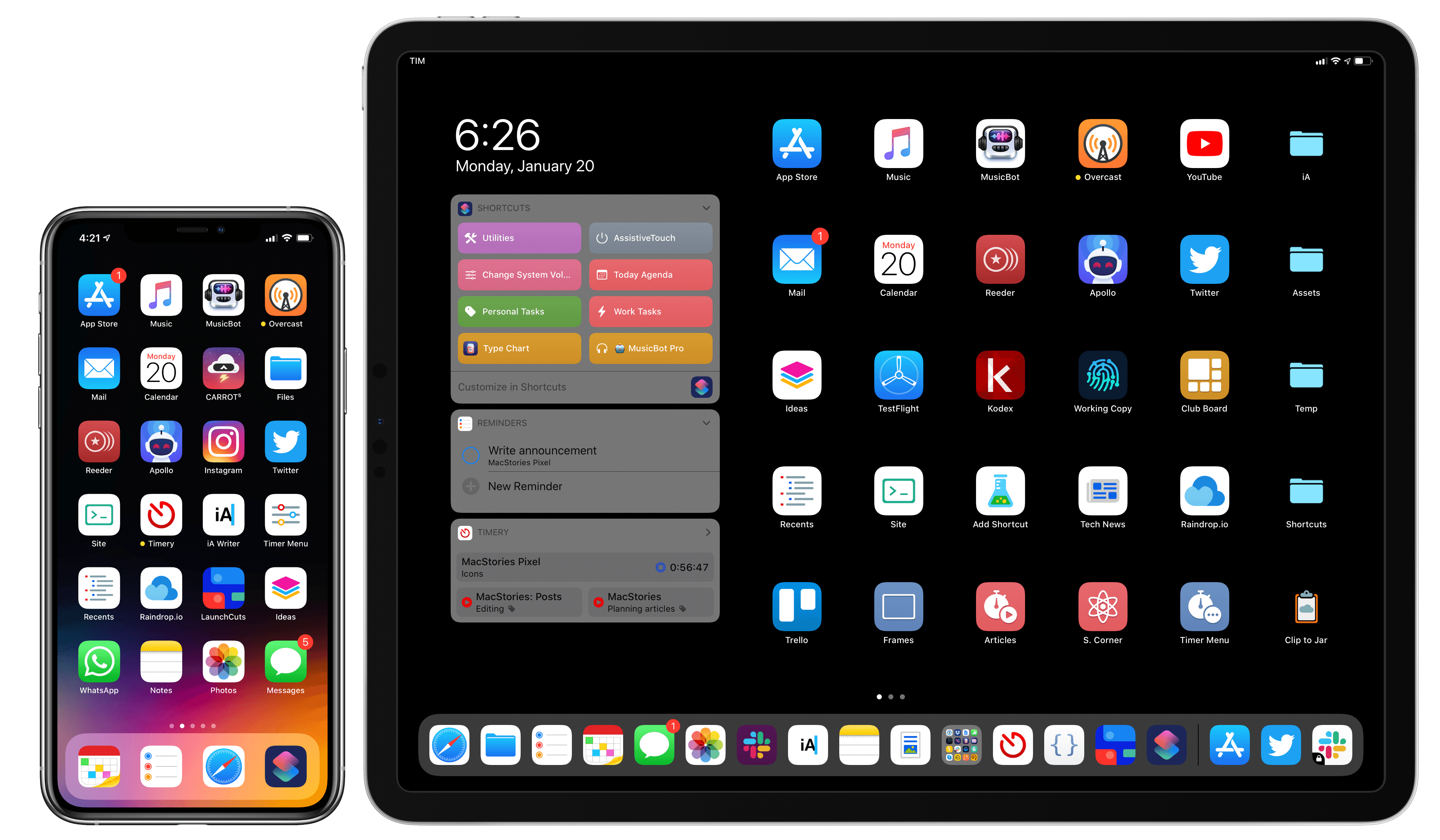
My Home screens.

My Home screens.

Every year in late October, I start putting together a rough list of candidates for my annual ‘Must-Have Apps’ story, which I’ve historically published in late December, right before the holiday break. As you can tell by the date on this article, the 2019 edition of this story is different: not only did I spend the last months of the year testing a variety of new apps and betas, but I also kept tweaking my Home screen to accomodate MusicBot and new Home screen shortcuts. As a result, it took me a bit longer to finalize the 2019 collection of my must-have apps; in the process, however, I’ve come up with a slightly updated format that I believe will scale better over the next few years.

In terms of app usage, 2019 was a year of stabilization for me. Having settled on a specific writing workflow revolving around iA Writer and Working Copy, and having figured out a solution to record podcasts from my iPad Pro, I spent the year fine-tuning my usage of those apps, refining my file management habits thanks to iPadOS’ improved Files app, and cutting down on the number of apps I kept tucked away in folders on my iPhone and iPad.

Two themes emerged over the second half of 2019, though. First, thanks to various improvements in iOS and iPadOS 13, I increased my reliance on “first-party” Apple apps: I embraced the new Reminders app and its exclusive features, stopped using third-party note-taking apps and moved everything to Notes, and switched back to Apple Mail as my default email client. I’ve written about the idea of comfort in the Apple ecosystem before, and I’ve seen that concept work its way into my app preferences more and more over the course of 2019.

The second theme, unsurprisingly, is my adoption of a hybrid Home screen that combines apps and shortcuts powered by our custom MacStories Shortcuts Icons. Following changes to running shortcuts from the Home screen in iOS 13, I realized how much I was going to benefit from the ability to execute commands with the tap of an icon, so I decided to mix and match apps and shortcuts on my Home screens to maximize efficiency. Thanks to the different flavors of MacStories Shortcuts Icons (we just launched a Color set), I’ve been able to assemble a truly personalized Home screen layout that puts the best of both worlds – my favorite apps and custom shortcuts – right at my fingertips.

For this reason, starting this year you’ll find a new Home Screens section at the beginning of this roundup that covers the first tier of my must-have apps – the “ultimate favorites” I tend to keep on the Home screens of both devices. Because I like to keep my iPhone and iPad Home screens consistent, it made sense to start grouping these apps together in their own special section. These are the apps I use most on a daily basis; I’m pretty sure you’ll find at least a couple surprises this year.

This entire story features a collection of the 50 apps I consider my must-haves on the iPhone and iPad, organized in seven categories; whenever possible, I included links to original reviews and past coverage on MacStories. As for the traditional list of awards for best new app and best app update: those are now part of our annual MacStories Selects awards, which we published last December and you can find here.

Let’s dig in.
Read more


Introducing MacStories Shortcuts Icons Color Edition, Featuring 350 Multi-Color Icons

The Color set is a brand new version of MacStories Shortcuts Icons.

The Color set is a brand new version of MacStories Shortcuts Icons.

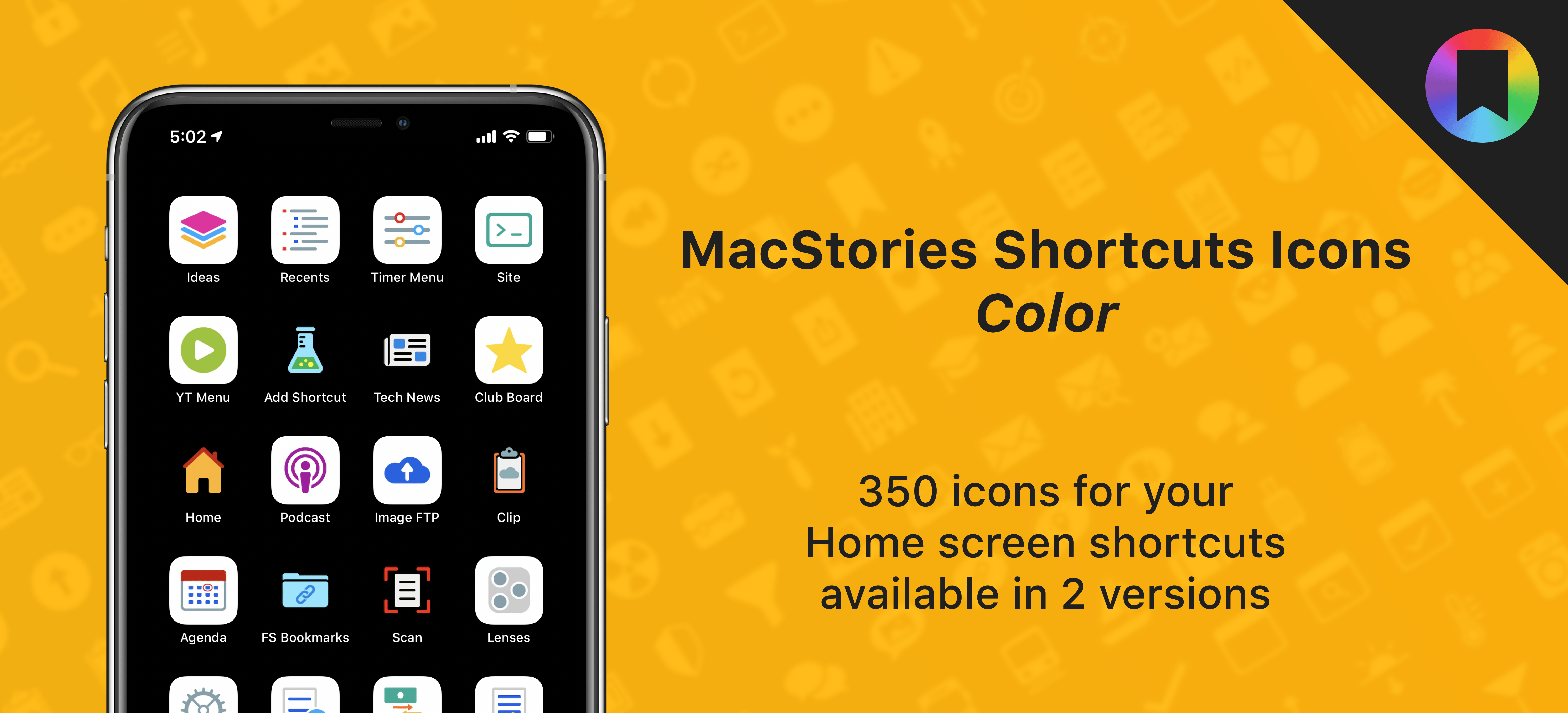
After working on this for months, I’m thrilled to announce the second product released under the MacStories Pixel brand: today we’re launching MacStories Shortcuts Icons (Color), a different version of our icon set that features multi-color glyphs and two background options.

Here’s the gist of today’s launch: MacStories Shortcuts Icons (Color) are a new, separate set available for $14.99 here. What makes the Color set different: while the Classic set comes with monochrome glyphs, the Color version features multi-color glyphs with white or pure black backgrounds.

You can read more details about MacStories Shortcuts Icons (Color) here and buy the new set here.

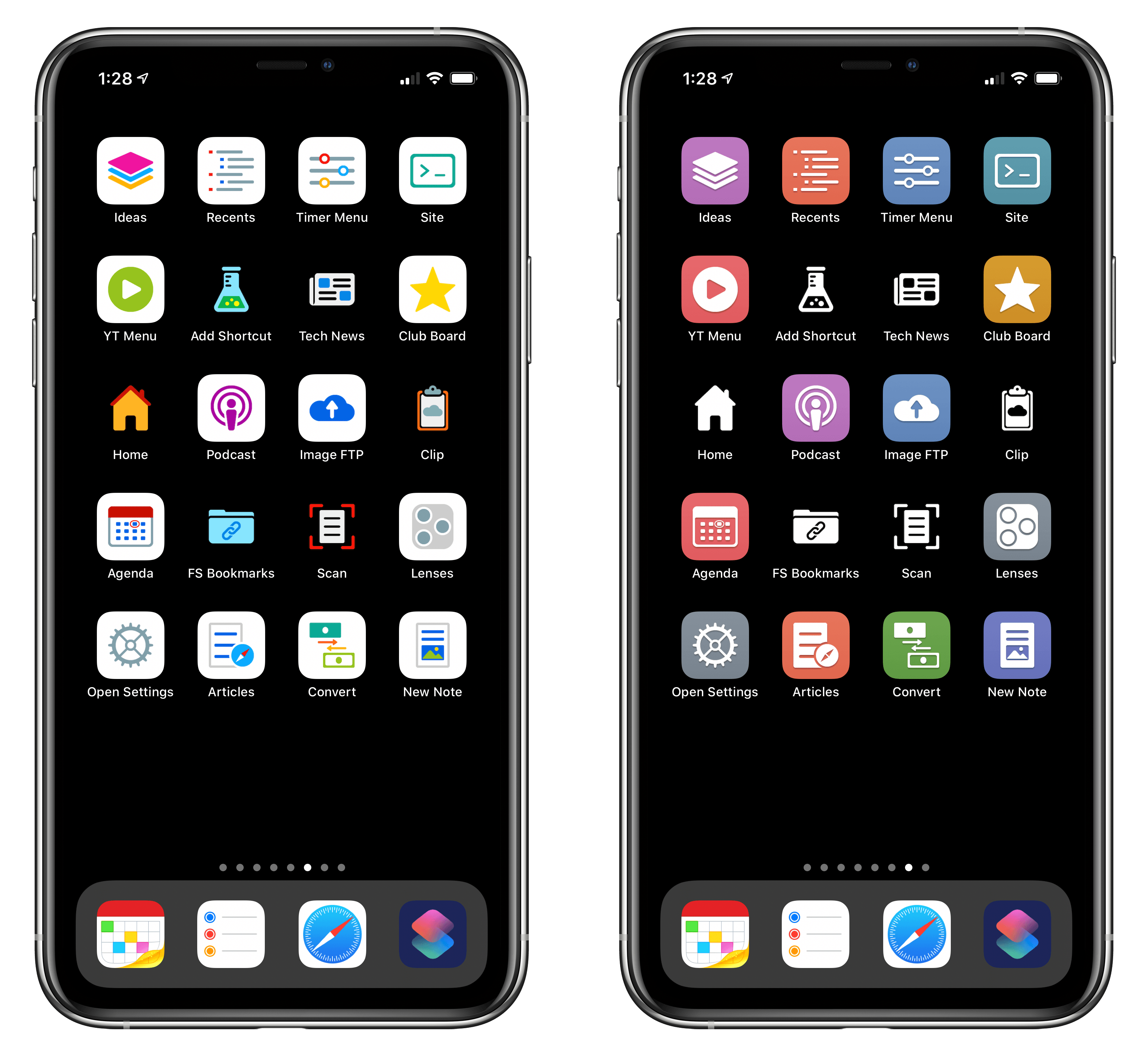
And here’s a look at the difference between the two sets in practice:

The new Color set (left) features stunning multi-color glyphs. The Classic set (right) now includes black and white icons too.

The new Color set (left) features stunning multi-color glyphs. The Classic set (right) now includes black and white icons too.

As part of today’s launch, we’ve also redesigned the MacStories Pixel homepage to accomodate our new suite of products.

Read more


Connected, Episode 277: Good Luck Not Waking Up the Entire Building

On this week’s episode of Connected:

After working out what the award should be for the two Chairman spots, the boys ponder the future of the iPad Pro’s accessories and the holes on the back of the rack-mounted Mac Pro. Then, Myke provides a tour of CES.

You can listen below (and find the show notes here).

AppStories+ Deeper into the world of apps
0:00
01:20:34

Connected, Episode 277

AppStories+ Deeper into the world of apps

Sponsored by:

  • Health IQ: Insurance for the Health Conscious. Save up to 41%. Take the quiz now to see if you qualify.
  • Bombas: Super comfortable socks. Use this link for 20% off.
  • Booz Allen: Integrate. Innovate. Get it done with Booz Allen.
Permalink

Shortcuts Utility Apps

AppStories+ Deeper into the world of apps

AppStories Episode 145 - Shortcuts Utility Apps

0:00
41:40

AppStories+ Deeper into the world of apps

This week, Federico and John cover Shortcuts utilities including Toolbox Pro, Pushcut, and LaunchCuts. They also preview an upcoming Shortcuts utility from Simon Stovring called Data Jar and explain the difference between Shortcuts, shortcuts, Siri Shortcuts, and other terminology.

Read more


The New Year’s Shortcuts Pack

For this special issue of MacStories Weekly, I thought it’d be fun – and appropriate – to ring in the new year with a handful of shortcuts that can help you form new habits or gain a better understanding of your time. While I often write about using Shortcuts for productivity purposes (and sometimes...


Member Requests

Question: I am trying to make a Shortcut to add a Trello card to Reminders with the link to the card in the URL field of the reminder. I managed to create it in iOS 12, but since iOS 13 with the new parameters framework I cannot manage to get the card’s name and the...


Adapt, Episode 16: Having Fun with the iPad

On this week’s episode of Adapt:

Federico and Ryan ease into the new year by taking a break from iPad productivity and explaining how they use the device for fun. Plus a challenge recap, #AskAdapt, and more.

You can listen below (and find the show notes here), and don’t forget to send us questions using #AskAdapt and by tagging our Twitter account.

AppStories+ Deeper into the world of apps
0:00
01:04:14

Adapt, Episode 16

AppStories+ Deeper into the world of apps

Sponsored by:

Permalink

Connected, Episode 276: Symbiosis, Osmosis, Whatever

On this week’s episode of Connected:

The boys kick of 2020 with a lot of follow-up including clarifying what being a Chairman means, a challenge for the Upgradies and a debate about the iPad Air, then conversations about LaunchCuts and Twitter’s iPad app.

You can listen below (and find the show notes here).

AppStories+ Deeper into the world of apps
0:00
01:39:39

Connected, Episode 276

AppStories+ Deeper into the world of apps

Sponsored by:

  • Pingdom: Start monitoring your website performance and availability today, and get instant alerts when an outage occurs or a site transaction fails. Use offer code CONNECTED to get 30% off. Offer expires on January 31 2021.
  • Squarespace: Make your next move. Enter offer code CONNECTED at checkout to get 10% off your first purchase.
  • Booz Allen: Integrate. Innovate. Get it done with Booz Allen.
Permalink