Posts tagged with "utility"

Moom 4: Mac Window Management, Upgraded

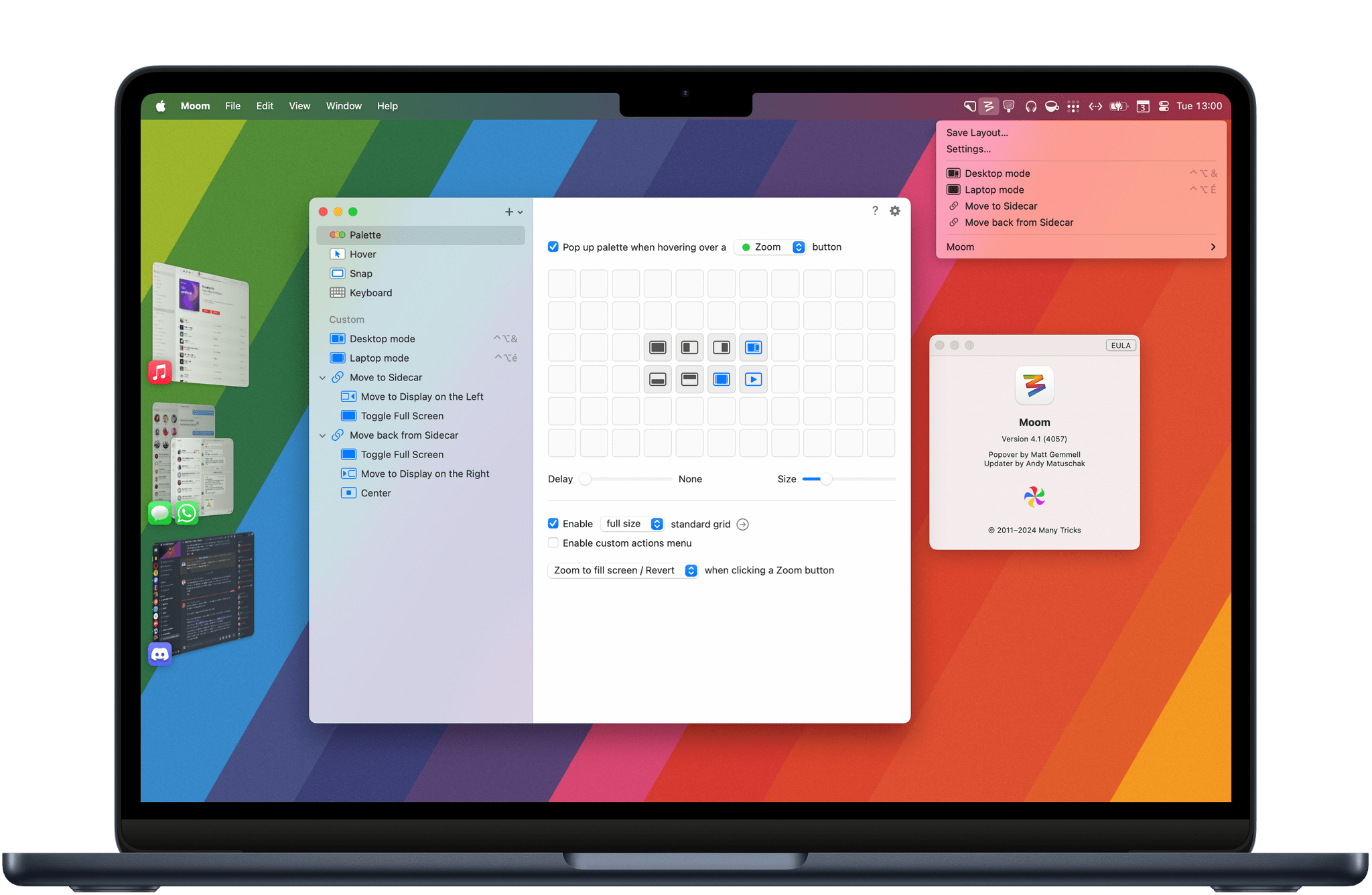
This summer, my all-time favorite window management utility Moom received a major 4.0 upgrade more than 12 years after the initial release of Moom 3. Ever since I went back to the Mac as my main computer, Moom has allowed me to create automations to arrange my windows and easily save and restore specific window layouts. From a fully customizable palette to new keyboard shortcut options to the ability to chain custom commands, Moom 4 offers a wide range of new features that make it an even more advanced utility that will appeal to anyone looking for more flexibility than Apple’s new window tiling feature, which is coming in macOS Sequoia.

Let’s check out the main new features in Moom 4.

Read more

Access Extra Content and Perks

Founded in 2015, Club MacStories has delivered exclusive content every week for nearly a decade.

What started with weekly and monthly email newsletters has blossomed into a family of memberships designed for every MacStories fan.

Learn more here and from our Club FAQs.

Club MacStories: Weekly and monthly newsletters via email and the web that are brimming with apps, tips, automation workflows, longform writing, early access to the MacStories Unwind podcast, periodic giveaways, and more;

Club MacStories+: Everything that Club MacStories offers, plus an active Discord community, advanced search and custom RSS features for exploring the Club’s entire back catalog, bonus columns, and dozens of app discounts;

Club Premier: All of the above and AppStories+, an extended version of our flagship podcast that’s delivered early, ad-free, and in high-bitrate audio.

Learn more here and from our Club FAQs.


Shareshot 1.0: Pixel Perfect Screenshots, Beautifully Presented

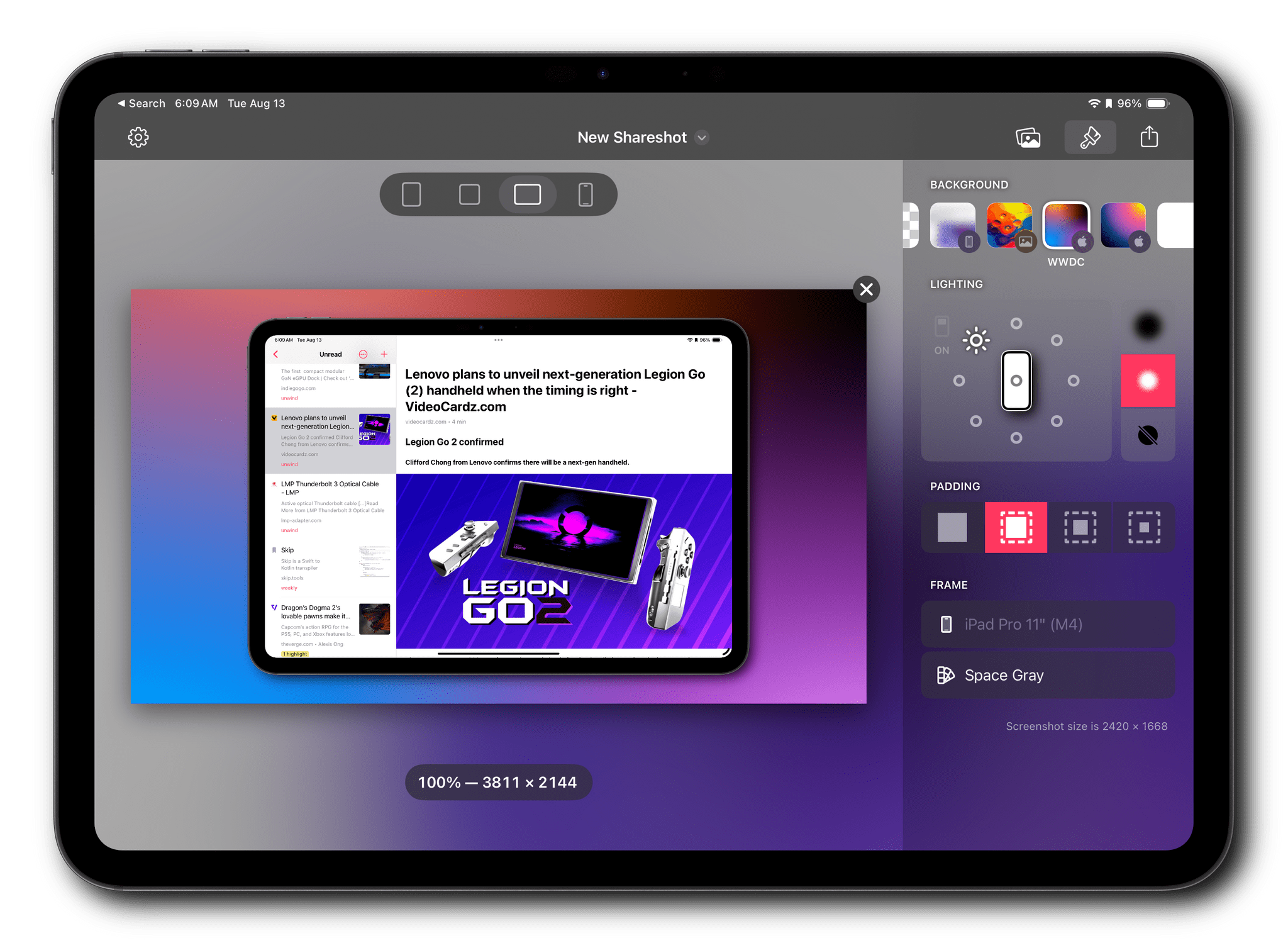
I’ve used Federico’s Apple Frames shortcut to add device frames to screenshots for years. It’s a great way to quickly process multiple screenshots and upload them to the MacStories CDN with minimal effort. But as great as Shortcuts is for simplifying this sort of task, there are advantages to using a native app instead.

Editing screenshots on the iPad.

Editing screenshots on the iPad.

Shareshot is an app for iPhone, iPad, and Vision Pro that occupies a lot of the same feature space as Apple Frames, using Apple hardware to frame screenshots. However, the app simultaneously does more and a little less than Federico’s shortcut. That one missing feature means that I won’t be abandoning Apple Frames, but because of the things the app can do that Apple Frames can’t, Shareshot will be joining the shortcut as a utility I expect to use a lot.

Let’s dig into what makes Shareshot shine.

Read more

Access Extra Content and Perks

Founded in 2015, Club MacStories has delivered exclusive content every week for nearly a decade.

What started with weekly and monthly email newsletters has blossomed into a family of memberships designed for every MacStories fan.

Learn more here and from our Club FAQs.

Club MacStories: Weekly and monthly newsletters via email and the web that are brimming with apps, tips, automation workflows, longform writing, early access to the MacStories Unwind podcast, periodic giveaways, and more;

Club MacStories+: Everything that Club MacStories offers, plus an active Discord community, advanced search and custom RSS features for exploring the Club’s entire back catalog, bonus columns, and dozens of app discounts;

Club Premier: All of the above and AppStories+, an extended version of our flagship podcast that’s delivered early, ad-free, and in high-bitrate audio.

Learn more here and from our Club FAQs.


NotchNook and MediaMate: Two Apps to Add a Dynamic Island to the Mac

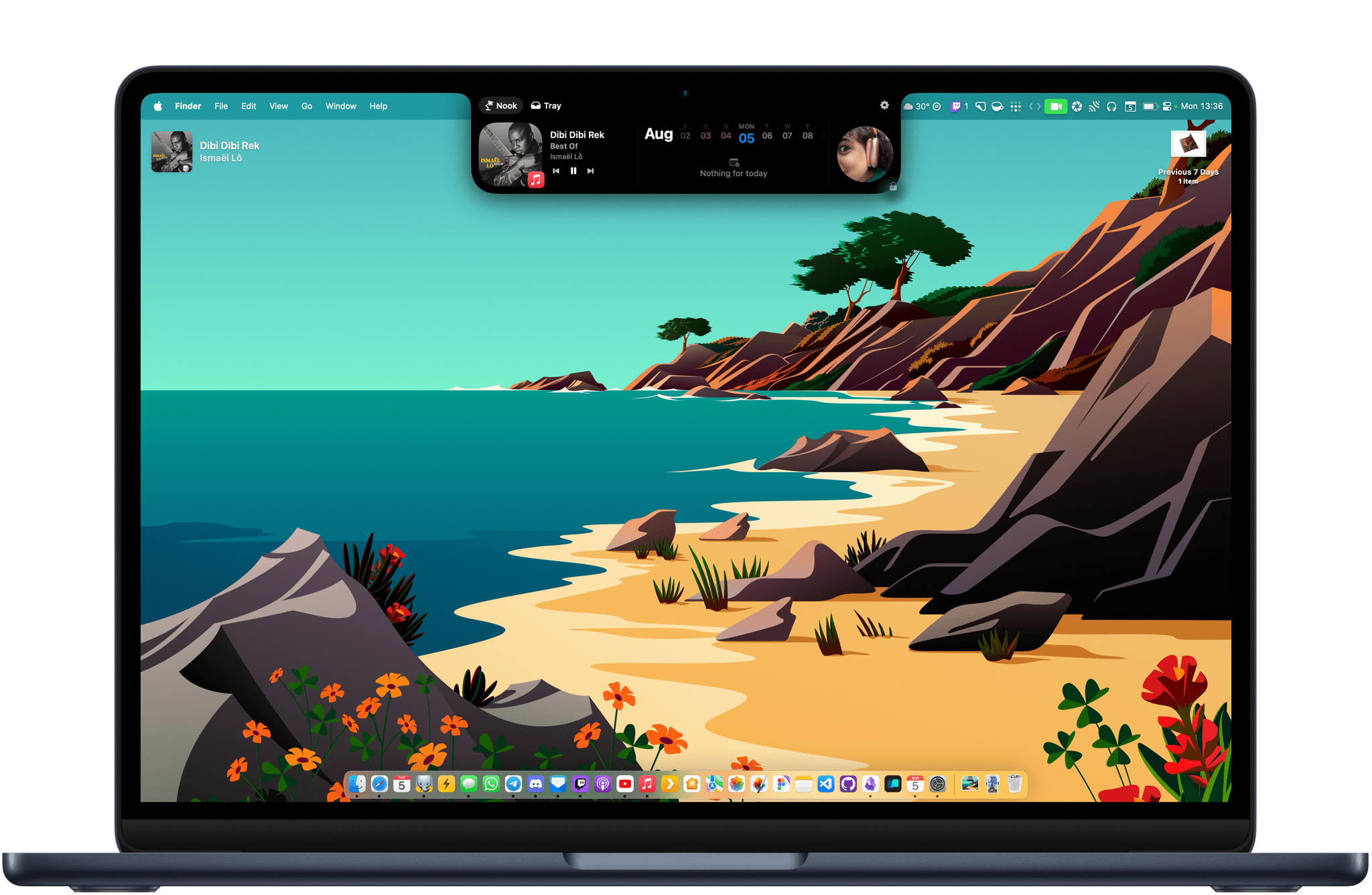
The Dynamic Island has been one of my favorite software additions to the iPhone since it was introduced with the iPhone 14 Pro lineup. The feature is a fun blend of hardware and software that turns the new pill-shaped TrueDepth camera array into a status bar that can collapse and expand to display media controls, Live Activities, and more.

While Live Activities are now also available on iPadOS, neither the iPad nor the Mac have gotten a Dynamic Island following their latest hardware and software revisions. I would argue that the latest generations of Apple silicon MacBook Air and MacBook Pro are pretty good candidates for a Dynamic Island. Both lineups feature a notched screen that currently doesn’t serve any purpose apart from expanding the display to the top edges of the laptop’s aluminum case and limiting the amount of space available for Mac menu bar apps.

Today, I’m taking a look at two Mac apps that add functionality to the notch to make it more Dynamic Island-like. Both have made me realize that, while not absolutely essential, the Dynamic Island definitely has a place on the Mac.

Read more

Access Extra Content and Perks

Founded in 2015, Club MacStories has delivered exclusive content every week for nearly a decade.

What started with weekly and monthly email newsletters has blossomed into a family of memberships designed for every MacStories fan.

Learn more here and from our Club FAQs.

Club MacStories: Weekly and monthly newsletters via email and the web that are brimming with apps, tips, automation workflows, longform writing, early access to the MacStories Unwind podcast, periodic giveaways, and more;

Club MacStories+: Everything that Club MacStories offers, plus an active Discord community, advanced search and custom RSS features for exploring the Club’s entire back catalog, bonus columns, and dozens of app discounts;

Club Premier: All of the above and AppStories+, an extended version of our flagship podcast that’s delivered early, ad-free, and in high-bitrate audio.

Learn more here and from our Club FAQs.


Managing Your Mac Menu Bar: A Roundup of My Favorite Bartender Alternatives

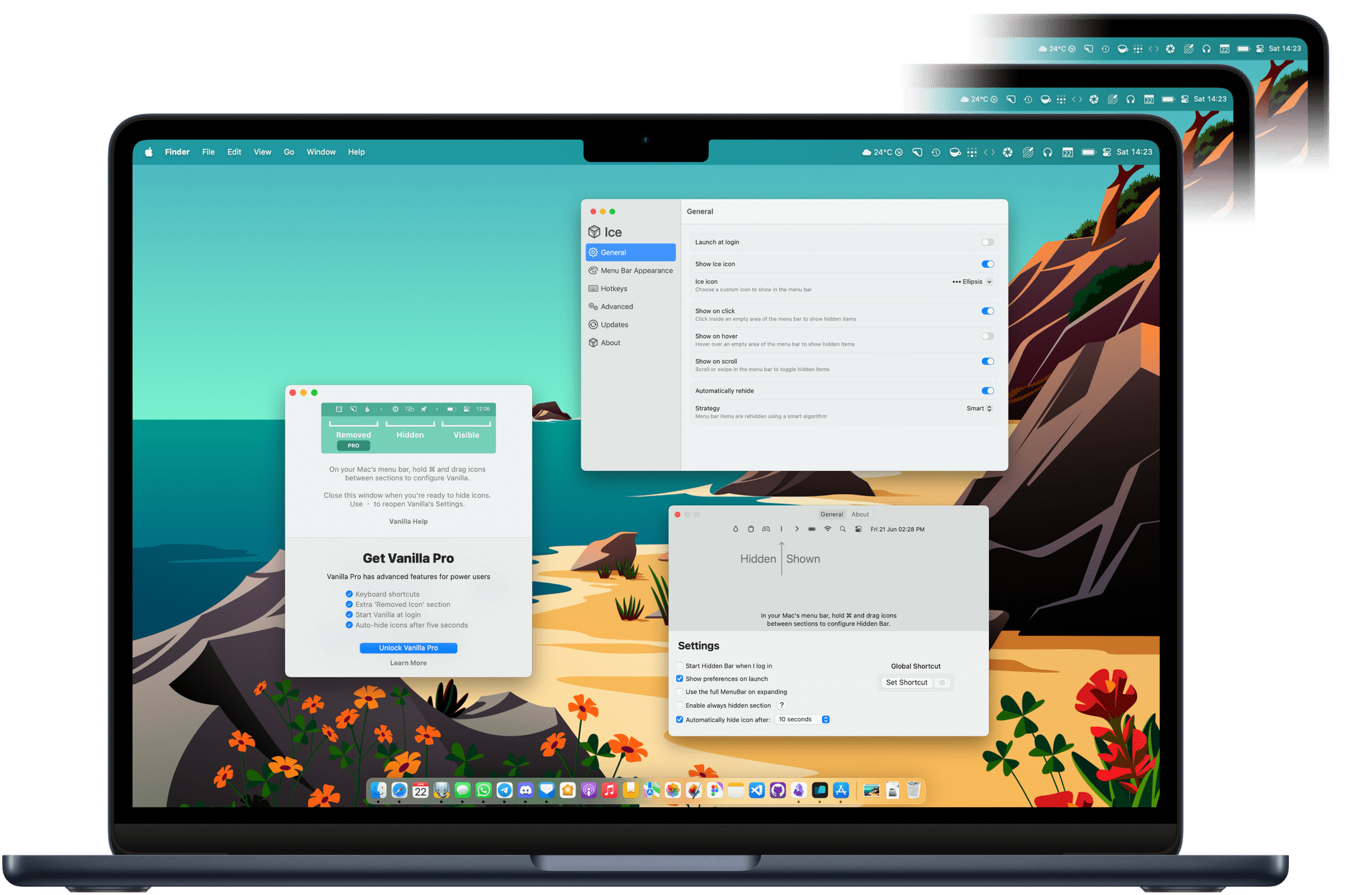
For years, Bartender has remained one of the best ways to manage the Mac’s menu bar, especially on newer MacBook models with a notch where menu bar real estate is even more valuable. I reviewed the great Bartender 5 last year and came away impressed. Unfortunately, though, my relationship with Bartender is not in a great place today.

Three months ago, the app was silently acquired by a company called Applause. Obviously, acquisitions happen, and often without any hiccups. In this case, however, users were caught off guard as the new owners had to renew all of Bartender’s certificates. This caused a permission reset for everyone who had the app installed on their Mac, prompting some understandable concern on Reddit, where the new owners finally started explaining what was happening. Up to that point, no one was even aware that the app had been acquired.

Apps like Bartender tend to require numerous sensitive system permissions to work. It makes sense: there are no native APIs provided by Apple to manage the menu bar, which is why Bartender has no choice but to rely on accessibility APIs and screen recording access to power its features. But this is exactly why a silent acquisition can be worrying. Even if both the original developer and the new owners have since clarified the situation, it’s hard to trust an unfamiliar company with all of these system permissions when they’ve already failed a necessary trust exercise on day one.

If your trust in Bartender has wavered as a result of this series of events, you may be looking for alternatives. I have been, too. So, I’ve rounded up some of my favorite menu bar management utilities available right now and even a couple of macOS tips to help manage the menu bar without having to install any third-party apps at all.

Let’s check them out.

Read more

Access Extra Content and Perks

Founded in 2015, Club MacStories has delivered exclusive content every week for nearly a decade.

What started with weekly and monthly email newsletters has blossomed into a family of memberships designed for every MacStories fan.

Learn more here and from our Club FAQs.

Club MacStories: Weekly and monthly newsletters via email and the web that are brimming with apps, tips, automation workflows, longform writing, early access to the MacStories Unwind podcast, periodic giveaways, and more;

Club MacStories+: Everything that Club MacStories offers, plus an active Discord community, advanced search and custom RSS features for exploring the Club’s entire back catalog, bonus columns, and dozens of app discounts;

Club Premier: All of the above and AppStories+, an extended version of our flagship podcast that’s delivered early, ad-free, and in high-bitrate audio.

Learn more here and from our Club FAQs.


Sequel 2.3’s Magic Lookup Is a Perfect Example of How Apps Should Integrate AI

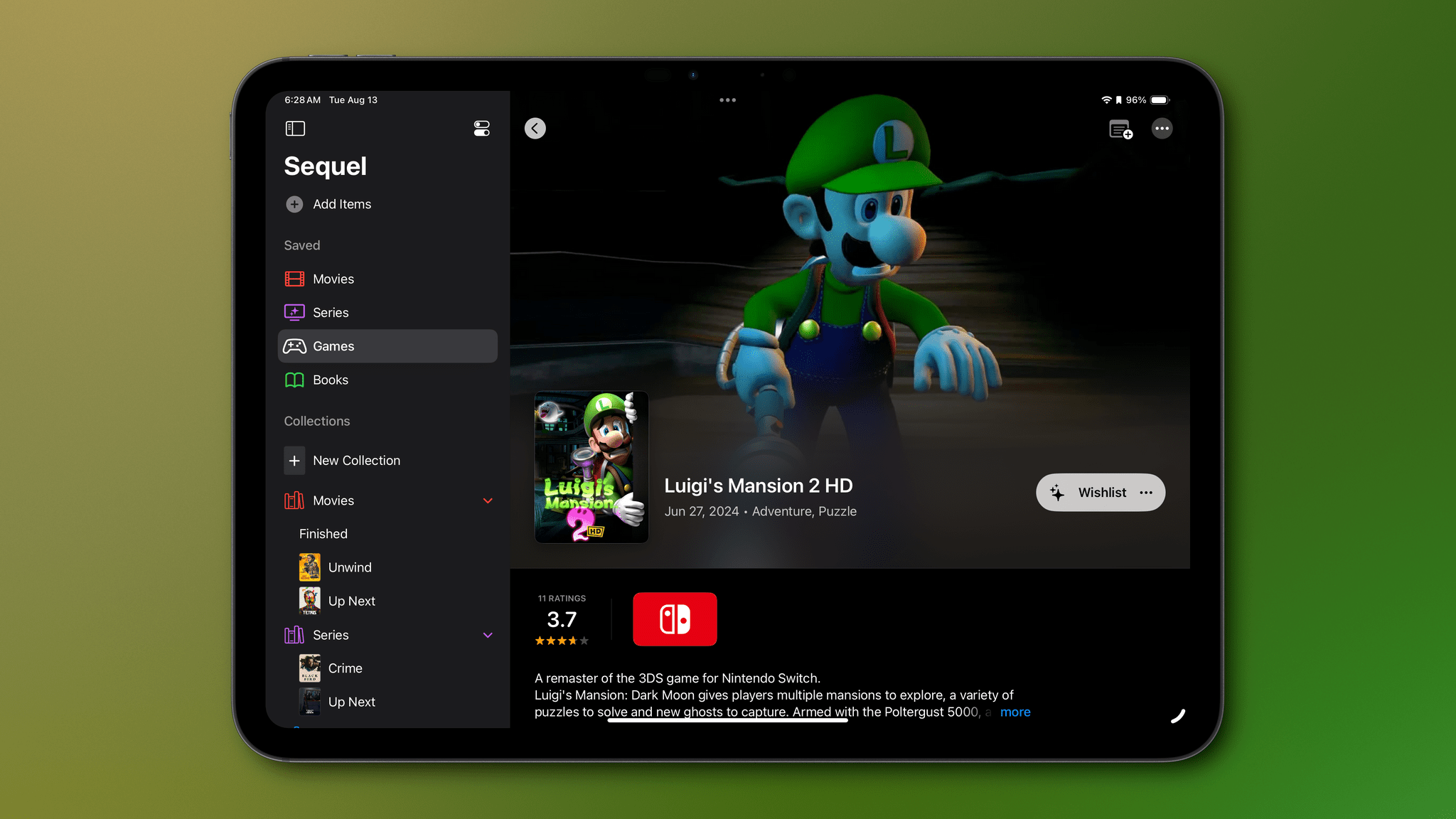
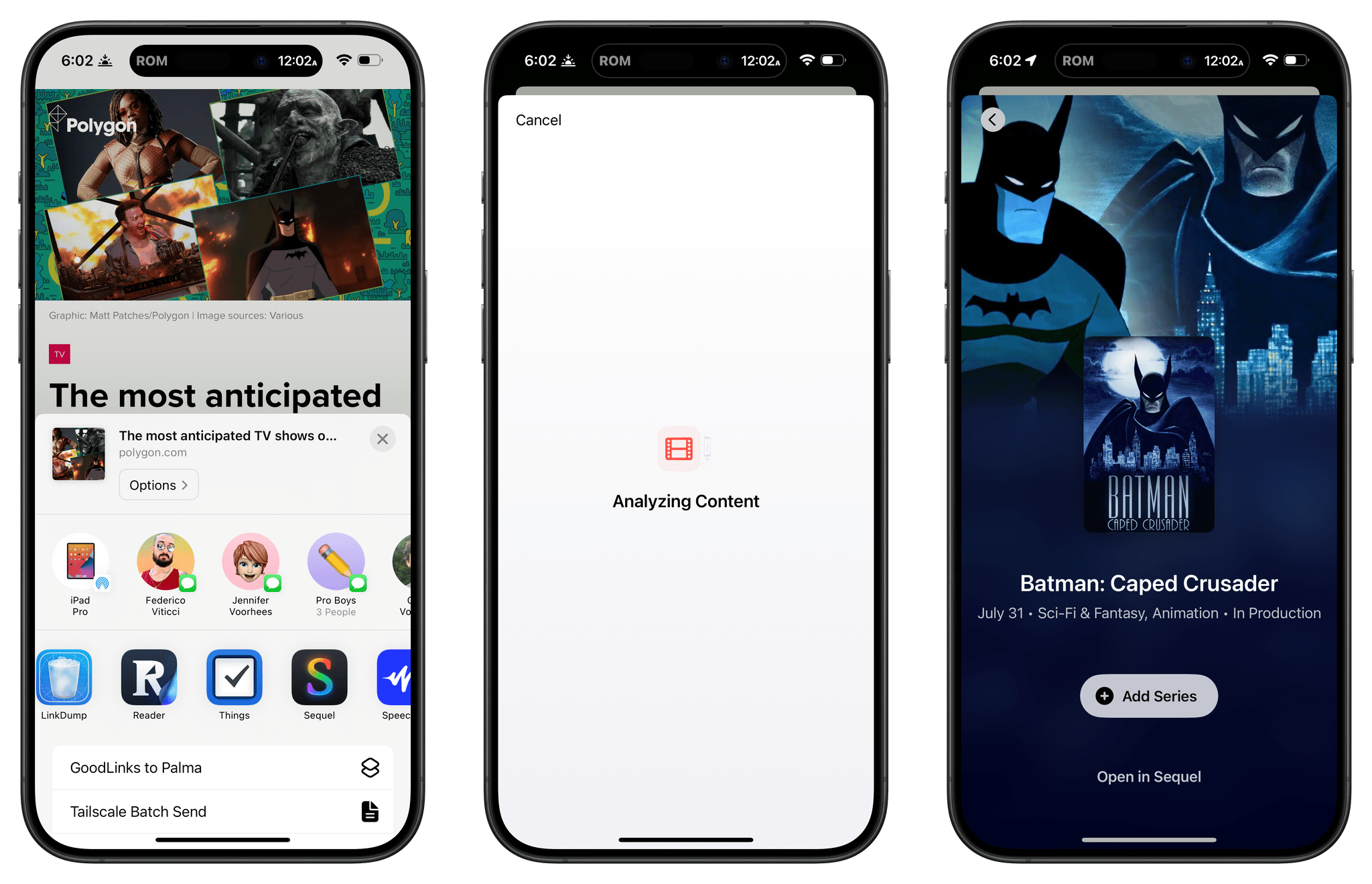
If you haven’t tried Sequel to track your media queues, you’re missing out and have some catching up to do. There’s a reason we gave Sequel 2.0 the MacStories Selects Best App Update award last year. The app, which is available on the iPhone, iPad, Mac, and Vision Pro, is one of the very best media trackers in a very crowded field.

One way to get up to speed with Sequel’s core features is my review of version 2.0, which I won’t repeat here. Since that review, developer Romain Lefebvre has released updates that continue to improve the app in meaningful ways. However, today’s version 2.3 release is special because it’s one of the first apps I’ve tried that uses AI in a truly useful, non-gimmicky way. Plus, the update adds Shortcuts integration, allowing users to automate the app in new ways, as well as a Markdown-compatible note-taking feature and new layout and search options.

Read more

Access Extra Content and Perks

Founded in 2015, Club MacStories has delivered exclusive content every week for nearly a decade.

What started with weekly and monthly email newsletters has blossomed into a family of memberships designed for every MacStories fan.

Learn more here and from our Club FAQs.

Club MacStories: Weekly and monthly newsletters via email and the web that are brimming with apps, tips, automation workflows, longform writing, early access to the MacStories Unwind podcast, periodic giveaways, and more;

Club MacStories+: Everything that Club MacStories offers, plus an active Discord community, advanced search and custom RSS features for exploring the Club’s entire back catalog, bonus columns, and dozens of app discounts;

Club Premier: All of the above and AppStories+, an extended version of our flagship podcast that’s delivered early, ad-free, and in high-bitrate audio.

Learn more here and from our Club FAQs.


Screens 5.2 Adds Support for the Vision Pro and Other Features

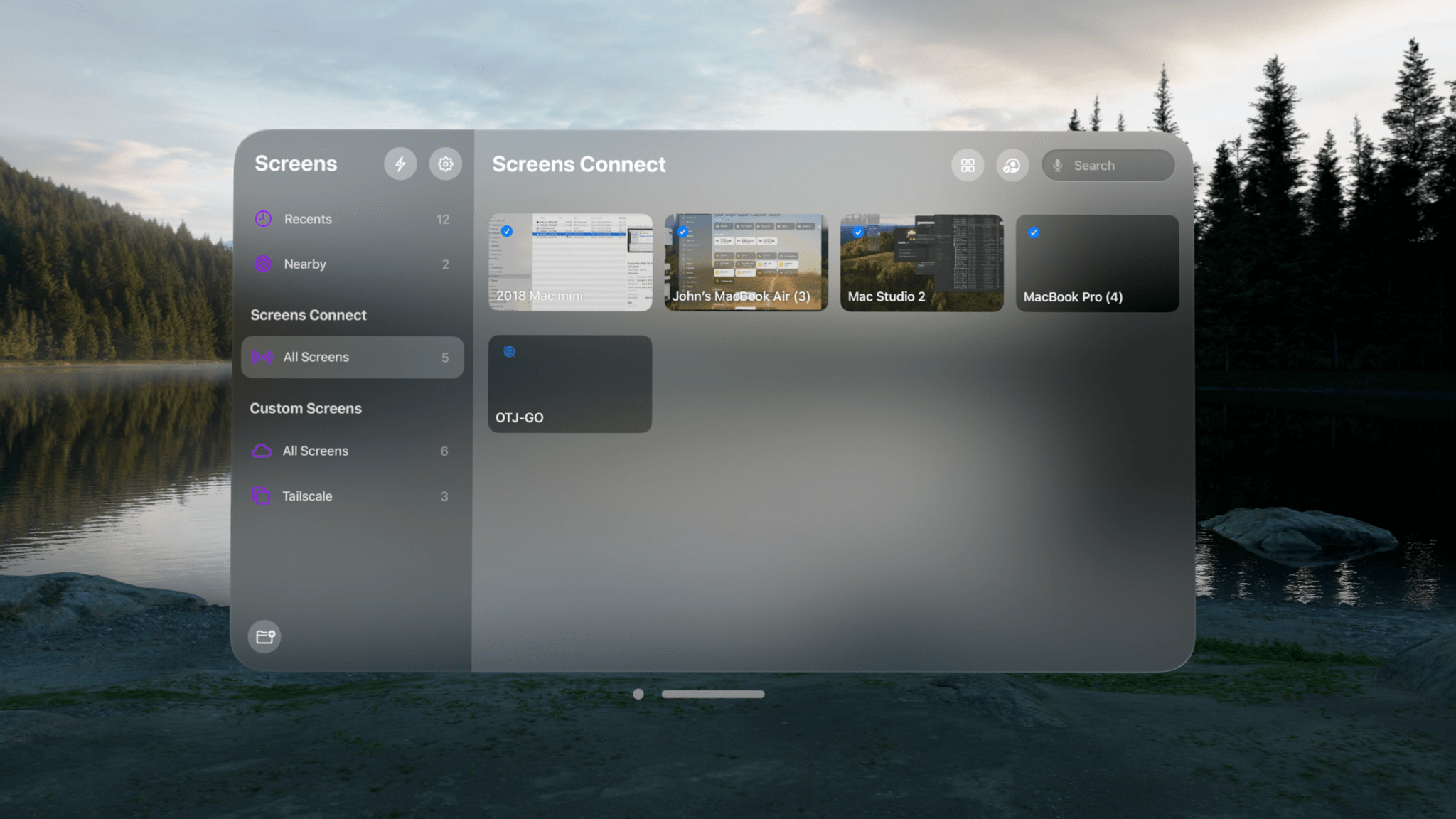
Screens by Edovia is a screen-sharing app that lets you control your computer from another device, and today, version 5.2 is out with an excellent set of updates that improve the app’s performance and usability. However, the biggest change is that Screens now works on the Vision Pro, which is a big deal for anyone managing computers remotely.

I’m a longtime Screens user, but I was initially skeptical about using it with the Vision Pro. How useful or easy-to-use would Screens be when running on the device? The answer is ‘very.’ The Vision Pro version of Screens is a terrific addition to the previously-released iPhone, iPad, and Mac versions, and combined with the other changes in version 5.2, this is a bigger update than the point release might suggest.

Read more

Access Extra Content and Perks

Founded in 2015, Club MacStories has delivered exclusive content every week for nearly a decade.

What started with weekly and monthly email newsletters has blossomed into a family of memberships designed for every MacStories fan.

Learn more here and from our Club FAQs.

Club MacStories: Weekly and monthly newsletters via email and the web that are brimming with apps, tips, automation workflows, longform writing, early access to the MacStories Unwind podcast, periodic giveaways, and more;

Club MacStories+: Everything that Club MacStories offers, plus an active Discord community, advanced search and custom RSS features for exploring the Club’s entire back catalog, bonus columns, and dozens of app discounts;

Club Premier: All of the above and AppStories+, an extended version of our flagship podcast that’s delivered early, ad-free, and in high-bitrate audio.

Learn more here and from our Club FAQs.


Sofa 4.0: A Customizable Downtime Tracker Without Compromises

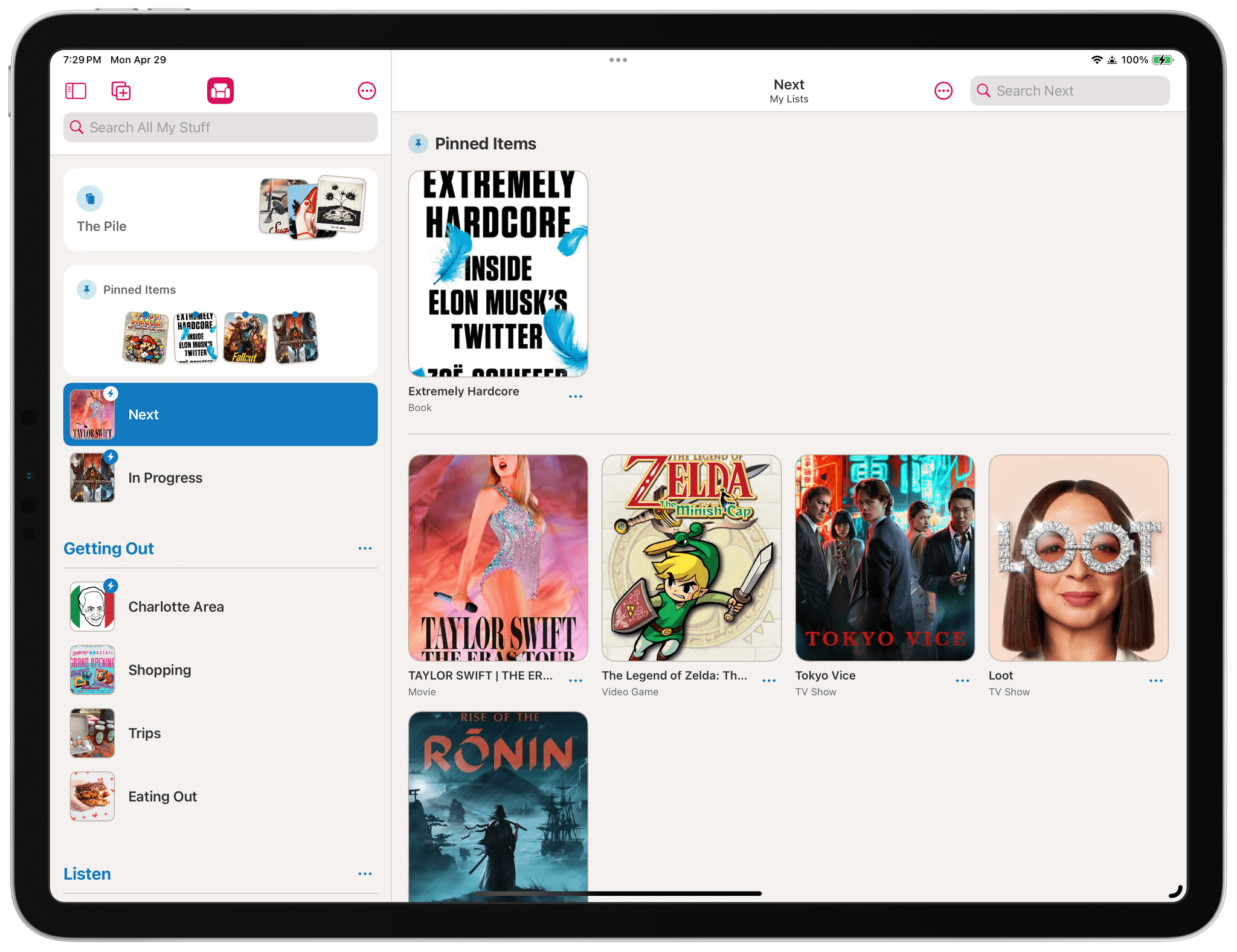
I’ve written about media-tracking apps a lot in the past, and they tend to fall into one of two categories: there are ‘generalist apps’ that cover multiple types of media, and there are ‘specialist apps’ that go much deeper into one particular kind. The benefit of the former is having a one-stop destination for all your media tracking, while the latter usually goes further, focusing on the unique characteristics of one media type. There are advantages to each approach, but they’re serving two different kinds of users, so it’s not that surprising that apps don’t try to do both.

That’s why I was intrigued when I heard about Sofa 4.0 and its custom Categories and Ingredients features, which launch today. Sofa has always been one of my favorite apps for tracking multiple types of media, but as soon as I saw custom Categories and Ingredients, I knew the app had the potential to transcend the media tracker category by letting users have a greater say in how it’s used. That’s exactly what its developer, Shawn Hickman, has done, and the results are fantastic.

Read more

Access Extra Content and Perks

Founded in 2015, Club MacStories has delivered exclusive content every week for nearly a decade.

What started with weekly and monthly email newsletters has blossomed into a family of memberships designed for every MacStories fan.

Learn more here and from our Club FAQs.

Club MacStories: Weekly and monthly newsletters via email and the web that are brimming with apps, tips, automation workflows, longform writing, early access to the MacStories Unwind podcast, periodic giveaways, and more;

Club MacStories+: Everything that Club MacStories offers, plus an active Discord community, advanced search and custom RSS features for exploring the Club’s entire back catalog, bonus columns, and dozens of app discounts;

Club Premier: All of the above and AppStories+, an extended version of our flagship podcast that’s delivered early, ad-free, and in high-bitrate audio.

Learn more here and from our Club FAQs.


Ketchup: The Only Pokémon Companion App You’ll Ever Need

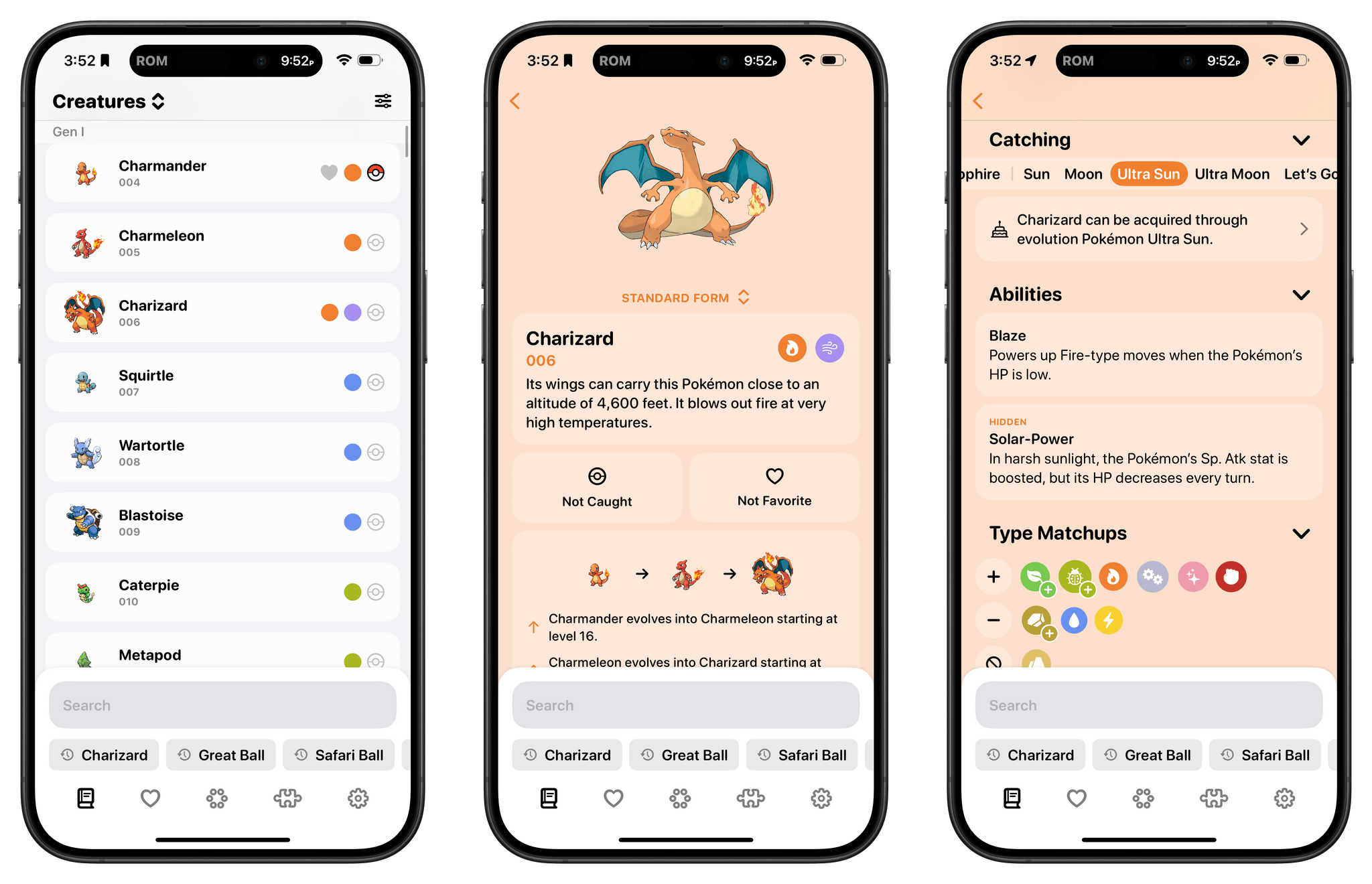
As any Pokémon fan knows, the series is all about data – lots and lots of data. So much data that entire websites and apps are dedicated to helping players keep track of it all. That’s a big design challenge for any app developer, which is why I was so glad to see it taken on by Ben McCarthy, whose apps, including the camera app Obscura, are some of the best designed on the App Store.

Ben’s new app is called Ketchup, and it’s a comprehensive compendium of every generation of Pokémon that incorporates powerful search, caught and favorite Pokémon tracking, a battle match-up utility, and a quiz game all in one app. But what makes it special and sets the app apart from others I’ve tried over the years is the design, which makes it easy to find what you’re looking for and presents it in a coherent, understandable, and modern interface.

Read more

Access Extra Content and Perks

Founded in 2015, Club MacStories has delivered exclusive content every week for nearly a decade.

What started with weekly and monthly email newsletters has blossomed into a family of memberships designed for every MacStories fan.

Learn more here and from our Club FAQs.

Club MacStories: Weekly and monthly newsletters via email and the web that are brimming with apps, tips, automation workflows, longform writing, early access to the MacStories Unwind podcast, periodic giveaways, and more;

Club MacStories+: Everything that Club MacStories offers, plus an active Discord community, advanced search and custom RSS features for exploring the Club’s entire back catalog, bonus columns, and dozens of app discounts;

Club Premier: All of the above and AppStories+, an extended version of our flagship podcast that’s delivered early, ad-free, and in high-bitrate audio.

Learn more here and from our Club FAQs.


Soulver 3 for iOS: Acqualia Software’s Unique Approach to Calculations Lands on the iPhone

Five years ago, Soulver 3, the sheet-based app that serves as a notepad for calculations, launched on the Mac with a long list of new features. In the years since, Acqualia Software launched an iPadOS version of the app and, today, an iOS version.

As I said in my review of the Mac app:

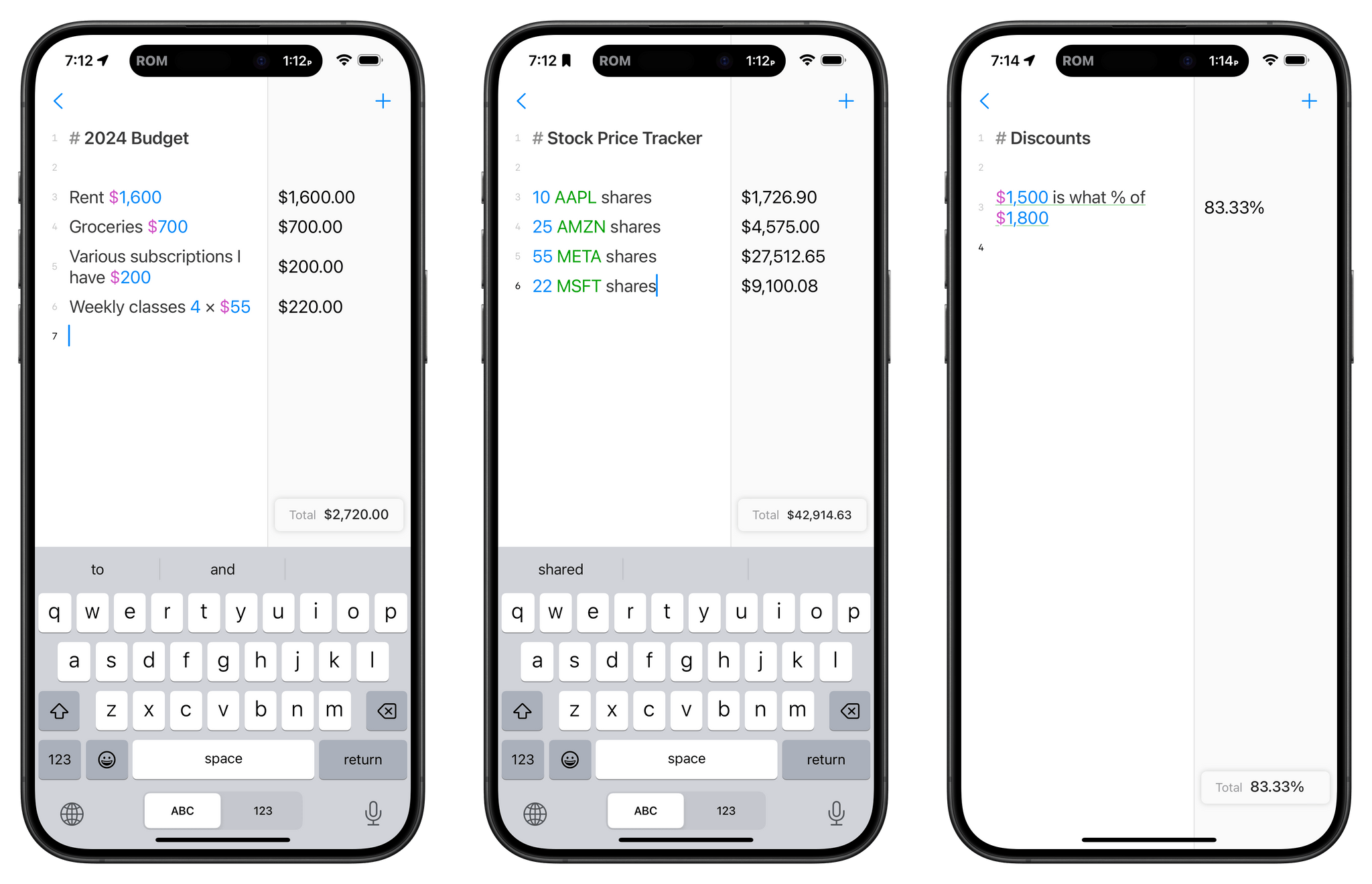
The strength of Soulver lies in its flexibility. Full-fledged spreadsheet apps like Numbers and Excel have their place. However, day-to-day life requires calculations that don’t demand that level of horsepower and benefit from contextualizing numbers with text. It’s the kind of math that happens in notebooks and on the back of envelopes. By combining elements of a text editor, spreadsheet, and plain English syntax, Soulver commits those easily-lost notebook scribblings to a format that allows for greater experimentation and easier sharing.

That’s as true of the iPhone version of Soulver as it was of the app’s other versions, perhaps more so. That’s because many people are more likely to have their iPhone with them than a Mac. With Soulver on iOS for the first time in a long time, it’s easier than ever to explore numerical ‘what-ifs.’ For example, what would my payment be if I refinanced my mortgage? How close am I to spending my budget for that party I’m planning? The possibilities go on and on.

Read more

Access Extra Content and Perks

Founded in 2015, Club MacStories has delivered exclusive content every week for nearly a decade.

What started with weekly and monthly email newsletters has blossomed into a family of memberships designed for every MacStories fan.

Learn more here and from our Club FAQs.

Club MacStories: Weekly and monthly newsletters via email and the web that are brimming with apps, tips, automation workflows, longform writing, early access to the MacStories Unwind podcast, periodic giveaways, and more;

Club MacStories+: Everything that Club MacStories offers, plus an active Discord community, advanced search and custom RSS features for exploring the Club’s entire back catalog, bonus columns, and dozens of app discounts;

Club Premier: All of the above and AppStories+, an extended version of our flagship podcast that’s delivered early, ad-free, and in high-bitrate audio.

Learn more here and from our Club FAQs.