Posts tagged with "safari"

Google Docs Desktop Editing Comes To The iPad

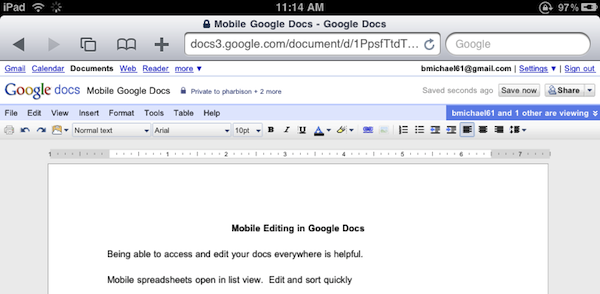
Great news for Google Docs users and iPad owners this evening: Google has announced that they have extended compatibility of the Docs desktop editor to include support for iPad. If you’re running an iPad, you can now switch from the mobile version to the desktop one with just a tap.

The desktop editor is the Google Docs you know and love, allowing you to modify fonts and alignments, paragraphs and font styles. It’s the usual Google Docs, running on a tablet.

As simple as it sounds, Google just made a great move towards ensuring millions of iPad users out there a desktop-class Docs experience without the need of a dedicated mobile client. Google announced a Docs Viewer in June, and released a mobile version for iOS and Android users with editing enabled a few weeks ago.

Once again, Mobile Safari wins.


Watch Flash Videos On iPhone & iPad, No Jailbreak or Apps Required

Most of web video has been optimized to display just fine on iOS devices, but it’s still annoying to open an article from your favorite blog and find out that the author didn’t use Vimeo’s updated embed code compatible with the iPhone and iPad. Vimeo offers a new embed technology to support iOS devices, but it’s not turned on by default. Just like Vimeo, other services such as Flickr, Megavideo and Dailymotion sometimes struggle in offering video embeds capable of being displayed on Apple’s mobile devices.

The Skyfire browser has been making the rounds recently: an iPhone app that can take any Flash video from any web page, and convert it in seconds to an HTML5-based video you can watch on the iPhone. The app is paid though, and perhaps many users don’t need all of its functionalities. Then, some developers even released tweaks and hacks in Cydia to activate Flash on iOS – with very disappointing results, I have to say. Put simply: either you jailbreak your device to sorta gain access to some Flash content on the web, or you buy Skyfire to convert Flash videos. But there’s no easy way built in Mobile Safari to play that Vimeo embed on the iPhone.

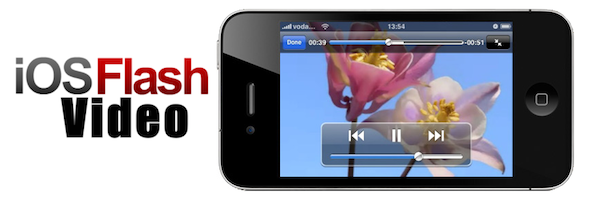
This is changing today, thanks to this neat bookmarklet called iOSFlashVideo I found on iSpazio (Italian) and installed on my iPhone and iPad a few minutes ago. With just the tap on the bookmarks bar, you’ll be able to instantly watch videos from Dailymotion, Flickr Video, MegaVideo and Vimeo through the iOS standard media viewer. It’s very simple to install. Read more


Pure Reader: Amazing Google Reader Mod

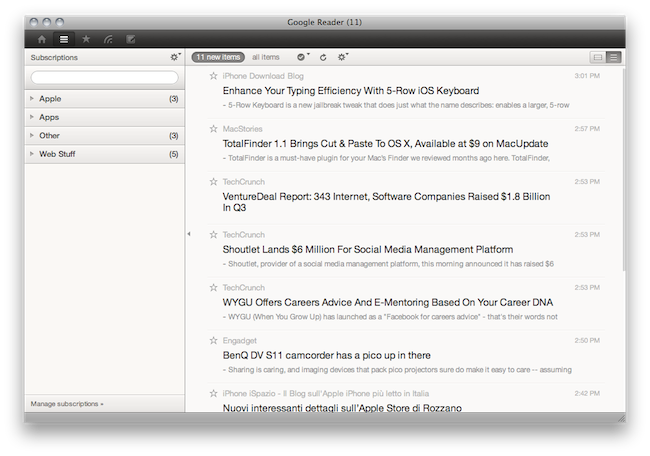
A lot of people started using RSS once again when Reeder for Mac (public beta) came out last week. It is a beautiful app that brings the power of Google Reader to the desktop with a lot of additional functionalities such as support for sharing on multiple social networks and background loading of webpages. But many users are still tied to Google Reader in the browser, that pinned tab that they just can’t close.

If so, take a look at Pure Reader, a browser extension by designer Na Wong. Read more


Steve Jobs Confirms AirPlay Video Streaming For 3rd Party Apps Coming in 2011

Finally, our questions have been answered by Steve Jobs himself. We love AirPlay, but we can’t stand the fact that the current version that ships with iOS 4.2 comes with many limitations, especially when it’s about video streaming to the Apple TV.

You can’t stream video through AirPlay from Safari or any 3rd party app. This lead me to think that the AirPlay we’re playing around with now is just a teaser of better things to come in the future.

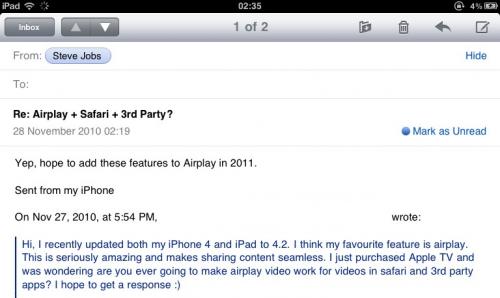
Now, a Steve Jobs email posted by MacRumors confirms that Apple is planning to add the feature in 2011:

Hi, I recently updated both my iPhone 4 and iPad to 4.2. I think my favourite feature is airplay. This is seriously amazing and makes sharing content seamless. I just purchased Apple TV and was wondering are you ever going to make airplay video work for videos in safari and 3rd party apps? I hope to get a response.

SJ: Yep, hope to add these features to Airplay in 2011.

A number of hacks and tweaks to enable AirPlay for video have surfaced recently, including packages jailbreak users can download from Cydia and install on their devices. We also detailed that it’s possible to turn any iOS device into an AirPlay speaker.

Here’s to hoping 2011 will bring the AirPlay we’ve always wanted.


GridTab for Safari Enables iPad-like Tabs On The iPhone | Cydia Store

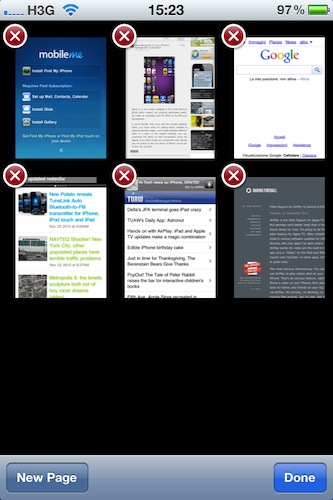
Is there’s one thing I can’t stand on Safari for iPhone is the way it displays “tabs”: by default, when you hit the tabs button in the toolbar you’re brought to a page with a “gallery” of all your open pages, and you have to swipe between them to navigate to the site you want to switch to. On the iPad, Safari is much better: it doesn’t display real desktop tabs (although there’s an iCab for that), but at least it presents them as beautiful thumbnails on a dark grid. It’s easier to switch between websites on the iPad because you just have to tap.

GridTab, a new tweak available on the Cydia Store at $0.99, enables iPad-like tab navigation on the iPhone. Once installed, you’ll be able to switch between open pages just like on the iPad by tapping on thumbnails. Very cool.

GridTab is available at $0.99, and I highly recommend it.


Safari on iOS 4.2: Much Better HTML5 Support, Accelerometer

Safari on iOS 4.2: Much Better HTML5 Support, Accelerometer

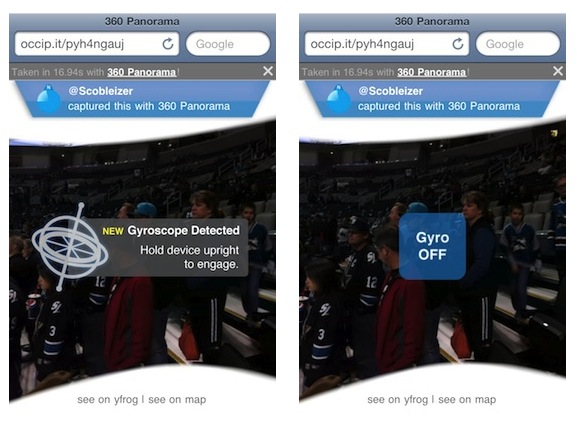
Today, iOS 4.2 appears as a free update for every iPhone, iPod or iPad device. This release provides some major changes on HTML5 support, like WebSockets and Accelerometer support, new events, print support, new JavaScript data-types and better SVG support.

Apple didn’t update yet Safari documentation to reflect new APIs in iOS. This information is based on JavaScript research and testing over Safari itself.

iOS is a “closed” platform, right?

Permalink

The Safari Icon Set

The Safari Icon Set

Something that started out as a doodle on my iPad grew into a cascade of late nights studying compass concepts and exchanging ideas with designers and good-folk alike. Sometimes you just stumble upon a fun notion and you gotta run with it, in this case it was as simple as the idea of why the Safari icon always had to depict that one type of Compass.

Impressive work by Michael Flarup.

Permalink

Apple Releases Safari 5.0.3

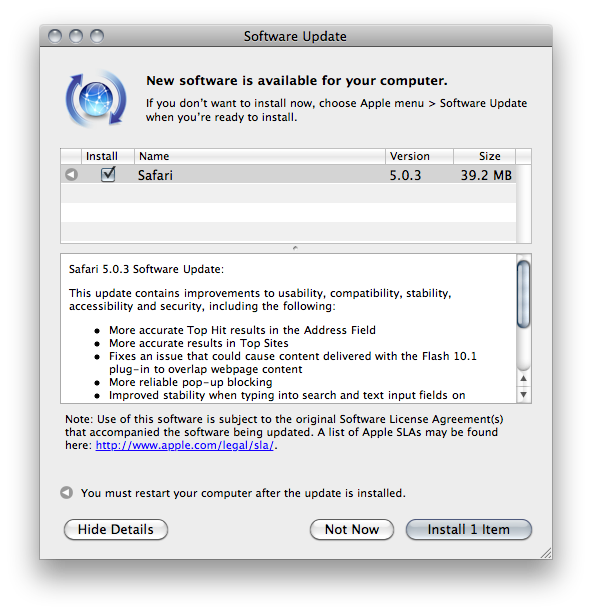
A few minutes ago Apple released an update to Safari, which reaches version 5.0.3. It’s available now in Software Update, or via direct download on Apple’s website.

Apple also released Safari 4.1.3 for Tiger users. Safari 5.0.3 comes with a variety of fixes and overall performance improvements. Specifically, the update addresses issues with search and text input fields on Netflix and Facebook, improves stability of Javascript-intensive extensions and introduces more reliable pop-up blocking.

Check out the full changelog below. Read more


Facebook Neue Safari & Chrome Extension Removes Ads, Makes Facebook Twitter-like

Developed by Milind Alvares of Smoking Apples (and Beautiful Pixels) Facebook Neue is an extension for Chrome and Safari 5 that does one thing very well: it makes Facebook simpler. The extension removes the ugly ads from Facebook (sorry Mark, I’m tired of Coca Cola ads) and resizes the main container to two columns, making it more Twitter-like. As Milind says it’s far from feeling exactly like Twitter, but I like this new layout. It makes everything readable and elegant.

Also in the extension:

I also selectively hid some of the settings in the sidebars, such as application links, or that language settings button next to the chat toolbar. I was happily using this until I realised I could very well just convert this into an extension and share it with everyone. Some more bug fixes, and a redesigned login page later, version 1.0 was ready.

I’m sure some of the changes, like the fixed masthead or the rounding of image avatars, are not going to be universally appreciated, and I’m okay with that.

I love it. Go download it here.