This Week's Sponsor:

BetterTouchTool

Now with a Powerful Launcher for Your Mac


Posts tagged with "photos"

Google Photos Updated

Google released version 2.0.0 of Google Photos today to integrate better with other Google products and to give customers greater control over their photos.

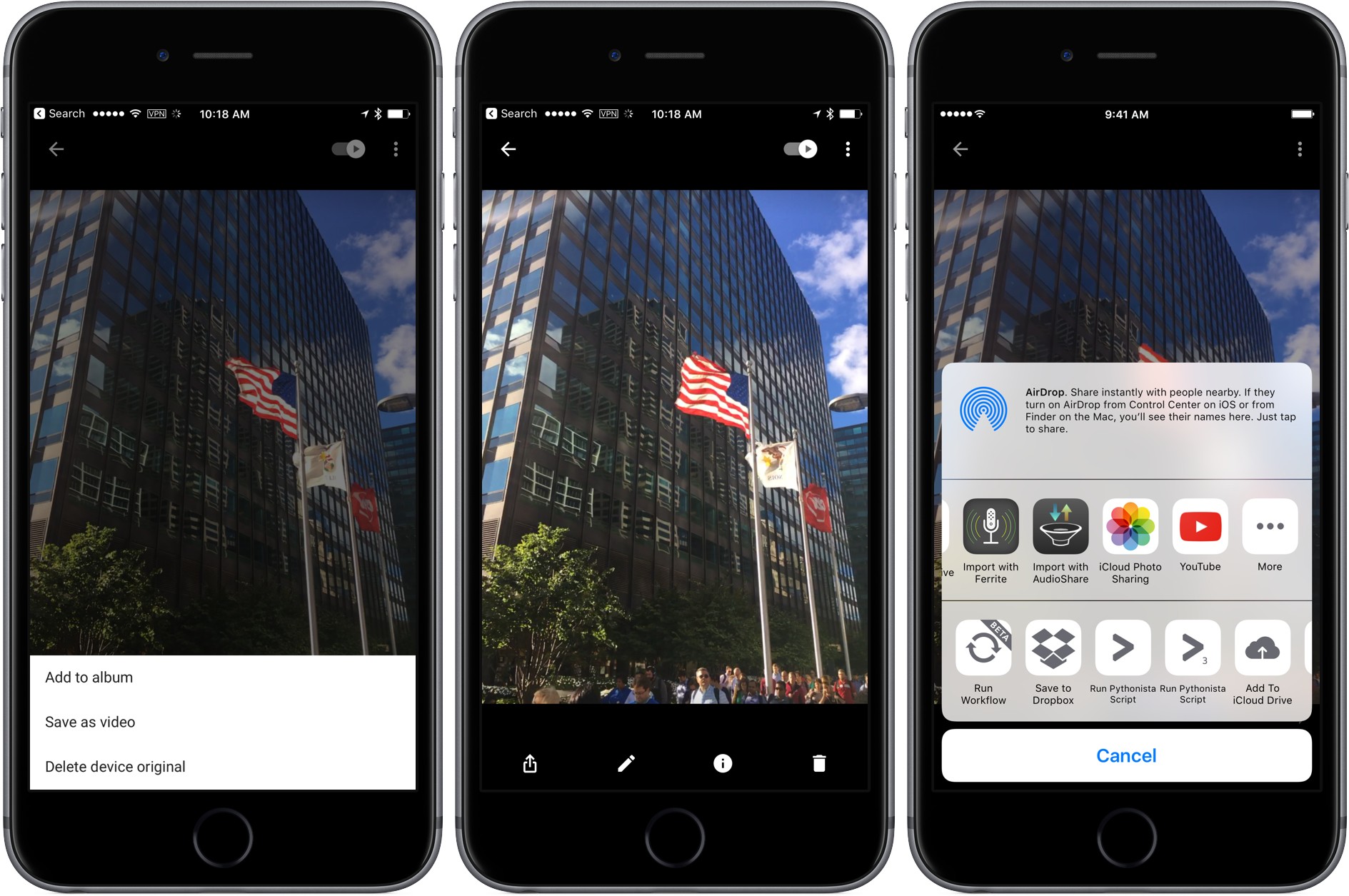
In June, Google released Motion Stills an app that can turn Live Photos into GIFs or movies and does an amazing job eliminating camera shake. Version 2.0.0 brings that same functionality to Google Photos. From the menu, choose ‘Save as video’ and Google Photos will save a video version of your Live Photo.

It is also easier to upload your videos to YouTube. Select a video, tap share, pick the ‘YouTube’ icon from the share sheet. Google Photos will prepare the file and send it to the YouTube app where you can edit it further before posting if you like.

Finally, Google added a couple of user-friendly features to Google Photos. The first is the ability to sort photos in albums either chronologically or by recently added. The second is the ability to change the thumbnail used in the ‘People’ view to a photo of your own choosing.

As we saw from the introduction of the iPhone 7 yesterday, photography and the apps surrounding it continue to be some of the most competitive areas in mobile computing. With Google Photos 2.0.0, Google continues to refine its approach to photo management and tie it more closely with its video products.


What Google Photos Could Do Next

Mat Honan, writing for BuzzFeed, interviewed Anil Sabharwal, vice president of Photos at Google, on the future of the service. It sounds like they’re thinking of more ways to let artificial intelligence make photo management and sharing smarter:

Google refers to these auto-generated moments as “creations.” According to Sabharwal, the company has made 1.6 billion of them in the past year and has big plans to do more. “I think there’s a really great opportunity to mix the machine learning and creations together,” he said. “One [creation] we love is the concept of ‘rediscover this day’ — where we present to our users meaningful moments on a particular date in previous years. Rather than ‘here’s what happened a year ago,’ it’s here’s a set of photos from the last time you were with these people, or the last time you were at this restaurant.”

Sabharwal also said Photos might become smarter about the albums and movies it creates by giving them a stronger perspective and point of view. It might, for example, automatically select a wedding shot in which you and your partner are looking at each other for the hero shot in an anniversary album.

The success of Google Photos doesn’t surprise me. Unlike other Google products, it’s focused, updated often, and it distills the best of Google (machine learning at scale, speed, online backup) down to a clear, user-friendly product. I think it’s the best consumer service they’ve launched in years.

Permalink

Pixelmator 3.5 Adds Selection Tools and a Photos Extension

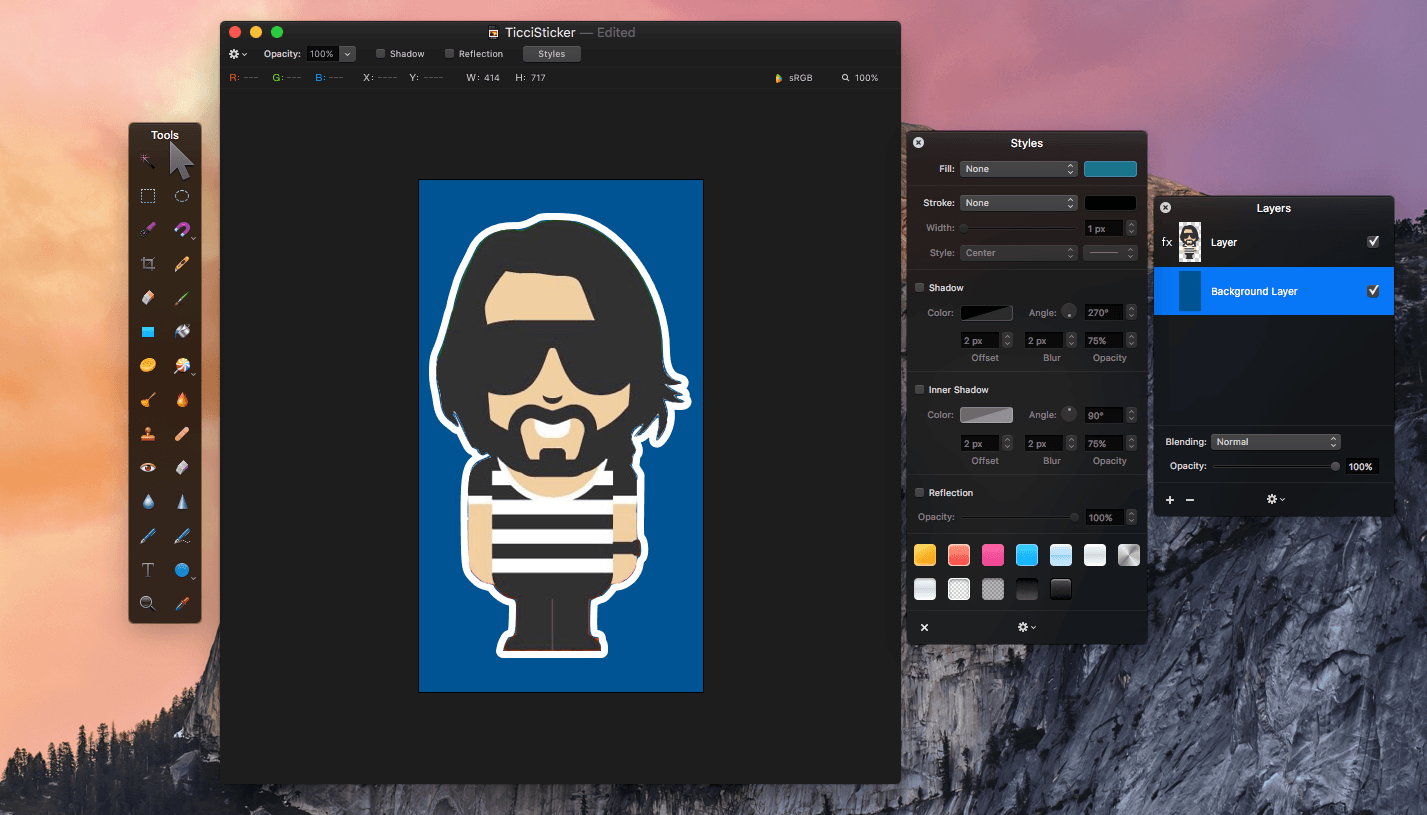
Pixelmator 3.5 was released today with three new tools - Quick Selection, Magnetic Selection, and a retouch extension for Apple’s Photos app. Pixelmator has been my go-to image editor for a long time. I use if for everything from screenshot editing for MacStories and creating assets for my own website, to retouching family photos. As many readers may know, we started a Telegram channel a couple months ago called The MacStories Lounge. One of Telegram’s strengths is its media integration. I figured, what better way to test the new Pixelmator selection tools than to create a Telegram sticker – of Federico.

Read more


VSCO to Lead iOS Photography Sessions at Apple’s New Union Square Store

As we highlighted yesterday, among the components of Apple’s new Union Square store are Creative Sessions that will be held in what Apple has dubbed ‘The Forum.’ Today, VSCO announced a partnership with Apple highlighting iOS photography:

From May 26th until July 7th, Apple Union Square will host four Creative Sessions, each led by an established photographer from the VSCO community. Each photographer will share their story, inspiration, and creative process, and will lead a hands-on lesson based on their unique style and techniques.

VSCO is the maker of a popular iOS photo editor of the same name.

Permalink

Linky 5.3 Adds ‘Markup’ Feature for Image Annotations

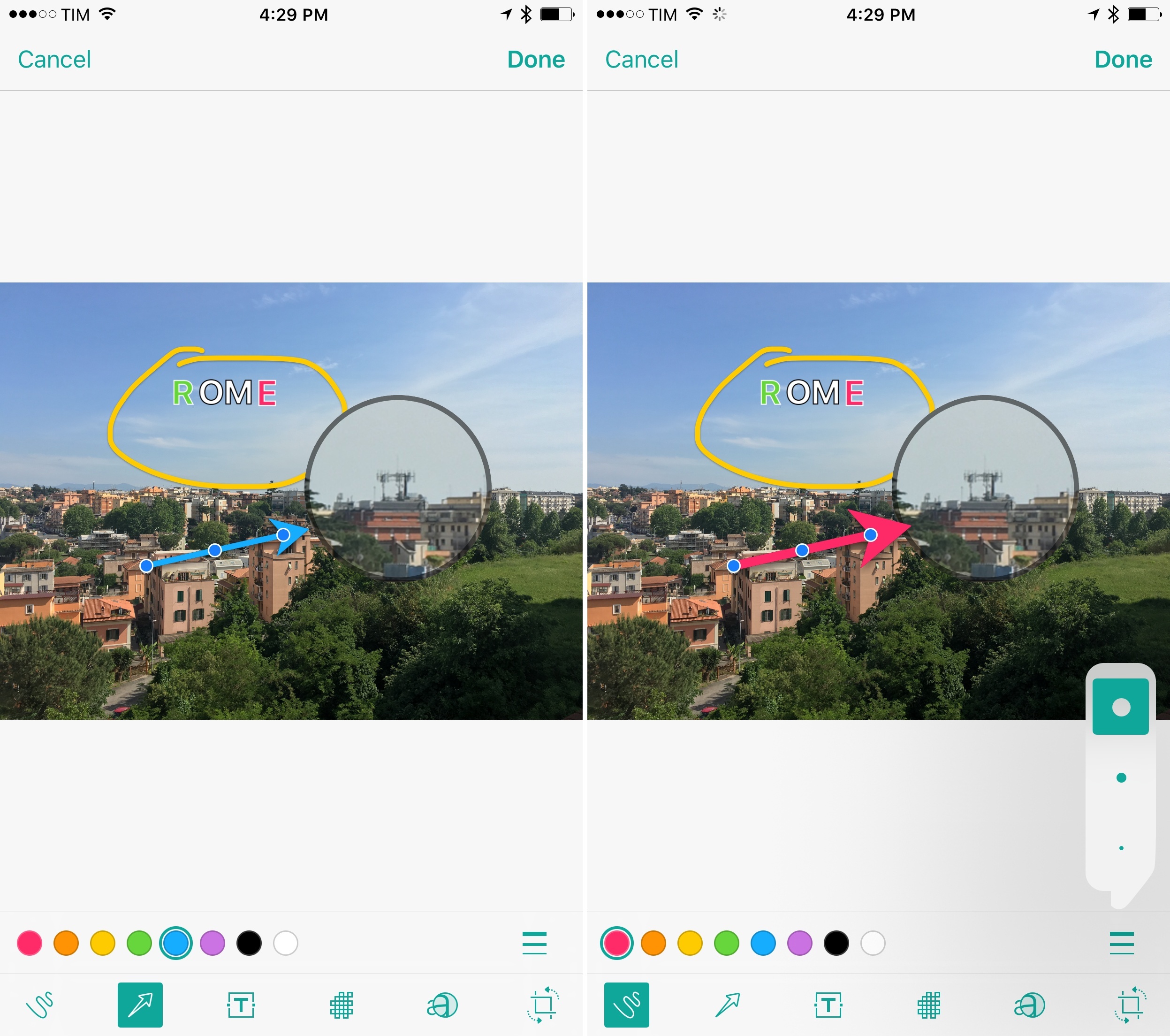
Linky's new Markup mode.

Linky’s new Markup mode.

I’ve been using Linky for a few years now to share images, links, and app deals to Twitter. The app has a powerful share sheet with support for multiple Twitter accounts, and its developer introduced clever additions such as textshots and suggested images when sharing from the web. It’s a solid app that comes in handy every day.

Today, Linky has reached version 5.3, which brings compatibility with Twitter’s accessible image captions (useful for textshots) and a new Markup option to edit and annotate images before sharing them.

Read more


Building a Photography Workflow with the iPad Pro

Perhaps it should have been obvious to me — and maybe it’s always been obvious to you — but I’m just now realizing that the more and more I embrace each creative process, the less time I want to give to anything but the act of creating. Over time I begin to build negative associations with each creative act, mentally, but it’s not because of the ‘art’ itself; it’s because of all the work I put into a thing after the component I love most is over and done with.

These realizations have led me to try and create ‘less workflow’ in my life, not just in writing, but across the board. For photography, that means if I innately desire more than anything else to just shoot, then I need to learn more about composing and ‘editing’ in camera, and being happy with the result.

So, I’ve begun building a new way of processing photos using only the device I love — the iPad Pro — but it’s been a challenge.

Drew Coffman has been trying to rebuild his established photography workflow on an iPad Pro. His post has a good rundown of photo editing apps (with a final pick I didn’t know), but, more importantly, it highlights how iOS still needs improvements for basic tasks such as bulk editing and exporting.

Permalink

Apple Releases ‘Moms’ TV Ad

Having a good camera won’t make you a better photographer, but having a good camera with you all the time means you have a chance to capture something special when the opportunity presents itself. That’s the power of Apple’s Shot on iPhone series.

Today, Apple released a special 30 second Shot on iPhone television advertisement called ‘Mother’s Day.’ The ad features photographs of mothers and their children, including three short video clips. Each photo also lists the first name and last initial of the photographer who took it.

Permalink