Over the years, I’ve realized that I’m a particular type of podcast listener: I do not listen to every single new episode that comes in from the shows I’m subscribed to; I want to see them in a list, then pick and choose the episodes I want, and arrange them in a queue. The interactions need to be simple and the queue tactile, ideally with drag and drop to move specific episodes up and down. I do not personally care about transcripts and video (although we support both with our shows, and I think they’re great additions). I do not need an Apple Watch app. I do not need playlists. And I want to have audio effects – pioneered by Marco Arment in Overcast, now found in the most popular indie podcast apps – to trim silence and boost volume. I listen to most podcasts at 1.5x speed, but some at 1.8x. I play podcasts from my iPhone, and I want to use an extremely native app that also comes with a CarPlay version.
The intersection of all these preferences is surprisingly hard to find in a single, well-rounded iPhone app. I find Overcast to have the best audio effects and performance, but I do not understand its queuing system. For the longest time, I used Pocket Casts, but the design wasn’t great, and it was often slow at refreshing my feeds. I would have used Castro, which had the closest version of the queue management system I wanted, but the app’s future has always been somewhat up in the air…and it just changed ownership, again.
With this context in mind, you can imagine my surprise when, seemingly out of the blue, indie developer Ben McCarthy – a longtime friend of MacStories and wildly proficient iOS developer – dropped Tripod, their brand new podcast app designed around an inbox and queue system.
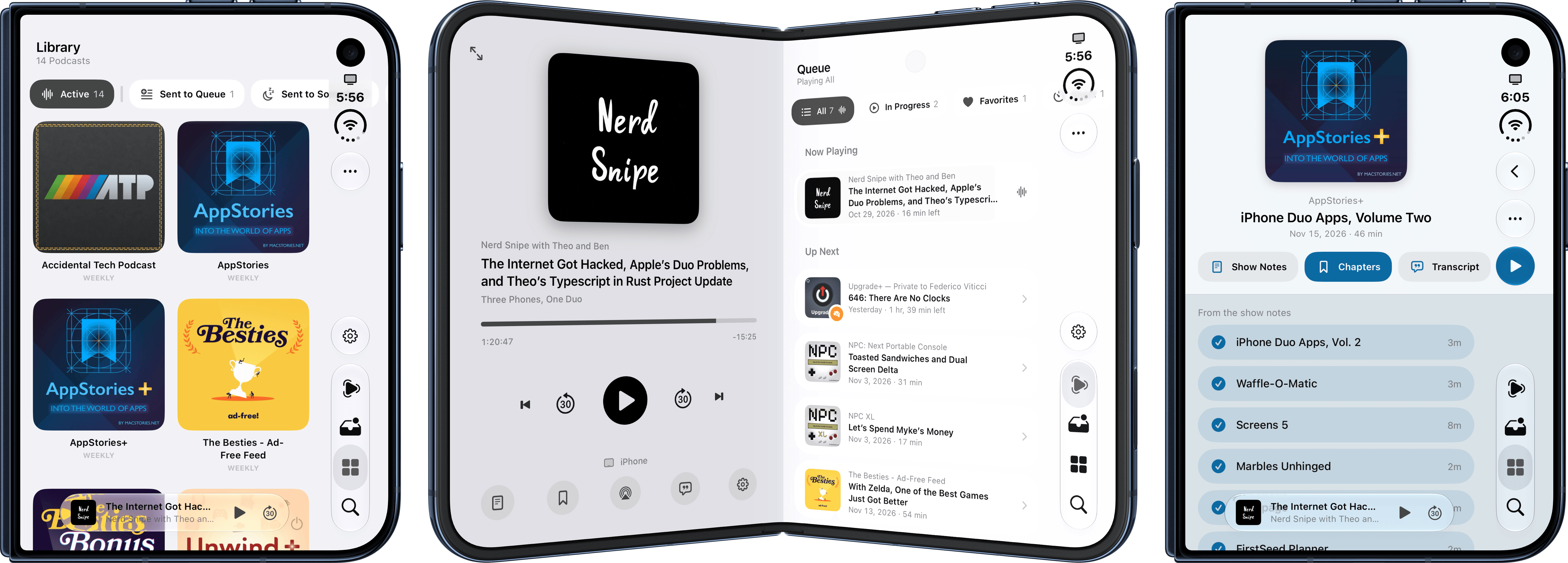
I’ll cut to the chase: Tripod is the best podcast app I’ve tried in a long time. The app looks wonderful on the iPhone Duo, it has the best-designed and most reasonable (for my brain, at least) inbox-queue combo I’ve seen to date, and it is full of little details, hidden Easter eggs, and small quality-of-life features that make it a remarkable option for Castro expats and, for my taste, one of the best app debuts of 2026.
The idea behind Tripod is pretty simple: there is an inbox and a queue. New episodes land in the inbox, which you can configure in terms of notifications, UI (you can optionally show action buttons underneath each episode, or rely on the default context menu for managing them), and behavior. For instance, you can choose to automatically remove episodes older than one week or one month, or just keep a specific number of a show’s recent episodes.
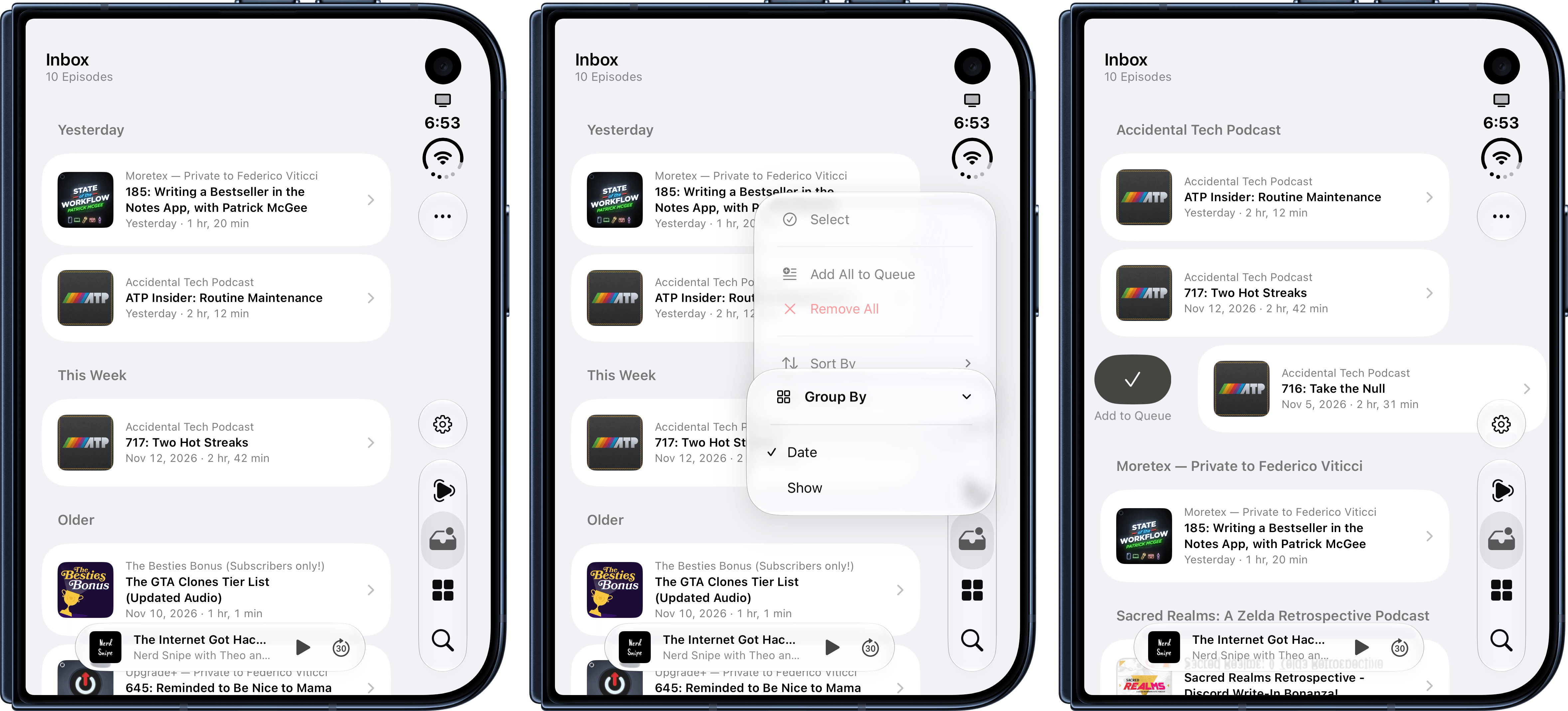
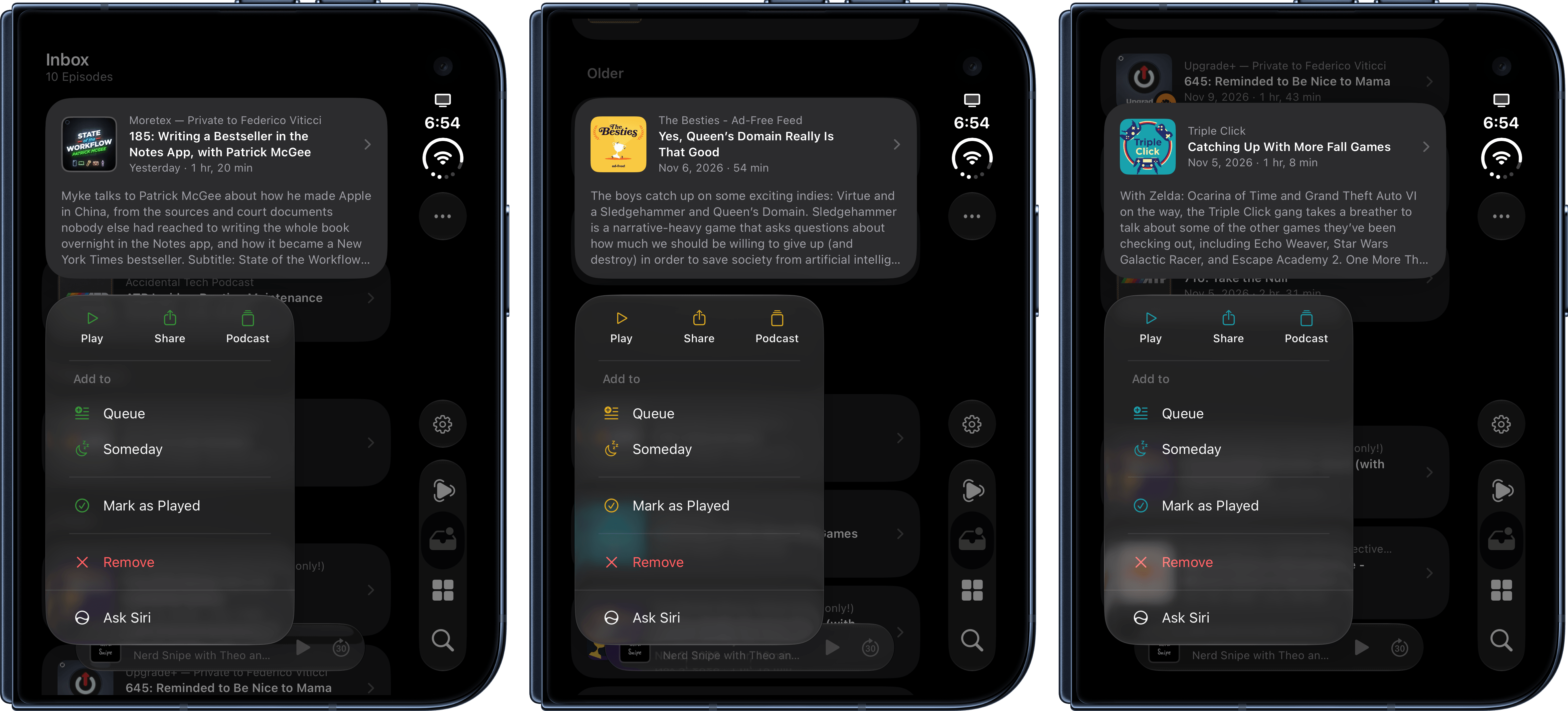
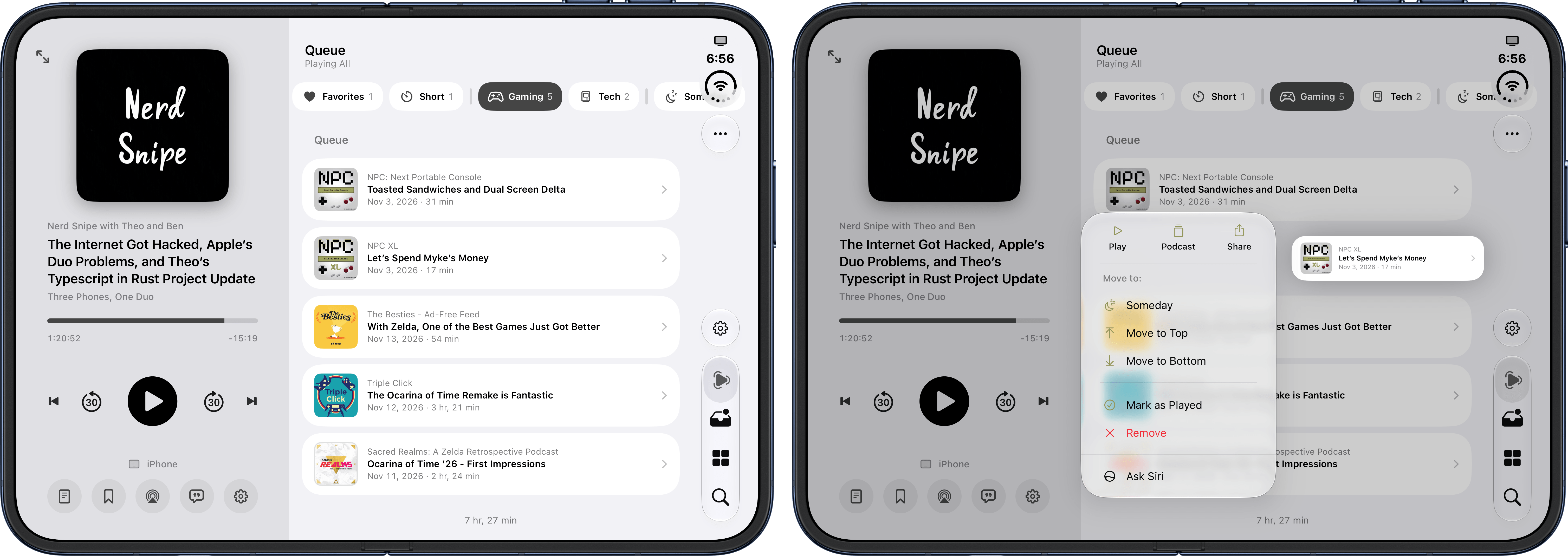
Immediately in the inbox, there are some details I appreciate. When you long-press to show the context menu for a podcast, the menu items are tinted to match the key color of the podcast’s artwork, which is a lovely detail. But also in this menu, you can choose to either remove an episode or mark it as played (not a lot of apps get this right!), jump to the podcast’s main page, and either add it to the queue or ‘Someday’ list (more on this later).
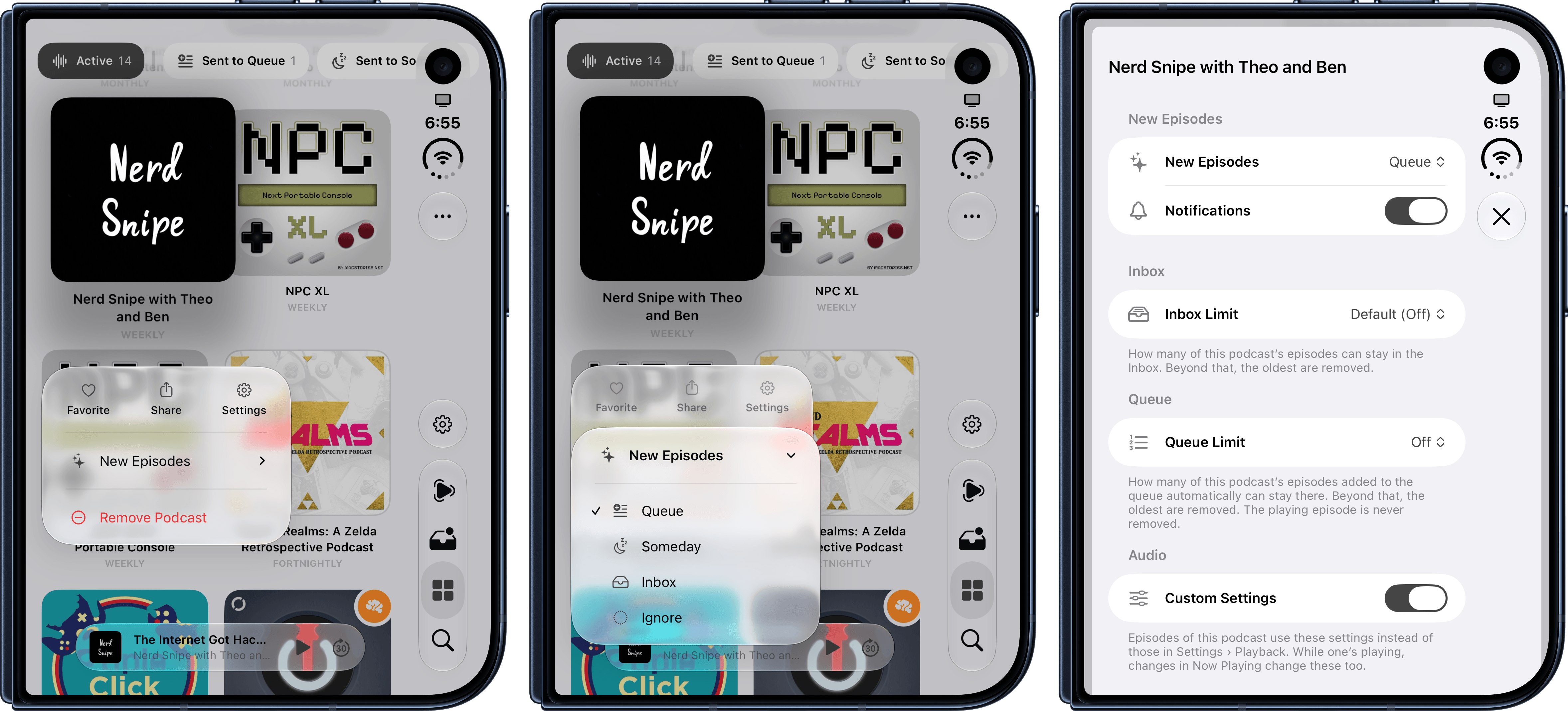
In the inbox, you can group episodes by date or show – the latter option being especially effective if you just want to see how many inbox episodes you have for a specific podcast in your library, so you can quickly triage them. Speaking of the library: you can long-press a show to easily choose where new episodes should land from a context menu, but you can also tweak a podcast’s dedicated settings. These include notifications as well as separate limits for the inbox and queue.
You’ll also notice a scrollable list of filters at the top of the library. These UI elements are available on this page as well as the queue, but I find them to be best suited for the queue, where they make the most sense to me. The queue is a list of episodes where, as previously seen in Castro, episodes can be delightfully rearranged with drag and drop. Various grouping and sorting options are available here as well, but it’s the filter row at the top that I love. With filters, you can sort Tripod’s queue by in-progress episodes (boring, but necessary), favorites, and my three favorite options: short episodes, episodes by category, and “someday” episodes.
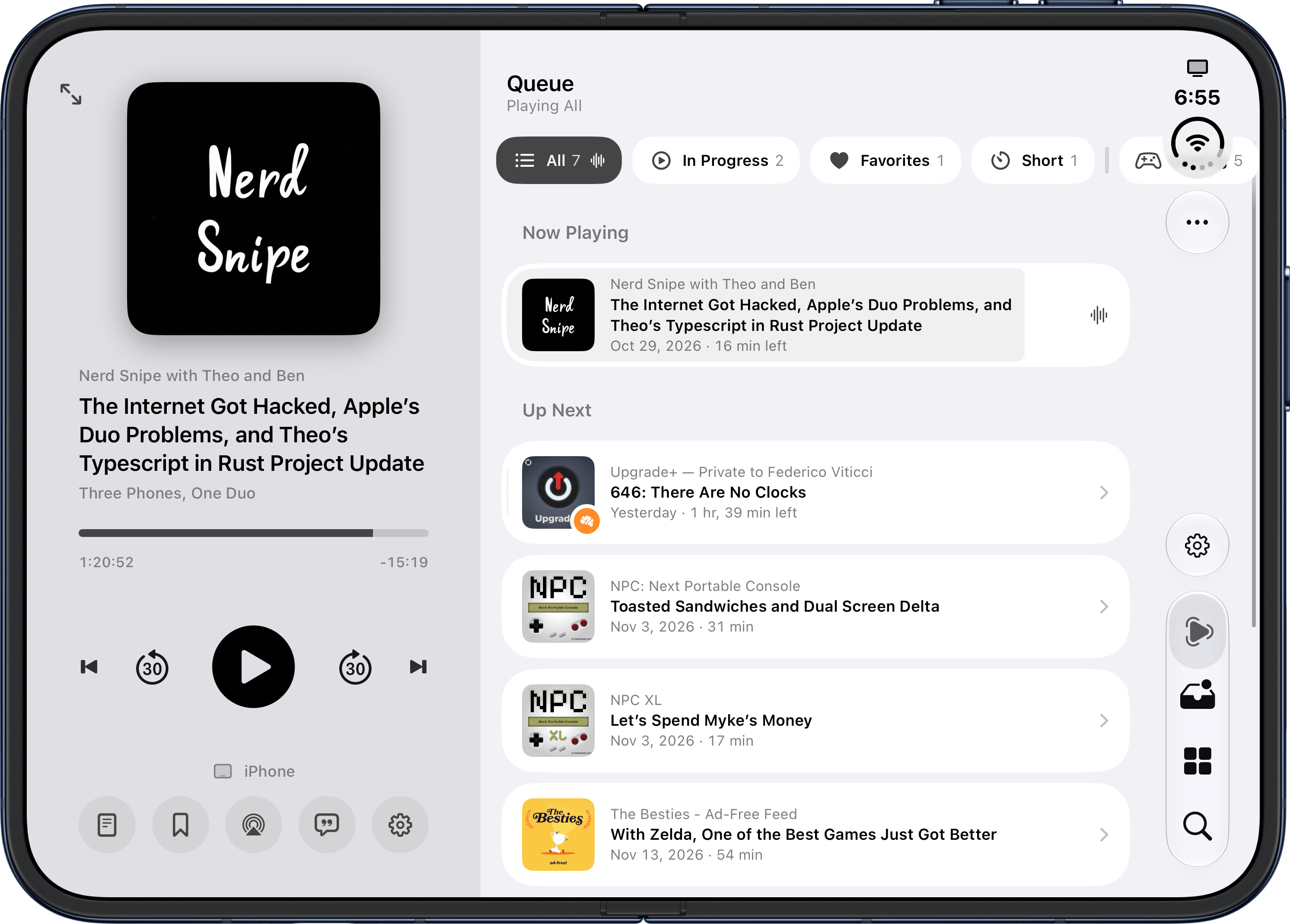
With the ‘Short’ filter, I can quickly get through episodes that don’t last too long; categories are fetched from Apple Podcasts’ database, and they’re an ingenious way to triage episodes based on what I’m in the mood for without having to create smart playlists upfront (something I used to do in Pocket Casts). The ‘Someday’ list (which seems to be inspired by the namesake feature originally seen in Things) is a surprisingly useful way to save evergreen episodes I know I want to get to, well, someday, but don’t have to be part of my daily rotation. For example, Myke Hurley’s ‘State of the Workflow’ series on Cortex is perfect for the Someday list since those episodes aren’t time-sensitive or news-heavy, and hold their value months after their release date.
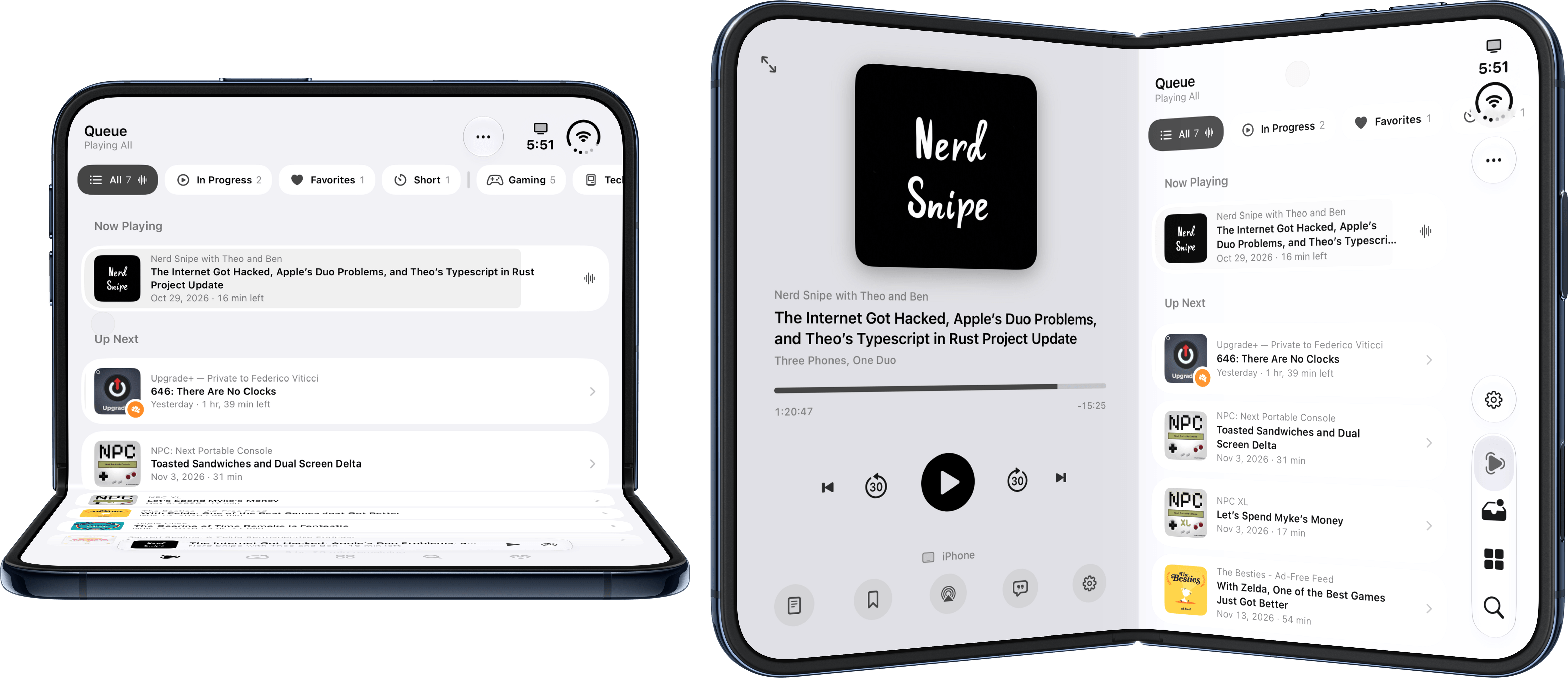
The result of all these decisions is that when I spend time interacting with Tripod, everything clicks and works with the way my brain thinks of managing podcasts. The app is also a great example of how to design for the iPhone Duo: every device pose is supported, and when the Duo is unfolded, the Now Playing screen lives in a left sidebar so you can both navigate the app and manage your listening session.
Features seen in other podcast apps are also seen here: swipe up on the artwork, and you’ll get pages in the sidebar for chapters (you can select which ones you want to skip), a real-time transcript (which is generated on-device and seems comparable to Overcast’s in terms of quality), and audio settings.
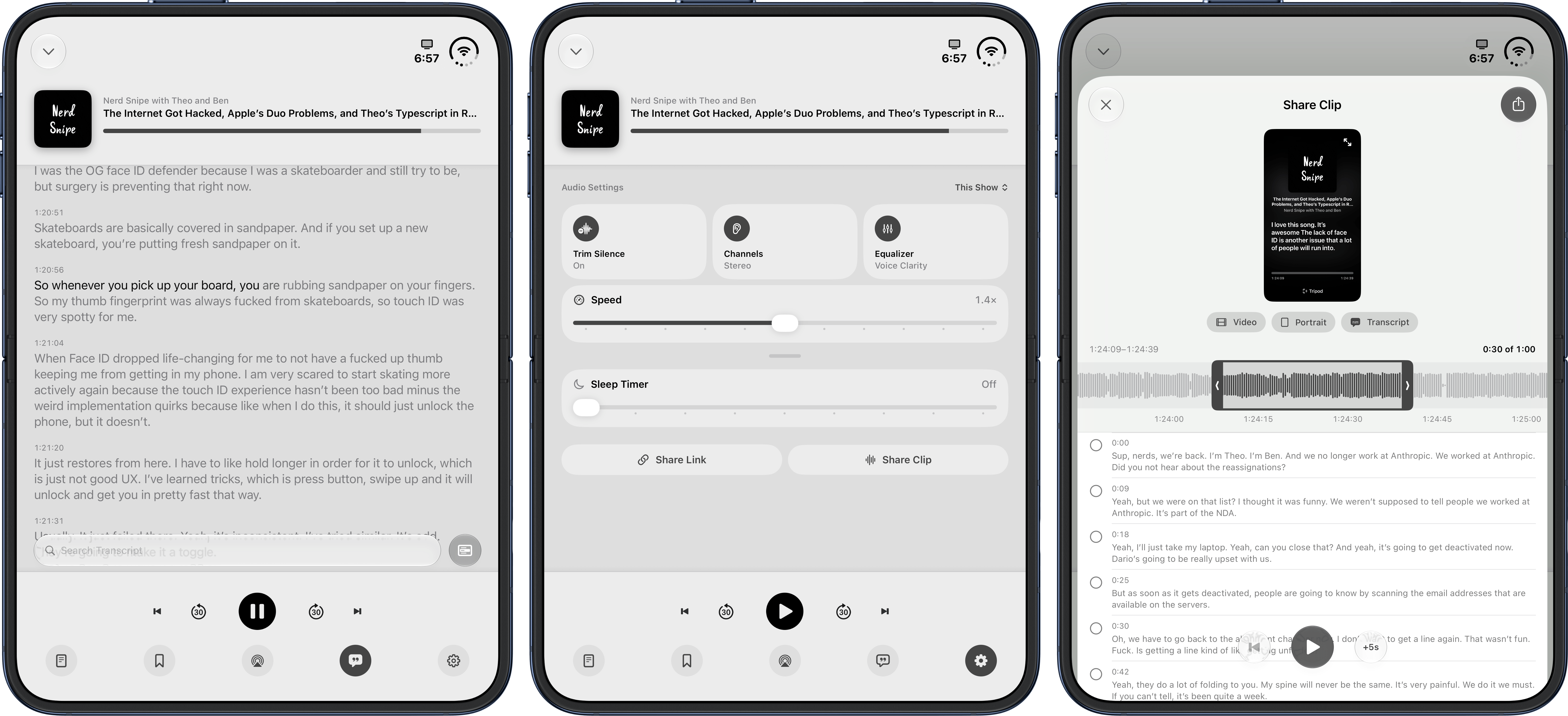
And it is, in fact, when comparing Tripod to Overcast that I need to air some of my complaints about this early version of the app (Tripod launched last week, and a 2026.4 update – which I tested for this review – is launching soon on the App Store). Tripod does not support streaming episodes yet, and it’s a download-only affair for now. That is not a dealbreaker for me, but I don’t care about keeping episodes offline and dislike having to wait a few seconds before an episode begins, so I hope McCarthy supports streaming in the near future. Second, while Tripod does have audio effects for trimming silence between words and adjusting volume (it’s an equalizer with different options), they don’t sound nearly as good as Marco Arment’s effects to my ears. Arment has been tweaking and optimizing those effects for years, and it shows. That said, Tripod’s effects are certainly better than some sloppy podcast clients I’ve tried this year, and they get the job done.
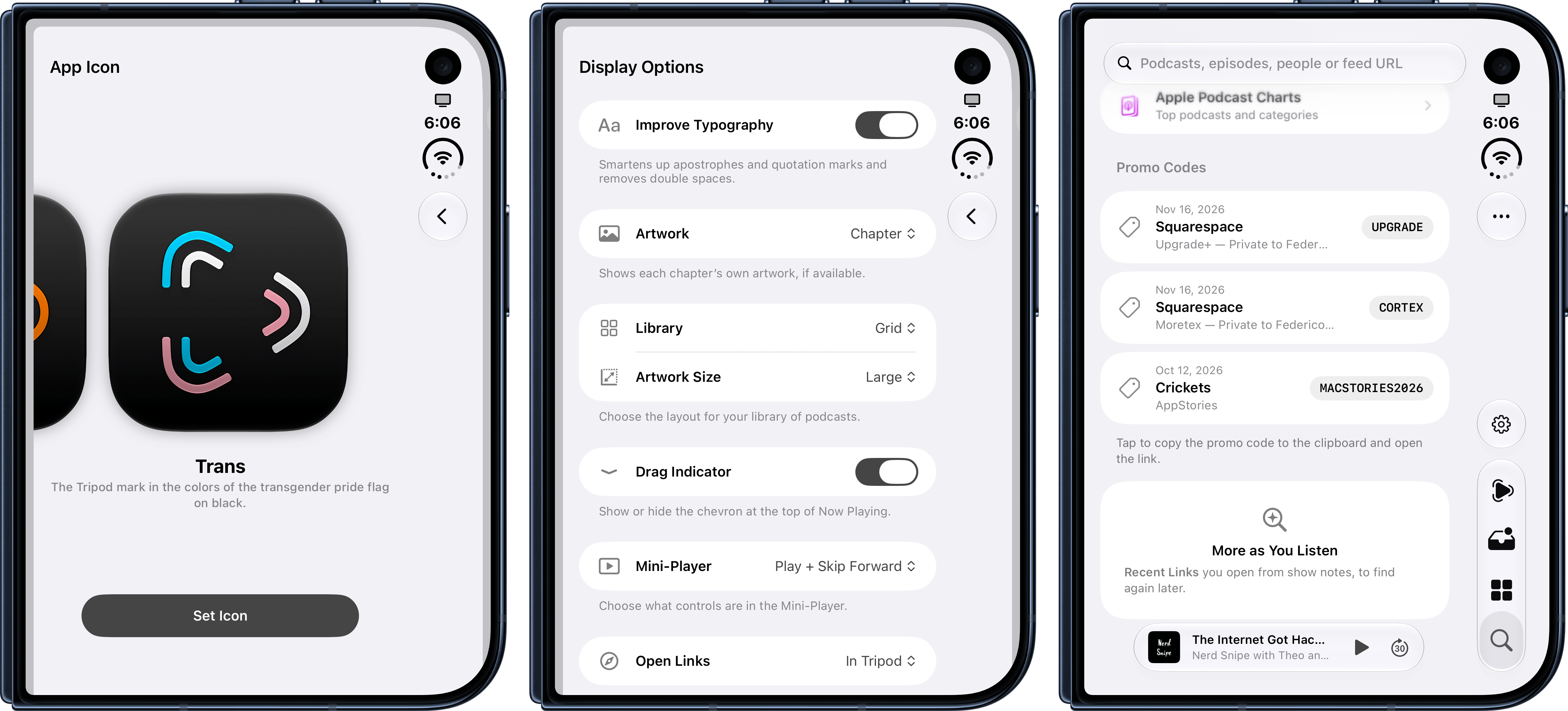
What Tripod may lack in maturity (the app is not on the iPad or Mac either, for example), it compensates for with fun details that are a testament to McCarthy’s taste and deep knowledge of iOS. Promo codes for sponsors are automatically extracted from episodes you listen to and their show notes, and made available for quick copy in the Search screen. Links you open from show notes are also temporarily saved, so you can easily find them later. There are two stunning Six Colors and Trans alternative app icons; you can review your entire activity in the app in a dedicated screen; and there are listening stats that – I have to assume – will be made easier to share, Spotify Wrapped-style, at some point.
It’s always been hard to stand out in the App Store, but even more so these days because of the increasing number of new app releases made possible by AI coding agents. However, as someone who’s been doing this for 17 years, I can tell you that – and excuse my French – it’s still quite easy to tell a shitty app apart from one that is thoughtful, designed with care, and considered with the restraint that is necessary to ship a quality product.
Tripod is both the sum of its parts and the parts it doesn’t have. It’s an opinionated podcast app created for a particular type of podcast listener that, however, pulls off the tricky balancing act of blending its creator’s opinions with customization features for a wider audience.
If you’re the kind of person who would enjoy listening to podcasts with this kind of app, I think you already know what to do.

