Posts tagged with "OpenAI"

OpenClaw Creator Peter Steinberger Joins OpenAI

Peter Steinberger, the developer behind OpenClaw that was launched and took off barely a month ago and has already had three names, is joining OpenAI. In addition, OpenClaw is moving to a foundation where it will remain an open-source project.

As Steinberger explains on his website:

It’s always been important to me that OpenClaw stays open source and given the freedom to flourish. Ultimately, I felt OpenAI was the best place to continue pushing on my vision and expand its reach. The more I talked with the people there, the clearer it became that we both share the same vision.

The community around OpenClaw is something magical and OpenAI has made strong commitments to enable me to dedicate my time to it and already sponsors the project. To get this into a proper structure I’m working on making it a foundation. It will stay a place for thinkers, hackers and people that want a way to own their data, with the goal of supporting even more models and companies.

The AI world has been talking about agents for more than a year, but it wasn’t until Steinberger’s project came along that we got software that put the idea of agents to practical use. OpenClaw may have only been just a few months old, but it captured the imaginations of users, including Federico, who has an uncanny knack for spotting the next big thing very early.

It will be interesting to see where OpenAI’s apps go next. I’ve been impressed with Codex, and with the Sky team and Steinberger on the company’s roster, I have high hopes for what they’ll do next.

Permalink

OpenAI Launches Codex, a Mac App for Agentic Coding

Today, OpenAI released Codex, a Mac app for building software. Here’s how OpenAI describes the app in its announcement:

The Codex app changes how software gets built and who can build it—from pairing with a single coding agent on targeted edits to supervising coordinated teams of agents across the full lifecycle of designing, building, shipping, and maintaining software.

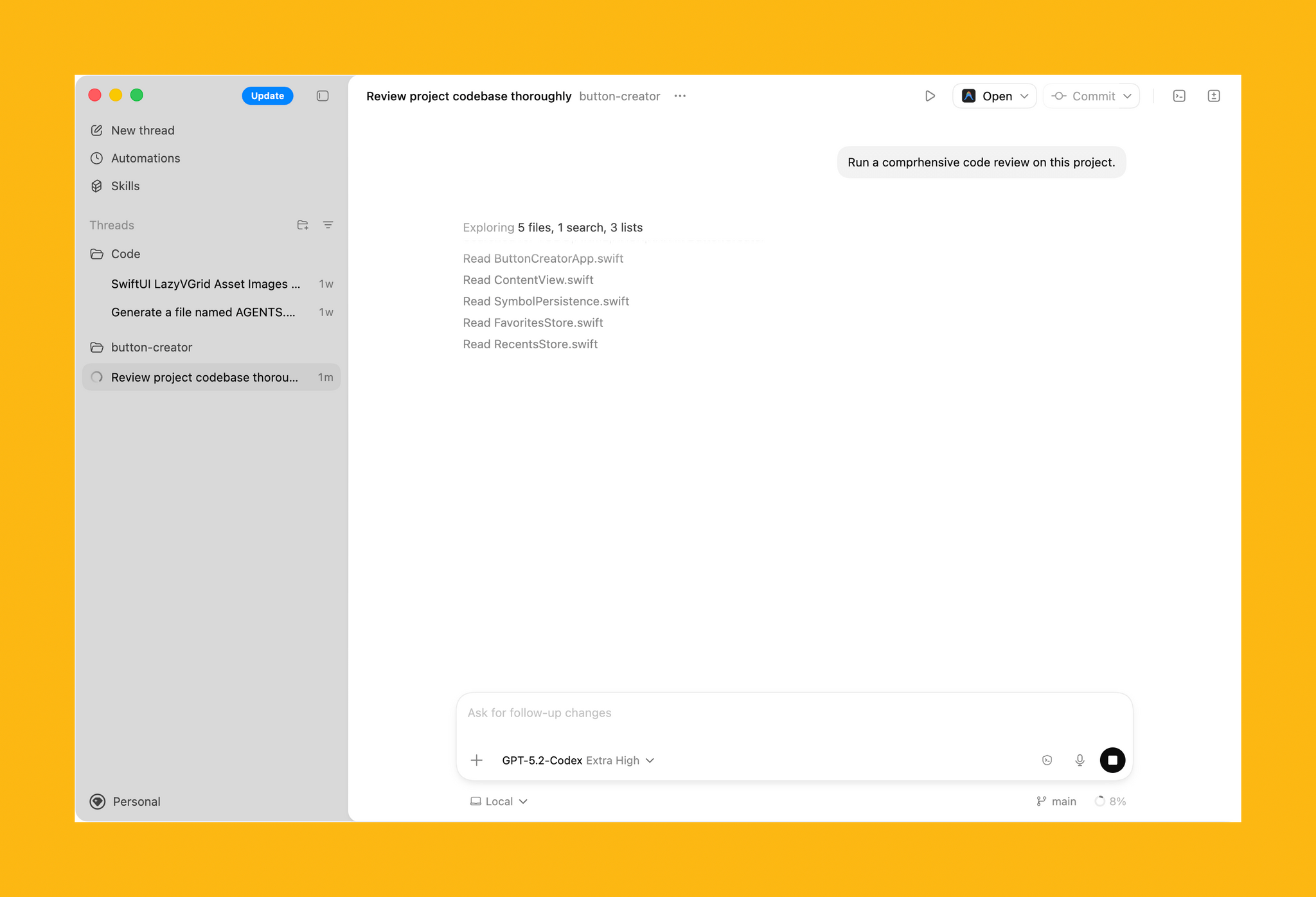
On first launch, Codex requests permission to access the file system. I granted it access to a subfolder where I stored all my projects, along with the folder that houses an app I’ve been building in my spare time. Those folders and projects live in the left sidebar, where each can be expanded to reveal chat sessions for that project.

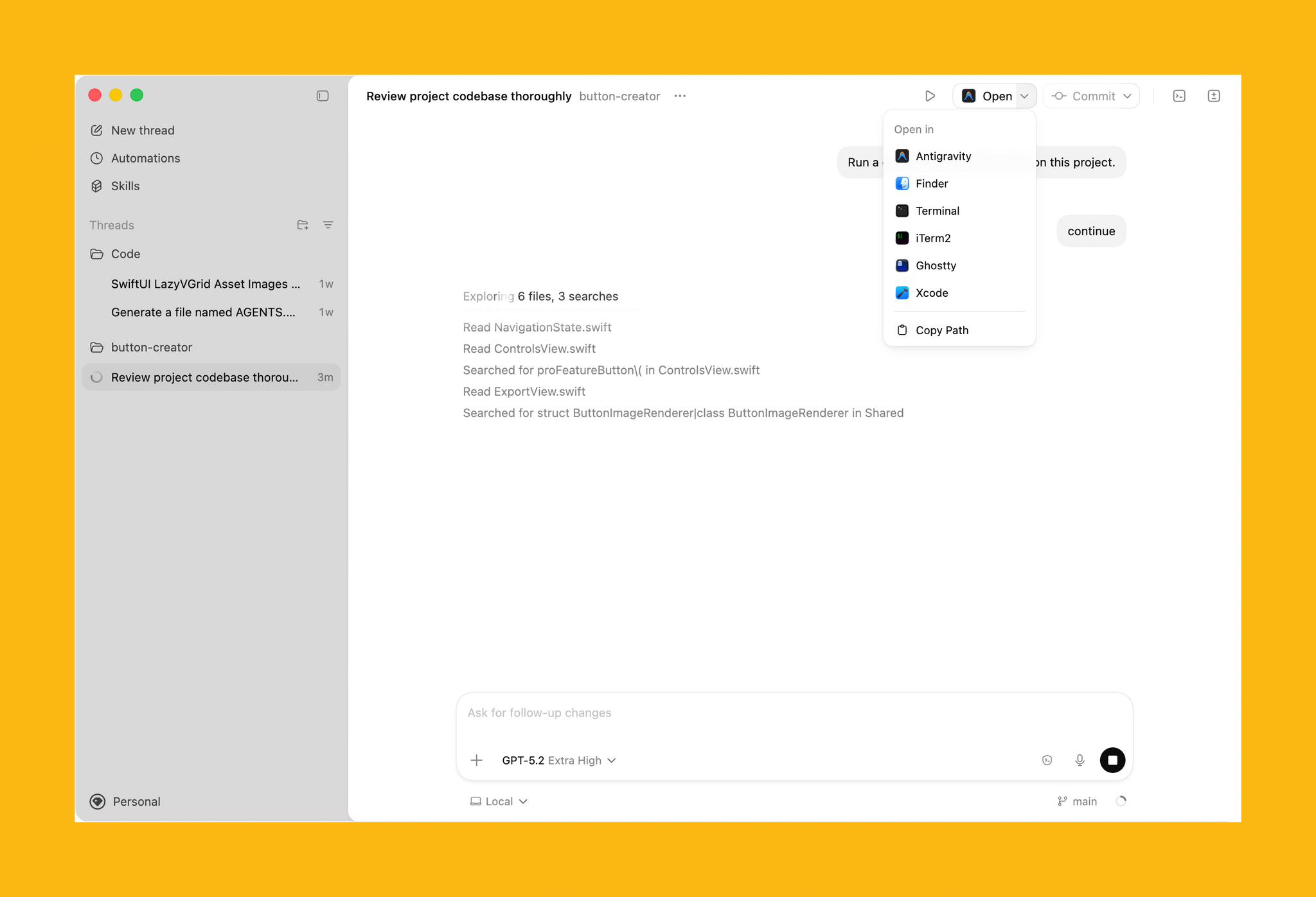
Access to your other development tools.

Access to your other development tools.

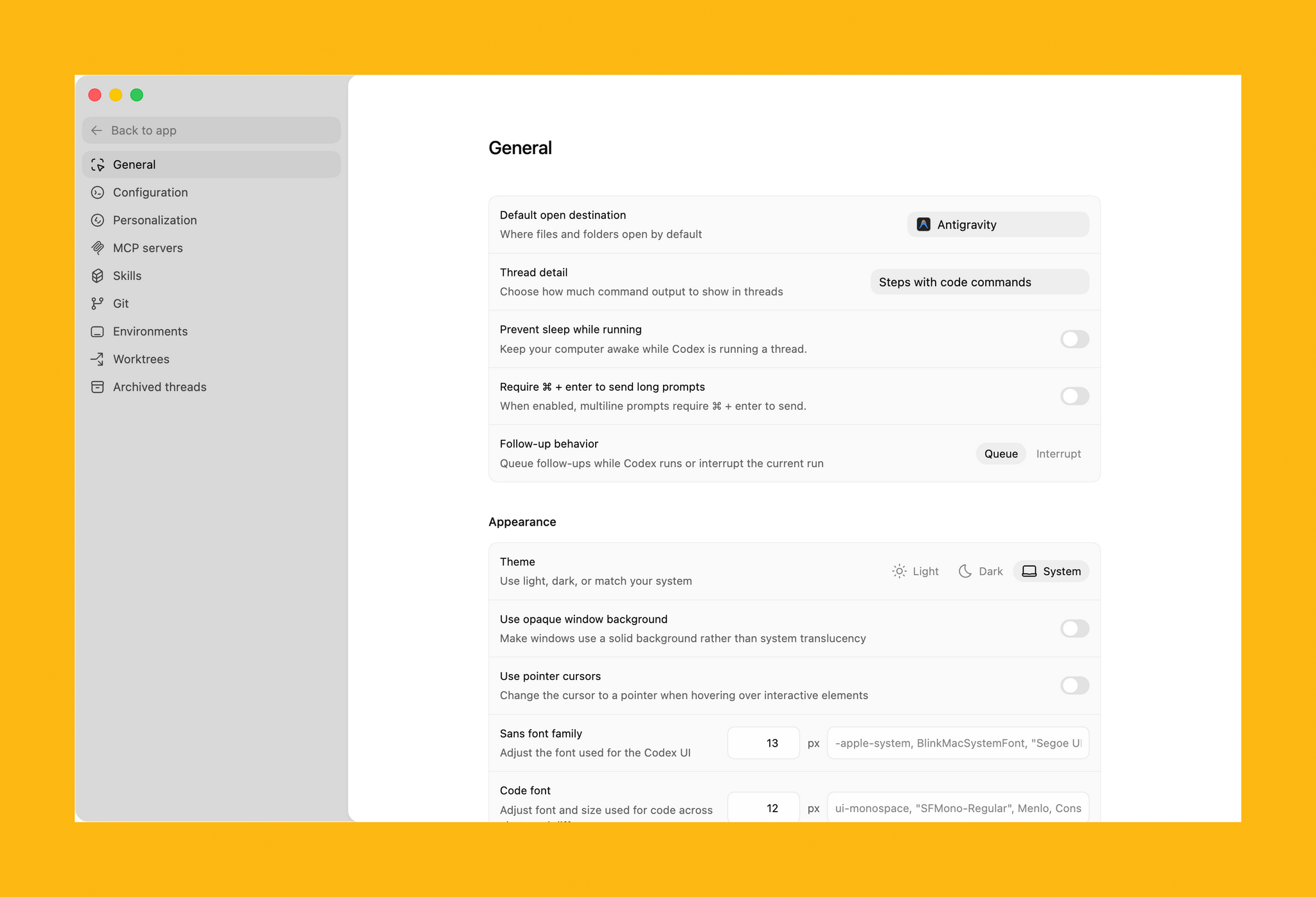
In the toolbar is an Open button for accessing other development tools installed on your Mac, a Commit button for managing version control, a button that reveals a terminal view that expands up from the bottom of the window, and a diff panel for reviewing code changes. In settings, you’ll find additional customization options, along with tools to hook up MCP servers and integrate skills.

Some of Codex's customization options.

Some of Codex’s customization options.

Codex is not your traditional IDE. Agents are front and center, which in an app that is far more natural to use if you’re new to agentic coding, but the model is similar. While I write this article, Codex has been grinding away in the background performing a code review of my app. After spending time reviewing all the files, Codex asked permission to run commands to do things that it can’t accomplish inside its sandboxed environment.

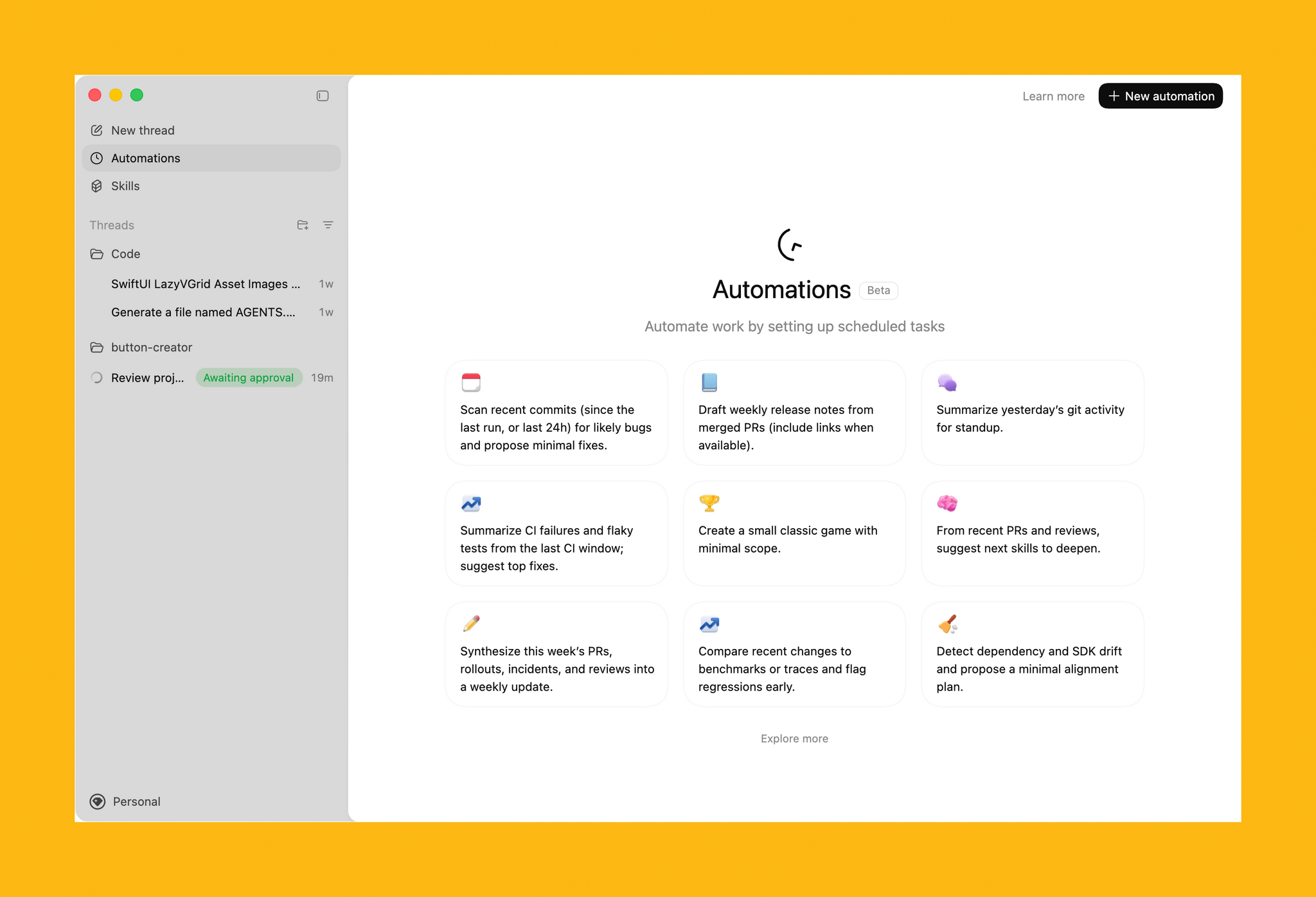
Automations.

Automations.

The capabilities of Codex are enhanced by skills. OpenAI is kicking off the launch of Codex with a bunch of skills that you can access via its open-source GitHub repo. The app includes a selection of pre-built Automations for repetitive tasks, too.

All in all, Codex looks excellent, but it will take me some time to get a sense of its full capabilities. If you’re interested in trying Codex, you can download it from OpenAI here. For a limited time, the company is making the tool available to Free and Go subscribers, for whom rate limits have been temporarily doubled, as well as Plus, Pro, Business, Enterprise, and Edu users.


OpenAI Opens Up ChatGPT App Submissions to Developers

Announced earlier this year at OpenAI’s DevDay, developers may now submit ChatGPT apps for review and publication. OpenAI’s blog post explains that:

Apps extend ChatGPT conversations by bringing in new context and letting users take actions like order groceries, turn an outline into a slide deck, or search for an apartment.

Under the hood, OpenAI is using MCP, Model Context Protocol, which was pioneered by Anthropic late last year and donated to the Agentic AI Foundation last week.

Apps are currently available in the web version of ChatGPT from the sidebar or tools menu and, once connected, can be accessed by @mentioning them. Early participants include Adobe, which preannounced its apps last week, Apple Music, Spotify, Zillow, OpenTable, Figma, Canva, Expedia, Target, AllTrails, Instacart, and others.

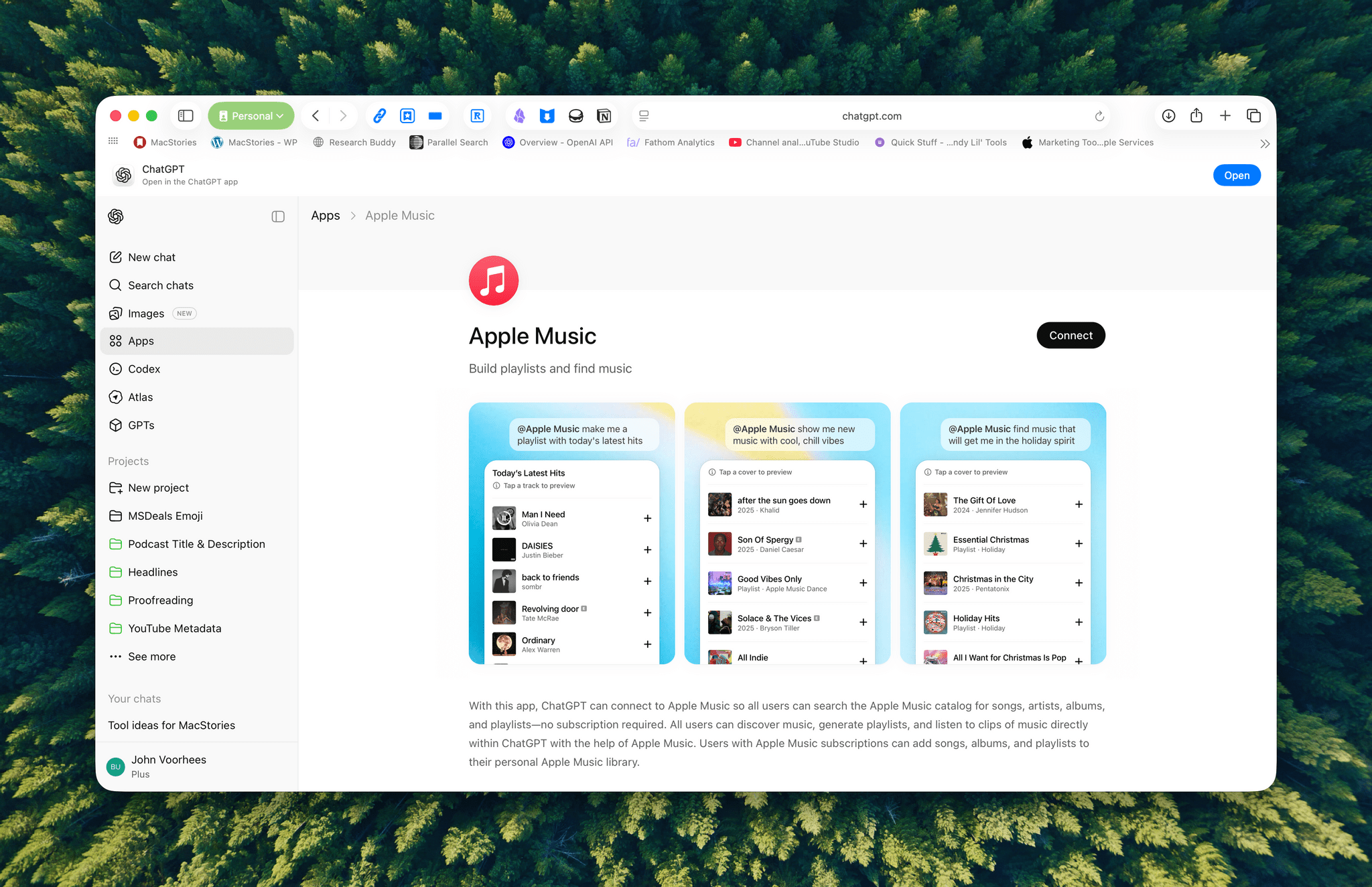
I was hoping the Apple Music app would allow me to query my music library directly, but that’s not possible. Instead, it allows ChatGPT to do things like search Apple Music’s full catalog and generate playlists, which is useful but limited.

ChatGPT's Apple Music app lets you create playlists.

ChatGPT’s Apple Music app lets you create playlists.

Currently, there’s no way for developers to complete transactions inside ChatGPT. Instead, sales can be kicked to another app or the web, although OpenAI says it is exploring ways to offer transactions inside ChatGPT. Developers who want to submit an app must follow OpenAI’s app submission guidelines (sound familiar?) and can learn more from a variety of resources that OpenAI has made available.

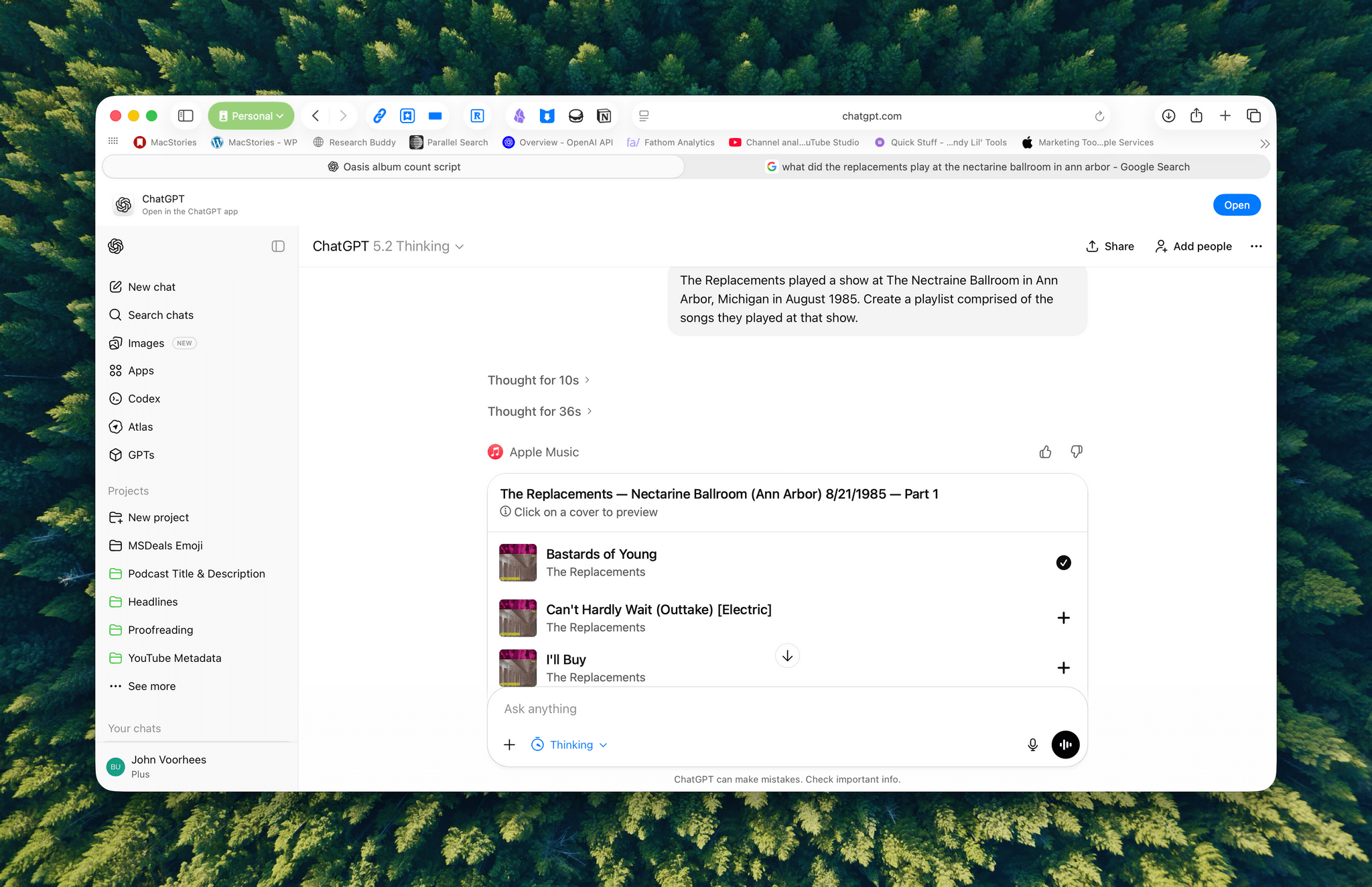
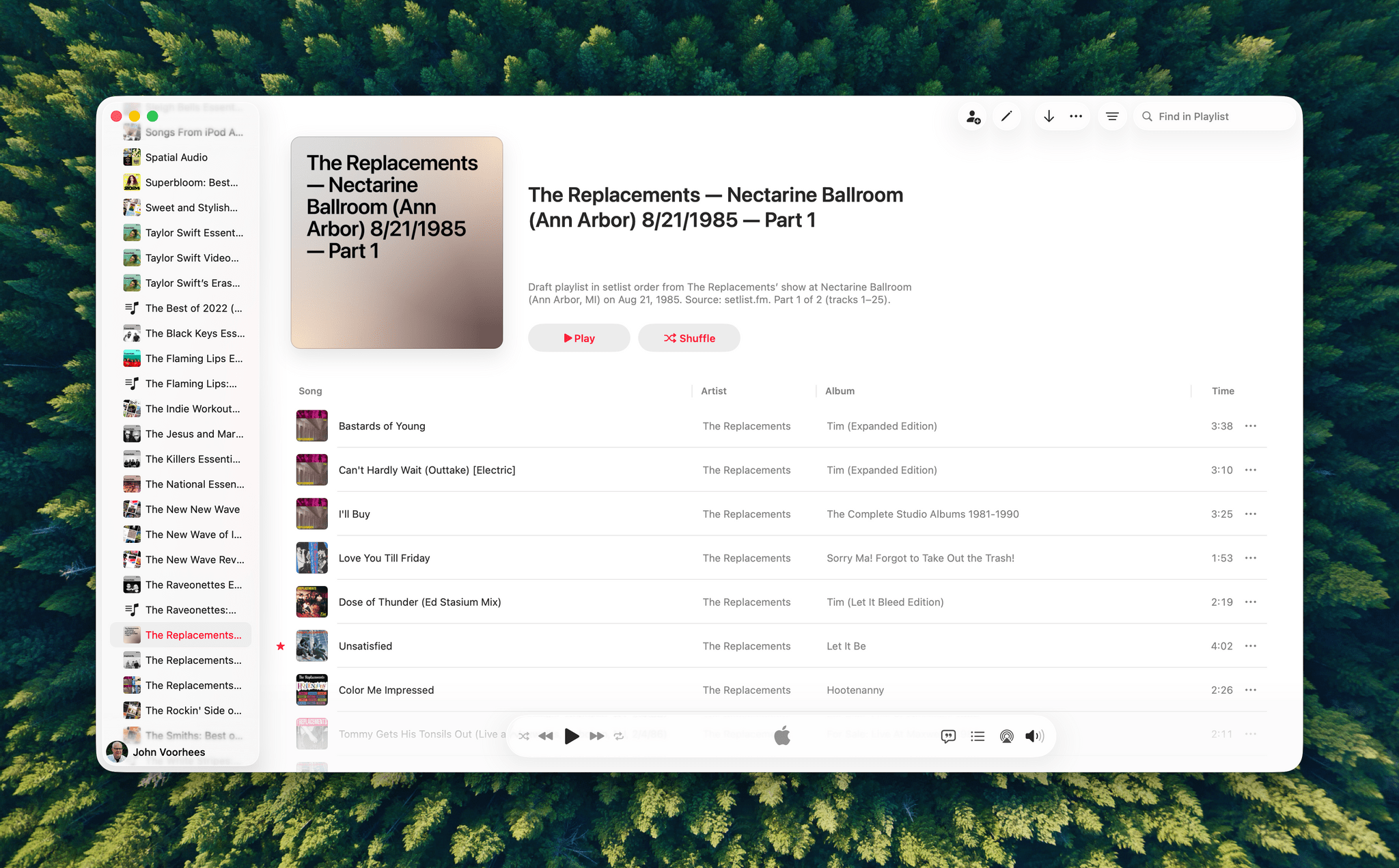
A playlist generated by ChatGPT from a 40-year-old setlist.

A playlist generated by ChatGPT from a 40-year-old setlist.

I haven’t spent a lot of time with the apps that are available, but despite the lack of access to your library, the Apple Music integration can be useful when combined with ChatGPT’s world knowledge. I asked it to create a playlist of the songs that The Replacements played at a show I saw in 1985, and while I don’t recall the exact setlist, ChatGPT matched what’s on Setlist.fm, a user-maintained wiki of live shows. I could have made this playlist myself, but it was convenient to have ChatGPT do it instead, even if the Apple Music integration is limited to 25-song playlists, which meant that The Replacements’ setlist was split into two playlists.

We’re still in the early days of MCP, and participation by companies will depend on whether they can make incremental sales to users via ChatGPT. Still, there’s clearly potential for apps embedded in chatbots to take off.


Adobe Announces Image and PDF Integration with ChatGPT

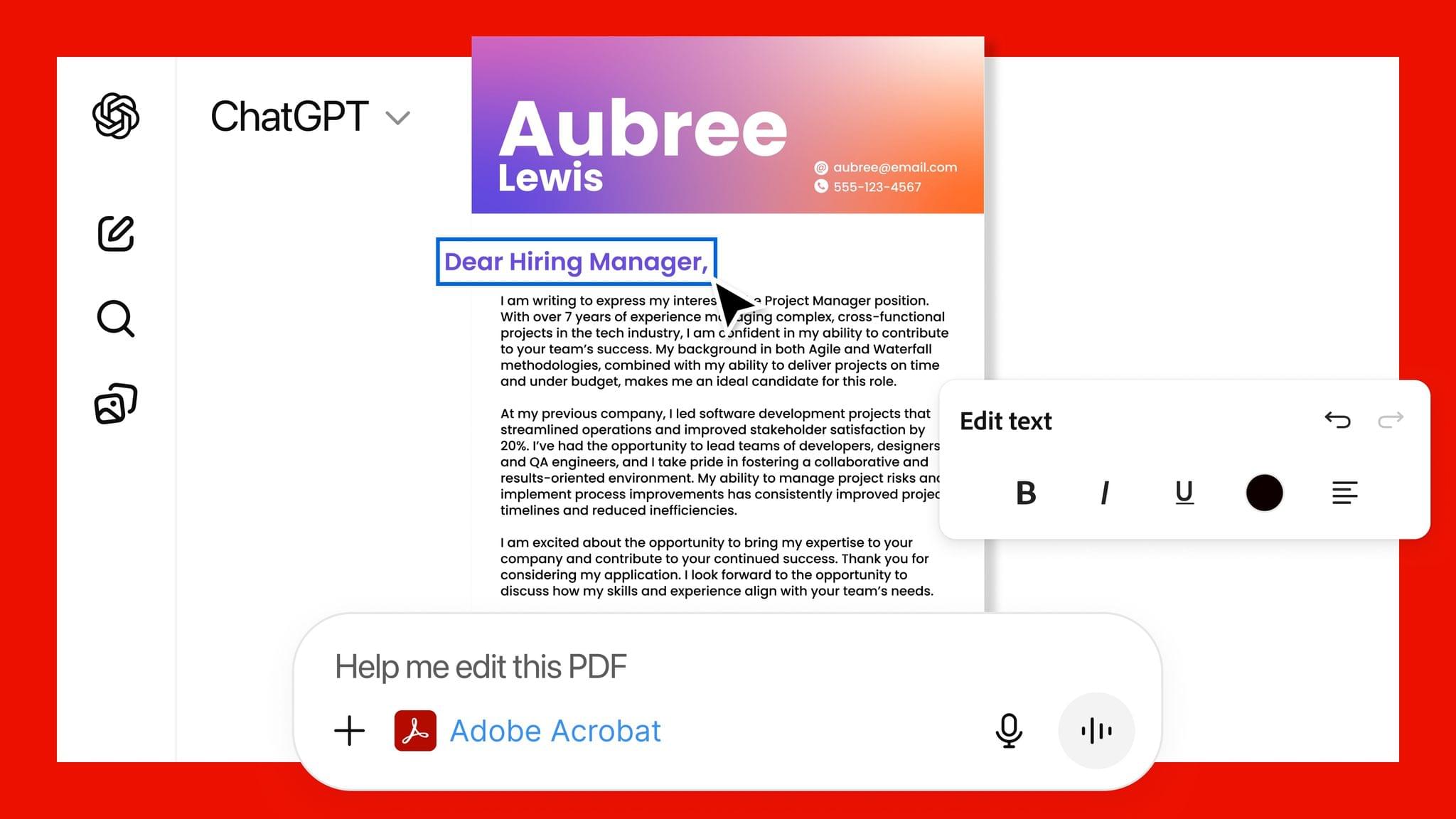
Source: Adobe.

Source: Adobe.

Adobe announced today that it has teamed up with OpenAI to give ChatGPT users access to Photoshop, Express, and Acrobat from inside the chatbot. The new integration is available starting today at no additional cost to ChatGPT users.

Source: Adobe.

Source: Adobe.

In a press release to Business Wire, Adobe explains that its three apps can be used by ChatGPT users to:

  • Easily edit and uplevel images with Adobe Photoshop: Adjust a specific part of an image, fine tune image settings like brightness, contrast and exposure, and apply creative effects like Glitch and Glow – all while preserving the quality of the image.
  • Create and personalize designs with Adobe Express: Browse Adobe Express’ extensive library of professional designs to find the best one for any moment, fill in the text, replace images, animate designs and iterate on edits – all directly inside the chat and without needing to switch to another app – to create standout content for any occasion.
  • Transform and organize documents with Adobe Acrobat: Edit PDFs directly in the chat, extract text or tables, organize and merge multiple files, compress files and convert them to PDF while keeping formatting and quality intact. Acrobat for ChatGPT also enables people to easily redact sensitive details.
Source: Adobe.

Source: Adobe.

This strikes me as a savvy move by Adobe. Allowing users to request image and PDF edits and design documents with natural language prompts makes its tools more approachable. That could attract new users who later move to an Adobe subscription to get more control over their creations and Adobe’s other offerings.

From OpenAI’s standpoint, this is clearly a response to the consumer-facing Gemini features that Google has begun releasing, which include new image and video generation tools and reportedly caused Sam Altman to declare a “code red” inside the company. I understand the OpenAI freakout. Google has a huge user base and has been doing consumer products far longer than OpenAI, but I can’t say I’ve been very impressed with Gemini 3. Perhaps that’s simply because I don’t care for generative images and video, but these latest moves by Google and OpenAI make it clear that they see them as foundational to consumer-facing AI tools.


Sky Acquired by OpenAI

Source: OpenAI

Source: OpenAI

Sky, the AI automation app that Federico previewed for MacStories readers in May, has been acquired by OpenAI.

Nick Turley, OpenAI’s Vice President & Head of ChatGPT said of the deal in an OpenAI press release:

We’re building a future where ChatGPT doesn’t just respond to your prompts, it helps you get things done. Sky’s deep integration with the Mac accelerates our vision of bringing AI directly into the tools people use every day.

I’m not surprised by this development at all. OpenAI, Anthropic, and Perplexity have all been developing features similar to what Sky could do for a while now. In addition, Sam Altman was an investor in Software Applications Incorporated, the company behind Sky.

Ari Weinstein of Software Applications Incorporated, who was one of the co-founders of Workflow, which was later acquired by Apple and became Shortcuts, said of the acquisition:

We’ve always wanted computers to be more empowering, customizable, and intuitive. With LLMs, we can finally put the pieces together. That’s why we built Sky, an AI experience that floats over your desktop to help you think and create. We’re thrilled to join OpenAI to bring that vision to hundreds of millions of people.

It’s not entirely clear what will become of Sky at this point. OpenAI’s press release simply states that the company will be working on integrating Sky’s capabilities.


Apps in ChatGPT

OpenAI announced a lot of developer-related features at yesterday’s DevDay event, and as you can imagine, the most interesting one for me is the introduction of apps in ChatGPT. From the OpenAI blog:

Today we’re introducing a new generation of apps you can chat with, right inside ChatGPT. Developers can start building them today with the new Apps SDK, available in preview.

Apps in ChatGPT fit naturally into conversation. You can discover them when ChatGPT suggests one at the right time, or by calling them by name. Apps respond to natural language and include interactive interfaces you can use right in the chat.

And:

Developers can start building and testing apps today with the new Apps SDK preview, which we’re releasing as an open standard built on the Model Context Protocol⁠ (MCP). To start building, visit our documentation for guidelines and example apps, and then test your apps using Developer Mode in ChatGPT.

Also:

Later this year, we’ll launch apps to ChatGPT Business, Enterprise and Edu. We’ll also open submissions so developers can publish their apps in ChatGPT, and launch a dedicated directory where users can browse and search for them. Apps that meet the standards provided in our developer guidelines will be eligible to be listed, and those that meet higher design and functionality standards may be featured more prominently—both in the directory and in conversations.

Looks like we got the timing right with this week’s episode of AppStories about demystifying MCP and what it means to connect apps to LLMs. In the episode, I expressed my optimism for the potential of MCP and the idea of augmenting your favorite apps with the capabilities of LLMs. However, I also lamented how fragmented the MCP ecosystem is and how confusing it can be for users to wrap their heads around MCP “servers” and other obscure, developer-adjacent terminology.

In classic OpenAI fashion, their announcement of apps in ChatGPT aims to (almost) completely abstract the complexity of MCP from users. In one announcement, OpenAI addressed my two top complaints about MCP that I shared on AppStories: they revealed their own upcoming ecosystem of apps, and they’re going to make it simple to use.

Does that ring a bell? It’s impossible to tell right now if OpenAI’s bet to become a platform will be successful, but early signs are encouraging, and the company has the leverage of 800 million active users to convince third-party developers to jump on board. Just this morning, I asked ChatGPT to put together a custom Spotify playlist with bands that had a similar vibe to Moving Mountains in their Pneuma era, and after thinking for a few minutes, it worked. I did it from the ChatGPT web app and didn’t have to involve the App Store at all.

If I were Apple, I’d start growing increasingly concerned at the prospect of another company controlling the interactions between users and their favorite apps. As I argued on AppStories, my hope is that the rumored MCP framework allegedly being worked on by Apple is exactly that – a bridge (powered by App Intents) between App Store apps and LLMs that can serve as a stopgap until Apple gets their LLM act together. But that’s a story for another time.

Permalink

Building Tools with GPT-5

Yesterday, Parker Ortolani wrote about several vibe coding projects he’s been working on and his experience with GPT-5:

The good news is that GPT-5 is simply amazing. Not only does it design beautiful user interfaces on its own without even needing guidance, it has also been infinitely more reliable. I couldn’t even count the number of times I have needed to work with the older models to troubleshoot errors that they created themselves. Thus far, GPT-5 has not caused a single build error in Xcode.

I’ve had a similar initial experience. Leading up to the release of GPT-5, I used Claude Opus 4 and 4.1 to create a Python script that queries the Amazon Product Advertising API to check whether there are any good deals on a long list of products. I got it working, but it typically returned a list of 200-300 deals sorted by discount percentage.

Though those results were fine, a percentage discount only roughly correlates to whether something is a good deal. What I wanted was to rank the deals by assigning different weights to several factors and coming up with a composite score for each. Having reached my token limits with Claude, I went to GPT-o3 for help, and it failed, scrambling my script. A couple of days later, GPT-5 launched, so I gave that a try, and it got the script right on the very first try. Now, my script spits out a spreadsheet sorted by rank, making spotting the best deals a little easier than before.

In the days since, I’ve used GPT-5 to set up a synced Python environment across two Macs and begun the process of creating a series of Zapier automations to simplify other administrative tasks. These tasks are all very specific to MacStories and the work I do, so I’ve stuck with scripting them instead of building standalone apps. However, it’s great to hear about Ortolani’s experiences with creating interfaces for native and web apps. It opens up the possibility of creating tools for the rest of the MacStories team that would be easier to install and maintain than walking people through what I’ve done in Terminal.

This statement from Ortolani also resonated with me:

As much as I can understand what code is when I’m looking at it, I just can’t write it. Vibe coding has opened up a whole new world for me. I’ve spent more than a decade designing static concepts, but now I can make those concepts actually work. It changes everything for someone like me.

I can’t decide whether this is like being able to read a foreign language without knowing how to speak it or the other way around, but I completely understand where Ortolani is coming from. It’s helped me a lot to have a basic understanding of how code works, how apps are built, and – as Ortolani mentions – how to write a good prompt for the LLM you’re using.

What’s remarkable to me is that those few ingredients combined with GPT-5 have gone such a long way to eliminate the upfront time I need to get projects like these off the ground. Instead of spending days on research without knowing whether I could accomplish what I set out to do, I’ve been able to just get started and, like Ortolani, iterate quickly, wasting little time if I reach a dead end and, best of all, shortening the time until I have a result that makes my life a little easier.

Federico and I have said many times that LLMs are another form of automation and automation is just another form of coding. GPT-5 and Claude Opus 4.1 are rapidly blurring the lines between both, making automation and coding more accessible than ever.

Permalink

OpenAI to Buy Jony Ive’s Stealth Startup for $6.5 Billion

Jony Ive’s stealth AI company known as io is being acquired by OpenAI for $6.5 billion in a deal that is expected to close this summer subject to regulatory approvals. According to reporting by Mark Gurman and Shirin Ghaffary of Bloomberg:

The purchase — the largest in OpenAI’s history — will provide the company with a dedicated unit for developing AI-powered devices. Acquiring the secretive startup, named io, also will secure the services of Ive and other former Apple designers who were behind iconic products such as the iPhone.

The partnership builds on a 23% stake in io that OpenAI purchased at the end of last year and comes with what Bloomberg describes as 55 hardware engineers, software developers, and manufacturing experts, plus a cast of accomplished designers.

Ive had this to say about the purportedly novel products he and OpenAI CEO Sam Altman are planning:

“People have an appetite for something new, which is a reflection on a sort of an unease with where we currently are,” Ive said, referring to products available today. Ive and Altman’s first devices are slated to debut in 2026.

Bloomberg also notes that Ive and his team of designers will be taking over all design at OpenAI, including software design like ChatGPT.

For now, the products OpenAI is working on remain a mystery, but given the purchase price and io’s willingness to take its first steps into the spotlight, I expect we’ll be hearing more about this historic collaboration in the months to come.

Permalink

Sycophancy in GPT-4o

OpenAI found itself in the middle of another controversy earlier this week, only this time it wasn’t about publishers or regulation, but about its core product – ChatGPT. Specifically, after rolling out an update to the default 4o model with improved personality, users started noticing that ChatGPT was adopting highly sycophantic behavior: it weirdly agreed with users on all kinds of prompts, even about topics that would typically warrant some justified pushback from a digital assistant. (Simon Willison and Ethan Mollick have a good roundup of the examples as well as the change in the system prompt that may have caused this.) OpenAI had to roll back the update and explain what happened on the company’s blog:

We have rolled back last week’s GPT‑4o update in ChatGPT so people are now using an earlier version with more balanced behavior. The update we removed was overly flattering or agreeable—often described as sycophantic.

We are actively testing new fixes to address the issue. We’re revising how we collect and incorporate feedback to heavily weight long-term user satisfaction and we’re introducing more personalization features, giving users greater control over how ChatGPT behaves.

And:

We also believe users should have more control over how ChatGPT behaves and, to the extent that it is safe and feasible, make adjustments if they don’t agree with the default behavior.

Today, users can give the model specific instructions to shape its behavior with features like custom instructions. We’re also building new, easier ways for users to do this. For example, users will be able to give real-time feedback to directly influence their interactions and choose from multiple default personalities.

“Easier ways” for users to adjust ChatGPT’s behavior sound to me like a user-friendly toggle or slider to adjust ChatGPT’s personality (Grok has something similar, albeit unhinged), which I think would be a reasonable addition to the product. I’ve long argued that Siri should come with an adjustable personality similar to CARROT Weather, which lets you tweak whether you want the app to be “evil” or “professional” with a slider. I increasingly feel like that sort of option would make a lot of sense for modern LLMs, too.

Permalink