Posts tagged with "OpenAI"

OpenAI Unveils Codex “Superapp” Update with Computer Use, Automations, Built-In Browser, and More

Source: OpenAI.

Source: OpenAI.

Today, OpenAI introduced a long list of productivity and coding updates to Codex. I haven’t had a chance to try the new features myself yet, but the demo OpenAI gave me was as impressive as the company’s message was clear: Codex isn’t just for coders anymore.

It was just over a week ago that OpenAI raised $122 billion in financing and announced it was shifting its focus to building a superapp that brings the capabilities of its models into a unified experience. It turns out that app is Codex, OpenAI’s app that, until today, was focused primarily on developing software.

However, according to OpenAI, 50% of Codex’s users were already giving it non-coding tasks to complete. Combined with the OS flexibility of a desktop environment, that made Codex the natural place to bring together a wide range of new productivity and coding features.

On the productivity side of things, the update allows Codex to operate your desktop apps, interacting with interface elements and inputting text, for example. We’ve seen computer use from other AI companies before, but one thing that sets Codex apart is its ability to work in your apps in the background so they don’t steal the focus from whatever app you’re already using.
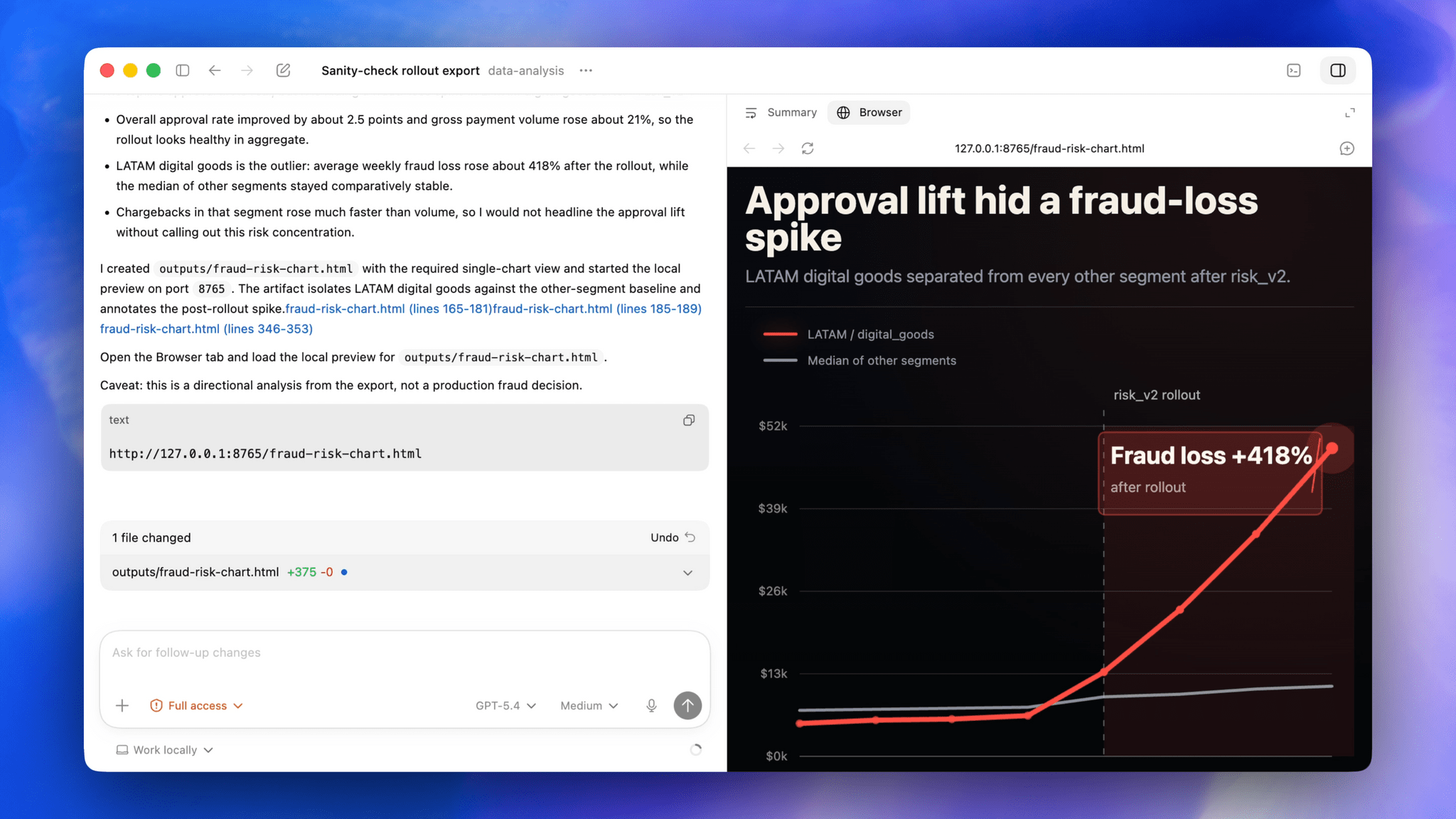
Codex's built-in browser. Source: OpenAI

Codex’s built-in browser. Source: OpenAI

OpenAI has drawn aspects of its Atlas browser into Codex, too. This allows Codex to prototype websites and apps that users can comment on in-line, creating a tight feedback loop for refining designs. Currently, this feature is limited to running sites and apps via a local server setup, but OpenAI says it will be extended to incorporate actions like interacting with the greater Internet, taking screenshots, and stepping through user flows in the future.

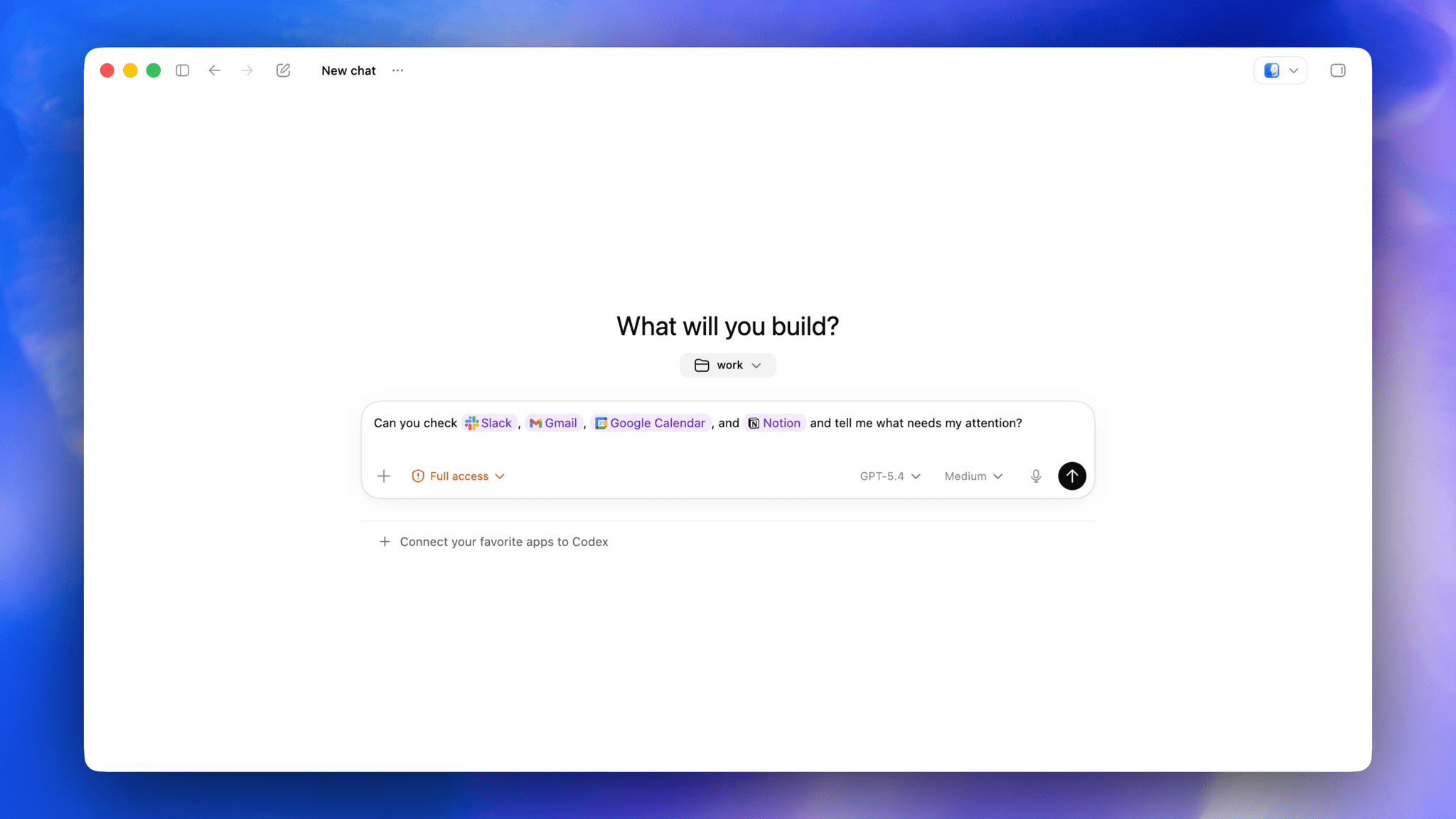
Plugins are taking a big leap forward as well, with over 100 being added to the mix. Like the Claude plugins that Anthropic offers, Codex plugins are composed of a bundle of skills, app integrations, and MCP servers. According to OpenAI, the list includes many popular third-party tools and services like the Microsoft suite, Atlassian Rovo, CodeRabbit, Render, and Superpowers. One of my favorite moments in the Codex demo I saw was a prompt that simply asked, “Can you check Slack, Gmail, Google Calendar, and Notion and tell me what needs my attention?” It’s the sort of query that I think a lot of people can relate to as they start a busy day, and it’s all driven by stacking multiple plugins.
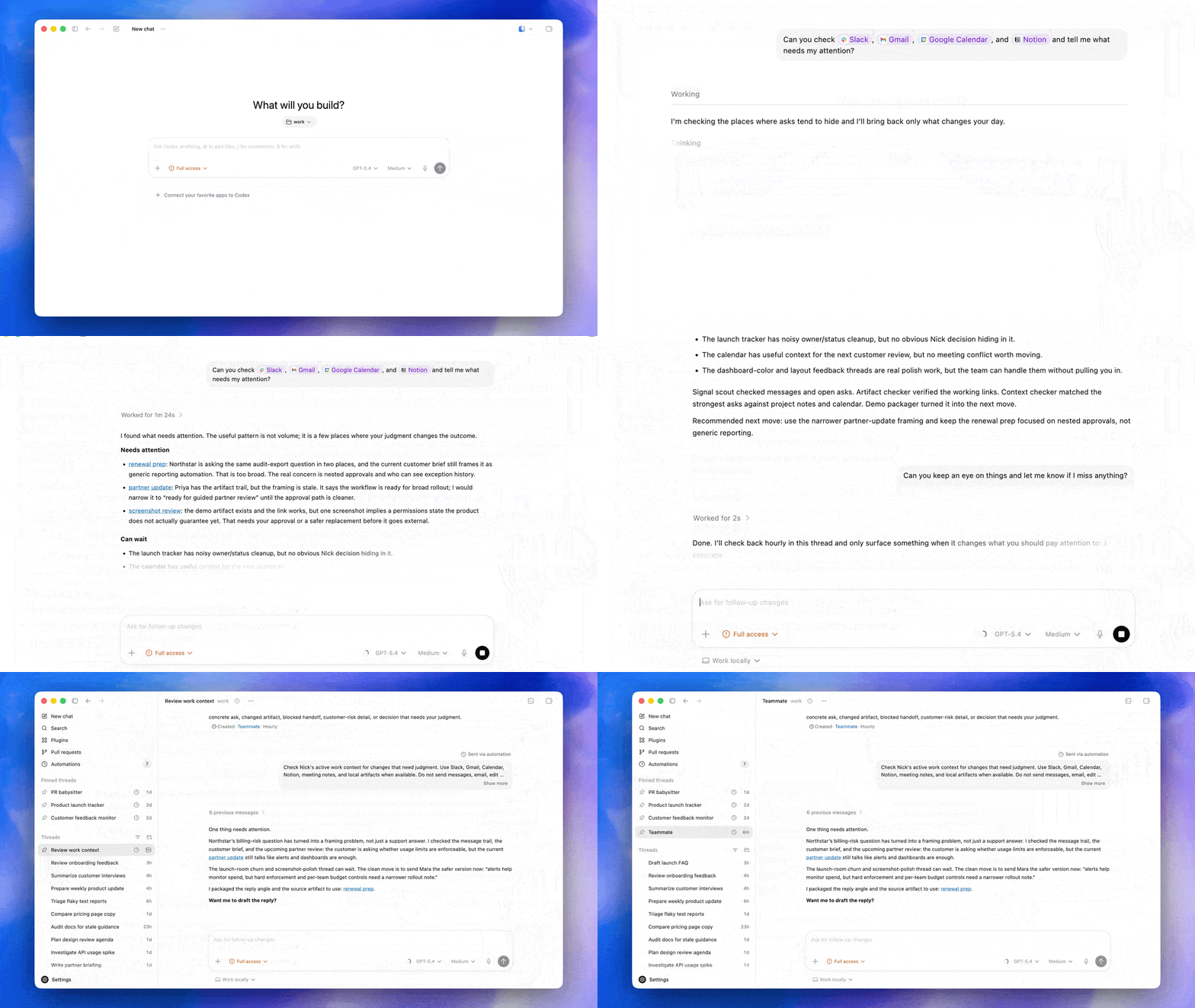
Plugins in action. Source: OpenAI.

Plugins in action. Source: OpenAI.

OpenAI is also testing an enhancement of Codex’s memory feature as a preview that learns from you as you work. Codex will pick up on your preferences, corrections you make, and context from the tasks you give it. This is the sort of feature that is hard to demo, so I don’t have a good sense for it yet, but I expect that over time, its practical utility will become more clear.

One place OpenAI says Codex’s enhanced memory system will help is with new proactive suggestions. As the app learns your preferences and work patterns, it will offer suggestions on what to do next or where to pick up where you left off. Again, how well this will work in practice remains to be seen, but this is exactly the sort of thing that has made OpenClaw so popular. Having an agent that understands your preferences and accesses your messages, files, and other data in a proactive way can be incredibly useful if done well.
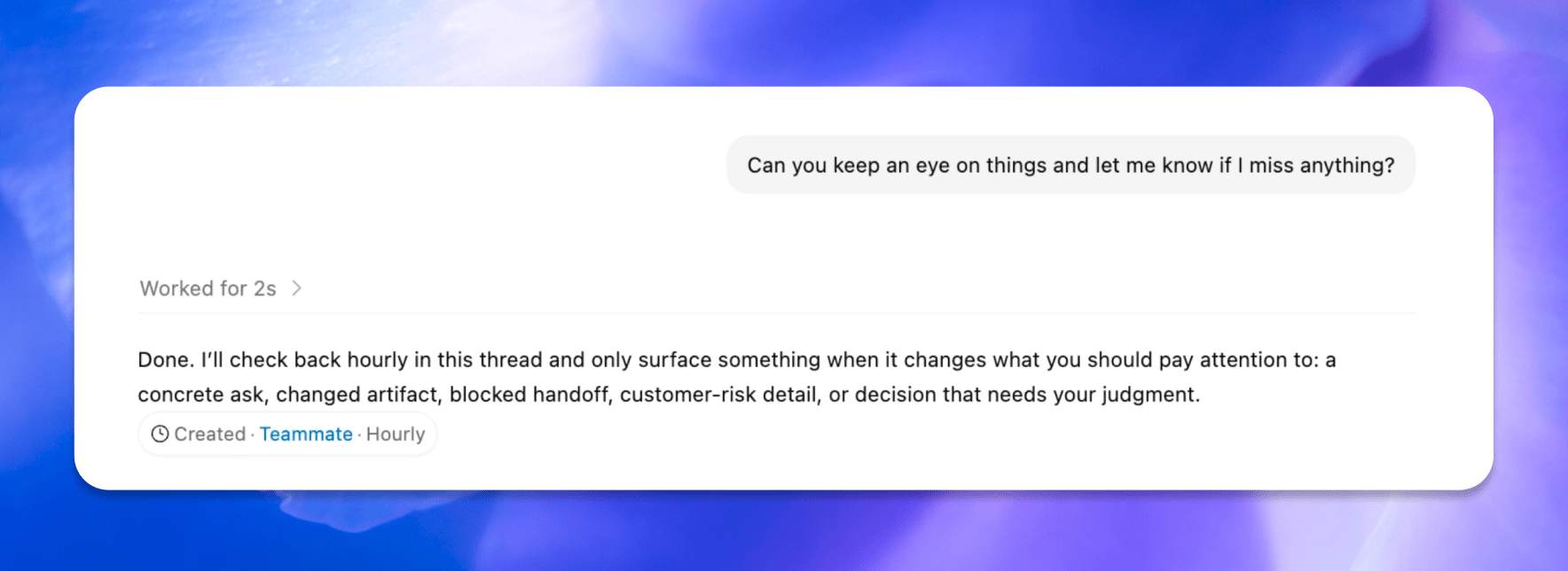
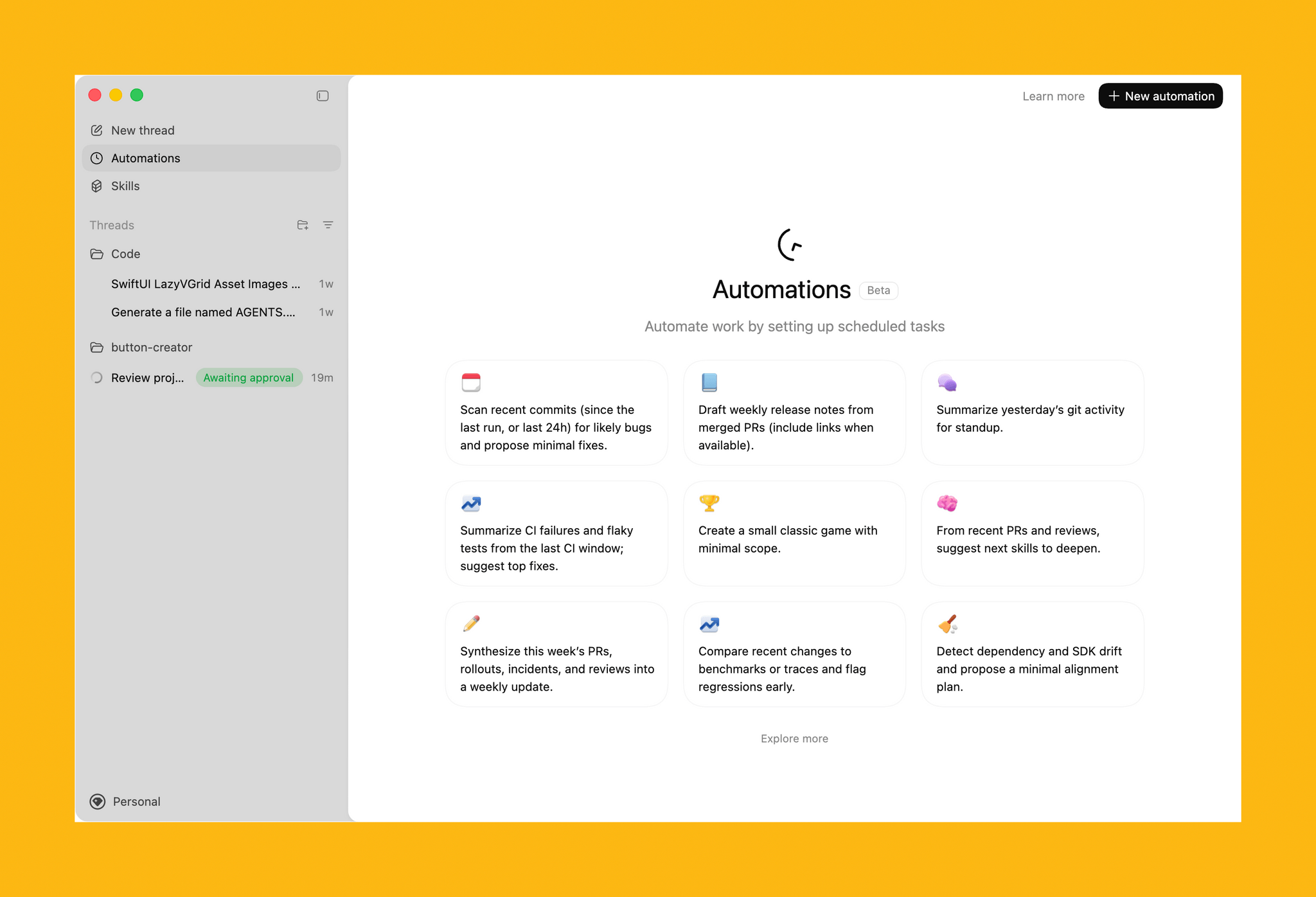
Automations. Source: OpenAI.

Automations. Source: OpenAI.

Automations have been expanded, too, allowing Codex to use past threads and schedule tasks over days or weeks. These heartbeat automations stay in the same Codex thread and can be modified by the model itself, allowing it to schedule its own follow-ups – again, very much like OpenClaw.

Also new to Codex is support for gpt-image-1.5 for creating image assets as part of workflows like creating presentations, website mockups, and product concepts.
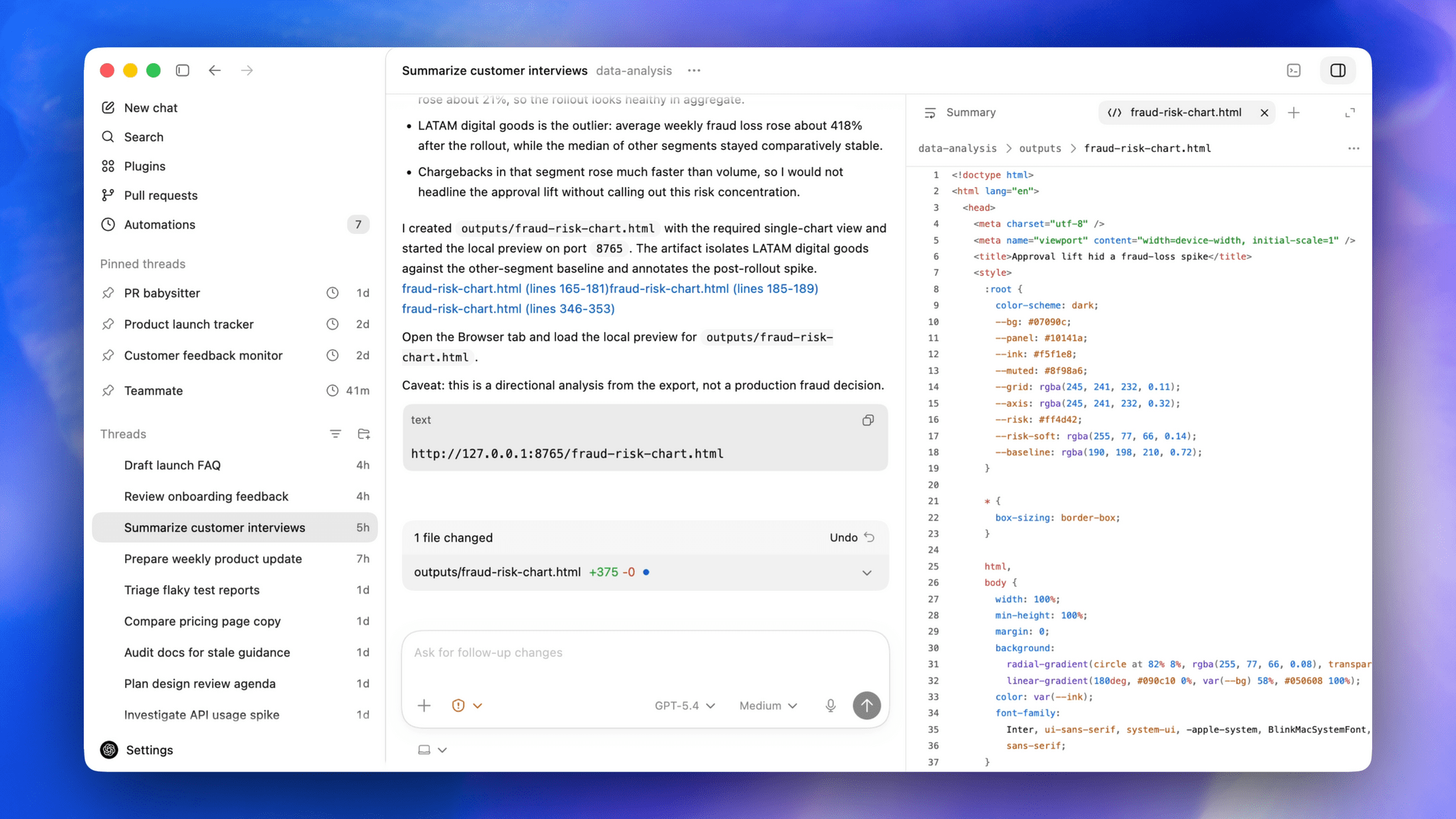
Developers get new sidebar tools and more. Source: OpenAI

Developers get new sidebar tools and more. Source: OpenAI

Although the focus of today’s update is on productivity, developers haven’t been forgotten. New development features include:

  • Fast frontend iteration using a combination of the in-app browser, computer use, and image generation tools;
  • Multiple terminal tabs;
  • A file sidebar for previewing PDFs, spreadsheets, slides, and other formats;
  • GitHub PR review support, allowing for review of comments inside Codex;
  • A summary pane that tracks plans, sources, and artifacts in a single view; and
  • Remote devbox SSH, an alpha feature for connecting to remote development environments.

That’s a lot, but with more than three million users per week, Codex has proven its popularity well beyond its core coding audience. I’m still skeptical about how much functionality a single app can support, especially when OpenAI addresses the mobile market. I also wonder whether Codex’s productivity and developer tools can coexist without alienating some segment of the app’s users. However, proactive automation of busy work and sifting through mountains of messages and other data is precisely what I’ve wanted from Codex from the start. I’ve seen what it can do when I’m working on a script or app and can’t wait to apply that to my everyday work, too.

Today’s Codex update is available in the desktop app to users with a signed-in ChatGPT account. Computer use is a Mac-only feature at launch (undoubtedly thanks to macOS’s deep accessibility support that was the basis of the same sort of computer use magic we saw in Sky, which was acquired by OpenAI last year), and a rollout of the new features will happen in the EU later. Personalization features like proactive suggestions and the memory enhancements will be coming to Enterprise, Edu, and EU users soon, too.
OpenAI Bets Big on Building an Everything App→

OpenAI is making a big bet. One as old as time – at least time as measured by the course of app history. Having abandoned Sora and SmutGPT, the company has put all of its chips on an everything app, raising $122 billion to build it and fund its other operations.

If you listen to AppStories, you know this is a topic that goes back to our earliest episodes. Everything apps, known more commonly these days as superapps, have beguiled companies big and small forever. The temptation of “what if we stuffed so much in our app that nobody would leave” is hard to resist, but often fails. Just ask Mark Zuckerberg.

OpenAI is up front about its ambitions:

As models become more capable, the limiting factor shifts from intelligence to usability. Users do not want disconnected tools. They want a single system that can understand intent, take action, and operate across applications, data, and workflows. Our superapp will bring together ChatGPT, Codex, browsing, and our broader agentic capabilities into one agent-first experience.

Maybe. Look, I think AI is one of the most significant innovations of my lifetime, but for my money, I also think this a classic example of the mismatch between what users sometimes say they want and what companies want to hear.

However, I’m willing to entertain the idea that AI might be different. After all, it’s closer to a natural language OS than your typical productivity app in just enough ways that it may just work as a sort of super-layer that sits on top of “real” OSes like macOS, Windows, iOS, and Android.

Part of what OpenAI is imagining is straight out of the iOS playbook:

Our consumer scale becomes the front door for enterprise usage, as familiarity in daily life drives adoption at work.

I remember when my old law firm finally caved and swapped Blackberries for the iPhone its employees were demanding. So, it’s not unprecedented that consumer demand can drive enterprise adoption, but historically, it’s rare.

And, while I agree with OpenAI that “Moments like this do not come often,” its comparison of its product to electricity and highways strikes me as a bit much. Will the app that OpenAI is imagining be something that will fundamentally reshape your life or will it be just another thing that competes for your attention, like TikTok? That’s the $122 billion bet OpenAI is making, and based on my experience with everything apps, I’ll take the other side of that bet.

Permalink

A Developer’s Month with OpenAI’s Codex→

An eye-opening story from Steve Troughton-Smith, who tested Codex for a month and ended up rewriting a bunch of his apps and shipping versions for Windows and Android:

I spent one month battle-testing Codex 5.3, the latest model from OpenAI, since I was already paying for the $20 ChatGPT Plus plan and already had access to it at no additional cost, with task after task. It didn’t just blow away my expectations, it showed me the world has changed: we’ve just undergone a permanent, irreversible abstraction level shift. I think it will be nigh-impossible to convince somebody who grows up with this stuff that they should ever drop down and write code the old way, like we do, akin to trying to convince the average Swift developer to use assembly language.

From his conclusion:

This story is unfinished; this feels like a first foray into what software development will look like for the rest of my life. Transitioning from the instrument player to the conductor of the orchestra. I can acknowledge that this is both incredibly exciting, and deeply terrifying.

I have perused the source code of some of these projects, especially during the first few days. But very quickly I learned there’s simply nothing gained from that. Code is trivial, implementations are ephemeral, and something like Codex can chew through and rewrite a thousand lines of code in a second. Eventually, I just trusted it. Granted, I almost always had a handwritten source of truth, as detailed a spec as any, so it had patterns and structure to follow.

The models are good now. A year ago, none of them could do any of this, certainly not to this quality level. But they don’t do it alone. A ton of work went into everything here, just a different kind of work to before. Above all, what mattered most in all of the above examples was taste. My taste, the human touch. I fear for the companies, oblivious to this, that trade their priceless human resources for OpenClaw nodes in a box.

The entire story is well-documented, rich in screenshots, and full of practical details for developers who may want to attempt a similar experiment.

It’s undeniable that programming is undergoing a massive shift that has possibly already changed the profession forever. Knowing what code is and does is still essential; writing it by hand does not seem to be anymore. And it sounds like the developers who are embracing this shift are happier than ever.

I’ve been thinking about this a lot: why are some of us okay with the concept of AI displacing humans in writing code, but not so much when it comes to, say, writing prose or music? I certainly wouldn’t want AI to replace me writing this, and I absolutely cannot stand the whole concept of “AI music” (here’s a great Rick Beato video on the matter). I don’t think I have a good answer to this, but the closest I can get is: code was always a means to an end – an abstraction layer to get to the actual user experience of a digital artifact. It just so happened that humans created it and had to learn it first. With text and storytelling, the raw material is the art form itself: what you read is the experience itself. But even then, what happens when the human-sourced art form gets augmented by AI in ways that increasingly blur the lines between what is real and artificial? What happens when a videogame gets enhanced by DLSS 5 or an article is a hybrid mesh of human- and AI-generated text? I don’t have answers to these questions.

I find what’s happening to software development so scary and fascinating at the same time: developers are reinventing themselves as “orchestrators” of tools and following new agentic engineering patterns. The results, like with Steve’s story, are out there and speak for themselves. I wish more people in our community were willing to have nuanced and pragmatic conversations about it rather than blindly taking sides.

Permalink

OpenClaw Creator Peter Steinberger Joins OpenAI→

Peter Steinberger, the developer behind OpenClaw that was launched and took off barely a month ago and has already had three names, is joining OpenAI. In addition, OpenClaw is moving to a foundation where it will remain an open-source project.

As Steinberger explains on his website:

It’s always been important to me that OpenClaw stays open source and given the freedom to flourish. Ultimately, I felt OpenAI was the best place to continue pushing on my vision and expand its reach. The more I talked with the people there, the clearer it became that we both share the same vision.

The community around OpenClaw is something magical and OpenAI has made strong commitments to enable me to dedicate my time to it and already sponsors the project. To get this into a proper structure I’m working on making it a foundation. It will stay a place for thinkers, hackers and people that want a way to own their data, with the goal of supporting even more models and companies.

The AI world has been talking about agents for more than a year, but it wasn’t until Steinberger’s project came along that we got software that put the idea of agents to practical use. OpenClaw may have only been just a few months old, but it captured the imaginations of users, including Federico, who has an uncanny knack for spotting the next big thing very early.

It will be interesting to see where OpenAI’s apps go next. I’ve been impressed with Codex, and with the Sky team and Steinberger on the company’s roster, I have high hopes for what they’ll do next.

Permalink

OpenAI Launches Codex, a Mac App for Agentic Coding

Today, OpenAI released Codex, a Mac app for building software. Here’s how OpenAI describes the app in its announcement:

The Codex app changes how software gets built and who can build it—from pairing with a single coding agent on targeted edits to supervising coordinated teams of agents across the full lifecycle of designing, building, shipping, and maintaining software.

On first launch, Codex requests permission to access the file system. I granted it access to a subfolder where I stored all my projects, along with the folder that houses an app I’ve been building in my spare time. Those folders and projects live in the left sidebar, where each can be expanded to reveal chat sessions for that project.

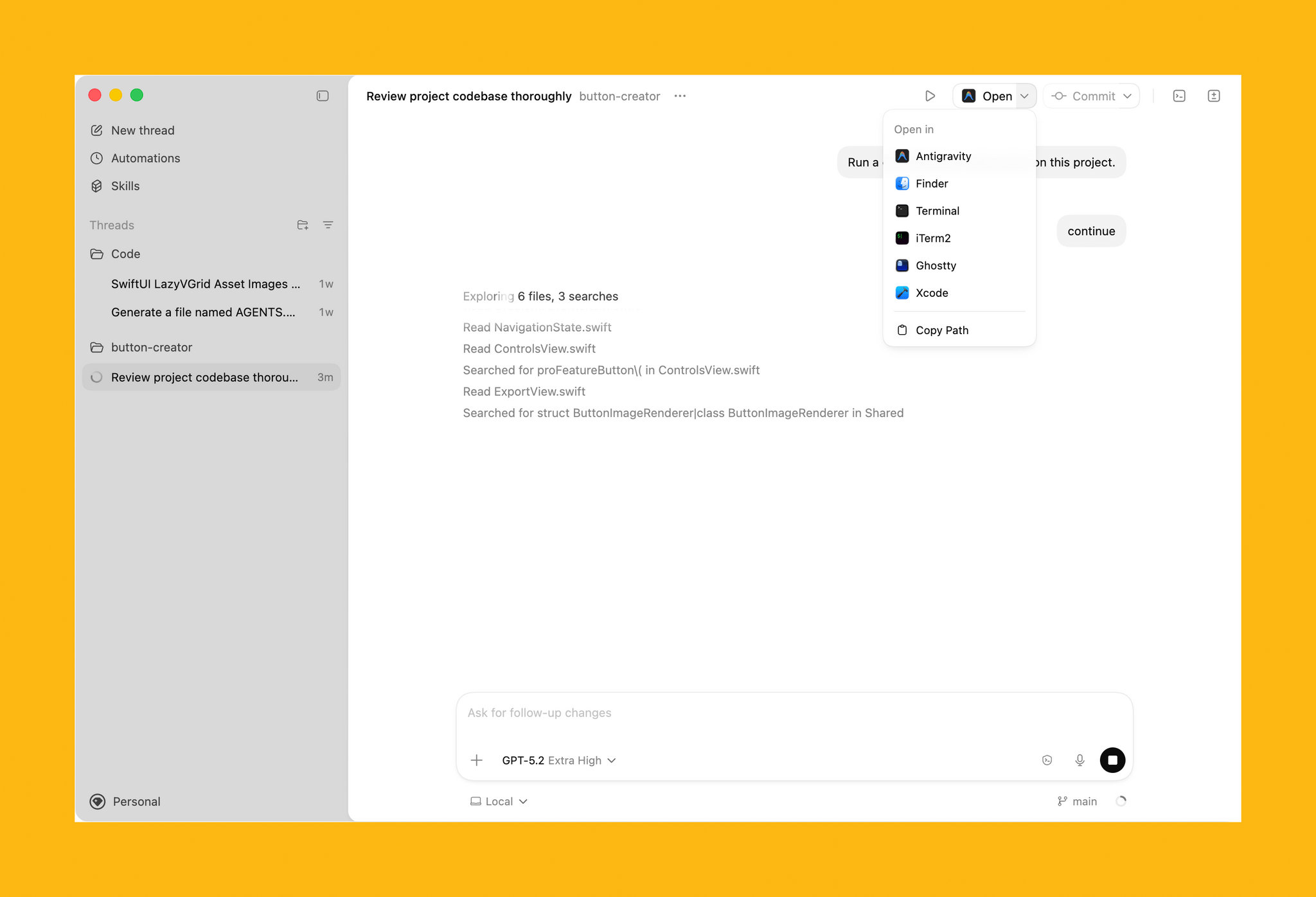
Access to your other development tools.

Access to your other development tools.

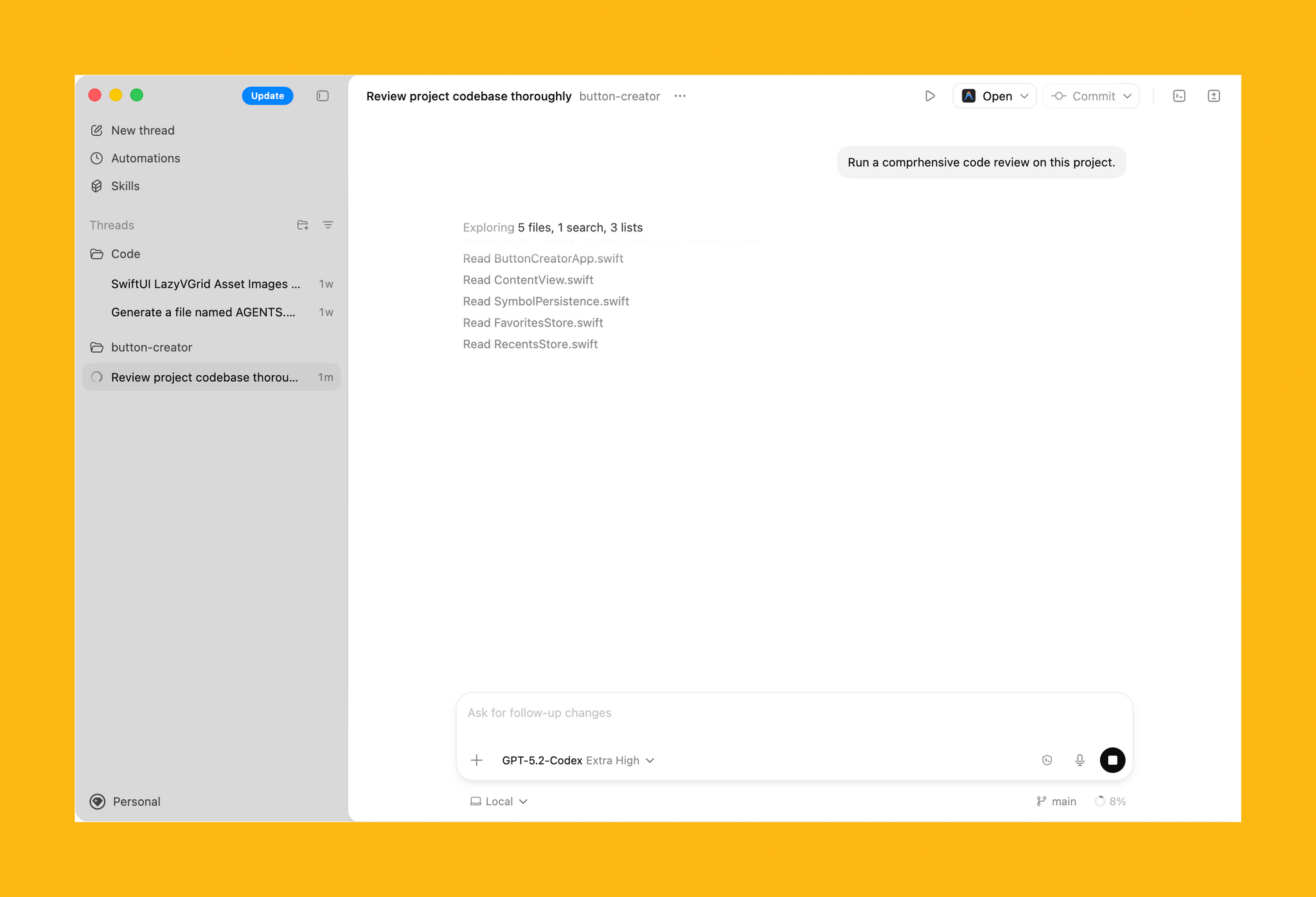
In the toolbar is an Open button for accessing other development tools installed on your Mac, a Commit button for managing version control, a button that reveals a terminal view that expands up from the bottom of the window, and a diff panel for reviewing code changes. In settings, you’ll find additional customization options, along with tools to hook up MCP servers and integrate skills.

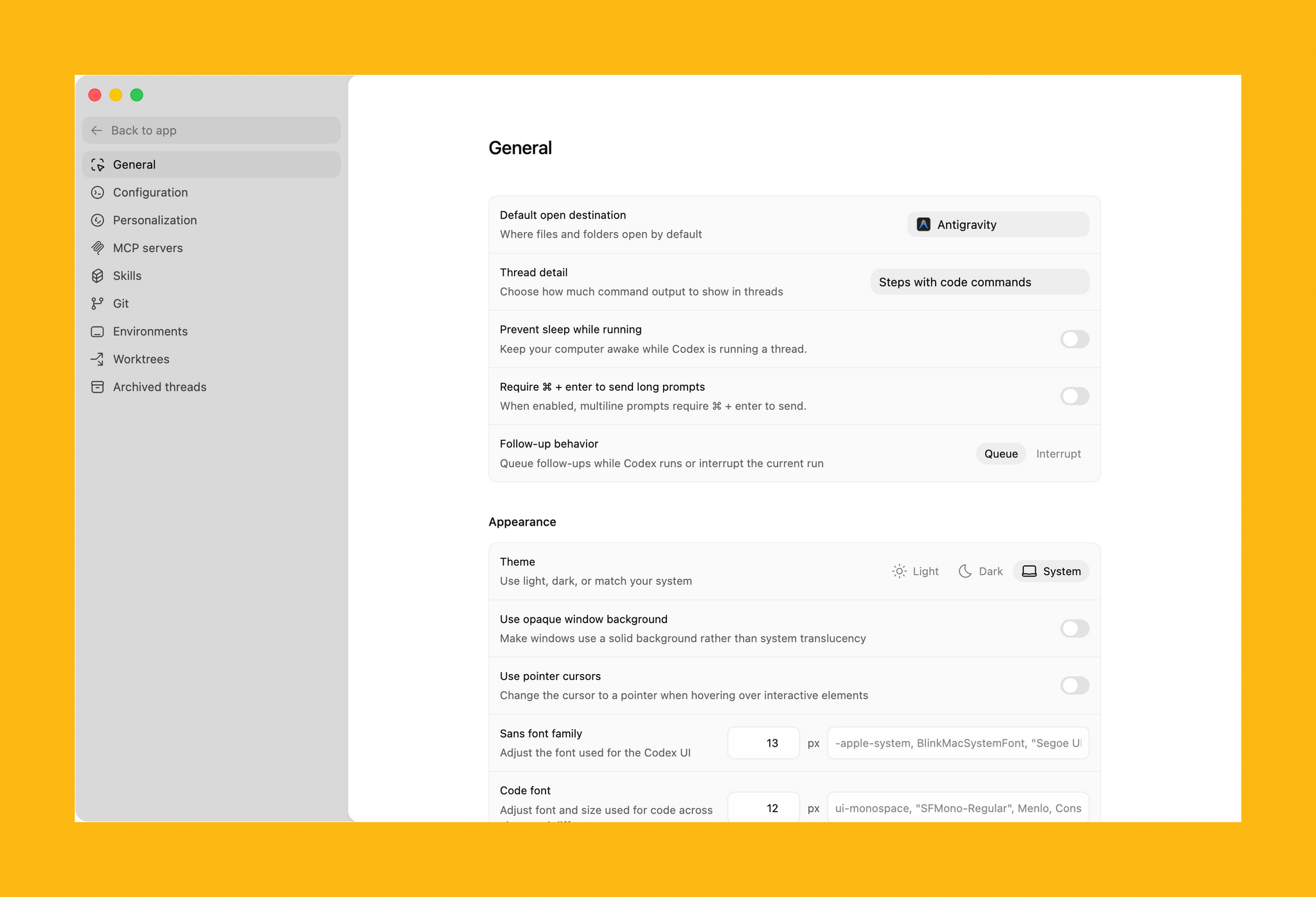
Some of Codex's customization options.

Some of Codex’s customization options.

Codex is not your traditional IDE. Agents are front and center, which in an app that is far more natural to use if you’re new to agentic coding, but the model is similar. While I write this article, Codex has been grinding away in the background performing a code review of my app. After spending time reviewing all the files, Codex asked permission to run commands to do things that it can’t accomplish inside its sandboxed environment.

Automations.

Automations.

The capabilities of Codex are enhanced by skills. OpenAI is kicking off the launch of Codex with a bunch of skills that you can access via its open-source GitHub repo. The app includes a selection of pre-built Automations for repetitive tasks, too.

All in all, Codex looks excellent, but it will take me some time to get a sense of its full capabilities. If you’re interested in trying Codex, you can download it from OpenAI here. For a limited time, the company is making the tool available to Free and Go subscribers, for whom rate limits have been temporarily doubled, as well as Plus, Pro, Business, Enterprise, and Edu users.


OpenAI Opens Up ChatGPT App Submissions to Developers

Announced earlier this year at OpenAI’s DevDay, developers may now submit ChatGPT apps for review and publication. OpenAI’s blog post explains that:

Apps extend ChatGPT conversations by bringing in new context and letting users take actions like order groceries, turn an outline into a slide deck, or search for an apartment.

Under the hood, OpenAI is using MCP, Model Context Protocol, which was pioneered by Anthropic late last year and donated to the Agentic AI Foundation last week.

Apps are currently available in the web version of ChatGPT from the sidebar or tools menu and, once connected, can be accessed by @mentioning them. Early participants include Adobe, which preannounced its apps last week, Apple Music, Spotify, Zillow, OpenTable, Figma, Canva, Expedia, Target, AllTrails, Instacart, and others.

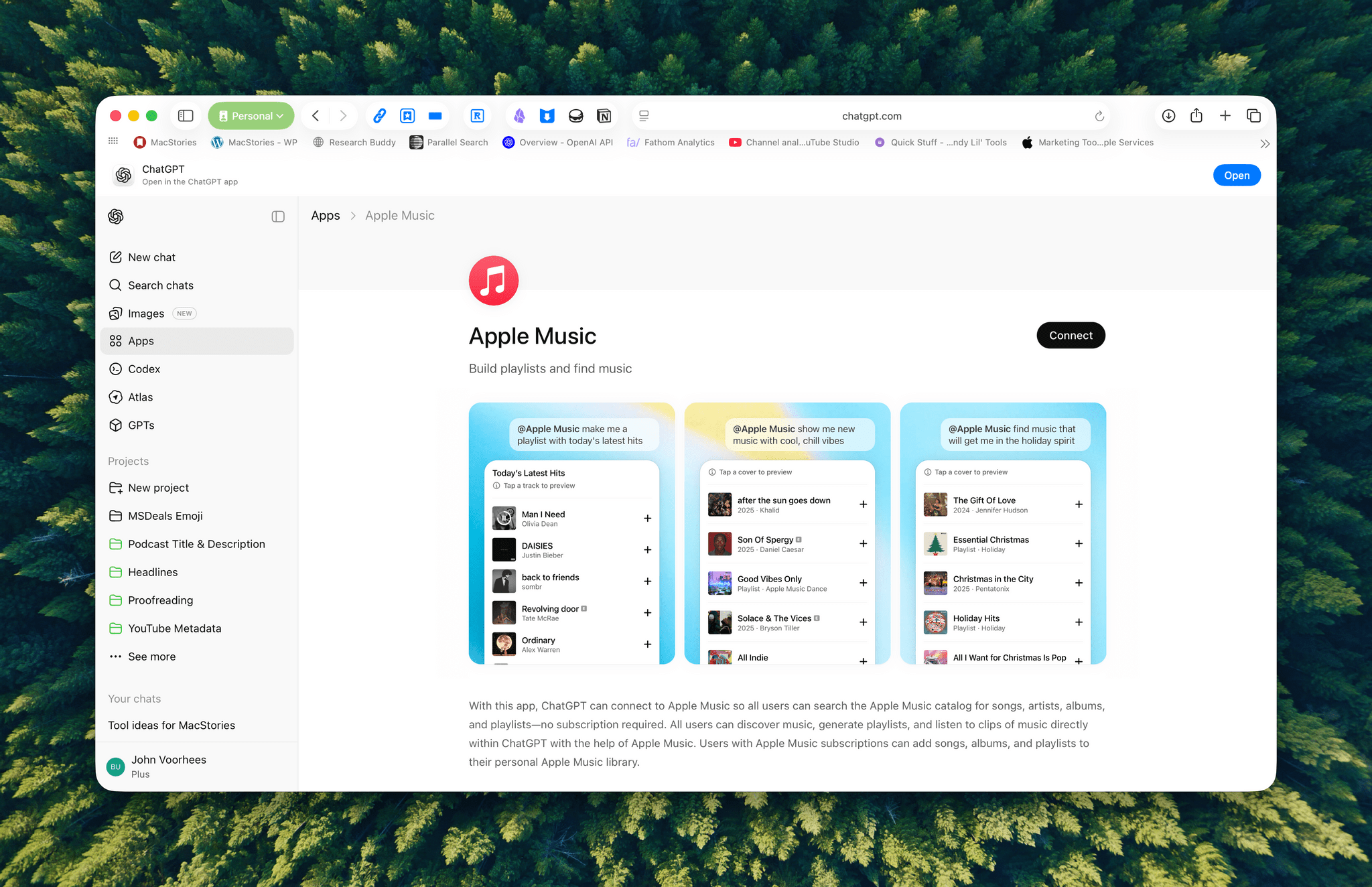
I was hoping the Apple Music app would allow me to query my music library directly, but that’s not possible. Instead, it allows ChatGPT to do things like search Apple Music’s full catalog and generate playlists, which is useful but limited.

ChatGPT's Apple Music app lets you create playlists.

ChatGPT’s Apple Music app lets you create playlists.

Currently, there’s no way for developers to complete transactions inside ChatGPT. Instead, sales can be kicked to another app or the web, although OpenAI says it is exploring ways to offer transactions inside ChatGPT. Developers who want to submit an app must follow OpenAI’s app submission guidelines (sound familiar?) and can learn more from a variety of resources that OpenAI has made available.

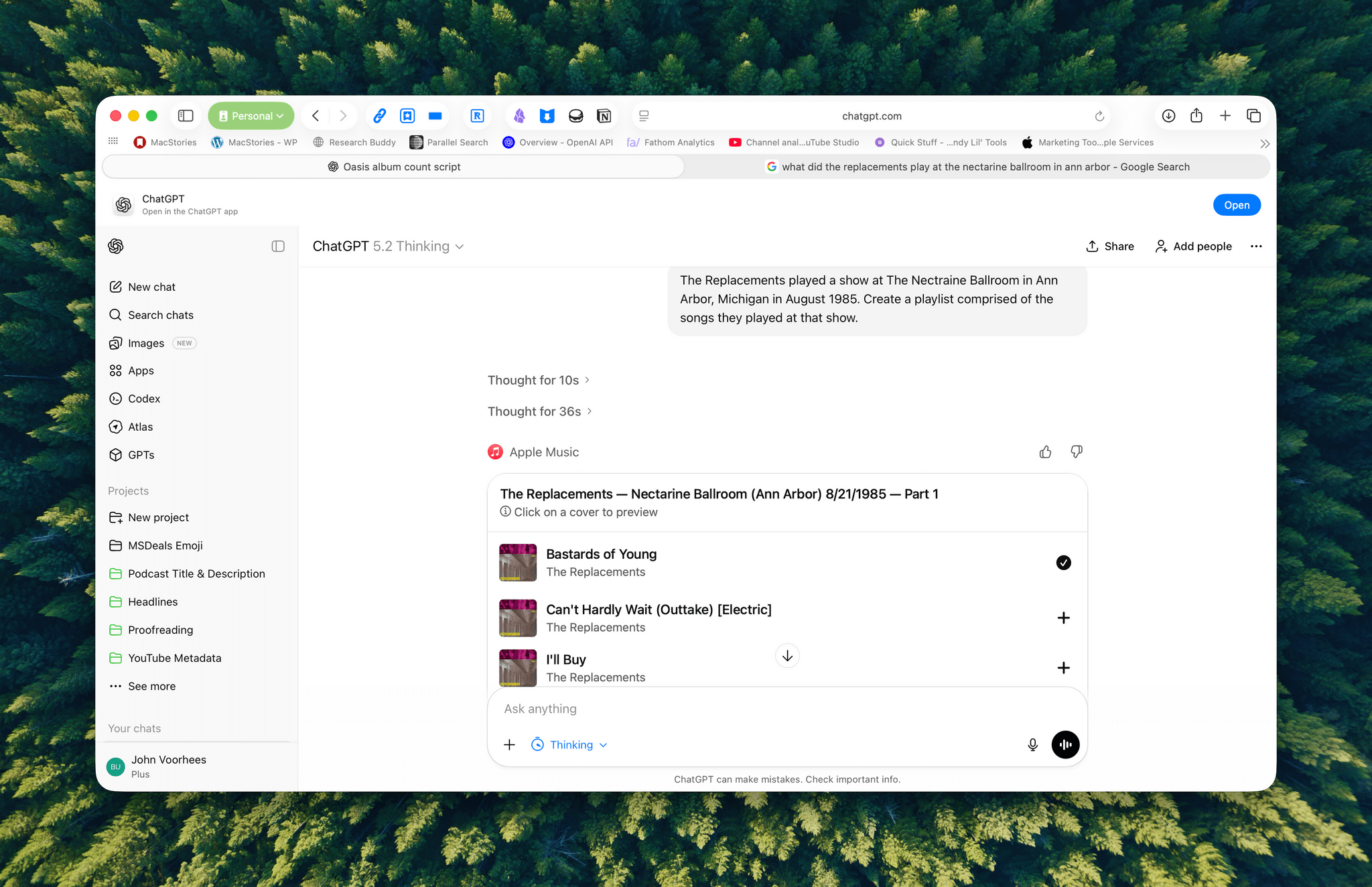
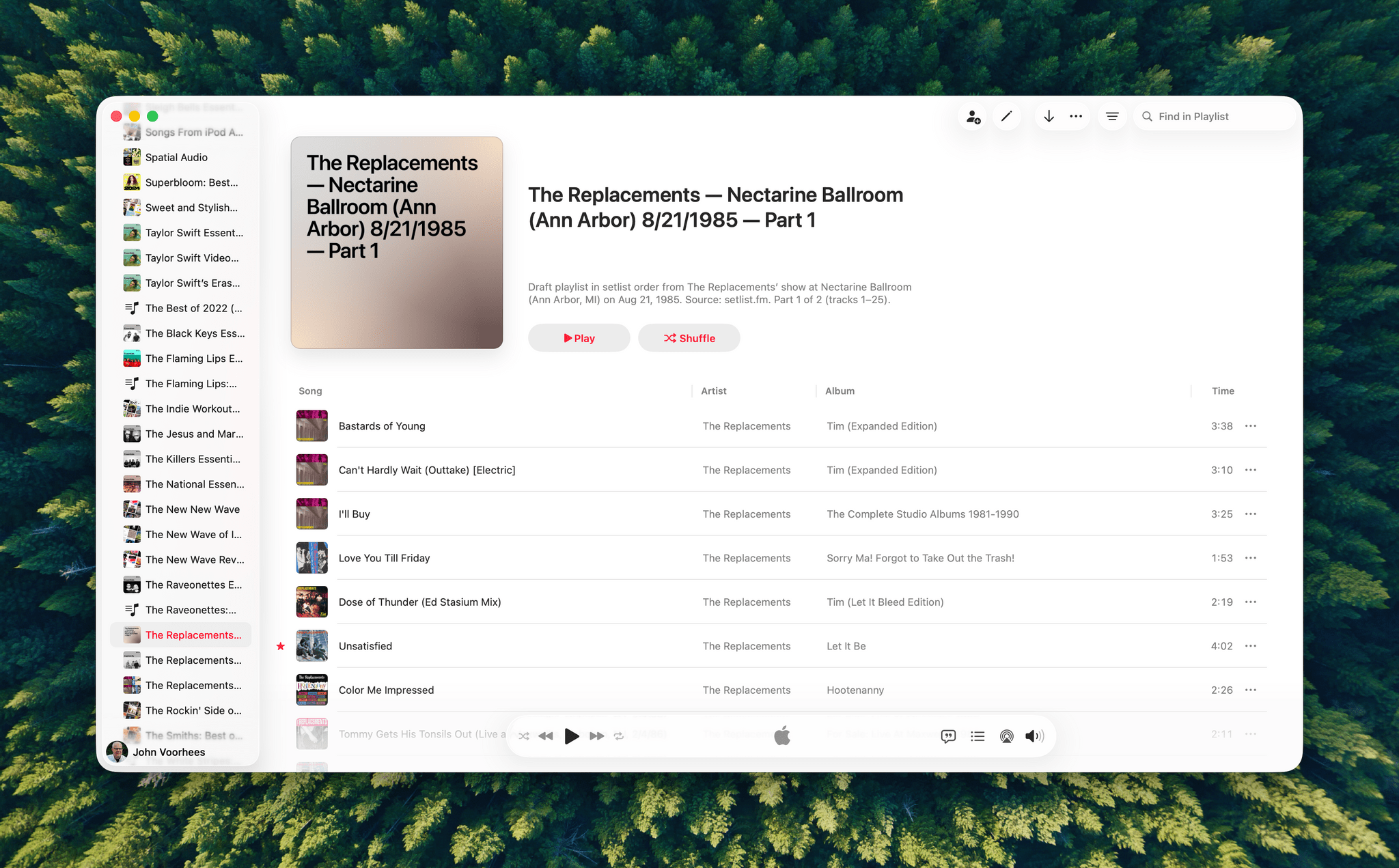
A playlist generated by ChatGPT from a 40-year-old setlist.

A playlist generated by ChatGPT from a 40-year-old setlist.

I haven’t spent a lot of time with the apps that are available, but despite the lack of access to your library, the Apple Music integration can be useful when combined with ChatGPT’s world knowledge. I asked it to create a playlist of the songs that The Replacements played at a show I saw in 1985, and while I don’t recall the exact setlist, ChatGPT matched what’s on Setlist.fm, a user-maintained wiki of live shows. I could have made this playlist myself, but it was convenient to have ChatGPT do it instead, even if the Apple Music integration is limited to 25-song playlists, which meant that The Replacements’ setlist was split into two playlists.

We’re still in the early days of MCP, and participation by companies will depend on whether they can make incremental sales to users via ChatGPT. Still, there’s clearly potential for apps embedded in chatbots to take off.


Adobe Announces Image and PDF Integration with ChatGPT

Source: Adobe.

Source: Adobe.

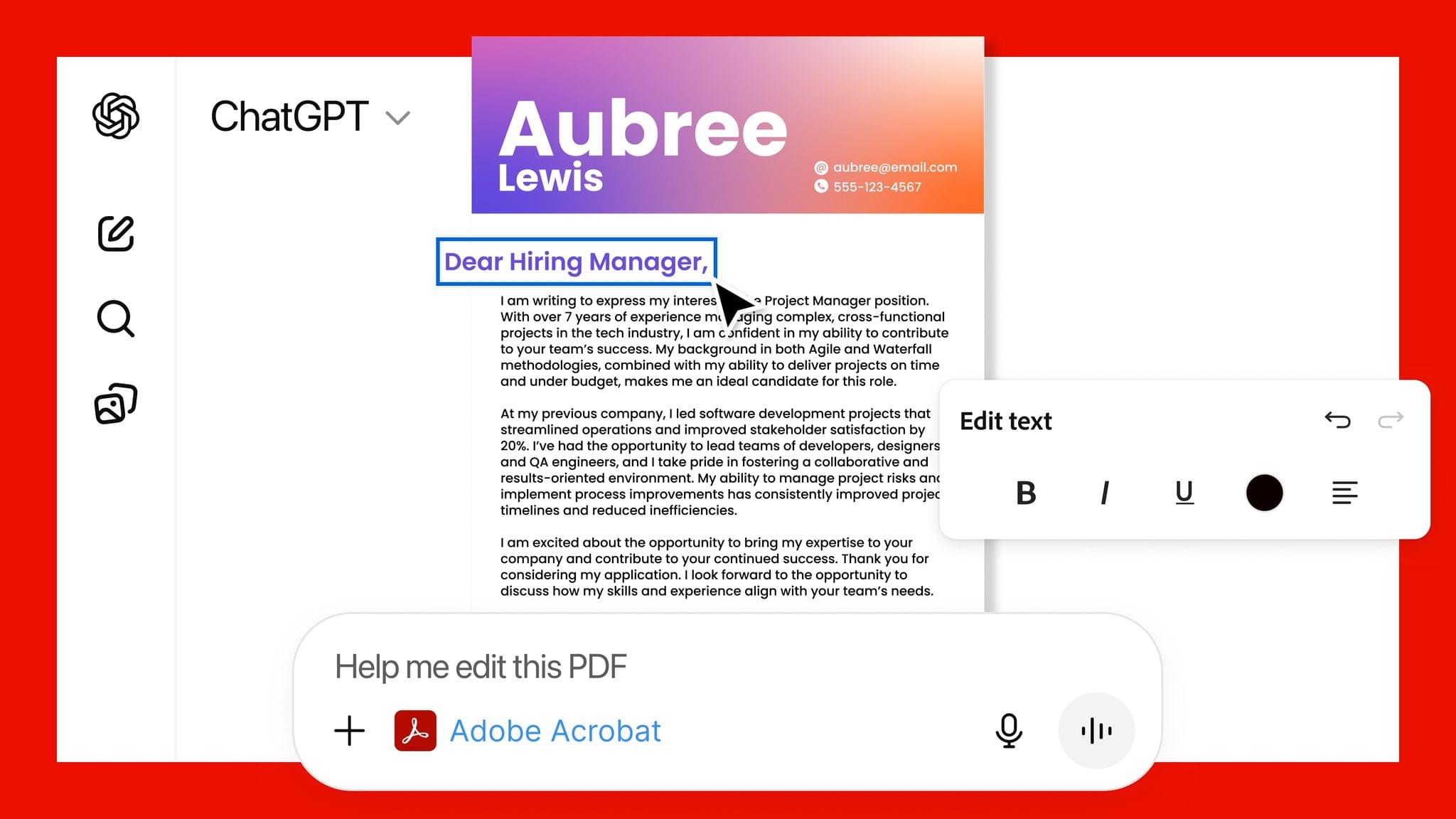
Adobe announced today that it has teamed up with OpenAI to give ChatGPT users access to Photoshop, Express, and Acrobat from inside the chatbot. The new integration is available starting today at no additional cost to ChatGPT users.

Source: Adobe.

Source: Adobe.

In a press release to Business Wire, Adobe explains that its three apps can be used by ChatGPT users to:

  • Easily edit and uplevel images with Adobe Photoshop: Adjust a specific part of an image, fine tune image settings like brightness, contrast and exposure, and apply creative effects like Glitch and Glow – all while preserving the quality of the image.
  • Create and personalize designs with Adobe Express: Browse Adobe Express’ extensive library of professional designs to find the best one for any moment, fill in the text, replace images, animate designs and iterate on edits – all directly inside the chat and without needing to switch to another app – to create standout content for any occasion.
  • Transform and organize documents with Adobe Acrobat: Edit PDFs directly in the chat, extract text or tables, organize and merge multiple files, compress files and convert them to PDF while keeping formatting and quality intact. Acrobat for ChatGPT also enables people to easily redact sensitive details.
Source: Adobe.

Source: Adobe.

This strikes me as a savvy move by Adobe. Allowing users to request image and PDF edits and design documents with natural language prompts makes its tools more approachable. That could attract new users who later move to an Adobe subscription to get more control over their creations and Adobe’s other offerings.

From OpenAI’s standpoint, this is clearly a response to the consumer-facing Gemini features that Google has begun releasing, which include new image and video generation tools and reportedly caused Sam Altman to declare a “code red” inside the company. I understand the OpenAI freakout. Google has a huge user base and has been doing consumer products far longer than OpenAI, but I can’t say I’ve been very impressed with Gemini 3. Perhaps that’s simply because I don’t care for generative images and video, but these latest moves by Google and OpenAI make it clear that they see them as foundational to consumer-facing AI tools.


Sky Acquired by OpenAI

Source: OpenAI

Source: OpenAI

Sky, the AI automation app that Federico previewed for MacStories readers in May, has been acquired by OpenAI.

Nick Turley, OpenAI’s Vice President & Head of ChatGPT said of the deal in an OpenAI press release:

We’re building a future where ChatGPT doesn’t just respond to your prompts, it helps you get things done. Sky’s deep integration with the Mac accelerates our vision of bringing AI directly into the tools people use every day.

I’m not surprised by this development at all. OpenAI, Anthropic, and Perplexity have all been developing features similar to what Sky could do for a while now. In addition, Sam Altman was an investor in Software Applications Incorporated, the company behind Sky.

Ari Weinstein of Software Applications Incorporated, who was one of the co-founders of Workflow, which was later acquired by Apple and became Shortcuts, said of the acquisition:

We’ve always wanted computers to be more empowering, customizable, and intuitive. With LLMs, we can finally put the pieces together. That’s why we built Sky, an AI experience that floats over your desktop to help you think and create. We’re thrilled to join OpenAI to bring that vision to hundreds of millions of people.

It’s not entirely clear what will become of Sky at this point. OpenAI’s press release simply states that the company will be working on integrating Sky’s capabilities.


Apps in ChatGPT→

OpenAI announced a lot of developer-related features at yesterday’s DevDay event, and as you can imagine, the most interesting one for me is the introduction of apps in ChatGPT. From the OpenAI blog:

Today we’re introducing a new generation of apps you can chat with, right inside ChatGPT. Developers can start building them today with the new Apps SDK, available in preview.

Apps in ChatGPT fit naturally into conversation. You can discover them when ChatGPT suggests one at the right time, or by calling them by name. Apps respond to natural language and include interactive interfaces you can use right in the chat.

And:

Developers can start building and testing apps today with the new Apps SDK preview, which we’re releasing as an open standard built on the Model Context Protocol⁠ (MCP). To start building, visit our documentation for guidelines and example apps, and then test your apps using Developer Mode in ChatGPT.

Also:

Later this year, we’ll launch apps to ChatGPT Business, Enterprise and Edu. We’ll also open submissions so developers can publish their apps in ChatGPT, and launch a dedicated directory where users can browse and search for them. Apps that meet the standards provided in our developer guidelines will be eligible to be listed, and those that meet higher design and functionality standards may be featured more prominently—both in the directory and in conversations.

Looks like we got the timing right with this week’s episode of AppStories about demystifying MCP and what it means to connect apps to LLMs. In the episode, I expressed my optimism for the potential of MCP and the idea of augmenting your favorite apps with the capabilities of LLMs. However, I also lamented how fragmented the MCP ecosystem is and how confusing it can be for users to wrap their heads around MCP “servers” and other obscure, developer-adjacent terminology.

In classic OpenAI fashion, their announcement of apps in ChatGPT aims to (almost) completely abstract the complexity of MCP from users. In one announcement, OpenAI addressed my two top complaints about MCP that I shared on AppStories: they revealed their own upcoming ecosystem of apps, and they’re going to make it simple to use.

Does that ring a bell? It’s impossible to tell right now if OpenAI’s bet to become a platform will be successful, but early signs are encouraging, and the company has the leverage of 800 million active users to convince third-party developers to jump on board. Just this morning, I asked ChatGPT to put together a custom Spotify playlist with bands that had a similar vibe to Moving Mountains in their Pneuma era, and after thinking for a few minutes, it worked. I did it from the ChatGPT web app and didn’t have to involve the App Store at all.

If I were Apple, I’d start growing increasingly concerned at the prospect of another company controlling the interactions between users and their favorite apps. As I argued on AppStories, my hope is that the rumored MCP framework allegedly being worked on by Apple is exactly that – a bridge (powered by App Intents) between App Store apps and LLMs that can serve as a stopgap until Apple gets their LLM act together. But that’s a story for another time.

Permalink