This Week's Sponsor:

Crickets

The first alarm app for families.


Posts tagged with "music"

New MobileMe Cloud Music Service To Cost $20 Per Year?

According to a report posted last night by The Music Void, Apple is finalizing the details of a new MobileMe “locker” service for music that would allow users to store their songs in the cloud, and stream them to iOS devices anywhere. The website reports Apple has been pushing music labels to accept the terms for an April launch, and apparently Warner has already agreed to Apple’s cloud-based plans for the new MobileMe “locker”. Of course, to guarantee an optimal rollout of the first version of the service, Apple would need to sign Universal and EMI over – two other big players in the music industry. The Music Void speculated Sony may be the most difficult one to convince (perhaps because of the eBook reader rejection?), but in the end the major music labels should accept (once again) Steve Jobs’ plans to move music to the cloud, for everyone.

In the past weeks, several rumors surfaced indicating Apple is about to launch a revamped MobileMe. Many reports, however, claimed the new MobileMe would be free, whilst The Music Void says the locker service would cost around $20 per year. Considering this “locker” cloud service was also mentioned by the WSJ in February, we speculate Apple may be planning on making the sync features of MobileMe free (email, contacts, calendars, bookmarks, etc.) and launching other paid options as well, such as a locker for music, movies, and so forth.

Last week, another rumor claimed the new MobileMe might launch next month for free, and a German website previously reported Apple is organizing a media event to announce iOS 5 and MobileMe in the second week of April. At this point it seems very clear that Apple is working on something new for MobileMe, and we should know more in a few weeks when Apple previews iOS 5. [via 9to5mac]
Shazam Adds “Friends” Feature with Facebook Integration

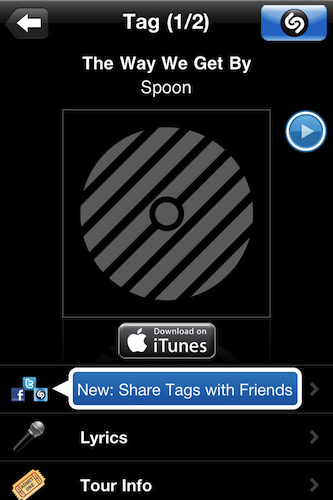
Shazam, the popular music discovery tool for iOS, was updated earlier today to include a new feature that, similarly to Apple’s Ping or the recently reviewed SoundTracking, lets you connect with other people to see what music they’re listening to. The new functionality is called “Friends” and it’s displayed as a new tab in Shazam’s bottom toolbar. To get started with Friends, you’ll have to login through your Facebook account and link the device to your Shazam profile – all the social interaction of Friends happens through Facebook and your friends that are already using the mobile app to tag songs.

Once you have some friends using Shazam (right now, I don’t), the songs they tag will show up in the Friends tab alongside the album artwork, a preview you can listen to and a link to buy the song on iTunes. Tapping on an item brings you to the usual Shazam view where you can share, check lyrics and Youtube videos, get tour info for a specific artist or jump to Last.fm. The Friends functionality is very streamlined and doesn’t provide all the options offered by an app like SoundTracking, but it’s a start and a welcome addition to Shazam.

Shazam Encore is available for $5.99 in the App Store. The free version got updated as well. Read more


SoundTracking: More Than Just “Instagram for Music”

Last week I decided to refine my cloud storage and music streaming setup: I bought a Dropbox Pro 50 account and extended my Spotify subscription until September. In case you don’t know, I store my iTunes library on Dropbox so I can sync my iOS devices effortlessly across all the computers I’ve installed Dropbox on. But why using iTunes and Spotify together for storing and streaming music? For as much as I love Spotify – in fact, it changed my music listening habits since I started using it – not every artist I like is available on it. That’s why I care about keeping a well-organized iTunes library with the albums and songs not available on Spotify. This library is pretty huge and stored on Dropbox together with apps, books, movies and anything else that usually goes into iTunes.

With a 16 GB iPhone, the combination of iTunes + Spotify (which also happens to have an offline cache option) gives me the possibility of having any kind of music ready for listening whenever I like. SoundTracking, a new app for iPhone I installed a few days ago, aims at giving you the tools to share the “soundtrack of your life” and discover new songs shared by your friends, directly from your iPhone.

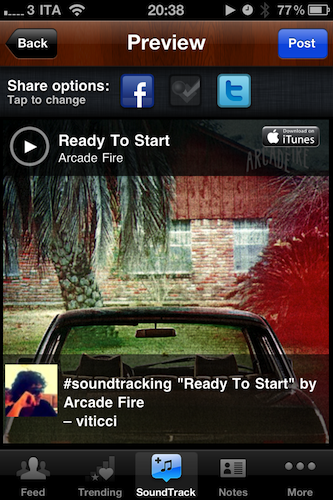
At first, SoundTracking might sound like an “Instagram for music” – that would actually make sense after all the Instagram alternatives and third-party apps we’ve seen recently, not to mention the Instagram for video SocialCam. SoundTracking starts from the same simple concept of Instagram: you open the app, tap on a button in the toolbar and share media with your social graph in seconds. In SoundTracking, that means you’re sharing the song and artist you’re currently listening to with friends using the app you discovered by logging into Twitter, Facebook and Foursquare. But the similarities with Instagram stop at the basic concept, as SoundTracking goes really in-depth to allow you to not only share, but also discover new music and people with your same music tastes worth following. Read more


First Music Video Shot Entirely With An iPad 2

In Cody Fink’s review of the iPad 2’s camera and photo and video examples of what the results look like for the end user, we saw the iPad 2 takes some decent photos and 720p videos for carrying the same cameras of the 4th generation iPod touch, although Cody noted picture quality was suffering from a bit of grain being captured by the lenses chosen from Apple. In spite of a quality clearly inferior to that of the iPhone 4, I still think the average user is going to be more than okay with these photos and media ending up on Twitter, Facebook, and Flickr.

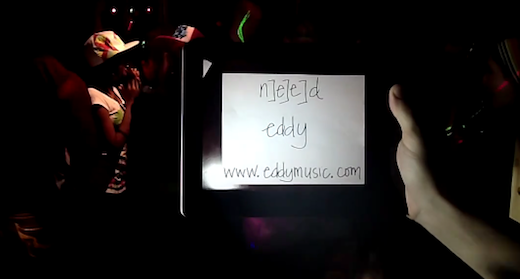
What we’re seeing now, though, is the iPad 2 being used as a video capturing tool in professional environments. This video for the song “NEED” by Eddy was shot entirely using 4 iPad 2 units in a low-light set with pro and DIY steadicam rig. Remedy Films was apparently one the first studios to understand the potentialities of the iPad 2 and decided to give it a shot, literally, to see how well it would perform to record a music video and, why not, gain some free publicity from Apple blogs like ours finding this experiment incredibly cool.

We knew it wasn’t designed as a professional videocamera in the slightest, so we would be stuck with whatever results we got. We probably shouldn’t have filmed in a dark setting, but it actually worked well in a “party” environment, plus it fit the song perfectly! We still treated the cameras as “professional cameras.” we had one mounted to a steadicam rig, one was on a Kessler Crane Cineslider, and the other one was on a DIY hand held rig. The fourth iPad was held by Eddy for a few shots of her singing and dancing.

The shooting session took 5 hours, whilst editing required 12. I don’t think Remedy Films used iMovie for iPad to edit the whole thing, but it needs to be mentioned that they spent 8 hours in line to get their hands on 3 iPad 2s. You can check out the video below. Now here’s to hoping someone will release a music video shot with the iPad 2, edited in iMovie, based on a song recorded in GarageBand. Read more


djay for iPhone Now Available, iPad Version Updated

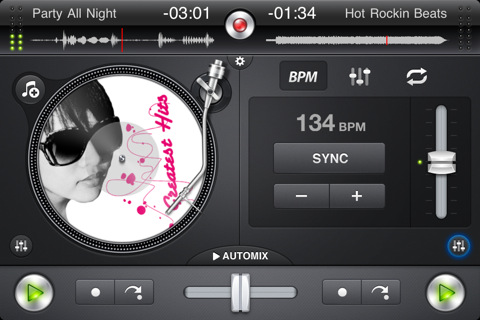
djay by Algoriddim is an excellent music-mixing application for the iPad we reviewed in December that, with a beautiful user interface design and powerful features, managed to become the top solution for all those looking for a serious, yet accessible DJ solution on the tablet. Today Algoriddim is releasing an updated version of djay for iPad, as well as a brand new iPhone counterpart that brings the djay experience to smaller screens without compromising the usability and design of the app.

First off, djay for iPad got a major update (version 1.1) that adds auto, manual and bounce looping, 3 additional cue points and an improved library search to find songs that you’d like to mix. The update also adds compatibility with Bluetooth audio devices, extended support for AIFF and WAV files thanks to iOS 4.3 and a series of bug fixes meant to address the memory issues of the app. We wonder how well will this thing run on an iPad 2. djay for iPad is a $19.99 download in the App Store.

djay for iPhone, on the other hand, takes the basic principles of the iPad version and brings them to a smaller screen that should still enable you to mix your songs on the go. The turntable interface is still the same, as well as many of the commands and menus on screen. Only one turntable is displayed on the iPhone in portrait mode, to keep the experience as streamlined and elegant as possible. Two buttons at the bottom allow you to switch between songs, check how much time is left and regulate the volume output. Many of the other features of djay for iPad such as BPM auto-sync, equalizers and pre-cueing have been successfully ported to the iPhone, too.

djay for iPhone is available in the App Store at $9.99. Check out the promo video below. Read more


On Stage: iPod Companion App with Wikipedia Integration

On Stage, a new app by German developer Fabian Kreiser, is a lightweight companion to the iPhone’s iPod application that, together with a custom UI design, comes with neat Wikipedia integration that also supports Sophiestication’s Articles out of the box.

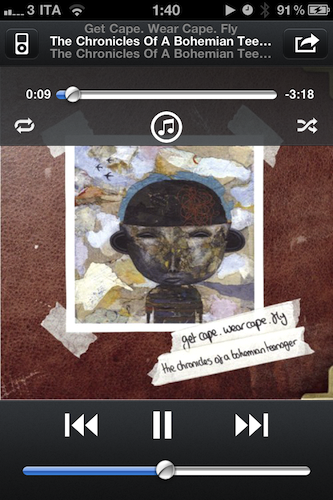
If you’re looking for a more powerful iPod replacement that does a bunch of things like Wikipedia lookup and recommended artists, make sure to check out My Artists, which we reviewed a couple of times on MacStories. On Stage is a smaller alternative with a feature set focused on letting you pick music from the iPod library and display Wikipedia information for the playing album, song, or artist. The app also displays lyrics like in iPod.app but has a function to retrieve lyrics online if missing. Read more


Bon Jovi Hates Steve Jobs For Killing Music with iTunes

Everybody loves iTunes, right? The user-friendly experience of clicking the buy button, the huge catalogue of artists and albums available on it (with The Beatles, too), the integrated environment with iOS devices and Macs. Everybody loves iTunes.

Actually, no. Bon Jovi hates it and he thinks Steve Jobs is “personally responsible” for killing the music business. Seriously, according to Bon Jovi the man just took away the magic of buying physical records and firing up your walkman. In an interview with The Sunday Times Magazine, Bon Jovi went ahead with the following statements:

Kids today have missed the whole experience of putting the headphones on, turning it up to 10, holding the jacket, closing their eyes and getting lost in an album; and the beauty of taking your allowance money and making a decision based on the jacket, not knowing what the record sounded like, and looking at a couple of still pictures and imagining it. God, it was a magical, magical time. I hate to sound like an old man now, but I am, and you mark my words, in a generation from now people are going to say: ‘What happened?’. Steve Jobs is personally responsible for killing the music business.

On a related note, Gutenberg is personally responsible for killing handwritten books. Oh, the magic of manually writing thousands of copies of the same book. And that Simjian guy? Man, he totally took the beauty of manually withdrawing cash away from me. Not to mention the insane operation by Johann Wolfgang Döbereiner: with the invention of lighters, he killed the pleasure of manually lighting my cigars.

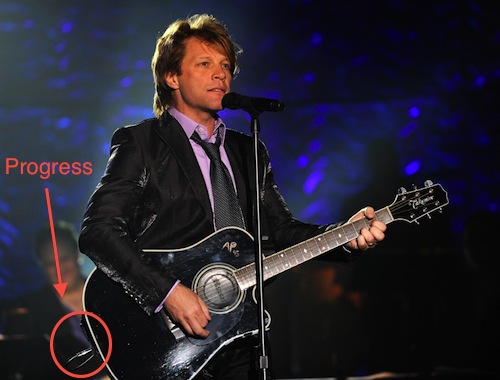
Let me tell you something, Bon Jovi. This little thing you hate is called “progress”. Yes, the same progress that allows your guitars to be amplified on stage. So perhaps next time, instead of blaming Steve Jobs for a digital market revolution that came after years of research at Apple, you’d like to think about it and consider that if some artists still manage to produce their records, it’s because of the ease of use of digital downloads. [via Cult of Mac]


Apple Rolls Out “Like” & “Post” to Ping for iOS 4.3 iPod App

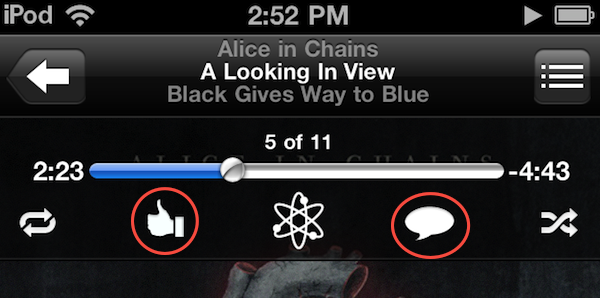
Announced yesterday but not enabled until a few hours ago, the iPod app on iOS 4.3 got two new features: you can now “like” songs and “post” them to Ping directly from the iPod app on iOS 4.3. We’re not sure right now whether this feature only works with tracks and albums purchased from the iTunes Store or music that matches the exact information stored in iTunes servers (try it with your Amazon MP3s, and let us know if it works), but as it stands now Apple has definitely updated the iPod app remotely to integrate the Ping functionality. It wasn’t there yesterday, and there it is now (see screenshots).

To like or post a song, Make sure to be signed into Ping from the iOS iTunes app. Open the iPod app, tap the artwork to bring up the top toolbar and check out the Ping icons. One is to like a song, one is to post it. Both will show up in your Ping activity stream, also accessible from the iOS iTunes app.

Update: it looks like the Ping buttons only appear in tracks purchased from the iTunes Store.


GarageBand for iPad Now Available

Following the release of iMovie for iPad, Apple also pulled the trigger on the second app unveiled at the March 2 event, GarageBand for iPad. The app is available now in the App Store at $4.99.

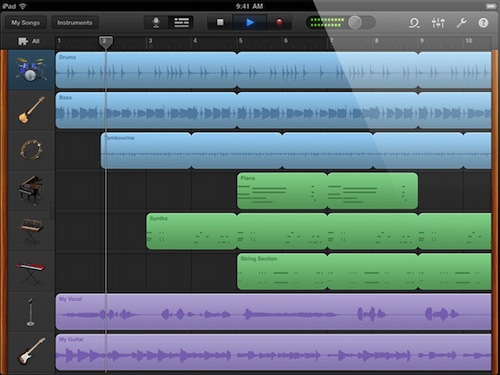
GarageBand for iPad features an intuitive interface depicting real music instruments you can play with your fingers and multitouch; with Smart Instruments, users who are not musicians but still want to play music can use the tools provided by the app to easily switch between chords and notes without actually having to precisely know music. For medium to advanced users, GarageBand offers a semi-professional music making and mixing environment with multi-track audio recording, exporting features, touch instruments with a realistic interface for drums, guitars, synthesizers, pianos and many more. GarageBand for iPad really is a full-functional port of the Mac version with the addition of multitouch that allows you, for example, to play instruments at different sensitivity levels thanks to the built-in support for pressure recognition through the accelerometer.

GarageBand looks like a must-have for iPad owners and an app that we’ll thoroughly test next week once we get our hands on the iPad 2. You can find it here at $4.99. Full changelog below. Read more