Posts tagged with "macOS"

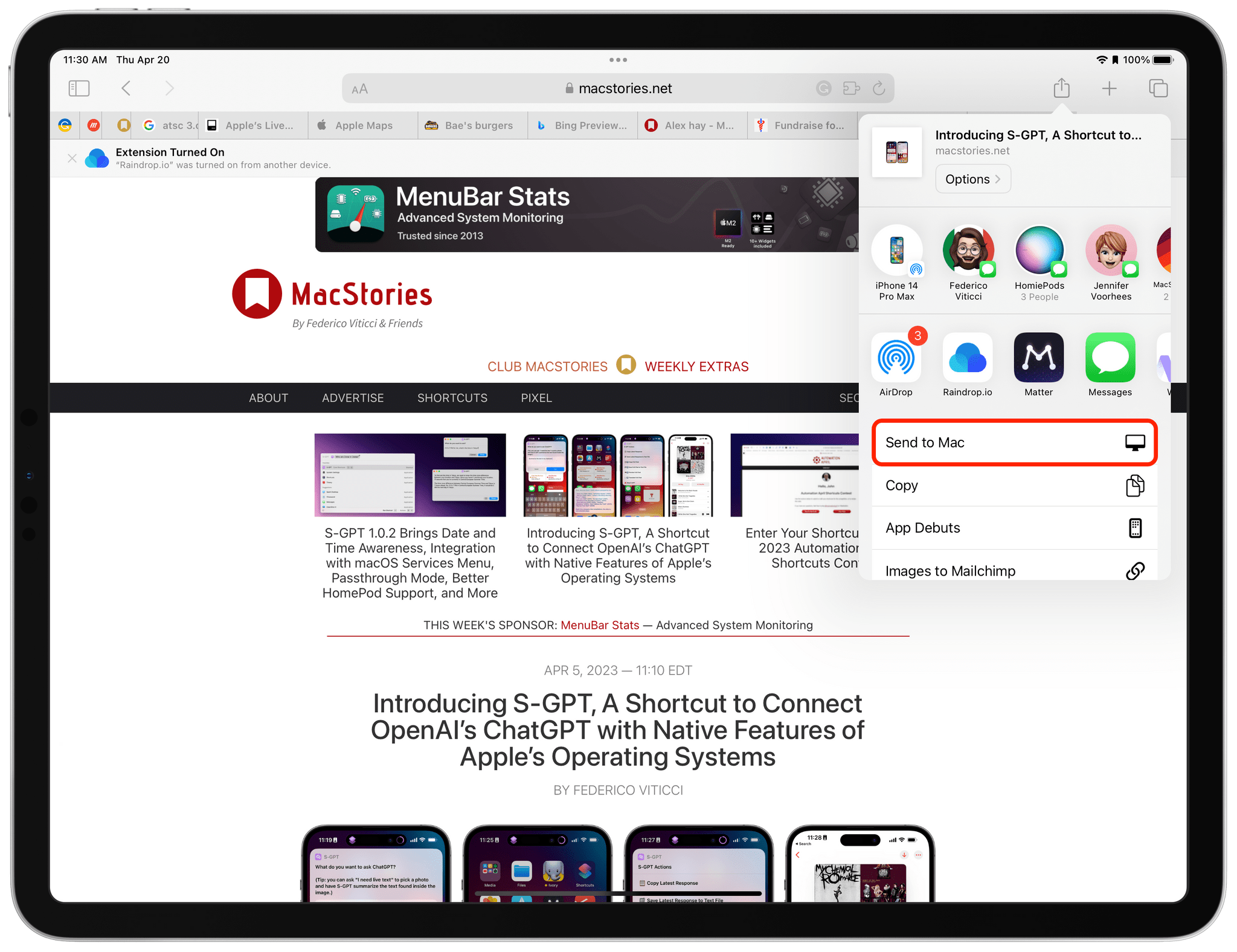
Apple Frames 3.1: Extending Screenshot Automation with the New Apple Frames API

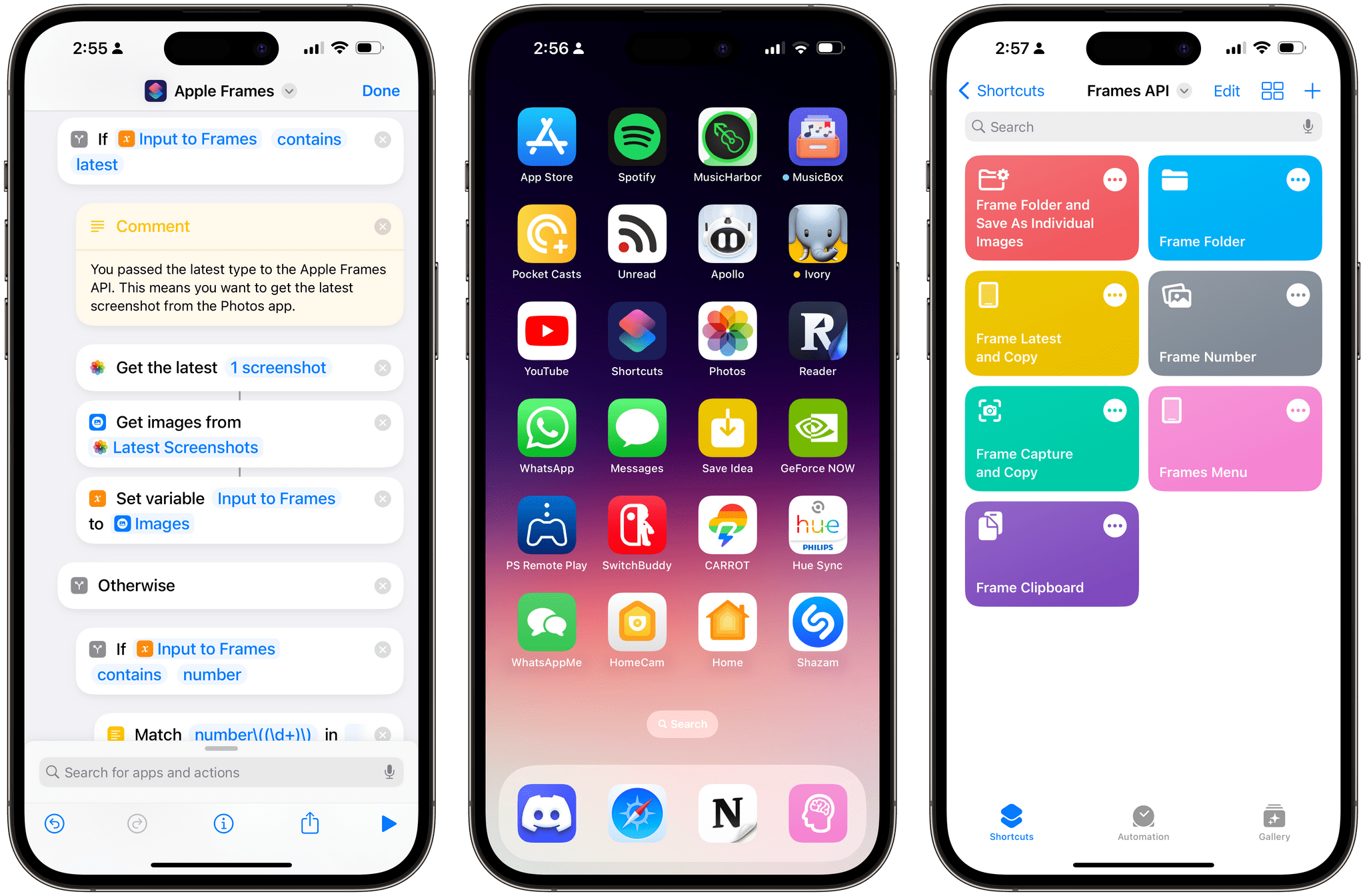
Apple Frames 3.1 comes with a lightweight Apple Frames API to extend its automation capabilities.

Apple Frames 3.1 comes with a lightweight Apple Frames API to extend its automation capabilities.

Update, March 3: Version 3.1.1 of Apple Frames has been released with support for a new passthrough output command. This post has been updated to reflect the changes. You can redownload the updated shortcut at the end of this post.


Today, I’m happy to introduce something I’ve been working on for the past couple of months: Apple Frames – my shortcut to put screenshots captured on Apple devices inside physical device frames – is getting a major upgrade to version 3.1 today. In addition to offering support for more devices that I missed in version 3.0 as well as some bug fixes, Apple Frames 3.1 brings a brand new API that lets you automate and extend the Apple Frames shortcut itself.

By making Apple Frames scriptable, I wanted to allow power users – such as designers and developers who rely on this shortcut to frame hundreds of images each week – to save valuable time without compromising the accessible nature of Apple Frames for other people. This is why all of the new advanced features of Apple Frames are optional and hidden until you go look for them specifically. Furthermore, even if you do want to use the Apple Frames API, you’ll see that I designed it in the spirit of Shortcuts: it does not require any code and it’s entirely powered by simple, visual ‘Text’ actions.

I’m incredibly excited about what Apple Frames can do in version 3.1, so let’s dive in.

Read more


macOS Isn’t as Small as You Think

Interesting comparison of macOS and iPadOS interface elements by Matt Birchler:

I will say that there are certainly some macOS UI elements that could be tricky to use with touch, but I think they’re the exception, not the rule. Still, Apple will certainly make some UI changes to accommodate touch as an officially-supported input method on the platform.

And:

There’s a narrative out there that touch is just so incompatible with macOS and that in order to make it work, the macOS UI would have to get blown up to comical proportions, but I don’t think that’s the case. Changes will be made, but I think macOS is more touch-friendly today than many people give it credit for.

I don’t disagree, and count me among those who think Apple should consider bringing touch support to the Mac.

I’ve seen this argument regarding the concern of “blowing up” the macOS UI in recent years too, and I think it’s shortsighted. Look no further than the iPad Pro: in a single device, Apple was able to let touch, pointer, and now even hover interactions coexist. Even without display scaling, I don’t think iPadOS has a comically large interface, as some believe.

There is a lot of work to be done to achieve a similar kind of input balance on macOS (think of all the elements that haven’t been redesigned in recent years, like drag controls for windows; the list is long), but it is possible, and I hope Apple gets there in the near future.

Permalink


FoodNoms 2 Refreshes Its Design and Adds Refinements to Nutrition Logging and Goal Tracking Throughout

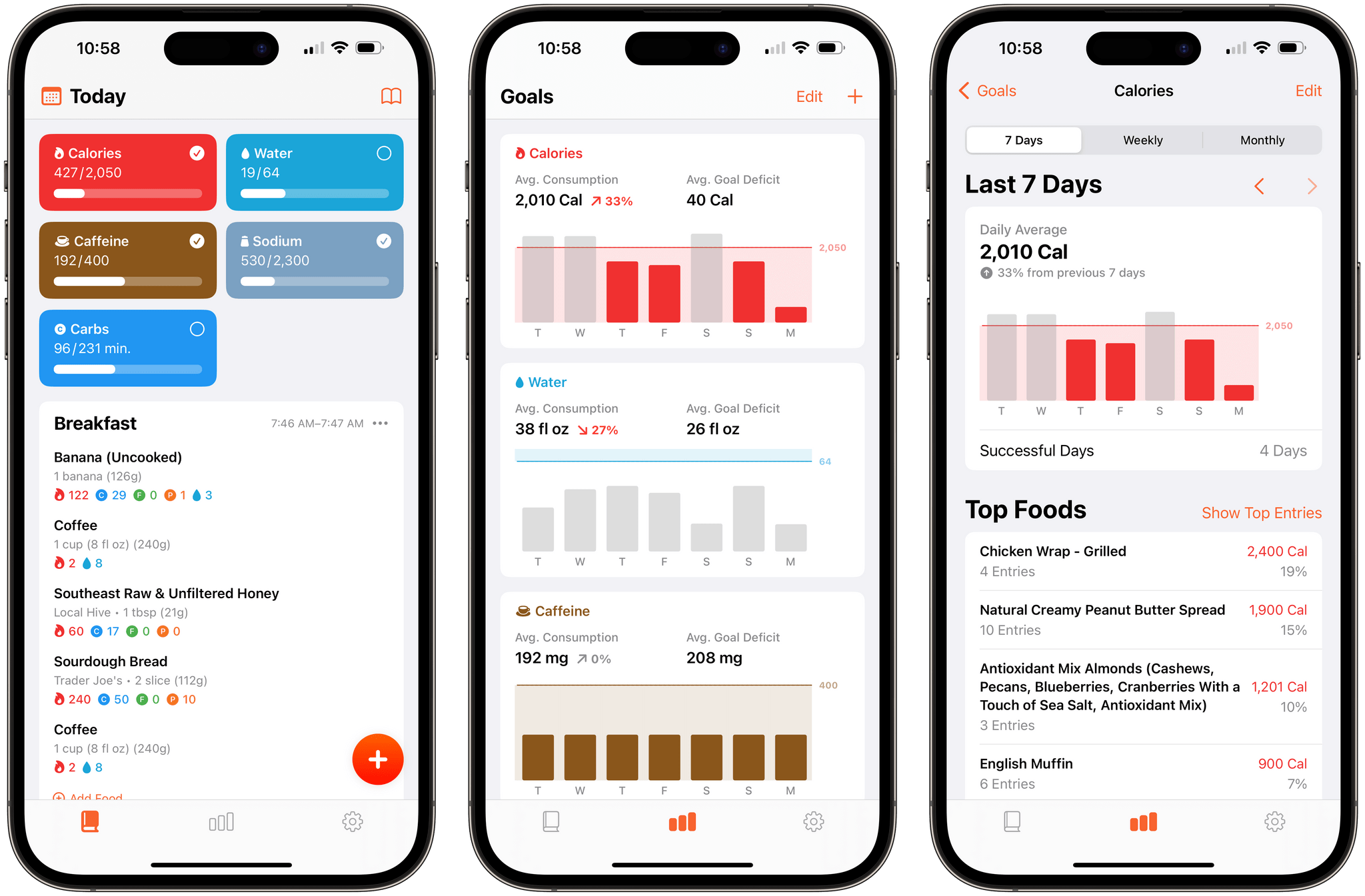
It’s been over two years since FoodNoms, the nutrition tracking app for the iPhone, iPad, Mac, and Apple Watch by Ryan Ashcraft, debuted on the App Store, and I reviewed it. Over the past two years, the app has steadily improved, refining its database of foods, adding Home Screen widgets, and a lot more. With version 2 out today, FoodNoms has taken its biggest step forward since its launch with a long list of new features and a refreshed design.

At its core, FoodNoms lets you set goals, track what you eat, and monitor your progress toward your goals. There are a lot of apps that do something similar, but what sets FoodNoms apart is its design, ease of use, and emphasis on privacy.

Read more


Twitter Intentionally Ends Third-Party App Developer Access to Its APIs

Late yesterday, The Information reported that it had seen internal Twitter Slack communications confirming that the company had intentionally cut off third-party Twitter app access to its APIs. The shut-down, which happened Thursday night US time, hasn’t affected all apps and services that use the API but instead appears targeted at the most popular third-party Twitter clients, including Tweetbot by Tapbots and Twitterrific by The Iconfactory. More than two days later, there’s still no official explanation from Twitter about why it chose to cut off access to its APIs with no warning whatsoever.

To say that Twitter’s actions are disgraceful is an understatement. Whether or not they comply with Twitter’s API terms of service, the lack of any advanced notice or explanation to developers is unprofessional and an unrecoverable breach of trust between it and its developers and users.

Twitter’s actions also show a total lack of respect for the role that third-party apps have played in the development and success of the service from its earliest days. Twitter was founded in 2006, but it wasn’t until the iPhone launched about a year later that it really took off, thanks to the developers who built the first mobile apps for the service.

Read more


MacStories Selects 2022: Recognizing the Best Apps of the Year

Introduction

John: It’s time for the MacStories Selects awards, our annual celebration of the apps we love and the people who make them. Every year since 2018, we’ve paused at the end of a busy year to reflect on the hundreds of apps we’ve tried and recognize the best.

It’s been another big year for apps, driven by the ingenuity and creativity of the developers who make them combined with new technologies introduced by Apple. Note-taking apps were big again, and just as we get ready to put 2022 in the rear-view mirror, the read-later app space has begun heating up like it’s 2010 all over again.

Last year, we kicked off the MacStories Selects Awards with a new Lifetime Achievement Award, which we gave to PCalc by James Thomson whose app will celebrate its 30th anniversary in a couple of days. This year, we’ve got another app that has stood the test of time and had an outsized impact on the world of apps, which you can read about in a special story written by our Alex Guyot, whose history with the winning app makes him the perfect choice to present the award.

It’s also time to pause and honor the best apps of the year in the following seven categories:

  • Best New App
  • Best App Update
  • Best New Feature
  • Best Watch App
  • Best Mac App
  • Best Design
  • App of the Year

which were picked by the MacStories team, plus the winner of the Readers’ Choice Award, which was picked by Club MacStories members, for a total of nine awards, plus six runners-up, all of which are covered below.

We also recorded a special episode of AppStories covering all the winners and runners-up. It’s a terrific way to learn more about this year’s apps and includes an interview with our Lifetime Achievement Award winner.

You can listen to the episode below.

AppStories+ Deeper into the world of apps
0:00
01:06:13

AppStories+ Deeper into the world of apps

So, without further ado, it’s my pleasure to introduce the 2022 MacStories Selects Awards to the MacStories community.

Read more


Apple Announces a Trio of Security Features Coming to Its Platforms

Today, Apple announced three new security features.

First, iMessage Contact Key Verification allows users to verify that they are communicating with the person with whom they think they’re communicating. The feature will alert users who use it if someone has infiltrated cloud services to gain access to the user’s iMessage conversations. For even greater security, users can compare a Contact Verification Code in person, on FaceTime, or through another secure channel.

Second, Security Keys lets users adopt hardware security keys when logging into their iCloud accounts. The new system is an enhancement over two-factor authentication because it prevents someone from obtaining a your second factor through a phishing scam.

Third, Advanced Data Protection for iCloud adds encryption on the iPhone, iPad, and Mac for a long list of data categories. According to Apple’s press release:

iCloud already protects 14 sensitive data categories using end-to-end encryption by default, including passwords in iCloud Keychain and Health data. For users who enable Advanced Data Protection, the total number of data categories protected using end-to-end encryption rises to 23, including iCloud Backup, Notes, and Photos. The only major iCloud data categories that are not covered are iCloud Mail, Contacts, and Calendar because of the need to interoperate with the global email, contacts, and calendar systems.

Apple says that iMessage Contact Key Verification will be available globally in 2023, and Security Keys is coming early 2023. Advanced Data Protection for iCloud is available in the US today for participants in Apple’s beta OS program, and will presumably roll out with the next point release to Apple’s OSes.


Apple Frames 3.0: Completely Rewritten, Support for iPhone 14 Pro and Dynamic Island, New Devices, Multiple Display Resolutions, and More

Apple Frames 3.0.

Apple Frames 3.0.

Today, I’m pleased to announce the release of version 3.0 of Apple Frames, my shortcut to put screenshots taken on various Apple devices inside physical frames for iPhone, iPad, Mac, and Apple Watch.

Apple Frames 3.0 is a major update that involved a complete re-architecture of the shortcut to improve its performance and reliability on all Apple platforms. For Apple Frames 3.0, I entirely rebuilt its underlying file structure to move away from base64 and embrace Files/Finder to store assets. As a result, Apple Frames 3.0 is faster, easier to debug, and – hopefully – easier to maintain going forward.

But Apple Frames 3.0 goes beyond a new technical foundation. This update to the shortcut introduces full compatibility with the iPhone 14 Pro and 14 Pro Max with Dynamic Island, Apple Watch Ultra, and the M2 MacBook Air. And that’s not all: Apple Frames 3.0 also brings full support for resolution scaling on all iPad models that offer the ‘More Space’ display mode in iPadOS 16. And in the process, I also added support for ‘Default’ and ‘More Space’ options on the Apple Silicon-based MacBook Airs, MacBook Pros, and iMac. All of this, as always, in a native shortcut designed for high performance that uses Apple’s official device images and requires no manual configuration whatsoever.

Apple Frames 3.0 is the biggest, most versatile version of Apple Frames to date, and I’m proud of the results. Let’s dive in.

Read more