

Here are today’s @MacStoriesDeals on iOS, Mac, and Mac App Store apps that are on sale for a limited time, so get them before they end!
Posts tagged with "mac"
#MacStoriesDeals - Monday
#MacStoriesDeals - Friday

Here are today’s @MacStoriesDeals on iOS, Mac, and Mac App Store apps that are on sale for a limited time, so get them before they end!
Simplify: A Spotify Music Controller and Artwork Widget for Mac

Spotify, the European music streaming service that has attracted millions of paying subscribers in the past two years, is finally launching in the United States, with some saying the big opening could happen as early as next week. For those not familiar with Spotify, the concept is very simple: instead of owning music, you stream it from the company’s servers that host a huge catalogue of songs from both major and less-known labels. You can build playlists, mark items as favorite, and pay to get unlimited access, higher quality bitrates, mobile apps and caching options for offline access. Whereas Apple’s upcoming iTunes Match service will scan songs you already own to mirror them online, Spotify lets you create your own online library of songs you don’t own (though a “buy” option has been recently introduced), but that you can stream at any time. It’s similar to other services like Rdio and MOG, but the company never managed to close a deal with US music labels and get the green light for launching its service until last week.
I’ve been a Spotify user for two years, and it’s completely revolutionized the way I listen to music. I still enjoy buying some music from iTunes, but Spotify’s biggest advantage over traditional marketplaces is that I can pay a monthly fee (or buy yearly access altogether with a gift card) to listen to just about anything I want, from any device. Spotify has a beautiful Mac client and an iPhone app that’s continually updated with new features; however, the company still hasn’t revealed its plans about an iPad app that would be much welcome one year after the iPad came out. Read more
Growl 1.3 To Be Released on Mac App Store, Introduce Lion Support and Drop GrowlMail Support

The developers of Growl, a popular notification system for OS X that’s been around for years and it’s completely free to use, have announced that the plugin is going to become a Mac App Store application through a complete rewrite with OS X Lion in mind, dropping support for older frameworks and “hacks” like GrowlMail and GrowlSafari that wouldn’t probably make it past Apple’s approval. For those not familiar with Growl, the notification system became popular among Mac users because of its highly customizable nature that enabled almost anyone with basic coding and design knowledge to create “themes” for it that changed the appearance and animations of the notification tickets displayed on screen. Growl is supported by hundreds of different applications for the Mac, including big names like Twitter and Dropbox. We have covered a handful of beautiful themes for Growl in the past, and the success of this plugin also inspired several iOS developers to create mobile apps capable of plugging into the desktop system to fetch or send remote notifications. Growl is the undiscussed king of notifications for OS X apps.
Yet the developers are willing to change everything about Growl to get it ready for the Mac App Store and turn it into an app as requested by Apple to developers submitting software to iTunes. In a post on Growl’s official Google Group [via Steve Streza], developer Christopher Forsythe has announced that the upcoming 1.3 release will bring important changes such as the aforementioned Store availability, as well as full support for Lion and a new “app” form that has the obvious advantage of allowing users to easily upgrade to new versions by simply checking on their Mac App Store purchase page. One of the common complaints about Growl, in fact, is that the app often requires the user to download and perform an upgrade. As the existing version comes with a .DMG file that contains an installer for a System Preferences panel, the current Growl 1.2.2 forces users to manually upgrade every time a new version is out. With the Mac App Store and Growl becoming “an app”, the developers want to eliminate the convoluted process of opening and mounting a disk image file, running an installer, and manually upgrading from System Preferences. Read more
The Hit List 1.0 Now Available for iPhone
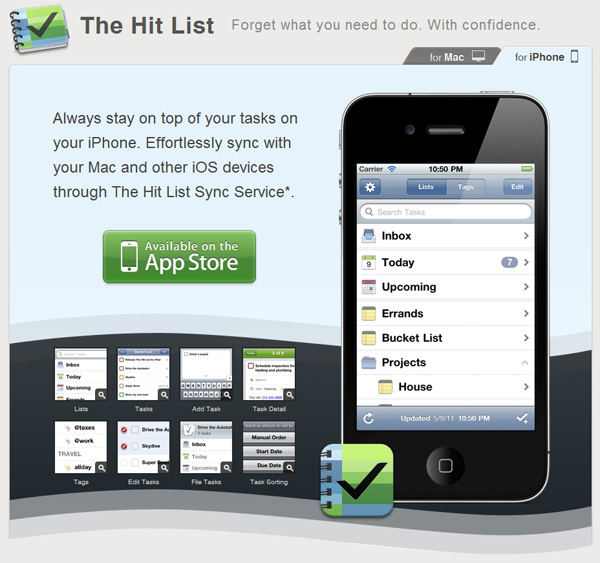
After a long wait, and a seemingly long approval process from Apple, Potion Factory’s The Hit List is now available for iPhone. It was only a little over a month ago that the Mac counterpart was released as well. The Mac version of The Hit List features Smart Folders, iCal Sync, Quick Entry, a built-in Timer, and AppleScript support among many other great features.
The app(s) features a $1.99 per month or $19.99 per year cloud sync service that syncs with all your Macs and iOS devices wherever The Hit List is installed. NOTE: MacHeist customers can receive 3 months of sync subscription by entering a license key here.
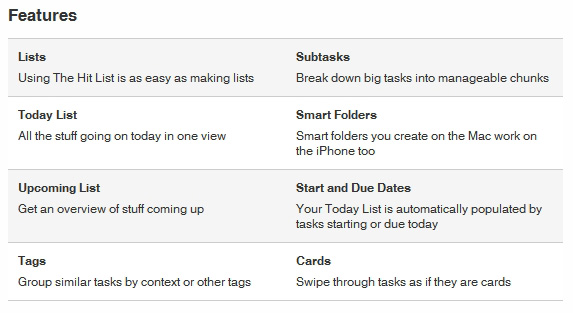
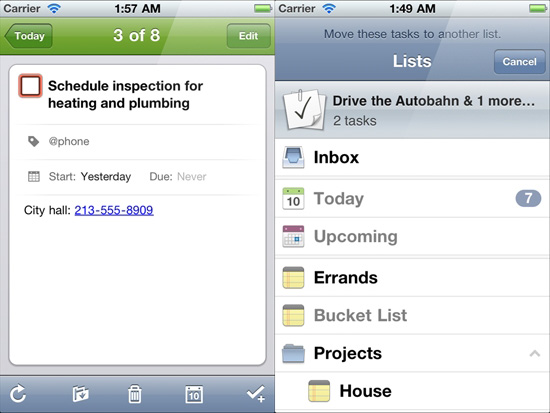
The iPhone counterpart is very much like the Mac version but made for a smaller screen. It features Lists, the Today and Upcoming List, Tags, Tasks and Subtasks, Smart Folders, Start and Due Dates and Cards. The Hit List for iPhone is available in the iTunes App Store for $9.99. We’ll have a full review in the coming weeks (now that the iPhone app is out).
#MacStoriesDeals - Wednesday

Here are today’s @MacStoriesDeals on iOS, Mac, and Mac App Store apps that are on sale for a limited time, so get them before they end!
Airfoil 4.5 Released: Extended AirPlay Support & Enhanced Remote Controls
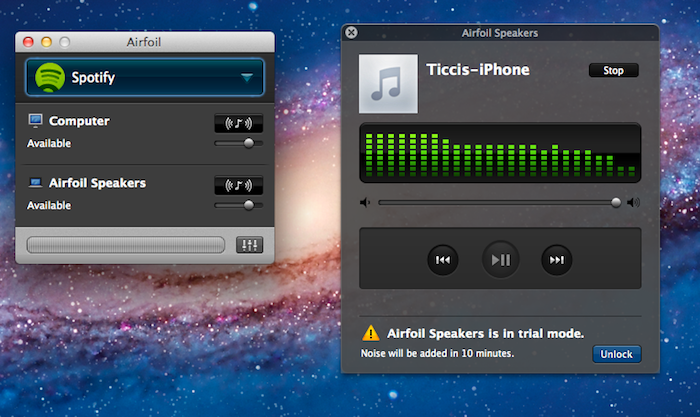
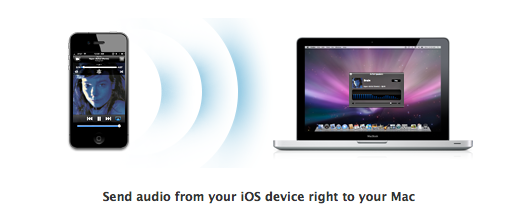
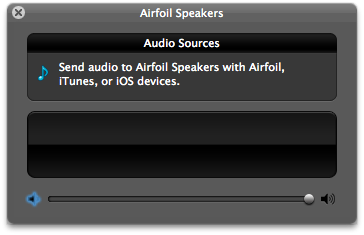
Back in December we reviewed Airfoil 4, an update to Rogue Amoeba’s powerful audio tool for OS X that streamlined the process of sending audio content from various applications to external speakers, computers or Apple TVs, also using the new AirPlay technology. Airfoil 4.5, a major update released today and free for existing customers, builds upon the excellent feature set of version 4 to deliver an even easier AirPlay integration that will allow iOS users to beam any kind of audio from any iOS app to the Airfoil Speakers app running on a Mac. This new functionality may sound very similar to other desktop AirPlay receivers like AirServer, and indeed it is, with the exception that Airfoil Speakers runs in its (beautiful) standalone window that, among other things, visualizes music controls and album artworks even during a wireless AirPlay session.
Rogue Amoeba explains:
First and foremost, Airfoil Speakers for Mac can now receive audio from your iOS device! Launch Airfoil Speakers, and it will appear in the list of AirPlay devices on iOS. When you play audio in an app on your iPhone, iPod Touch, or iPad, you can select Airfoil Speakers from the AirPlay list, and you’ll hear the audio right on your Mac.
The new, powerful Airfoil Speakers are now compatible with iTunes on any Mac or PC and MacStories favorite Radium as well. Similarly to The Iconfactory’s latest update to Take Five for Mac, Airfoil 4.5 can now control apps like Spotify, Rdio and Radium so you’ll see control buttons alongside album artworks and track titles when grabbing audio from these sources. This change is welcome as you won’t be forced to switch to the original application to see what’s playing anymore.
Last, Rogue Amoeba says they’ve added support for AirPlay devices “from companies like iHome, JBL, and many more”, and that AirPlay-enabled hardware will work with Airfoil out of the box with no further configuration needed.
Airfoil 4.5 is a free update for licensed owners of Airfoil 4, and a license key can be purchased here at $25 to unlock the full app (free trial is available). With the much improved Airfoil Speakers utility, at this point we can’t help but recommend Airfoil if you’re looking for a simple, good-looking and powerful solution to manage audio in your house, room or office, and integrate it with Apple’s AirPlay.
Take Five for Mac Updated to Give You More Control

Back in March we covered Take Five for Mac from the Iconfactory crew. The app is simple and efficient and does one thing and does it very well – stopping and restarting your music so you don’t have to remember.
Today, Take Five has been updated to version 1.1 which may sound like a minor update but in actuality is very significant. Version 1.1 brings two new and requested features; one is the ability to pause music in the following apps/services: iTunes, Ecoute, Pulsar, Radium, Rdio and Spotify. The other is that Take Five can also now pause your music without a timer by holding down the option key while clicking the pause button. The update also addresses a bug where Take Five would stop responding when used with CoverSutra.
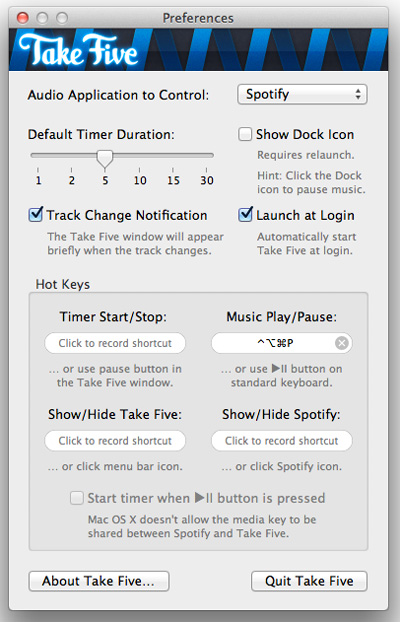
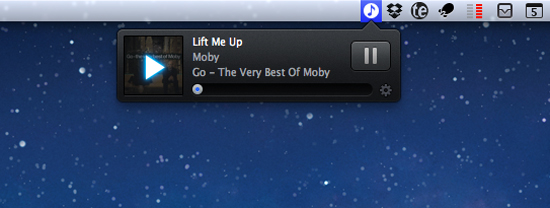
I am a heavy Ecoute user (and future Spotify user if it ever gets service in the US) and the additional control within the new Take Five is welcome. Spotify and Rdio users will also love the 1.1 update as well as users of the other services listed. Take Five is only $3.99 in the Mac App Store, or if you’re already a Take Five user, check for updates.
#MacStoriesDeals - Tuesday

Here are today’s @MacStoriesDeals on iOS, Mac, and Mac App Store apps that are on sale for a limited time, so get them before they end!