I just came back to my hotel room after a long day at Apple Park (I documented most of it in my Instagram stories, including a very cool shot), and, like everyone else here in Cupertino, I’m still processing the information overload from the past 12 hours. The MacStories team already covered iOS and iPadOS 27, plus Siri AI and Apple Intelligence, and we have more coming tomorrow.
Before I call it a day though, I wanted to link the first thing I read on my way back: Apple’s latest article on the Machine Learning blog about the new Apple Foundation Models that were announced today – three cloud-based models, and two on-device ones.
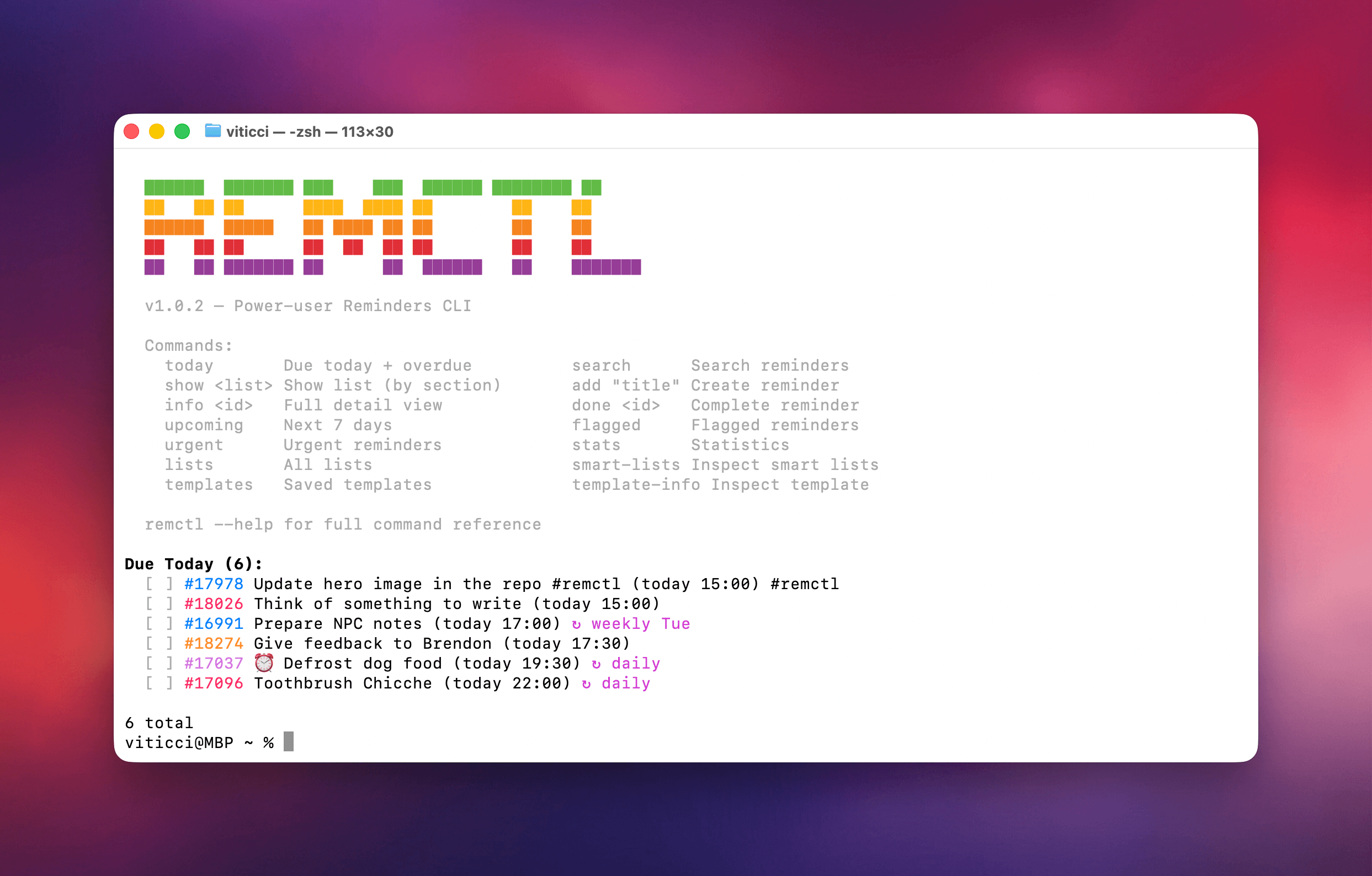
Today, I’m pleased to release my latest free and open source project: RemCTL, a power-user Reminders CLI that, unlike others, exposes all the latest Reminders features as of iOS and macOS 26. RemCTL supports reading and writing subtasks, tags, sections, rich links, image attachments, grocery lists, and even templates.
It’s available on GitHub here, and it comes bundled with a skill for desktop agents.
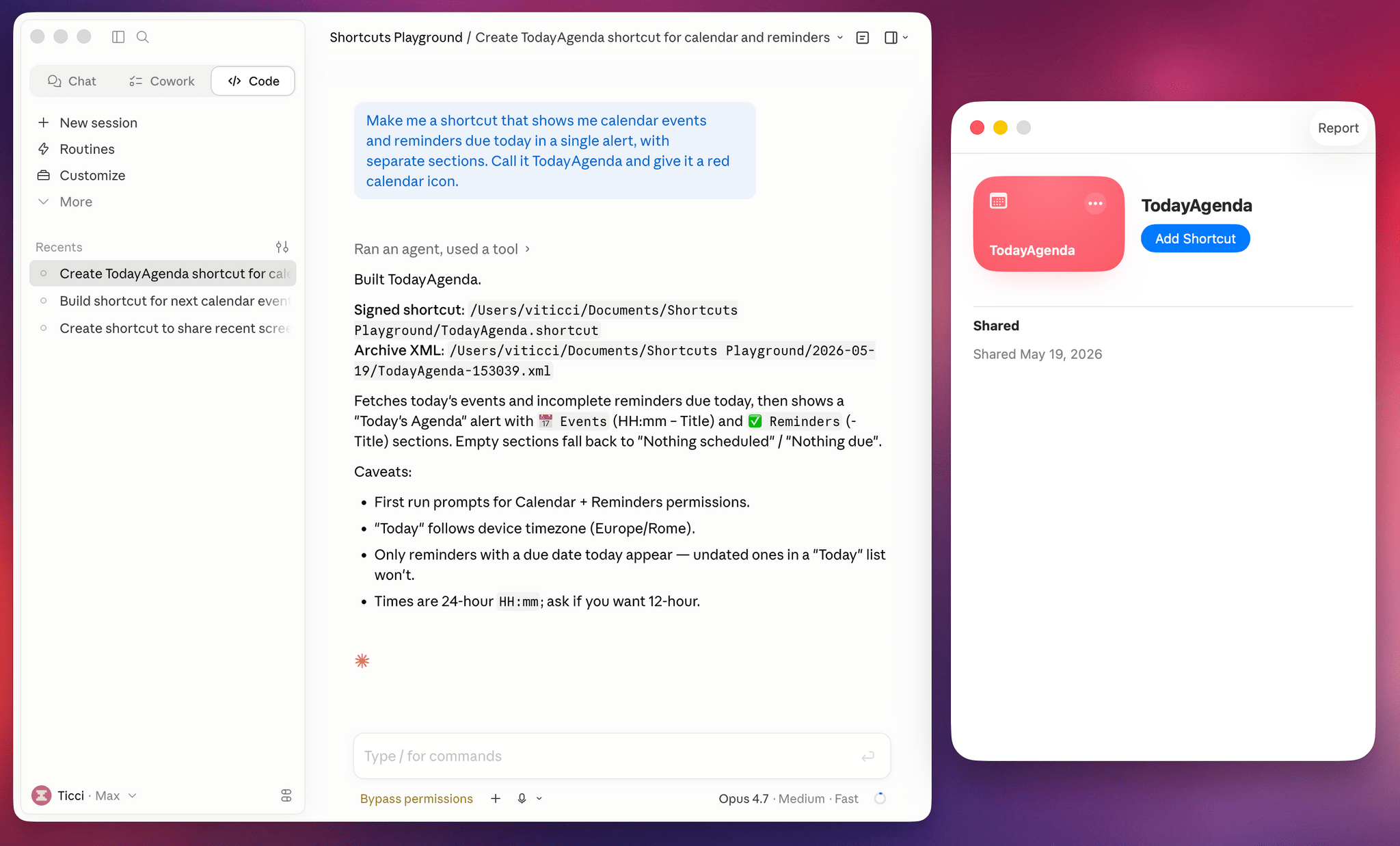
Today, I’m pleased to introduce something I’ve been working on for the past six months: Shortcuts Playground, a plugin for Claude Code and Codex that can create any shortcut for Apple’s Shortcuts app using natural language. With Shortcuts Playground, you can simply prompt Claude Code or Codex with a sentence requesting a shortcut of any kind; a few minutes later, you’ll end up with a real shortcut in Finder, ready to be imported into the Shortcuts app. It’s as simple as that.
Shortcuts Playground is free and open source: anyone can download the plugin from this GitHub repo, where I extensively documented how it works behind the scenes and where you can also inspect the code yourself.
Just point your preferred desktop agent to the repo, and it’ll find the plugin marketplace to install it for you. You can also check out the dedicated mini-site we launched for it at macstories.net/shortcuts-playground.
For Club MacStories+ and Premier members, I’m also releasing Shortcuts Playground as a generative shortcut. It’s quite meta: once you have the main plugin installed on a Mac, you can use a shortcut to make more shortcuts and install them directly on an iPhone, iPad, or other Mac. The Shortcuts Playground shortcut is highly customizable, and I’ve shared a detailed guide for Plus and Premier members here.
As part of this announcement, we’re also launching the completely redesigned MacStories Shortcuts Archive. The new archive is easier to browse with new categories and filters, and it also includes 100 shortcuts that were entirely generated by Shortcuts Playground and verified by me. I figured that it’d be nice to offer concrete evidence of Shortcuts Playground’s capabilities; I think 100 shortcuts should do the trick.
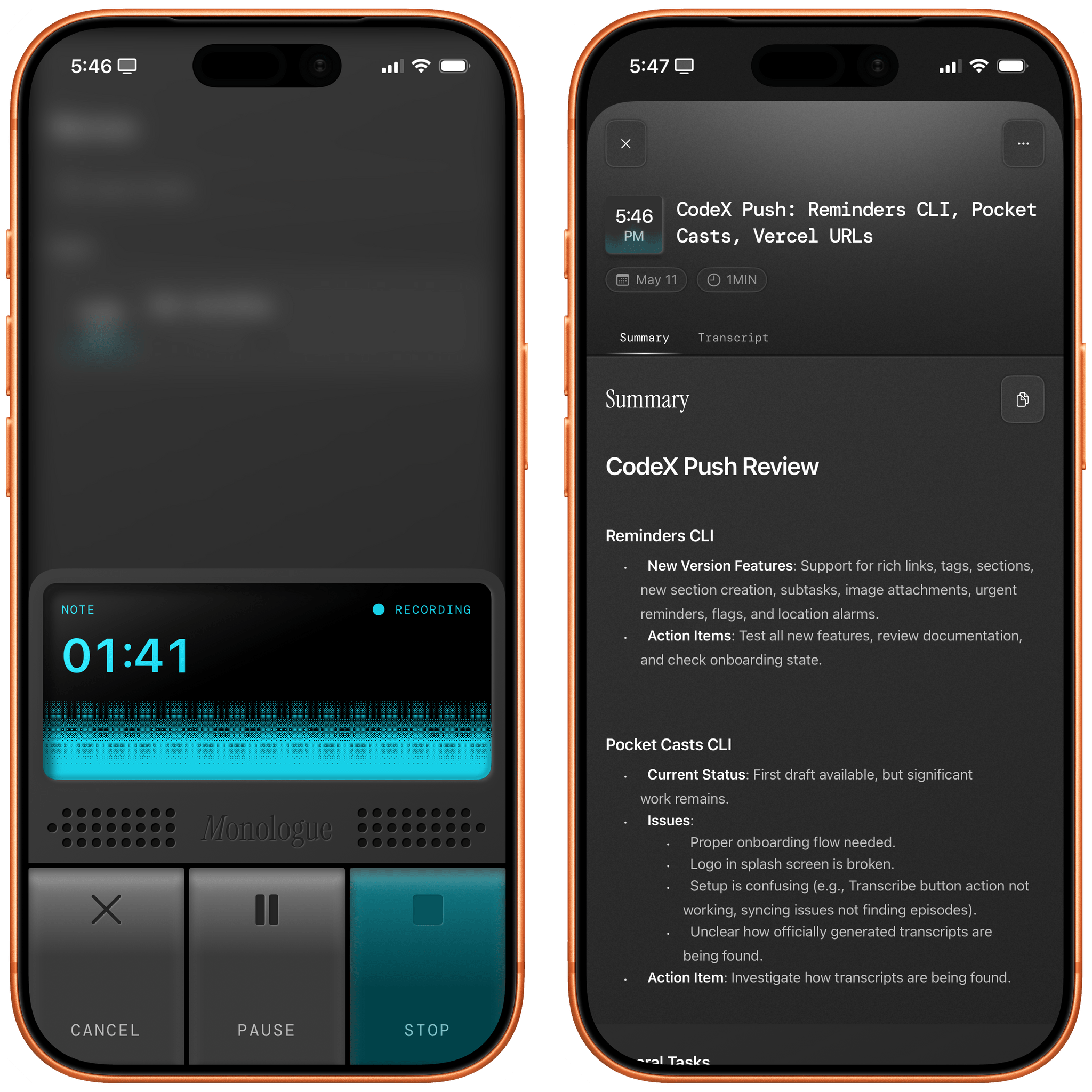
As I mentioned in a recent issue of MacStories Weekly for Club members, I believe that reliable dictation and text-to-speech are largely solved problems in the AI industry right now for most languages. There are certainly subtle differences between the latest models and not-so-subtle discrepancies when you consider local (and free) transcription models versus cloud-hosted (and often expensive) solutions, but by and large, LLMs have “fixed” the problem of fast and high-performance speech-to-text transcription. Whether you’re using Superwhisper, Wispr Flow, Aqua Voice, or a local wrapper for Parakeet or Microsoft’s VibeVoice, chances are that your transcribed text will be more than good enough these days. Just like with regular chatbots, benchmarks matter less and less: it’s the overall user experience that defines products that are otherwise very similar to each other.
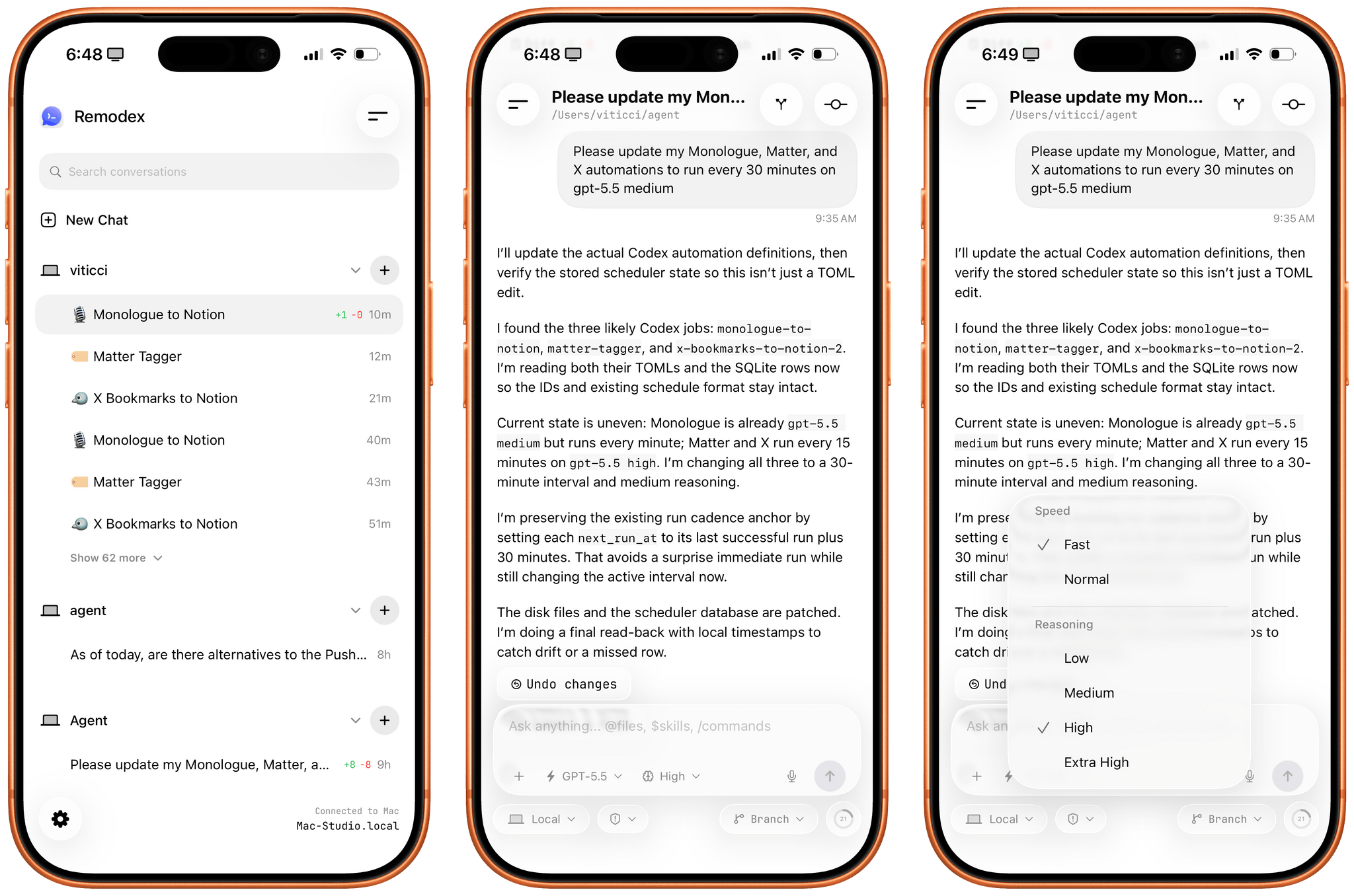
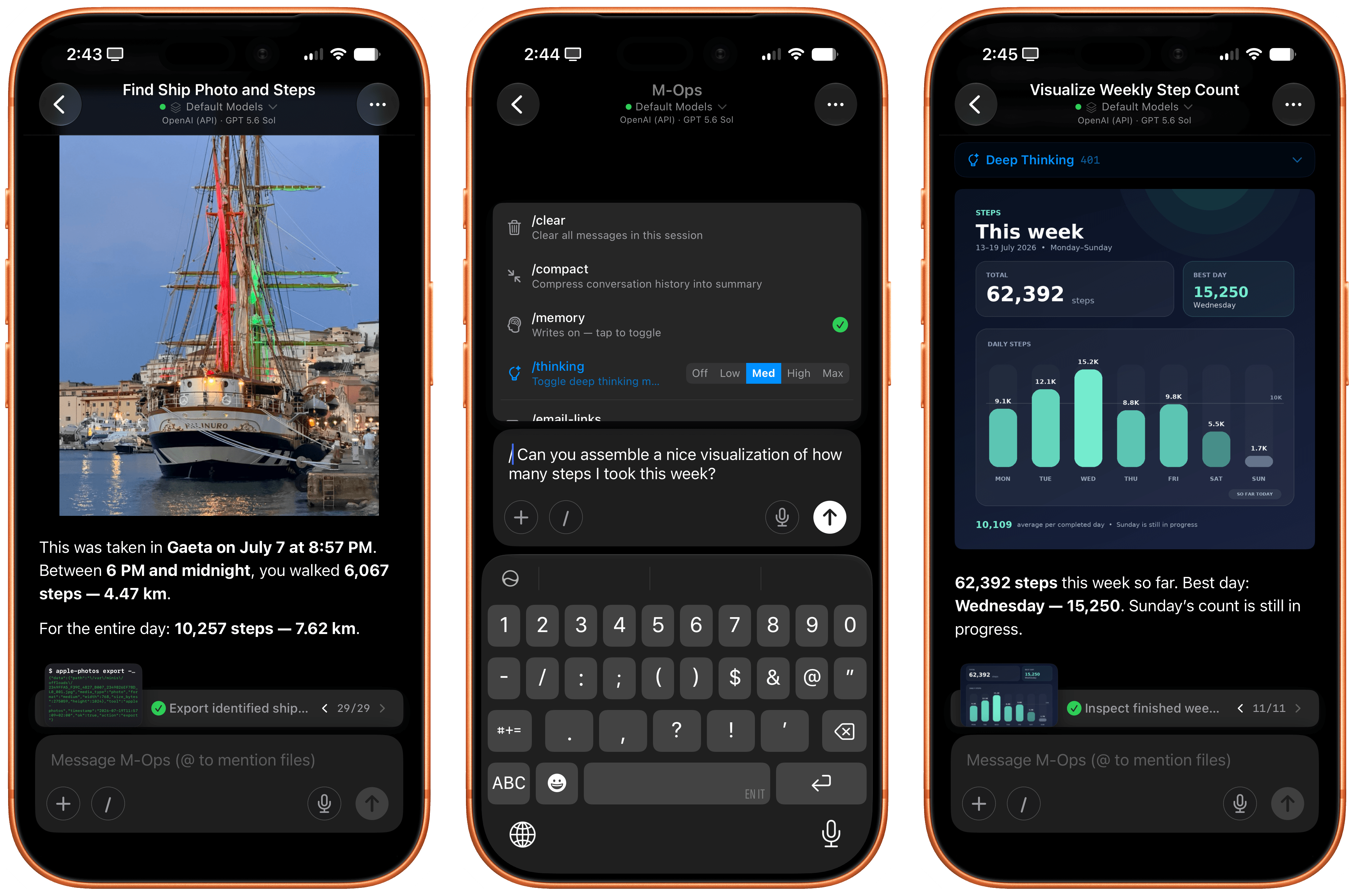
Various OpenAI employees and members of the Codex team have been hinting at a native Codex app for iOS lately. While I very much hope that’s in the cards – especially if the project involves connecting to a remote Mac running the full Codex app – I wanted to highlight an indie utility I’ve been using a lot lately to access my Codex setup on my Mac Studio server from my iPhone.
The app is called Remodex, and it was created by Italian indie developer Emanuele Di Pietro. Remodex, as the name suggests, acts as a remote for the Codex CLI installed on a macOS computer, and it lets you operate your existing projects and chats with a UI that is reminiscent of the official Codex app for Mac. Even better, Remodex is not based on some hack-y workaround: it’s entirely powered by OpenAI’s official (and open-source) Codex App Server.
Update, February 6: I’ve published an in-depth guide with advanced tips for secure credentials, memory management, automations, and proactive work with OpenClaw for our Club members here.
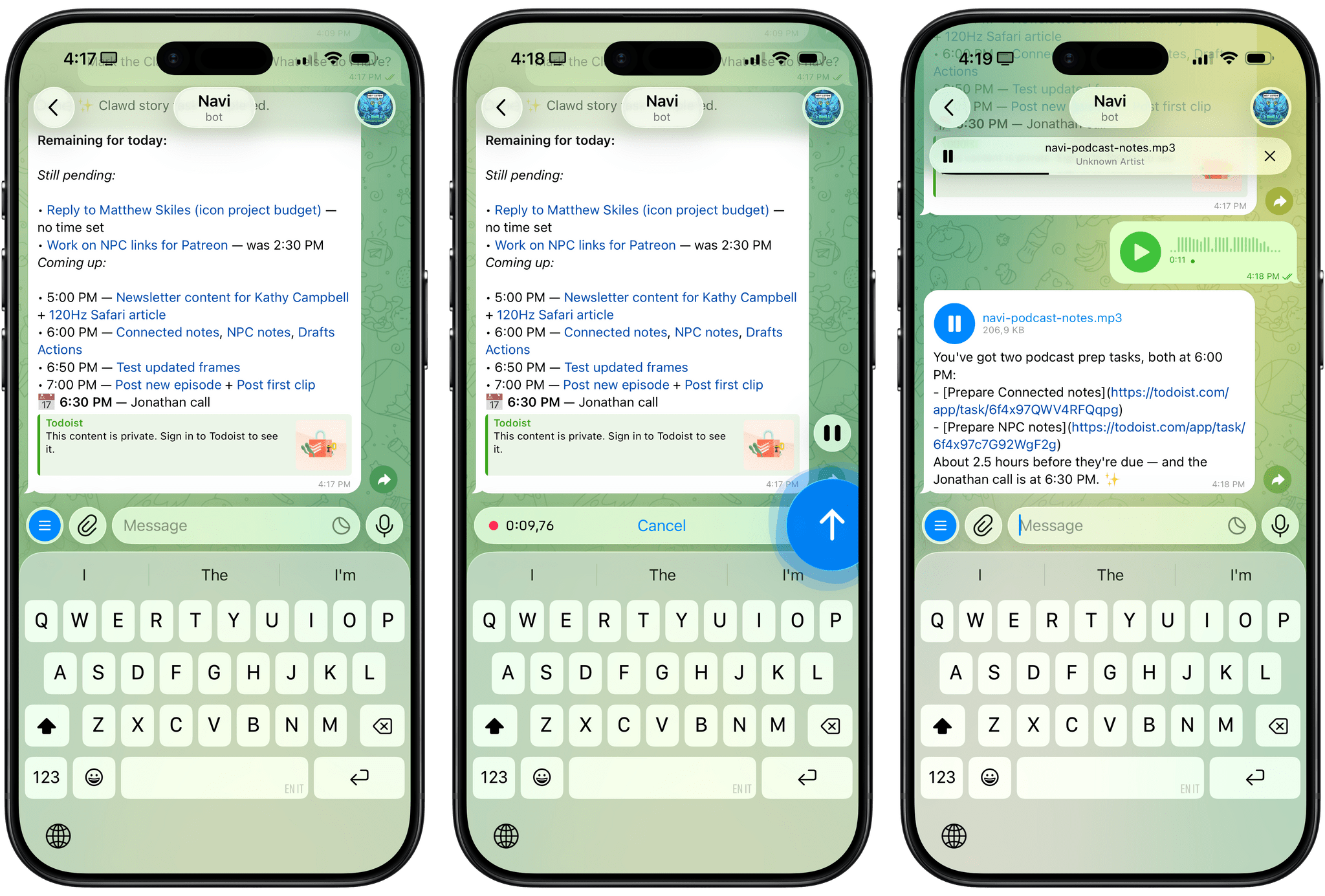
For the past week or so, I’ve been working with a digital assistant that knows my name, my preferences for my morning routine, how I like to use Notion and Todoist, but which also knows how to control Spotify and my Sonos speaker, my Philips Hue lights, as well as my Gmail. It runs on Anthropic’s Claude Opus 4.5 model, but I chat with it using Telegram. I called the assistant Navi (inspired by the fairy companion of Ocarina of Time, not the besieged alien race in James Cameron’s sci-fi film saga), and Navi can even receive audio messages from me and respond with other audio messages generated with the latest ElevenLabs text-to-speech model. Oh, and did I mention that Navi can improve itself with new features and that it’s running on my own M4 Mac mini server?
If this intro just gave you whiplash, imagine my reaction when I first started playing around with OpenClaw, the incredible open-source project by Peter Steinberger (a name that should be familiar to longtime MacStories readers) that’s become very popular in certain AI communities over the past few weeks. I kept seeing OpenClaw being mentioned by people I follow; eventually, I gave in to peer pressure, followed the instructions provided by the funny crustacean mascot on the app’s website, installed OpenClaw on my new M4 Mac mini (which is not my main production machine), and connected it to Telegram.
To say that OpenClaw has fundamentally altered my perspective of what it means to have an intelligent, personal AI assistant in 2026 would be an understatement. I’ve been playing around with OpenClaw so much, I’ve burned through 180 million tokens on the Anthropic API (yikes), and I’ve had fewer and fewer conversations with the “regular” Claude and ChatGPT apps in the process. Don’t get me wrong: OpenClaw is a nerdy project, a tinkerer’s laboratory that is not poised to overtake the popularity of consumer LLMs any time soon. Still, OpenClaw points at a fascinating future for digital assistants, and it’s exactly the kind of bleeding-edge project that MacStories readers will appreciate.
I was out for a run today and I had an idea for an app. I busted out my own app, Quick Notes, and dictated what I wanted this app to do in detail. When I got home, I created a new project in Xcode, I committed it to GitHub, and then I gave Claude Code on the web those dictated notes and asked it to build that app.
About two minutes later, it was done…and it had a build error.
And:
As a simple example, it’s possible the app that I thought of could already be achieved in some piece of software someone’s released on the App Store. Truth be told, I didn’t even look, I just knew exactly what I wanted, and I made it happen. This is a quite niche thing to do in 2026, but what if Apple builds something that replicates this workflow and ships it on the iPhone in a couple of years? What if instead of going to the App Store, they tell you to just ask Siri to make you the app that you need?
John and I are going to discuss this on the next episode of AppStories about the second part of the experiments we did over our holiday break. As I’ll mention in the episode, I ended up building 12 web apps for things I have to do every day, such as appending text to Notion just how I like it or controlling my TV and Hue sync box. I didn’t even think to search the App Store to see if new utilities existed: I “built” (or, rather, steered the building of) my own progressive web apps, and I’m using them every day. As Matt argues, this is a very niche thing to do right now, which requires a terminal, lots of scaffolding around each project, and deeper technical knowledge than the average person who would just prompt “make me a beautiful todo app.” But the direction seems clear, and the timeline is accelerating.
Great post by Allen Pike on the importance of a great app experience for modern LLMs, which I recently wrote about. He opens with this line, which is a new axiom I’m going to reuse extensively:
A model is only as useful as its applications.
And on ChatGPT for Mac specifically:
The app does a good job of following the platform conventions on Mac. That means buttons, text fields, and menus behave as they do in other Mac apps. While ChatGPT is imperfect on both Mac and web, both platforms have the finish you would expect from a daily-use tool.
[…]
It’s easier to get a polished app with native APIs, but at a certain scale separate apps make it hard to rapidly iterate a complex enterprise product while keeping it in sync on each platform, while also meeting your service and customer obligations. So for a consumer-facing app like ChatGPT or the no-modifier Copilot, it’s easier to go native. For companies that are, at their core, selling to enterprises, you get Electron apps.
I don’t hate Electron as much as others in our community, but I can’t deny that ChatGPT is one of the nicest AI apps for Mac I’ve used. The other is the recently updated BoltAI. And they’re both native Mac apps.
I’m not saying the new model isn’t an improvement on Sonnet 4.5—but I can’t say with confidence that the challenges I posed it were able to identify a meaningful difference in capabilities between the two.
This represents a growing problem for me. My favorite moments in AI are when a new model gives me the ability to do something that simply wasn’t possible before. In the past these have felt a lot more obvious, but today it’s often very difficult to find concrete examples that differentiate the new generation of models from their predecessors.
This is something that I’ve felt every few weeks (with each new model release from the major AI labs) over the past year: if you’re really plugged into this ecosystem, it can be hard to spot meaningful differences between major models on a release-by-release basis. That’s not to say that real progress in intelligence, knowledge, or tool-calling isn’t being made: benchmarks and evaluations performed by established organizations tell a clear story. At the same time, it’s also worth keeping in mind that more companies these days may be optimizing their models for benchmarks to come out on top and, more importantly, that the vast majority of folks don’t have a suite of personal benchmarks to evaluate different models for their workflows. Simon Willison thinks that people who use AI for work should create personalized test suites, which is something I’m going to consider for prompts that I use frequently. I also feel like Ethan Mollick’s advice of picking a reasoning model and checking in every few months to reassess AI progress is probably the best strategy for most people who don’t want to tweak their AI workflows every other week.