Posts tagged with "iPadOS"

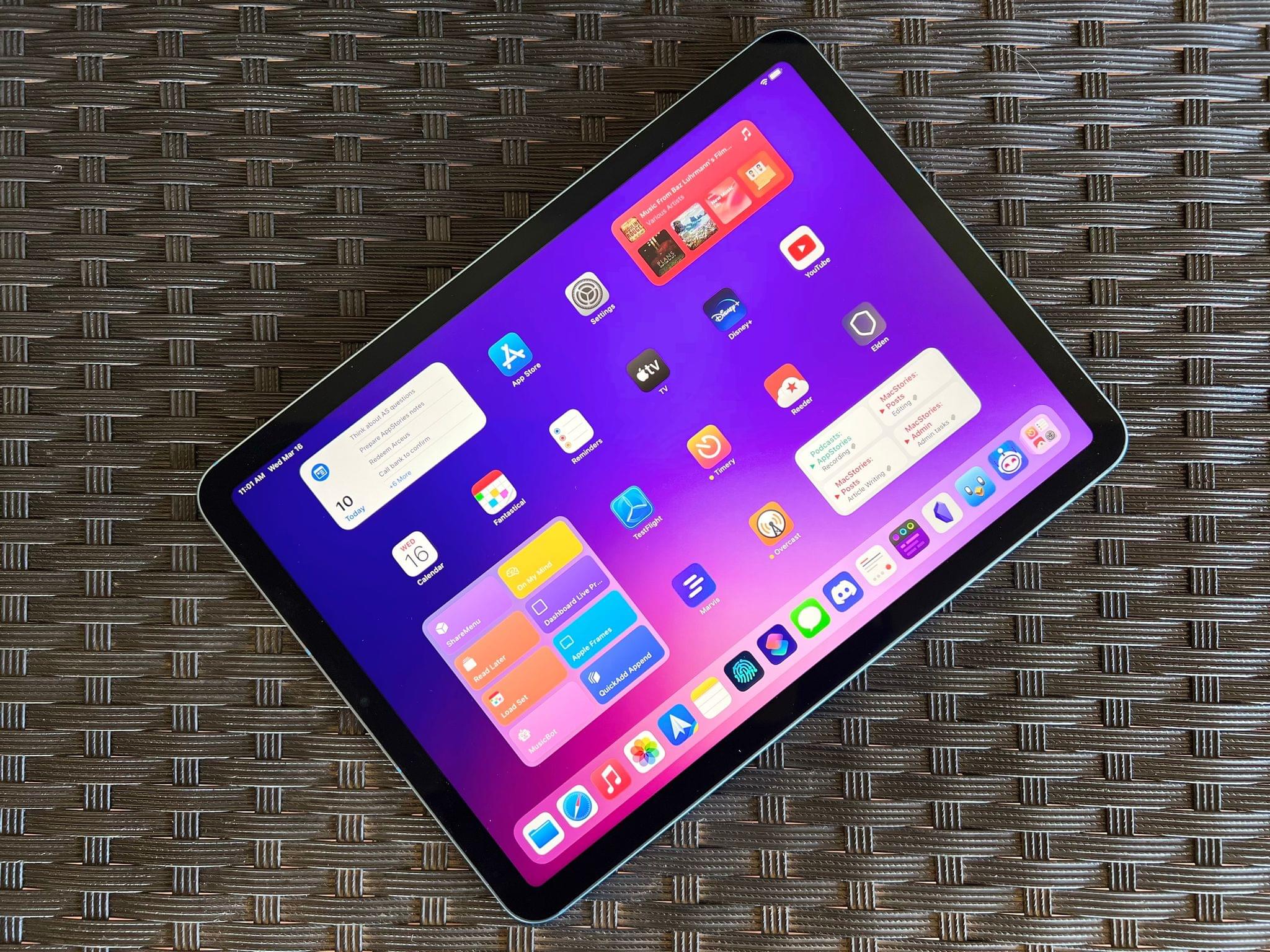
iPad Air 2022 Review: Refined Balance

The new iPad Air.

The new iPad Air.

The last time I wrote about the iPad Air in October 2020, I explained how its fourth-generation model intrigued me again. A year and a half later, here I am, once again fascinated by the iPad Air, captivated by its hybrid nature caught between a base model iPad and the aspirations of an iPad Pro.

Here’s why: while the new iPad Air, which goes on sale this Friday starting at $599, doesn’t break any ground for the Air line, I believe it has reached its most balanced state yet.

The new iPad Air catches up with the iPad Pro and iPad mini in supporting 5G networking; it’s the final iPad in the lineup to get Center Stage; like the iPad Pro, it now comes with an M1 chip and the same 8 GB of RAM. The 2022 iPad Air refines what Apple started with the relaunch of this model in 2020 and achieves a balance of features, size, and price that makes it the ideal iPad for most people.

The iPad Air and the features it adds compared to its previous-gen model are, at this point, known quantities. The design, 10.9” display, and implementation of Touch ID are unchanged from the 2020 version; I covered Center Stage (we even built a custom app for it), the M1, and 5G in my 2021 iPad Pro review; the Magic Keyboard, Apple Pencil, and Smart Folio covers are the same ones we’ve been using for years.

The same is true regarding how I see Apple’s pitch for the iPad Air as a product: it’s a distillation of the most essential traits of the Pro line, made accessible to more customers at a lower price point. I wrote this in 2020, and it still applies to the new iPad Air:

While the 10.9” Air won’t replace the 12.9” iPad Pro as my primary machine, I’ve been impressed by this iPad for a different reason: the iPad Air democratizes the notion of “pro iPad”, bringing key features of iPad Pro to more customers, while at the same time looking ahead toward the future of iPad with hardware not seen on the current iPad Pro lineup. The iPad Air sits at the intersection of old iPad Pro features trickling down to the rest of the iPad line and new ones appearing on this model first.

If the “new” features of the iPad Air aren’t new at all and if the strategy behind this product hasn’t changed since 2020, I could reasonably wrap up this story here, right?

Well, not quite. Something happened recently that allowed me to evaluate the new iPad Air from a fresh perspective: Silvia started using my iPad mini and fell in love with it. So when I received a review unit of the new iPad Air from Apple last week, I asked myself: could I use the iPad Air as my secondary iPad, replacing the iPad mini for reading, chatting on Twitter and Discord, and watching YouTube videos, plus doing the occasional note-taking and having a small extra monitor for Universal Control?

I had been feeling like the iPad mini was a bit too small for my hands anyway (hence why I was okay with Silvia taking it); perhaps the new iPad Air could be a good opportunity to reassess its capabilities as a general-purpose tablet for people who want just one iPad in their lives as well as folks who, like me, work on a 12.9” iPad Pro but also want to complement it with a smaller, more focused iPad.

So that’s the experiment I’ve been running for the past six days. Let’s see how it went.
Read more


Tripsy 2.10 Adds Web-Based Itineraries and Expanded Travel Email Forwarding

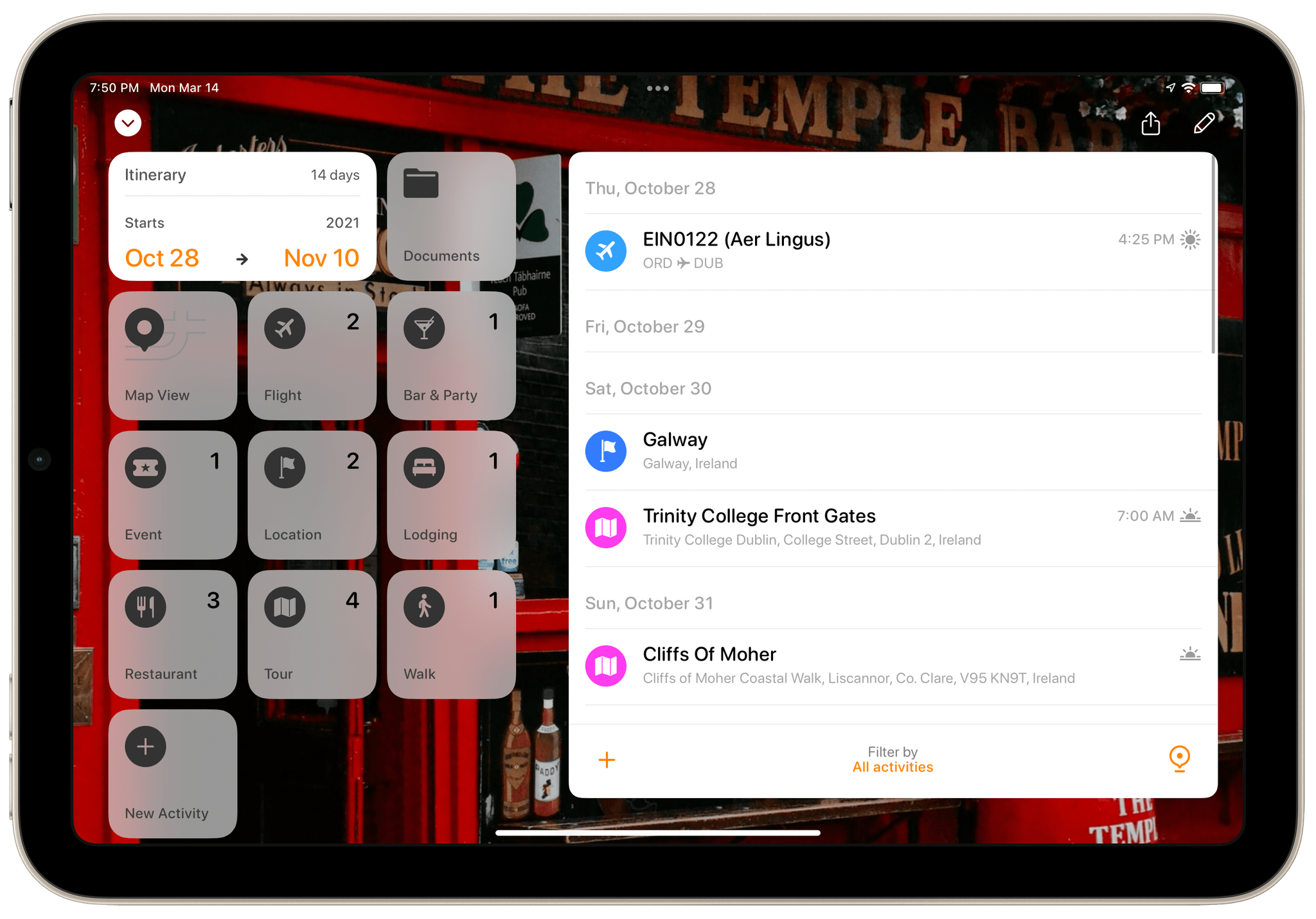
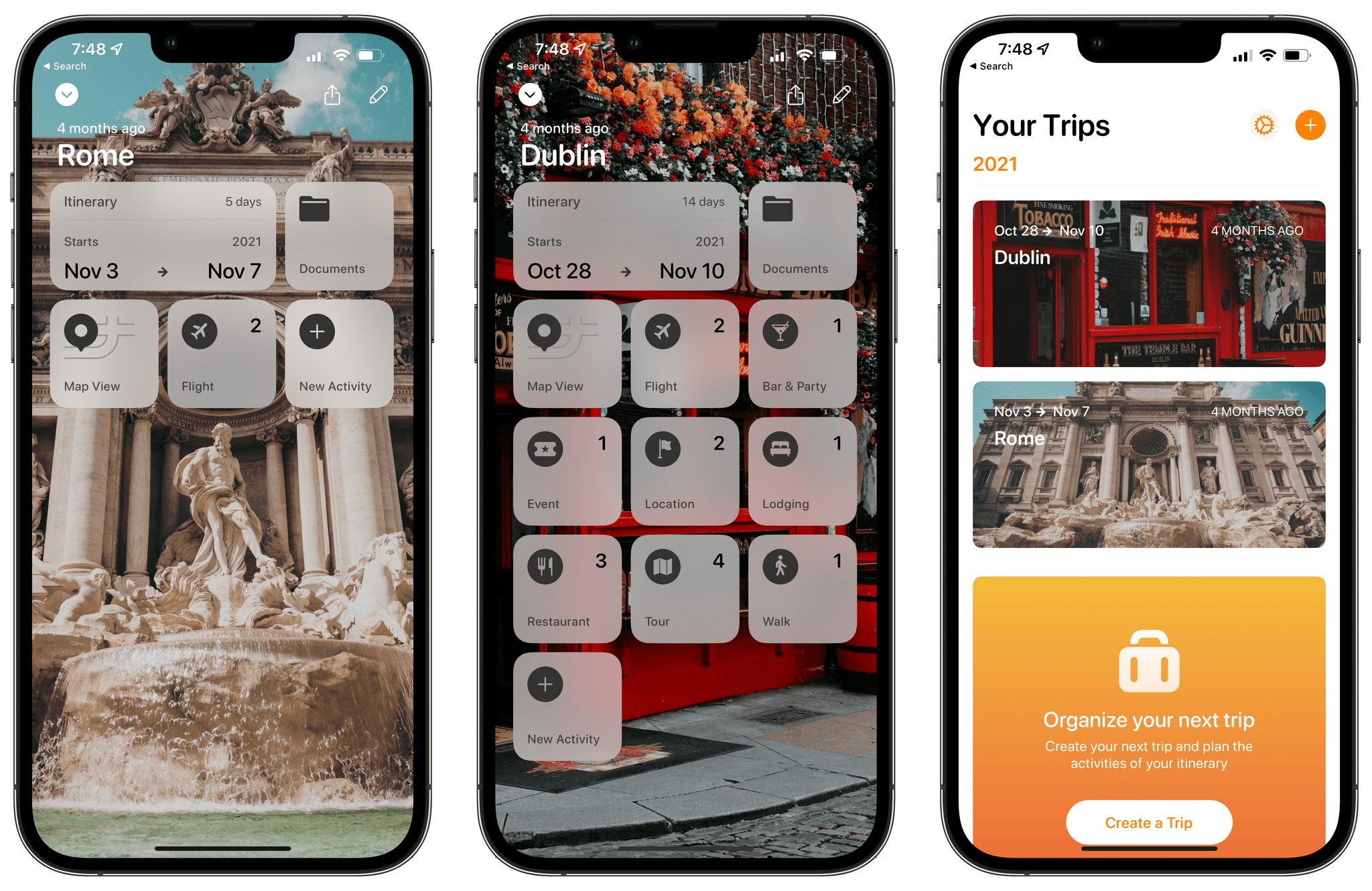
Tripsy is my favorite travel app because it’s not just about getting from Point A to Point B. To me, the app defines the difference between trips and travel. Lots of apps can track travel information about your flights or show you where your hotel is on a map. Tripsy can do those things too, and it’s good at them. However, where Tripsy shines brightest and sets itself apart from other apps is by going beyond those nuts and bolts essentials and focusing the things you want to do and see on your trip.

I'm a big fan of Tripsy's modern design.

I’m a big fan of Tripsy’s modern design.

We’ve covered Tripsy before, so if you’re brand new to the app, be sure to check out that review, which covered the app’s 2.0 release. That update featured a beautiful modern card-style design, loads of trip inspiration and planning tools to organize travel, lodging, activities, dining, and more in one neatly organized app that works on the iPhone, iPad, Apple Watch, and more recently, the Mac.

Unfortunately, that update was also released in the fall of 2019, so I only got a chance to use it once before COVID ended my travel plans for a while. However, the travel outlook is brighter in many corners of the world today, and pent-up demand has people revisiting deferred trips, me included. If you’re in a similar situation and have a trip in your future, I encourage you to give today’s Tripsy update a look because, with version 2.10, Tripsy makes it easier to organize a trip than ever before.

Read more


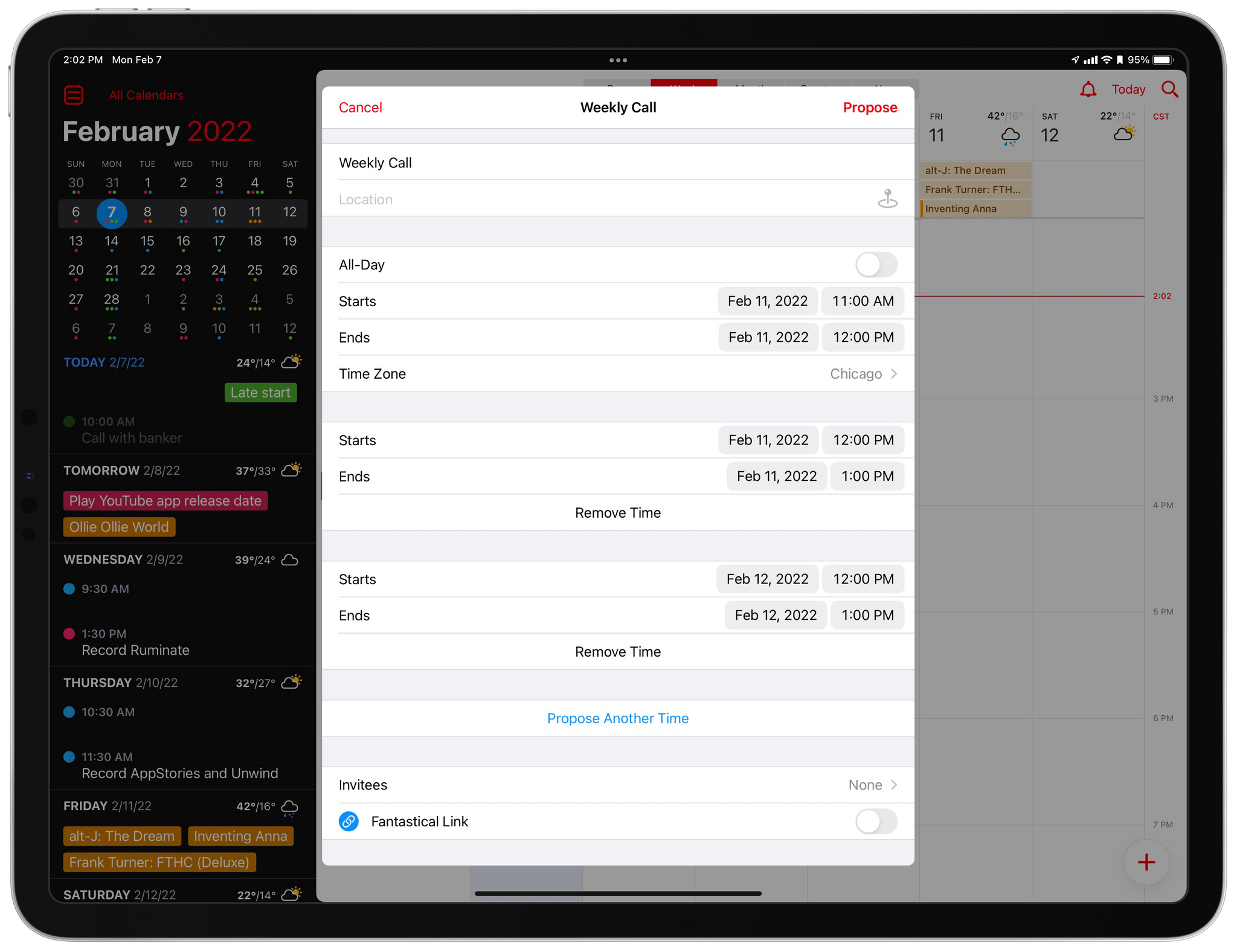
iOS and iPadOS 15.4: Hands-On with Universal Control, Face ID with a Mask, and More

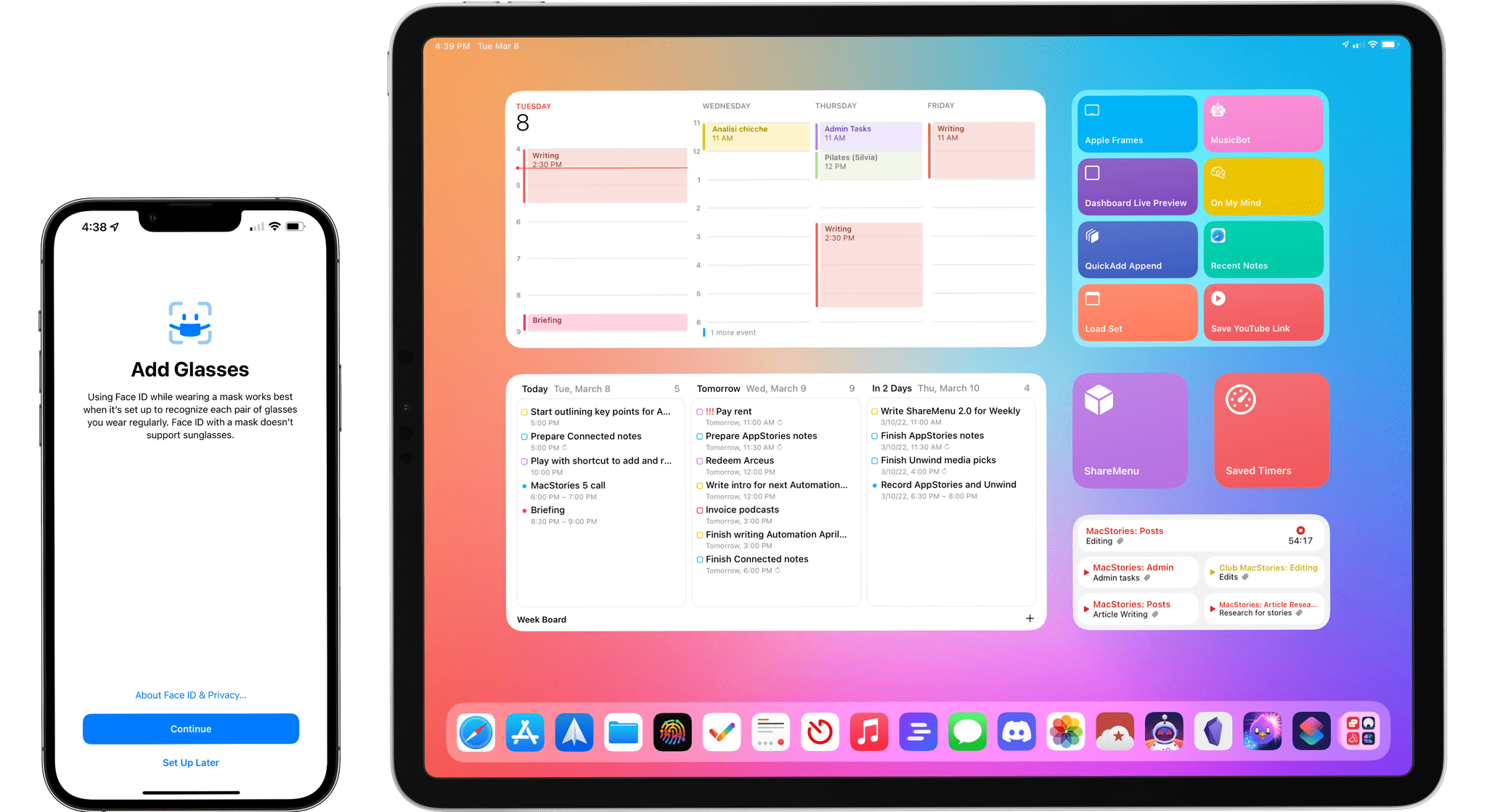
iOS and iPadOS 15.4 are available today.

iOS and iPadOS 15.4 are available today.

Today, Apple released iOS and iPadOS 15.4. The fourth major updates to iOS and iPadOS 15, originally released in September 2021, offer a long list of miscellaneous improvements and feature tweaks (which I will detail later in the story) as well as two major additions for iPad and iPhone users: the long-awaited Universal Control and the ability to use Face ID while wearing a mask, respectively.

I’ve been testing both iOS and iPadOS 15.4 since the first beta in late January, and I was able to spend some quality time with both of these features and everything else that is new and improved in these releases. Let’s take a look.

Read more


Logger Is the Missing Console for Shortcuts Power Users

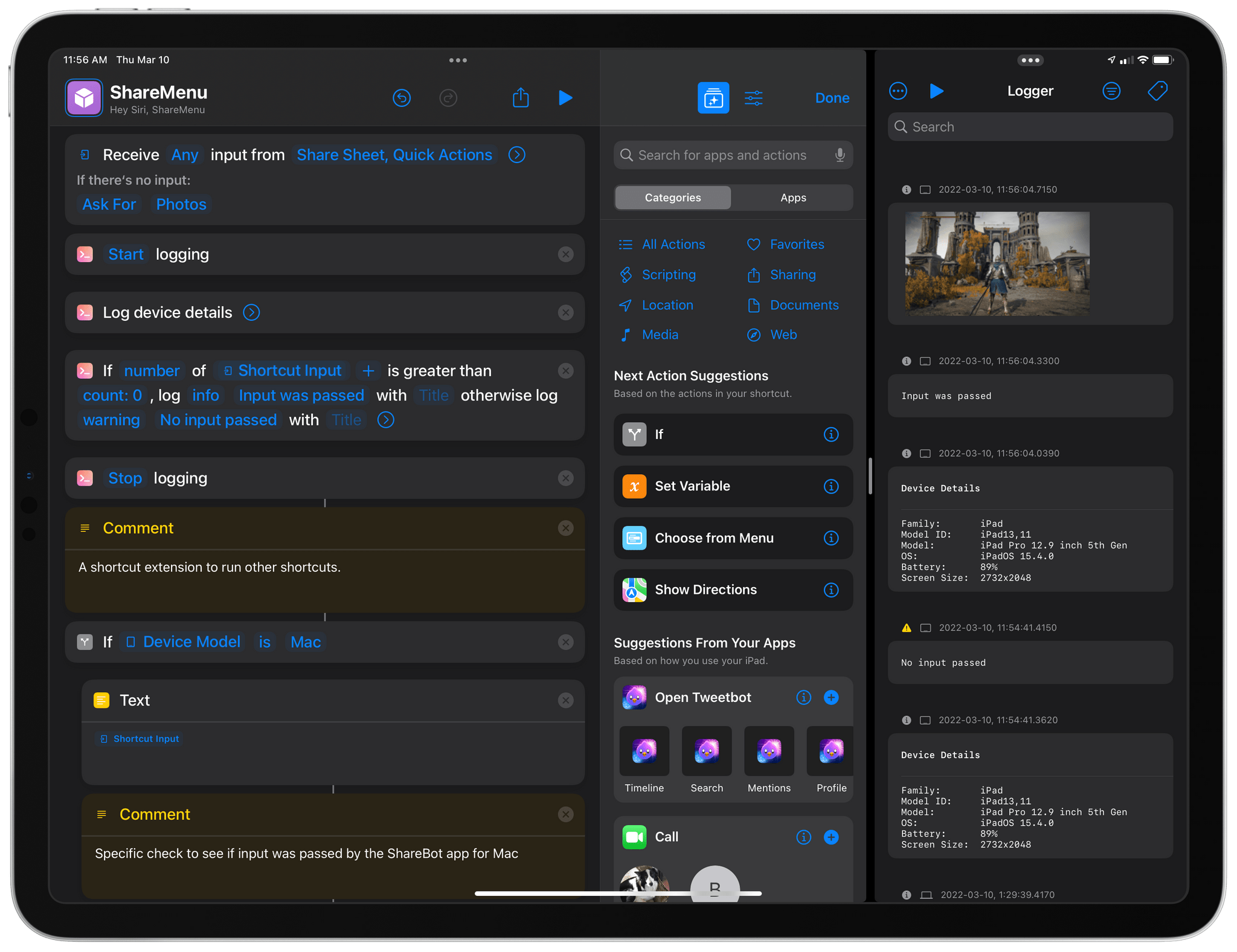
Logger for Shortcuts.

Logger for Shortcuts.

Indie developer Alex Hay has long pushed the boundaries of what third-party developers can build with the SiriKit framework and Shortcuts integrations on Apple platforms.

In late 2019, his Toolbox Pro app redefined what it means to complement Apple’s Shortcuts app with additional actions, creating an entirely new sub-genre of headless utilities designed to provide additional actions with configurable parameters. Recently, Hay introduced Nautomate, another utility that provides users with Shortcuts actions to integrate with the Notion API without having to write a single line of code. And today, Hay is launching Logger, another Shortcuts-compatible app that is similar to his previous ones, but with a twist: rather than adding actions for external services or apps such as Apple Music and Notion, Logger offers actions to create the troubleshooting console that has always been missing from Shortcuts.

Read more


Tweetbot 7 Adds Back the App’s Stats View and Includes New Themes

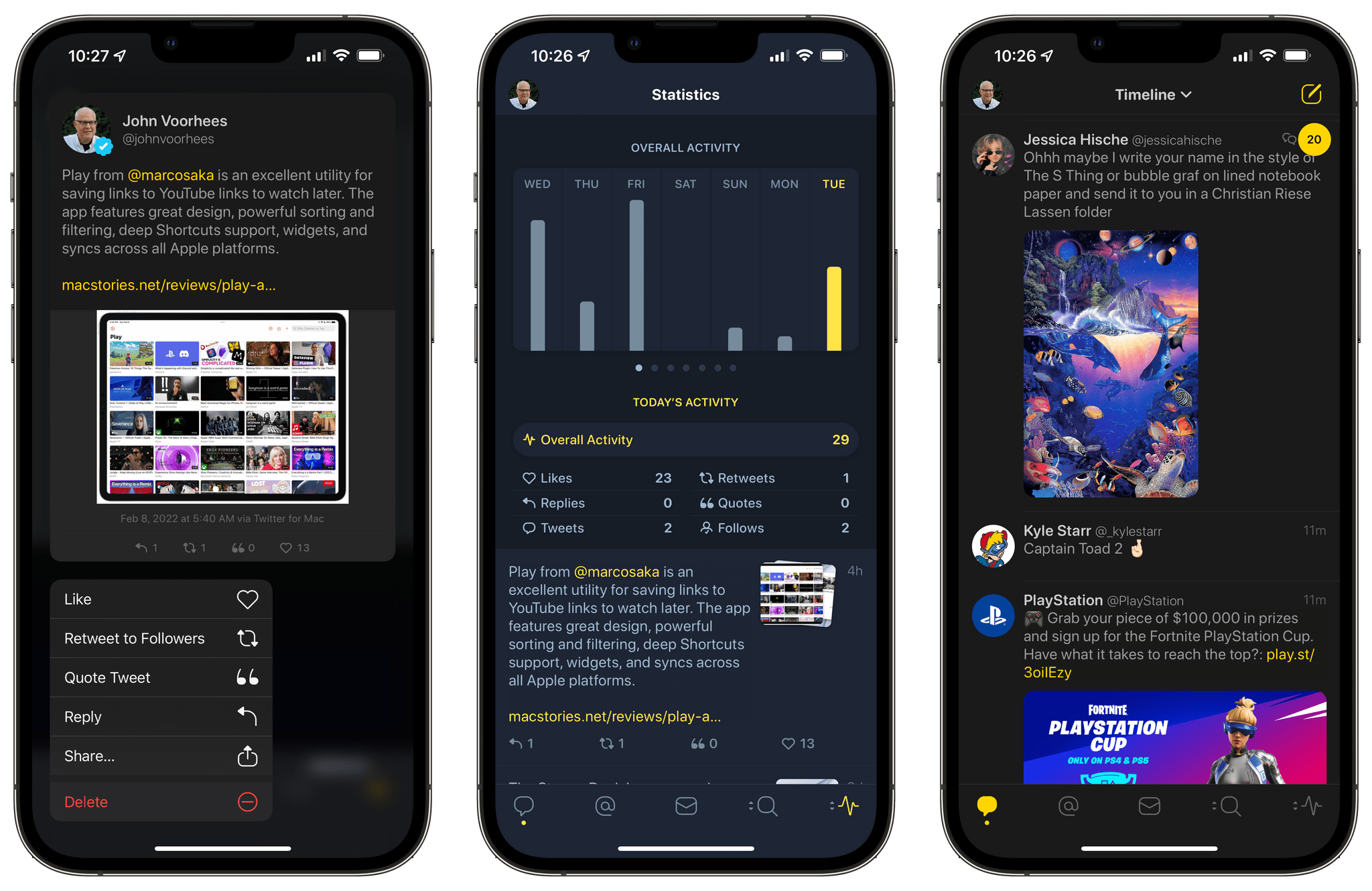
Over three years ago, Tweetbot removed the app’s stats view as a result of Twitter API changes. Today, that view is back in Tweetbot 7 for the iPhone and iPad, thanks to the social media company’s increased willingness to open its platform to third-party developers like Tapbots.

The view includes a graph at the top, followed by statistics detailing your timeline activity for the last week, including Likes, Replies, Tweets, Retweets, Quotes, and Follows. You can swipe across the graph to see each category by day or tap the categories under the graph to jump straight to that view.

Tweetbot 7 also includes new dark themes called hej and bumblebee. Hej features a slate blue background with yellow highlights, while bumblebee has a near-black background with brighter yellow accents.

The pace of Tweetbot updates has picked up significantly in recent months, which is fantastic. I missed the app’s stats view, so it’s nice to see its return. However, with each new feature and refinement to Tweetbot’s iOS and iPadOS apps, the Mac app looks more and more dated. The two versions are badly out of sync in terms of features too. As someone who spends a lot of time on the Mac, that’s disappointing and something that I hope will change soon.

Tweetbot 7 is available as a free update on the App Store for the iPhone and iPad. However, some of the app’s features require a subscription.


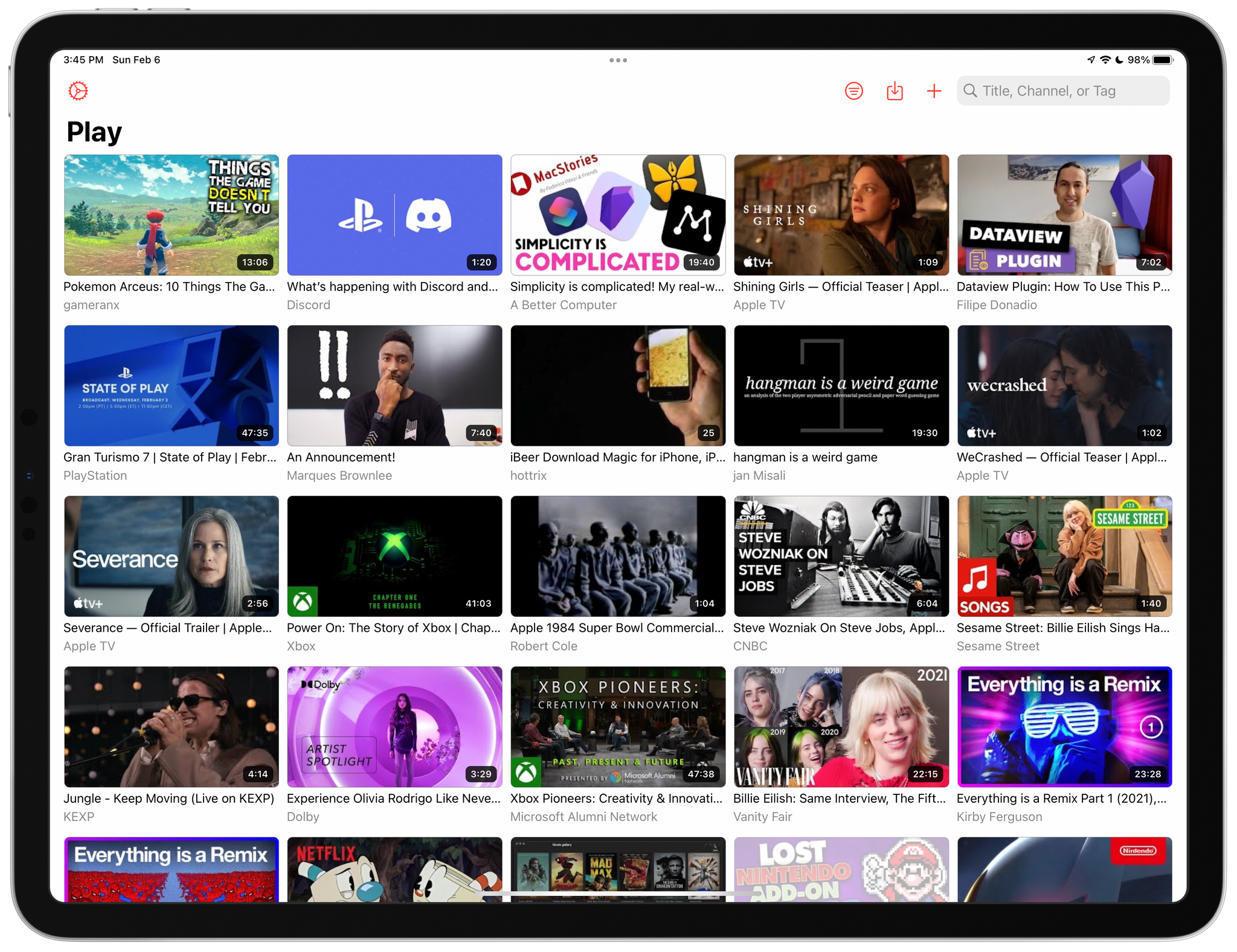
Play: A Fantastic Utility for Saving and Organizing YouTube Videos for Later

Today, Marcos Tanaka released Play, an iPhone, iPad, and Mac app for saving links to YouTube videos for later. The app doesn’t save the videos themselves. Instead, it saves their URLs, along with metadata, making it easy to organize, sort, filter, and rediscover videos that might otherwise fall by the wayside.

Play is an excellent example of how purpose-built apps often outshine more general solutions. There are many ways to save a YouTube video for later, from a bare URL pasted in a text file to a bookmarking or read later app. YouTube has its own solution, too, with its Watch Later playlist. Each solution I’ve tried in the past works to a degree, but by focusing solely on the experience of saving YouTube links for watching later, Play outshines them all.

Read more


MacStories Starter Pack: Introducing Obsidian Shortcut Launcher, A Free Plugin to Trigger Shortcuts from Obsidian

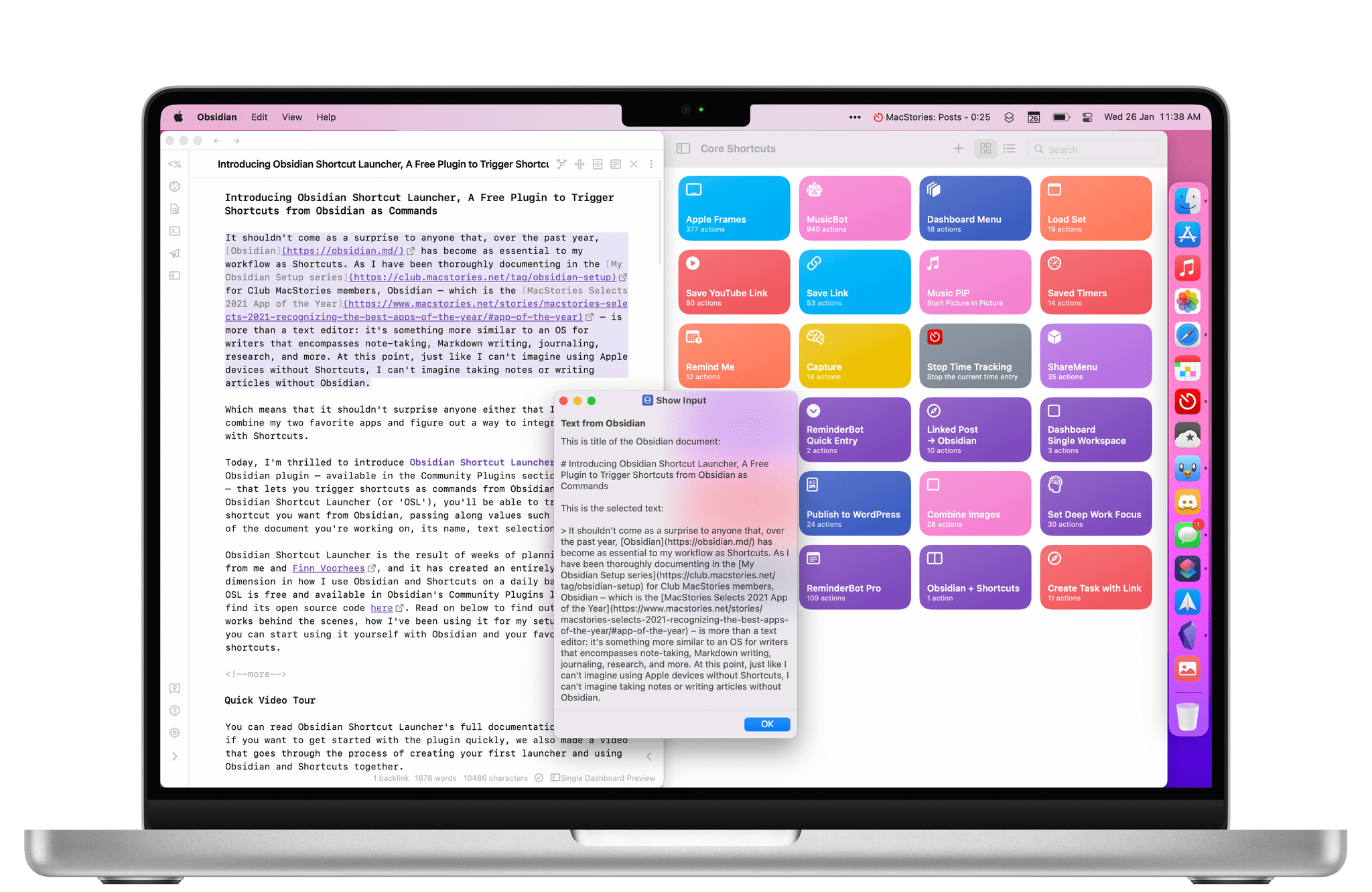
Obsidian Shortcut Launcher is a free plugin that works on iOS, iPadOS, and macOS.

Obsidian Shortcut Launcher is a free plugin that works on iOS, iPadOS, and macOS.

Editor’s Note: Obsidian Shortcut Launcher is part of the MacStories Starter Pack, a collection of ready-to-use shortcuts, apps, workflows, and more that we’ve created to help you get the most out of your Mac, iPhone, and iPad.

It shouldn’t come as a surprise to anyone that, over the past year, Obsidian has become as essential to my workflow as Shortcuts. As I have been thoroughly documenting in the My Obsidian Setup series for Club MacStories members, Obsidian – which is the MacStories Selects 2021 App of the Year – is more than a text editor: it’s something more similar to an OS for writers that encompasses note-taking, Markdown writing, journaling, research, and more. At this point, just like I can’t imagine using Apple devices without Shortcuts, I can’t imagine taking notes or writing articles without Obsidian.

Which means that it shouldn’t surprise anyone either that I wanted to combine my two favorite apps and figure out a way to integrate Obsidian with Shortcuts.

Today, I’m thrilled to introduce Obsidian Shortcut Launcher, a free Obsidian plugin – available in the Community Plugins section of the app – that lets you trigger shortcuts as commands from Obsidian. With Obsidian Shortcut Launcher (or ‘OSL’), you’ll be able to trigger any shortcut you want from Obsidian, passing along values such as the text of the document you’re working on, its name, text selection, and more. Obsidian Shortcut Launcher is free to use and works on iOS, iPadOS, and macOS.

Obsidian Shortcut Launcher is the result of weeks of planning and work from me and Finn Voorhees, and it has created an entirely new dimension in how I use Obsidian and Shortcuts on a daily basis. Because OSL is available in Obsidian’s Community Plugins list, you can find its source code here. Read on below to find out how OSL works behind the scenes, how I’ve been using it for my setup, and how you can start using it yourself with Obsidian and your favorite shortcuts.

Read more