Last month, we featured 15 great examples of apps that have adopted Apple’s Liquid Glass design language and latest APIs. Today, the MacStories team is sharing nine more of our favorite updates that take advantage of Apple’s latest technologies.
We’ll have additional coverage in the weeks ahead, but for now, let’s dive into even more of the best OS 26 updates we’ve seen this fall.
Denim
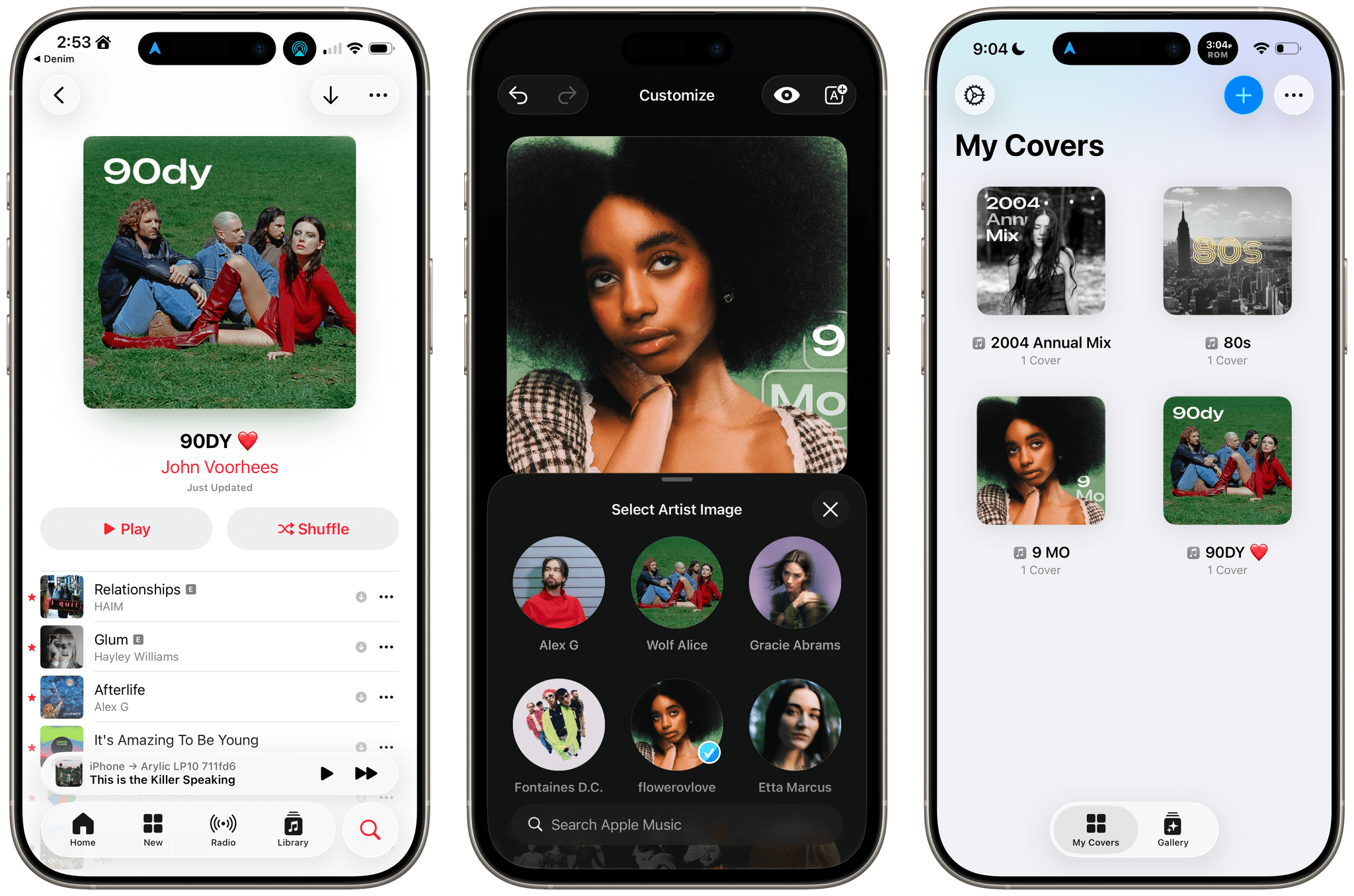
John: I remember when Denim was first released. It was a great idea that filled a gap in Apple’s Music app, allowing users to create their own playlist covers. The designs you could make with that first version were nice, though fairly modest. But Denim is one of those indie developer stories that I love. Through relentless iteration, the app has evolved into something very special, being named an Apple Design Award finalist in the Delight and Fun category earlier this year.
With the OS 26 release cycle, Denim is all-in on Liquid Glass. We’ve covered a lot of great Liquid Glass implementations already, but Denim’s is extra special. The design is present in the app’s tab bar, where you’ll see the glass blob effect, but it’s also in the animations, like when you return from the cover picker to your playlists. Similar animations are on display when you tap the ‘+’ button to add a new cover or the ‘…’ button.
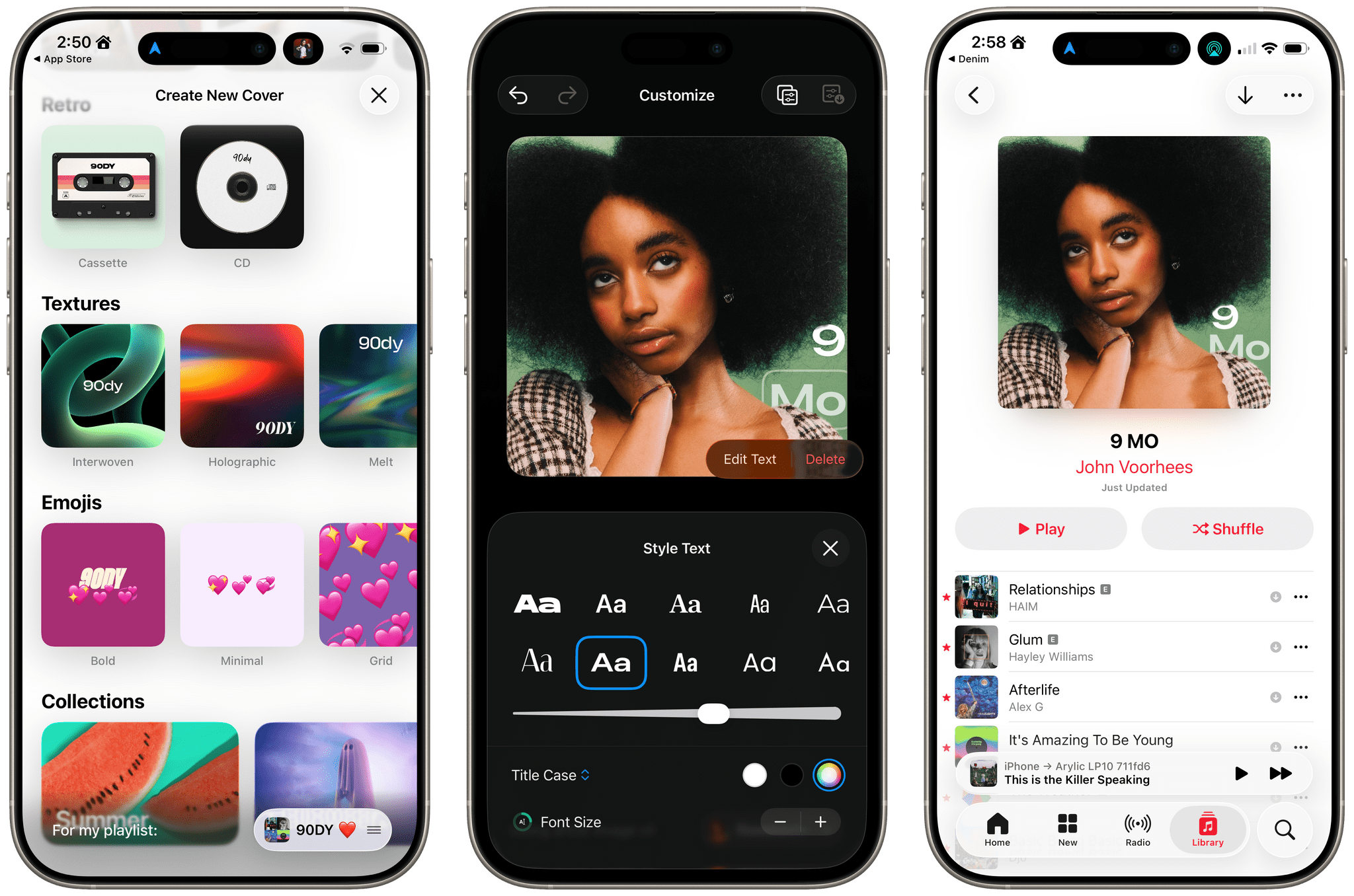
Denim’s Gallery interface is an excellent example of Liquid Glass used to display a collection of artwork. The view has a lot in common with apps like Music, but it does a better job of implementing the design without sacrificing legibility, thanks to its buttons’ frosted treatment.
Denim’s Liquid Glass update aside, if you haven’t tried the app in a while, it’s worth taking another look at. I get tired of the auto-generated playlist art in Music, and the alternative covers Apple added a couple of years ago are uninspired. In contrast, Denim offers a wide variety of styles with highly customizable artwork, fonts, and colors. The gallery is incredibly deep, allowing you to make some fantastic covers.
Denim, which is iPhone-only, is available on the App Store for $2.99/month, $9.99/year, or a one-time payment of $29.99.
Drafts
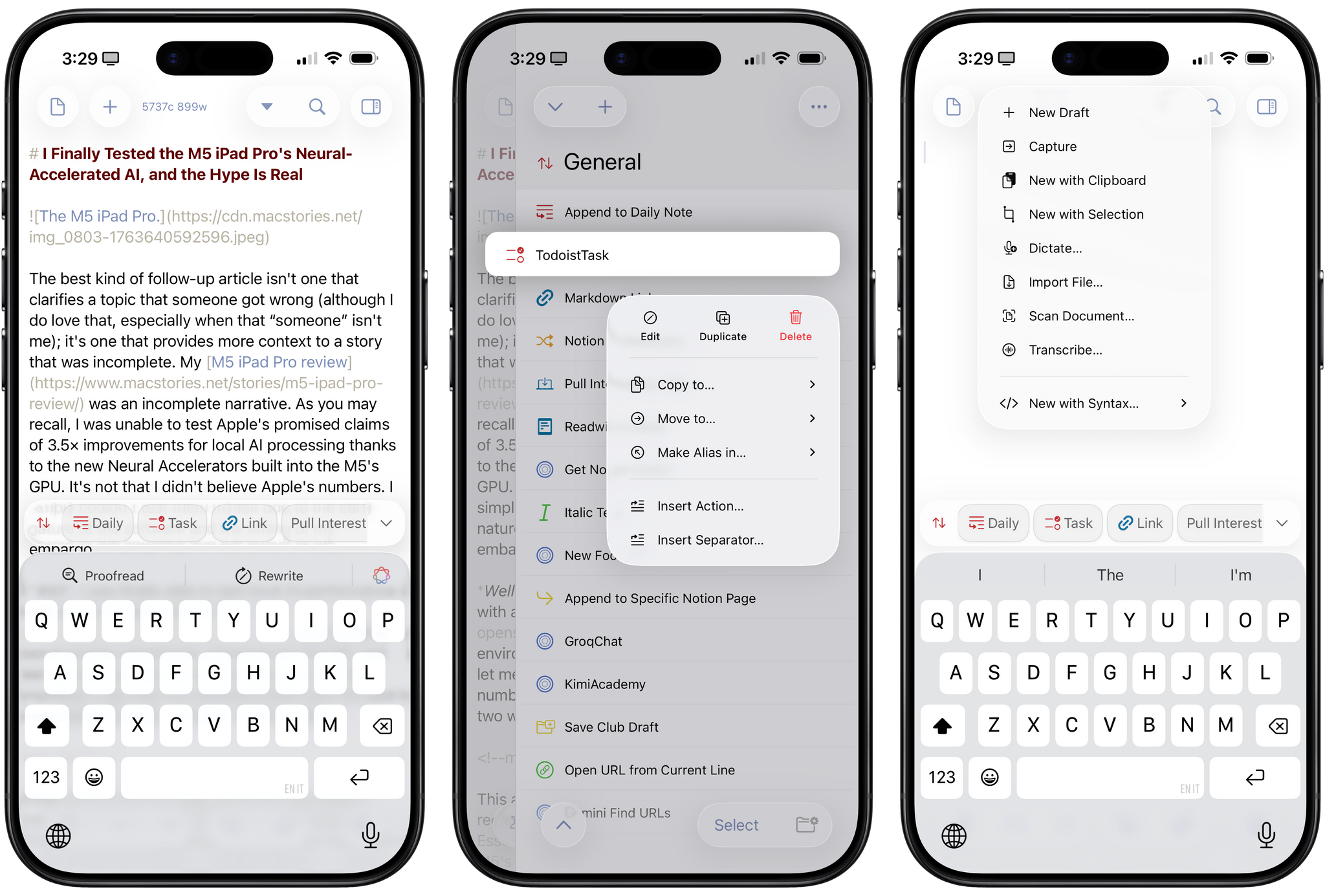
Federico: 2025 has been the year that I’ve fully embraced Drafts as my Markdown text editor/notepad of choice, and that’s all thanks to AI. Let me explain: thanks to the advancements in coding for models like GPT-5 and Sonnet 4.5, I’ve been able to turn Drafts into a highly personalized, extensible plain text editor that – unlike Obsidian – is natively integrated with Apple’s design language and latest platform features. That was never the case with Obsidian, which is an Electron app at its core and can’t match the pace of truly native apps for iOS and iPadOS. With Drafts, I get to have my cake and eat it too; I can “vibe-code” my own actions thanks to Claude, and I don’t have to give up on the nice perks that come with an application that is frequently updated for the latest Apple APIs.
Over the past two months, Drafts has received a series of notable updates for the 26 family of OSes. The app has been updated for Liquid Glass, which I think pairs well with Drafts’ UI, but more importantly, it’s also been optimized for iPadOS 26. That means full integration with the menu bar, multi-windowing, and keyboard shortcuts. Greg Pierce has done a solid job integrating with App Intents: Drafts actions can now be triggered from Control Center on the Mac and Apple Watch, and there’s a new ‘Show Capture’ action in Shortcuts that opens the app’s Capture window with the ability to pre-fill some text in it. Last but not least, Pierce also added support for the on-device Foundation model, which can be invoked from Drafts’ JavaScript-based scripting library to access tools that let you query drafts, create new ones, and more.
In a sea of so-called “opinionated” text editors that often use that adjective as an excuse for their lack of features, Drafts has managed to keep its simplicity while unlocking incredible potential for power users. If you haven’t played around with Drafts in a while, its latest updates for iOS, iPadOS, and macOS 26 are a great opportunity to test the app again.
Drafts is available as a free download for iPhone, iPad, and Apple Watch, with the full feature set available as part of Drafts Pro for $1.99/month or $19.99/year.