This Week's Sponsor:

Halide

Unlock Your iPhone Camera


Posts tagged with "games"

iCloud and iOS Games

iCloud and iOS Games

TouchArcade’s Brad Nicholson asked some indie iOS game developers about iCloud and support for syncing save states across devices:

It’s also obvious to us that iCloud and the implementation of it needs to be easier, and the service itself needs to be more reliable. Almost every studio we talked to had some trepidations or a horror story to share. Browse our message board, and you’ll find even more from users receiving the bad end of an iCloud problem.

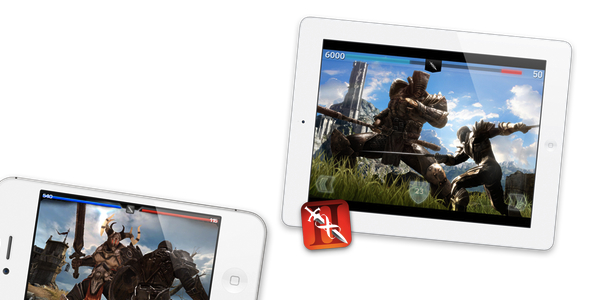
That’s not to say iCloud isn’t awesome. It is. Games that use it, like Infinity Blade 2, are better for the implementation. iCloud could also be used for stuff beyond saves, so there’s promise of what’s to come. We simply want to see more of it.

In the case of smaller, independent developers of games for the iPhone and iPad, money is the main reason why iCloud often gets cut off from the list of features to implement at the last minute. For as much as we like to think of indie games as modern versions of DOS games programmed in a garage with virtually zero costs and lots of caffeine (and weird haircuts), the reality is that creating the latest $0.99 hit for iPhone is based off real business rules with real associated costs. As TouchArcade quoted a developer saying, “keep making games” is just as important as “making games”. The business side of things needs to be taken care of; when time is running out, iCloud typically gets sacrificed for the greater good – shipping the game.

I believe, however, that there is a deeper reason as to why developers are choosing to think about iCloud at the last minute. Why aren’t developers considering native iCloud integration from the get-go? And why is that only bigger, triple-A titles have been able to successfully use and ship with iCloud integration so far?

When I talked to developers about the first six months of iCloud, the reaction was the same: iCloud is great when it works, but there’s a need for better documentation and debugging tools. iCloud requires a lot of technical work to be implemented and customer support once it’s made available; not all developers are willing to go through this effort right now, and, unsurprisingly, only bigger development studios with consequently bigger budgets and support staff are pursuing iCloud sync for games.

With the WWDC approaching, here’s to hoping Apple will incentivize developers to consider iCloud integration as the foundation for apps and games. Third-party software is better with iCloud, iOS is better because of iCloud, but the platform for the next decade needs to find its early adopters in the people that will ultimately improve the platform going forward: iOS developers.

Permalink

So How About that Mac Version of Star Wars: The Old Republic?

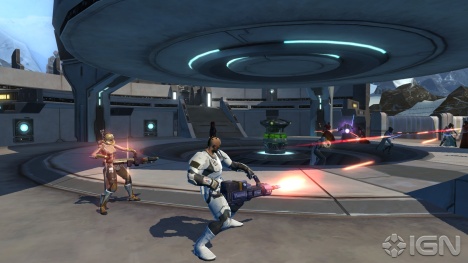
Windows partitions got you down? BioWare is well aware that there’s a Mac fan base waiting to get their multiplayer on in Star Wars: The Old Republic, which has “shattered MMO sales records” since the game’s launch on December 20th.

Massively’s Ben Gilbert writes that BioWare label leads Ray Muzyka and Greg Zeschuk have mentioned the possibility of a SW:TOR Mac version in a recent interview. Muzyka went on the record saying, ”We know there’s a big Mac audience of BioWare fans … we know that’s an important and large audience. And we want to serve that audience.”

Zeschuk replied, “Not yet!” when told that SW:TOR wasn’t able to run on a two year old MacBook. There’s currently no timetable that indicates how far away a Mac version is, but the leads want to make sure that a launch on the Mac will be successful and stable. Muzyka notes, “We’ve done a lot of Mac ports before of our games. We haven’t announced any details yet for The Old Republic, but we know that’s an important and large audience.”

So far, more than a million players in SW:TOR have racked up over 60 million hours, completed more than 260 million quests, destroyed more than 3 million non-playable characters in the game, and have participated in more than 44 million player-vs-player battles. Mac fans can install the game on a Windows partition (made easy thanks to Boot Camp) and take part in the adventure that takes place thousands of years before the Lucas films, but I’ll bet there’s plenty of patient fans who’re waiting for a proper Mac port before enlisting as a Sith Lord or Jedi Knight.

[SW:TOR for MAC via Massively | Stats via PC World] Image via IGN


Real Racing 2 Now Also Available On The Mac App Store

Firemint’s hit iPhone and iPad game, Real Racing 2, has today launched on the Mac App Store. The game features the same campaign mode, tracks and cars as the iPhone and iPad versions but also allows you to optionally use an iPhone or iPad as a controller.

The most critically-acclaimed iOS racing game comes to the Mac Store! Featuring visually-stunning graphics and state-of-the-art handling, experience the excitement, competition and glory of authentic championship racing with Real Racing 2.

BURN RUBBER ON YOUR MAC!
Take control of the wheel with your iPhone or iPad – or use your Mac to steer your way to first place!

It’s the latest iOS game to be ported over to the Mac and distributed through the Mac App Store, which Firemint itself has previously done with Flight Control. It’s something that wasn’t very common just 12 months ago when the Mac App Store was yet to launch and demonstrates how the ease of use and popularity of the store has led to a surge of casual games being launched on the Mac - where previously it was thought that there was an insufficient audience for it to be practical.

The game weighs in at over 700 MB and costs $12.99 on the Mac App Store (non-US users can purchase it via this link). Jump the break for the full release notes.

Read more


Mage Gauntlet Now Universal iOS App

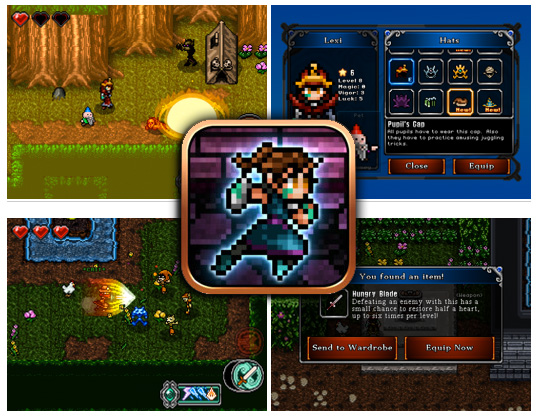
Rocketcat Game’s excellent RPG, Mage Gauntlet, has released a major update, one important feature being that it is now Universal. There are also some tweaks as well. Some spells have been changed, reviving after being beaten now grants a free spell, some levels were shortened, and save files can now be exported or imported through iTunes – allowing you to copy your unlocked items and experience points to your other devices.

As with most updates, the new update also has bug fixes as well. Here’s the full release breakdown:

What’s new

*** Hotfix approved, grab this update, especially if you’re on iPad
*** iPad display bugs fixed
- Universal support for iPad and all iOS devices!
- Flip Screen option in the Settings menu!
- The View Map panel in the pause menu how has indicators showing how many notes/books you’ve found in the current level, and whether all monsters have been cleared!
- Spell changes! Silence has been merged into Time Circle to create a single all-powerful buffing spell, Sword Fury and the elemental summon spells have been improved, and the less useful Lucky and Shield spells have been removed from the random spell drops, though you can still obtain a Shield by collecting hearts or overflowing spells!
- Several weapons have been given new, upgraded effects and updated description text. Make sure to check them out, some were completely changed.
- Rabbit’s Foot now increases the hat drop rate by five times.
- Ring of the Zealot now resurrects you, once, at half health with a Sword Fury buff applied to you.
- Reviving after being defeated now grants a free spell.
- Save file! You can export or import your save data (in save.dat) via iTunes File Sharing to copy your unlocked items and experience points to your other devices! This also allows backing up saves to your PC.
- Many level tweaks! Additional urns added to most levels. Backtrack-blocking doors removed for most levels. Many overly long levels were shortened a bit and/or had more urns added. This should improve the pacing of Story Mode.
- Various bugfixes, including some achievement bugs and dialog typos.

Mage Gauntlet is a great RPG (888 5-Star ratings in iTunes) with a classic NES feel and excellent game play. If you haven’t yet played it, maybe Universal support will magically draw you in. The app is $2.99.

[via TouchArcade]


Review Of Buttonless, A Book About Incredible iOS Games And The Stories Behind Them

Remember when Steve Jobs introduced the iPhone way back in January 2007 by prefacing the reveal by first saying it was a “a widescreen iPod with touch controls”, “a revolutionary mobile phone” and “a breakthrough Internet communications device”? It certainly delivered upon those three pillars, but as the iPhone and iOS has evolved over the years it has become evident that the iPhone (and subsequently the iPod touch and iPad) is also an innovative and impressive portable gaming device. Gaming has become a big selling point for iOS devices and since the App Store launched there have been a number of truly great and innovative games that have both shown what the devices are capable of and offered unique experiences that weren’t available anywhere else.

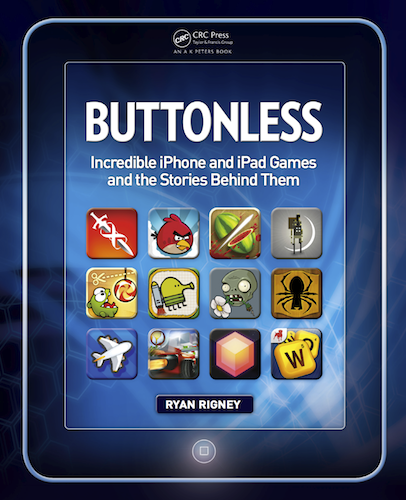
Today, ‘Buttonless: Incredible iPhone and iPad Games and the Stories Behind Them’ has been released on Amazon. It’s a new book by Ryan Rigney that aims to introduce you to a selection of the very best iOS games and then peel away the curtain, revealing the story and people behind the games. To compile the book, Rigney selected 65 of the “best and most beloved” iOS games and then conducted over 100 interviews with the developers and designers of the games. The result is 244 pages of interesting ‘behind-the-scenes’ stories that are unlikely to be found anywhere else.

I was given a pre-release copy of the book and below the break is my full review of ‘Buttonless’.

Read more


Developer Trailer for Infinity Blade 2 Details Amazing Graphics

December 1st will see the launch of Infinity Blade 2, the much anticipated follow-up that brings much improved visuals to one of iOS’ strongest titles. First showcased at this year’s iPhone 4S keynote, Infinity Blade 2 has already gotten plenty of hands-on time by the likes of IGN and SlideToPlay, and is expected to be a massive hit when it lands next week. Infinity Blade 2 will feature more weapons, an updated combat system, and more areas to explore while remaining familiar to the gameplay you love. The visuals, however, are what Infinity Blade is renown for. In the latest trailer, the developers discuss the game’s jaw-dropping graphics that’ll be delivered thanks to Apple’s A5 processor. Catch the video after the break!

[via SlideToPlay]

Read more


Charity: The Humble Introversion Bundle!

In the giving mood? Why not head down and meet up with the other fine gamers hanging out at the Humble Bundle, who’re offering a bunch of cross-platform games (DRM free) to raise money for Child’s Play and the Electronic Frontier Foundation. Donate for a couple of great causes and get a bundle of excellent games in return. If you donate more than the average, you can acquire some bonus titles not otherwise available with the initial line up of games and tech demos. The $70 bundle can be yours at any price, but we recommend at least slapping down a Jackson if you can. Contributers also have the option of bragging rights and posting their handle on the Humble Bundle wall of fame.

The Humble Introversion Bundle includes lots of great titles such as Aquaria, Multiwinia, and DEFCON, giving you plenty of adventure, multiplayer, and virtual gaming environments to romp through over the holidays. Given the choice of exploring underwater caverns and blowing up computer viruses, there’s something here for players of all ages. You can find links to all the great games below.

There’s fourteen days left to donate, so you have plenty of time to cash in your paycheck and donate to a worthy cause. Be sure to check out The Humble Introversion Bundle official launch video after the break and get amped up!

Read more


Nintendo 3DS From An iOS User’s Perspective

Last week, I bought a Nintendo 3DS with Legend of Zelda: Ocarina of Time 3D. And coming back to “regular” portable console gaming after four years of multitouch iOS gaming felt strange.

As I explained in my Aquaria review yesterday, I started playing with a Super Nintendo Entertainment System when I was six. Actually, my home console gaming experience started with the SNES, but my parents had already bought me a Game Boy. I grew up with Game Boys (classic, Pocket, Color, Advance, and various iterations of the latter), Nintendo’s consoles (SNES, N64, Game Cube, Wii) and Sony’s PlayStation (PSX and PS2). I skipped SEGA’s Dreamcast and Microsoft’s original Xbox, albeit in 2008 I decided, for some reason, to buy an Xbox 360. I basically never touched it. In fact, I’m pretty sure my 360 still has the original Dashboard view – I don’t even know how to update the thing.

I’ve been a “regular” gamer from 1994 to 2007. Four years ago, something happened: as I graduated from high school and got a job, I found to have less time for gaming. Things got even worse after I started MacStories, gaming time-wise. At the same time, whilst my DS and PSP and 360 were catching the dust, I started playing the casual game for iPhone that you can get at $0.99 in the App Store and doesn’t make you fell all guilty about it. After all, it’s just a .99 game that you can play for 20 minutes, not hours. You didn’t spend $60 and 40 hours on a game – I bet a lot of people know the feeling. At least initially, casual iPhone gaming was the cure for ex-gamers that still wanted a quick bite off the digital entertainment scene.

So for nearly four years I bought nothing but iPhone and iPad games. I was quite happy with the results: I could play the latest hit for 30 minutes a day, and say that “I enjoyed it”. I clicked the Buy button on a lot of games: most of them I never finished. But they still gave me the illusion of enjoyment as they were little $0.99 gems I couldn’t feel guilty about. It’s easy to say you’ve “enjoyed” something that costs less than a dollar. So my iTunes library grew larger and full of half-finished, presumably enjoyed iOS games. Read more


Review: Aquaria

When I was 6, my parents bought me a Super Nintendo. I didn’t know much about video games back then, but I knew that after Nintendo’s Game Boy I wanted the SNES. Sure enough, I got a European SNES for my birthday with some games to go with it, including Stunt Race FX and Super Metroid. Stunt Race FX eventually got reconsidered as a “gem” from the SNES era years later, but I remember I didn’t like it much back then. I did love Super Metroid, and even if the challenge was a little too hard for a six year old kid, I got away convinced that games like Super Metroid were the ones I liked. In the years that followed, I played Super Metroid on an emulator (somehow, I lost my original SNES cables) with a much better understanding of its plot, and all the Metroids that were released on the Game Boy Advance (Fusion and Zero) Game Cube and Wii (the Prime series). I even went through that pain that was Metroid Prime Hunters for the original DS. I loved Metroid.

At the same time, I tried to explore other offerings from the genre that Metroid and Castlevania nurtured. That meant going through Symphony Of The Night on the PSX, and other less inspired titles for Nintendo’s GBA. But I loved the so-called “Metroidvania” games – characterized by large maps with areas that you have to explore and unlock through upgrades to your main character, 2D side-scrolling, crazy hard boss fights and generally decent plots – so I kept playing.

As I grew up and got a job, I found to have less time for gaming. I bought a Nintendo Wii and Xbox 360 but never really got to fully enjoy them. In fact, I’ve only recently started to get back into portable gaming thanks to iOS devices and a Nintendo 3DS, which I acquired last week (but more on this in another story). So it was with a mix of curiosity, excitement and, after years of non-playing, apprehension that I approached Aquaria for iPad, a porting of a popular, award-winning PC game. Would a Metroidvania game for iOS still hold up to my old expectations and renewed interest for multi-touch based adventures and puzzles? Read more