This Week's Sponsor:

Halide

Unlock Your iPhone Camera


Posts tagged with "games"

Nintendo Launches First Paid iOS App with In-App Purchases

Nintendo Launches First Paid iOS App with In-App Purchases

Pokemon iOS

Pokemon iOS

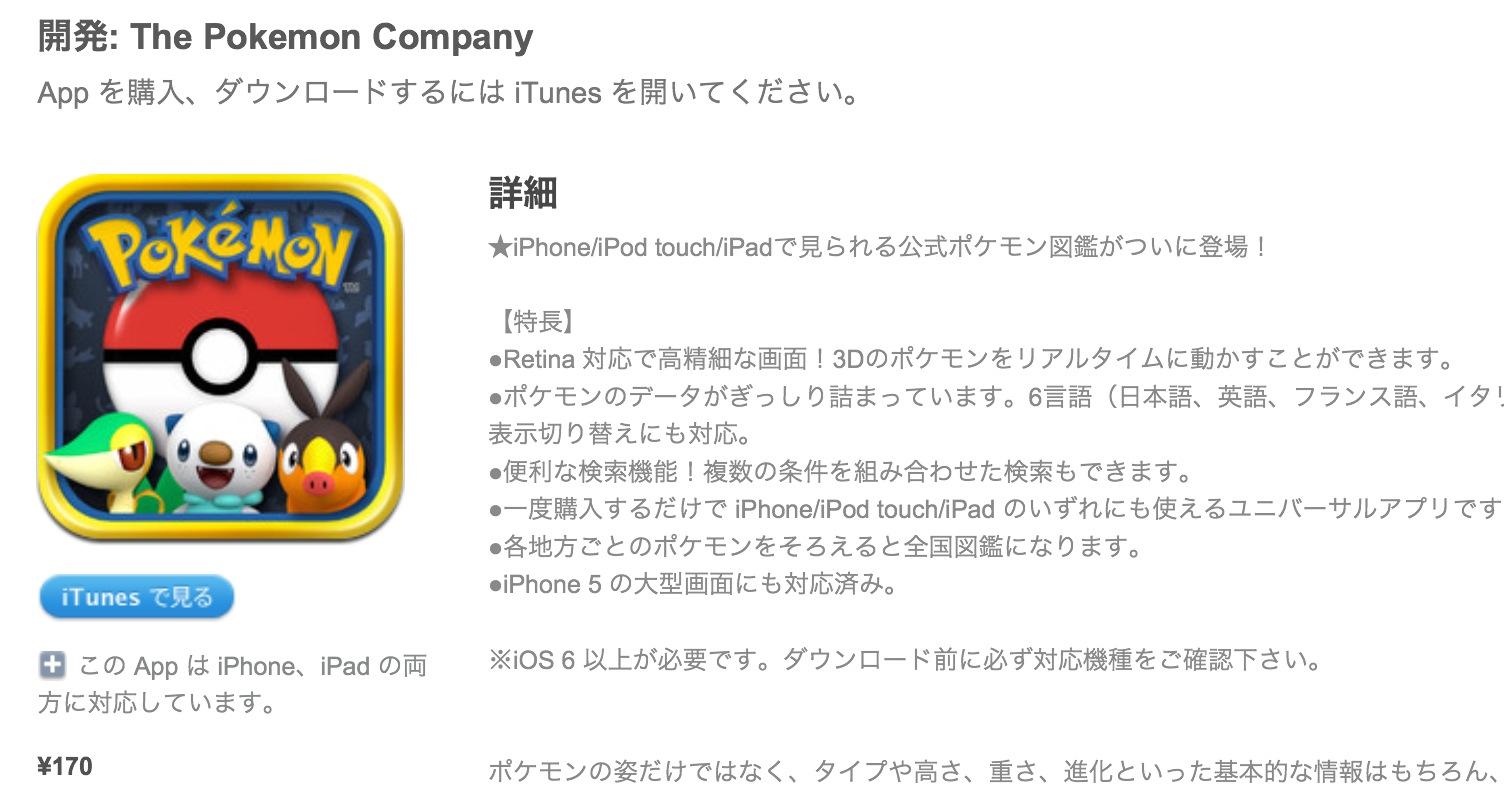
As reported by Serebii (via Eurogamer), Nintendo has today launched its first paid iOS app: a universal version of its existing Pokédex app for the Nintendo 3DS.

Once downloaded you’ll find a version of the Pokémon encyclopaedia which covers all of the latest generation of critters (from DS games Pokémon Black and White). This costs 170 yen (about £1.30). Four extra packs with monsters from previous generations are then available to download for 500 yen (£3.90) each - meaning users will pay around £17 for the whole thing.

This is not the first iOS app for Nintendo (Pokémon Say Tap was available for a limited time last year), but it is the first time the Japanese videogame company is trying its hand at paid App Store downloads. The app is developed by creators of the main Pokémon series Creatures Inc., a studio owned by Nintendo.

Nintendo aficionados have long wished for the company to start bringing its most popular franchises such as Mario and Zelda to the iPhone and iPad. Historically devoted to creating games only for its own hardware (home consoles and portable), Nintendo has, in recent years, started allowing other platforms and devices to use its brands and characters. Aside from this new Pokémon app, it’s worth noting how the new edition of Tekken for the Wii U console features exclusive Nintendo-themed costumes and gadgets. It’s also worth noting how Japan alone represented 7% of Apple’s revenue in Q4 2012.

It’ll be interesting to see if Pokémon will remain an isolated experiment, or if Nintendo will consider more paid iOS apps in the future.


Permalink

Kickstarter: Shaun Inman’s Retro Game Crunch - Six Games in Six Months

I haven’t covered many Kickstarter projects as of late: it seems many are getting funded but not delivering on time or backers are still waiting for the product to ship. Today, Shaun Inman has launched his own Kickstarter project along with his friends Rusty Moyher, of Bloop fame, and Matt Grimm, a great composer and sound designer of such games as Flip’s Escape. Together they are launching Retro Game Crunch, a Kickstarter series that will try to produce six original games in six months. Sound too good to be true? Normally yes, but with the awesome team I believe it will happen. Read more


Average App Size Increased By 16% Since March

Average App Size Increased By 16% Since March

MacRumors points to new data by ABI Research, showing that, since March 2012, the average app size has increased by 16%:

The iPad 3’s Retina display and Apple’s more liberal submission policy have caused the file sizes of leading iOS apps to grow substantially, especially in games. The latest data from ABI Research shows that the global average app size across all categories was 23 megabytes in September, 16% more than in March.

On March 1, I wrote:

I see two solutions. Either Apple gets the carriers to agree to larger download sizes, establishing a new “average” that should work for most apps (let’s say 60 MB as Panzarino suggests), or they rebuild the download mechanism completely by allowing devices to “ignore” resources they don’t need. The second solution would be a “cleaner” approach, in that it would address the root of this likely scenario — that is, devices downloading apps containing all kinds of images and resources for Retina and non-Retina displays.

As we know, Apple decided to increase the maximum download size over cellular to 50 MB. This, combined with LTE networking, has allowed developers to be more relaxed in regards to their app sizes, and users to have reasonable download times on 4G (or DC-HSDPA). The solution I proposed earlier this year – a way to identify which assets to download for an app on a specific device – would still require a major rework of iOS.

Due to international pricing, this year I had to get a 16 GB iPhone 5. But I regret my decision. Something we’ve learned in the past two years (since the Retina display was introduced in 2010) is that that app sizes are only going up, and you’re never going to wish you got a device with less capacity. You’ll either be fine, or want more. With the iPhone 5 and Retina + Universal games, I find myself having to keep an eye on my available space, which is something I despise doing.

For the future, I hope 32 GB will become the new 16 GB, and I’m looking forward to 128 GB iPhones and iPads.

Permalink

Interactive Fiction In The iOS Age: A Text-Based Love Story

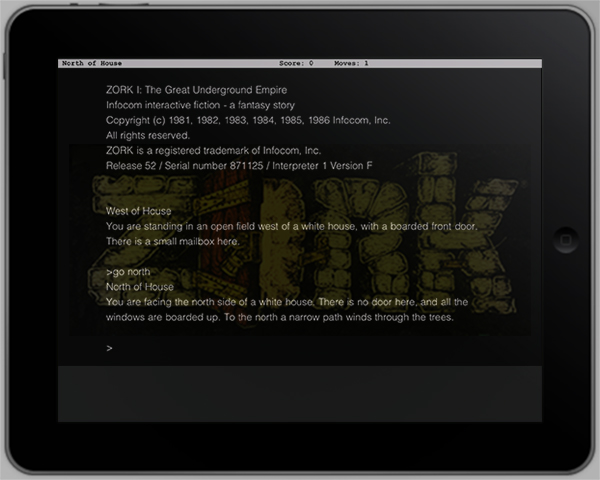
It all started with an episode of “The Big Bang Theory”. Protagonist Dr. Sheldon Cooper sits in front of his laptop, his face distorted by heavy concentration. He’s playing a game. Suddenly, he starts yelling at Leonard, his roommate: “It says there’s a troll!” Leonard answers: “Type ‘Hit troll with axe’”. Silence. “Oh yes that worked!”, Sheldon yells with a wide smile on his face. A few episodes later, the title of the game is revealed: ZORK.

At that point, I was curious. I googled the title, and just a few minutes later I was lost in the world of Interactive Fiction (hence abbreviated as IF) which is the official genre description of games commonly known as text-based adventure games.

After hours of research, I found out that although the first IF games were released in the early ’80s and quickly decreased in popularity due to the rise of graphics-based games in the middle-80s, the genre is not dead at all. IF has a vibrant and very active community of gamers, journalists, story writers, and modern implementations of any kind to emulate and play IF games on any imaginable platform. There are even modern development tools and languages available to write your own IF games.

In this post, I will discuss all these topics: the history of IF, the community and its current state, and how to play and develop IF — with a focus on IF and Apple’s operating systems – Mac OS X and iOS. The following paragraphs will be full of external links leading you to download resources, information wikis about IF, interesting essays and blog posts about the community, and all kinds of software you could use to play and write IF. Read more


App Store “Game Collections” Gathers All Previous Game Bundles

In our story about the first four years of App Store, we noted how Apple had been collecting apps and games in custom “sections” that, unfortunately, are often rarely updated and hard to find in the App Store once they are removed from the homepage.

For years now, Apple has been refreshing the App Store on a weekly basis to include custom “sections” showcasing hand-picked apps and games. These sections typically come with rotating banners and smaller “mini-banners” on the App Store’s homepage, and are later grouped into an “App Store Essentials” macro-section that includes several of past sections and recommendations.

Custom sections provide a decent solution to browse titles Apple has previously “curated”; however, these sections aren’t usually updated as often as they are created — N.O.V.A. 3, a new shooter game by Gameloft, still isn’t listed under Benchmark Games: Stunning Graphics, whilst the majority of reviewers and publications have outlined the game’s remarkable graphic capabilities.

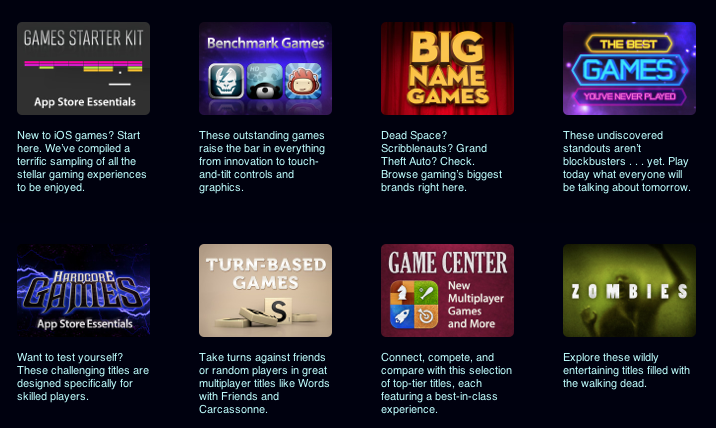
With today’s weekly refresh of the App Store’s homepage, it appears Apple has started taking some first steps into a new direction – grouping all previous game bundles into a bigger “collection”. Aptly named Game Collections and linked from the App Store’s homepage, the section offers a roundup of every selection Apple offered to date.

Game Collections includes:

Previously only available through the App Store’s homepage or partially through the dedicated Games category page, the new Game Collections feature brings some much needed organization to the custom sections Apple has been “curating” over the years. They are now accessible from a single place, and Apple notes how they will be “updated on a regular basis”.

As of today, “regular” apps still aren’t being organized into a unified collection. Right now, the App Store Essentials page is the best way to browse previously featured selections, but it also still mixes games and apps, and doesn’t provide the same elegant and simple layout of Game Collections. Hopefully Apple will provide an “App Collections” page as well, bringing past handpicked app selections and features in a single page.

Apple has been making a series of improvements to the App Store’s navigation lately. Aside from the complete App Store revamp coming in iOS 6, Apple redesigned the App of the Week section and renamed it to Editor’s Choice, leaving the former “App of the Week” to free app promotions.

App Store navigation and curation has long been an issue for third-party developers, with Apple’s Phil Schiller recently weighing in, too, noting how ”you can still get discovered and get a hit overnight”.


Game In-App Purchases: A Conflict Between Developer Economics & Goodwill

In-App Purchases for iOS games. It’s a bit of a sensitive topic really, not many people like them at all, and quite a few people hate them and the impact they have had on the iOS games market. But today I want to explore the reason for their prevalence and explain why it has become an important part of the market for developers. I also want to reframe the discussion from one of “In-App Purchases are a problem” to one where we consider how they are being used and what developers could do to improve their implementation.

Below the break is Part 1: The Economics, in which I tackle the reason for their prevalence and importance in the iOS games market. Following that is Part 2: “Developers and Goodwill To Customers” in which I discuss how they are being used and perhaps what might be some best practices.

Read more


Let’s Sing

Developed by Marco Tabini and Lex Friedman, Let’s Sing is the most addictive and fun iPhone game I’ve played in a while. Long story short: you can get it for free on the App Store, or buy the paid version.

Let’s Sing is a “social” iPhone game that you can play with your friends online, combining the traditional aspects of karaoke and television program “Name That Tune”. From the main screen of the app, a “Start a New Game” button allows you to find a friend to play against manually (by email or username), on Facebook, or through your Address Book. Once you’ve found a friend to play Let’s Sing with – sessions are private, meaning only you and your friend will play, and they won’t be shared publicly – it’s time to pick a song. If you want, however, Let’s Sing lets you pick a random opponent.

Let’s Sing is clever, in that rather than using a proprietary system to provide you with song previews – or worse, rely on in-app purchase to offer “song packs” – it simply connects to the iTunes Store to display three possible options at a time. Let’s Sing’s list of songs is manually curated by their developers in order to ensure a proper classification (easy/medium/hard), and, more importantly, to avoid items with complex names or strange characters that would be problematic to enter with the iPhone keyboard. The selection of songs is already fairly impressive, and support for the iTunes Store means the developers will be able to effortlessly add songs over time as they choose more. In my tests, I “sang” my friends hits from Beyoncè and Soundgarden, Micheal Jackson and R.E.M., and more.

Before a turn, songs can be previewed, and there is a link to buy an item on the iTunes Store if you suddenly realize you want that in your collection. From the song selection screen, you can also shuffle songs if you don’t like or know what you’re being offered, but shuffles are limited. Songs are displayed on a grade of difficulty, which will earn you and your friend more coins in case of successful streak. More shuffles can be unlocked with coins; if you’re out of coins, you can buy more with “real” currency using in-app purchases.

The singing and guessing part of Let’s Sing is what I like most about the game, and what got me hooked in the first place. Let alone that I get to hear online friends and colleagues I have never met in real life hum or whistle through their microphones, the whole process is extremely straightforward: you pick a song, whistle, hum, or like I do, “na na na na” through it, then hit Send. You can play back your recording to make sure you’ve got it right in 30 seconds, or cancel and re-record. Once sent, it’s up to your friend to guess, and the main screen of the app will reflect an ongoing game’s progress with an indicator. There is also an in-game chat to congratulate or shamelessly brag with a friend. Fortunately, Let’s Sing features push notifications, so you won’t have to wait inside the app for the next turn, but you’ll be informed by iOS.

On the guessing side, you can listen to what your friend recorded, and enter the song’s title with the keyboard. Alternatively, you can use in-game hints to reveal a song’s vowels or its artist.

I don’t typically play many games on my iPhone – I might take a random shot at Temple Run or Ski Safari while waiting in line – but Let’s Sing has turned out to be fun diversion that keeps me coming back. Let’s Sing combines my love for music (and guessing songs) with a streamlined way of embarrassing myself (in a good way) to people that wouldn’t otherwise hear me “na na na na-ing” the latest Nicki Minaj. It’s about your voice, your friends, and it’s fun.

Get it from the App Store.


Astronut

Astronut

One of my favorite iPhone games, Astronut by The Iconfactory, was released on the iPad earlier this week. In 24 levels fully optimized for the Retina display, you can enjoy Astronut’s well-known game mechanics (a floating astronaut jumps from planet to planet avoiding enemies and obstacles) with controls reworked for the device’s larger display.

Graphics and sound effects aside (they are both top-notch), I am liking Astronut for iPad even more than the iPhone version because of its control scheme. Astronut for iPad plays in portrait mode, with buttons to jump and activate boost placed at the sides of the screen where your thumbs typically are. This is extremely intelligent game and interface design. But there’s more: you can use Astronut for iPhone as a remote – this has allowed me to prop my iPad on a stand in my living room, and enjoy the game with my friends, sharing the iPhone as a controller.

Only $1.99 on the App Store. Don’t miss the video.

Permalink

Review: TouchArcade for iPhone

Part of Arnold Kim’s other sites, AppShopper and MacRumorsTouchArcade is one of my favorite weblogs: I  read it every day. Whether I’m reading about upcoming iOS games, news, or searching the forums, TouchArcade is simply one of the best resources for iOS gaming available. They’ve been around for 4 years, and for a website that’s a lifetime. I jumped when I was asked to help be part of the beta team for an iPhone version, and today, TouchArcade has released their very own iPhone app with the help of Flexibits and Bartelme Design.

When you first launch the TouchArcade app you will see a featured story on top along with a navigation list below for News & Reviews, Top Reviews, Hot New Games, Watch List, and Forums. On the right is a flickable list of their Hot New Games section with icon previews, and this is one of my favorite features of the app. If you’re looking for a great game to purchase this is the first place to look, and the list is constantly being updated too.

Read more