Vox 2.0

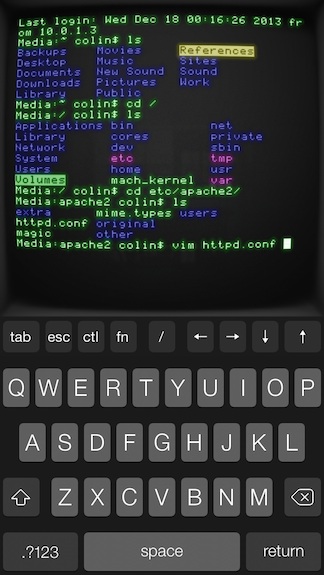
Vox is a simple and powerful drag and drop media player for the Mac, letting you drag in folders and individual tracks to create custom playlists. The app supports just about any media format, from FLAC to AAC to WAV, and has a built in equalizer so you can dial in the perfect sound. Vox has been around since 2007, and I’m amazed that it continues to be free.

I mentioned it briefly in the footnotes when I talked about GoodReader’s iOS 7 design, but there’s so much music out there that’s not in iTunes. Upcoming artists are putting demos and downloadable Mixtapes on SoundCloud, Bandcamp has become an avenue for independent game makers to sell soundtracks, and Amazon’s willing to send you the digital equivalent when you buy physical albums. If you love supporting your favorite artists, iTunes also ignores common perks that you get when preordering music direct, including exclusive tracks, different masters, custom artwork, and swag. A lot of music ends up in my Downloads folder, and instead of waiting on iTunes, I just drag my folders of newly acquired tunes into Vox.

Read more


Ember 1.1 Brings Annotations, Screenshot Auto-Import To iOS

Ember

Ember

Ember for iOS, Realmac’s image organization app for iOS first released in December, has been updated today to version 1.1, which starts bringing some of the Mac app’s features to the iPhone and iPad as In-App Purchases. In this release, Realmac added support for Annotations and Screenshot Auto-Import as two separate IAPs priced at $4.99 and $0.99, respectively. The app is still free, and can be used with iCloud sync as a companion utility to the full Ember for OS X experience.

Ember is an app to collect and organize images, and the iOS app, especially on the iPhone, has the convenience of having a camera always available. Therefore, adding annotations to iOS is the right move for Realmac, as users who depend on Ember for pictures they take are likely to take those directly on iOS. In the app, you can now use the Smart Drawing, freehand, and text tools that Realmac first brought to Ember for Mac months ago; new to both Ember for iOS and OS X (the Mac version has also been updated to 1.3 today), blur and pixelate tools let you obfuscate parts of images that you don’t want anyone else to see.

Ember’s annotations tools on iOS are like a simpler version of Skitch. There’s a toolbar at the top of the screen with available tools, and edits can be drawn on screen by touching and swiping; once added, they can be rearranged on the canvas, but they can’t be manually resized with a pinch gesture like Skitch. In my tests, I found that I couldn’t make text annotations bigger, as Ember kept using a font size too small for my taste; I then realized that to change annotation size, you have to tap the color popover, which gives you three sizes to choose from.

Overall, Ember 1.1 provides a mix of the functionalities seen in Marco Arment’s Bugshot and Evernote’s Skitch, only in an app that syncs with iCloud across devices, including the Mac. At this point, the major feature missing from Ember for iOS is Subscriptions, which I assume will be added at some point as another In-App Purchase in the Ember Store.

It will be interesting to see how Realmac will keep adding more functionality to Ember on OS X in the future while trying a different business model on iOS. Right now, the annotations tools aren’t as flexible as Skitch in terms of manual editing options, but they work well and they’re easy to use.

Ember for Mac is available at $49.99 on the Mac App Store, with a free trial available from Realmac’s website. Ember for iOS is free on the App Store with In-App Purchases.


Let Me Share This Podcast With You

Joe Rosensteel:

Many of the things holding podcast-listening back are things that I see podcasters lament on Twitter. There is a lot of consternation over SoundCloud from some people, and a warm embrace from others. Their program is in beta, and appears to have some quirks. People want searchable, legible, text versions of hour-long podcasts to spread links about the really good stuff. Even the ability to jump to a specific moment in playback as part of a URL has been bandied about.

The entire article is great and I agree with Joe’s points. There are several factors at play: iTunes’ stagnation for podcast producers (but, hey, at least it works), the lack of podcast-specific standards for annotations/players/show notes (podcasts themselves are delivered using another technology, RSS), and a fragmentation of independent producers, networks, and large publications that deliver podcast-like content but don’t care about interoperability with “open formats” , “clients”, and other “technologies” that could move the podcast medium forward.

Honestly, when I’m asked about my podcast by friends and family, I just point them to iTunes and Apple’s Podcasts app. That’s the easiest way in, and it gives an idea of the power of lock-in, ease of use and access, and discovery (“Just go to iTunes and search for The Prompt, mom”).

RSS helped spark the diffusion of podcasting and, now that it’s still relatively new, I wouldn’t mind seeing more efforts towards a standardization of features like show notes, transcriptions, and episode bookmarks. I don’t know how it could be done, but it needs to happen, it needs to be open for everyone to use, and developers shouldn’t have to hard-code their own custom solutions from scratch.

There’s so much potential in improving the presentation of podcast content, it’s depressing to see how primitive the basic technology is. It works, and it lets us do this stuff on a weekly basis, but it could – should – be better.

Until someone improves the technology behind podcasts, though, I’ll just have to recommend iTunes.

Permalink

Paid, Paymium Or Freemium?

Choosing the right pricing strategy for any new app is hard, but if you choose the wrong pricing model, it can cost you thousands of dollars in lost revenue. In this article I’m going to cover the three main revenue models on the App Store and explain how to make sure you pick the one that’s right for your app.

Good post by Realmac’s Dan Counsell about the three modern realities of the app business. This is the first time I see the term “paymium”, and it’s true that a few apps in the Productivity and Business categories of the App Store have been trying that model.

See also: Contrast’s David Barnard on shaping the App Store economy.

Permalink

Apple Q1 2014 Results: $57.6 Billion Revenue, 51 Million iPhones, 26 Million iPads Sold


Apple has published their Q1 2014 financial results for the quarter that ended on December 28, 2013. The company posted revenue of $57.6 billion. The company sold 26 million iPads, 51 million iPhones, and 4.8 million Macs, earning a quarterly net profit of $13.1 billion.

We are really happy with our record iPhone and iPad sales, the strong performance of our Mac products and the continued growth of iTunes, Software and Services,” said Tim Cook, Apple’s CEO. “We love having the most satisfied, loyal and engaged customers, and are continuing to invest heavily in our future to make their experiences with our products and services even better.

The quarter sets a new record for Apple: before today’s results, the company’s record was $54.5 billion revenue reported for Q1 2013. Read more


iOS 7 iPhone Wallpapers

I’ve recently finished designing a collection of 50 wallpapers made for iPhone home screens. Without app icon shadows, iOS 7 can make the home screen look quite cluttered. I started with very simple ambient colour spectrums and decided to make a few more.

Beautiful wallpapers by Thomas Ricciardiello (via Mike Rundle). I’m trying one of the Light Spectrum ones on my iPhone now (I’ve been using an Apple default one since September). It’d be great to have iPad versions.

Permalink

The General-Purpose iPad

Ben Thompson has a good post about the differences between “computing” tasks on the Mac and the general-purpose nature of the iPad. I agree with his conclusion:

Ultimately, it is the iPad that is in fact general purpose. It does lots of things in an approachable way, albeit not as well as something that is built specifically for the task at hand. The Mac or PC, on the other hand, is a specialized device, best compared to the grand piano in the living room: unrivaled in the hands of a master, and increasingly ignored by everyone else.

Forget about this stuff and forget about “convergence”. My question is: for the future, does Apple think that the iPad – and by extension, iOS – will become suitable for traditional computing tasks?

Right now, Apple’s answer is that the Mac and iPad can coexist, each in a different space – and I believe that’s accurate. But as more people will choose tablets and smartphones as their primary computers in the coming years (with Mac sales further shrinking alongside the rest of the PC industry), will they start wondering whether spreadsheets, layouts, and photo management can be done on a multitouch display?

Does Apple think that their customers will want more from the iPad? And how would they deliver more without making the iPad more complex and less “magical”?

Permalink

Pushpin for Pinboard Updated with New iOS 7 Design, iPad UI, Search Improvements

Pushpin

Pushpin

Pushpin, a full-featured Pinboard client that used to be my personal favorite before iOS 7, has today been updated to version 3.0, which brings a new design, a split pane interface on the iPad, and several other features. On the iPhone, I now prefer Pinswift, but Pushpin remains the best Pinboard experience for the iPad, which is where I spend most of my time bookmarking links and discovering new ones every day.

Read more


How The “Lost” Mac Intro Video Was Found

On January 24, 2005, Majo posted the video on his site for the Mac’s 21st birthday. The traffic was overwhelming. To watch, you had to download the 20MB file, and majo’s site soon crashed. We were SlashDotted, kottke.orged, and etc. He begged for mirror sites, and a bunch of other people helped out. I wrote a blog post about the video. I watched the comments come in from around the world as people woke up and discovered the “lost” video (that I didn’t realize had been lost). The comments show how excited people were to discover the video, and how eager they were to help by mirroring it. It was a pretty cool day.

Like many other “lost videos”, there’s a good story behind Jobs’ Macintosh intro (via Daring Fireball).

See also: how the original Macintosh demo was actually put together, by Andy Hertzfeld.

Permalink