CloudyTabs Puts iCloud Tabs In Your Mac’s Menu Bar

CloudyTabs

CloudyTabs

Since I switched to Safari as my primary browser, I’ve been enjoying the convenience of iCloud Tabs, which allow me to easily find webpages that I have open on my devices and re-open them anywhere, at any time. iCloud Tabs have been reliable and fast in my experience, and I cannot imagine going back to a browser that doesn’t have this sort of functionality.

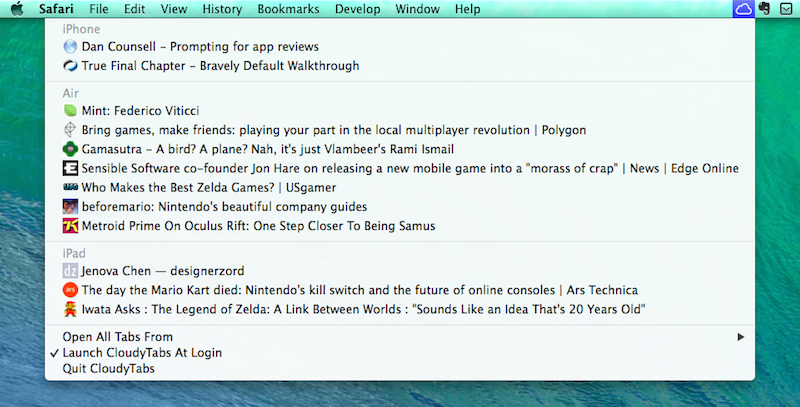
The problem with iCloud Tabs is that they’re limited to Safari, so if you’re using Chrome or Firefox on OS X, you can’t access the tabs that you have open on your iPhone or iPad. For this reason, Josh Parnham has devised a simple and clever solution: CloudyTabs is a menu bar app that lists iCloud Tabs open on all your devices. CloudyTabs reads data from the .plist file that stores iCloud Tabs data on OS X, which is why the app isn’t available on the App Store and has been released on GitHub.

Once installed, CloudyTabs will need a few seconds to find open tabs and after that it’ll present a dropdown menu listing devices and webpages open on each one of them. You can CMD-click tabs to open them in the background in your default browser, and there’s a handy shortcut to open all tabs from a specific device at once. You can also type the first few letters of a tab’s title to select it.

If you don’t use Safari on OS X and wish there was a way to open iCloud Tabs without copying and pasting URLs, CloudyTabs gets the job done quite elegantly, and it’s free. You can download it here.
Command-C Browser Actions

Command-C

Command-C

When I’m writing on my iPad at home, there’s a chance I have my MacBook on my desk with either iTunes open (to check for app updates or playing music from iTunes Match/Radio) or MailMate running (because I’ve been having issues with Mail on the beta of iOS 7.1). It’s not uncommon for me to use a dual-monitor setup when writing, relying on my MacBook for Google searches and other reference material – effectively, I use it as a secondary display to my iPad when I’m working on articles that require a fair amount of research.

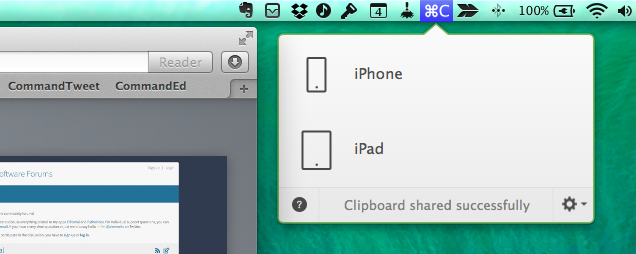
Since the release of Command-C, I’ve been using Danilo Torrisi’s utility to quickly beam text and URLs across all my devices, using Launch Center Pro actions to speed up the process. Command-C has excellent support for URL schemes – a boon to iPad users who fiddle with automation tricks to save time when working on iOS. I recently realized, however, that most of the content I share with Command-C is made of URLs from Safari, therefore I asked myself whether I could put together a solution to send URLs with one click from Safari without using an external app or keyboard shortcut. It was pretty clear from the beginning that I would end up with a bookmarklet, but I have to thank Danilo for providing the necessary guidance I needed to achieve the kind of workflow I wanted.

The bookmarklet is part made for myself, part proof of concept (as always) for others to iterate upon. It doesn’t only send URLs from Safari on another device with Command-C – it sends the webpage you’re currently viewing in Safari to another app on another device with Command-C.

Read more


2014’s Battle For Dashboard Supremacy

Carmakers have spent years and millions of dollars creating ever-more-advanced infotainment systems and, tragically, none holds a candle to the appeal of any current mobile operating systems. To most consumers, it seems blatantly obvious that the phone should simply handle all the heavy lifting. In 2014 that finally begins to become a reality across the industry, but the issue isn’t as simple as it seems.

This week’s announcement of Apple CarPlay is a good opportunity to learn more about the status of infotainment systems and how consumer electronics companies have been working with auto makers to achieve technical and safety-related standards.

Tim Stevens has an excellent overview at CNET covering CarPlay, MirrorLink, Ford’s AppLink, and Google’s Open Automotive Alliance. When thinking about SDKs for developers to build apps for the car, it’s important to remember that there are safety implications, design challenges, and regulations to consider – which may be why Apple’s initial announcement only includes a few third-party partners.

Permalink

CarPlay Demo In A Ferrari FF

Matt Brian of Engadget spoke with an Apple representative at the International Motor Show in Geneva about CarPlay, and he recorded a video of a CarPlay demo in a Ferrari FF coupe.

The video is interesting for several reasons. First, as with Volvo, CarPlay is (unsurprisingly) a feature of the onboard system, as Ferrari is keeping its existing infotainment system and letting drivers with an iPhone access CarPlay separately. There’s an “Apple CarPlay” physical button to load the Apple UI, which, when in the foreground, takes over other physical buttons’ functions – for instance, pressing the “Navi” button when in CarPlay mode will go directly to Apple Maps. The screen appears to be a resistive touch screen: there are no multitouch gestures or swipes in the demo, and horizontal/vertical navigation is always done with software arrows rather than regular scrolling; it’s not clear whether scrolling will be possible on other screens or if it’s a design decision by Apple.

Update: A demo by Volvo shows various instances of scrolling, which suggests Ferrari chose a different implementation of CarPlay navigation for their demo.

The demo shows Apple’s reliance on Siri, which speaks texts and other information (preventing the driver from being distracted by the screen), and it demonstrates how CarPlay looks into email, messages, and calendar appointments for addresses to use in Maps destinations.

Brian also asked about third-party app support: apps that will receive CarPlay integration through the App Store will be automatically transferred from an iPhone to CarPlay and show up on the CarPlay UI, although Apple hasn’t confirmed whether there will be an SDK for developers just yet.

There’s a lot of early details and information to be seen in Brian’s video, which you can watch here.

Permalink

Norman Foster On The Design Of Apple’s Spaceship Campus

Architectural Record (via MacRumors) has published an interview with architect Norman Foster, which includes two questions about Apple’s future spaceship campus:

So what made the form of a ring the logical choice for this building?

It’s interesting how it evolved. First of all, there was a smaller site. Then, as the project developed, and the Hewlett-Packard site became available, the scale of the project changed.

Meanwhile, the reference point for Steve [Jobs] was always the large space on the Stanford campus—the Main Quad—which Steve knew intimately. Also, he would reminisce about the time when he was young, and California was still the fruit bowl of the United States. It was still orchards.

Demolition of existing structures at the location of future Apple Campus 2 is well underway after the company received final approval from the Cupertino City Council in November.

Permalink

xsuc.es for Mobile Safari

Joseph Schmitt, writing in response to Greg Pierce’s hack to simulate x-callback-url support in Chrome:

Wouldn’t it be great if Safari supported Chrome’s back button behavior? It sure would. However, Apple’s laissez faire attitude towards inter-app communication keeps me from holding my breath on this front. Therefore, I was truly excited when I saw this post by the father of x-callback-url himself, Greg Pierce, wherein he launches a simple HTML page in Safari and uses JavaScript to add x-success links to the page on his own. Woah, awesome!

However, Greg’s technique depends on loading a full-screen iframe on the page and overlaying a back button on top to trigger the x-success url. That gets the job done, but I really prefer how Chrome handles this: make the last page jump to the previous app. I brainstormed for a bit and figured I could probably replicate Chrome’s behavior’s using Greg’s idea, and I was right: xsuc.es was born.

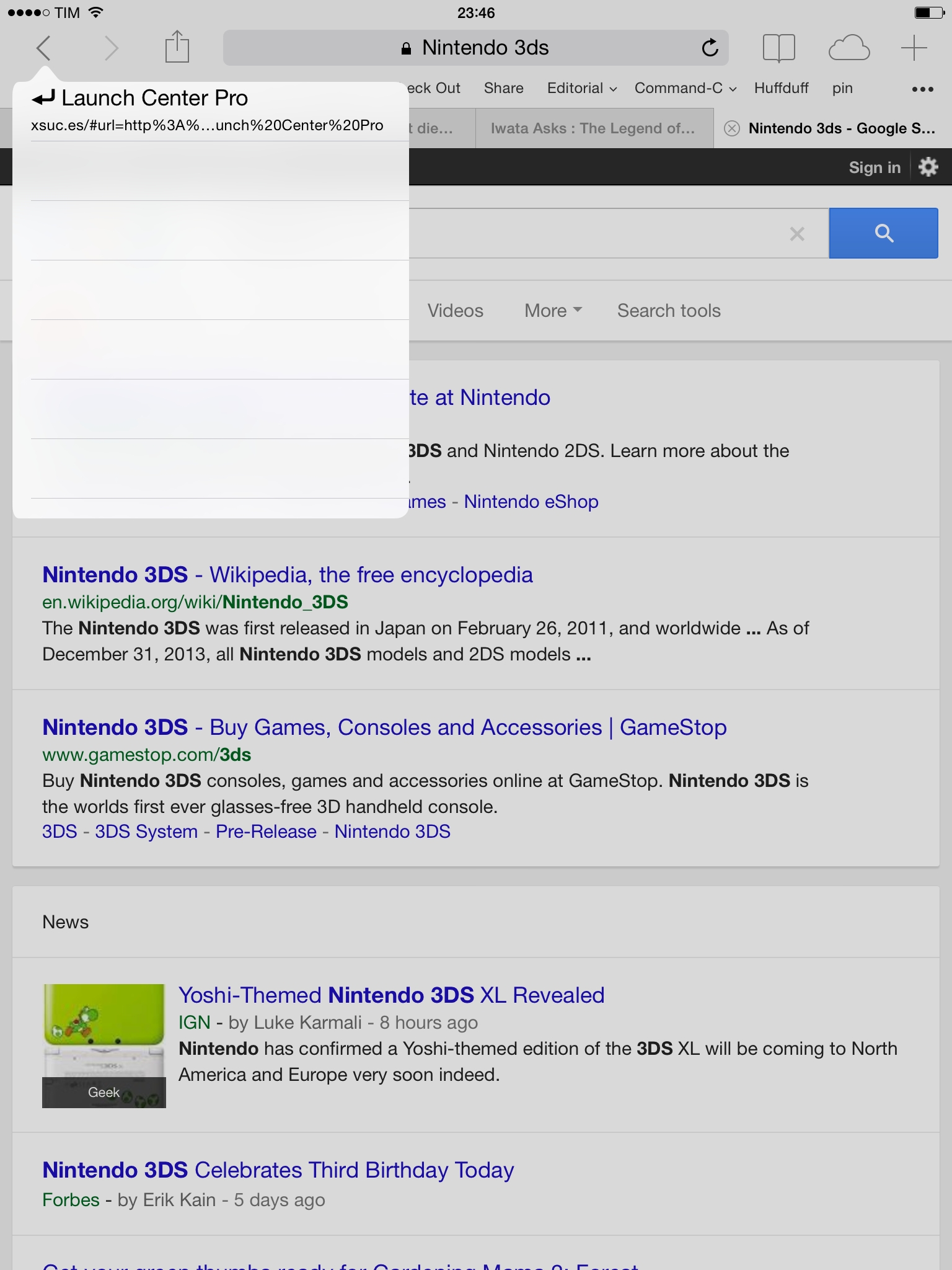
To build actions with xsuc.es, see the URL parameters in Joseph’s blog post. The format is easy to understand if you’re already familiar with URL schemes; here’s a demo action to launch a Google search in Safari based on xsuc.es from Launch Center Pro.

xsuc.es is a nicer hack that takes over Safari’s Back button to go back to a previous app like Chrome does, albeit without the app’s name visible alongside the button. You can, however, tap & hold the back button to see the app you’re going back to. It would be nice to mix a success URL scheme with the address of the webpage you’re currently viewing, although I believe that’s beyond the limit of how much it’s possible to work around Safari’s JavaScript.

Permalink


Comparing Time Zones with Globo

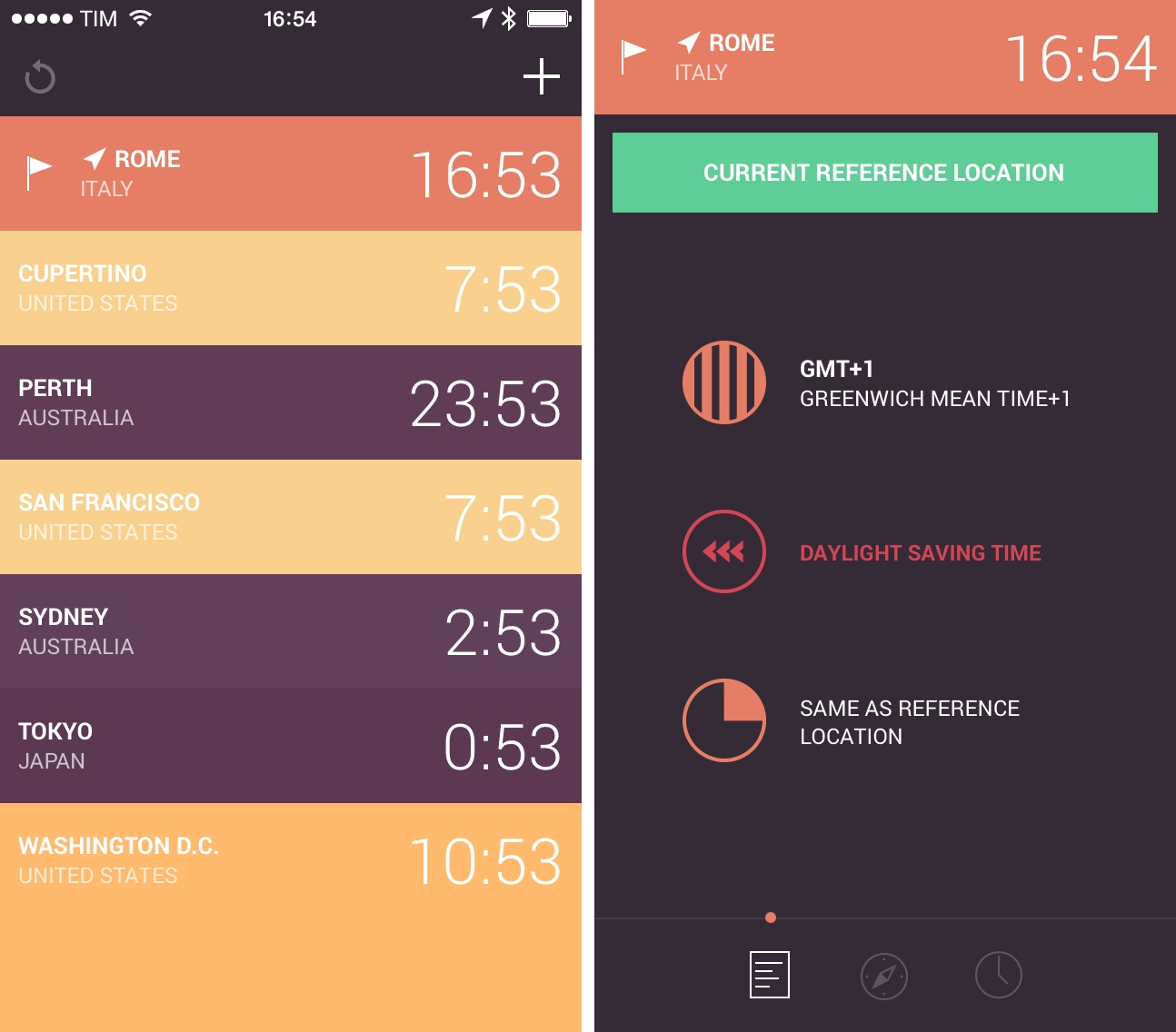
In my ongoing quest to find the best time zone reference utility for iOS (previously: Living Earth and TimeZlider), I stumbled across Globo for iPhone last week thanks to Apple’s feature on the front page of the App Store. Developed by Marco Torretta (the same developer behind Amount, one of my favorite unit converters for iOS), Globo is a simple world clock for iPhone that wants to reimagine Apple’s existing feature of the Clock app with colors, alarms, and detailed information for each location.

Read more