

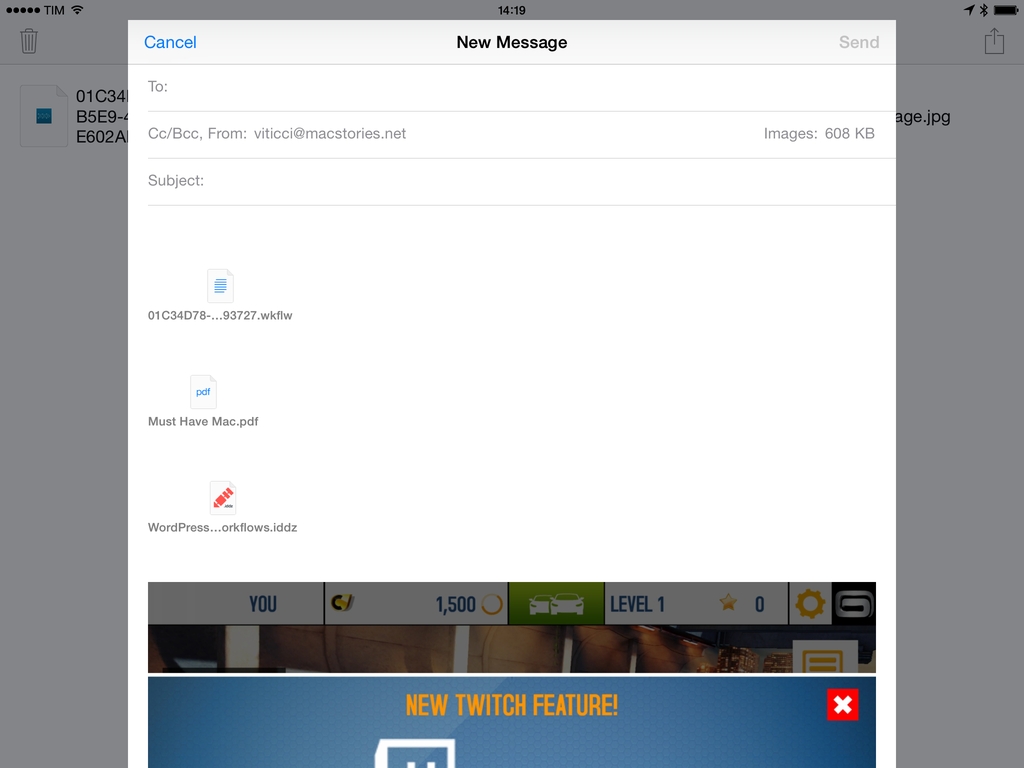
One of iOS’ biggest shortcomings is the inability to attach multiple files to an email message. Caused by Apple’s resistance to bringing a visible filesystem to iOS or building inter-app communication features to access files outside of an app’s own sandbox, the problem is epitomized by antiquated limitations such as the Open In menu and the aforementioned lack of multiple attachments in Mail. Interestingly, these two limitations are exactly what Multiple Attachments, developed by Jan Mazurczak, uses to send email messages containing attachments that aren’t just photos or videos.
Multiple Attachments Lets You Attach Multiple Files To Email Messages On iOS
Apple Testing Related Search Suggestions On The App Store
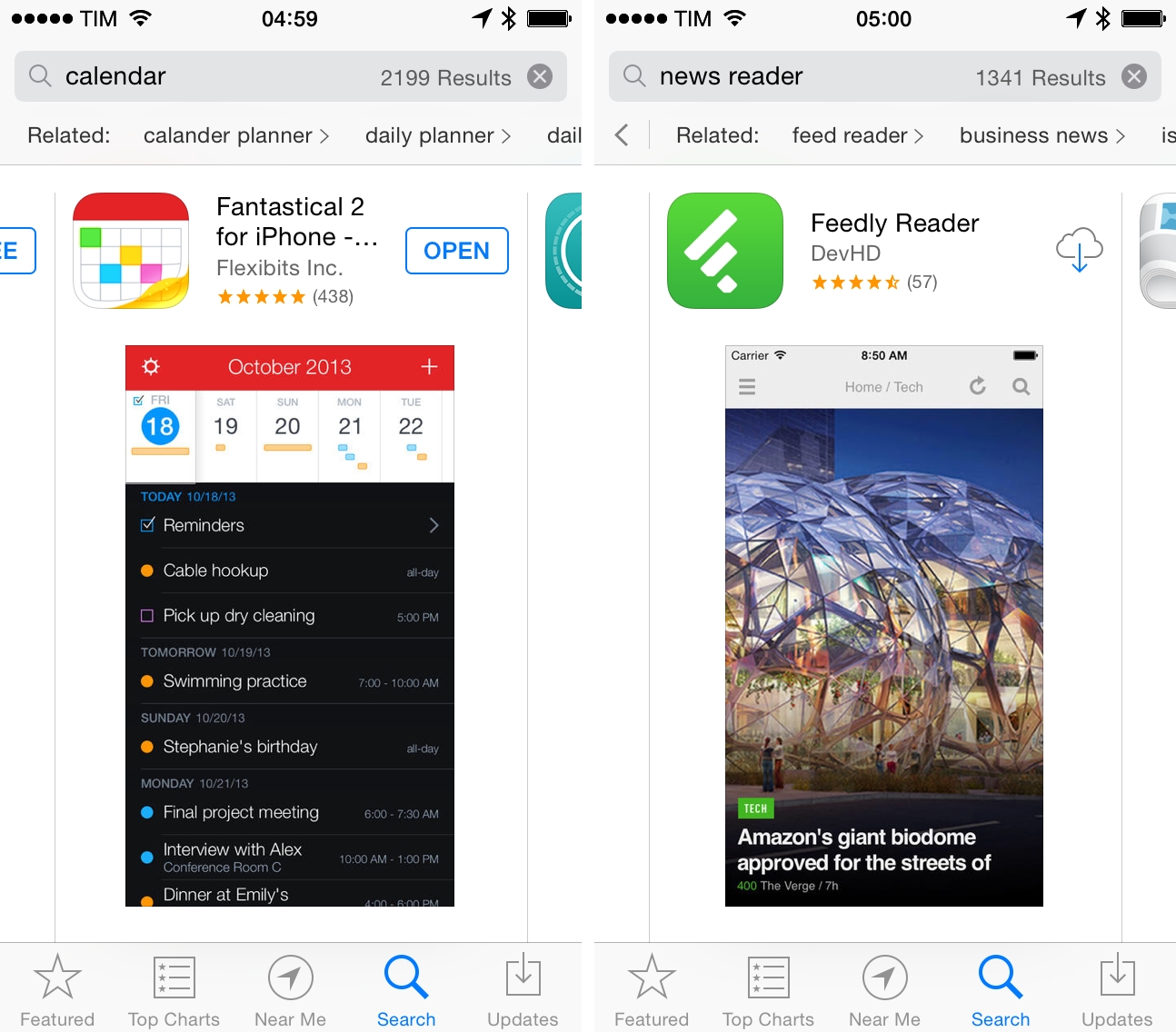
As first noted by developer Olga Osadcha, Apple is testing a related search suggestion feature on the App Store, which started rolling out earlier today for iPhone users on iOS 7.
The new menu, a scrollable bar with suggestions for searches related to the current search, allows users to discover more apps in search by tapping on suggestions, receiving a fresh set of results. Multiple suggestions can be selected in a single session: searching for “indie games”, for instance, displays suggestions for “action games”, which include “action RPG” into their own suggestions. The new suggestion bar doesn’t alter the way search results are displayed – Apple is still using a cards layout on the iPhone – and, for now, the feature doesn’t appear to be available on the App Store for iPad and desktop computers.
The new related search suggestions mark one of Apple’s first attempts to augment App Store search results with visual semantics for apps. In testing the feature, I was able to get suggestions for specific sub-categories such as “business news” and “video game news”, “writing” and “story ideas”, or “healthy cooking” and “food recipes”; each set of related searches included new results that were more specific and relevant to the suggested search. A suggested search can branch out to more sub-suggestions (that was the case with the aforementioned games example), but I also noticed related searches that had no additional searches inside them. Aside from the additional bar for suggestions, results were displayed as normal cards with no additional changes.
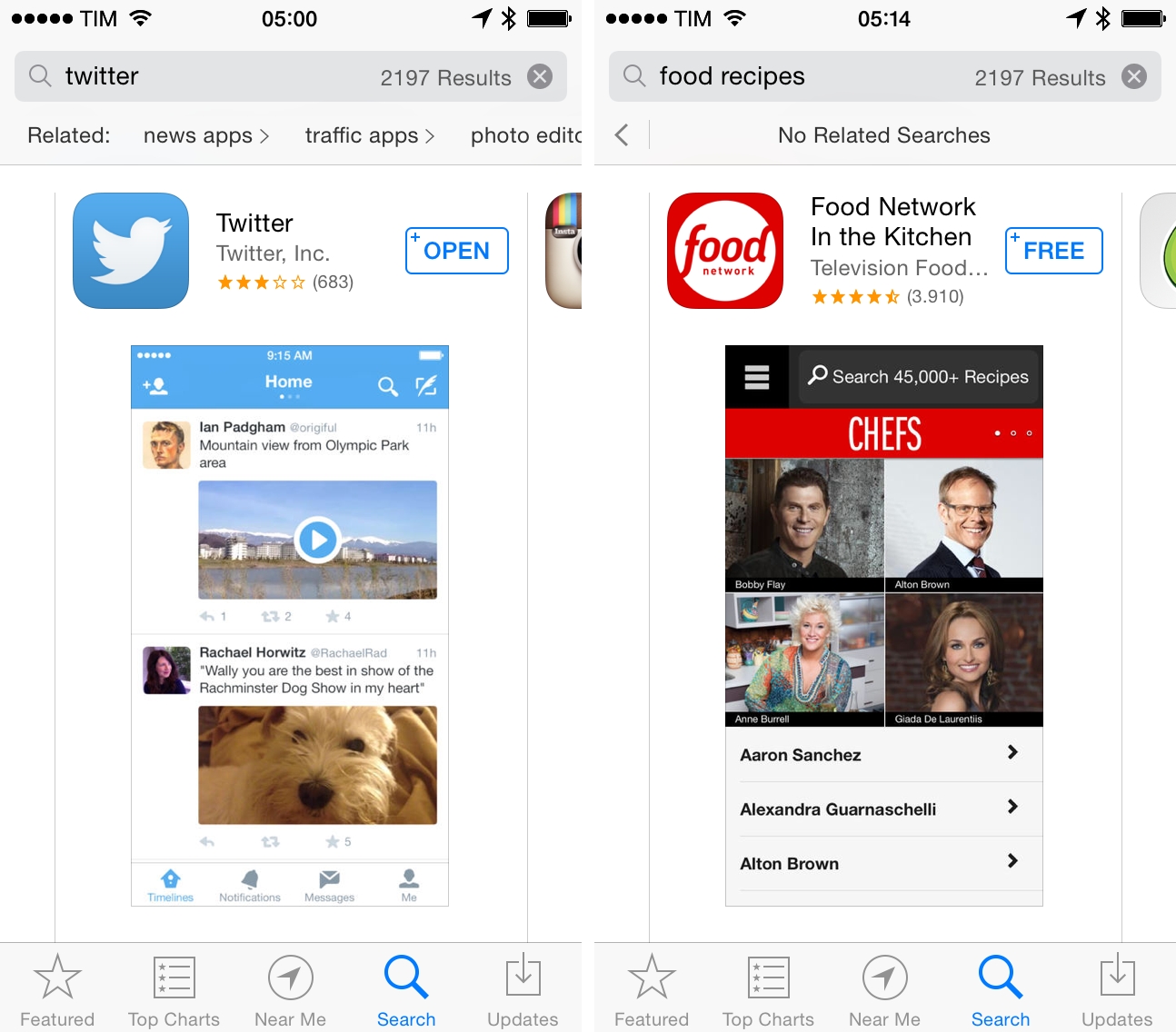
It’s unclear whether this new feature could be based on Apple’s curation efforts with custom sections, keywords chosen by developers for their apps, popular searches on the App Store, or a combination of all these existing pieces of metadata. Over the past few years, Apple has built a large catalogue of curated sections (called Collections), which, however, don’t appear to be the primary source of search suggestions. Related searches ranged from generic terms and phrases like “writing” and “news” to mixes of company and product names such as “word excel” and “game loft”, suggesting that Apple may indeed still be testing and tweaking the feature before a wider rollout.
With over a million apps on the App Store, search has often been mentioned as one of the areas where Apple could make significant improvements to enable customers to discover relevant apps more easily. Two years ago, Apple acquired App Store search engine Chomp in a move that was believed to bring new user features for App Store search and recommendations, which, however, didn’t materialize with iOS 6 and iOS 7.
While the company introduced a feature to discover apps popular nearby last year, the new search suggestions could provide a general layer of filtering that is independent from geographical location. At this point, it’s not clear whether Apple may be optimizing search suggestions based on user taste and purchase history – first tests suggest that related searches are simply based on app category rather than user personalization; right now, it’s hard to tell whether some search suggestions may have been manually curated by Apple or not.
In the past year, App Store optimization (or “ASO”) has become a common practice for third-party developers willing to ensure their apps would rank highly in Apple’s search algorithm – which the company also tweaked multiple times. With more specific searches directly suggested to users when searching, Apple could alleviate the problem of good results being buried below worse results with higher ASO values, giving users more relevant and specific apps in an increasingly crowded marketplace.
Apple Adds NPR News Channel To iTunes Radio
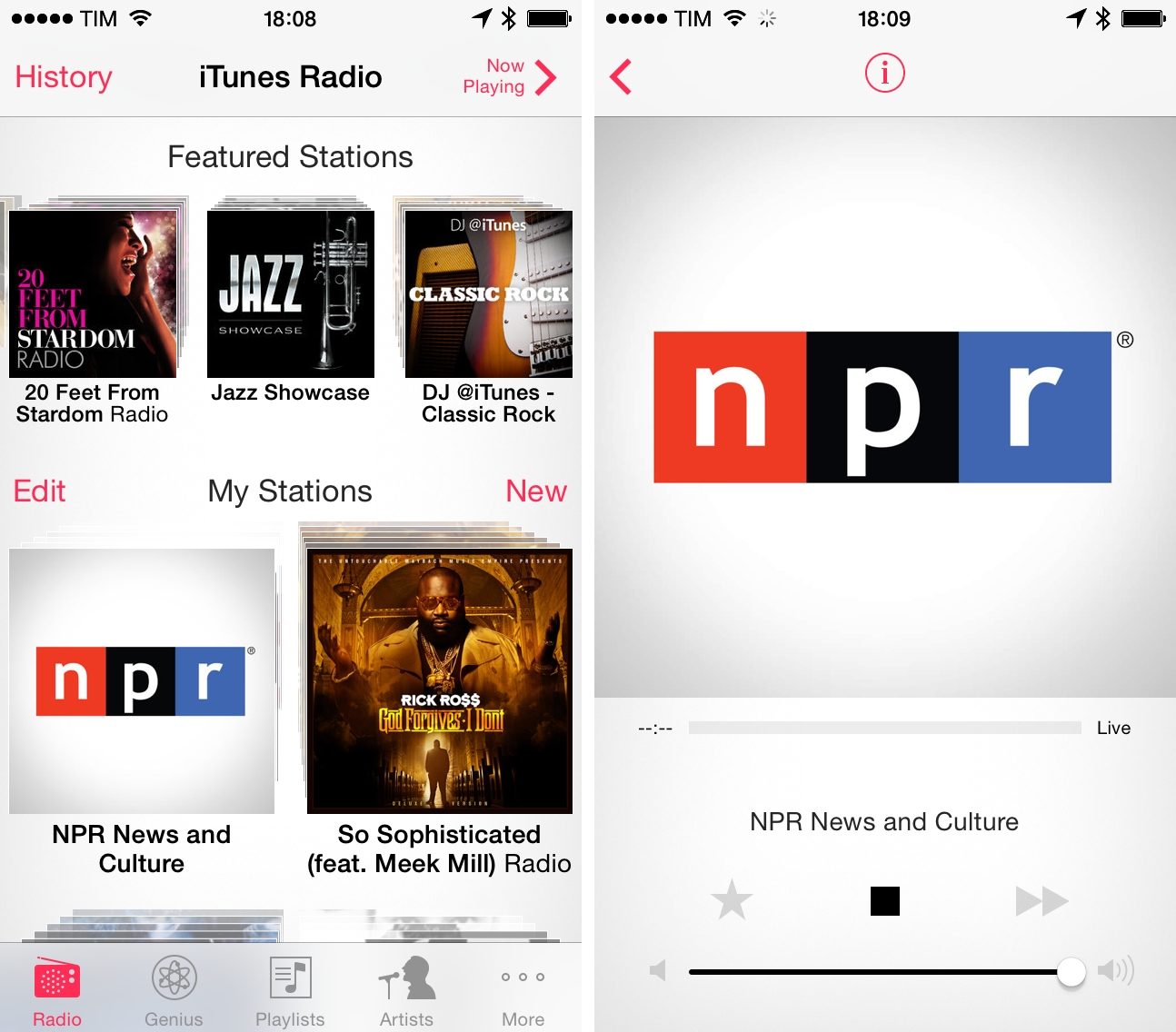
Apple’s iTunes Radio has gained a news channel today with the addition of NPR, as first reported by re/code and confirmed on NPR’s All Tech Considered blog.
Digital streams of Morning Edition, All Things Considered and hourly newscasts will be available on a new 24-hour streaming NPR channel on iTunes Radio.
“What you hear today is just the start of what’s to come,” said Zach Brand, NPR’s vice president of digital media. Later this spring, the channel will expand to include streams of our member stations from across the country.
iTunes Radio, launched alongside iOS 7 in September, allows users to listen to free, ad-supported streams of songs that are automatically suggested by the service or collected in stations curated by music experts and artists. The new channel, available for streaming on iTunes Radio for iOS 7 devices and computers running iTunes, marks an important milestone for Apple in diversifying the offer of its iTunes Radio service, thus far focused on promoting music content with direct integration with the iTunes Store for purchases – iTunes Radio is built into Apple’s Music and iTunes apps, which have buttons to quickly purchase a song from a stream.
NPR will offer both pre-programmed and live shows; at the moment, it’s displayed as a station in iTunes Radio next to music stations created by customers or curated by Apple. Since the launch in September, Apple has been trying various experiments with iTunes Radio for music content: the company regularly hosts “First Play” stations with previews of upcoming albums from popular artists, and it recently launched a special station with audio streams of iTunes Festival at SXSW.
Apple is believed to be considering a dedicated app for iTunes Radio in a future version of iOS, which could give the company more flexibility for separating user-made stations and curated sections, or music content from news, interviews, and other audio content. Currently, the entire iTunes Radio service lives in a dedicated page of the existing Music app for iOS.
Apple’s expansion of iTunes Radio could also be particularly interesting for CarPlay, the company’s initiative to bring iOS apps and services to car infotainment systems with a dedicated interface and iPhone integration. In initial demos, Apple showed how CarPlay could stream songs off iTunes Radio through an iPhone, but news channels and other audio content could easily fit into the same vision with the unified iTunes Radio service.
NPR’s new iTunes Radio channel is available here.
Codea 2.0→
Codea is an incredible app that allows you to create games and interactive simulations directly on an iPad with graphical assets, sounds, and a full code editor. Codea is built on Lua and it adds various native options for managing resources and functions visually – it’s one of those apps that gives a new meaning to the “post-PC” idea.
Today, Codea 2.0 was released with full iOS 7 and 64-bit support alongside new features that tie in with more aspects of iOS. The app has a location API to access a device’s location, Bluetooth keyboard shortcuts, a new unified asset system, new sound and music functions, and specially commissioned audio packs with music and effects made specifically for the app. The code editor has been completely rewritten with autocomplete, smart indentation, and inline errors; there are dozens of other changes that make game creation on iOS both simpler and more powerful.
I don’t use Codea, but I’ve always been interested because I’m fascinated by the app – to me, it looks like the kind of iOS-only, Pythonista-like breakthrough that’s possible on modern devices and that augments classic programming with native integrations and a touch interface. The new version sounds amazing and it’s only $9.99 on the App Store (free update for old customers).
Behind Flipboard’s Layout Engine→
Charles Ying, developer at Flipboard:
When you read Flipboard, articles and photographs are laid out in a series of pages you can flip through, just like in a print magazine. Each magazine page layout feels hand-crafted and beautiful — as if editors and designers created it just for you.
We automate the whole process of layout design and editing by slotting your content into custom-designed page layouts — like fitting puzzle pieces together. We start with a set of page layouts created by human designers. Then our layout engine figures out how to best fit your content into these layouts, considering things like page density, pacing, rhythm, image crop and scale. In many ways, that is the key to Flipboard’s signature look and feel: at its heart are the work of real designers.
I’ve always appreciated the way Flipboard presents web articles into magazine-like layouts that, however, also feel “smarter” than print in how they treat images and text flow. It turns out, Flipboard built an entire engine that is capable of combining layout designs with algorithms to determine the best way to display articles depending on multiple variables and filters. Great read.
Bookmarklet To Open Twitter Profiles In Tweetbot→
Dave Bradford had one of the same problems I deal with on a daily basis:
While using mobile Safari on the iPhone I sometimes come across a Twitter account I’d like to follow or check out, to follow them I have to select the users handle from the URL, open Tweetbot, go to search, then copy the username into the search field.
It’s a minor annoyance, but those few seconds you spend copying and pasting add up over time. Dave made a bookmarklet to open Twitter profile pages as usernames in Tweetbot – it works on OS X too if you remove “mobile.” from the bookmarklet to work with desktop Twitter pages.
Get the code here.
Update: Phillip Gruneich also has a few bookmarklets that look cleaner and work with both Twitter and App.net.
Slow Feeds Updated for iOS 7, Adds Background Fetch and Subscription Management
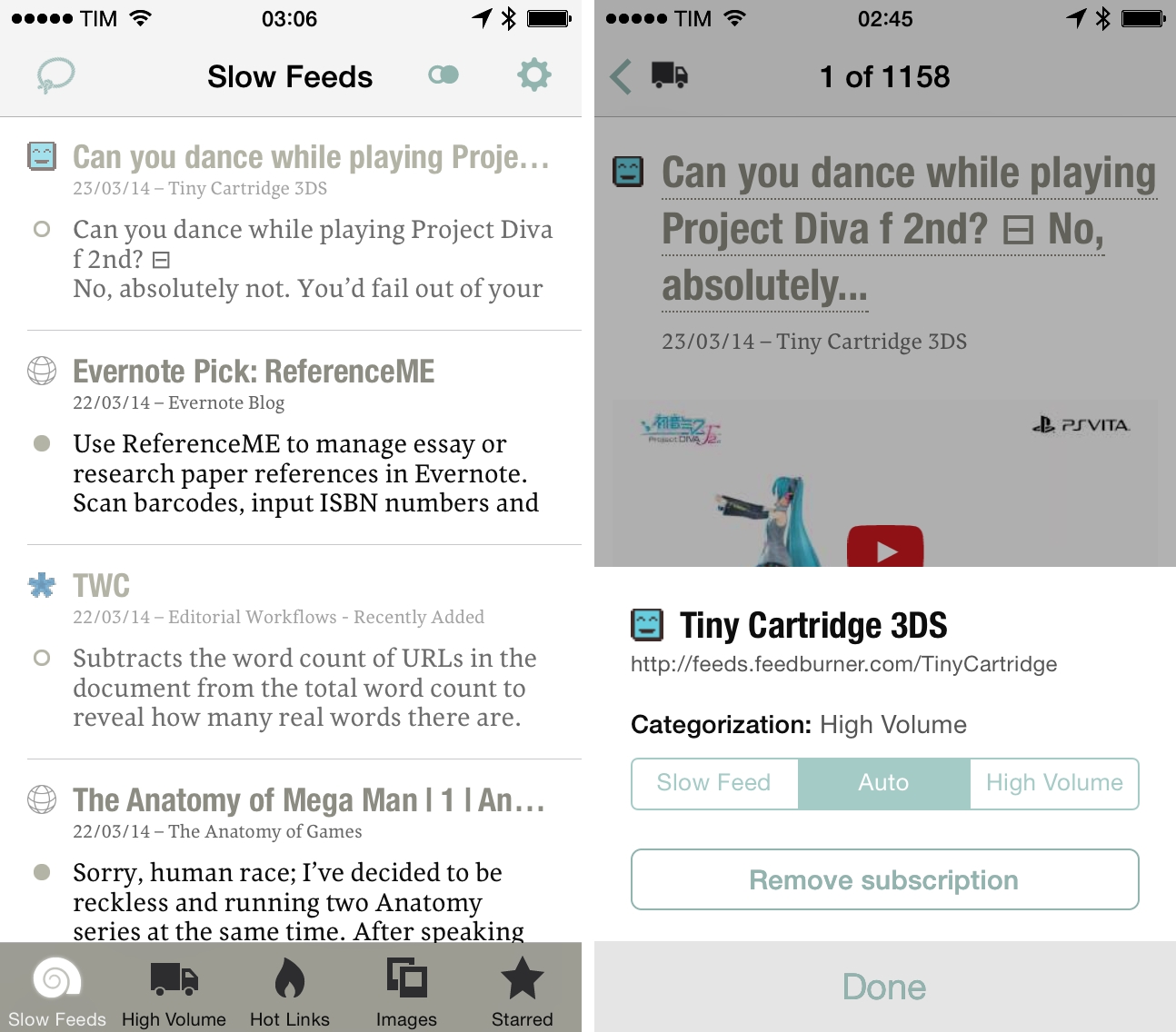
Unlike most RSS clients for iOS and OS X, Slow Feeds doesn’t prioritize the latest items from feeds you’re subscribed to – instead, it highlights feeds that don’t post several items a day, called the “slow” ones. We first covered Slow Feeds in May 2012, and followed its progress as it added Hot Links and more RSS services.
Earlier this week, Slow Feeds gained proper support for iOS 7, receiving a refreshed design and new subscription options that allow for better organization of feeds.
Behind The Sales Numbers Of Badland→
Brandon Sheffield, writing for Gamasutra:
Frogmind was founded in 2012, by two developers from Trials developer RedLynx. In 2013, they released their first game, Badland, and immediately got 100,000 downloads at $3.99, which was great, but sales took a nose dive after the first weekend, going down to 1,000 downloads per day, and eventually less.
Badland is a fantastic iOS game that’s truly built with touch controls in mind. In Frogmind’s GDC session, CEO Johannes Vourinen shared some interesting numbers that iOS game developers thinking about other platforms (Google Play Store, Amazon Appstore) should take a look at.
Also interesting is his report on temporary sales and Apple’s “Free App of the Week” initiative (which Badland participated in, although during the special App Store anniversary week) – because the game is typically a paid download with no In-App Purchases, the result after the promotion wasn’t what most people think it is.
Twitter #music Shutting Down→
Mike Beasley:
According to a pair of tweets posted on the official @TwitterMusic account, the app will be removed from the App Store later today and all streaming service will end on April 18th—one year after the app first launched.
Twitter #music launched on April 18, 2013. The #music app wasn’t necessarily bad – it had some interesting touches and design details – but its implementation of streaming was confusing, as I noted in my original article:
As a daily music listener, the 1-song limitation is confusing and anachronistic. It feels like Last.fm all over again: in spite of its direct plug into Rdio and Spotify, Twitter will only play one song from an artist – their “top” one, according to Twitter – then move on to the next one. Why is that so? Do they expect users to always want to listen to just one song and jump from artist to artist all the time? I understand this for #NowPlaying, which is a Twitter-like feed for single songs in your timeline, but I can’t seeem to find a good motivation for this choice in other areas of the app. Why wouldn’t I want to listen to three songs from an artist I just discovered while, to use Twitter’s parlance, I keep engaging with him on Twitter?
Twitter never put much effort into #music after that; in the meantime, new on-demand streaming services have arisen and Apple has built iTunes Radio directly into the iOS Music app. It appears, then, that Twitter #music will follow the demise of Ping, Apple’s social music recommendation service that never took off.