
 MacStories Weekly: Issue 30
Apple Announces New Apple Music API
Today Apple announced a new Apple Music API via its Affiliate Program Newsletter. According to Apple, the API:
…allows iOS apps to directly control Apple Music playback and more. We encourage affiliates to use the Apple Music API to provide a superior user experience by integrating music into their apps.
With the Apple Music API you can:
- See if a user is currently an Apple Music member
- See which country the user’s account is based in
- Queue up the next song or songs based on a song ID for playback
- Inspect playlists already in My Music or create a new playlist with a title and description (see App Store Review Guidelines for limitations).
The announcement coincides with the introduction of a new Apple Music Best Practices for Apple Developers page that serves as a hub for developer and affiliate program resources related to Apple Music. The page includes:
- App Review guidelines applicable to the Apple Music API, some of which are new.
- Links to developer documentation for the Apple Music APIs.
- A summary of Apple Music identity guidelines regarding the use of the Apple Music name, logos, and related matters, with a link to the more comprehensive Apple Music Identity Guidelines.
- Links to more information regarding the iTunes Affiliate Program.
- A link to the Apple Music Toolbox page for searching Apple Music in each of the 113 Apple Music countries by artist, song, album, playlist, Connect, curator, radio and music video, from which you can generate affiliate links.
One thing I’d like to see added to these tools is the ability to return search results for items like playlists using the iTunes Search API, which would allow developers to generate affiliate links to them programatically. Right now those links can only be generated from the web-based search tool in the Apple Music Toolbox. Nonetheless, it’s nice to see Apple Music being opened up to developers, and not surprising given the emphasis on services during Tuesday’s investor call.
Apple Pay Now Supported by ANZ in Australia

ANZ has become the first Australian bank to support Apple Pay, turning on support today for most customers with ANZ Visa credit or debit card and ANZ American Express cards. Although Apple Pay technically launched in Australia in November 2015, until today support was extremely limited to just those with an American Express issued card (a similar situation exists in Canada and Singapore).
ANZ is one of the “big four banks” in Australia, and as ANZ gleefully (I assume) point out in their Apple Pay terms and conditions, the other three do not support Apple Pay:
Apple Pay is not currently available at NAB, CommBank or Westpac.
The full list of supported ANZ cards are listed here.
It is interesting to note that most of ANZ Visa cards are supported, but no ANZ MasterCard cards are supported. Interestingly, last week’s launch of Apple Pay in Singapore revealed that Visa support for Apple Pay in Singapore is coming soon to three of their domestic banks.
However, Apple’s Australian website does note that MasterCard support is “coming soon”.
Connected, Episode 88: The Perception of Trouble→
With Stephen away hunting iMacs, Federico and Myke discuss Apple’s earnings report for Q2 2016.
Good show this week – we talked about yesterday’s results, what it means for the iPad, and how the Apple narrative is going to change in the next few years. You can listen here.
Sponsored by:
- PDFpenPro, from Smile: The All-Purpose PDF Editing Tool.
“Bots Won’t Replace Apps”→
I’ve been struggling to put into words the inanity I’ve seen in the first “bot” implementations launched on Facebook.
Dan Grover has done an excellent job with his story about modern conversational UIs, WeChat (he’s a product manager there), and the shortcomings of current mobile OSes.
I loved this bit:
This notion of a bot handling the above sorts of tasks is a curious kind of skeumorphism. In the same way that a contact book app (before the flat UI fashion began) may have presented contacts as little cards with drop shadows and ring holes to suggest a Rolodex, conversational UI, too, has applied an analog metaphor to a digital task and brought along details that, in this form, no longer serve any purpose. Things like the small pleasantries in the above exchange like “please” and “thank you”, to asking for various pizza-related choices sequentially and separately (rather than all at once). These vestiges of human conversation no longer provide utility (if anything, they impede the task). I am no more really holding a conversation than my contact book app really is a l’il Rolodex. At the end, a single call to some ordering interface will be made.
Great comparison.
Better File Juggling with Yoink

When I put together an article for MacStories on my Mac, Yoink by Eternal Storms Software is what brings order to the messy process of creating screenshots. You see, I like to use Spaces on my MacBook Pro to separate my writing environment from other apps I’m using to produce screenshots. But between Spaces, apps, and the Finder, things get cluttered fast. By being available wherever I am on my Mac, Yoink gives me an easily accessible spot to park images as I create them, so that when I’m finished, I can incorporate them into an article all at once, which saves me time.
Apple Q2 2016 Results: $50.6 Billion Revenue, 51.2 Million iPhones, 10.3 Million iPads Sold

Apple has just published their financial results for Q2 2016, which covered the three months from January through March 2016. The company posted revenue of $50.6 billion and earnt a quarterly net profit of $10.5 billion. Through the quarter it sold 10.3 million iPads, 51.2 million iPhones, and 4 million Macs.
“Our team executed extremely well in the face of strong macroeconomic headwinds,” said Tim Cook, Apple’s CEO. “We are very happy with the continued strong growth in revenue from Services, thanks to the incredible strength of the Apple ecosystem and our growing base of over one billion active devices.”
The Company also announced that its Board of Directors has authorized an increase of $50 billion to the Company’s program to return capital to shareholders. Under the expanded program, Apple plans to spend a cumulative total of $250 billion of cash by the end of March 2018.
Design and Find New Colors with Colordot
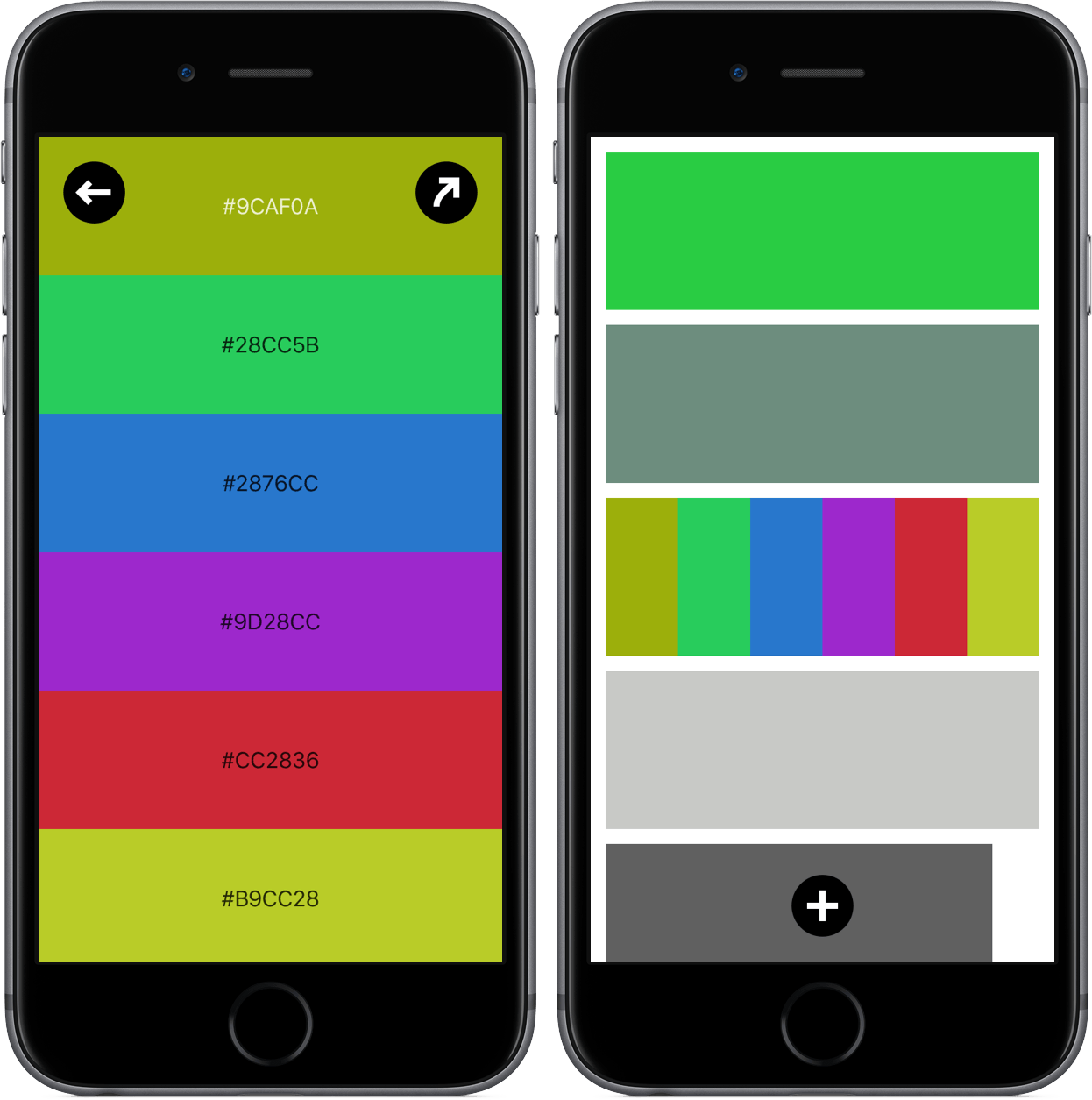
I audibly gasped when I spotted Colordot on Product Hunt, but not because it is a revolutionary app that should be shouted about from the mountain tops. Rather, I had the reaction because I saw an app with a concept I had never seen before and a tool that was unique.
Developer Hailpixel describes Colordot as an app for “anyone who loves color” – which is justified by the fact that the app’s only purpose is to fiddle around with color. Essentially, Colordot is a color selection tool for the rest of us; through some simple gestures, you’ll create one or more colors, get its hex triplet, and assign it to a palette.
Emojinn Emoji Finder and Keyboard
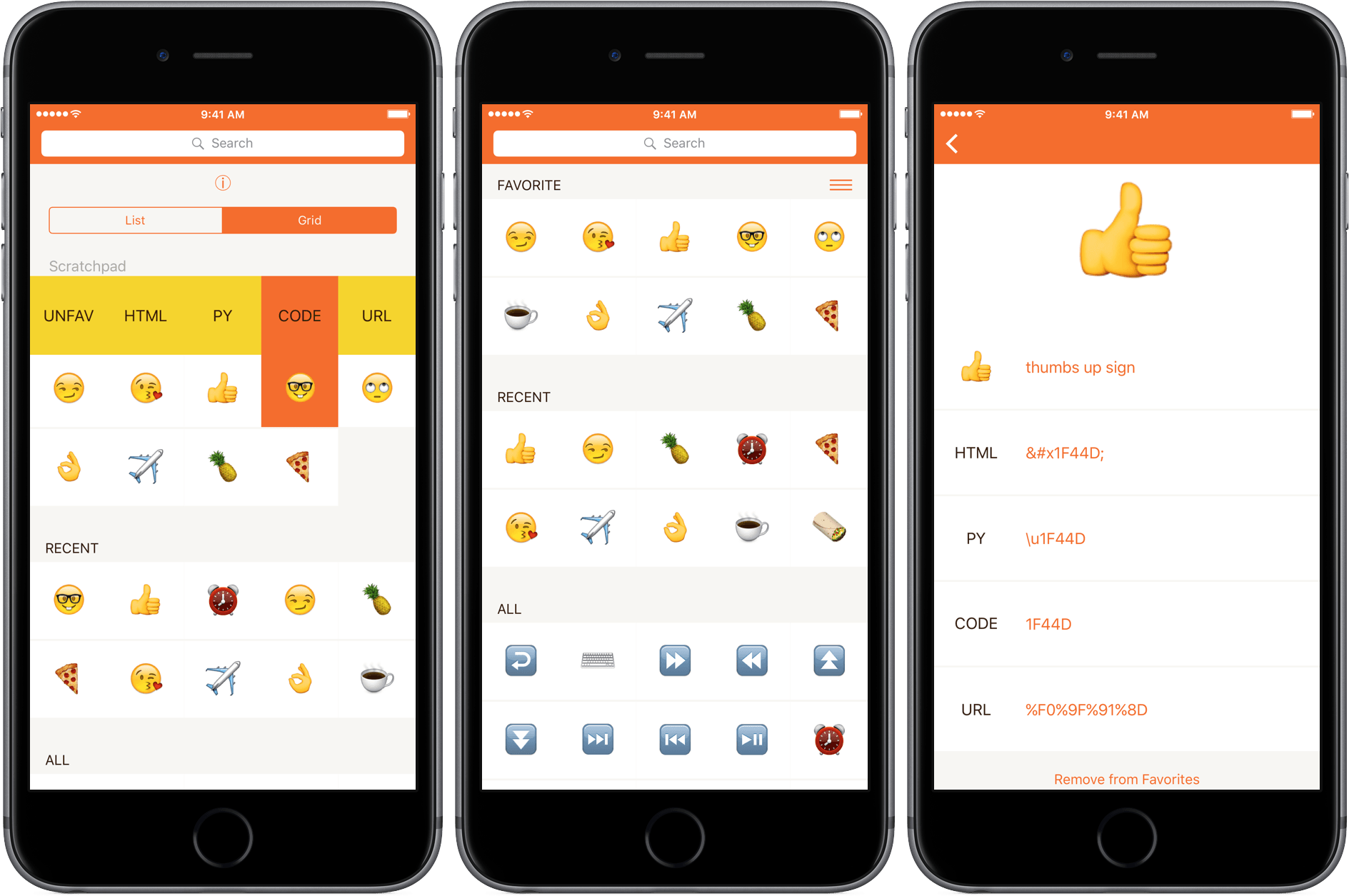
Emoji can be hard to find from the iOS system keyboard. Although they have official names, emoji aren’t accessible by those names from Apple’s keyboard. Instead, if an emoji isn’t in your frequently used, you are left with the task of remembering or guessing which category it falls into to find it. The trouble is, the groupings aren’t that intuitive. Here’s a test: Which category is sunglasses in? Objects or People?1Emojinn is a useful little utility that makes it easier to find the emoji you want without memorizing where they are.