This Week's Sponsor:

Copilot Money

Copilot Money, The Best Money Tracker, Launches on the Web – Limited-Time: Get 26% Off + 2 Months Free


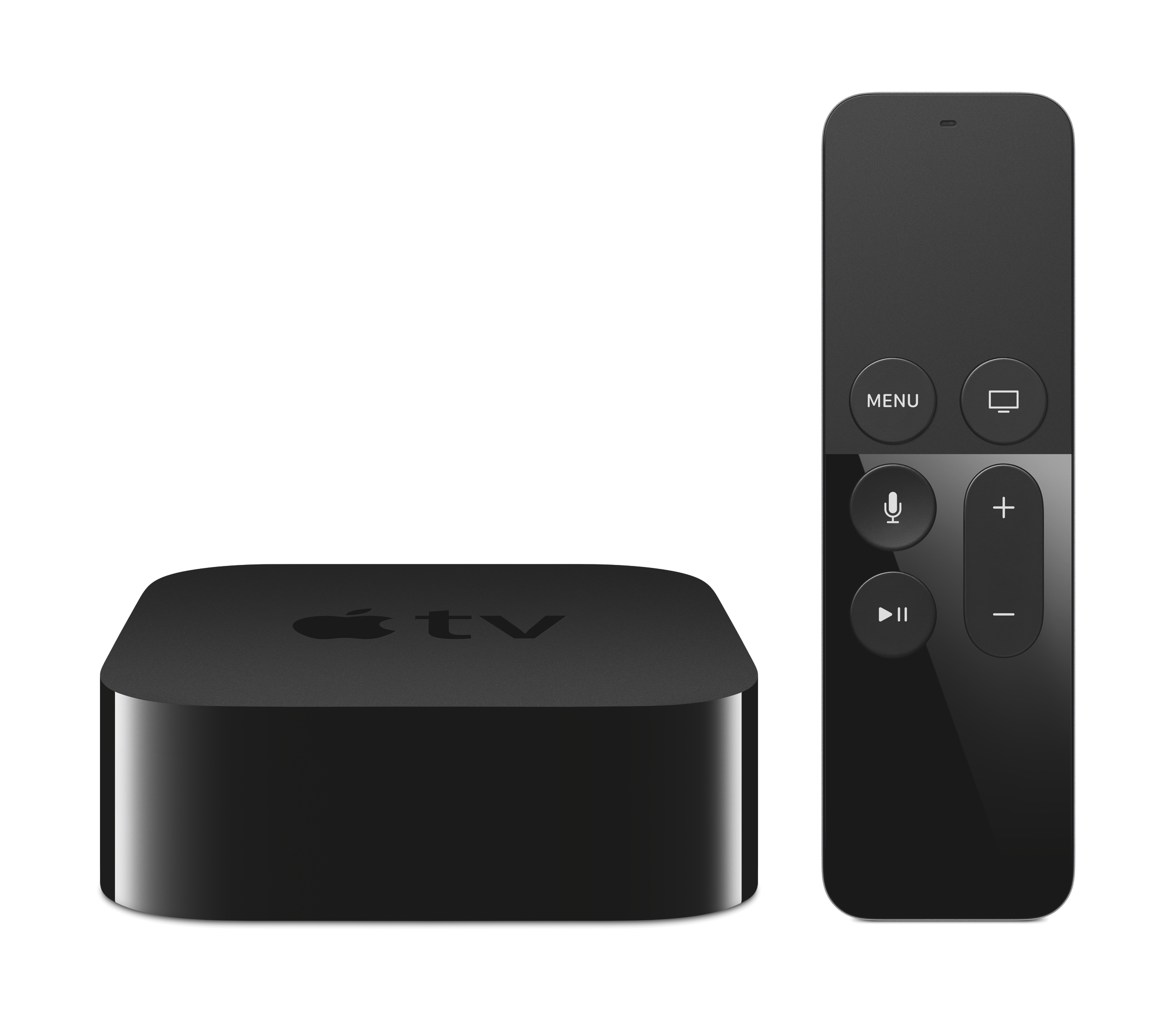
Apple Events Channel on Apple TV Updated to Stream Today’s Apple Keynote

The ‘Apple Events’ channel on the Apple TV has been updated and is ready to stream today’s Apple keynote. The channel will allow users to stream Apple’s keynote from 10am PDT, as Apple previously announced. If you’ve got some time, the channel also allows you to stream previous Apple events, including the 2015 WWDC keynote which introduced iOS 9, OS X El Capitan and Apple Music.

For those without an Apple TV, you will also be able to stream Apple’s keynote from Apple’s website from Safari on iOS or OS X and from Microsoft Edge on Windows 10.

You can also follow all of the MacStories coverage of today’s Apple’s keynote through our September 9 Keynote hub, or subscribe to the dedicated September 9 Keynote RSS feed.

Read more


Igloo: An Intranet You’ll Actually Like [Sponsor]

Igloo is an intranet you’ll actually like.

It’s a cloud platform that can help you do your best work – share files, blog updates, coordinate calendars, and manage projects. It’s easy-to-use and easy to configure – even for the most non-technical of users. And it’s built using responsive design, which means that everything you can do at your desk, you can now do on the go, on your phone or tablet. The responsive design is meant to look great on all of your devices.

Whether you’re a large enterprise stuck using SharePoint or a fast-growing business overwhelmed by apps, create an intranet that matches your brand’s look and feel, simplifies how you work, and is accessible on your phone.

Sign up now and try it for free at igloosoftware.com/macstories, and invite up to ten of your favorite co-workers to try it with you.

Our thanks to Igloo for sponsoring MacStories this week.


Apple Launches App Store Games Twitter Account

Casey Newton, writing at The Verge:

Apple has launched a dedicated Twitter feed for gaming just days before the company is expected to reveal a new Apple TV that doubles as a gaming console. Apple confirmed the authenticity of the account to The Verge, which sent out its first tweet this morning. It included a GIF featuring some of the platform’s most popular games, including Clash of Clans and Angry Birds.

Staffed by App Store Games Editors, the new @AppStoreGames Twitter account will feature various kinds of content, as Apple told The Verge:

The Twitter feed will feature more than just the usual picks for app of the week, the company said. App Store editors will run the feed, and plan to populate it with sneak previews of games, tips and tricks, and profiles of talented gamers. Editors will also interact with game developers on the feed, Apple said.

This is far from Apple’s first foray into actively using social media, but in recent times they’ve become more sophisticated in the way they approach it, and the frequency to which they use it. Just a few short weeks ago Apple launched a Snapchat account for Apple Music, which has been incredibly well produced. Just looking at the first day of tweets from @AppStoreGames (a sample of which are embedded below) and it looks like this account is well worth a follow.

Read more


Beamer 3 Public Beta Available Today: Features Chromecast Support and a New User Interface

Beamer, a favorite Mac app of the MacStories team, is today launching a public beta of their third major release. For those unfamiliar with the app, Beamer is a Mac app that enables you to easily stream video (in almost any format) to your Apple TV via AirPlay.

The tentpole new feature of Beamer 3 is that it can now stream videos to Google Chromecast. Beamer 3 also has a redesigned interface that looks better on OS X Yosemite and has improved functionality, making it easier to access key options such as audio tracks and subtitles. You can also skip to the next video in your Beamer queue by double clicking the play button the Apple Remote. Beamer’s developer also plans to implement further improvements during the beta period.

Beamer 3 is a free upgrade for existing Beamer 2 customers. During the beta period, new customers can purchase Beamer 3 for $15, discounted from the standard price of $19.99.


A Beginner’s Guide to App Store Pricing Tiers

It might be common knowledge to developers, but some readers might not be aware that Apple only permits developers to sell apps at certain price points. For example, customers in the US App Store will see apps costing $0.99, $1.99, and $2.99 but they won’t find any apps costing $5.20 or $2.75.

For various reasons, which we’ll cover, Apple permits developers to choose from 94 price tiers, which range from US$0.99 to US$999.99. Developers pick one price tier, which applies to every country that their app is distributed in.

In this story we’ll go into the details of the App Store price tiers, explaining how they work, some of the reasons why they exist, interesting consequences of them, and hear from developers who use them.

This is a bit of an experimental story, exploring an iOS/Mac developer topic for the benefit of anyone interested in the iOS/Mac app ecosystem. If enough people find this useful we’ll look at covering other topics.

Read more


Automatic: Your Smart Driving Assistant on Your Smartphone [Sponsor]

There’s a mountain of data inside your car waiting to be unleashed, and all you have to do is plug in a quick little connector and download a mobile application.

Automatic is a smart driving assistant that plugs into your car’s data port and lets you connect your smartphone (either iPhone or Android) with your car. By  talking to your car’s onboard computer and using your smartphone’s GPS and data plan to upgrade your car’s capabilities, Automatic will allow you to easily diagnose your engine light, never forget where you parked your car, and save hundreds of dollars on gas.

Automatic learns your driving habits and gives you suggestions through subtle audio cues to drive smarter and stop wasting gas. Thanks to a map view available on your phone, Automatic can display a trip timeline after every driving session, showing you how you’re doing with a Drive Score; the app can even track local gas prices and tell you how much you’re spending.

In case of engine problems, Automatic can decipher what the “check engine” light means and show you a description of the issue with a possible solution. And thanks to a feature called Crash Alert, Automatic can detect many types of serious crashes and automatically alert local authorities as well as your loved ones when you can’t.

Automatic is currently available in the US for iPhone and Android devices, with a 45-day return policy and free shipping in 2 business days.

MacStories readers can go to automatic.com/macstories to get $20 off and buy Automatic at just $79.99. For more information, check out Automatic’s website.

Our thanks to Automatic for sponsoring MacStories this week.


Apple Announces September 9 Media Event

As first reported by Jim Dalrymple at The Loop, Apple has announced a media event for September 9 in San Francisco:

Apple on Thursday sent out invitations for a special event to be held on September 9, 2015. The event will be held at the Bill Graham Civic Auditorium in San Francisco at 10:00 am.

In the event invitation (pictured above), Apple is using the “Hey Siri, give us a hint” tagline with an Apple logo recreated using the refreshed Siri interface of Apple Watch and iOS 9.

According to recent speculation, Apple is widely expected to introduce updated iPhones and a new Apple TV at its September event. The next generation iPhone, unofficially referred to as the iPhone 6s, is rumored to offer an improved camera, a stronger aluminum body, and faster performance across the board. A new Apple TV is also expected to be unveiled at the event, featuring a major redesign, an updated remote, and a refreshed software interface to go alongside an SDK for developers to build Apple TV apps.

At the event, Apple will also likely announce the official release of iOS 9, currently in testing with developers and the general public through a public beta. A Golden Master seed of iOS 9 is expected to be released soon after the event, with a public launch within 10 days in mid-September.


Workflow 1.3 Brings Powerful Widget, Sync, Health Actions, and More

Since its debut on the App Store last year, Workflow has established a new paradigm for automation on iOS.

By deeply integrating with iOS apps, device hardware and sensors, an array of web services, and advanced actions for scripting and control flows, Workflow has shown how automation – for many an area of computing that evokes thoughts of old desktop apps and arcane scripting languages – can be reimagined for the iPhone and iPad while being fun and powerful. Workflow is one of the reasons behind my decision to go all-in with the iPad as my primary computer, and the Apple Design Award it won in June is testament to the amazing work by the app’s young and prolific team.

Workflow 1.3, launching today on the App Store, is another major step forward for the app, bringing a powerful Today widget, sync between devices, new Health actions, and more.

Read more


Dispatch 3.0 Brings iPad App, Improvements to Actions and Snippets

Dispatch has long been one of the most powerful email clients for iPhone. Originally released by Clean Shaven Apps in 2013, Dispatch took a unique approach at managing email by relying on integrations with third-party apps, online services, and text snippets. In a pre-extensibility world, Dispatch was the only email client for iOS that could work alongside your todo or calendar app of choice, turning messages into actionable items that could talk to other apps on your device.

As more and more “modern” email clients started using proprietary server-side features for smart processing and limited external integrations, Dispatch augmented email on iPhone with the power of third-party apps. Even after iOS 8 and extensions, the team at Clean Shaven Apps didn’t lose its focus: in addition to custom integrations, Dispatch was quickly updated to support the native share sheet so you’d have the best of both worlds.

Dispatch for iPhone had app integrations, advanced reply options, and little touches that made it a superior option for power users who wanted more than Apple Mail. With one major caveat: Dispatch didn’t have an iPad app.

This is changing today with version 3.0 of Dispatch, released on the App Store as a Universal update that adds a proper iPad counterpart designed to take advantage of the bigger screen for even faster email management and triaging.

Read more