Good analysis by Ben Bajarin, who sums up various discussions I’ve read in my Twitter timeline lately about the quality of Apple’s services and the company’s approach to not collecting lots of data:
However, getting useful and good behavioral data is essential for Apple to make better products and services and, more importantly, compete with those services down the road. I’d almost prefer that, instead of Apple’s stance being not only to collect as little data as necessary and also to universally anonymize that data, they would simply say, “Trust us with your data. We will keep it safe and secure and we will deliver you superior products and services because of it.” I could also be satisfied with a hybrid approach where, for the most security conscious customers, Apple gives them the option to keep the existing privacy protocol as well as their differential privacy techniques, but also allow others to opt-in to giving them more data so that things like Siri, News, Apple Music, etc., benefit from that data and thus, deliver those customers a much more personalized and useful service. With some of the recent changes in iOS 10.3, I feel they are getting closer to exactly this scenario.
This is a complex problem: it’s still too early to understand the impact of Differential Privacy, and I don’t think Apple’s services are inherently terrible; but I also agree with the premise that by not collecting data, other companies may capitalize on Apple’s users in the future thanks to smarter services. I’d love to get more details on what Apple is working on for iCloud analytics.
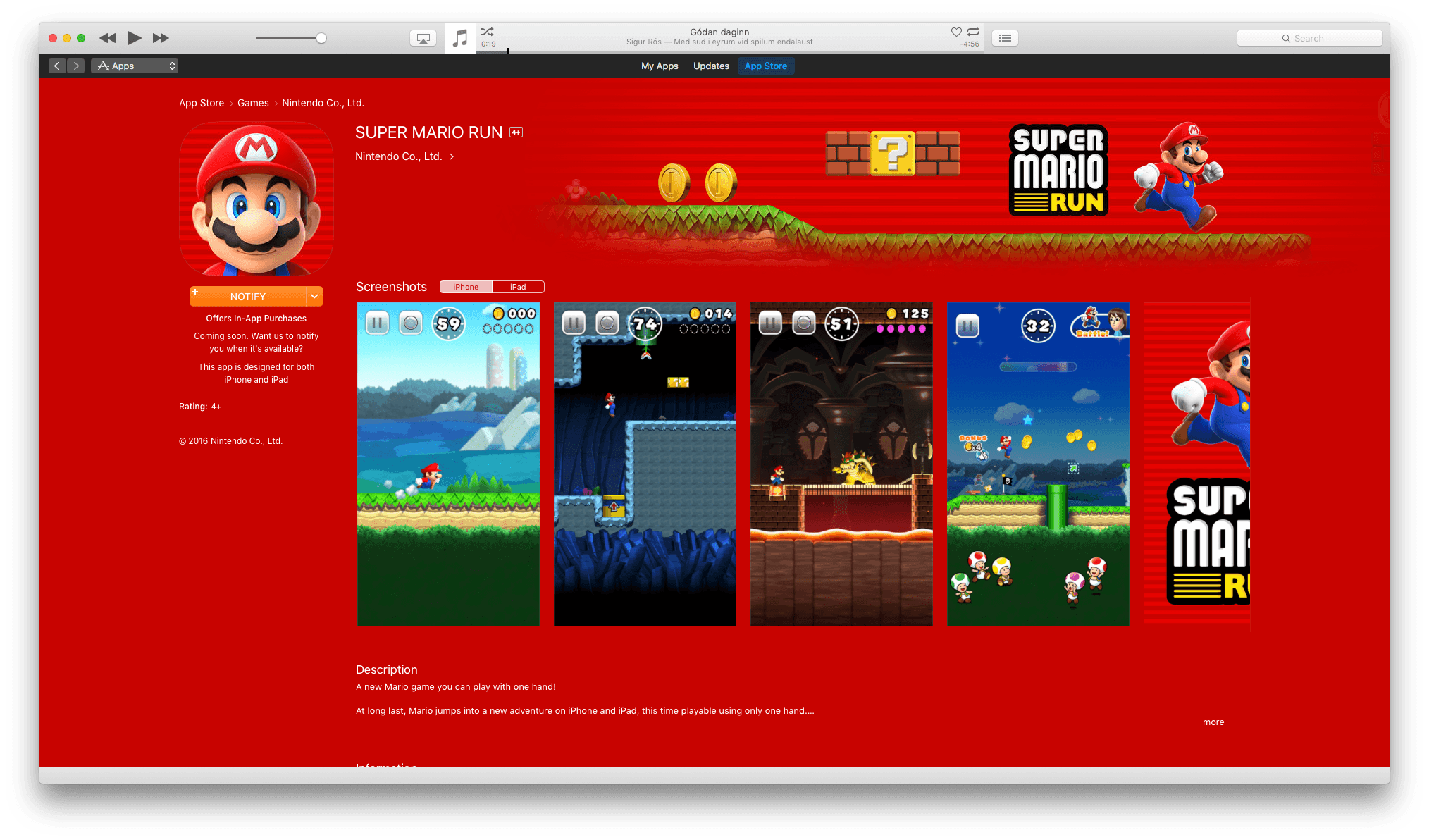
Nintendo shared some figures about the performance of Super Mario Run, which debuted last December. As reported by the Wall Street Journal, the game has been downloaded 78 million times, and 5% of users have paid $9.99 to unlock the full game, earning Nintendo more than $53 million in revenue.
Super Mario Run received an update today that adds an Easy Mode, new events, and Korean language support. The game’s Toad Rally mode was also adjusted, so you forfeit fewer toads when you lose a race. It is now easier to gather toads too.
In other Nintendo iOS news, the upcoming unnamed Animal Crossing title on iOS has been delayed until sometime during Nintendo’s next fiscal year, which begins in April. No details were provided regarding the nature of the delay. The previously-announced Fire Emblem Heroes game for iOS appears to remain on schedule for release this Thursday.
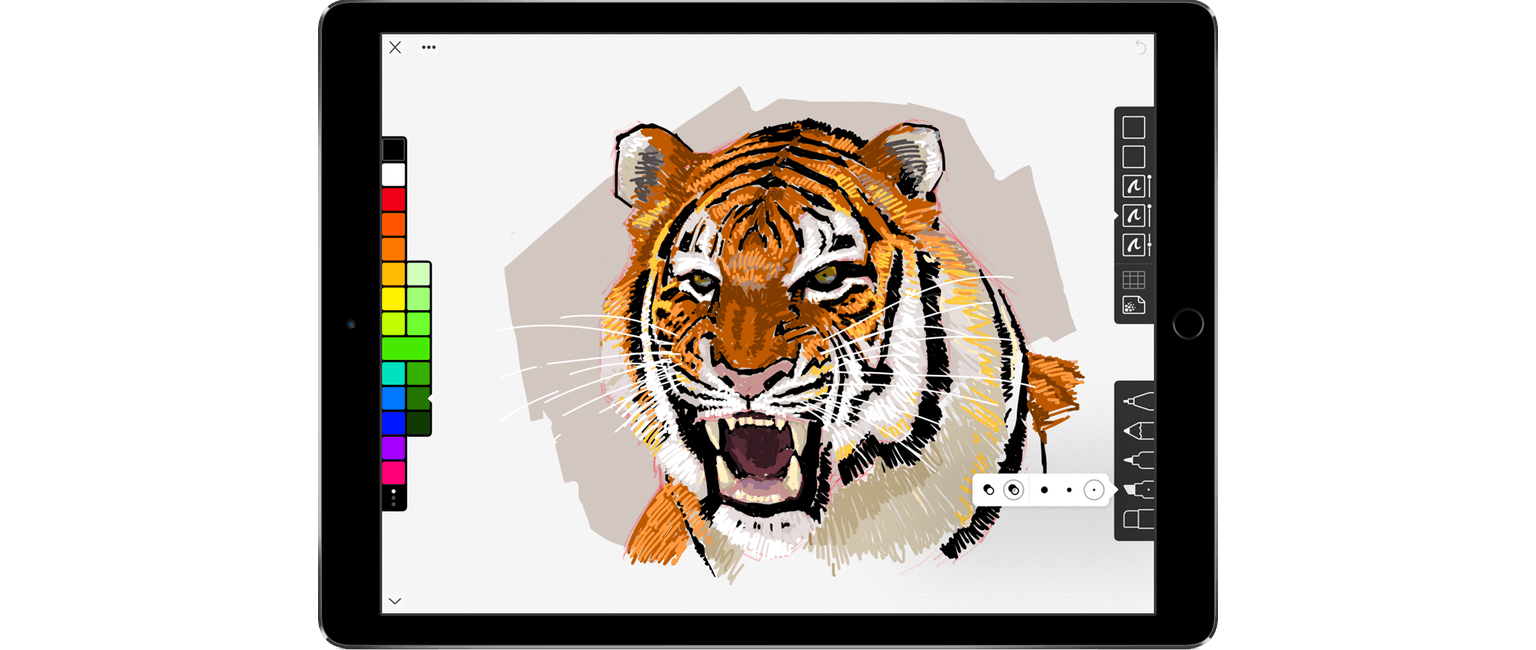
Drawing and sketching apps present difficult interface challenges. On the one hand, they should maximize the space reserved for their intended use – drawing. On the other, they need to include sufficient tools for users to create what they envision. It’s a balance that many apps get wrong. Some are too simple, forcing too many constraints on users, while others are horribly complicated and intimidating to new users. Linea, a new sketching app for the iPad from The Iconfactory, is exceptional because it manages an ease-of-use and approachability that is rare while maintaining just the right set of tools.
Linea is a sketching app, not a full artist’s toolbox. It won’t replace a more complex app like Procreate, but that’s not its purpose. Instead, Linea is focused on delivering the best possible sketching experience whether you are drawing, prototyping an app interface, storyboarding, taking notes, or something else. The point is to get visual ideas down with the least amount of fiddling, which is exactly what Linea delivers.
With the Super Bowl less than a week away, Apple detailed today new and existing Siri functionality to learn about, and prepare for, the game.
Headlining the changes is a “Watch the Super Bowl” command for Apple TV, which will let users jump straight into watching the game live. Apple has rolled out other new commands centered around the players and teams and highlighted other existing Siri queries about stats, rosters, and odds.
Apple’s examples include:
When is the Super Bowl and who’s playing?
Where is the Super Bowl being played this year?
Who is performing at the Super Bowl halftime show?
What channel is the Super Bowl on?
What channel is the Puppy Bowl on?
What is the Patriots record? What about the Falcons?
Who had more field goals this season, the Patriots or the Falcons?
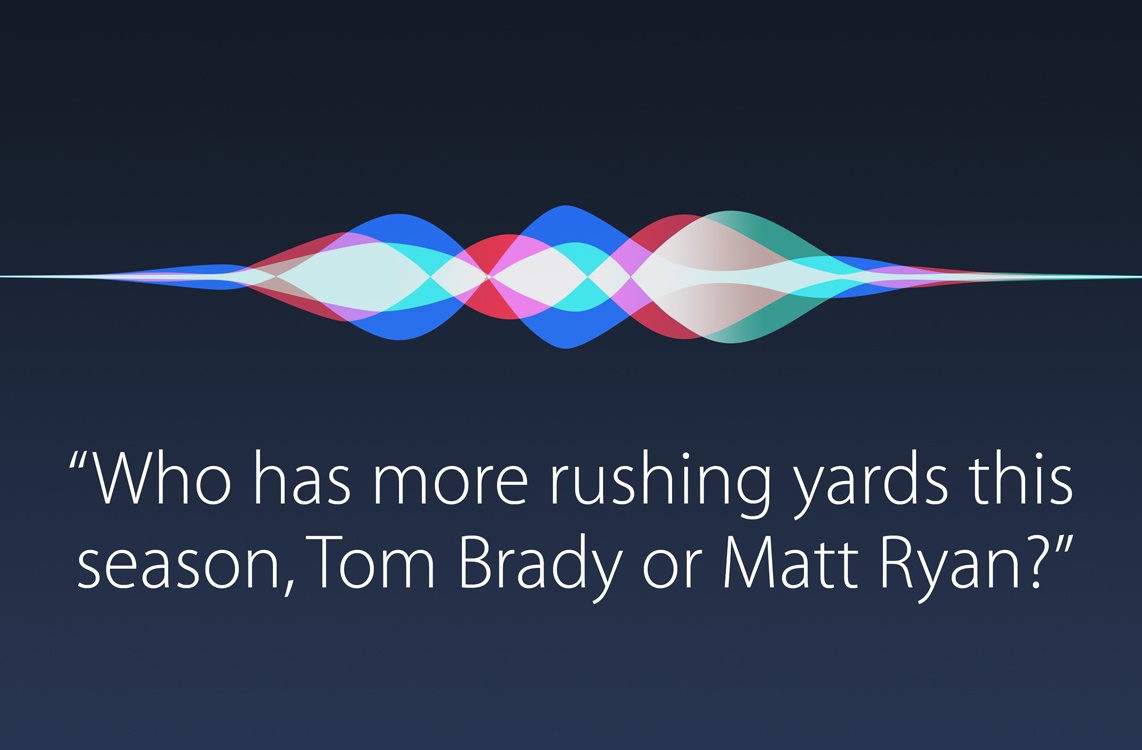
Who has more rushing yards this season, Tom Brady or Matt Ryan?
How many yards did Matt Ryan have last week?
What college did Tom Brady play for?
Who is the coach for the New England Patriots?
Who won the Super Bowl last year?
Of course, Siri will perform other functions like keeping track of your shopping list, directing you to a friend’s house, or booking you a ride home from the bar.
You can check out Apple’s press release on Siri and the Super Bowl here.
I love it when two of my favorite apps come together with integrations that speed up and simplify my workflow. Last week, Scanbot – my go-to scanner app for iOS – rolled out a new Todoist integration that lets you scan and save a document as a task.
The feature is explained here, and it’s quite ingenious: tasks are saved with the name of a scanned document, which is also added as an inline attachment inside a task. You can add due dates and times directly from Scanbot, and you can even pick an existing project for automatic upload, which means that as soon as a document is scanned in the app, it’ll be automatically uploaded as a task to a Todoist project.
As I wrote two years ago, I was hoping Scanbot would consider integration with Todoist, and I’m glad it’s out now.
Last April, Dropbox announced Project Infinite, a way to see all of your Dropbox files without having to store local copies. Today, Dropbox released the renamed feature as Smart Sync, which is available exclusively to Dropbox Business customers.
An interesting thing happened in the transition to SSD storage. File space on computers began to shrink after growing year after year. The shift posed a problem for Dropbox. By default, Dropbox syncs all of the files it stores to your local drive. Suddenly, customers’ storage on Dropbox could be larger than their local storage. Add to that increases in file sharing and users were left picking and choosing which files to sync, adding friction to what is otherwise a nearly invisible service.
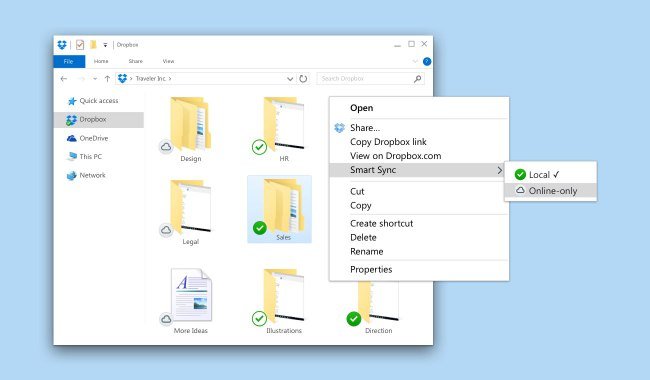
Smart Sync solves that problem for Dropbox Business customers by eliminating the need to store all of your Dropbox files on your local drive. Every file is visible in Finder and can be previewed with Quick Look, but if it has a cloud icon in the corner, the file is stored in the cloud, not on your local drive. As Dropbox explains it:
Users working with just 128 GB of hard drive space can easily comb through terabytes of files to find exactly what they need—right from Windows File Explorer or macOS Finder. Now, they won’t need to take extra steps—like switching to a web browser—just to view files. And whenever they need to access files stored in the cloud, users can download them with a quick double click.
Removing documents looks just as easy: highlight files, right-click, and choose ‘Remove’ from the contextual menu.
Dropbox also announced today that its collaborative document creation product called Paper is officially out of beta. Paper, which is available as an iOS and web app, has come a long way since first entered beta in late 2015, although it still lacks many of the more advanced features of products like Google Docs and Quip.
Dropbox … think[s] Paper could become a sort of universal glue that connects teammates working together on updating a spreadsheet, designing a web page, reviewing code, or editing a press release. Once in place, it will save you from having to be “an archaeologist,” in [Dropbox CEO Drew] Houston’s phrase, putting an end to excavations of long email threads and chats, treasure hunts for the latest version of a file, and reconstructions of who said what.
That’s the same problem that companies like Slack are trying to solve but from a very different angle. Instead of approaching collaboration from the perspective of messaging, like Slack, Dropbox is approaching it from a content-centric point of view. Also from the Backchannel article, Dropbox’s CTO Aditya Agarwal says:
… the jury’s still out on whether, as he puts it, “everything is going to be keyed off a unit of communication, or communication is going to be keyed off some core unit of content.”
That’s an interesting way of approaching collaboration and one that turns business customers’ love/hate relationship with email on its head in a way that plays to Dropbox’s strengths.
For now, Smart Sync is only available to Dropbox Business customers, though Harry McCracken reports for Fast Company that Dropbox ‘is actively considering how to roll the feature out to consumers,’ which strikes me as an important next move for Dropbox. After all, as Rosenberg points out, Dropbox Business began with ‘engineers and other early adopters [who] embraced Dropbox… [and] started smuggling it into the workplace.
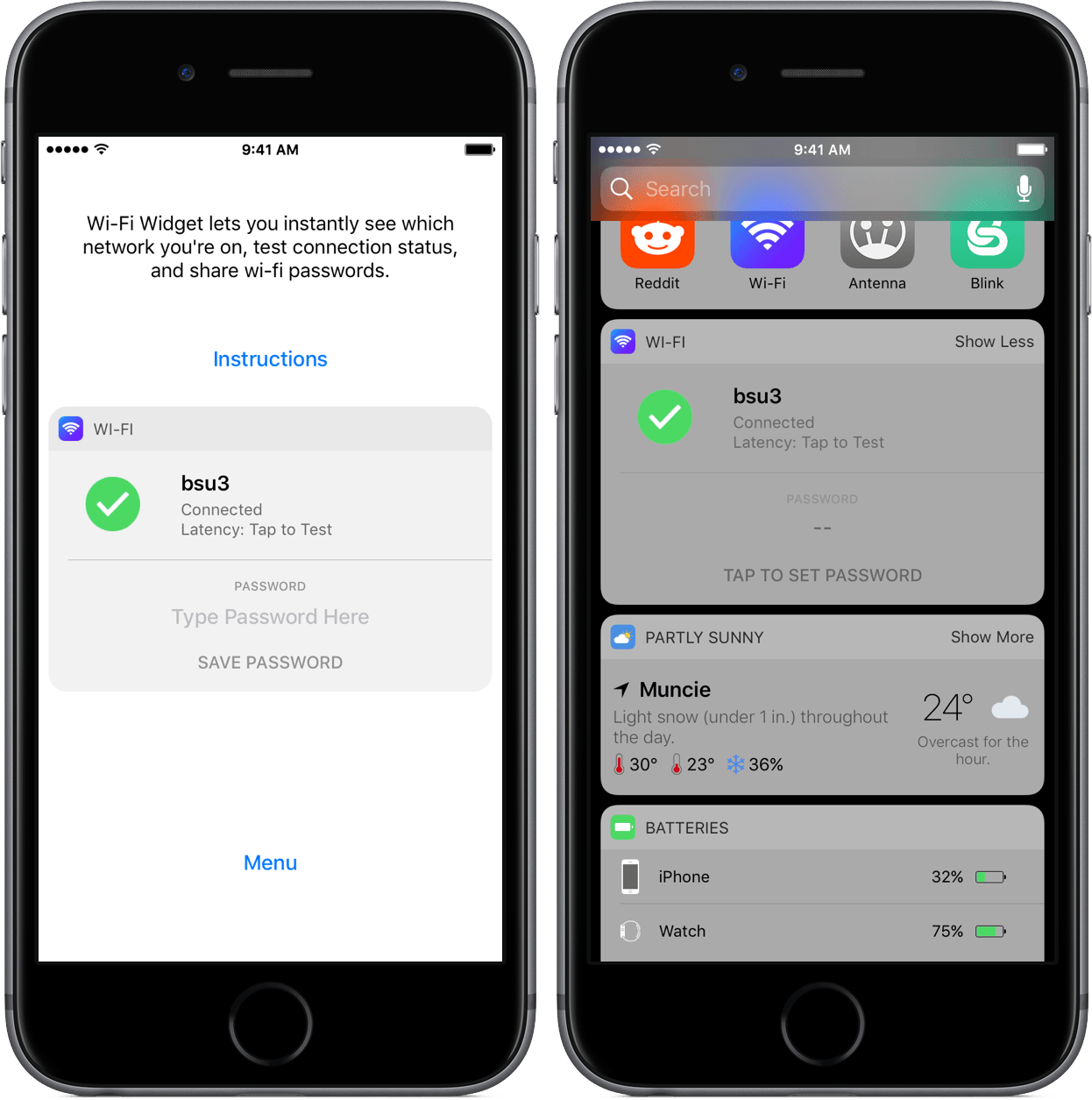
Wi-Fi Widget is a once-in-a-while iOS app that feels Mac-esque – it’s a utility that is practically sans-interface, yet adds something minute enough to the system to invoke a “Why hasn’t this been done before?” response.
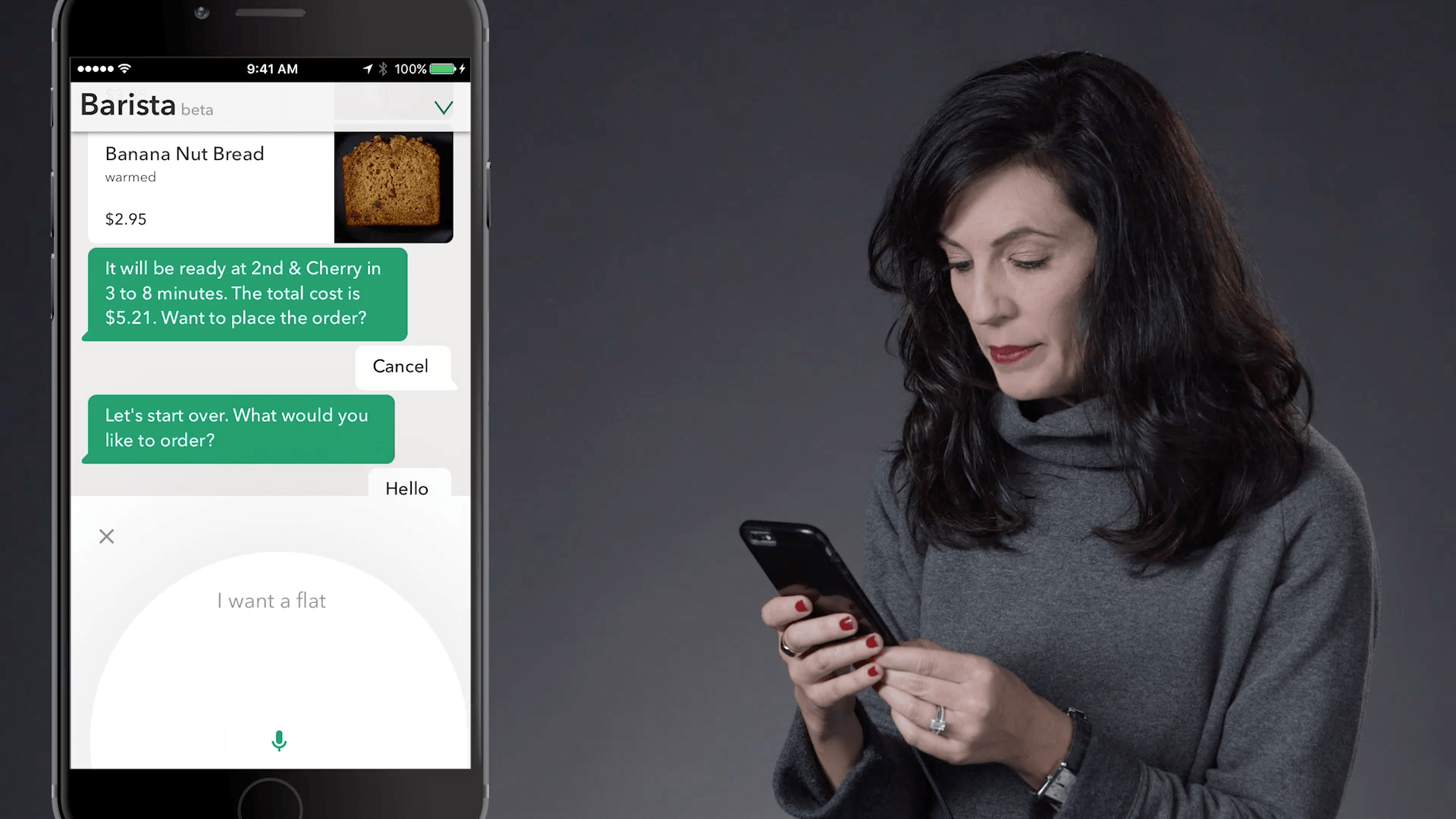
The feature, called My Starbucks barista, is part of the Starbucks iOS app and gives customers the ability to order, make changes to their order, and pay via voice. The feature’s interface is reminiscent of a messaging app and lets you interact by typing into a text field if you prefer that to voice.
Starbucks also announced the Starbucks Reorder Skill for the Amazon Echo. Customers can say ‘Alexa, order my Starbucks’ to order items designated as their ‘usual’ food and beverage order.
What Starbucks is implementing in its iOS app isn’t possible with Siri yet. Hopefully, this sort of experimentation will push Apple to open Siri faster to avoid the fragmentation that could result in multiple solutions being implemented across many vendors.