This Week's Sponsor:

BetterTouchTool

Now with a Powerful Launcher for Your Mac


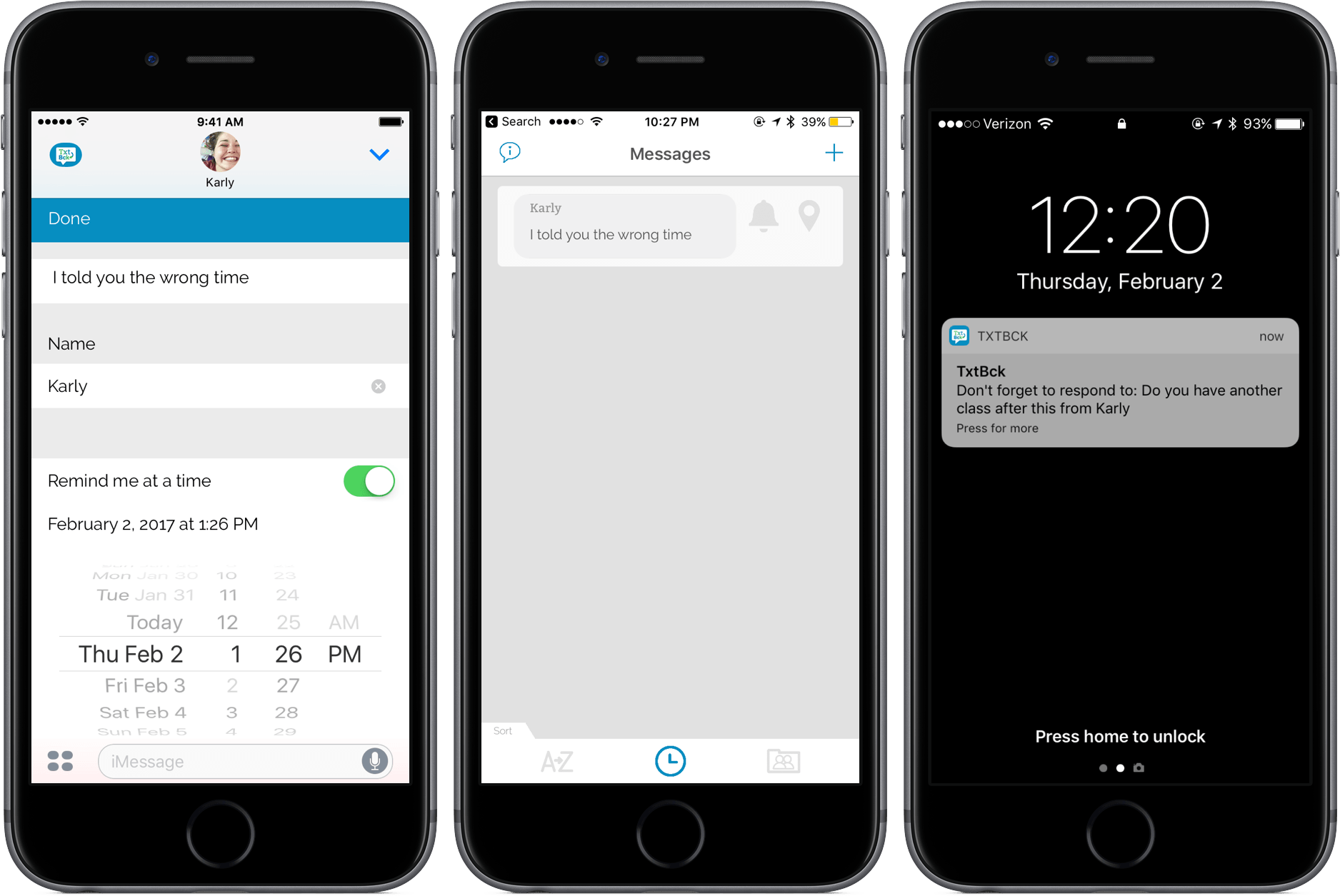
TxtBck is an iMessage App that Makes You a Better Texter

Generally, I feel like I’m a pretty good texter. When I receive a message, I’m quick to respond and make sure that the important texts always take priority.

But for many people, managing texts along with countless other notifications on their phones is a tricky task. To help remind you to text back your loved one or coworker, there’s TxtBck, an iMessage app that I’ve been playing with for a few days.

Read more


Evernote 8: A Review and Comparison with Apple Notes

Evernote has a long and storied history. It once reigned as king of note-taking services, successfully blossoming in an increasingly mobile world. But as the service grew larger, it became a less efficient tool for the core task of viewing and creating notes. New features and tangential apps added over time created bloat and became distractions. For a time, there weren’t many worthwhile alternatives for Apple users to explore. That changed in June 2015, when Apple introduced a revamped Notes app for iOS and macOS.

I’d been unhappy with the clunky state of Evernote at the time iOS 9’s Notes was unveiled. My experience with Notes in the past had been frustrated by poor syncing that led to data loss on multiple occasions. But what Apple demonstrated with Notes’ overhaul looked promising, and I gave it a shot.

Notes has kept me satisfied since its big update, and I know many people are in the same boat. But Evernote recently launched version 8 of its iOS app, which led me to give that service another try.

Read more


YouTube Updated with Chromecast Control Features

If you own a Google Chromecast or Chromecast-compatible device, you now have more options for controlling it from an iOS device. The YouTube app received an update that lets you play, pause, skip forward and back, and control the volume of streaming video from the Lock screen and Control Center of an iOS device, or from an Apple Watch. This functionality has been available on Android for a long time, so it’s nice to see it extended to iOS users who have a Chromecast too.


Fantastical 2.8 Brings Rich Notifications, iMessage Stickers

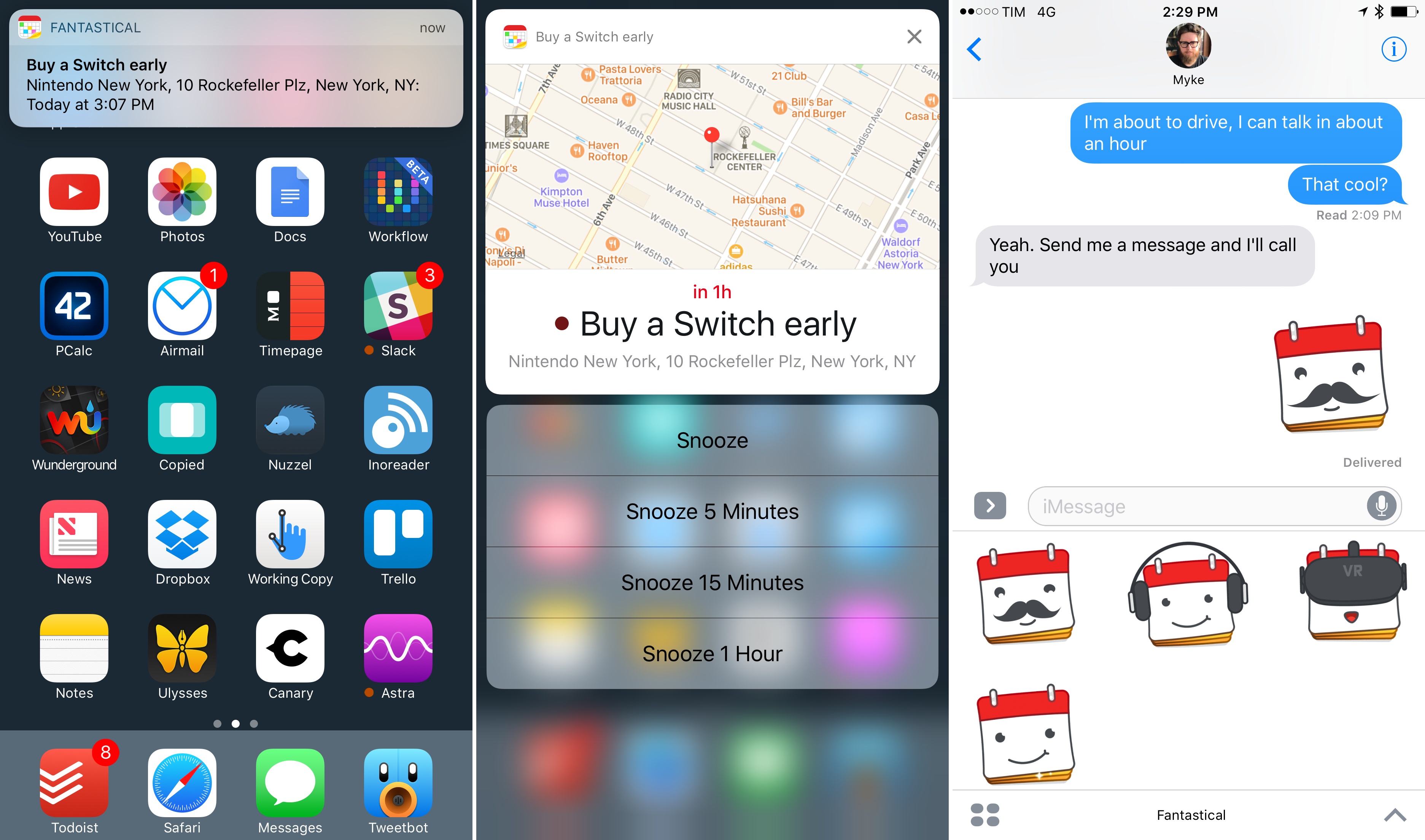
Rich notifications and stickers in Fantastical 2.8.

Rich notifications and stickers in Fantastical 2.8.

With a new version released today on the App Store, Flexibits updated Fantastical – the popular calendar client with natural language input – to include deeper support for iOS 10 and the iPhone 7. Version 2.8, available on the iPhone and iPad, adds new iMessage stickers using the app’s icon as the main character in different expressions, haptic feedback on the iPhone 7, and, more importantly, rich notifications for calendar events and reminders.

Read more


AutoSleep 3.0

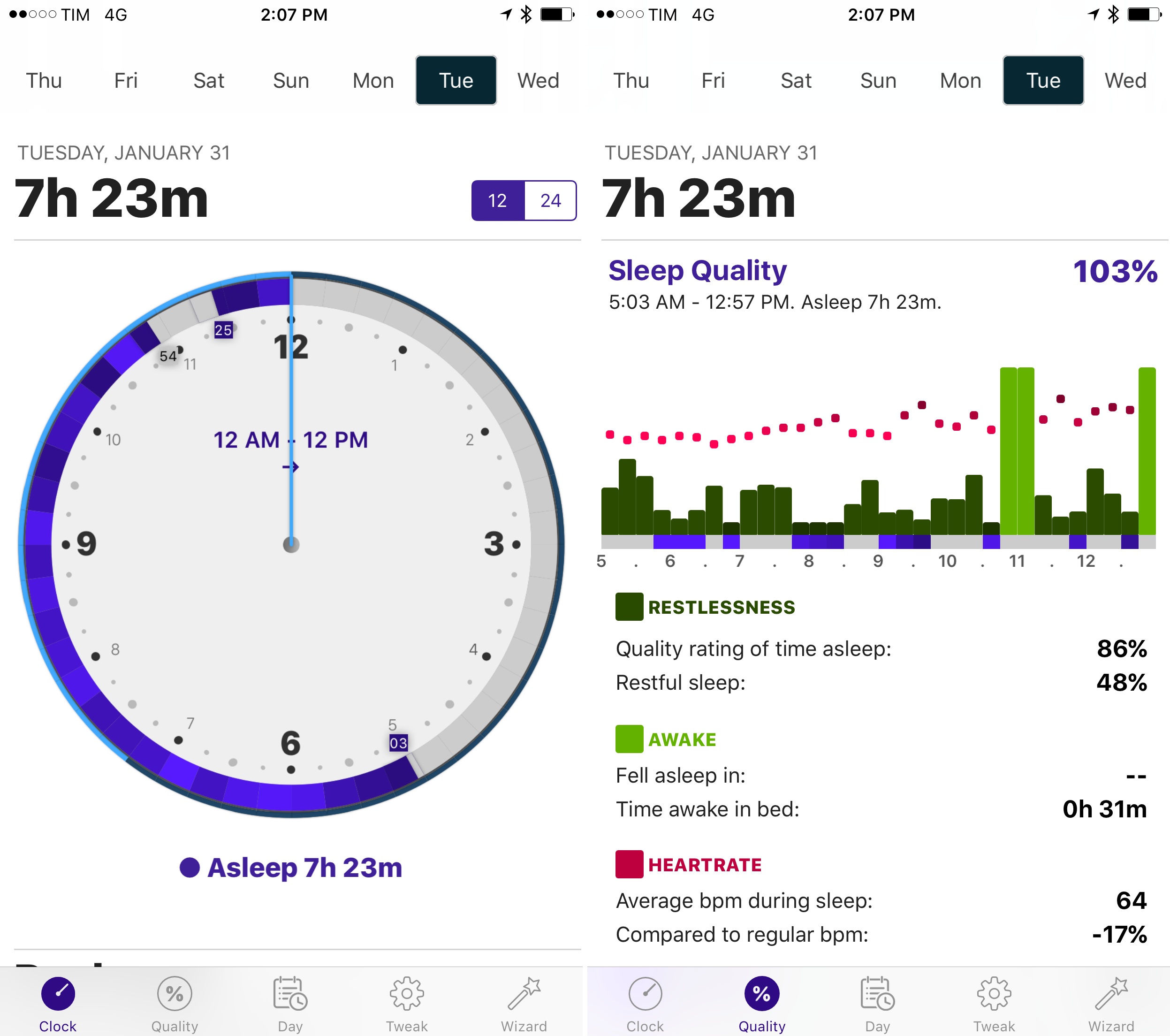
I first reviewed AutoSleep by David Walsh in December, noting how his idea of an automatic watchOS sleep tracker could bring one of the best Fitbit features to the Apple Watch. I’ve been wearing my Watch to bed every night, and AutoSleep has successfully logged sleep data with impressive accuracy.

As I wrote in my original review, however, AutoSleep needed an easier setup process and a cleaner design to help users understand and edit logged data. Walsh has been working hard on AutoSleep since launch, and version 3.0, released today on the App Store, addresses several of my complaints from the original app.

The setup wizard has been completely redesigned with a series of questions that make it easy to configure the app for your habits. Instead of cramming information on a single page, Sleep Quality and Day now have their own tabs in the app; the Day section is particularly handy to view a timeline of your day as logged by sensors on the iPhone and Apple Watch. Generally speaking, everything feels cleaner and better organized, and while some menus and symbols could still be explained differently, the overall app is more intuitive and accurate in its measurements.

Thanks to the fantastic battery life of the Apple Watch Series 2, wearing the Watch at night for sleep tracking isn’t a problem, and AutoSleep makes automatic tracking a reality with features I can’t find in any other app. If you tried the app and abandoned it at version 1.0, now’s a good time to check it out again.

AutoSleep 3.0 is available on the App Store.


Apple Q1 2017 Results: $78.4 Billion Revenue, 78.3 Million iPhones, 13.1 Million iPads Sold

Apple has just published their financial results for Q1 2017, which covered the period from September 25, 2016 through to December 31, 2016. The company posted revenue of $78.4 billion. Apple sold 13.1 million iPads, 78.3 million iPhones, and 5.4 million Macs during the quarter.

“We’re thrilled to report that our holiday quarter results generated Apple’s highest quarterly revenue ever, and broke multiple records along the way. We sold more iPhones than ever before and set all-time revenue records for iPhone, Services, Mac and Apple Watch,” said Tim Cook, Apple’s CEO. “Revenue from Services grew strongly over last year, led by record customer activity on the App Store, and we are very excited about the products in our pipeline.”

Read more


iOS 10.3 Beta Re-Introduces Warning for Old 32-Bit Apps, Suggests Future Incompatibility

Andrew Cunningham, writing for Ars Technica on a new warning that appears when running old 32-bit apps on the first beta of iOS 10.3:

Beta builds of iOS 10.3, the first of which was issued last week, generate warning messages when you try to run older 32-bit apps. The message, originally discovered by PSPDFKit CEO and app developer Peter Steinberger, warns that the apps “will not work with future versions of iOS” and that the app must be updated by its developer in order to continue running. The apps still run in iOS 10.3, but it seems likely that iOS 11 will drop support for them entirely.

Though the error message doesn’t explicitly mention the app’s 32-bit or 64-bit support, it’s definitely only older 32-bit apps that trigger the warning. Similar messages that did explicitly mention 64-bit support were present in the betas of iOS 10.0, but they were removed in the final release of the software. Apple has required 64-bit support for all new app submissions since February of 2015 and all app update submissions since June 2015, so any apps that are still throwing this error haven’t been touched by their developer in at least a year and a half (developers could add 64-bit support as early as 2013, but most of them opted not to until it became a requirement).

Note how, unlike the warning that was reinstated with iOS 10.1, this alert clearly states that “this app will not work with future versions of iOS” as opposed to “may slow down your iPhone”.

In my review of iOS 10, I had a couple of paragraphs on the warning that iOS displayed when launching a 32-bit app for the first time. The warning didn’t make it to the final version of iOS 10, so I didn’t cover it. I did, however, note that iOS 10 was accelerating the transition to 64-bit across the board.

Requiring apps to be compiled for 64-bit is going to introduce problems for software that is no longer maintained (especially classic iOS games), but Apple is moving toward cleaning up the App Store’s back catalog anyway. Enforcing the 64-bit requirement in iOS 11 wouldn’t be a complete surprise.

Permalink

Chrome for iOS Open-Sourced

Chrome for iOS was historically kept separate from Google’s open-source Chromium project. Chrome uses a rendering engine called Blink on every platform except iOS where it must run WebKit. That made incorporating Chrome for iOS into Chromium complicated, but today Google announced that Chrome for iOS has rejoined Chromium and been added to the open-source repository. Now,

developers can compile the iOS version of Chromium like they can for other versions of Chromium. Development speed is also faster now that all of the tests for Chrome for iOS are available to the entire Chromium community and automatically run any time that code is checked in.

Permalink

Connected, Episode 127: Let’s Go to the Theatre, My Dear

Stephen is away on an important mission. He left Myke and Federico behind to discuss the financial decline of Fitbit, and what’s missing from iOS 10.3. Myke also has some follow up about sleeping and lightbulbs, and Federico has been observing people.

A fun episode of Connected this week, with an interesting discussion of modern trends in iOS usage. You can listen here.

Sponsored by:

  • Mack Weldon: Smart underwear for smart guys. Get 20% off with the code CONNECTED.
  • Incapsula: Secure and accelerate your website. Connected listeners get one month free.
  • Blue Apron: A better way to cook. Get three free meals with free shipping.
Permalink