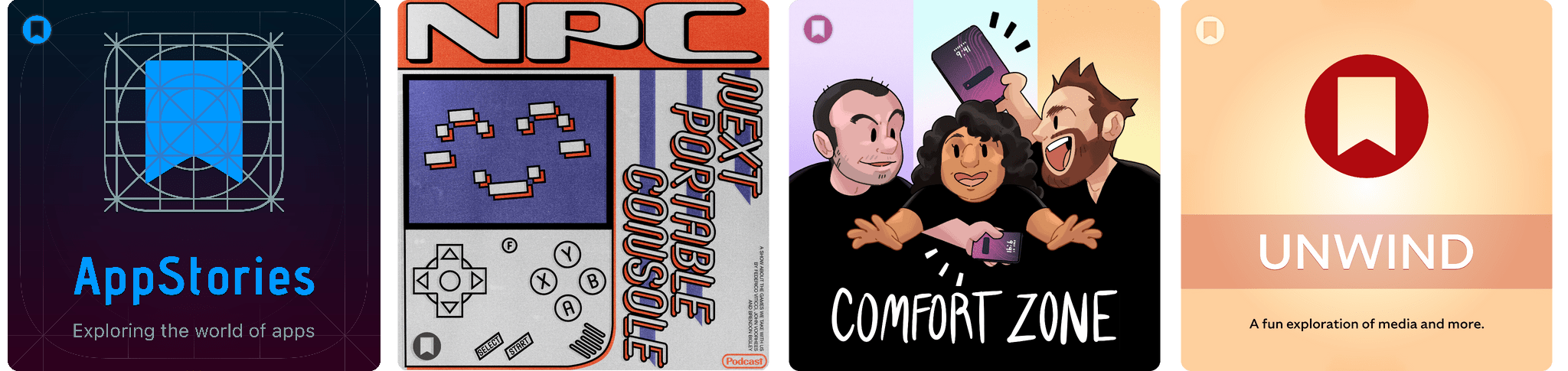
Podcast Rewind: macOS 27 Wishes, Pictonico!, Lessons in Pranking, and Packing for WWDC

Enjoy the latest episodes from MacStories’ family of podcasts:

AppStories

This week, Federico explains how he’s using the recently-released Notion developer platform before he and John share their wishes for macOS 27.

On AppStories+, John asks Federico about the technical underpinnings and evolution of the Shortcuts Playground project that he published last week.

NPC: Next Portable Console

This week, RG Rotate anticipation, a newish Powkiddy handheld, Pictonico!, and an MCON beta app, plus surprising Lenovo news.

On NPC XL, John went back and tried Claude Code with emulator settings with mixed success, and Brendon reports on his time with GameSir’s Pocket Taco.

Comfort Zone

Chris has a new computer employee, Matt has an existential crisis, and Niléane teaches everyone that pranks don’t have to be mean.

On Cozy Zone, we make our very reasonable predictions for WWDC.

MacStories Unwind

This week, Federico and John share their WWDC gear guides, John recommends a quirky indie movie, and Federico continues to tear his way through a trio of great TV comedies
Read more


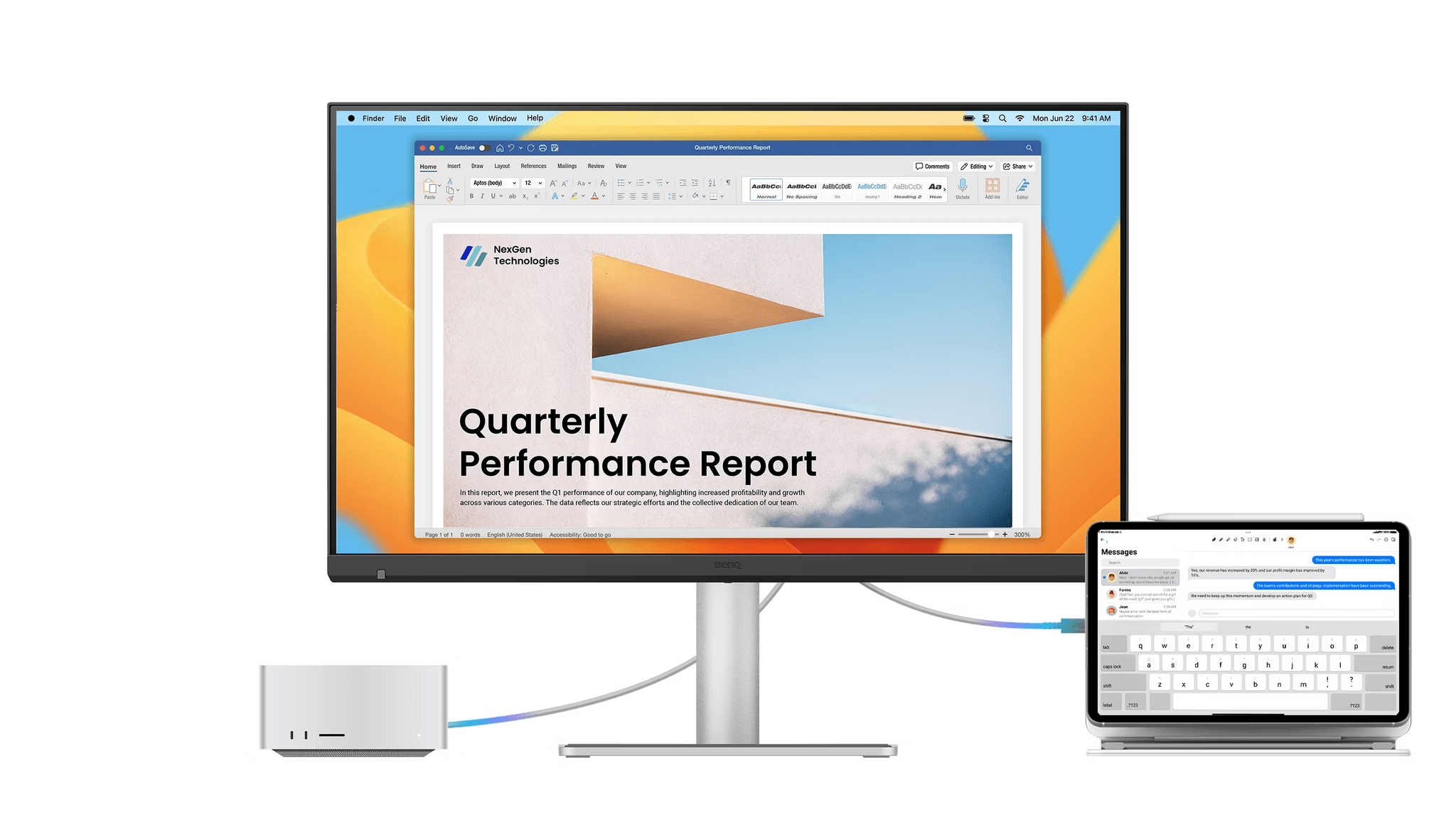
BenQ’s More Affordable 5K Display Offers Mac Users Greater Flexibility with Some Trade-Offs

Source: BenQ

Source: BenQ

Until last fall, I was the happy owner of a first-generation Studio Display. In most respects, it was great. The screen was crisp, the colors vibrant, and it included many quality-of-life features other displays lack. Features like the Studio Display’s built-in USB-C hub, iSight camera, and array of six speakers and three microphones make it more like a Mac accessory than simply a display.

Those were all tangible upsides, but they came with their own set of tradeoffs, which Apple carried over from my original Studio Display to the updated model released earlier this year. That new model adopts Thunderbolt 5 for two of its ports – one upstream and another downstream – and improves the camera and speakers. However, both Studio Display models lack HDMI, DisplayPort, KVM capabilities for easy switching between multiple connected devices, and screen size choices.

That ultimately drove me to purchase an ASUS gaming monitor that I love. It’s OLED and bigger than the Studio Display, with a higher refresh rate, more input options, and built-in KVM. However, it lacks a webcam, microphones, and speakers, which I miss at times. It’s also 4K, whereas the Studio Display is 5K.

On balance, I’m glad I went the route I did, but it’s led me to think a lot about displays and the trade-offs among them. The good news is that there are many more choices for Mac users than ever before, even if you don’t want to sacrifice the Studio Display’s 5K resolution for more flexibility. That’s why when BenQ offered to send me their 27” 5K MA270S display to try, I jumped at the opportunity: unlike my 32” gamer-oriented ASUS display, BenQ’s display is specifically targeted at Mac users.

Let’s take a look at how it stacks up to the Studio Display and other options.

Read more


Introducing RemCTL: The Power-User Reminders CLI for macOS and AI Agents

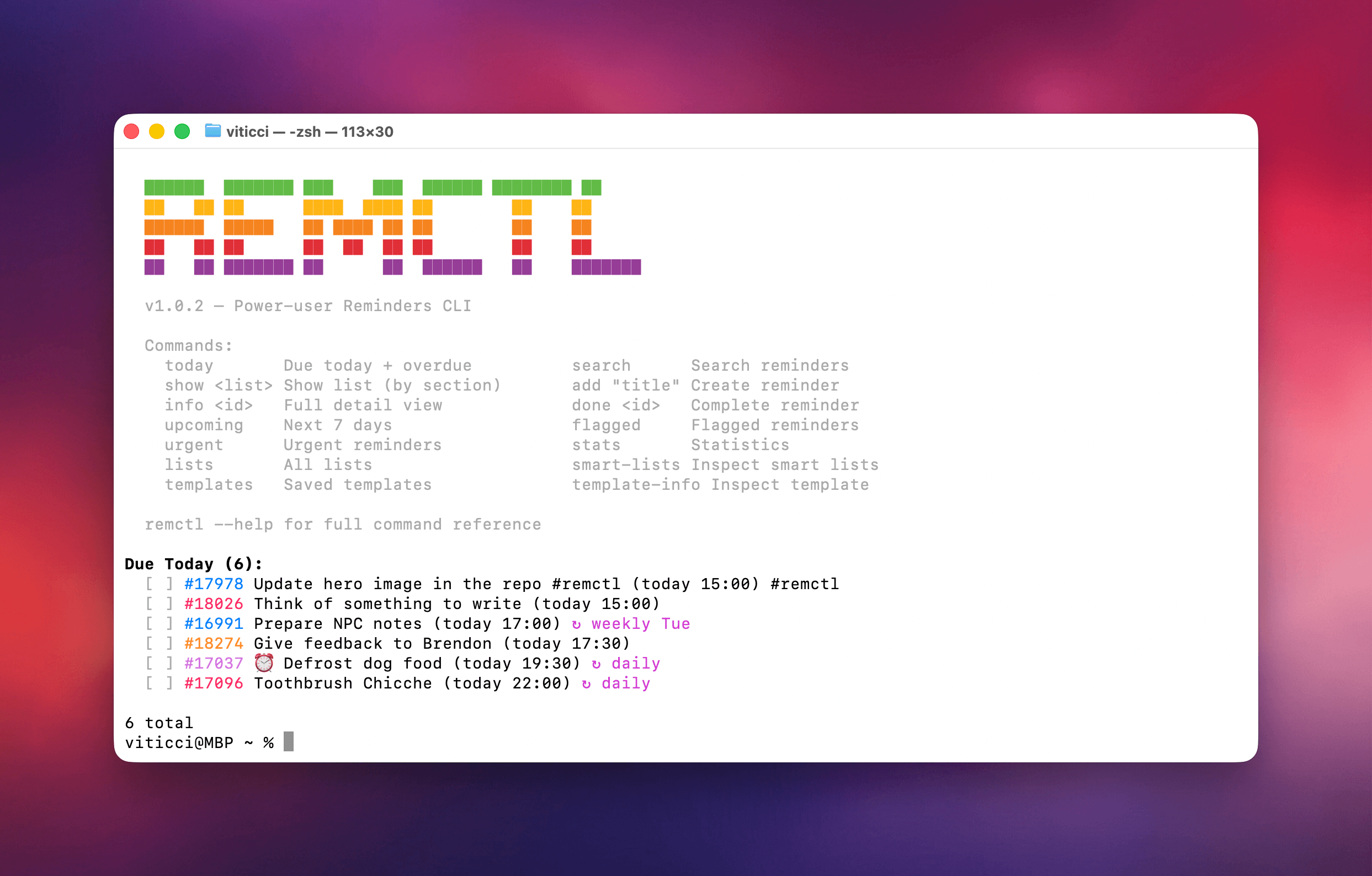
RemCTL in the macOS Terminal app.

RemCTL in the macOS Terminal app.

Today, I’m pleased to release my latest free and open source project: RemCTL, a power-user Reminders CLI that, unlike others, exposes all the latest Reminders features as of iOS and macOS 26. RemCTL supports reading and writing subtasks, tags, sections, rich links, image attachments, grocery lists, and even templates.

It’s available on GitHub here, and it comes bundled with a skill for desktop agents.

Read more


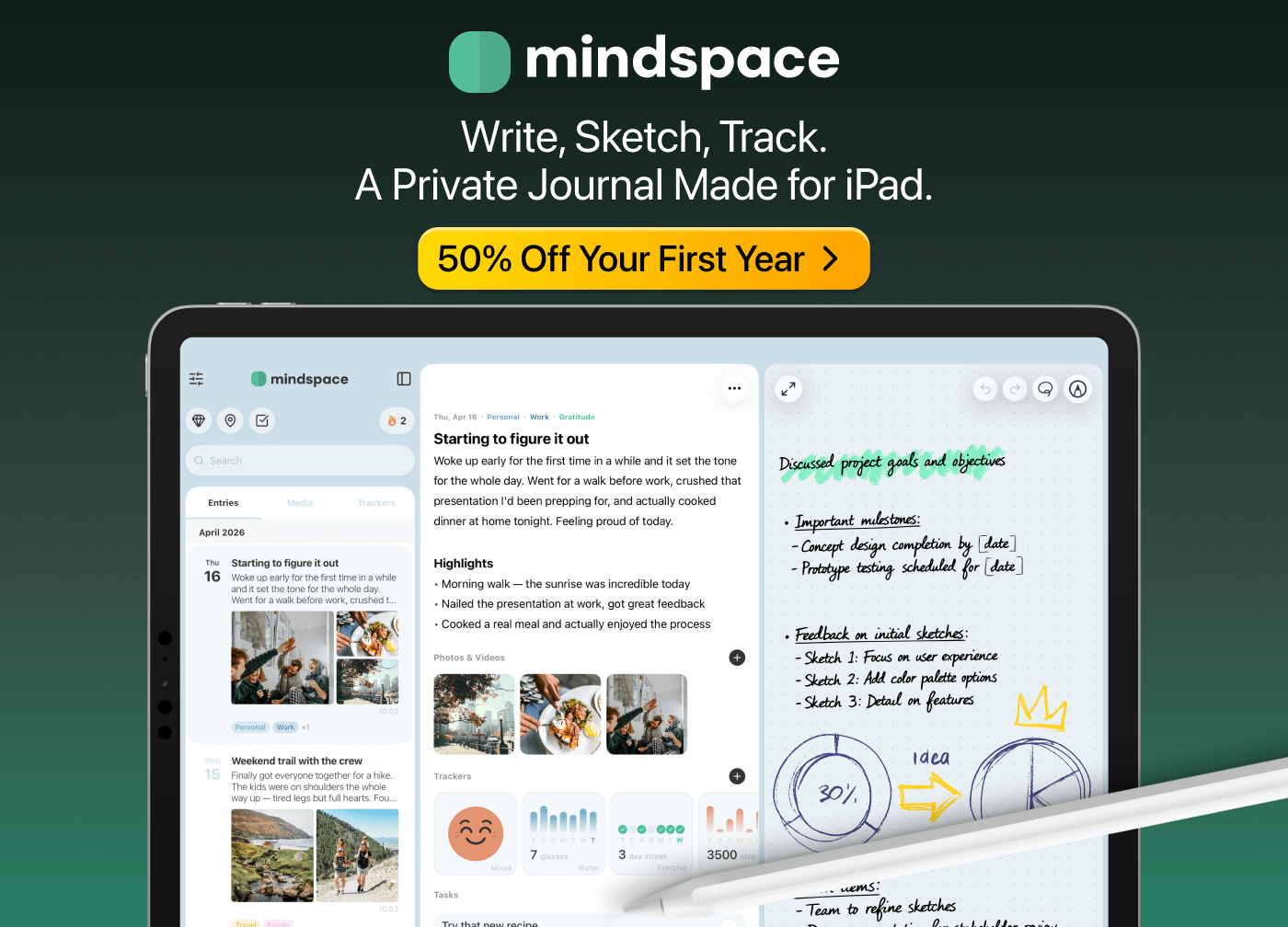
Mindspace: A Private All-in-One Journal App Made for iPad [Sponsor]

Mindspace is a journal for the iPhone, iPad, and Mac that pulls everything you’d normally find scattered across multiple apps into a single scrollable timeline. The app pulls your writing, photos and videos, voice notes, mood and habit trackers, locations, and tasks together to tell your story. You can even add drawings if you have an iPad and Apple Pencil.

Privacy sits at the core of Mindspace. Entries are stored locally on your device, and iCloud sync uses Apple’s encryption — end-to-end if you have Advanced Data Protection turned on. Nothing is routed through Mindspace’s servers, or anyone else’s for that matter, and a full JSON export is always a tap away in Settings.

The app makes thoughtful use of Apple platform features. A freeform Apple Pencil canvas supports the full palette of available tools, making it a natural place to sketch a diagram, draft a letter, or map out a thought. The Apple Intelligence features run entirely on-device, too. There’s a writing suggestion when you open a blank entry, automatic theme tagging, and a custom journaling prompt for every intention you set. Plus, voice notes recorded inside an entry are transcribed locally using iOS 26’s SpeechAnalyzer, and Apple Health auto-fills steps, heart rate, weight, water, distance, and calories burned into your trackers the moment you open your Today page. There are also Quick Entry, Tasks, and Tracker widgets that make adding and viewing what you track simple.

Visit Mindspace to learn more and download the app. MacStories readers get 50% off their first year automatically at checkout. There’s no code required.

Our thanks to Mindspace for sponsoring MacStories this week.


Podcast Rewind: iOS and iPadOS 27 Wishes, CrankBoy, a Comfort Zone Q&A, and WWDC Preparation

Enjoy the latest episodes from MacStories’ family of podcasts:

AppStories

This week, Federico and John share their wishes for iOS and iPadOS 27.

On AppStories+, we tackle Visual Intelligence and whether there are any use cases that aren’t creepy.

NPC: Next Portable Console

This week, Federico has hands-on first impressions of the Steam Controller, follow-up on our RG Rotate purchases, Dusklight, CrankBoy, and more.

On NPC XL, John explains how he uses Android USB debugging mode and Claude Code to set up Android handhelds.

Comfort Zone

Your podcast player might say otherwise, but this is the true episode 100! Everyone is back together to do some Q&A, celebrate a birthday and a move to a new house, and offer some help as Chris abandons Safari (finally!).

On Cozy Zone, the gang gets very opinionated on Formula 1 liveries.

MacStories Unwind

This week, Federico and John take listeners on a behind-the-scenes tour of how they plan to tackle WWDC and the summertime research and writing season as they look forward to their fall OS reviews.

Read more


Introducing the All-New MacStories Shortcuts Archive

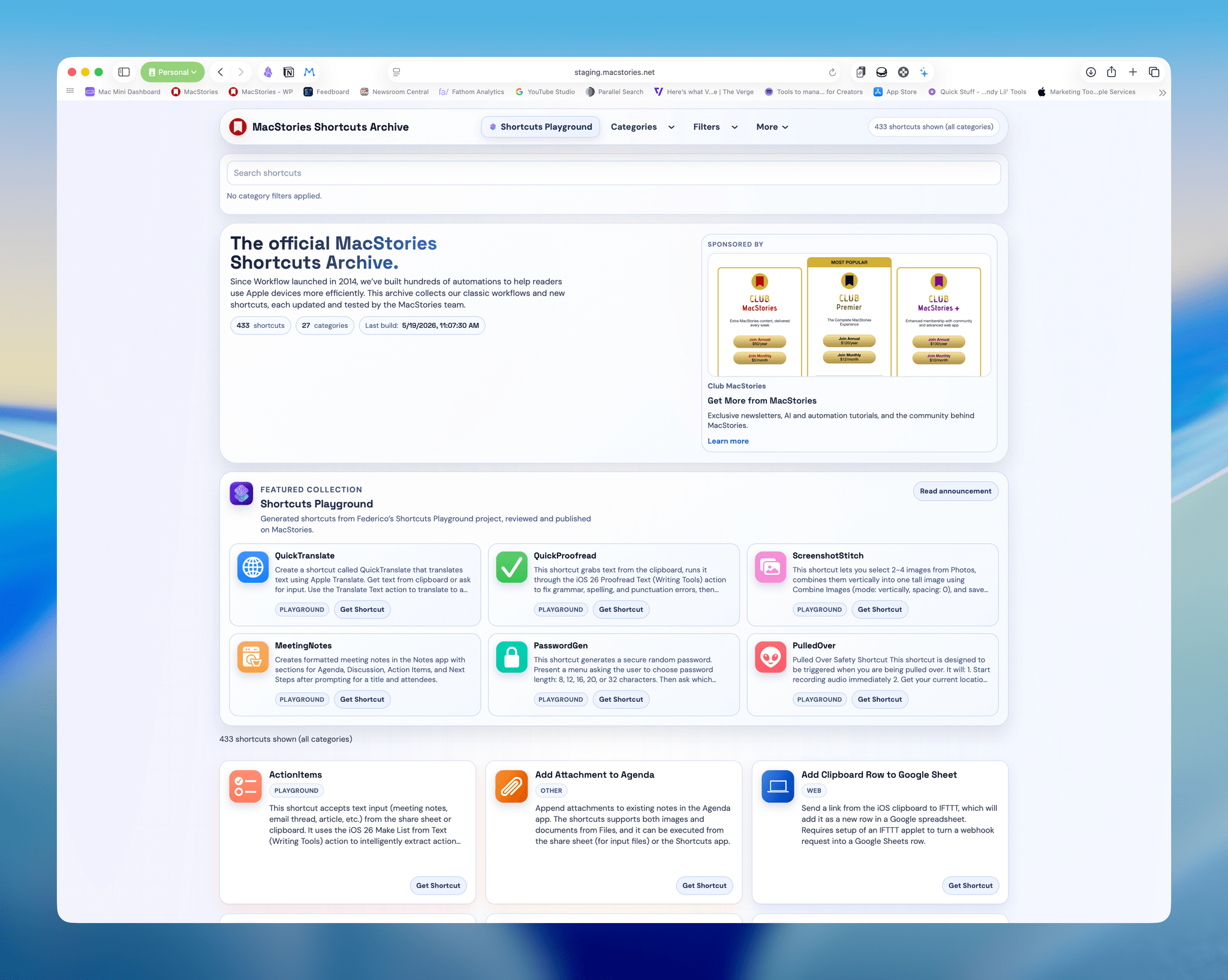
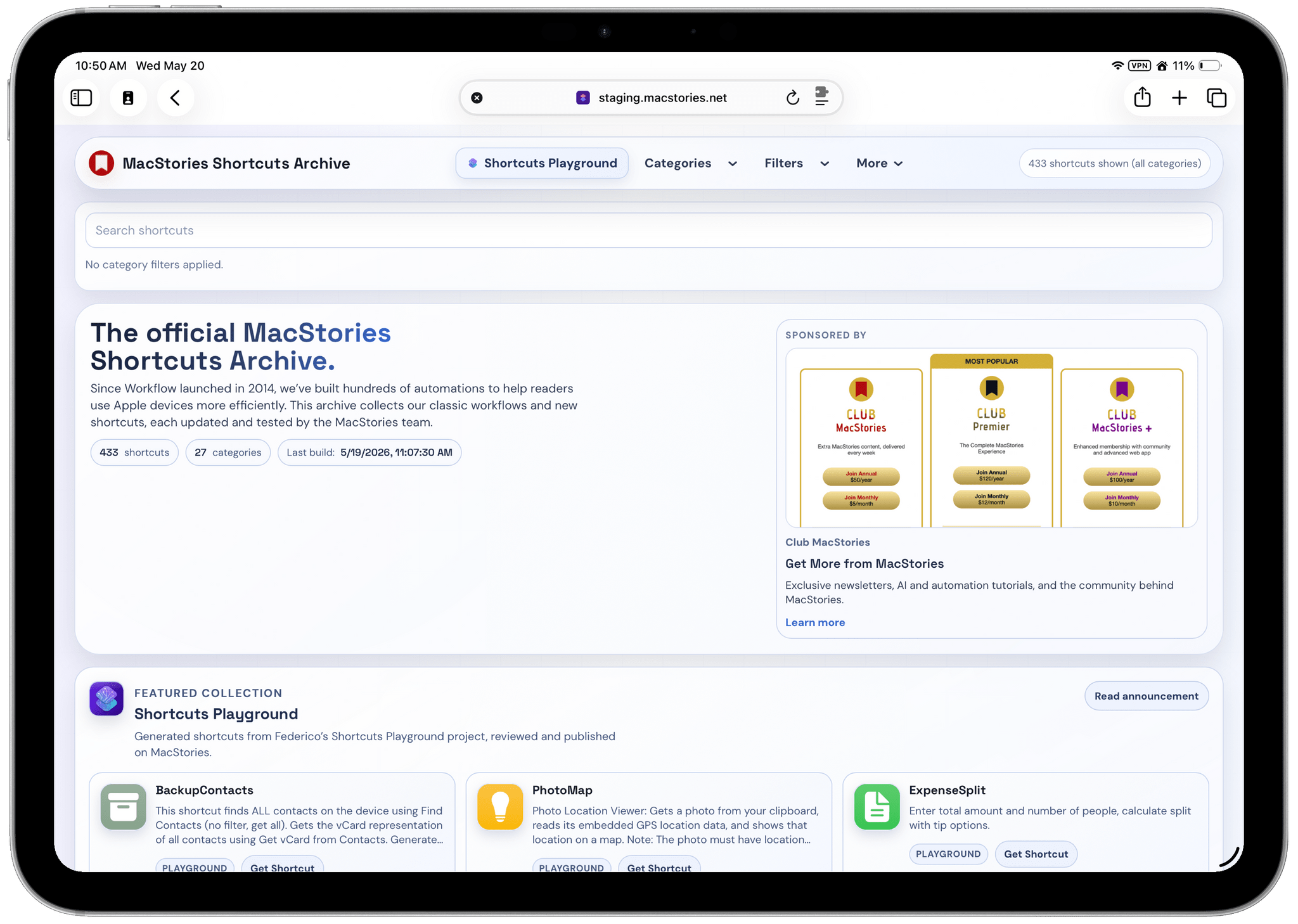
Alongside Federico’s release of Shortcuts Playground, we have a new and improved Shortcuts Archive page. The design adopts a new modular card system for navigation, search, filtering, and the shortcuts themselves, making it easier than ever to find what you’re looking for from among over 400 shortcuts.

With so many shortcuts spread across multiple categories, it was important to design something that is easy to navigate, which is why there are a variety of ways to do so:

  • Categories lets you jump straight to a collection such as Music, Health, Photos, the Action button, and many more.
  • By default, the Shortcuts Archive shows you a featured collection followed by an alphabetically organized list of all our shortcuts. However, by clicking Filters in the navigation bar, you can rearrange the archive to display the shortcuts alphabetically or in reverse alphabetical order, arrange shortcuts by category, or start with the recently updated shortcuts.
  • Search is a brand new feature of the Shortcuts Archive, too, allowing you to run keyword searches against the name of the shortcut and its description. The search field helpfully adds a pill indicator beneath the search field if you have a filter applied that will impact your search results.

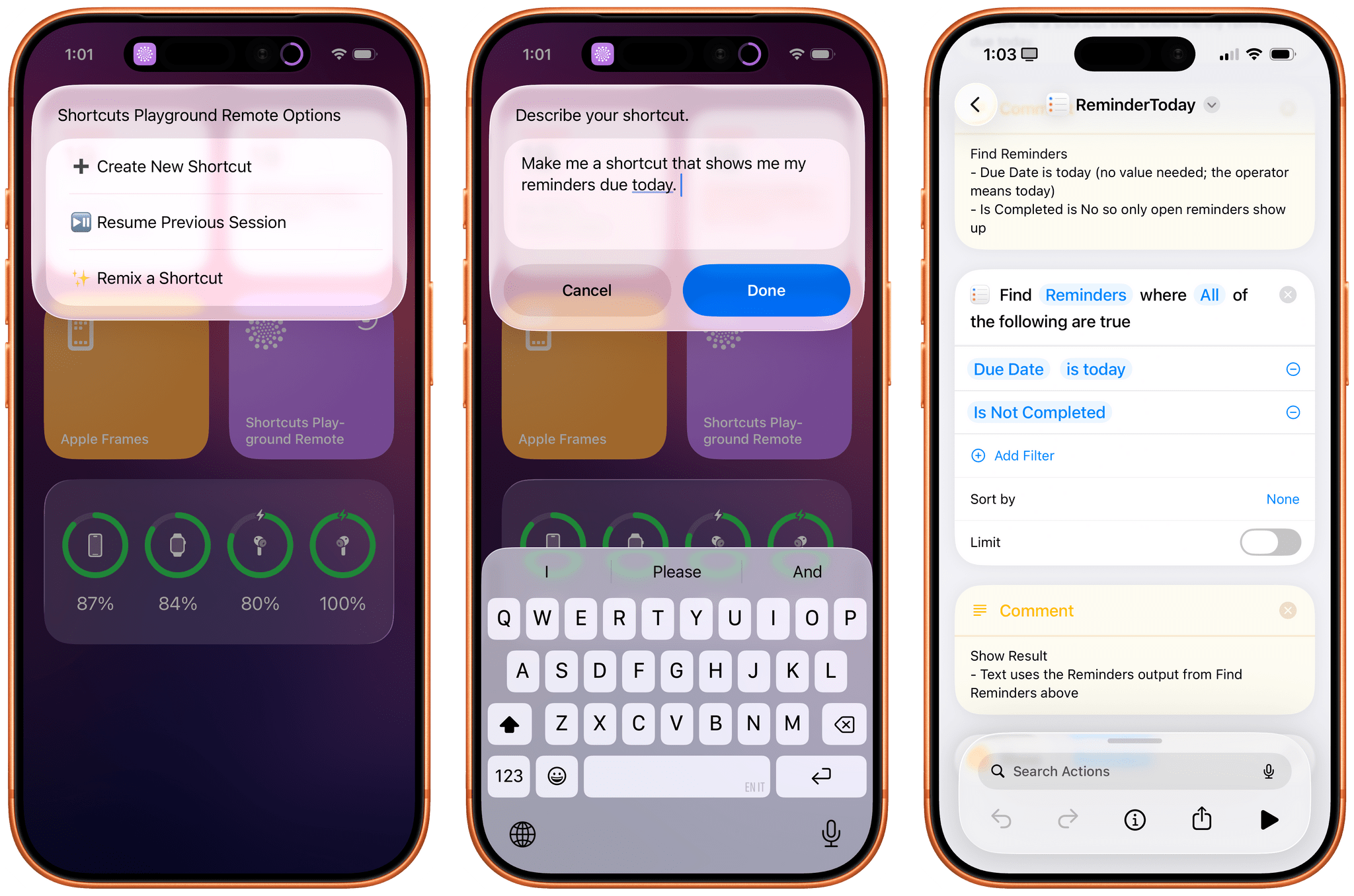
The Archive also includes a new featured collection. With the release of Shortcuts Playground today, that collection spotlights over 100 shortcuts that were built using Shortcuts Playground and verified by Federico. From here, you can also access our special Shortcuts Playground landing page that includes more details about what it can do and links to the agent plugin, announcement post, and more.

If you have an app or service to promote, the Shortcuts Archive is a great place to do so.

If you have an app or service to promote, the Shortcuts Archive is a great place to do so.

I would be remiss if I didn’t mention that we also have a dedicated callout slot for advertisers at the top of the Shortcuts Archive. The Archive is the second most visited page after the MacStories homepage, which makes it a great place to promote apps and developer tools to a an audience of creative professionals, developers, and app enthusiasts who care deeply about the apps and services they use. Currently, it promotes Club MacStories, but if you have an app or service to promote get in touch. We’re offering exclusive monthly and annual spots.


The Shortcuts Archive represents years of work and is packed with excellent automations that are ready for you to use off the shelf or as inspiration for your next automation project. And, with Shortcuts Playground, it’s never been a better time to try your hand at automation. Enjoy browsing the Archive. We hope you like it.