
 MacStories Weekly: Issue 178
Create Better Text Shots for Twitter Using Linky
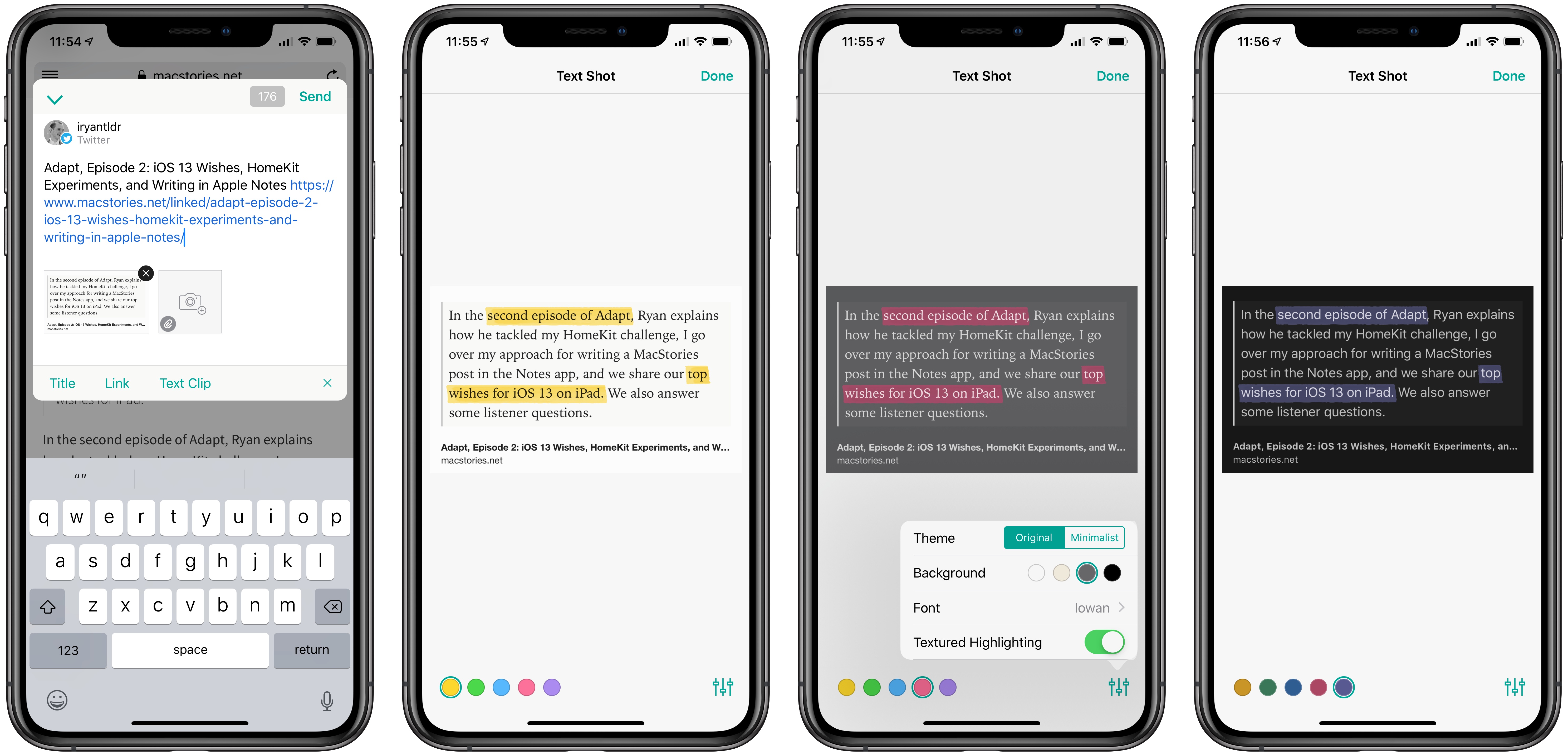
Linky is a tiny utility for iOS that I love. The app serves as an easy way to share to Twitter or Mastodon from the iOS share extension, and I use it every day to tweet MacStories articles or new episodes of Adapt. Used from Safari, the Linky share extension can automatically populate a tweet compose field with information from the site you’re viewing, such as its title, URL, and featured images. Linky’s ease of use makes it my favorite way to share content via tweets.
Earlier this week, Linky was updated with two new enhancements to its text shot feature. For years now the app has enabled easy creation of text shots for sharing portions of an article, or personal thoughts that exceed Twitter’s character limit. That text shot feature is now better than ever though thanks to the addition of highlighting and visual customization options.
After Linky has created a text shot – which happens upon activating the share extension when a portion of text is selected in Safari – you can tap that new image to enter editing mode. Inside editing mode, swiping over any portion of text in your text shot will cause it to highlight. This highlight can be one of five colors, and from the settings menu in the bottom-right corner you can choose whether the highlight is textured or solid. The feature is incredibly easy to use, and offers a great way to further call out certain words or phrases in a text shot.
Linky also offers an array of customization options for a text shot’s appearance. You can choose from one of six font options for the text, all of which look great; the background of the text shot can be white, sepia, gray, or black; you can also choose a minimalist theme or the default original. The added flexibility offered makes me far more likely to use text shots on a regular basis.
If you ever share clips of text you find online, Linky is hands-down the best way to do that. The app also includes support for multiple accounts, so you can tweet from several accounts at once, and offers annotation features for standard images. All told, I can’t recommend Linky highly enough.
Adapt, Episode 2: iOS 13 Wishes, HomeKit Experiments, and Writing in Apple Notes→
Ryan tries new HomeKit options on his iPad, Federico writes and publishes an article from Notes, then the guys share their top two iOS 13 wishes for iPad.
In the second episode of Adapt, Ryan explains how he tackled my HomeKit challenge, I go over my approach for writing a MacStories post in the Notes app, and we share our top wishes for iOS 13 on iPad. We also answer some listener questions.
You can listen below (and find the show notes here), and don’t forget to send us questions using #AskAdapt and by tagging our Twitter account.





Marzipan: A Chance to Revitalize the Mac App Ecosystem
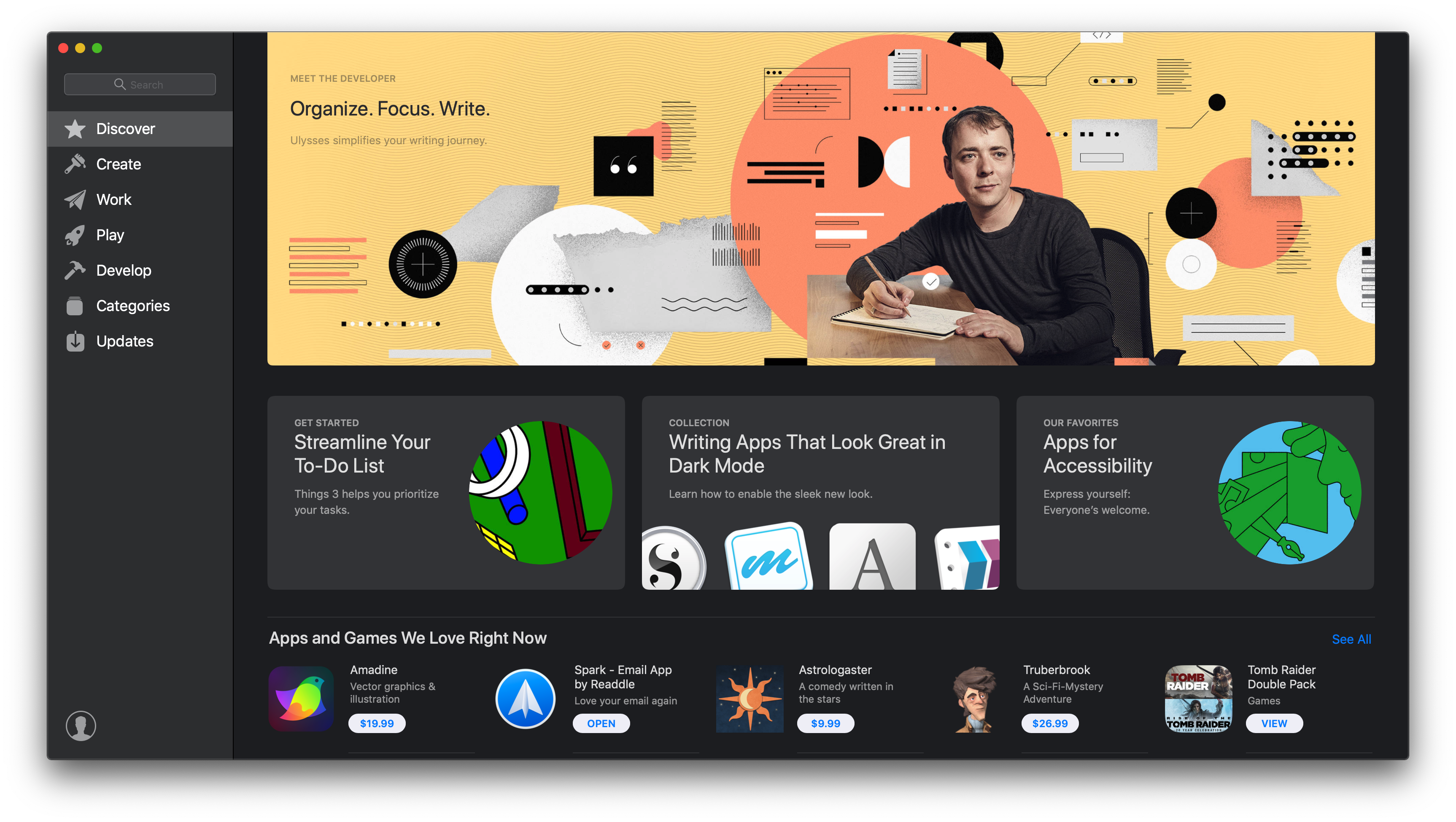
My annual practice of deciding which Mac apps qualify as ‘must-haves’ is always an interesting exercise. At the core of this reflection is a simple question: ‘Why?’ Why this app instead of another one? Sometimes it’s an app that stands out from its competitors, making the choice easy. Other times it’s a unique feature that fits well with the way I work. Most of the apps I include in my annual round-ups fit into one of those categories.
Last year though, too many apps fell into a couple of different, troubling categories. First, I tolerate a handful of underwhelming apps because they’re associated with services I like or which are essential to my work. Apps like Slack, Skype, and Trello fall into this category. Second, there are apps like Due and Reeder that I like, but either they don’t get much attention or have fallen behind compared to alternatives on iOS. Fortunately, these apps are still in the minority among the apps I use regularly. For every disappointment, there are apps like Things, Ulysses, MindNode, iA Writer, Screens, and Yoink that are not only a pleasure to use on macOS, but offer excellent iOS apps too.
Still, as I covered in the conclusion of my 2018 must-have Mac apps round-up, the exercise of going through the Mac apps I use left me with an uneasy feeling:
there’s an interesting contrast between what I consider must-haves on iOS and the Mac. On iOS, many of the apps I consider must-haves are compelling because of a single feature that sets one app apart from others or because it fits especially well with how I work. Too often that’s not the case on the Mac. I find myself explaining that I use a particular app because ‘it gets the job done.’ That’s because there are too few alternatives to some apps, which is a shame.
Mac apps are not in a state of crisis, but at the same time, the universe of Mac apps is not nearly as big or diverse as iOS. That’s not surprising given that the number of iOS devices in use is roughly 10x the number of Macs in use. As someone who works on and studies both platforms though, the trends are troubling.
Apple Defends App Store Practices in Light of Antitrust Discourse
Apple has been in the news at several points this year due to claims that its App Store practices are monopolistic. First, Spotify filed a complaint against Apple with the European Commission, then more recently, the US Supreme Court ruled that an antitrust lawsuit against Apple could proceed, setting the stage for potential future battles in this space.
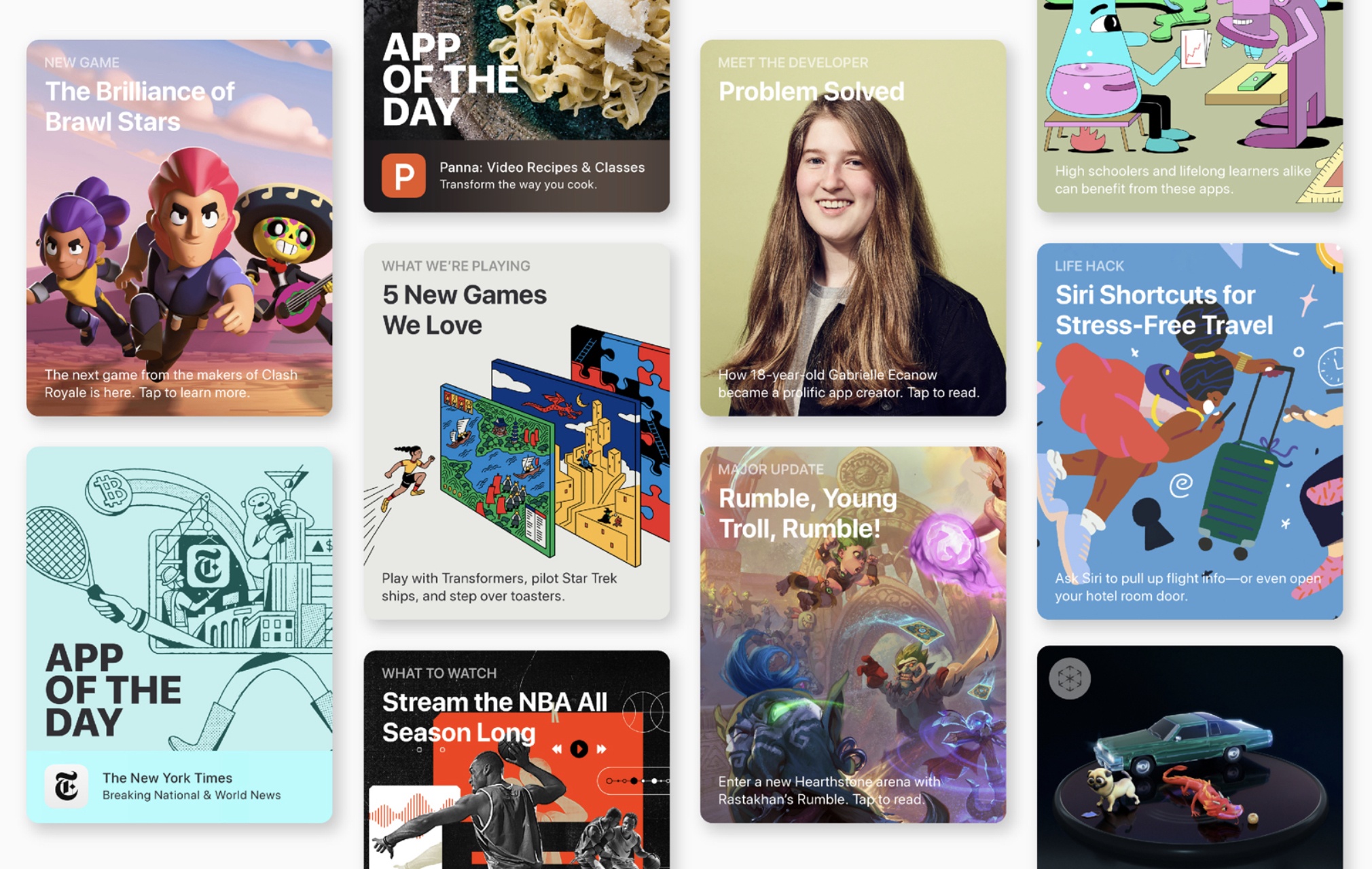
Today Apple has launched a new page on its website defending its App Store practices and sharing the values that lie at the core of the Store.
It’s our store. And we take responsibility for it.
We believe that what’s in our store says a lot about who we are. We strongly support all points of view being represented on the App Store. But we also take steps to make sure apps are respectful to users with differing opinions, and reject apps for any content or behavior that we believe is over the line — especially when it puts children at risk. For example, we strictly prohibit any app that features pornographic material, discriminatory references, torture and abuse, or anything else in exceptionally poor taste.
The page shares specific details on App Review practices, including the following stats:
- Every week, 100,000 apps are reviewed
- Of those 100,000, 60% are approved, and 40% rejected
- The most common rejections are due to bugs, followed by privacy concerns
- The App Review team makes ~1,000 calls per week to developers to help resolve rejection issues
Apple also outlines the different business models apps can utilize on the App Store, and notes that 84% of apps are free. It’s unclear if this percentage includes apps with In-App Purchases and subscriptions.
Finally, the page closes by highlighting how Apple welcomes competition on the App Store. System apps like Calendar, Mail, and Apple Music are listed alongside popular third-party competitors; Fantastical, Spark, and Spotify are a few third-party alternatives that Apple singles out.
The timing of Apple launching this new page is no accident: next week the company will welcome thousands of developers to WWDC, and in light of the growing questions regarding App Store practices, Apple is reminding developers, and the world at large, of why the App Store as it stands today is so important.
Intentional Subscriptions→
Developer David Smith, writing on his blog about a better way for Apple to handle subscriptions:
There is a concept in user interface design called the Principle of Least Surprise, where you want to design systems in such a way that they surprise their users least. I think a similar concept applies to subscription pricing. The ideal (from a user friendliness perspective, not best business perspective) system for customer subscriptions should never surprise the customer with a charge. The customer should always be happy to see a charge appear on their credit card.
In other words, their subscription payments should always be Intentional.
Apple already offers guidelines for how developers must handle subscription activation pages, as some apps have historically employed misleading labels and buttons designed to maximize signups without putting cost and other key details front and center. Smith offers four suggestions which, if implemented, would go a very long way toward ensuring users are never surprised by a subscription charge.
Lately one of Apple’s favorite things to highlight during quarterly earnings reports is subscription growth, which falls under its Services line of business. It’s understandable why the company may not be inclined to make subscriptions easier to opt out of, but if enough users are negatively impacted by misleading subscriptions and customer satisfaction numbers take a hit as a result, perhaps we’ll start to see more change in this area. The recent updates to subscription guidelines give me hope that Apple has a pulse on the situation.
Connected, Episode 245: Totes Ricky→
With less than a week to the WWDC keynote, the guys make their predictions.
On this week’s episode of Connected and ahead of our live show in San Jose next week (we have a handful of tickets left), we share our final WWDC predictions. The results will be adjudicated live at the Hammer Theater next week. You can listen below (and find the show notes here).
Sponsored by:
- ButcherBox: Thoughtfully sourced meat delivered directly to your door
- KiwiCo: Change the way your kid plays, with KiwiCo! Get your first crate free!
- Hullo: A simple, natural pillow designed for comfort. Try it for 60 days.
OmniFocus for Web Review: Access Your Tasks Everywhere

The best task manager you can have is the one that’s always with you, no matter which device you’re using. Many people started with paper notebooks or index cards, and nowadays we have iPhones and iPads that can go with us everywhere, and even Apple Watches that can be independent devices if we need them to be.
The web is a ubiquitous platform – it’s everywhere, the framework behind much of what we interact with, and something we nearly always have access to. OmniFocus for the Web is a brand new product that makes the most of the web platform to allow you to manage your tasks on any computer – be that Windows, Linux, or a Mac.
OmniFocus for the Web is intended as a companion product; you need either the Mac or iOS version of OmniFocus 3 in order to use it. You can either pay for access to the web component separately, or if you don’t own OmniFocus on another platform you might choose to go with the complete subscription package, which includes the iOS, Mac, and web applications for the length of your subscription. Sign up is done through the iOS or Mac applications - which means payment runs through Apple’s subscription service.
Introducing a New MacStories Podcast: Dialog, Where Creativity Meets Technology
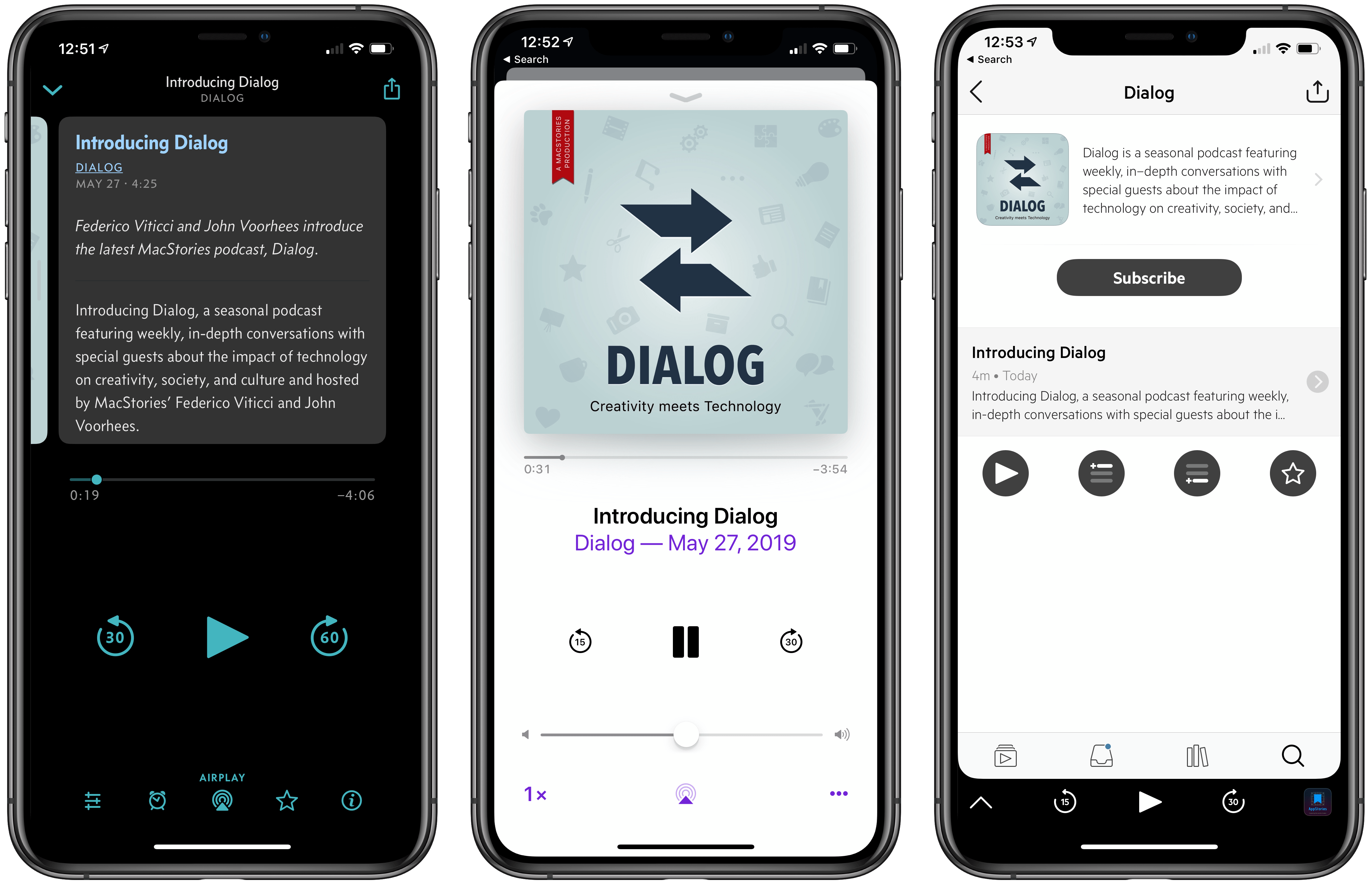
Federico and I are excited to announce a new MacStories podcast called Dialog. The show is a seasonal podcast featuring weekly, in-depth conversations with special guests about the impact of technology on creativity, society, and culture.
You can subscribe here and listen to the first episode on Apple Podcasts.
You can also listen to the first episode on the Dialog website here.
Each season will be organized around a central theme and include in-depth discussions with guests with expertise in the season’s topic. To kick things off, season 1 is all about writers and writing. You’ll hear from a combination of familiar and unfamiliar voices, all of whom are accomplished writers with backgrounds in journalism, songwriting, fiction, screenwriting, and more. Since we began recording episodes, it’s been fascinating to hear guests share their unique perspective on writing, the creative process, and the business of writing and discover areas of overlap between very different kinds of writing.


Seasonal Format and Future Guests
Dialog is a sort of spin-off of AppStories, our podcast about the world of apps. The interviews we’ve done on AppStories are some of the most popular episodes we’ve produced. However, over time, we realized that AppStories’ format is too constrained to do justice to many of the interviews we want to do. The self-imposed time limit of that show and its topical focus became a barrier.
That led me to sketch out the contours of what would become Dialog during our annual MacStories winter holiday break. To overcome AppStories’ constraints, I decided we needed to flip that show on its head both structurally and topically.
Structurally, Dialog’s conversations with guests are far more in-depth than we could accomplish in a 30-minute AppStories interview. Dialog’s interviews will run as long as two hours but will be split over two episodes to keep each episode to about one hour long. It’s a format that also provides headroom for Federico and me to participate more fully in each episode; less like a traditional interview and more of a conversation with our guests.
Topically, Dialog’s focus is also broader than any interview we’ve done on AppStories. Of course, you can expect Federico and me to come at each season from a tech angle, but that’s the lens through which each season will be viewed more than it is the subject matter of the seasons themselves.
Although Dialog is different than anything we’ve done before, its roots are also firmly grounded in MacStories’ character. We enjoy the apps and hardware we try every day, but what we love the most is telling the stories of the people who make those things, exploring how they empower creativity, and reflecting on their impact on the world around us. Dialog is a natural extension of our approach to technology.
The first episode of Dialog, which you can listen and subscribe to here, introduces the topics we will cover this season. Federico and I talk about our backgrounds in writing, how we got started, our approach to writing at MacStories, the business of writing online, and a lot more.
Next week, we’ll be joined for a two-part conversation by our first guest, John Gruber of Daring Fireball, who will be followed by singer-songwriter Frank Turner, and other guests throughout the summer. At the end of the season, Federico and I will wrap up what we’ve heard and learned from the writers we’ve talked to before taking a break to plan season 2.