Apple Harnesses TV+ and the Books App to Launch Oprah’s Book Club

Earlier this year when Oprah Winfrey took the stage at Apple’s March event, she teased a book club project that would manifest in some way through Apple’s new TV+ service. Today in a press release, Apple has shared the full details about this new project, officially named Oprah’s Book Club, which will utilize both TV+ and Apple Books in a special cross-service format.

Apple and Oprah Winfrey today announced Oprah’s Book Club will connect a community of readers worldwide to stories that truly matter by today’s most thought-provoking authors. Winfrey, the esteemed producer, actress, talk show host, philanthropist and CEO of OWN, will partner with Apple to build a vibrant, global book club that has the power to both transport and transform people — turning every book into an opportunity for self-discovery, and bringing the world together through reading.

Winfrey’s first book selection is “The Water Dancer” by Ta-Nehisi Coates, available for pre-order now on Apple Books in both ebook and audiobook formats, and debuting tomorrow. Winfrey will interview Coates for the first installment of her new exclusive Apple TV+ series, “Oprah’s Book Club,” premiering November 1. A new episode will be available every two months. For every Oprah’s Book Club selection sold on Apple Books, Apple will make a contribution to the American Library Association to support local libraries, fund programs that give access to everyone and create lifelong readers at an early age.

As if the marriage of TV+ and Books for Oprah’s Book Club wasn’t enough, Apple’s also leveraging its business by hosting the very first of Oprah’s author interviews at none other than Apple Carnegie Library. Additionally, Apple News today is offering a special preview of Oprah’s first book selection. Now that’s some synergy.

It’s exciting to see Apple start to utilize its roster of services such that they complement one another. The company has dabbled in similar efforts before, like through its featuring of the World Cup last summer, but we haven’t seen anything as sustained and on-going as Oprah’s Book Club will be. I’m curious to see what other potential cross-overs Apple has planned moving forward.

Permalink

Daylite: Bye-Bye Busy, Hello Efficiency [Sponsor]

Looking for a way to keep everything in one place so you never miss a thing? It’s here! Built exclusively for Mac, iPhone, and iPad, say hello to organization and peace of mind with Daylite.

Capture every email, every meeting, and every call, all in the same place. Follow up when you say you will. Stay top of mind with your customers. Projects are so streamlined, you never worry about what’s next. Everything you need is just a click away.

Integrate with Apple Contacts, Apple Calendar, Apple Mail, and Reminders for a seamless Apple experience. Big fan of leveraging different apps to be more productive? Daylite and Zapier integration allows you to connect Daylite with 1500+ apps. Want to see a notification created in Daylite every time an action happens in another app? Automate it!

Easily organize contacts into lists for email campaigns and follow-ups. Keep a history of every interaction with a client. Track communications and next steps for client projects and always know what’s next.

New in Daylite: Always on the go? With the newly released Daylite Mail for iPhone and iPad, you can now process your email anywhere and make sure everything you need is in Daylite no matter where you are. Create tasks, follow-up reminders, and appointments without leaving your inbox – or your location!

You know how important efficiency and productivity is to your success. You know that when you’re in control, your potential is limitless. Sign up for a free 30-day Daylite trial now and become unstoppable!

Our thanks to Daylite for sponsoring MacStories this week.


watchOS 6: The MacStories Review

Siri

MacStories Adorable

MacStories Adorable

The Siri watch face may not have seen any love this year, but Siri itself has gained a couple new abilities in watchOS 6. First, your Apple Watch can now listen to ambient noise and determine what song is playing in the background. This is a feature that has been on the iPhone and iPad for years now, but wasn’t previously available directly from the Apple Watch. Now you can ask your Watch “What song is this?” and it will listen for a bit before making a determination. Be aware when you try this: if your connected iPhone is currently playing a song – or was paused directly before you queried Siri – then the Apple Watch will just announce what the iPhone is playing. If you aren’t wearing headphones then that announcement will be loud and public through your Watch’s speakers (the speakers will be used even if you have your Apple Watch muted). As long as you aren’t currently playing your own song though, your Watch will listen momentarily and then silently display the song that it believes has been playing around you. In my testing it has worked every time, although I haven’t been in particularly noisy environments for those tests.

The second and final new Siri feature in watchOS 6 is the ability to scroll through web search results. In earlier versions Siri would just tell you to look at your iPhone if it didn’t know the answer to a question. Now it will search the web just like it does on iOS, and will display the list of results for you to scroll through. As of watchOS 5, web content is viewable directly on the Watch, but until now there wasn’t much use for that beyond receiving messages that had links in them. Now the new Siri search results will all include buttons to open the associated links, loading the web pages up in watchOS’ browser. Obviously searching the web is still far from optimal on such a tiny screen, but the fact that it’s a lot more easily accessible when necessary is another step forward for the Apple Watch’s independence.

SwiftUI and Independent watchOS Apps

We won’t be diving too deeply into technical details here, but two new features for developers in watchOS 6 have big implications for the entire ecosystem of third-party Apple Watch apps.

SwiftUI is a new way of defining interfaces for watchOS apps, and it’s a huge deal. Not only does SwiftUI greatly simplify and streamline interface building, it also makes more complex interfaces much more accessible to developers. SwiftUI interfaces can be live previewed, so developers no longer need to execute the slow build-and-run dance on their Apple Watches (far slower and more finicky than building and running iOS apps during development) every time they want to test a UI tweak.

The slowness and complexity of watchOS interface development has been a huge time drain for watchOS developers. SwiftUI should improve that, and the result will hopefully be fewer developers giving up on their watchOS apps and more developers going the extra mile to polish their UIs. I expect SwiftUI to open the doors to animations, interactive elements, and generally more advanced and capable apps for watchOS.

The other huge new ability for third-party watchOS apps is independence. Before watchOS 6 the only way for a watchOS app to be downloaded was for its companion iOS app to also be downloaded onto the connected iPhone. This year that changes. A series of new APIs enables developers to ship watchOS apps on their own, with no home on the iOS mothership.

In the general case this change will not be the biggest deal, but it’s the beginning of something bigger. Third-party apps can adopt these APIs without cutting away their iOS companions, meaning the changes are not restrictive. Apps that have no place anywhere other than the Watch can now be built only for the Watch, but apps that should exist in both places may still benefit from independence as well.

Independent Apple Watch apps harken back to the idea of “universal” iOS apps – those which build on both iPhone and iPad via the same singular codebase. Apple Watch apps aren’t part of the “universal” qualification quite yet, but perhaps in the future they will be. The ability for an app to exist on its own is freeing for the Apple Watch as a product more than the individual apps. This is one of the most necessary steps toward Apple Watch transcending its current position as a lowly iPhone counterpart.

It will take some time for developers to start implementing watchOS app independence and building apps with SwiftUI. The initial set of capabilities is not yet even feature complete, meaning it isn’t currently possible for some apps to make the leap. I’m not too worried about this. The path forward is clear, and in the coming years there’s no doubt that Apple will continue expanding these APIs until they encompass every function a watchOS app can offer.

watchOS app independence will have little to no user impact this year. It’s still not even possible to activate an Apple Watch without an iPhone, so having apps run only on the Watch provides little benefit beyond conserving memory on the phone. The importance of this change will come down the line. Apple is giving developers a head start here, so when true independence does come they’ll have had the option to be ready.

Miscellany

Alongside all the major changes, every watchOS release also includes a host of small tweaks and additions sprinkled throughout the system. This year’s update brings Animoji stickers to the watchOS Messages app. Animoji stickers are new in iOS 13, offering the Animoji (or Memoji) faces frozen and adorned with various emotive ornaments such as heart or star eyes, tears, blown minds, or just emotional faces. In watchOS Messages you can tap the emoji button to find any Animoji stickers that you’ve recently used interspersed with recently used normal emoji at the top of the interface. Scroll down to find a grid of all existing Animoji, and tap one to pick from its various sticker styles. Memoji stickers are for some reason not currently present in the grid of all Animoji, but if you’ve recently used a Memoji sticker on iOS then you can find it either in the recent grid at the top, or from the “More Stickers” button all the way at the very bottom.

A new accessibility setting allows you to set your Apple Watch to chime at the top of each hour. The chime schedule is configurable, so you can also set up chimes to go off at 15 or 30 minutes intervals. For the chime sounds, you can select either bells or birds. Chimes are configurable directly on the Apple Watch in the Accessibility section of the Settings app, but can also be set up on the iOS Watch app.

If silent mode is disabled on your Apple Watch, you can now tap and hold the watch face with two fingers to hear the device speak the current time out loud through its speakers. This feature is not configurable in Settings, but it won’t happen if your Watch is on silent.

For the first time, we can reorder our watch faces directly from the Apple Watch itself. I always found it a bit strange that we couldn’t do this already, so it’s a welcome addition and another reason to never need to open the Watch app on iOS.

watchOS 6 includes quite a few new first-party complications that you may be interested in using on your watch face. Additions are a slightly updated Date complication,10 Audiobooks, Calculator, Cellular Connectivity (this used to be strangely restricted to the Explorer watch face, but is now open to the rest of the line), Cycle Tracking, Noise, Wind, Rain, and Voice Memos.

You can now delete a small subset of first-party Apple Watch apps off of your Watch by long-pressing an app from Grid view. This set has not yet grown as large as it is on iOS, but it includes Alarms, Timer, Stopwatch, ECG, Noise, Breathe, Now Playing, Radio, Cycle Tracking, and Camera. If you really want to save space or reduce the clutter on the still-not-redesigned watchOS Home screen, deleting some of these will help if you never plan on using them.

The Workout app has added a new current elevation metric for Outdoor Run, Outdoor Walk, Outdoor Cycle, and Hiking workout types. It also now allows access to the repeat and shuffle settings for music directly from the Now Playing screen at the right of the main interface for active workouts. Tap the playlist icon in the bottom center of Now Playing to enable or disable these options.

Conclusion

watchOS 6 is one of the more subtle updates we’ve encountered over the last five years of Apple Watch, but that subtlety should not be mistaken for insignificance. The user-facing updates in watchOS 6 may not be the most exciting we’ve seen, but their skillful execution makes it clear that Apple understands the device it has created. Nearly every first-party watchOS app is well crafted and properly honed down to its simplest ideas. New health updates expand use cases for the Apple Watch’s most important category of features. Only a few new watch faces manage to pass my very high bar, but continuing to throw options at the wall every year is exactly what Apple should be doing; by now we’re starting to see quite a few diamonds among the rough.

For the first time ever, a subset of third-party apps can exist independent of their iOS counterparts. The vision is far from fully realized, but this year is a start that will be continued in the years to come. It won’t be long before every relevant watchOS API which requires an attached iPhone has been freed from its restrictions. Break the chains!

Apple has shown its hand this year, revealing future plans for Apple Watch independence without directly announcing them. In the years to come there’s no doubt that the Watch will sever its ties to the iPhone much like the iPhone once severed its ties to the Mac. As an independent product, the Apple Watch could become a new gateway to Apple’s ecosystem. It could even be the catalyst of a new halo effect if users of other smartphones were able to dip their toes in the Apple waters via the world’s most popular smartwatch. Right now the Apple Watch is only available to the fraction of the world which owns iPhones. To be truly freed from that greatest of restrictions would reveal the device to masses of potential new customers.

There is much work yet to do. watchOS 6 is far from the end of the Apple Watch’s quest for independence. But it is the beginning.


  1. I still find Better Day superior in most cases, with the notable exception of the expanded circle-style complications you'll find in the center of faces like Infograph and Meridian. Better day insists on small text with a spinner indicating the day of the month for this style, which I find ugly and hard to read. The first-party Date complication simply gives the day of the week and date of month, exactly what I want. On all other complication styles though I prefer Better Day. 

Apple’s Reopened Fifth Avenue Flagship: A Photo Tour

Today alongside the launch of the iPhone 11 line and Apple Watch Series 5, Apple reopened its long-under-construction Apple Fifth Avenue retail location. First closed in January 2017 and relocated to a temporary space nearby, the new Fifth Avenue opens as the largest Apple Store in the world; it also remains the only location open 24 hours per day, 365 days per year.

Read more


CARROT Weather Adopts iOS 13 Shortcuts, Dark Mode, Multiwindow, and More

The malevolent weather app CARROT Weather was updated this week to add support for the new capabilities provided by iOS 13 and the forthcoming iPadOS update. This latest version enables more powerful automations in the Shortcuts app, integration with the system dark mode, multiwindow support on iPad, and a fully independent watchOS 6 app. It’s the same CARROT app, but supercharged with all the new possibilities Apple just introduced for its software platforms.

Read more


LookUp 6 Review: The Biggest Update Yet for the Best Dictionary App

The average life cycle of an app typically consists of two phases: the app’s early days often bring a host of significant updates as it strives toward feature maturity; however, once that level of maturity is achieved, the updates become more iterative and unsurprising, largely aimed at keeping pace with new OS technologies. LookUp 6 defies that normal pattern. The sixth major version of the excellent iOS dictionary app weds two important themes: adopting all the relevant functionality enabled by Apple’s latest OS releases, while simultaneously adding substantial features like quizzes, translation, full navigation via keyboard, and more. Despite how modern and feature-rich LookUp already was, version 6 sets the app on even stronger footing at the dawn of Apple’s latest software releases.

Read more


iOS and iPadOS 13 Review Extras: eBooks, Wallpapers, Shortcuts, Podcasts, and Making Of

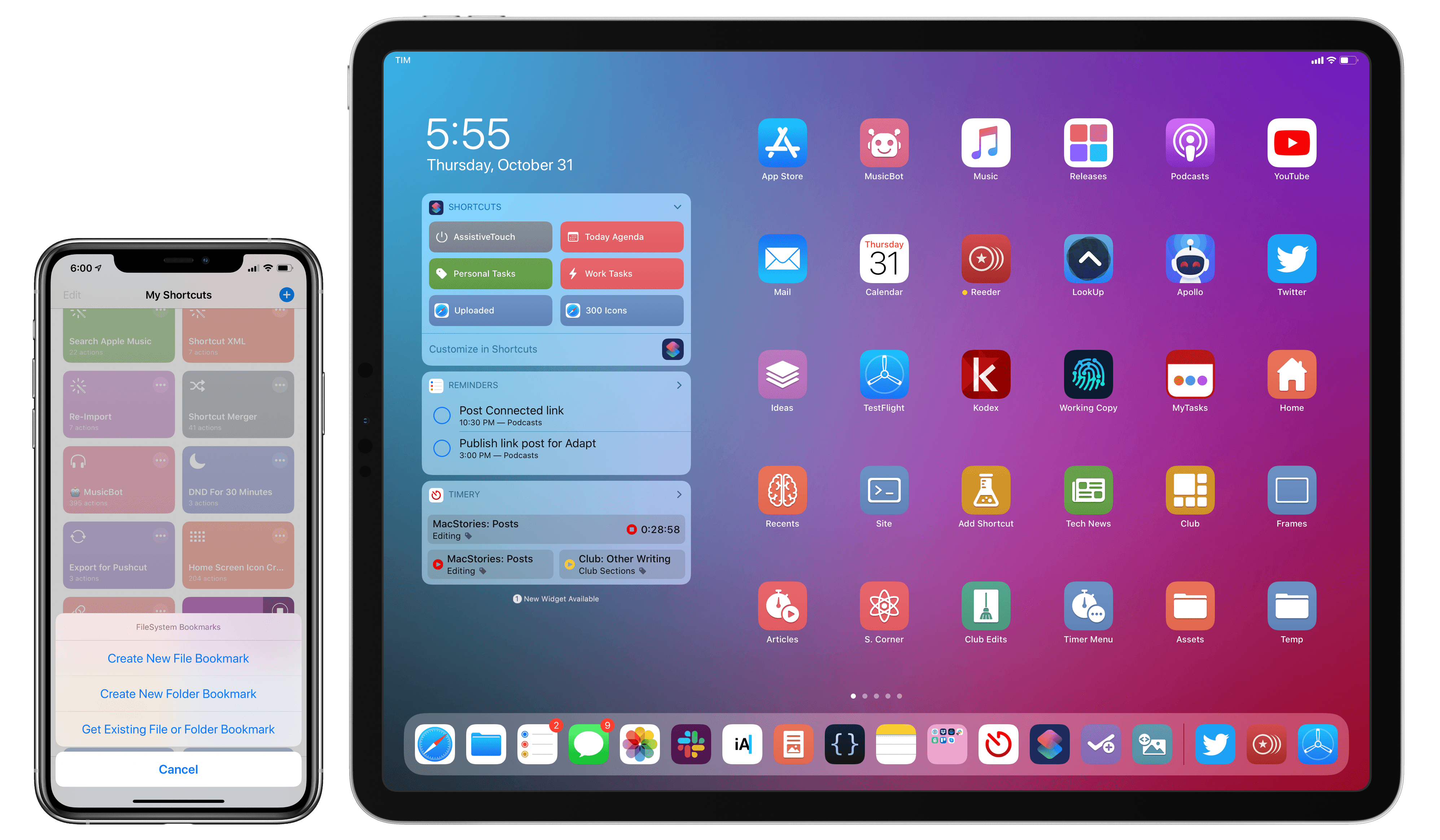
Today, Apple released iOS 13, watchOS 6, and Apple Arcade, and tomorrow, the iPhone 11, 11 Pro, 11 Pro Max, and Apple Watch Series 5 will begin arriving on doorsteps worldwide. The publication of Federico’s iOS and iPadOS 13 review makes it a big day for MacStories too, which has evolved in recent years into a multi-week affair when combined with the Club MacStories anniversary, our iOS 13 app coverage, and related podcasts.

As in the past, the centerpiece of our coverage is Federico’s iOS and iPadOS 13 review. We’re also excited to share Alex Guyot’s comprehensive watchOS 6 review with you tomorrow, as well as a long list of app updates and debuts that spotlight the new features of iOS 13 that we will be publishing in the coming days.

We’ve got a lot more in store though, including a bunch of Club MacStories exclusives.

Among the Club-only extras this year are two eBooks, a set of stunning desktop and mobile wallpapers, advanced shortcuts, and bonus podcast episodes. Check out all of the details after the break. If you’d like to learn more about the Club or sign up to take advantage of all these extras, plus perks from previous years, please visit //www.macstories.net/club.

Read more


iOS and iPadOS 13: The MacStories Review

Following years of a judicious union between platforms, it’s time for iPad to embark on its own journey.

Credits

This review wouldn’t have been possible without the help, feedback, and existence of the following people, animals, beverages, and apps:

  • My girlfriend Silvia, for her patience, love, design skills, photos and videos, and wisdom
  • Brian King, for bringing this review to life with his amazing animations and 3D graphics
  • Ryan Christoffel, for his superb editing skills and incredible patience
  • John Voorhees, a friend and amazing colleague
  • Alex Guyot, for his work at MacStories and help this summer
  • Zelda and Ginger, for keeping me company while I was writing the review
  • Brett Terpstra
  • Alessandro Vendruscolo, who made the web layout happen (again)
  • Simon Støvring, for helping me with JavaScript and saving me dozens of hours with Scriptable
  • Finn Voorhees, who wrote my custom image upload scripts
  • James Thomson
  • Myke Hurley
  • Stephen Hackett
  • iA Writer, Drafts, Working Copy, Timery, Shortcuts, and MindNode – essential apps that helped me create this story
  • Every app developer who sent me betas during the summer
  • Every engineer at Apple who always makes reviewing iOS (and now iPadOS!) each summer fun
    – The Workflow team, for still staying hungry and foolish
  • @TiccisEspresso – more than ever, I couldn’t have done this without your daily assistance
  • Every Club MacStories member

And finally, every MacStories reader, for allowing me to keep doing what I love. Thank you.