Things’ Quick Find Feature Upgraded Across iPhone, iPad, and Mac

Today the popular task manager Things was updated with several small, but noteworthy enhancements to its Quick Find feature across iPhone and iPad versions, with the Mac update arriving shortly. There’s a convenient new way to access Quick Find, recent lists are now displayed automatically, headings can be searched, and there are a variety of new lists that Things recognizes as search parameters.

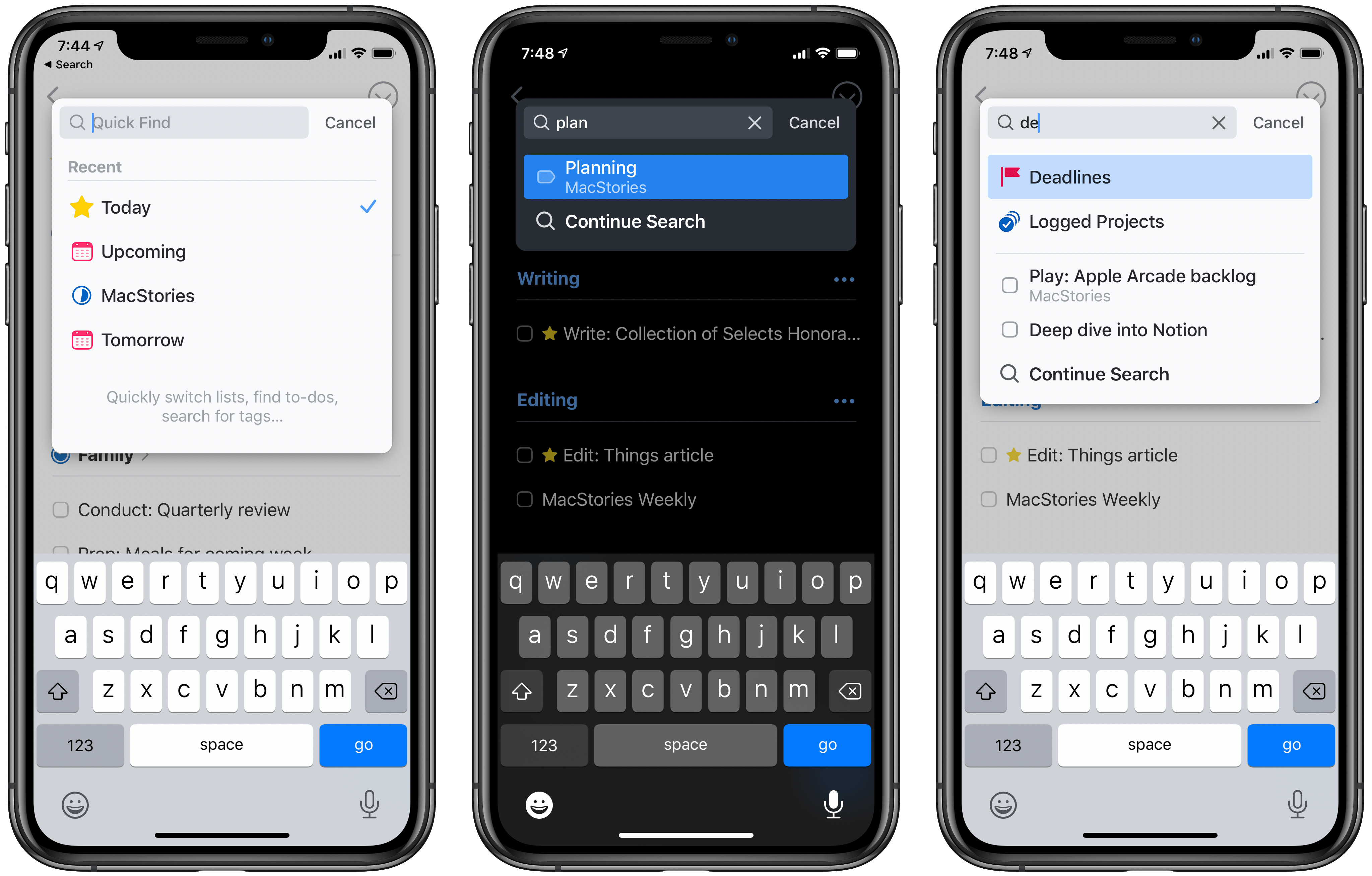
One of my favorite details in Things is the ability to pull down from the top of a list to open Quick Find; the matching animation is lovely, and it’s accompanied by a perfect touch of haptic feedback on iPhone. Sometimes though, getting back to the top of a long list can take too long, so now you can simply tap a list’s name, which perpetually sits at the top-center of the UI, and Quick Find will immediately open. Also, the Quick Find window now always displays the four most recent lists you’ve visited; whether you searched for those lists or just accessed them from the sidebar menu, you’ll always see your last-visited lists in the search box.

The other big improvement to Quick Find is the new search parameters it now accepts. There are changes here in two areas: headings and special lists. Headings are an organizational tool you can use to sort your Things projects into divided sections; essentially, they’re a lightweight additional option for organization. Previously, none of your created headings could be searched in Quick Find, but that issue has now been remedied. Any and every heading you create in a project can be surfaced in Quick Find.

Things now offers a handful of special lists that aren’t accessible from the sidebar, but only through Quick Find. These include the following:

  • Tomorrow: Like Today, but for tomorrow’s tasks.
  • Deadlines: All tasks with deadlines.
  • Repeating: All repeating tasks.
  • Logged Projects: Completed projects, including completion date for each.
  • All Projects: Every current project.

Searching for any of these lists will grant easy access to them. I only wish Things provided the option to add one or more of these to the sidebar; hopefully a customizable sidebar is in the cards for Things in 2020.

Historically, iPhone and iPad apps haven’t been as feature-rich as Mac apps when it comes to search functionality. Where Mac apps often enable very granular search options, and power user features like saved searches, search on the iPhone and iPad is typically a bare-minimum approach. For that reason, it’s exciting to see the team behind Things devote a whole update to making search better, not only on the Mac, but across all platforms. Just as it did last year with keyboard shortcuts on the iPad, Things sets a strong example of pushing an oft-neglected iOS feature forward to be on par with its Mac equivalent.

Things is available on the App Store for iPhone, iPad, and Mac.


PowerPhotos: The Ultimate Toolbox for Photos on the Mac [Sponsor]

PowerPhotos is the perfect Mac utility to help you manage multiple photo libraries. As technology marches forward, digital cameras produce larger and larger image files, which makes it easy to create huge, unmanageable Photos libraries of tens of thousands of images that quickly fill valuable storage space on your Mac.

PowerPhotos allows you to create and manage multiple libraries, so you can break up your massive library into multiple manageable libraries. You can store photo libraries on external or networked drives and copy photos while maintaining and preserving albums, edits, and related metadata like keywords, titles, dates, locations, and descriptions. PowerPhotos also makes it easy to track down duplicate images and can even merge libraries together.

One of the app’s most powerful features is the ability to search across multiple libraries simultaneously. It’s a great feature that allows you to search as though all you photos were in one library. PowerPhotos can help with migrating multiple iPhoto or Aperture libraries to Photos too.

The holiday season is a great time to rethink the way your photos are organized, especially because for a limited time Fat Cat Software is offering a special discount on PowerPhotos just for MacStories readers. Use the coupon code MACSTORIES19 at checkout for 20% off. This is a limited-time deal, so don’t delay, download the free trial of PowerPhotos today and then take advantage of this special 20% discount to make wrangling the thousands of photos on your Mac a breeze.

Our thanks to PowerPhotos for sponsoring MacStories this week.


Apple Podcasts Now Available on Amazon Alexa Devices

Amazon today has announced a new partnership with Apple that brings the full Apple Podcasts catalog to all Alexa-enabled devices in the U.S.:

Beginning today, Alexa customers in the U.S. will be able to listen to more than 800,000 podcasts available through Apple Podcasts on their Alexa-enabled device.

Whether you’re listening at home or on the go, you don’t need to worry about losing your spot. Link your account in the Alexa app using your Apple ID, and you can seamlessly pick up where you left off listening on the Apple Podcasts App or your Alexa device. Pause the subscribed episode you’re listening to in the Apple Podcasts app on your commute, and continue listening with your Alexa device at home by asking Alexa to resume the podcast.

When you first start using Apple Podcasts on an Alexa device, you’ll need to specify “on Apple Podcasts” in your command; for example, “Alexa, play The Daily from yesterday on Apple Podcasts.” However, you can remove that requirement by setting Apple as your default podcast provider.

If you’d like to make Apple Podcasts your preferred podcast provider with Alexa, you can set Apple Podcasts as your default podcast provider in the Alexa app. To do so, open the Alexa app, go to Settings, select Music & Podcasts, and link/manage new services. Then, each time you request a podcast, we’ll prioritize playing it from Apple Podcasts if it’s available.

This announcement marks a major expansion of Apple Podcasts and the latest evidence of Apple’s multi-platform services strategy. Just last year, Apple Music arrived on Alexa devices, and earlier this fall the Apple TV app debuted on Amazon Fire TV. Those two moves were in some ways less surprising than this one though, since they both involved granting access to Apple’s paid services, Music and TV+. Apple Podcasts, on the other hand, is entirely free, at least at the moment. Rumors have indicated Apple may be funding some exclusive new podcast content, but it’s unknown whether that will be part of a forthcoming paid subscription service, or simply an added perk of using Apple Podcasts.

Spotify this past year has made significant moves in the podcasting space, and it’s likely that their efforts, which have developed real momentum in the market, are propelling Apple to invest more heavily in its own podcast ecosystem – great news for users.


Connected, Episode 273: Come on, Guys, Let’s Go to the Station

On this week’s episode of Connected:

Stephen and Myke are joined by John Voorhees to talk about the new Mac Pro, then Federico reflects on the 5th anniversary of Shortcuts.

You can listen below (and find the show notes here).

AppStories+ Deeper into the world of apps
0:00
01:35:31

Connected, Episode 273

AppStories+ Deeper into the world of apps

Sponsored by:

  • Squarespace: Make your next move. Enter offer code CONNECTED at checkout to get 10% off your first purchase.
  • ExpressVPN: High-Speed, Secure & Anonymous VPN Service. Get 3 months free with a 1-year package.
  • Bombas: Super comfortable socks. Be a holiday gifting-ninja. Use this link for 20% off.
Permalink

Twitter Adds Support for iOS Live Photos by Making Them GIFs

Twitter today announced long-overdue support for iOS Live Photos. Rolling out now on all compatible platforms, whenever you add a Live Photo to a tweet you’re composing, you’ll see a new GIF button in the corner of the image. By default the button is crossed out, indicating the Live Photo will be shared as a still image. However, with a single tap you can choose to share your Live Photo as a GIF instead.

https://twitter.com/twitter/status/1204827212731625473

Live Photos first debuted in 2015 alongside the iPhone 6s and 6s Plus, but there were plenty of questions at the time about whether the feature would be adopted by social media services or not. For Twitter we now know that the answer was yes, eventually.

I think turning Live Photos into GIFs is a great idea, especially since Twitter auto-plays GIFs by default as you scroll your timeline. Not every Live Photo deserves to be converted to a GIF, which is why I’m glad the feature isn’t on by default, but being able to change that with a single tap is a nice option to have.


Mac Pro Accessory Roundup: Stand, Mount, Webcam, Lock Adapter, and More

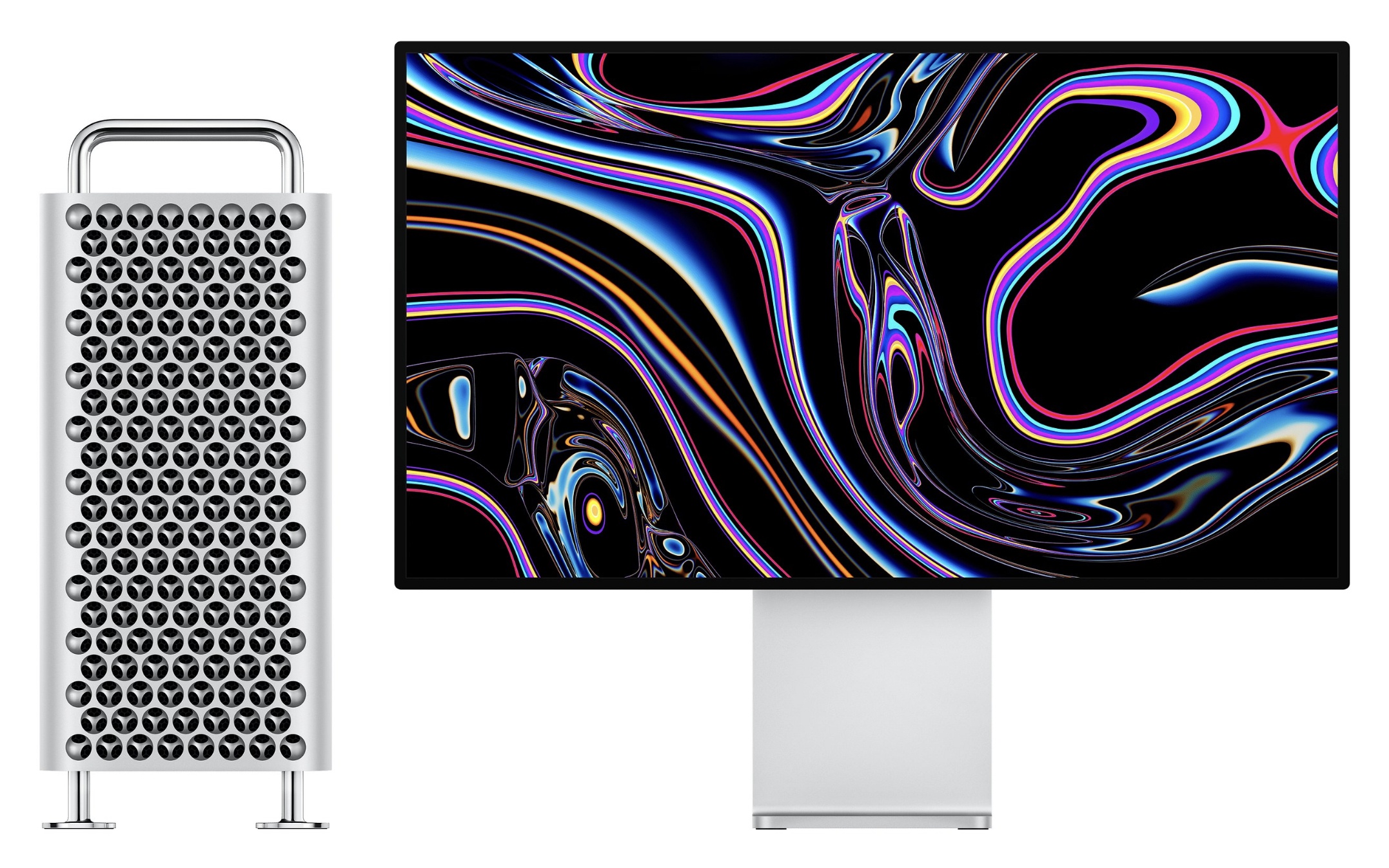
After having been pre-announced by nearly 1,000 days, the new Mac Pro finally went up for sale yesterday on Apple.com, alongside the Pro Display XDR. Complementing these two devices, a variety of new accessories have also just launched, some from Apple and others from third-party companies.

The $4,999 Pro Display XDR doesn’t include a stand or mount of any sort out of the box, so buyers will want to either pick up the $999 Pro Stand or the $199 VESA Mount Adapter. The display also does not include a built-in webcam. However, Logitech is offering a new 4K Pro Magnetic Webcam for $199 that attaches magnetically to the top of the display as an add-on for professionals who need that functionality.

Another Apple-designed ‘accessory’ is the $2,000 Afterburner Card, a PCI Express card designed exclusively for the new Mac Pro to accelerate ProRes and ProRes RAW video codecs. Along the same lines of Mac Pro-exclusive hardware, Apple has added a variety of options for DDR4 ECC memory to its store, including 16GB for $400, 32GB for $800, 64GB for $1,200, 128GB for $2,800, and 256GB for $6,000.

After spending a small fortune on your Mac Pro, you might reasonably be concerned about the device being stolen. To the rescue is Belkin with a $49 Lock Adapter that enables you to secure your Mac Pro with a third-party lock. Also from Belkin is a $69 AUX Power Cable Kit which provides an assortment of common AUX cables for graphics cards.

Rounding out the accessory options are AMD’s $2,800 Radeon Pro Vega II MPX Module and $5,600 Vega II Duo, along with an MPX module, the Promise Pegasus R4i 32TB RAID ($2,299), and the Promise Pegasus J2i 8TB Internal Storage Enclosure ($399). The optional $400 wheels for the Mac Pro are not available for separate purchase at this time, and instead must be ordered as part of your configured model.

Two things are immediately obvious upon surveying these accessories: first, they’re clearly for users with very specific high-end needs, and second, Apple has poured significant investment into creating the new Mac Pro, Pro Display XDR, and fostering this new ecosystem of accessories. The target user base may be small, but Apple has nonetheless gone all-out with its most powerful computer.


Mac Pro and Pro Display XDR Unboxings and Impressions

Earlier today, Apple began accepting orders for the all-new Mac Pro, which will start shipping to customers in 1-2 weeks. Reminiscent of what Apple did when it released the iMac Pro, the new Mac Pro was provided to a very limited set of reviewers with video production experience in advance of pre-orders.

Marques Brownlee shares his impressions after using the Mac Pro and two Pro Display XDRs to edit all of his YouTube videos for the past two weeks. His main takeaways? “One, it’s really quiet, Two, it’s really fast.” So fast, in fact, that he was able to render 8K video more quickly than the time it would take to watch.

For two unboxings and a look at the setup process, be sure to watch these videos by Justine Ezarik and Jonathan Morrison.

To learn more about what it’s like to edit video on using Final Cut Pro X, a new Mac Pro, and Pro Display XDR, don’t miss Episode 514 of Mac Power Users on Relay FM, on which David Sparks and Stephen Hackett interview Thomas Grove Carter.

Finally, director and photographer Vincent Laforet shares his impressions of Apple’s newest hardware on his blog along with the first project he created with it.

More than anything else, the thing that struck me about each of the impressions shared by this small group is their sense of wonder and amazement at the speed and power of the new Mac Pro. This isn’t a computer for most people, but if you need it, the Mac Pro clearly opens up new possibilities.