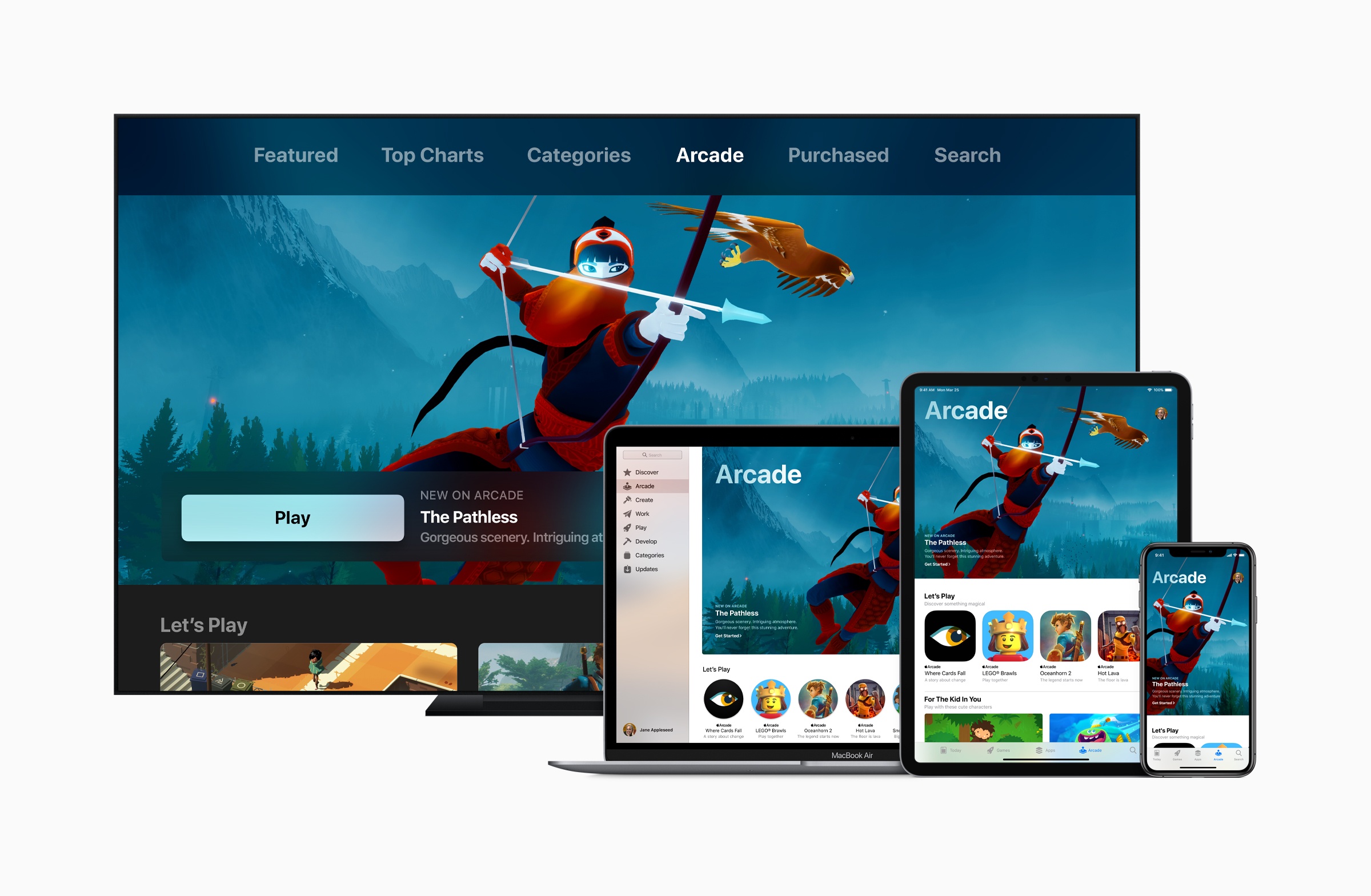
This week on AppStories, we dig into the details of Apple’s new App Review Guidelines, which address game streaming services, advertising, ‘reader apps,’ and more.

AppStories Episode 184 - Apple’s New App Review Guidelines
0:00
35:28
35:28







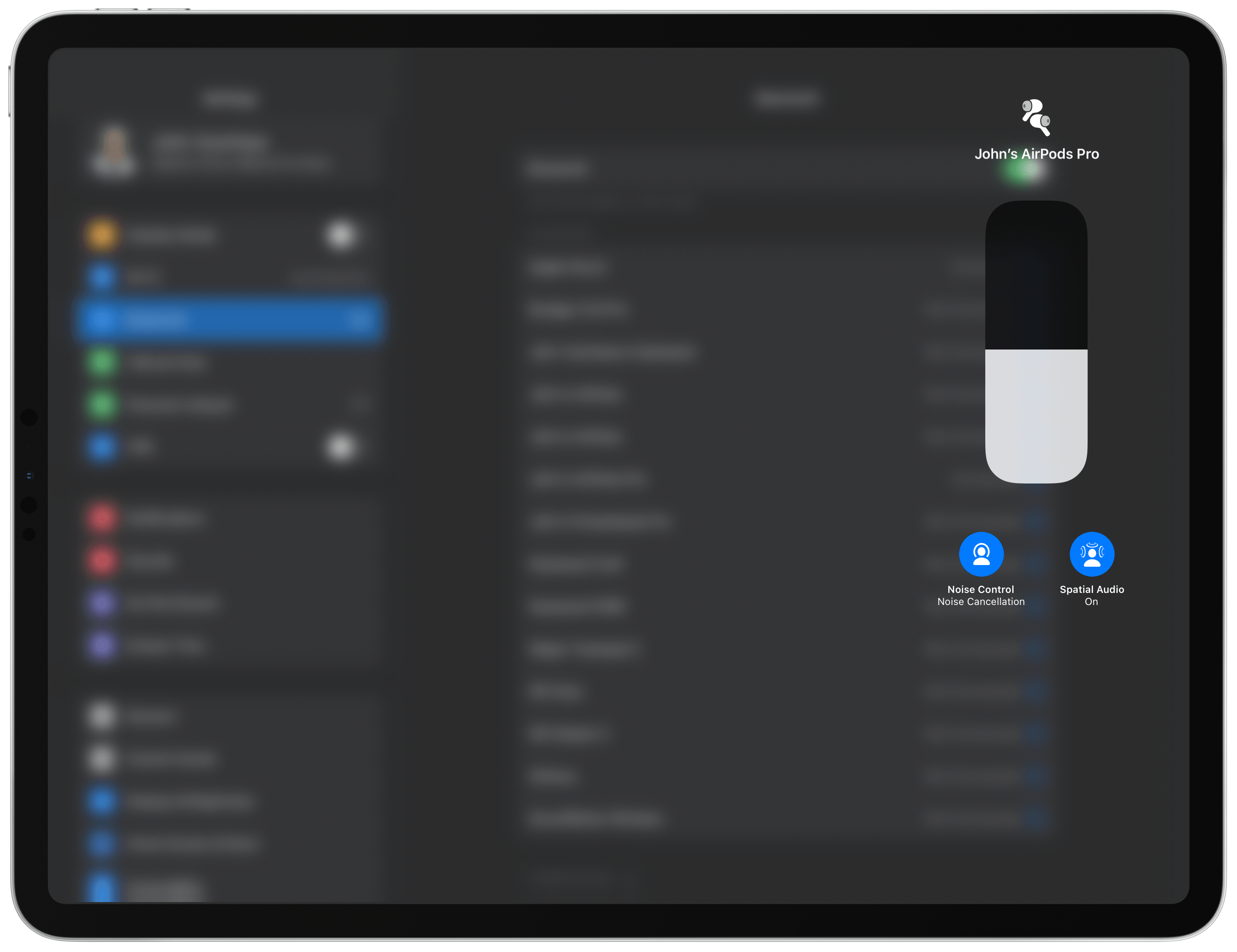
AirPods Pro firmware version 3A283 is currently rolling out to users with two new features: spatial audio and automatic device switching.
You can check the firmware version of your AirPods by connecting them to an iPhone or iPad and going to the Bluetooth section of the Settings app. Tap on the blue info button next to the entry for your AirPods, and scroll down to the Version number near the bottom of the view. There’s no known reliable way to force a firmware update, but my AirPods were sitting on a Qi charger with the case closed in close proximity to my iPhone for what it’s worth.
First announced by Apple at WWDC, spatial audio creates the illusion of sound coming from your iPhone or iPad as you move your head. Apple describes the feature on its iOS 14 preview page as follows:
Spatial audio with dynamic head tracking brings the movie theater experience right to your AirPods Pro.11 applying directional audio filters and subtly adjusting the frequencies each ear receives, spatial audio can place sounds virtually anywhere in space, creating an immersive surround sound experience. Using the gyroscope and accelerometer in your AirPods Pro and your iPhone, spatial audio tracks the motion of your head as well as your device, compares the motion data, and then remaps the sound field so that it stays anchored to your device even as your head moves.
I tested the feature with my iPhone 11 Pro Max and 12.9” iPad Pro, and it worked with both, even though Apple only mentions iPhone models on its iOS 14 preview page. In my tests, I played the latest episode of Ted Lasso, a TV+ show that supports multi-channel audio. I also tried HBO’s Game of Thrones. It’s going to require more testing, but the feature seems to support any multi-channel audio source, regardless of the video streaming provider.
As Ted Lasso played, I turned in my chair and got up, and walked around my office. With spatial audio turned on, which you can do by long-pressing the volume slider in Control Center in the iOS or iPadOS 14 betas, the source of the sound seemed to come directly from my iPad that was sitting on my desk. Next, I switched to watching on my iPhone and moved it as I walked around my office. The entire time the sound seemed to be coming directly from the iPhone.
While testing spatial audio, I moved around far more than I normally would when I watch a show. Even with exaggerated movement, though, the effect felt incredibly real as though the sound were coming from the speakers of the device playing the video. The effect is so well done that I expect in everyday use, like shifting your iPhone from one hand to the other or turning your head for a moment, I’ll forget spatial audio is even engaged.
The update also enables AirPods Pro and second-generation AirPods to switch between devices automatically. When I switched from watching Ted Lasso on my iPad to my iPhone, which was sitting less than a meter from the iPad, my AirPods switched as soon as I opened the TV app. It’s a small touch, but it felt like magic and I can tell it will make a big difference as I switch between devices throughout the day. Apple says the feature allows switching among iPhones, iPads, iPod touches, Macs, and Apple Watches.
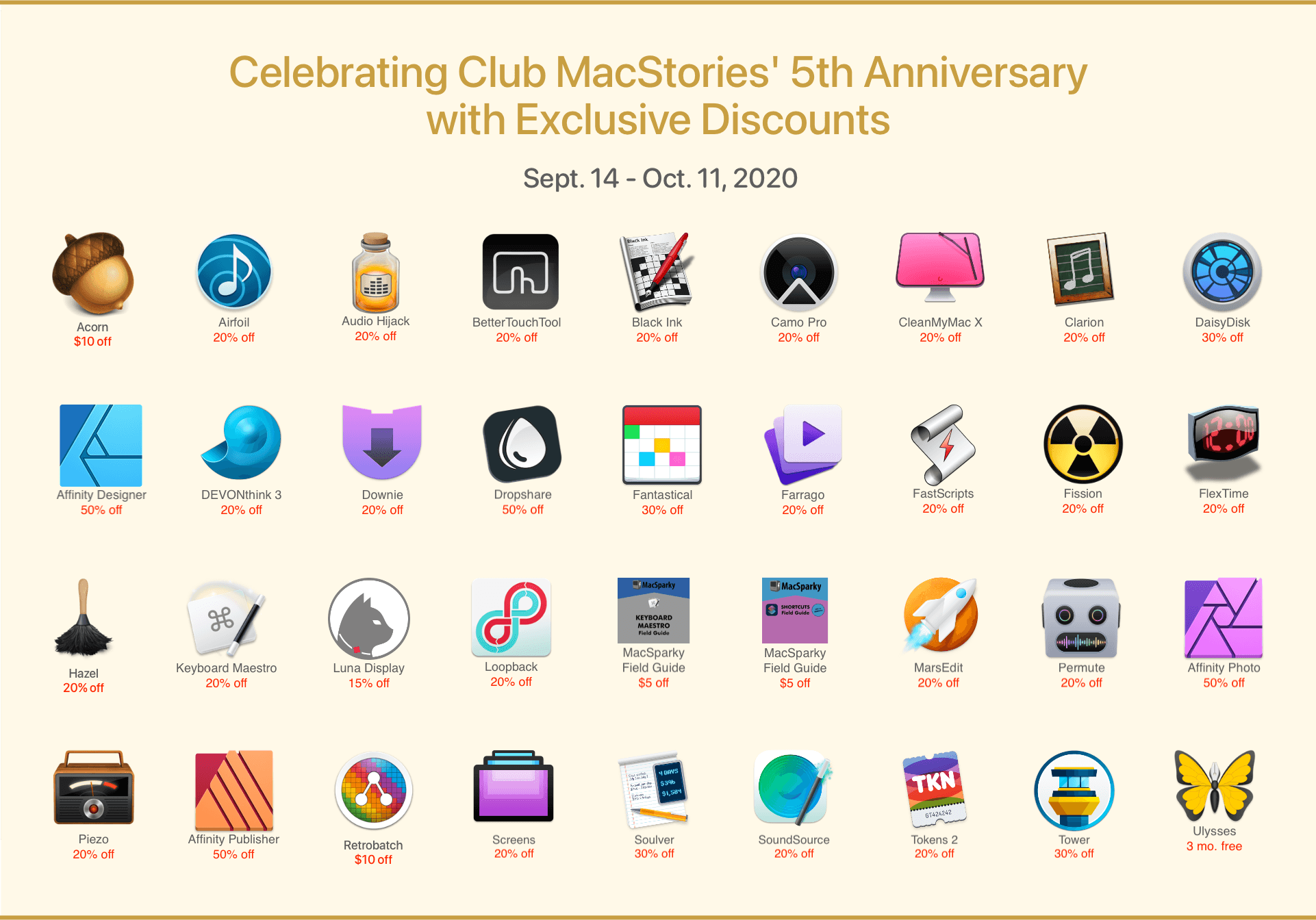
Today marks the fifth anniversary of Club MacStories. For the past five years, the Club has grown to become an integral part of what MacStories is. It’s the fuel that has allowed us to do more on the site, add new perks for Club members, and expand into podcasts.
Thank you to all of our Club members, past and present. You’re a big part of what allows us to do what we love, and we truly appreciate it. A special thanks to those of you who have been along for the ride for all five years too. There are quite a few of you, and your loyalty is humbling.
To celebrate this year’s anniversary, we’ve got a lot planned over the next four weeks:
A new professional app for the iPad launched last week. It’s called Muse, and it turns your iPad into a tool for thought.
Muse gives you a spatial canvas for your research notes, sketches, screenshots, PDFs, and bookmarks. File managers and note-taking apps put your content into sorted lists and grids. By contrast, Muse is inspired by your desk: personal, creative, even a little messy.
You can pull in documents and clippings from iCloud or Dropbox, your iCloud photo library, or drag-and-drop from other apps. Use your Pencil to draw on, around, or in between everything, discovering and making connections between ideas as you go. And the zooming interface allows you to nest all your content to create a beautiful, explorable knowledge garden.
Muse is $99.99 per year, but you can try it for free with up to 100 cards. It’s a terrific way to dig in and understand how Muse can help you organize your projects.
Download Muse from the App Store today. Because deep thinking doesn’t happen in front of a computer.
Our thanks to Muse for sponsoring MacStories this week.
Sponsored by: Textastic – The code editor for your iPad and iPhone
This week on MacStories Unwind:
 MacStories Weekly: Issue 239
 Today Apple released an update to its App Review Guidelines that address many of the gray areas surrounding them that have been the subject of multiple controversies in recent weeks.
The guidelines are effective as of today, but Apple says they want to work with developers to give them as much time as possible to implement these changes, which should provide developers some time to make any necessary adjustments.
The changes today include the following:
Under section 3.1.2(a), games offered via game streaming services must be downloadable from the App Store. Unless changes are made to the services, this precludes apps that would allow console games to be streamed to iPhones and iPads using services like Google’s Stadia or Microsoft’s xCloud, but it would not change the status of game subscription services like GameClub. Services should also be designed to avoid duplicate payment by subscribers and should not disadvantage non-subscribers.
Guideline 4.9 provides that game streaming services must also comply with the same requirements as apps downloadable from the App Store including app review, providing metadata for search, and In-App Purchases must be used to unlock features an functionality. Each game that is part of a streaming service must be submitted to the App Store as a separate app, so it has a product page on the Store and is subject to the same guidelines as other apps. Section 4.9.2 further clarifies that game streaming services can provide a catalog app to assist users with signup and finding games if they comply with app review guidelines including using In-App Purchases to pay for subscriptions and Sign In with Apple. According to Apple, the requirements of Section 4.9 would allow a streaming service to offer the game as a download on the App Store with basic functionality with additional levels and gameplay streamed to a player’s device.
The rules also clarify in Section 2.3.1 that games cannot include hidden, dormant, or undocumented features and that the functionality must be clear to users and App Review, an addition clearly prompted by Apple’s recent dispute with Epic Games.
Section 3.1.3(d) of the guidelines clarify that the use of In-App-Purchases is not necessary for one-to-one experiences like tutoring or fitness classes but must be used for one-to-few or one-to-many services.
According to new guideline 2.5.16, App Clips, widgets, notifications, and extensions cannot include advertising, must be included in the app’s binary, and their functionality must be related to the content and functionality of their app. Nor should ads be placed in third-party keyboards or Watch apps, according to guideline 3.1.7.
Section 3.2.2(x) requires apps that offer personal loans to clearly identify the terms of the loans and provides some specific guidelines regarding certain loan terms.
There are other modifications to the App Review Guidelines including a few very narrow exceptions to the requirements that developers use In-App Purchases, but it’s clear from the changes that the primary goal of them is to clarify Apple’s stance on game streaming services. While not precluded outright, the requirement that they include a separate App Store app puts substantial requirements on service providers that many may not be able to comply with our for technical or practical reasons.
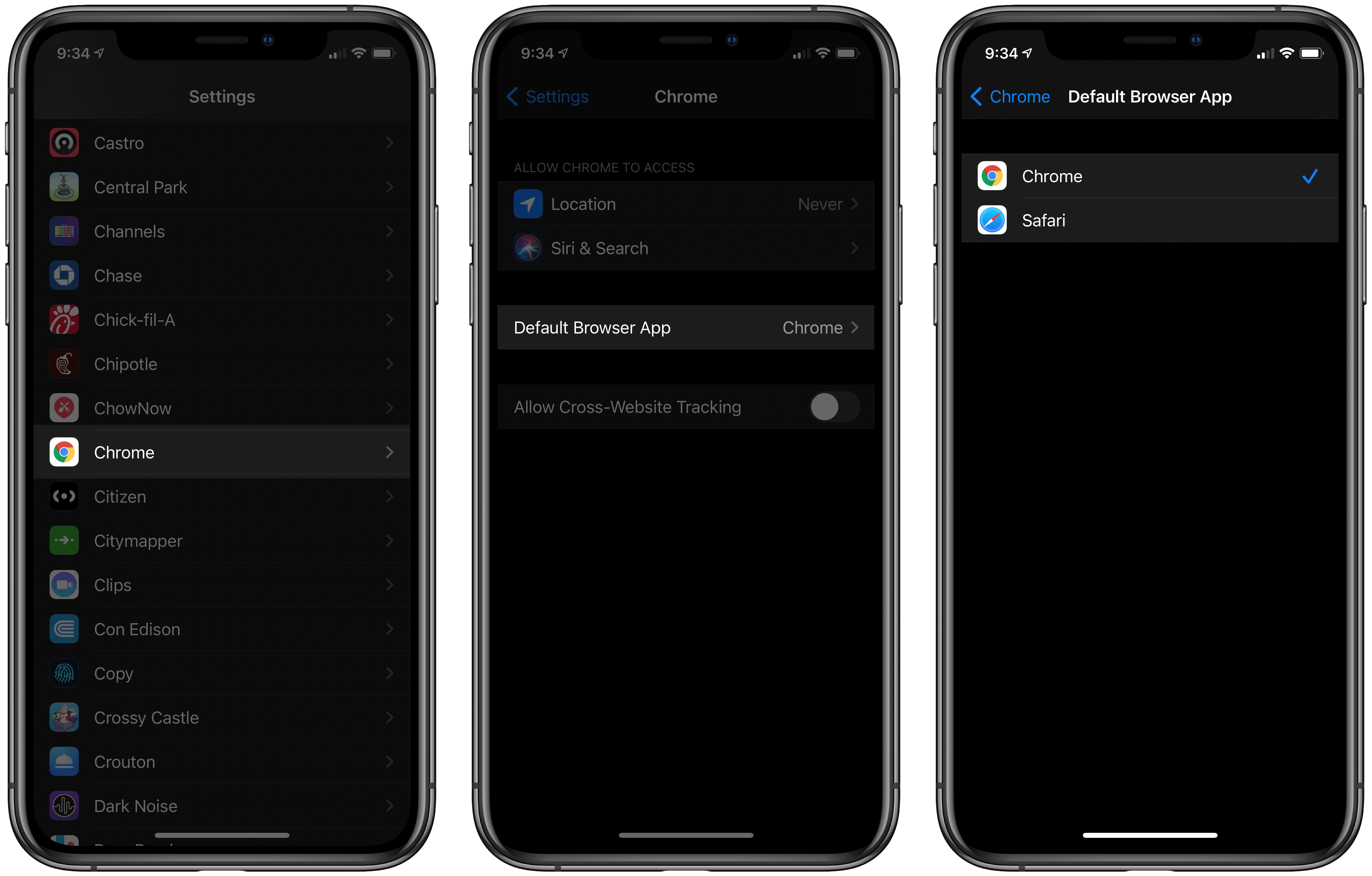
Apple is hosting its first fall event in a matter of days, and a public release for all the company’s latest OS updates is expected to follow not long after. However, today anyone using the beta versions of those updates can benefit from a new feature ahead of time: setting Google Chrome as the default browser on iPhone and iPad.
iOS and iPadOS 14 both include the ability to set a third-party browser or email app as the system default, replacing Safari and Mail. Up until now, however, beta users couldn’t yet try the feature because it’s usually not possible for third-party apps to support new OS features until after the beta cycle is complete. That’s not the case with Chrome, though, which as of its latest update can now be configured as the default iOS and iPadOS browser. You have to be running the iOS or iPadOS 14 beta for this to work, but if you are, all you have to do is visit Settings ⇾ Chrome ⇾ Default Browser App to make the change.
Once Chrome is set as your default, any link you tap systemwide will open in Chrome rather than Safari. It’s that simple. Whether you’re opening a link in an app like Messages or even from inside Siri results, the OS will always launch links directly in Chrome. The one point of friction that remains is apps that use Safari View Controller as an in-app browser rather than sending you to a separate app when you tap a link. Slack, for example, behaves this way. Fortunately, all you have to do is hit the Safari-inspired icon inside Safari View Controller that sits next to the share icon and the page will open in Chrome.
Now that Chrome supports this new iOS and iPadOS 14 feature, we may start seeing other browser apps and even email clients debut updated versions that can be set as defaults. I wouldn’t be surprised to see Gmail follow Chrome’s lead before long.