Jailbreak Tweak Could Let You Run Multiple iPhone Apps Side By Side On The iPad

In what can only be described as borderline ridiculous, but a very awesome tweak, Aaron Ash has managed to hack together a way in which two iPhone apps can run side by side on the iPad. In a blog post, Ash makes it clear that at this stage it is only really a proof of concept, not yet ready for a public release. In particular there are some bugs that are preventing audio from playing and accelerometer data from being detected by the apps.

The bottom right button turns on “edit mode” which allows you to rearrange applications, and rotate them (Angry Birds normally runs in landscape, here they’re turned). I’m debating on if I should go for the typical desktop feel or make it more SpringBoard-like and keep apps in preset locations.

Nonetheless he says he managed to “waste plenty of time already playing 2 games of Angry Birds at the same time” on the same screen. In fact he managed at one stage to play 3 at a time, which worked until he added a fourth, which crashed the tweak. He notes that “performance is actually pretty good, definitely useable” but with those bugs he says he probably wont release it for a few months. That said, he does note that he might show the tweak off at the jailbreak meetup in New York that is happening on Saturday, July 10th.


Apple Set To Renovate The New York SoHo Store

Apple seems to be on a Apple Store renovation spree, with reports today that its landmark SoHo store is also set to undergo renovations sometime in the next three months in order to increase the space of the store. It follows the renovations of the Fifth Avenue store, also in New York, that started earlier this month as well as reports that a store in Miami and Hawaii will also be undergoing renovations.

Whilst under renovations, the SoHo Apple store will be relocated to a temporary location, somewhere within Manhattan to accommodate the thousands of customers that visit the SoHo store every day. As ifoAppleStore points out, the SoHo store, which opened in July of 2002, is currently the smallest Apple Store within Manhattan and is constantly crowded.

The renovations will apparently primarily consist of a reconfigured first floor, with the exception of the glass staircase which will not be changed – it was the first such glass staircase to be built in an Apple store. Because the Apple store is housed in the heritage listed Prince Street building the construction work did also have to receive approval by the ‘Landmarks Preservation Commission’. They did approve the works, finding that they “will have no effect on significant protected features of the building”.

[Via ifoAppleStore]


The iPad: Now With 100,000 Apps Available

At the end of March we ran a story on the iPad App Store reaching the 75,000 apps milestone in less than 365 days since the original iPad came out in April 2010. Considering the competition the iPad had to face in the past year (though some people say there really isn’t a tablet market) and the options given to developers when it came to choosing which platform to develop for, seeing iPad users gaining access to almost 100,000 apps in roughly 12 months was a surprise – looking back at those statements from tech pundits who claimed the iPad was “dead in the water”, the 75,000 milestone surely helped putting things in perspective.

Yet Apple and third-party developers have set a new record: in 453 days since the original iPad came out on April 3, 2010, the App Store has more than 100,000 iPad-exclusive apps available. Either specifically targeting the tablet, or released as universal updates to existing iPhone apps, at the moment of writing this there are 100,161 iPad apps in the Store. How do I know? The App Store app itself on my iPad shows that.

Obviously, one could argue that the iPad’s development scene was “helped” by the success of the iPhone in the previous years. The original iPhone came out with no SDK in 2007, and developers were told to create web apps for it. Apple listened, and months later they released the first developer tools to create native apps for the iPhone. With the release of the iPhone 3G in 2008, Apple also launched the App Store, a unified marketplace to browse and download apps. The rest is history: a few graphical enhancements, sections, and 10 billion downloads later, the App Store is Apple’s crown jewel as far as digital downloads go. A success that has inspired the company to create an OS X version and name it Mac App Store which, unsurprisingly, is once again helping developers sustain their business because of the ease of use of the whole process. On the other hand, users love discovering and buying apps from the App Store because it’s simple, it’s full of apps, and it’s regularly updated. It’s a win-win scenario for Apple (who keeps a 30% cut off every transaction), the developers, and the users.

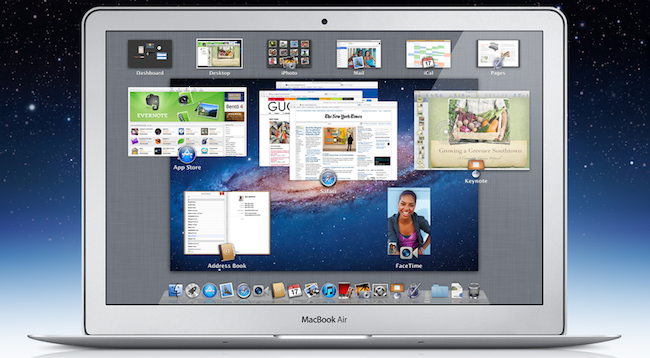
What’s next for the App Store and, more specifically, apps for the iPad? 100,000 is an important milestone, but don’t expect things to change dramatically in a short period of time. Considering how Apple rolls, the App Store will be slightly tweaked to accomodate new sections as it’s always been, more apps will be released in the next weeks, and users will keep buying apps and games. Don’t expect a revolution because Apple has reached 100,000 apps for the iPad. But that’s not to say the result isn’t remarkable or that new things aren’t coming: with iCloud going public this fall and Automatic Downloads already set in place, Apple wants to make the process of buying and syncing apps to iOS devices even simpler. With Lion approaching its public launch on the Mac App Store in July, it’s clear Apple is betting on the App Store brand as the de-facto solution for downloading software for iOS and OS X devices.

Congratulations, developers. Now onto 200,000 apps.


More Details On What Makes The Thunderbolt Cable Tick

Apple eventually started selling Thunderbolt cables and peripherals on Tuesday but many have asked why the Apple Thunderbolt cable costs, the rather expensive, $50. Ars Technica and iFixit decided to dig into the cable to find a bit more about it and discover why exactly it is so expensive.

First contacting a support technician, they were told that the Thunderbolt cable was “smart”, containing firmware inside it. Subsequently reaching out to Intel, they wouldn’t discuss anything regarding “firmware in the cable” but they did note that any Thunderbolt peripheral or device will require a specific Thunderbolt cable.

Only Thunderbolt cables can be used to connect Thunderbolt products using Thunderbolt connectors, the cables have been designed for the 10Gbps signalling as well as power delivery that are part of Thunderbolt technology.

Digging a little deeper however, Ars found this EETimes article, which noted that Thunderbolt cables use ‘active cabling’ and have different electrical characteristics from Mini DisplayPort to achieve full duplex 10Gbps transmission. Such ‘active cabling’ cables contain “tiny chips at either end that are calibrated to the attenuation and dispersion properties of the wire between them”.

iFixit decided to tear open the new cable and found that it contains two Gennum GN2033 Thunderbolt Transceiver chips which are described by the company as follows:

The GN2033 provides the sophisticated signal boosting and detection functions required to transfer high-speed data without errors across inexpensive Thunderbolt copper cables

[Via Ars Technica, iFixit]


ReadNow Brings Instapaper & Read It Later to your Desktop

While Instapaper and Read It Later have their own web apps where you can browse your saved articles, I’m not a big fan of keeping an open tab in my browser just for the five or so minutes I want to kill. The biggest thing for me is that I like this kind of stuff to be really frictionless — the reason I use a desktop app over Twitter on the web is so I don’t have to log in each time. The same thing can be said for plucking out a quick article to read, and ReadNow for OS X is a simple menubar utility that can contains your Instapaper or Read It Later articles in convenient popover.

ReadNow allows you to preview your Unread or Archived articles, and Instapaper users can even take advantage of ReadNow’s article view to read articles with the clutter of web ads (provided you sign up for Instapaper’s subscription service). It’s almost like having Instapaper on the Mac since you can like, share, and archive articles in a simple UI. Read It Later users will have their articles opened in a web browser, but in both cases you can opt for options you’ll be familiar with if you use the services on your iPad. ReadNow supports offline reading if you want to download your hundreds of unread articles (great for the airport), and can be configured to automatically archive articles as you open items from your list. A convenient search bar will search titles for everything about the “MacBook Air” or “iPhone” for example. Articles you find interesting can be posted to Twitter, and you can even grab the article’s short link to paste into an email body or blog, and ReadNow also supports custom bit.ly URLs. Right-clicking messages give you some additional options (also accessible via keyboard shortcuts) for optionally deleting articles, which is fantastic for accidental login saves.

My favorite features of ReadNow (after search) are keyboard shortcuts and the interface. You can open ReadNow with a keyboard shortcut, use the up and down arrows to scroll through articles, and hit the return key when you want to browse an article. The best part is that even if you just want the short URL, you can hit option+B and command+V to paste it immediately. If you wanted to share a reading list online, you could probably do some wild things with Keyboard Maestro to insert your five newest articles into your Tumblr feed for example. ReadNow’s hud interface is lightweight, and reminds me of the old Twitterrific for Mac in a lot of ways — I like there isn’t a lot of chrome. Perhaps it’s nostalgia.

I generally don’t like clutter in my menubar, but ReadNow’s tag is pretty okay. I’d say it’d be nice to autolaunch with something like MarcoPolo when you’re away from your local network. It’s convenient, and offers quick access to all of your saved articles in your favorite online service. To my knowledge you can’t use both Instapaper and Read It Later at the same time, but I think most people likely choose one or the other. ReadNow is $3.99 in the Mac App Store.

*Edit: You can get the article view for Read It Later just like Instacast. Simply choose offline reading, and you’re off running!


How The iPad Changed A 9-Year Old Girl’s Life

How The iPad Changed A 9-Year Old Girl’s Life

Evonne Barry at the Herald Sun tells the story of Holly Bligh, a 9-year old girl from Melbourne, Australia, whose life has been changed forever since she started using an iPad instead of regular paper and textbooks. As the publication reports, in fact, Holly has albinism, a condition that, alongside her skin, also affects her vision. Before the iPad, Holly’s parents and teachers were forced to print out papers with larger characters in order to let her read properly. The iPad, with its multitouch capabilities, changed that. Holly can now read her books with ease thanks to pinch and zoom, and her mother says the device is improving her ability to be independent from teachers as well.

But there’s more. Holly’s mother, Fiona, decided to send an email to Steve Jobs to personally thank him for producing a device that contributed so deeply to the betterment of her daughter’s life, and he replied.

Within hours of directly emailing multi-billionaire chief executive Steve Jobs, she was thrilled to receive a response.

“Thanks for sharing your experience with me. Do you mind if I read your email to a group of our top 100 leaders at Apple?” he wrote.

Mr Jobs signed off with “Thanks, Steve”, and asked for a high-resolution photo of Holly with her iPad.

This isn’t the first example of how the iPad as a revolutionary device changed the lives of children affected by different conditions and disabilities. Still, it’s always nice to hear a good story, rather than speculation on the next MacBook Air or Sandy Bridge CPU. Make sure to head over the Herald Sun for the full article.

Permalink

Tweetbot 1.3 Released with New Features & Favstar Support

It was only three weeks ago that we covered Tweetbot 1.2, an update to the popular Twitter client from Tapbots that added retweet undo options, old-style retweets, Pinboard support and a new user/hashtag picker in the compose screen. Today, another update to Tweetbot has been released, reaching version 1.3 and adding new design refinements, Twitter features, as well as general fixes aimed at improving the user experience.

Tweetbot 1.3 comes with a new account switcher popover that adds one extra step to go back to the account screen, but should prevent users from accidentally hitting the button when touching the top timeline bar. Tapbots received several reports of users annoyed by the fact that the button was too close to the timeline selector, and rather than removing it or replacing it altogether, they figured out a way to quickly switch accounts or go back to the accounts & settings page. It is an extra step but the trade-off should be worth it. Also improved in Tweetbot 1.3 are direct messages: you can now delete entire threads and single messages, copy them and translate them, but also enjoy a new recipient selector when composing a new DM. Obviously, Tweetbot has already been updated to include Twitter’s recent policy changes and OAuth login to use direct messages (if you haven’t re-authorized the app, do it now).

Another new feature that had me excited to check out Tweetbot 1.3 is Favstar support: for those who don’t know, Favstar is a fantastic ego-booster service that lets you see how many people have retweeted and marked your tweets as favorite. It provides a “most recent” list, as well as an all-time chart to see your most successful 140-character messages ever. I’m addicted to Favstar, and Tweetbot now comes with handy integration to invoke the “award tweet of the day action” (tap and hold the favorite button in the tweet drawer) and open your Favstar profile (double tap your profile tab). I love this.

Other changes in Tweetbot 1.3 include:

  • Local trends
  • “Add to List” feature improved and renamed to “Manage List Memberships”
  • Added “go to user” feature in people search (shows when typing into the “Search People” box)
  • Gaps now load above or below depending on position of gap when button is invoked.
  • Compose Tweet from hashtag (by holding down on a hashtag in a tweet)
  • Drafts button now displays # of drafts.

It’s great to see Tweetbot getting better and more powerful on each release, and you can read more about the future of the app here. Or, you can check out more screenshots of version 1.3 below and download the app here. Read more


First Thunderbolt Tests: “Dramatically Faster” Than FireWire, Supports Booting from Disk

With the release of the official Thunderbolt cable from Apple earlier this week, the first Thunderbolt-enabled products also started appearing on the Apple online Store. As announced back in February soon after the introduction of the new MacBook Pros with Thunderbolt, Promise made available a set of four different RAID systems called Promise Pegasus R4 (4x1TB and 4x2TB configurations) and Promise Pegasus R6 (6x1TB and 6x2TB capacities). A few publications managed to get their hands on the newly released models and the first results are coming in, detailing how, indeed, the Thunderbolt technology is incredibly faster than regular USB 2.0, but also FireWire 400 and FireWire 800.

First off, AnandTech received a 6-bay 12 TB model of the Promise Pegasus and, whilst a full review will be available later this week, they have confirmed that booting OS X from an external Thunderbolt disk properly partitioned will be possible, unlike some reports in the past months suggested. Thanks to Thunderbolt’s high speed and possibility of daisy-chaining devices, it’ll be interesting to see how fast will Lion run when configured on an external (perhaps even SSD) drive with other peripherals connected.

All of the available Pegasus systems ship with 7200RPM 3.5” hard drives, although Promise mentioned that we will may see SSD enabled configurations in the future. The 12TB R6 we received uses six Hitachi Deskstar 7K3000 2TB drives (HDS723020BLA642) in a 9.7TB RAID-5 configuration. The 7K3000 spins its four platters at 7200RPM and buffers data with a 64MB on-board cache. The drive has a 6Gbps SATA interface although the Pegasus R4/R6 supports SAS drives as well. All of the Pegasus devices ship in RAID 5 however they do support RAID-0/1/5/50/6/10.

Similarly, Macworld received a Thunderbolt 6-bay 12TB Promise Pegasus RAID system and put it through a first round of tests to measure its speed against common standards like USB and FireWire. Unsurprisingly, Thunderbolt scored better reading times – between 6.8 and 11.5 times faster than a FireWire drive from Promise itself, while a copying process of a 2 GB file was 30 percent faster on the Thunderbolt-equipped R6.

We used two different systems to test the RAIDs: a 15-inch 2.2GHz Core i5 MacBook Pro with a 256GB solid-state drive and 4GB of RAM; and a 27-inch 2.7GHz Core i5 iMac with a 1TB hard drive and 4GB of RAM.

When connected to the MacBook Pro (which has a slower processor than the iMac, but a faster internal SSD), we see that the R6’s AJA System Test results are very similar to the results when the R6 is attached to an iMac. In our tests involving the 2GB file and 2GB folder of files, the R6 benefited from the solid-state drive in the MacBook Pro. Across the board in these tests, the R6-MacBook Pro/SSD combination outperformed the R6 attached to an iMac with an internal hard drive.

More benchmarks will be available this week as people get their hands on new Thunderbolt products.


Shine, Beautiful Weather App for iPhone, Goes International

When I reviewed the first version of Shine, a simple weather app for the iPhone, I noted how it was backed by a beautiful interface design but full international support was nowhere to be seen. The app looked great, but I couldn’t get forecasts and wind speeds to display correctly in Italy. Most of the times, they just weren’t there – clearly, Shine was aimed at US iPhone users looking for a neat weather solution.

After the release of iOS 5 beta and the introduction of the weather widget in Notification Center, I didn’t stop looking for great weather apps that would keep me updated on my favorite locations for the summer. After all, my town is only 45 minutes away from the beach and I like to check on weather conditions before I drive there. Shine 2.0, released today, finally allows me to use the app in a reliable way thanks to proper support for international countries. I can’t check on every single country in Europe (or worldwide, for that matter) but I can say that it seems to be working just fine in Italy. I can see current conditions, forecasts (whose UI has been tweaked to offer more detailed info) and wind speeds; data matches with weather info provided by other Italian websites and weather services.

Shine 2.0 won’t change anything if you’ve been using the app in the United States, but it finally allows people overseas to check on weather using this beautiful app they bought last month. You can download Shine at $0.99 from the App Store.