MobileMe to iCloud Transition Goes Live for Developers

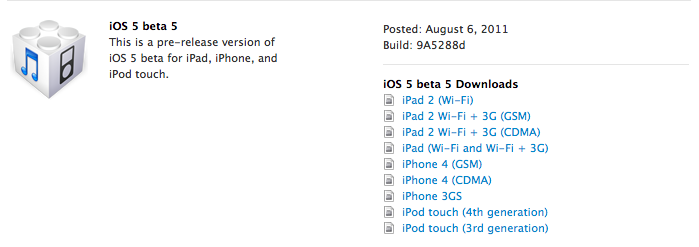
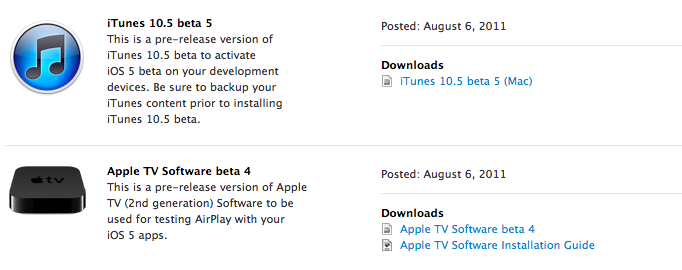
As first noted by 9to5mac, Apple is now allowing developers with access to the iOS 5 beta or OS X Lion 10.7.2 preview to migrate their existing MobileMe accounts to iCloud. A MobileMe account needs to be associated with a development device to be correctly transitioned to iCloud for now – once an account is eligible, the migration process can be initiated from OS X Lion (from the MobileMe control panel) or by directly visiting me.com/move.

As Apple previously detailed in its MobileMe to iCloud Transition Q&A, some functionalities of MobileMe won’t transfer over to iCloud. This includes MobileMe Gallery, iDisk and iWeb publishing, which, however, will still be accessible until June 30, 2012, even after moving to iCloud. Another feature that iCloud won’t include is the ability of syncing several Mac OS X items like Dashboard widgets, Preferences, and Mail Rules.

Apple’s web interface for the transition is very straightforward and guides you through the process of moving your MobileMe account to iCloud by detailing each step with an explanation, and links pointing to support articles.

Once upgraded, an already configured MobileMe account on iOS or OS X will need to manually “confirmed” before completely moving to iCloud. If the account isn’t already configured, you’ll just need to log in as a new iCloud account and choose which content you’d like to keep stored on Apple’s servers.

The process is now exclusive to developers and there’s the chance Apple will tweak the interface/steps required before the public release of iCloud. However, the information available today falls in line with what Apple revealed months ago about the transition. Furthermore, it appears MobileMe accounts will be automatically upgraded to a paid 20 GB plan for free until June 30, 2012, (with pricing depending on where you live, and the 20 GBs are in addition to the 5 GBs iCloud already gives you for free) although there are no subscription management options available yet to developers on iCloud.com. Read more
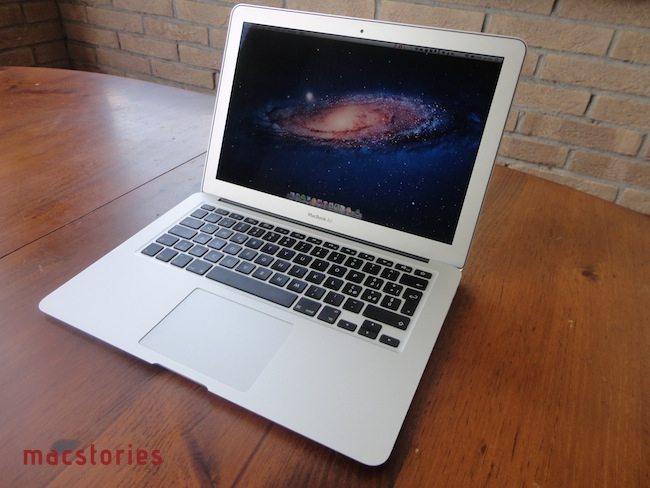
13-inch MacBook Air Review

The new MacBook Air is the best Mac I’ve ever owned. This machine is shaping the future of OS X, both as an operating system and a bridge between iOS and the desktop.

In October 2008, I bought my first Mac. I had been a Windows PC user for seven years, and I was accustomed to using a PC at home for my browsing and writing needs, and at work – where my boss demanded we used PCs as he said they were more “reliable” and “fast”. After months of reading and peeking through Apple’s FAQ pages and video tutorials, I decided to buy a MacBook Pro. It was a 15-inch Unibody model with glossy screen, 4 GB of RAM, multi-touch trackpad, and Core 2 Duo processor. Back then, it was my first Mac but also the best computer I ever had. The moment I took it out of the box – and I was immediately impressed by Apple’s attention to detail in packaging and overall presentation – I knew that machine was going to change the way I “did work” on a computer. And it did. A few months later my boss fired me, and I started MacStories.

That MacBook Pro has been with me until last week.

Last year, I bought an iMac. Being the kind of Mac user that travels back and forth every day between his office (where I spend most of my day writing and managing the site) and his home, I was tired of being constantly forced to pack my MacBook Pro inside a bag, carry it around, gently place it on the passenger seat of my car, and pray that the hard drive wouldn’t die because of the terrible roads we have here in Viterbo. In spite of the fact that the MacBook Pro was the best computer I ever had, I slowly came to a point where I couldn’t stand carrying it around anymore. I decided to buy an iMac and make it my “home computer” so that I could offload media on it, backup documents, and do all those other things you’re supposed to do on “a home computer”. I bought a 21.5-inch model – again with a glossy screen – as I thought I wouldn’t ever need anything bigger than that. I was right. I’m happy with my purchase – the iMac is the finest piece of desktop hardware Apple has come up with in the past decade. Sure, my 2009 iMac doesn’t feature a Thunderbolt port and won’t get the performance boost of a Sandy Bridge-enabled machine, but it’s a trusted companion that I plan to keep for at least the next two years (that is, unless something really bad happens to the hardware, or Apple comes out with a desktop computer so revolutionary that it’ll be impossible to say no and don’t buy it).

For me, an iMac is the perfect desktop computer. It sits there, it makes my desk more elegant and classy than it could ever be, and more importantly it never failed me.

But I still had a problem with the MacBook Pro being a clumsy machine I didn’t want to carry around with me all the time. Read more


Latest Chrome Canary Build Has Fullscreen for Lion Built In

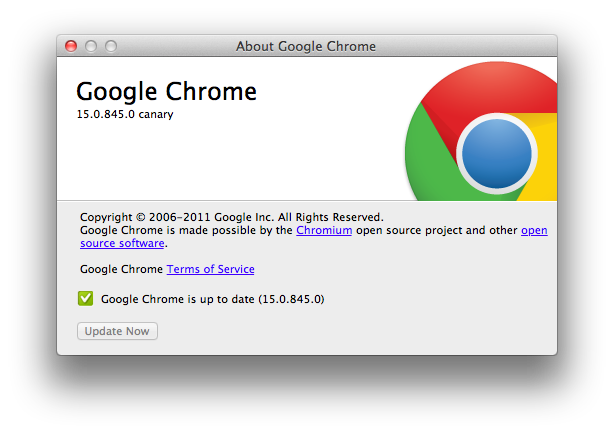
Want native Lion support in Google Chrome? The fast updating browser has an early Canary build out with native Lion support, including native fullscreen mode you’ve always wanted. Sure you can use fullscreen right now in Chrome, but it overtakes your current desktop and doesn’t show up as a fullscreen app in Mission Control. With native integration on its way, we’ve got plenty of screenshots past the break.

Read more


Apple Cracking Down on Developers Selling Device Slots for iOS 5

With plenty of free slots left after registering their own UDIDs, some “developers” whom pay the $99 fee for early access are selling off the additional spaces to make a quick profit from non-developers or users whom seek to get into the program at a discount, or to play with the iOS 5 betas early. With so many non-developers having early access, and Apple generally being quiet about NDA breakage, AppleInsider reports that Apple is specifically targeting these “crooks”, shutting down developers who sold their excess slots by closing their accounts (and sending devs a cease and desist via email). Apple is also going as far as flagging UDIDs associated with these accounts, and locking down the iOS devices to render them unusable.

“Once Apple locks your iOS device, the phone will enter the initial setup mode asking you to connect to a WiFi network,” the report said. “And nothing happens more than that.”

AppleInsider points out that websites have grown up around Apple’s developer program, allowing users to use PayPal to sign up for one of the empty slots to get their devices registered. Only developers are supposed to have access to the beta, with the public having access to iOS 5 with a final release this fall.

[KatharikK.net via AppleInsider]


Change the Launchpad Folder Background Image in Mac OS X 10.7 Lion

Change the Launchpad Folder Background Image in Mac OS X 10.7 Lion

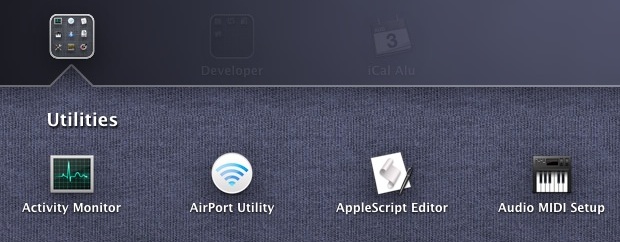
Tired of the linen background image of folders in Launchpad? You can easily change it to anything you want with this simple walkthrough…. you have to use a PNG file, so find one that you want as the new Launchpad folder background image.

Remember when we pointed you to a nine step process that taught you how to change your Dashboard and Mission Control backgrounds? You can even change the background of your Launchpad wallpaper thanks to OS X Daily, whom ask that you prepare a PNG (hopefully one that tiles nicely) before walking through the five required steps. You’re basically just swapping out an image with another image via the Finder, which makes backing up the resource you’re replacing pretty easy. I’d create a backup folder in your user folder before making any changes — that way you have all of the old resources in one rememberable location.

To get started, how about checking out this awesome pattern by Jeff Broderick?

Permalink


Firm Behind MacDefender Malware Likely Busted in Russian Raid

If you run an organization that runs a rogue pharmacy business and provides malicious support for fake anti-virus programs, then it’s likely you’re going to get caught. Such is the case with ChronoPay, whose offices were raided by Russian authorities at the end of July after the co-founder was arressted for allegedly launching denial-of-service attacks against payment processing firms in an attempt to undercut his competitors. The firm under inspection, ChronoPay, has been found with “mountains of evidence” that show the company running illegal anti-virus scams including MacDefender, which plauged Mac users earlier this year with fake pop-ups that scared users into thinking they had viruses, and even tricked users into supplying their credit card information via registration through the fake virus-removal app. MacDefender was crticized by Ed Bott as the start of something big, although security and malware news has been quiet last month, and the MacDefender threat itself could be diminished after this recent raid.

MacRumors writes,

The last release of MacDefender occurred on June 18. ChronoPay’s offices are raided June 23. A coincidence perhaps, or Russian law enforcement saving Mac users from fake antivirus software.

Companies in the business of writing and supporting malware such as MacDefender can rake in a lot of money in a short period of time. It’s an incredibly profitable business, feeding off the fear of individuals whom become victims to the scare tactics malware and phishing scams employ. While the takedown of ChronoPay will have a significant negative impact in revenues against cyber criminals in the black market, these raids are only short-term wins.

Given fake AV’s status as a reliable cash cow, the industry is likely to bounce back rapidly. Fake AV is extremely profitable, in large part because it is easily franchised.

Individual affiliates can quickly make a lot of money. Fake AV distribution networks pay affiliates between $25 and $35 each time a victim provides a credit card to pay for the junk software.

To spread malware, companies like ChronoPay can hire affiliates who can deploy malware and get paid based on how many systems are infected (how many programs are installed). The end result is that business is profitable for all the parties involved: fake anti-virus programs can offer “malware-removal” at the same market prices as legitimate anti-malware programs (the victim doesn’t know the difference), the distributors of malware are also paid wealthy amounts based on how successful that malware is, and you can begin to see how and why these types of businesses function in black markets. MacDefender was efficient since it preyed on Windows-to-Mac converts who are unfamiliar with legitimate solutions available, and thus fell for its tricks. MacDefender, while it garnered a lot of attention, has seemingly died down and is hopefully squashed for good with ChronoPay out of the picture.

MacDefender wasn’t some malware written by a couple young adults in their basement as we’d expect — this was a rare case of serious malware backed by a company (with a lot of money and mal-intent) and its affiliates. Hopefully, if evidence against ChronoPay turns out to be the real-deal, it’ll lead to more arrests and a safer Internet. The battle is far from won when it comes ot malware, but its always comforting knowing that there’s one less threat to deal with.

[Krebs on Security via MacRumors, (Image via ZDNet)]


Add a Speedometer to Maps in iOS

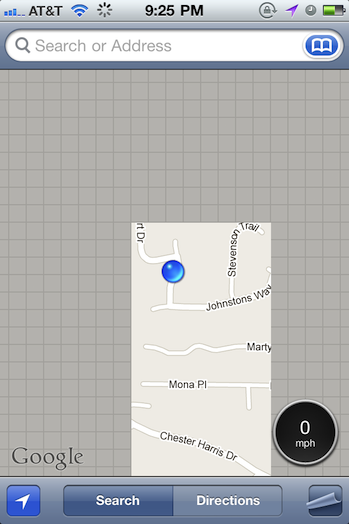
Traveling at the speed of light? Measure just how fast you’re going with a speedometer you can add to the Maps app via a Cydia tweak for Jailbroken iPhones. Speed for Maps is a small utility that you download to measure how fast you’re traveling in miles per hour, feet per second, kilometers per hour, meters per second, or knots if you’re traveling the high seas. A small, circular badge is added to Maps that displays your current speed — useful for biking and boating, but maybe not so much for driving where your panel instruments already give you everything you need. Regardless, it’s a simple tweak you can find in the Cydia repository if you’re interested in adding the tiny overlay.

[via FunkySpaceMonkey]