
Triage: My New Favorite Email App for iPhone

Triage is my new favorite email app for iPhone.

I’ve always had a tumultuous relationship with email clients on iOS. It used to be that Apple didn’t like third-party email clients on the App Store, until Sparrow came around. With its superior support for Gmail accounts and a faster workflow for managing the inbox on a daily basis, Sparrow convinced me – in spite of iOS’ limitations – to move away from Apple’s Mail, both on the Mac and iPhone. Until Google bought Sparrow, effectively stalling development on the iPhone and Mac and halting the iPad version’s release altogether. While Sparrow still works, I don’t feel comfortable relying on a product – for a key task such as email – that I know is going to be abandoned eventually. I stopped using Sparrow after it was acquired by Google.

I was back to Mail, and I wasn’t too thrilled about it. After upgrading to iOS 6 last year, I lamented numerous times how switching between Edge and 3G networks was worse than iOS 5, and how that behavior affected my Mail workflow due to another ridiculous change Apple made in iOS 6. Mail was my go-to client again, but I often ended up saving emails for later because I didn’t trust iOS 6 to correctly send my messages.

And then Google brought Gmail 2.0 to iOS, a much better version than the original app released in late 2011. I was eager to try out the new universal app with push notifications, once again moving with all my accounts from Apple Mail into a new home, cautiously hoping that would be the last time.

I’m still using Gmail for iOS, but there are some things I don’t like about it. Push notifications are useful, but I can’t stand the daily awkwardness with scrolling and funky text selections caused by Google’s reliance on embedded web views. Support for Gmail is solid and improving, but I miss the butter-smooth animations of Sparrow or, despite its flaws, Mail’s fluidity and native feel. I like Gmail for iOS, but I don’t love it.

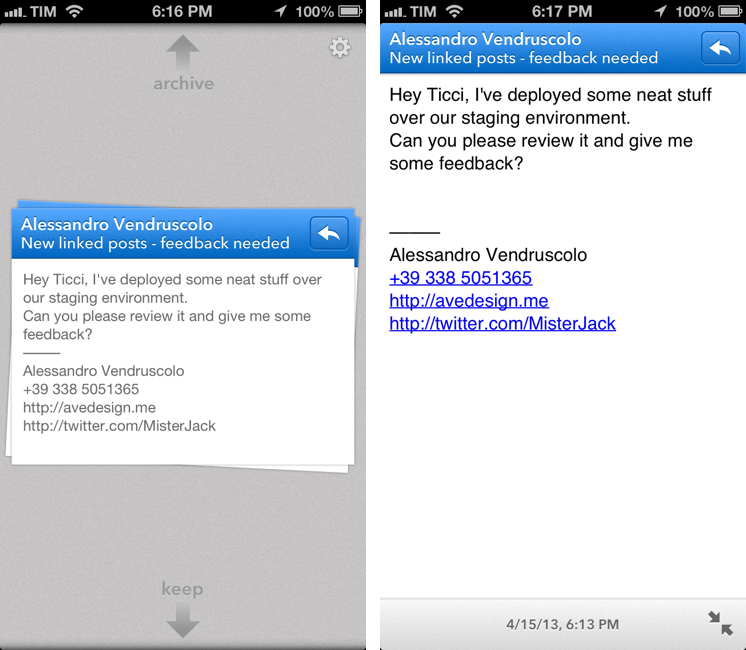
Last month, I was sent a beta of Triage for iPhone, and a few hours into using it I knew that was it. That was the email app – not a client – that could allieviate my Gmail sorrows while showing a new way to process my inbox on an iPhone. Read more
Screencast and GIF iOS apps

David Chartier details his workflow for iOS screencasts and GIF generation. I have exactly the same setup, especially when it comes to GIFs:

After you open or drag a video into GIF Brewery, you can select a small portion of the timeline to GIF; it’s really pretty simple. You have some control over how colors are squashed for the GIF format (it only handles 256 colors, so you might have to fiddle a bit here) and the GIF frame rate. You also get an overall file size meter and warning if you get close to or over 1MB; a number of of services (like Tumblr) and web hosts seem to not like anything over that, so GIFer beware.

I love GIF Brewery ; I’ve used it for several GIFs here on the site, and I’ve always liked its simplicity (and icon).

In addition to ScreenFlow, I would also suggest ffmpeg2theora, a simple converter for Ogg Theora video files. It’s a command line utility, and I use it every time I want to embed an HTML5 video on MacStories with MP4 and Ogg source files.

Obviously, Reflector is still the must-have for iOS screencasts.

Permalink

Sponsor: PDFpenPro 6

Our thanks to Smile for sponsoring MacStories this week with PDFpenPro 6.

PDFpenPro is the advanced version of PDFpen. PDFpenPro does everything that PDFpen does, such as add signatures, edit text and images, perform OCR on scanned documents and export Microsoft Word documents. It also has the ability to create a PDF form, build a table of contents, and convert HTML files to PDF.

The new PDFpenPro 6 adds document permission settings. When you share a PDF, you can restrict printing, copying, and editing of your PDFs. You can also use the new automatic form field creation tool to convert a non-interactive form into an interactive PDF form with text fields and checkboxes automatically added. PDFpenPro 6 is optimized for the Retina Display and now takes advantage of Versions and Auto Save available in Lion and Mountain Lion, which better saves your edits from accidental loss.

PDFpenPro 6 is available on the Smile Store and the Mac App Store for $100. A free demo can be downloaded on the Smile site. Find out why Macworld calls PDFpenPro “the crème de la crème of PDF editing and annotating applications.”


Linked Posts with Drafts and Poster

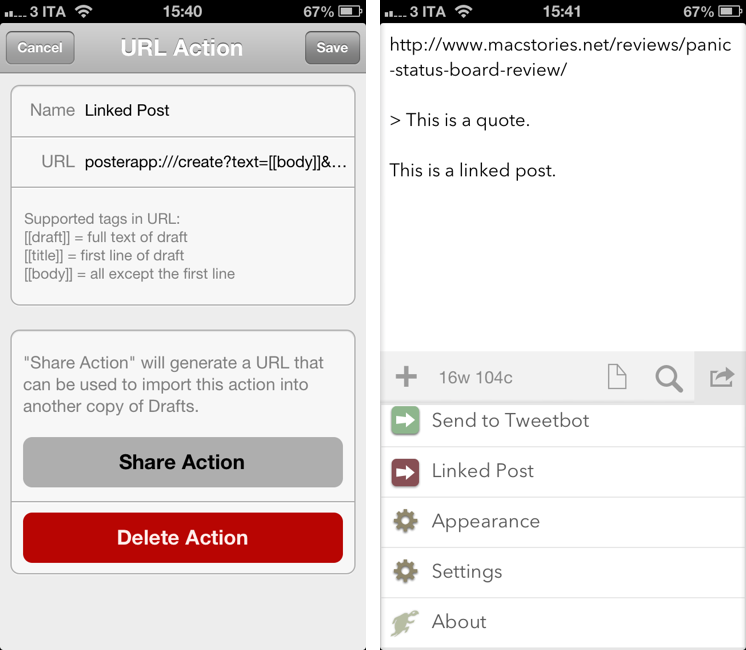
When we announced a new format for linked posts last week, I hadn’t set up a proper workflow to create linked posts on the iPhone and iPad. Driven by annoyance, I put together a Drafts action and a bookmarklet to help me post links to WordPress with or without additional text and quotes.

Our linked posts use a custom field to link back to the original source and format the clickable titles that you see on the site. Tom Witkin’s Poster is my default app to publish posts on MacStories from iOS, and, fortunately, it has support for calling and assigning values to custom fields from the URL scheme. On the other hand, Agile Tortoise’s Drafts, my favorite app to chain multiple actions together, can launch custom URL actions differentiating between the first line of a note and everything else after it. That seemed like a good opportunity to separate my source URL from any possible text I wanted to add to a linked post. Read more


Context

The iPhone does not know enough. Proper context will require data in many more dimensions, dimensions which can define the user and his state. Their sheer number will placate strenuous constraints on their size and energy consumption but demand ever more accurate data. It is not difficult to realize that sensors will ride the next wave of innovation in computing. These minuscule and sophisticated apparatus will usher in the age of personal data.

Great post by Amit Jain.

More sensors and new algorithms will make our devices more personal, context-aware, and versatile. Let’s keep in mind that, however, more always-on sensors will require Apple to make significant strides in another area.

Permalink

Ecoute 1.2 With URL Scheme

Nice update to my favorite iPhone music player: automatic download of missing artwork, iTunes 11-like “Play Next” feature, and a URL scheme (linked above).

We first reviewed Ecoute in August 2012; in October, I added:

The thing I like about Ecoute is that it displays Artists using album thumbnails. The Music app does this only for the Albums view, and then again they’re small thumbnails arranged in a list view. Ecoute is more similar to iTunes’ grid view, which I use on my Mac.

I like the new URL scheme, and especially the search action. I use Rdio on a daily basis, but I keep some albums on my iPhone. With Ecoute 1.2, I can use a Launch Center Pro action to look for a specific artist/album name and view search results for matching artists, albums, and songs. Here’s what it looks like.

Permalink

“So You Wanna Be A Mac Consultant Now”

Great advice (again) by Patrick Rhone:

If you are not a very, very, very, patient, friendly, likable and kind people-person you probably should not be in this line of work. I’ve seen tons of consultants who quite obviously would have been happier if they had never shaved their neck beard and ventured out of their mother’s basement. If that is you, please take up some line of business that keeps you in the basement. You have to be a person who honestly likes dealing with people that are clueless when it comes to this stuff. Your thrill has to come from giving these people “lightbulb moments”.

I also like the brief follow-up by Stephen Hackett (a former Genius):

We did a fair amount of consulting, and the most important thing I told people was this: “I don’t know, but I know how to find out.”

Permalink


Barry For iOS Takes Full-Size Screenshots of Webpages

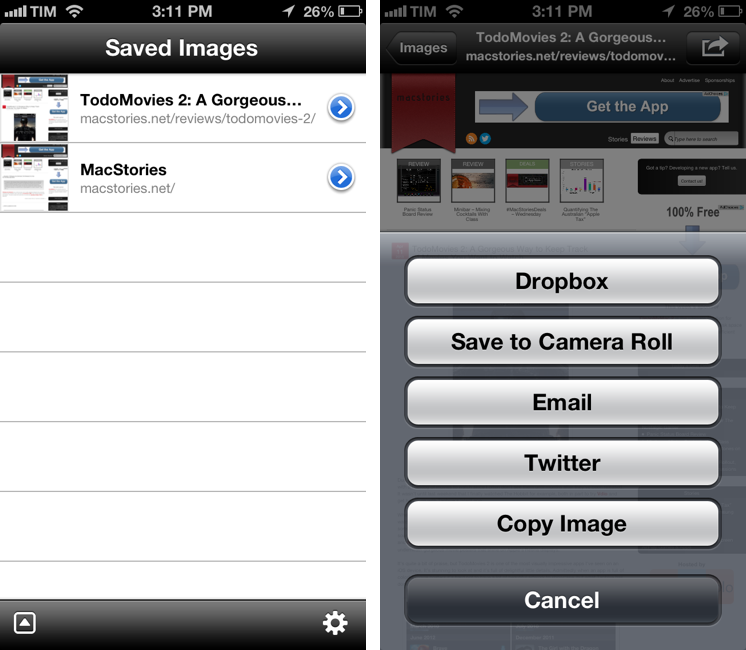
I often find myself having to capture a full screenshot of a webpage (that is, not just the portion that’s shown in the browser, but the full-length site), and while Skitch for iOS is a fine option, I’d like to have an app that’s faster to launch and easier to use. Barry, a $0.99 universal app by North of Three, provides just that kind of functionality. Read more