
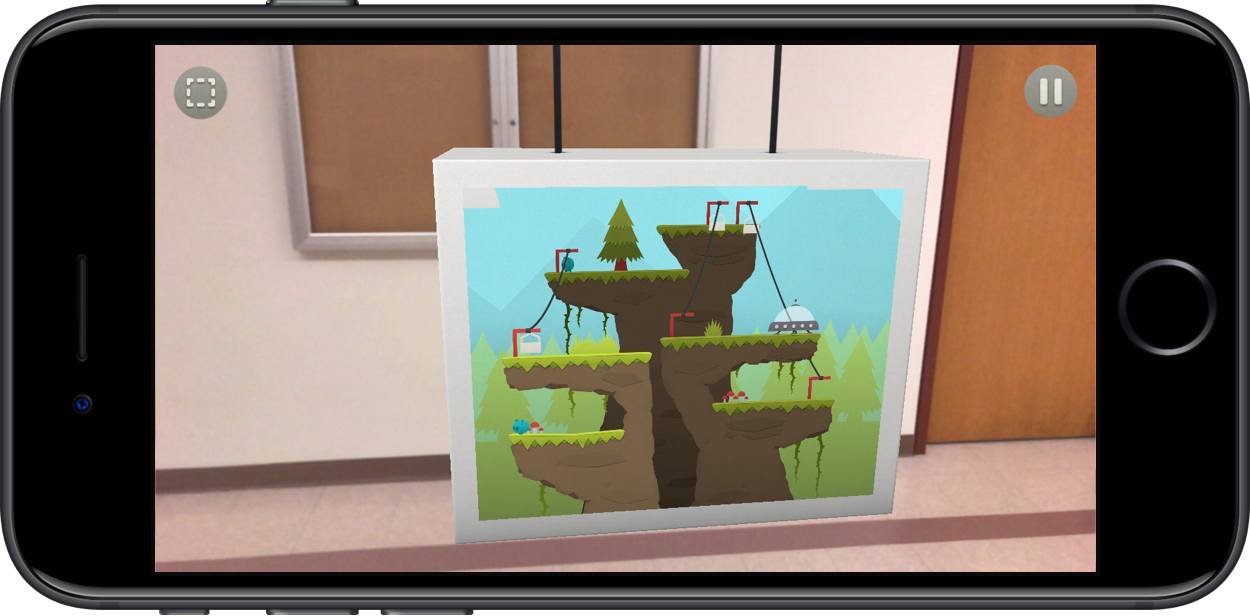
It’s been a good year for the Splitter Critters team. Released to excellent reviews and much fanfare, the game gained traction before ultimately being awarded an Apple Design Award at this year’s WWDC. And with the release of iOS 11, Splitter Critters is adding another reason to love it: augmented reality levels.
Posts in reviews
Splitter Critters Adds AR Mode with Exclusive Levels

Access Extra Content and Perks
Founded in 2015, Club MacStories has delivered exclusive content every week for nearly a decade.
What started with weekly and monthly email newsletters has blossomed into a family of memberships designed for every MacStories fan.
Club MacStories: Weekly and monthly newsletters via email and the web that are brimming with apps, tips, automation workflows, longform writing, early access to the MacStories Unwind podcast, periodic giveaways, and more;
Club MacStories+: Everything that Club MacStories offers, plus an active Discord community, advanced search and custom RSS features for exploring the Club’s entire back catalog, bonus columns, and dozens of app discounts;
Club Premier: All of the above and AppStories+, an extended version of our flagship podcast that’s delivered early, ad-free, and in high-bitrate audio.
Rescheduling Refined with Drag and Drop in Timepage
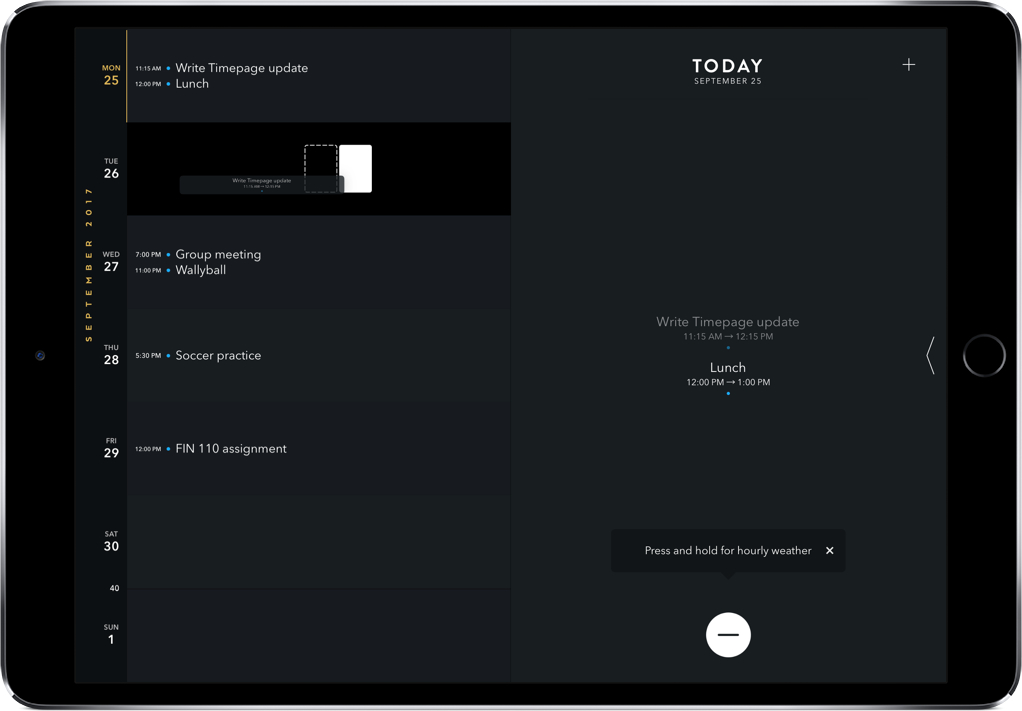
Your phone buzzes. It’s a message from a friend asking to reschedule your dinner in an hour for another day. You’ve already put on something nice, so it’s a little inconvenient – but it’s also going to be tedious to make the adjustment on your calendar.
Timepage’s recent update can’t change you back into comfortable clothes, but it can make rescheduling events much easier. As with most iOS 11 app updates, this comes through drag and drop and thankfully works on both iPhone and iPad.
Access Extra Content and Perks
Founded in 2015, Club MacStories has delivered exclusive content every week for nearly a decade.
What started with weekly and monthly email newsletters has blossomed into a family of memberships designed for every MacStories fan.
Club MacStories: Weekly and monthly newsletters via email and the web that are brimming with apps, tips, automation workflows, longform writing, early access to the MacStories Unwind podcast, periodic giveaways, and more;
Club MacStories+: Everything that Club MacStories offers, plus an active Discord community, advanced search and custom RSS features for exploring the Club’s entire back catalog, bonus columns, and dozens of app discounts;
Club Premier: All of the above and AppStories+, an extended version of our flagship podcast that’s delivered early, ad-free, and in high-bitrate audio.
macOS High Sierra: The MacStories Review

Since Mac OS X 10.5 Leopard was released in 2007, Apple has periodically paused to release updates to what is now known as macOS that are more a refinement of their predecessors than major upgrades. Apple signals each refinement release by picking a name that relates to the one immediately before it. In 2009, that meant Leopard was followed by Snow Leopard; in 2012, Mountain Lion followed Lion. It’s been a while, and Apple has moved from big cats to California landmarks and adopted the macOS moniker, but the company is back with another operating system update that predominantly focuses on under-the-hood features by following last year’s macOS 10.12 Sierra with macOS 10.13 High Sierra.
For a foundational release, High Sierra goes about as low as you can go by introducing an entirely new filesystem for the first time in almost twenty years. Apple File System, also known as APFS, is a modern filesystem developed by Apple to accommodate the needs of each of its platforms in ways that HFS+ couldn’t manage. If there’s a theme to each of the core technologies introduced with High Sierra, it’s laying the groundwork for the future across Apple’s product line. New video compression technology, Metal 2, and VR are all part of a new bedrock being laid to prepare for the future.
That’s not to say that there are no goodies in High Sierra though. Photos has received several new features, and although not individually as significant, changes to Mail, Notes, Safari, Siri, Spotlight, and other apps all add up to a solid collection of refinements that make the Mac more efficient than before. Even so, High Sierra won’t be remembered for revolutionary user-facing features. Instead, along with new iMac Pros and Mac Pros on the horizon, it shows that Apple still cares about the Mac, but is also taking a broader view, building the infrastructure for the next chapter in computing across all of its present and future products.
Access Extra Content and Perks
Founded in 2015, Club MacStories has delivered exclusive content every week for nearly a decade.
What started with weekly and monthly email newsletters has blossomed into a family of memberships designed for every MacStories fan.
Club MacStories: Weekly and monthly newsletters via email and the web that are brimming with apps, tips, automation workflows, longform writing, early access to the MacStories Unwind podcast, periodic giveaways, and more;
Club MacStories+: Everything that Club MacStories offers, plus an active Discord community, advanced search and custom RSS features for exploring the Club’s entire back catalog, bonus columns, and dozens of app discounts;
Club Premier: All of the above and AppStories+, an extended version of our flagship podcast that’s delivered early, ad-free, and in high-bitrate audio.
OmniFocus for iOS 11 Adds Extensive Drag and Drop and Siri Support
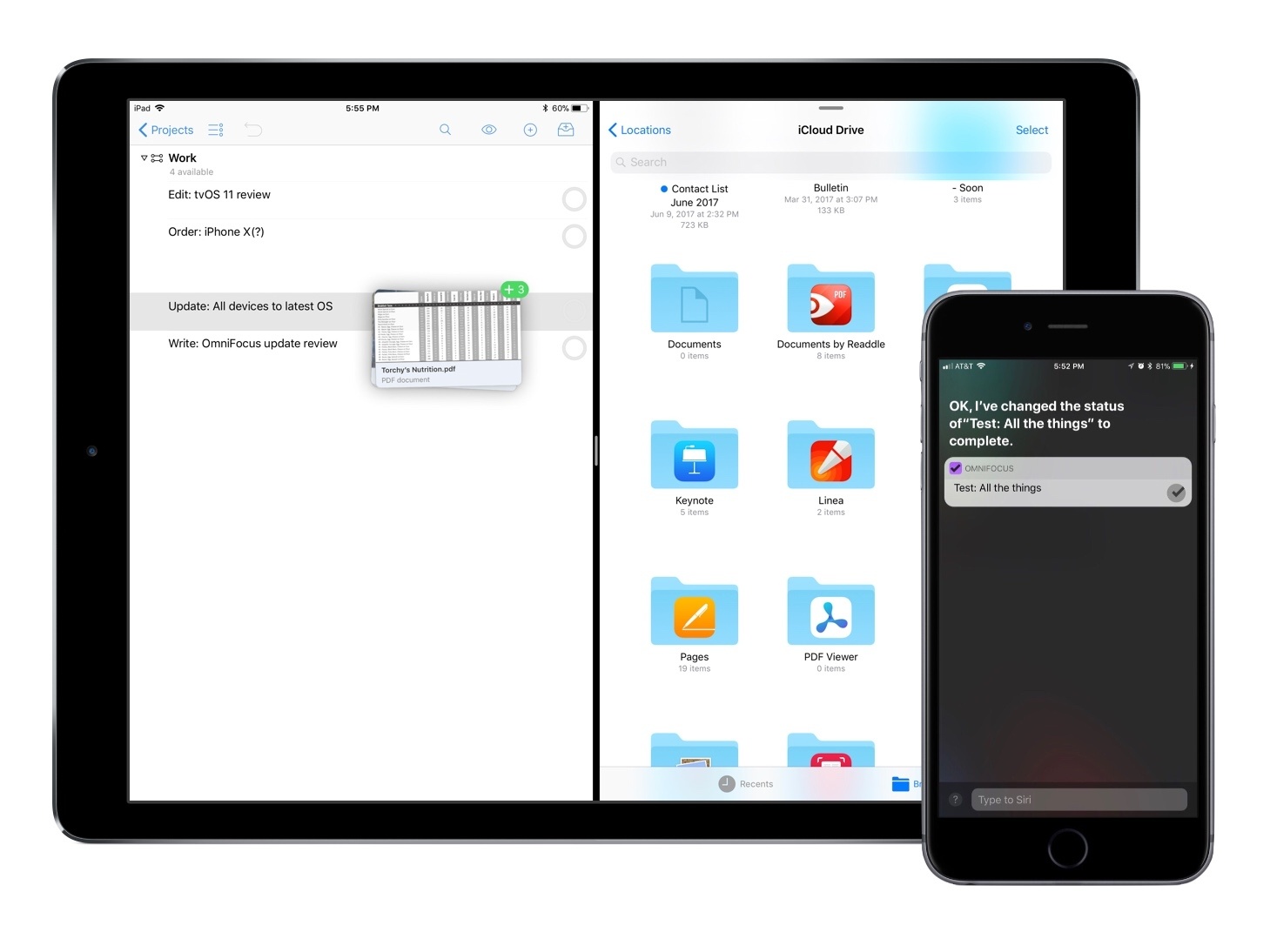
The Omni Group is one of the most reliable development teams when it comes to adopting new technologies available in Apple’s latest operating systems. This year is no exception, with OmniFocus serving as a shining example of the power of iOS 11’s drag and drop and a new SiriKit integration.
Access Extra Content and Perks
Founded in 2015, Club MacStories has delivered exclusive content every week for nearly a decade.
What started with weekly and monthly email newsletters has blossomed into a family of memberships designed for every MacStories fan.
Club MacStories: Weekly and monthly newsletters via email and the web that are brimming with apps, tips, automation workflows, longform writing, early access to the MacStories Unwind podcast, periodic giveaways, and more;
Club MacStories+: Everything that Club MacStories offers, plus an active Discord community, advanced search and custom RSS features for exploring the Club’s entire back catalog, bonus columns, and dozens of app discounts;
Club Premier: All of the above and AppStories+, an extended version of our flagship podcast that’s delivered early, ad-free, and in high-bitrate audio.
Conduct AR: Desktop Micromanaging at its Finest
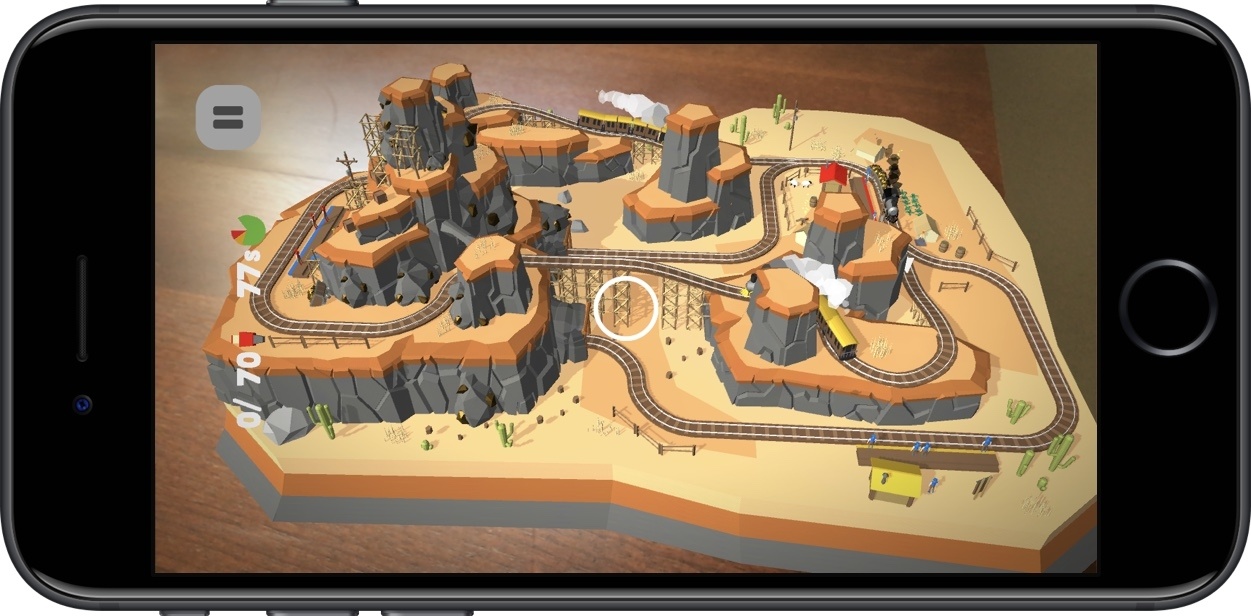
I never was the kid to play with toy trains, but that hasn’t stopped me from becoming engrossed in augmented reality ones thanks to Conduct AR.
An AR follow-up game to Northplay’s Conduct THIS, Conduct AR puts you in control of trains barreling down the tracks. As they make their routes, they’ll pick up passengers at stations for later drop off, but only if you can guide the trains there without crashing into obstacles along the way.
To do that, you’ll switch tracks, stop, and start the trains, carefully pointing your camera at them and tapping the screen at the same time. In AR, though, this can be tricky, as Conduct AR requires you to move around, peer into the level, and get close enough to where you can control the trains in a precise way.
Many AR apps are meant to be seen as a big picture experience, like a rocket ship landing in your backyard pool. That’s not Conduct AR. In order to play the game right, you have to survey the level and get a perfect understanding of how to play it. As you progress through the levels, so much is happening that you always have to be moving, checking tunnels, and guaranteeing your trains don’t crash.
Conduct AR’s performance is sufficient but occasionally shaky, sometimes in the literal sense; there were occasions where the tracking fell off and required an app restart. Still, those issues are relatively uncommon, and the game often runs well.
If you’re looking to dive into Conduct AR, I really recommend that you play it on a desktop or table – with a flat surface directly in front of you, it’s much easier to stand up, move around, but also play comfortably. You should also know that the game has run hot on my iPhone 7, but I’d expect this to get figured out on the iOS end as ARKit develops.
Once you become addicted to Conduct AR, you’ll be happy to see that there’s plenty of content to work through before you finish the game. For $3.99, it’s worth the experience alone, but having many levels makes it all that much sweeter. Those interested in the new AR experiences in iOS should pick up Conduct AR in the App Store here.
Access Extra Content and Perks
Founded in 2015, Club MacStories has delivered exclusive content every week for nearly a decade.
What started with weekly and monthly email newsletters has blossomed into a family of memberships designed for every MacStories fan.
Club MacStories: Weekly and monthly newsletters via email and the web that are brimming with apps, tips, automation workflows, longform writing, early access to the MacStories Unwind podcast, periodic giveaways, and more;
Club MacStories+: Everything that Club MacStories offers, plus an active Discord community, advanced search and custom RSS features for exploring the Club’s entire back catalog, bonus columns, and dozens of app discounts;
Club Premier: All of the above and AppStories+, an extended version of our flagship podcast that’s delivered early, ad-free, and in high-bitrate audio.
LookUp 4.0 Adds Object Recognition via Vision Framework, Plus Drag and Drop
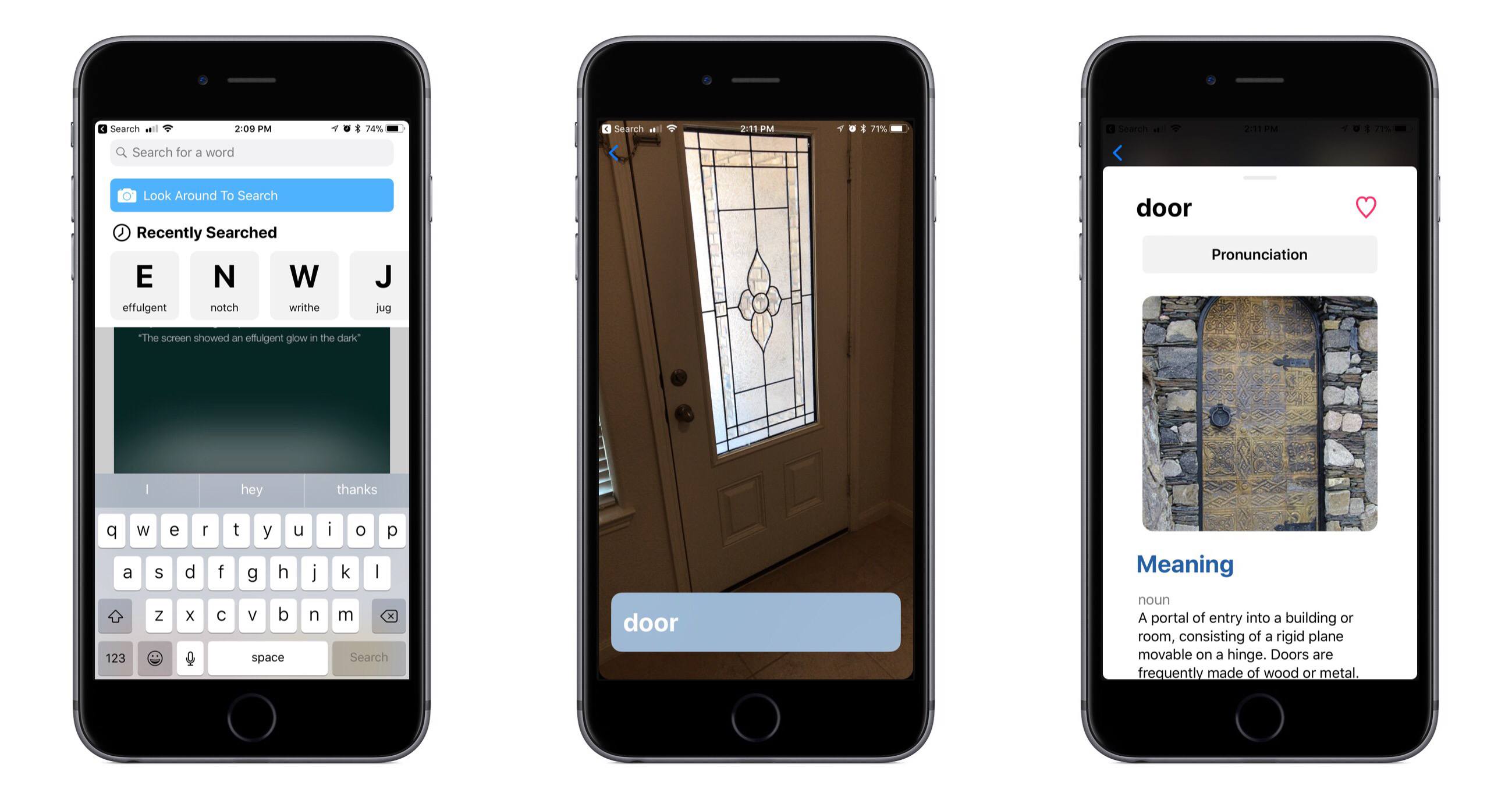
LookUp is a beautifully designed dictionary app that we first reviewed earlier this year. With its effective use of bold headings and colorful graphics atop a white background, Lookup visually looks like a sister app to Apple’s new App Store – and considering how much I love the new App Store, that’s high praise. I won’t spend any time on the basics of the app though, as you can check out Jake’s original review for that. Instead, I want to focus on how LookUp harnesses the power of new iOS 11 technologies.
Access Extra Content and Perks
Founded in 2015, Club MacStories has delivered exclusive content every week for nearly a decade.
What started with weekly and monthly email newsletters has blossomed into a family of memberships designed for every MacStories fan.
Club MacStories: Weekly and monthly newsletters via email and the web that are brimming with apps, tips, automation workflows, longform writing, early access to the MacStories Unwind podcast, periodic giveaways, and more;
Club MacStories+: Everything that Club MacStories offers, plus an active Discord community, advanced search and custom RSS features for exploring the Club’s entire back catalog, bonus columns, and dozens of app discounts;
Club Premier: All of the above and AppStories+, an extended version of our flagship podcast that’s delivered early, ad-free, and in high-bitrate audio.
Just Press Record Refreshes Its iOS Design and Adds Powerful Features to Its Watch App
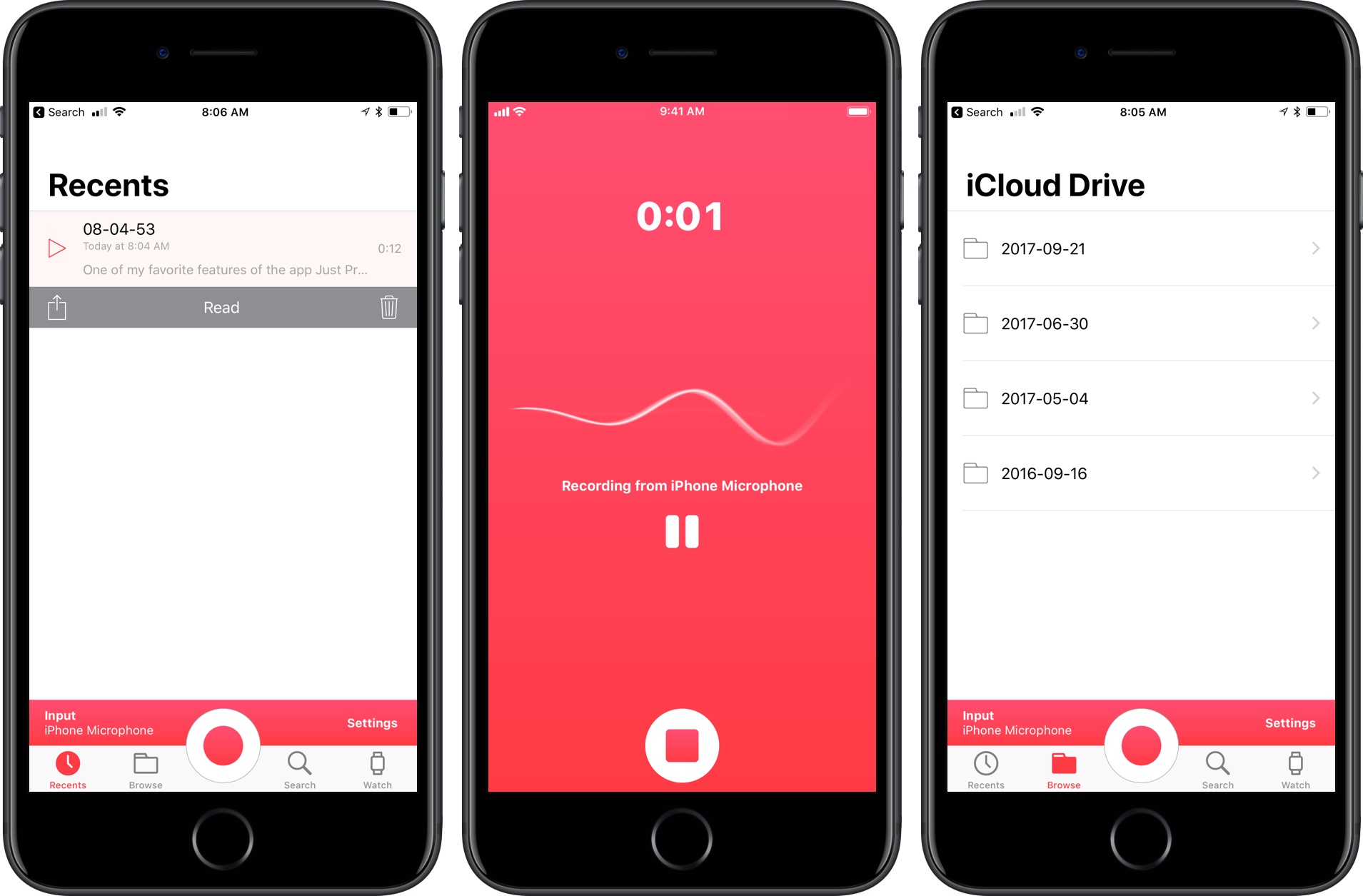
My favorite way to make quick recordings on my iPhone is Just Press Record. It’s a great way to capture a thought before it escapes me. With the release of iOS 11 and watchOS 4, the app launched an update with a modern design and more powerful watchOS app that makes it even easier to use.
Access Extra Content and Perks
Founded in 2015, Club MacStories has delivered exclusive content every week for nearly a decade.
What started with weekly and monthly email newsletters has blossomed into a family of memberships designed for every MacStories fan.
Club MacStories: Weekly and monthly newsletters via email and the web that are brimming with apps, tips, automation workflows, longform writing, early access to the MacStories Unwind podcast, periodic giveaways, and more;
Club MacStories+: Everything that Club MacStories offers, plus an active Discord community, advanced search and custom RSS features for exploring the Club’s entire back catalog, bonus columns, and dozens of app discounts;
Club Premier: All of the above and AppStories+, an extended version of our flagship podcast that’s delivered early, ad-free, and in high-bitrate audio.
Note Transfers Done Simple with Carbo’s iOS 11 Update
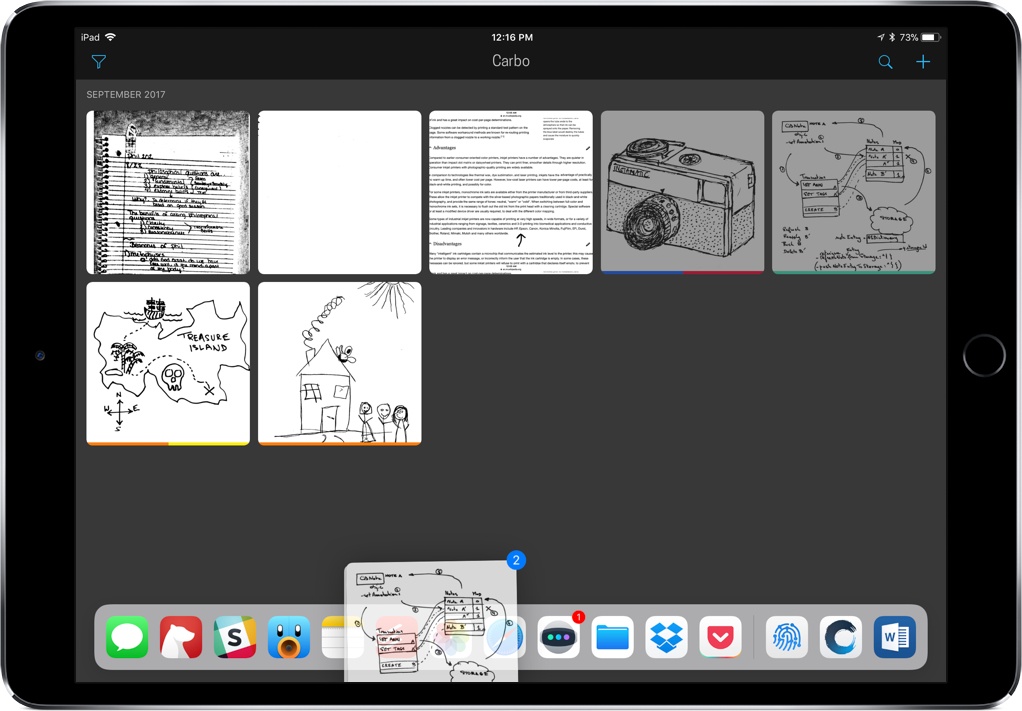
When I stumbled upon Carbo way back in January 2016, I praised it as a utility that improved my note-taking, bringing my handwritten notes into an editable, digital format. Twenty-one months later, Carbo brings its biggest update yet, aimed at making it even easier to import and export your notes through drag and drop in iOS 11.
Access Extra Content and Perks
Founded in 2015, Club MacStories has delivered exclusive content every week for nearly a decade.
What started with weekly and monthly email newsletters has blossomed into a family of memberships designed for every MacStories fan.
Club MacStories: Weekly and monthly newsletters via email and the web that are brimming with apps, tips, automation workflows, longform writing, early access to the MacStories Unwind podcast, periodic giveaways, and more;
Club MacStories+: Everything that Club MacStories offers, plus an active Discord community, advanced search and custom RSS features for exploring the Club’s entire back catalog, bonus columns, and dozens of app discounts;
Club Premier: All of the above and AppStories+, an extended version of our flagship podcast that’s delivered early, ad-free, and in high-bitrate audio.
TeamViewer Quick Support Adds Live Screen Sharing for iOS 11
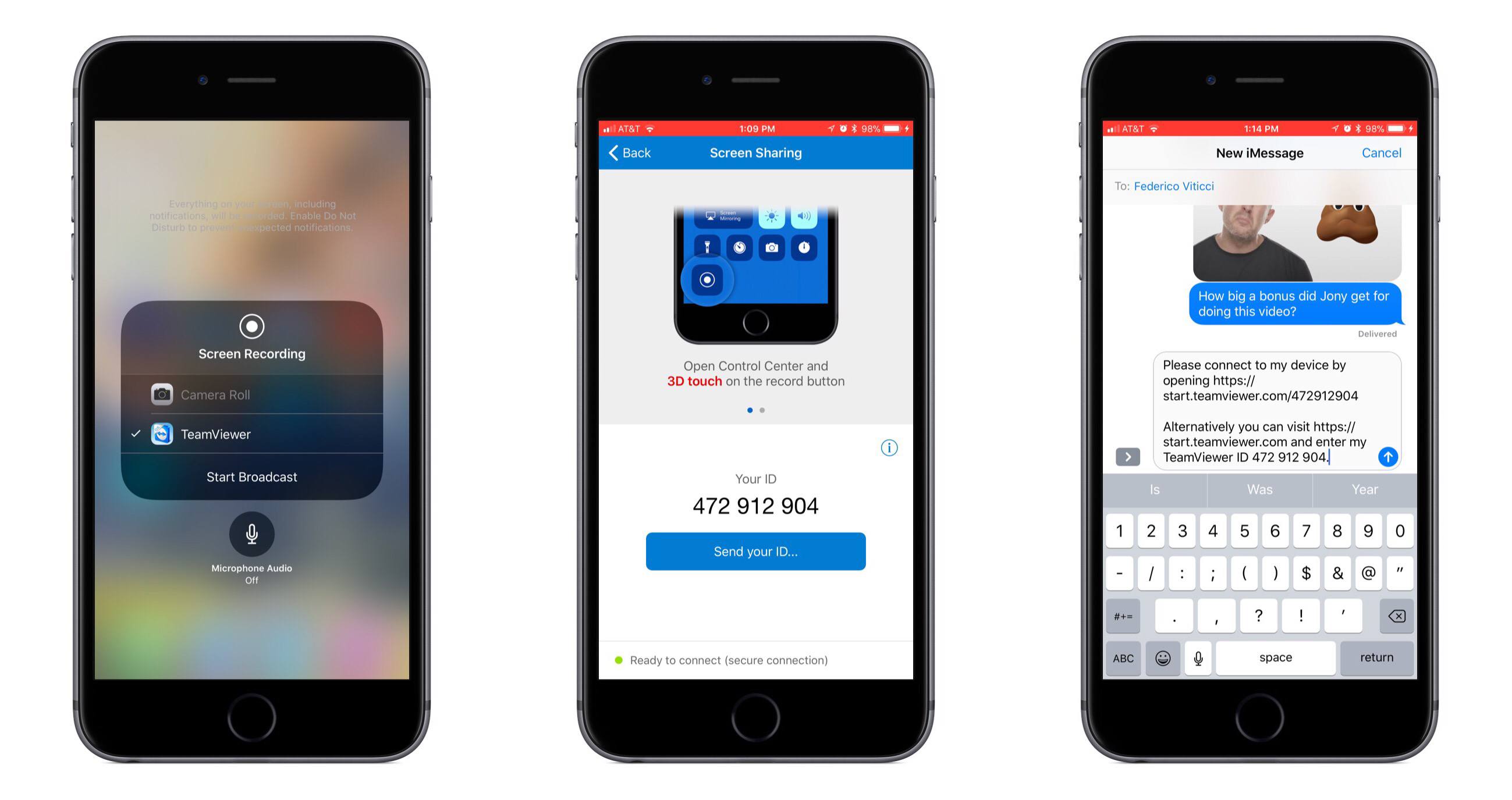
TeamViewer Quick Support has been available on the App Store for several years, but due to the sandboxed nature of iOS, it hasn’t been as powerful or helpful as I’m sure its makers would have liked. But among a host of exciting new technologies in iOS 11, Apple has introduced a screen sharing feature that makes an app like Quick Support a truly powerful tool for giving or receiving support.
Quick Support uses a new and improved version of Apple’s ReplayKit framework to enable true screen sharing; with it, you can broadcast a live recording of your iPhone or iPad’s screen so that anyone with the broadcast link will be able to follow, in real-time, your actions on the device.
Getting started with Quick Support couldn’t be easier. First, you’ll need to make sure that the new Screen Recording option is set up in Control Center. Once it is, open Control Center, use 3D Touch (or a long-press) on the Screen Recording icon, select TeamViewer, then hit Start Broadcast. At this point you’ve officially begun streaming your device’s display online. In order to let others access it, open Quick Support and tap Send Your ID. The share sheet will come up, allowing you to send the broadcast link to others so they can view it from any other device.
As the app’s name implies, the focus of Quick Support is to serve as a support tool. If you need help with one of your iOS devices, you can broadcast your screen to the people working to assist you. Or, perhaps a more likely scenario most MacStories readers will find themselves in, you can install Quick Support on the device of a family member or friend who needs your help to figure out, for instance, why on earth their newly-updated iOS 11 iPad is acting so strange. The quick and easy setup, aided by a step-by-step walkthrough in the app, makes Quick Support an ideal option for non-techies.
In my testing, Quick Support worked great and provided a seamless experience for those viewing my screen broadcast. Viewers do have to download the TeamViewer app for whichever device they’re using, whether a Mac, PC, or iOS device, but it’s still a user-friendly process – the download will trigger upon clicking the given link, and once the app’s installed, future broadcast-viewing is effortless.
TeamViewer Quick Support is available for iPhone and iPad on the App Store.
Access Extra Content and Perks
Founded in 2015, Club MacStories has delivered exclusive content every week for nearly a decade.
What started with weekly and monthly email newsletters has blossomed into a family of memberships designed for every MacStories fan.
Club MacStories: Weekly and monthly newsletters via email and the web that are brimming with apps, tips, automation workflows, longform writing, early access to the MacStories Unwind podcast, periodic giveaways, and more;
Club MacStories+: Everything that Club MacStories offers, plus an active Discord community, advanced search and custom RSS features for exploring the Club’s entire back catalog, bonus columns, and dozens of app discounts;
Club Premier: All of the above and AppStories+, an extended version of our flagship podcast that’s delivered early, ad-free, and in high-bitrate audio.