This Week's Sponsor:

Copilot Money

Copilot Money, The Best Money Tracker, Launches on the Web – Limited-Time: Get 26% Off + 2 Months Free


Posts in reviews

Why I Use FoxTube

FoxTube

FoxTube

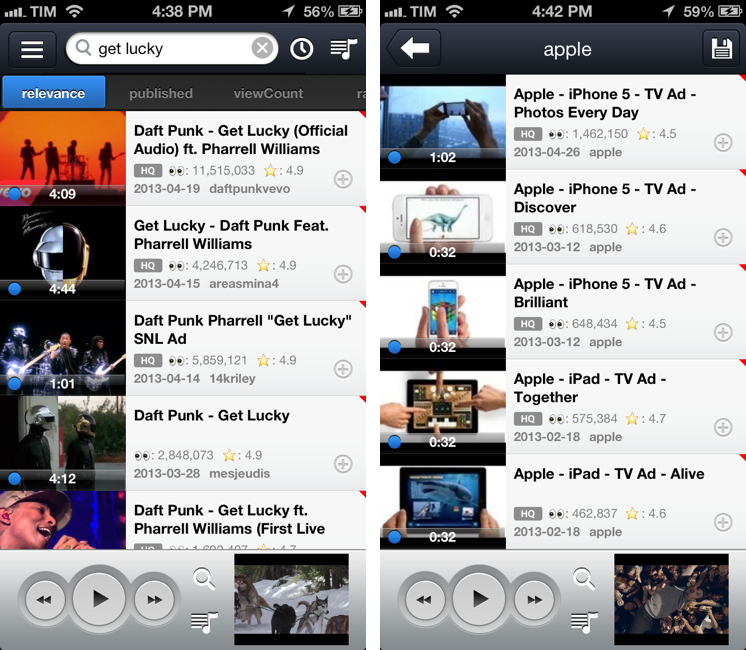
After Cody linked to FoxTube for Mac two days ago, I figured I haven’t mentioned why, after nearly a year and a major update, I’m still using FoxTube for iOS alongside the official YouTube app.

FoxTube isn’t the best looking app ever made for iOS; while the 2.0 version improved the overall design, there’s still a lot going on in terms of interface and everything feels a bit cramped, especially on the iPhone. The icon is a literal representation of the app’s name; sometimes, icons in toolbars overlap with navigation buttons. I wish the FoxTube developer could find a way to slim down the interface and make some parts more cohesive, but I understand how that can be difficult when FoxTube does so many things.

FoxTube is a supercharged YouTube client for iOS. I know what you’re thinking: you don’t need another YouTube app after the release of the (free) official client. And that is probably true – as MacStories readers know, I’m a big fan of the new YouTube app (App Store users seem to agree, too). FoxTube, however, is a great complement to the YouTube app that I recommend if you’re looking for more flexibility and customization in certain aspects of the YouTube experience. Read more


Calzy Calculator

Calzy

Calzy

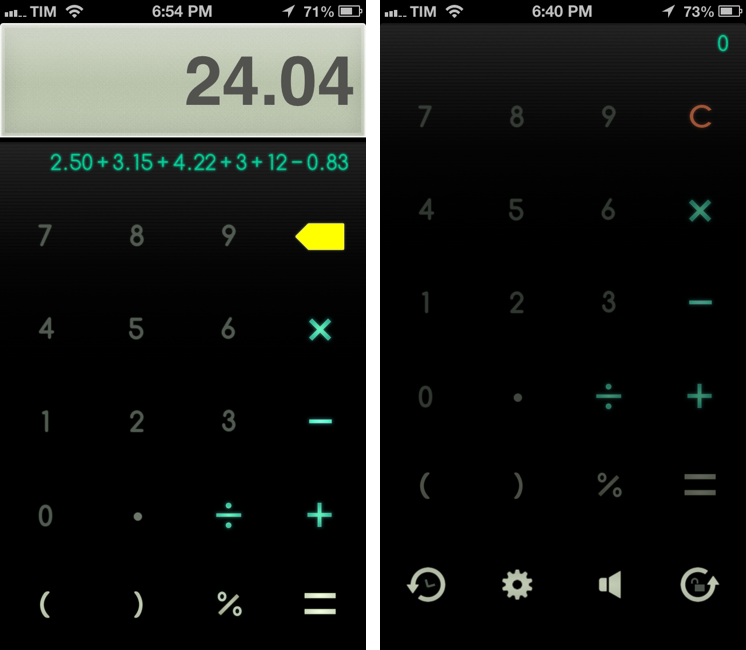
When it comes to iPhone calculators, I have simple needs: they have to help me when I’m buying groceries.

I have been using Tapbots’ excellent Calcbot app for years: unlike Apple’s built-in calculator, it comes with proper support for undo and history, which allows me to easily keep track of the items I’m buying at the grocery store. You could say that, like image editors, I seek out for non-destructive calculators: I want to have access to a stacked list of the single operations I have entered and to be able to delete items inside the expression list. The problem with Calcbot, as I tweeted in March, is that the app still hasn’t been updated for the iPhone 5’s taller screen, and, as MacStories readers know, I can’t stand looking at a letterboxed app on a daily basis. Calcbot works fine, but I wanted to see whether I was missing out on new calculator apps that were ready for the iPhone 5 and had comparable feature sets. Fortunately, I found Calzy. Read more


Evomail Review: A Gmail Client for iPad With A Clean Design and Push Notifications

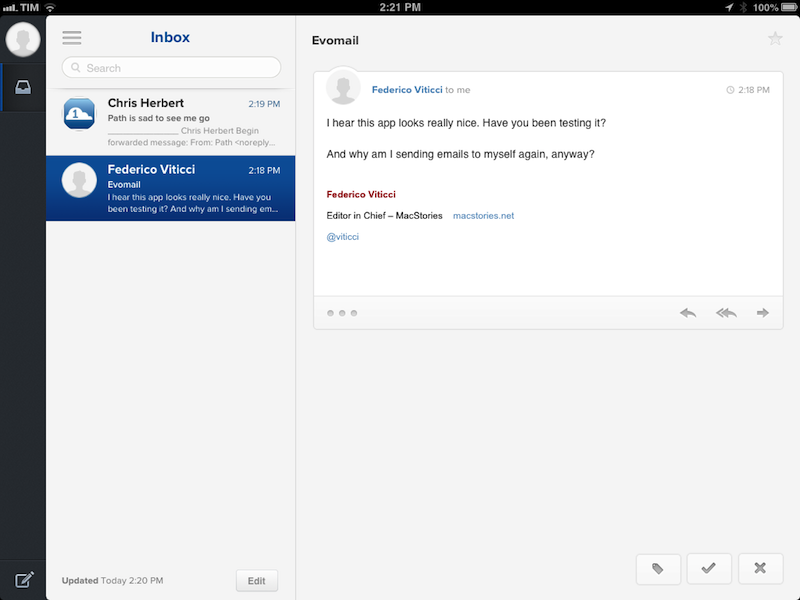
Evomail, a new Gmail client for iPad released today at $2.99, wants to fill the void left by the announced-but-never-released Sparrow for iPad, providing an alternative to the largely web-based official Gmail app and the upcoming (?) Mailbox for iPad. To differentiate itself from iOS’ native email client, Apple’s Mail app, Evomail focuses on three main areas: a new, modern design; push notifications; and tight integration with Gmail. The first version of Evomail is good, but rough around (many) edges.

Read more


Briefs Review: A Great Prototyping Tool For iOS Apps

Briefs

Briefs

Briefs has a complicated history.

In September 2009, independent developer Rob Rhyne showed a demo of an iPhone prototyping tool called “Briefs” at the C4[3] conference in Chicago. The day after the presentation, Daring Fireball’s John Gruber called Briefs “impressive” in the way it hit “the sweet spot between simplicity and usefulness”. Back then, Briefs was often described as a “framework” for turning image-based app mockups into animated prototypes; in January 2010, Alex Vollmer published an in-depth review of the first version of Briefs, explaining how you could use Xcode, the command line, and image files to create a “brief” (the name of Briefs’ file format) that, once loaded on a device, would become an animated prototype. Briefs was meant to let developers better understand the “flow” of an app design before turning it into actual code; on the flip side, it also enabled the creation of more realistic mockups that wouldn’t necessarily ship as commercial products. An example of this was the popular “Services Menu for iPhone” concept posted by Chris Clark and created with Briefs.

In the summer of 2010, Briefs’ rejection spiral began. Apple first rejected Briefs for iPhone in June 2010, citing rule 3.3.2 of the App Store Review Guidelines, which said that no app could download interpreted code. Developer Rob Rhyne assumed that the aforementioned notion of an “app framework” could be the culprit, so he resubmitted the app. In August 2010, after attending WWDC 2010 and waiting three months for App Store approval, Rhyne decided to take a break from the project and he open-sourced the 1.0 code. “I still have some good ideas for the platform”, he wrote, “and I hope to get back to them in good time. However, it’s time to focus on other work and projects that can get into the App Store”.

In late March 2011, after nearly a year spent talking to Apple’s review team about Briefs and after another rejection, Rhyne formally announced Briefs would never come out on the App Store, recommending people to keep on using the open-source version on GitHub. For many, that appeared like the end of Briefs.

Three months ago, Rhyne sent me an email introducing a new beta of Briefs, this time with a dedicated “Author” app for Mac, plus iPhone and iPad “Players”. After two years of hiatus, I was skeptical: I thought that Briefs was destined to be perpetually relegated in the limbo of cool app ideas that never were.

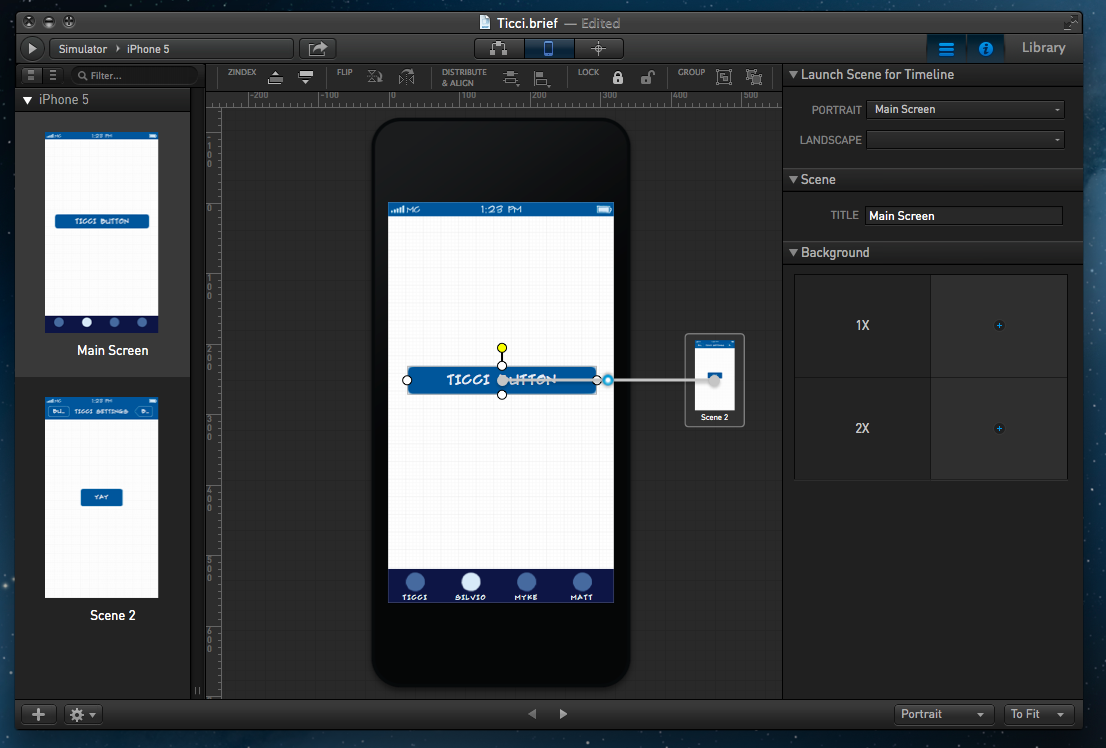
Briefs, available today at $199, is an iOS prototyping tool for professionals. It comes with a standalone Mac app that allows you to build and test live prototypes, and a free Briefscase iOS app that lets you test prototypes directly on your iPhone and iPad.

Read more


Feed Wrangler: A New RSS Reader With Smart Streams, Filters, Read Later Integration

Feed Wrangler

Feed Wrangler

“I wanted to take a slightly different take on the concept of what an RSS platform should do”, David Smith, independent developer and podcaster, told me about his new product, Feed Wrangler.

Soon after Google revealed they would discontinue their RSS service Reader this July, a slew of companies were quick to announce their existing news reading apps would either support “importing” features to let Google Reader users quickly migrate or, in some cases, be updated with APIs cloning the unofficial Reader one, allowing other developers to tweak their RSS clients for new API endpoints. This is what apps and services like Flipboard, Zite, Digg, and Feedly are doing. Instead, David Smith did something different: he announced he’d be launching an entirely new RSS syncing service, called Feed Wrangler, for an annual fee:

I believe the reason that Google turned its back on Reader and left its users hanging is that they were users not customers. I’m not interested in building a platform designed to attract as many users as possible and then work out how to sustain it later. I want to instead build something that is sustainable from Day 1. I want my customers to feel confident that they can expect this to be around long into the future. I want to build a relationship with them and make something they really, really love.

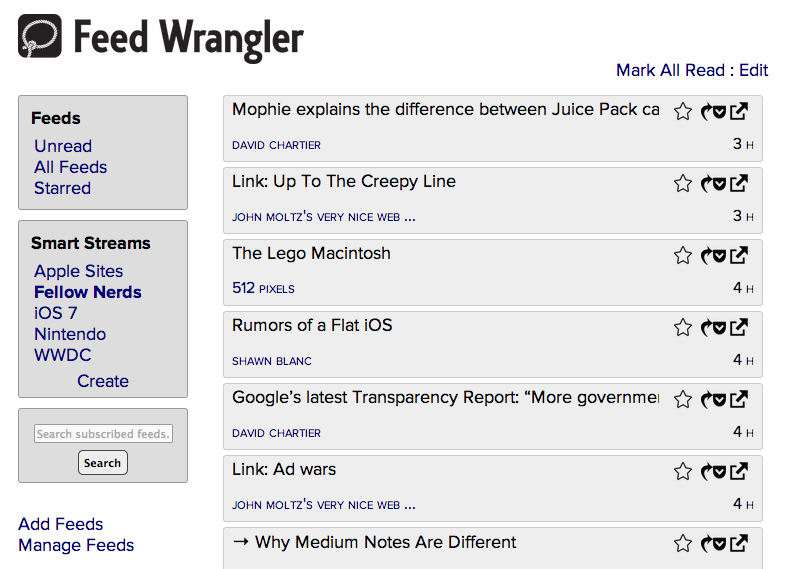
Feed Wrangler, open to the public today, comes with a website, a suite of native apps, and a $19 annual subscription. Read more


Fake Shower Review

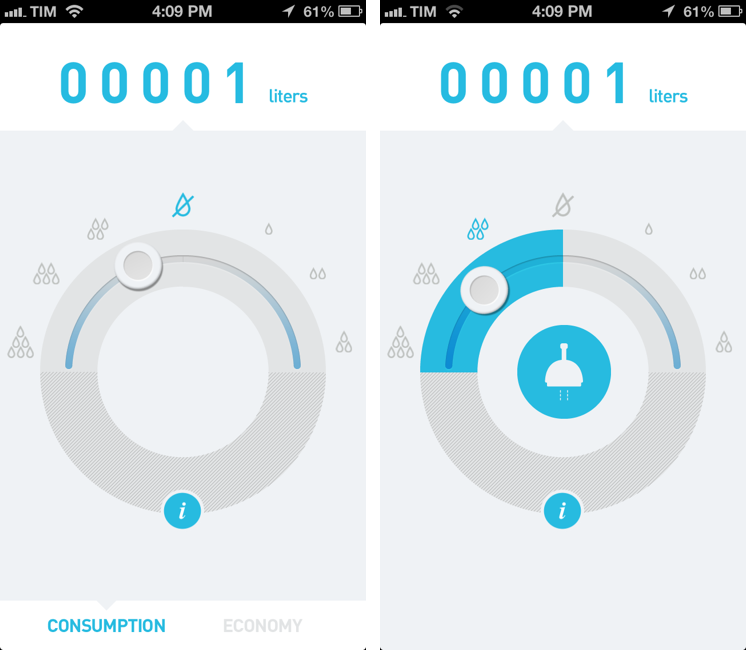
Akatu Fake Shower may seem like a very stupid app. I mean, watch the promotional video:

Seriously.

Yesterday, after my friend Matt tweeted about Fake Shower, I downloaded it (the app is free) expecting to stumble upon a silly joke. To use Apple’s parlance, I thought it was another fart app, disguised as a clean-looking utility to actually achieve the opposite goal.

Then I decided to look for more information.

It turns out, Akatu is a non-profit NGO that focuses on raising awareness about consumption choices. It was founded on March 15, 2011 (World Consumer Rights Day) with headquarters in São Paulo, Brazil. Here’s a TEDx presentation by one of the co-founders of Akatu, former Brazilian minister Helio Mattar, talking about “conscious consumption”. In short, Akatu’s goal is to show how our consumption habits could be improved.

All the “reviews” of Fake Shower that I found didn’t mention that this app leverages an embarassing premise to cleverly raise awareness on the issue of water consumption. The app’s motto – “Because love is blind, but not deaf” – perfectly sets the tone for an “experience” that, for a lack of a better description, offers a way to cover the sound effects of your bodily activities. But why aren’t more people looking into the organization behind this “stupid app”? Read more


Horizon Calendar 2.0 Adds Natural Language Parsing, Check The Weather Integration

Horizon

Horizon

Back in February, I covered Horizon Calendar, an app developed by Kyle Rosenbluth that cleverly combined the classic aspects of a calendar with basic weather information:

The core aspect of Horizon is how it mixes weather with event information. When creating a new event, the app uses Google location data (which I found to be the best provider here in Italy) to show a list of suggestions in a bar above the keyboard; once you’ve chosen a location, Horizon will fetch a weather forecast (up to 14 days out). The app was created for people who deal with appointments in multiple locations on a daily basis: by entering a single day’s view, you’ll see a list of all your upcoming events alongside their respective locations and weather forecasts.

Horizon Calendar 2.0, released today, is a solid update that adds powerful functionality without sacrificing the app’s usability and ease of use. Following a trend established by apps like Fantastical and Due, Horizon now comes with natural language parsing for event creation: type something like “Skype call on Monday 5 PM until 7” and Horizon will correctly understand and parse your input automatically filling the necessary calendar fields for you.1

Read more


Drafts 3 Review: Better iOS Automation and Workflows

Drafts3

Drafts3

In just a little more than a year, Agile Tortoise’s Drafts has gone from being a quick notepad for small bits of text to a full-featured solution for launching apps, using web services, and chaining multiple apps together – always with a focus on text. With version 2.5, released in January, developer Greg Pierce expanded upon Drafts’ existing support for URL schemes to let users build their own actions and share them with others; in the process, he also updated Drafts to handle advanced operations such as customizable Dropbox write access, strftime timestamps, and deeper x-callback-url support.

Drafts 3.0, released today, is a major update that refines several aspects of version 2.5 and brings powerful new features such as Evernote and Message actions, better action and draft management, tighter Reminders integration, and a way to backup and restore entire sets of actions.

I have been testing Drafts 3.0 for the past month, and, even more than Drafts 2.5, it has become an essential part of my daily workflow.

Read more


Simple Website Monitoring with Vigil

Vigil

Vigil

For the past four years, I have tried a number of different solutions to monitor my website. Some of them used email as a delivery service, others a Mac app, and none of them looked as polished and simple as I’d like them to be. Especially after our move to a dedicated Mac mini, I wanted a reliable, intuitive, nice-looking solution to always be up to date in regards to my server’s status.

Just after our move to a new host, I found Vigil thanks to a recommendation by John Gruber. Developed by Heirloom, Vigil is an iPhone app that does two things: it monitors websites and it sends you push notifications if something’s wrong with them. There’s a free 30-day trial, after which you’ll have to sign up for a $9.99 yearly subscription to continue using Vigil with an unlimited number of websites. I signed up immediately after a week of testing and I have been using Vigil since. Read more