Back in November 2012, I shared my frustration with the sharing mechanism of Skitch for iOS, concluding that:
So now I’m looking for simple image annotations on iOS. Or an update to Skitch.— Federico Viticci (@viticci) November 10, 2012

Improve your Drag-and-Drop Workflow
Back in November 2012, I shared my frustration with the sharing mechanism of Skitch for iOS, concluding that:
So now I’m looking for simple image annotations on iOS. Or an update to Skitch.— Federico Viticci (@viticci) November 10, 2012
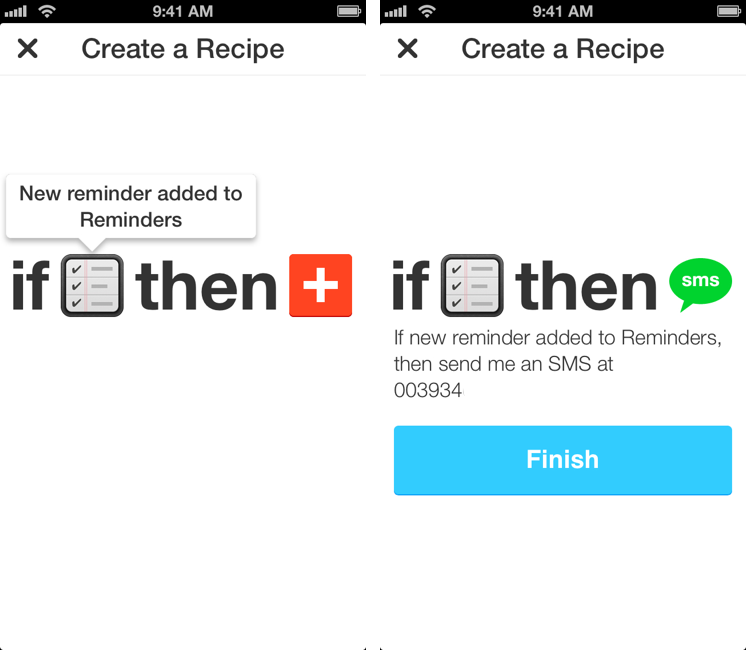
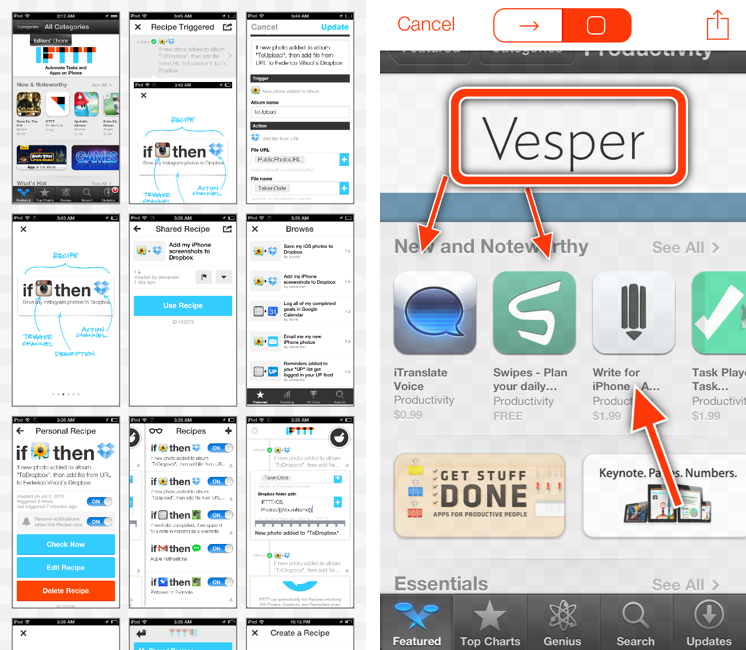
I used to heavily rely on IFTTT for my daily automation workflows that involved appending bits of text to files in my Dropbox, forwarding tweets to my OmniFocus inbox, generating PDFs, or archiving Instagram photos to my Dropbox account. IFTTT, acronym of If This Then That, is a web service that lets you connect other web services together to create automated workflows that run every time a piece of data is triggered: by leveraging a variety of APIs from compatible channels (such as Facebook, Dropbox, Evernote, Feedly, and more), IFTTT lets you automate the web in powerful (and sometimes unexpected) ways. Browsing Popular recipes on the IFTTT website can give you an idea of the scope of web automation that’s made possible by the service, and we’ve covered IFTTT in the past on MacStories as well.[1]
However, I stopped depending on IFTTT because, once I got more comfortable with my own Mac mini server as a remote automation assistant, I wanted to control the pipes of my personal data. I’m still using IFTTT for things like receiving an email if it’s going to rain tomorrow or a new SMS for press releases published by Apple (just an example of the power of IFTTT channels and recipes), but it’s not the primary system that I rely upon for automating daily tasks. The new IFTTT app for iPhone, which I have been testing and has been released today on the App Store, may make me (partially) reconsider my decision. Read more
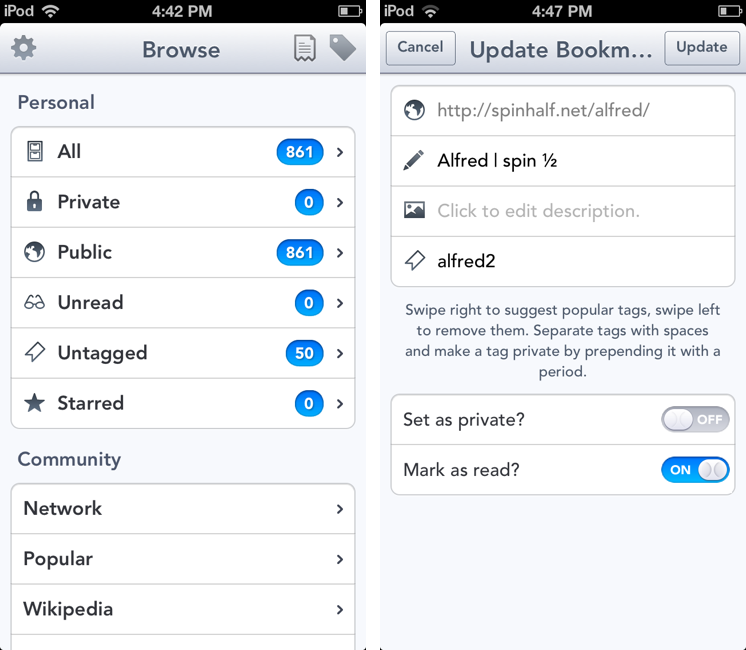
On the first episode of The Prompt podcast, I chose Pushpin 2.0 as my weekly pick, and I thought the app deserved a mention here on the site as well.
In January, when I first reviewed Pushpin, I noted how the app didn’t look as good as Pinbook, another Pinboard client that, back then, didn’t support some of the power-user functionalities that were available in Pushpin. Many Pinboard clients have come out in the past few months; as MacStories readers know, my choices have always been Pinbook, Pushpin, and Pinbrowser – while these three apps were all made for Pinboard, each one of them had a peculiar feature that made it stand out. With Pushpin 2.0, I feel like the difference is now marginal, as the app takes important steps towards becoming the only Pinboard client you’d ever need to add, manage, and browse Pinboard bookmarks. Read more
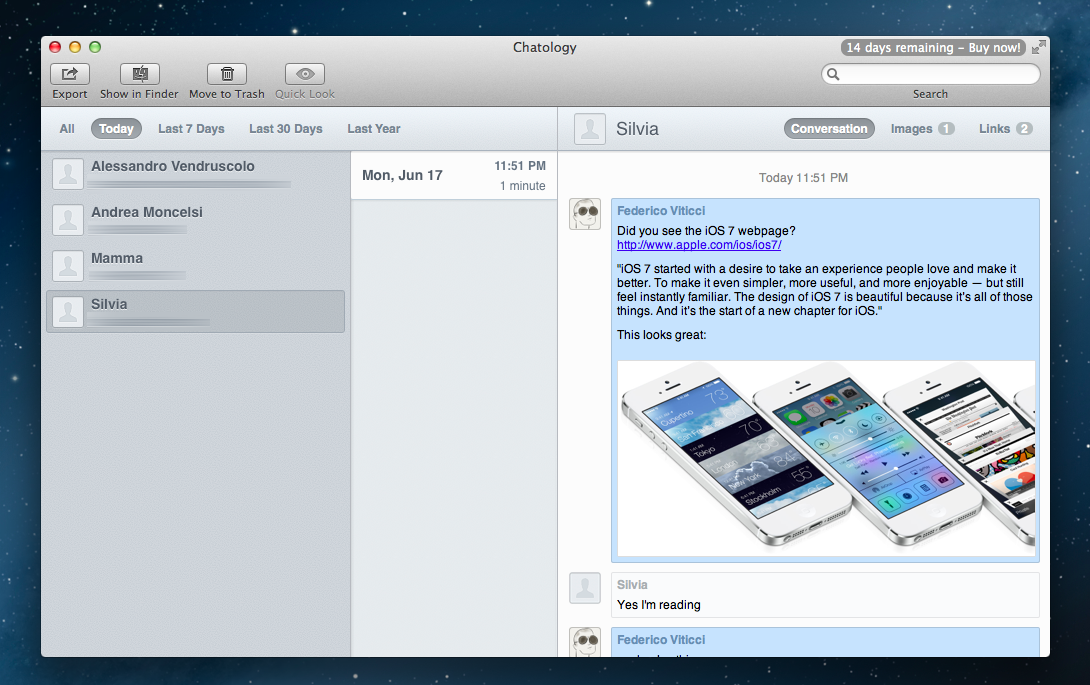 Chatology’s main window. I only couldn’t buy it because the Store wasn’t available during the beta.
Flexibits, run by Michael Simmons and Kent Sutherland, makes two of my favorite apps. With Fantastical for Mac, released almost two years ago, they removed friction from event creation on OS X through a simple yet powerful menubar app that leveraged natural language processing. Fantastical is the only calendar interface that I interact with on my Mac, as it can send events to configured accounts directly – in the background – without needing Apple’s Calendar. Last November, they brought everything they had learned on the Mac to the iPhone with the release of Fantastical for iOS, a fantastic Calendar replacement with native iOS integration, a gorgeous Day Ticker interface, and advanced features such as a URL scheme and multiple alarms.
With the Fantastical brand, Flexibits has established itself as capable of building apps that use existing Apple technologies to create new, enjoyable experiences that are equally efficient, reliable, and rich in detail. Today, with the release of Chatology, Flexibits aims at supercharging a tough and infamous subject: Messages for Mac. Read more
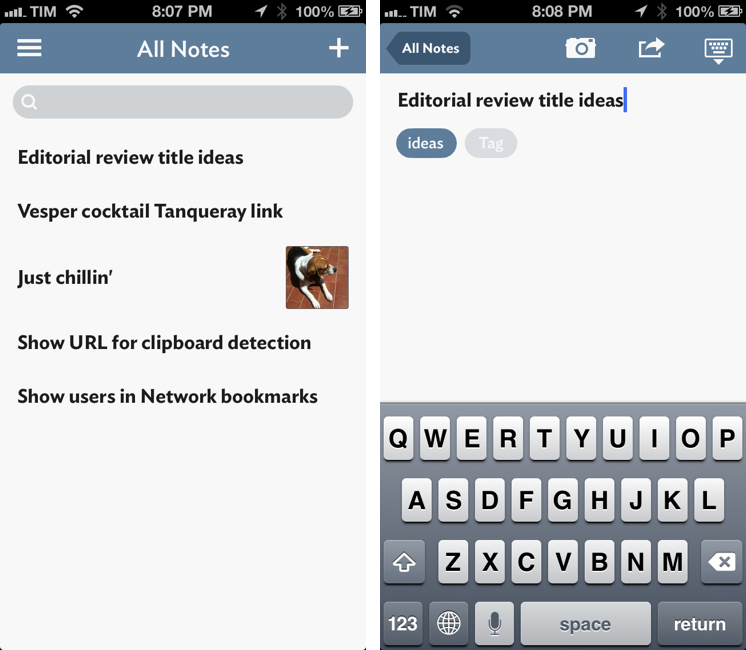
It wouldn’t be fair to judge Vesper solely by the names of its creators. A new note-taking app for iPhone released today, Vesper has been designed by Dave Wiskus, developed by Brent Simmons, and directed by John Gruber. There’s more to Vesper than the fame of the all-star team behind it, though.
Long-time MacStories readers should be familiar with the iOS apps that I like and use for taking notes, collecting thoughts, and organizing tasks. For years, my entire workflow was based on Dropbox: I would save articles, notes, random bits of text, and even tasks in text files handled by apps like Writing Kit, TaskAgent, Byword, nvALT, and Notesy. Those are still excellent apps, but my setup is more variegate now: my daily thoughts and memories are collected in Day One; longer articles are still stored in Dropbox and edited with specific text editors like Sublime Text; my bookmarks are saved in Pinboard, while everything else – from reference material to annotated screenshots – goes into Evernote. On iOS, Agile Tortoise’s Drafts plays a fundamental role in the way it launches ready to receive any text and is capable of forwarding it to multiple destinations – all while allowing power users to achieve faster, automated workflows.
Specific apps, different services, all with a common thread: sync to a remote backend that ensures my text is always available anywhere.
If you take into account the apps that I have reviewed over the past two years, Vesper may seem anachronistic and uncharacteristically simple: it’s a general-purpose note-taking app with no sync, no URL scheme, no iPad version, and no Markdown integration. When I first tried Vesper a couple of weeks ago, I was skeptical in regard to the app’s reason of existence. But now, in spite of its 1.0 nature and many missing features, I see one – and, more importantly, I believe Vesper gets several things right. Read more
In April, I wrote about Triage, my new favorite email app for iPhone. Here’s how I concluded my review:
Triage is based on a simple, efficient, and rewarding process that works by leveraging the iPhone’s most obvious gesture and one-handed operability. Unlike other new email apps, Triage doesn’t let you scan your inbox to turn messages into to-dos: it uses a one-message-at-a-time approach to see what’s up, what needs attention, and what can be kept for later.
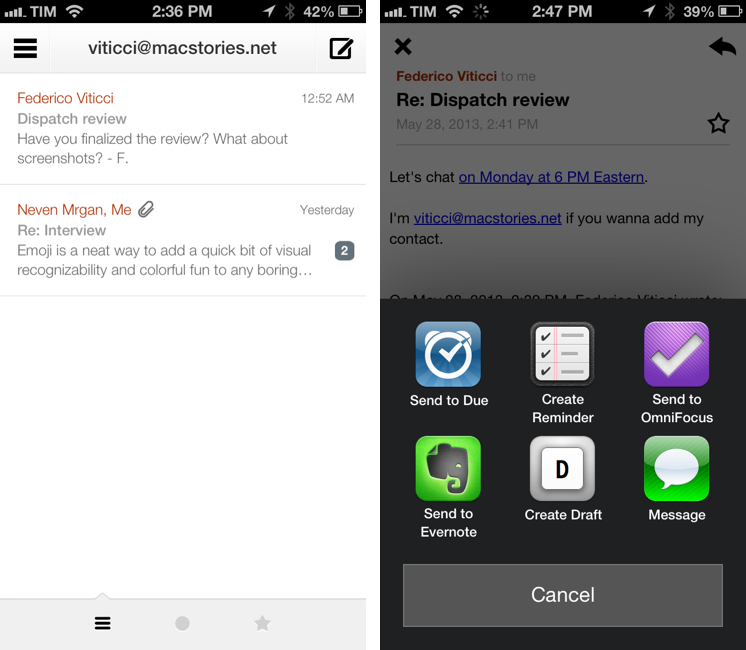
Dispatch, made by Muh Hon Cheng and Lin Junjie, is a new email client for iPhone that’s aimed at the later part. I have been using every day it for the past two months, and it’s now on my Home screen alongside Gmail and Triage.
As I explained in the past here on MacStories, my iOS email workflow was perfectly fine until Sparrow showed interesting new ways to interact with messages on the iPhone. Sparrow got acquired by Google, which, a few months later, came out with a completely revamped Gmail app that is now my primary client for searching and composing longer messages on the iPhone and iPad[1]. I don’t like how Google’s app relies on web views across several areas of the interface; in spite of Google’s additions, Gmail doesn’t make for a great experience to archive or delete emails with a one-handed operation. That’s what Triage is for.
At this point, I have two wishes left ungranted from email on iOS: a fully native Gmail app and a client with inter-app communication. Dispatch wants to be the second one. Read more
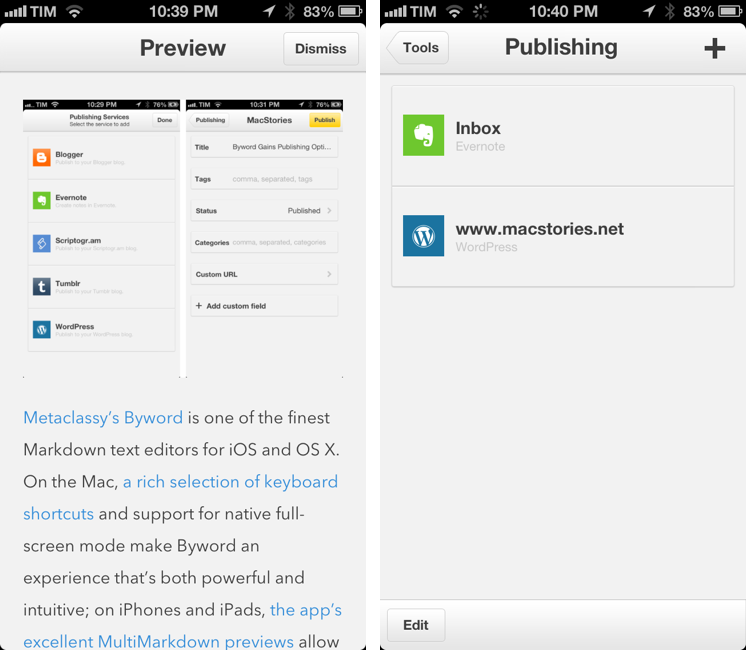
Metaclassy’s Byword is one of the finest Markdown text editors for iOS and OS X. On the Mac, a great selection of keyboard shortcuts and support for native full-screen mode make Byword an experience that’s both powerful and intuitive; on iPhones and iPads, the app’s excellent MultiMarkdown previews allow the Markdown-savvy writer to always keep an eye on the final outcome of a document. With sync (both through iCloud and Dropbox) and solid exporting options (including PDF), Byword has become many’s preferred solution to write down thoughts and longer essays – with a focus on Markdown, rich text, and cross-device availability of documents.
Byword 2.0, released today for iOS and OS X, introduces new publishing options for WordPress, Tumblr, Evernote, Blogger, and Scriptogram, more robust sync with offline support and better conflict resolution, and several other enhancements. I have been testing Byword on all my devices for the past month, pointing the app to my /Apps/ folder in Dropbox where all my text files are stored. Read more
Through a simple card, Analog Camera introduces itself with a short tutorial and animated image, explaining how to set exposure and autofocus. Personally, I wanted to fool around with the app before I read the manual, seeing if I could discover which gestures did what and whether I could navigate the app without having getting frustrated or lost. I took the same approach with Clear, Realmac Software’s earlier collaborative effort on iOS, and ultimately determined that there was enough feedback and freedom to figure it out on your own. So I dismissed the card, and would have to do so a few more times as I got around to viewing different parts of the app.
Back in early May, Vemedio released a first beta of Instacast for Mac. Instacast is my podcast client of choice on the iPhone and iPad, and I was eager to see whether Instacast could fulfill my long-standing wish of a proper podcast app for OS X. Instacast is officially out of beta today, and it’s my new favorite podcast app for Mac.
There isn’t much to say about Instacast for Mac that hasn’t already been explained in our review of Instacast 3.0 for iOS. The Mac version retains the same interface and episode management principles of its iOS counterpart: you can subscribe to podcasts and organize them in lists, sort them by parameters such as Title or Date, or delve deeper into subscription-specific settings for refresh times and automatic download/deletion options. Literally everything that you know about Instacast 3.0 for iOS – including the app’s design style – has been ported to OS X with this first release.
There’s some stuff that has been built exclusively for the Mac. I am particularly fond of Instacast’s rich selection of keyboard shortcuts, which fit well with the Mac’s nature and will help you save time if you’re looking for a specific command or option (there are many of them, so remembering each one of them may require special mnemonic skills).
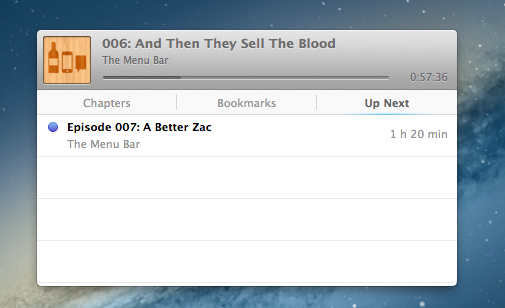
I like when developers porting popular iOS apps to the Mac don’t simply convert their projects for a desktop window: that was the case with Tweetbot (another app that took advantage of OS X features like keyboard shortcuts and larger displays), and, fortunately, it’s happening with Instacast as well through the aforementioned shortcuts and an iTunes-like MiniPlayer. Available through the Window menu (with the keyboard, it’s ⌥⌘2), the MiniPlayer allows you to check on either the episode you’re listening to (with a widget that’s got a minimal footprint on your desktop) or to the ones that you have queued up for later thanks to – another Mac-only feature – Up Next support. Again, similarly to iTunes 11, Instacast lets you send specific episodes to a list that you can consult and modify while you’re already listening to something else.
Another feature that’s currently exclusive to Instacast for Mac is local text search: if you remember an episode that had a particular keyword in its title or description, you can look for it. This is especially useful for names of apps or services that are mentioned in podcasts, but I wish it was possible to save recurring searches.
Instacast for Mac is Instacast 3.0, responsibly and intelligently ported to OS X. It’s not a simple conversion of the iOS app as it takes advantage of the Mac in obvious, but still welcome ways. Sync with Instacast Cloud, initially spotty in the beta, has been reliable and fast for me in the last builds, making the process of switching between devices and continuing to listening to podcasts seamless.
If you’ve been looking for a solid podcast app for Mac that syncs with iOS, Instacast gets my recommendation. Until May 31, Instacast for Mac will be available at $14.99 instead of $19.99.